
I have seen many projects slow down because they put smart tracking in the wrong place. In my work, I always look for the fastest path to stable tracking.
For dual-lens linkage, the AI compute is usually handled on the Edge, inside the camera itself, not on the Backend. This gives faster response, lower delay, and better stability when the network is weak or fully lost.
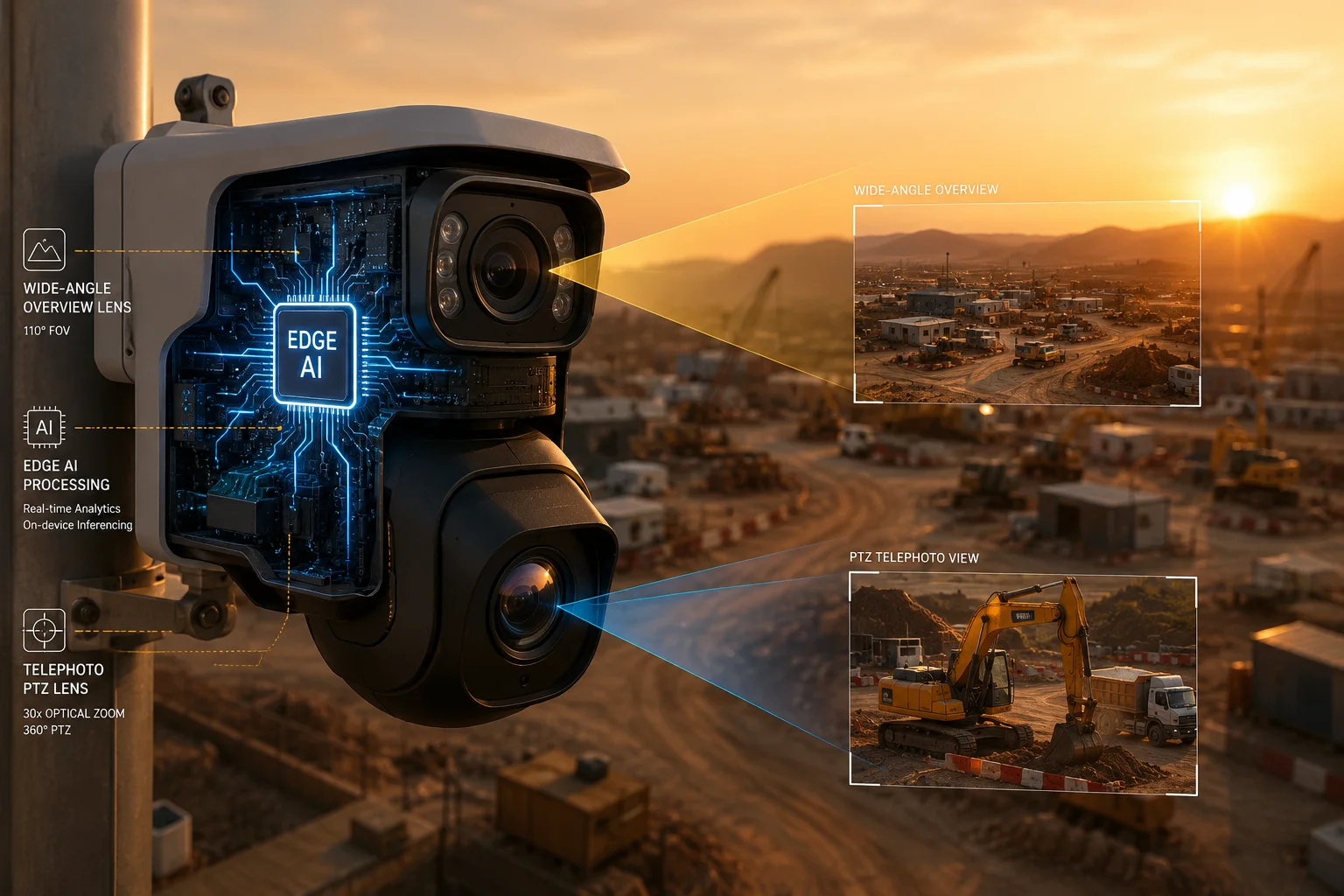
I often explain this to system integrators who work in farms, construction sites, and remote yards. The real question is not only where the AI runs. The real question is whether the camera can react fast enough when a target moves.
Table of Contents
Does Edge-based linkage ensure a faster response time for auto-tracking1 than a cloud-based setup2?
I have learned that delay is the first thing that breaks auto-tracking. If the camera waits for cloud feedback, the target can move away before the PTZ even starts to turn.
Yes, Edge-based linkage is much faster than a cloud-based setup for auto-tracking. The camera processes the target locally, so it can send PTZ commands in real time without waiting for network round trips.
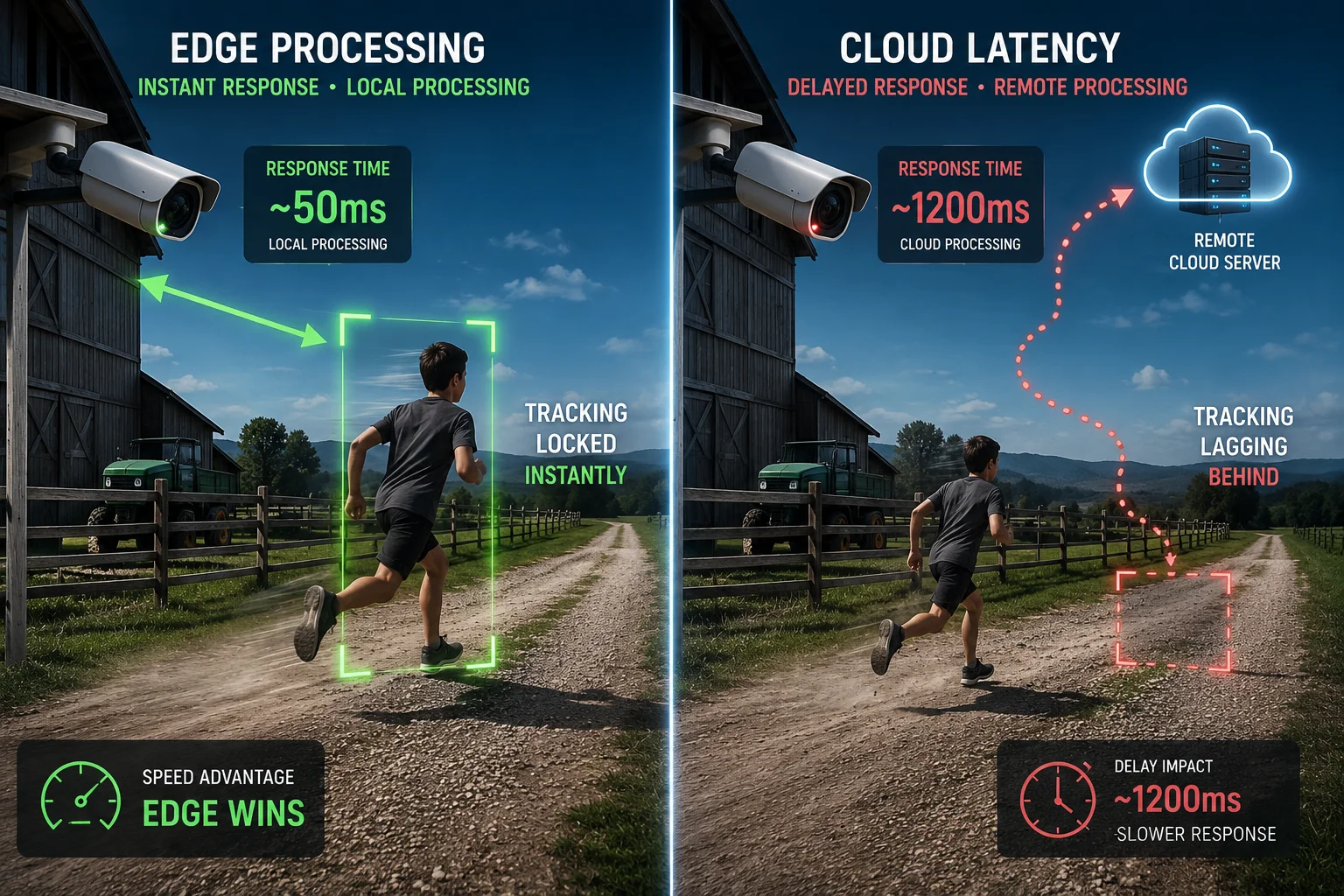
I like to think of this as a race between local reaction and remote control. The Edge sees the target, makes the decision, and moves the PTZ inside the same device. A cloud system must send video up, wait for analysis, and then get the command back down. That extra path adds lag. In a normal office network, that lag may look small on paper. In the field, it often feels much bigger.
Why local processing matters so much
I work with customers who care about real results, not just spec sheets. They want the camera to keep up with a walking person, a car entering a gate, or a worker moving across a yard. A cloud-based setup can be fine for review and storage, but it is weak for live control. If the network is busy, the camera can miss the moment.
| Tracking Method | Where AI Runs | Response Speed | Best Use Case |
|---|---|---|---|
| Edge linkage | Inside the camera | Very fast | Live auto-tracking |
| Cloud linkage | Remote server | Slower | History, reports, central control |
| Hybrid setup3 | Both Edge and Backend | Balanced | Large projects with mixed needs |
I also see a clear business reason here. A client who pays for a camera wants the camera to work at the edge of the site, not only when the internet is perfect. If the target is moving fast, even a short delay can hurt the result. That is why I treat Edge compute as the base layer for dual-lens linkage.
Why cloud delay becomes a real field problem
I have dealt with sites where the network looked fine in the office, but it failed in the field. A 4G signal can swing up and down. It can also suffer from packet loss, tower load, and weather issues. When that happens, cloud tracking starts to feel slow and unstable. The PTZ may overshoot. It may correct late. It may even lose the target after a short pause.
I also know that many buyers use auto-tracking to cut labor cost. They want the camera to follow the subject by itself, so they do not need a guard to move the view all day. If the tracking reacts late, the value of the whole system drops. That is why I always place the tracking brain inside the camera body when I design for these use cases.
How does the camera’s SoC manage the simultaneous AI processing of two independent video feeds?
I often get asked how one camera can process two video feeds at the same time without freezing. The answer is not magic. It is a mix of SoC design, NPU4 power, and smart task splitting.
The camera’s SoC manages both feeds by using built-in hardware blocks, especially the NPU and ISP, so it can run detection on one stream and control on the other stream at the same time with low delay.
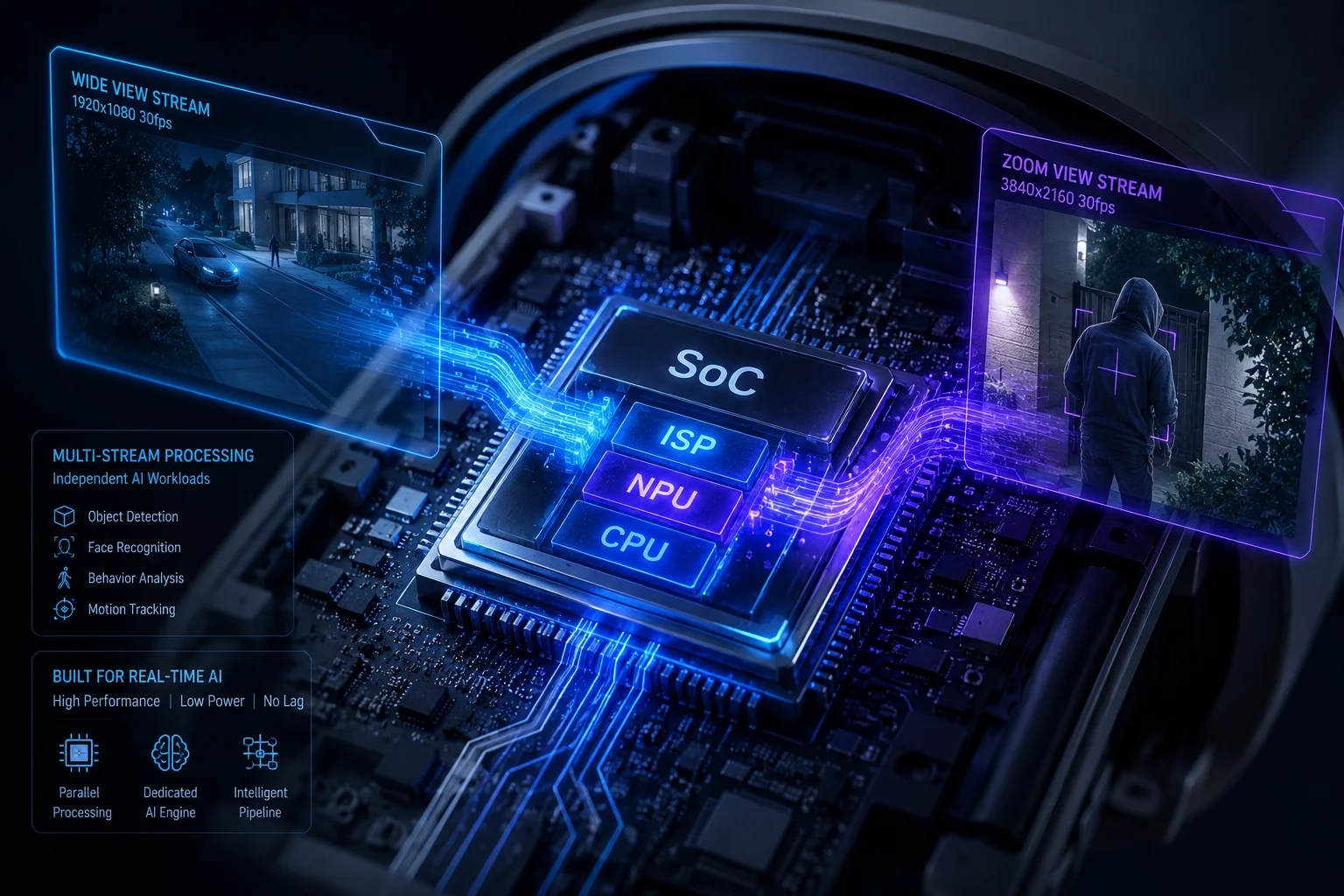
I see this as a small factory inside the camera. One part reads the image. One part cleans it. One part runs AI. Another part handles motion control. The camera does not send the whole job to one weak CPU core. It divides the work. That is how it keeps both lenses active at once.
How the workload is split
In a dual-lens linkage5 camera, the fixed lens often watches a wide scene. The PTZ lens then follows the target. The fixed lens does the first job. It finds the person or vehicle. The SoC6 takes that result and turns it into a PTZ action. This can happen many times per second.
| Camera Block | Main Job | Why It Matters |
|---|---|---|
| ISP7 | Improves raw image data | Helps AI see clearer frames |
| NPU | Runs AI detection models | Makes local analysis fast |
| CPU | Manages control logic | Sends tracking commands |
| PTZ motor control | Moves the lens | Keeps the target centered |
I think this split is important because dual-lens work is not just “two cameras in one shell.” It is a chain of tasks. If one part is too slow, the whole chain slows down. A good SoC keeps the chain tight. It can handle target detection, coordinate conversion, and PTZ control8 without pushing the main job to a remote server.
Why independent feeds need smart scheduling
I also pay attention to frame rate and resource use. Two feeds can create a heavy load. If both feeds run at high resolution and high frame rate, the chip must schedule the work well. The camera may use one feed for wide-scene detection and the other for detailed zoom view. It may also lower the AI load by only running full detection on selected frames.
How I explain this to buyers
When I talk to technical buyers like David Miller, I keep the explanation simple. I say that the SoC is the traffic manager. It does not just process video. It decides what task gets priority. It helps the camera keep tracking even when the scene changes fast. That is why good hardware design matters so much in a dual-lens AI product.
Will the dual-lens linkage still function if the 4G network9 connection is completely lost?
I know this is one of the biggest worries for field deployment. Many customers work in places where the network is not stable all day. They do not want a camera that fails the moment the signal drops.
Yes, dual-lens linkage can still function if 4G is completely lost, as long as the AI logic and PTZ control are handled locally on the camera. The linkage does not need constant cloud access to keep tracking targets.
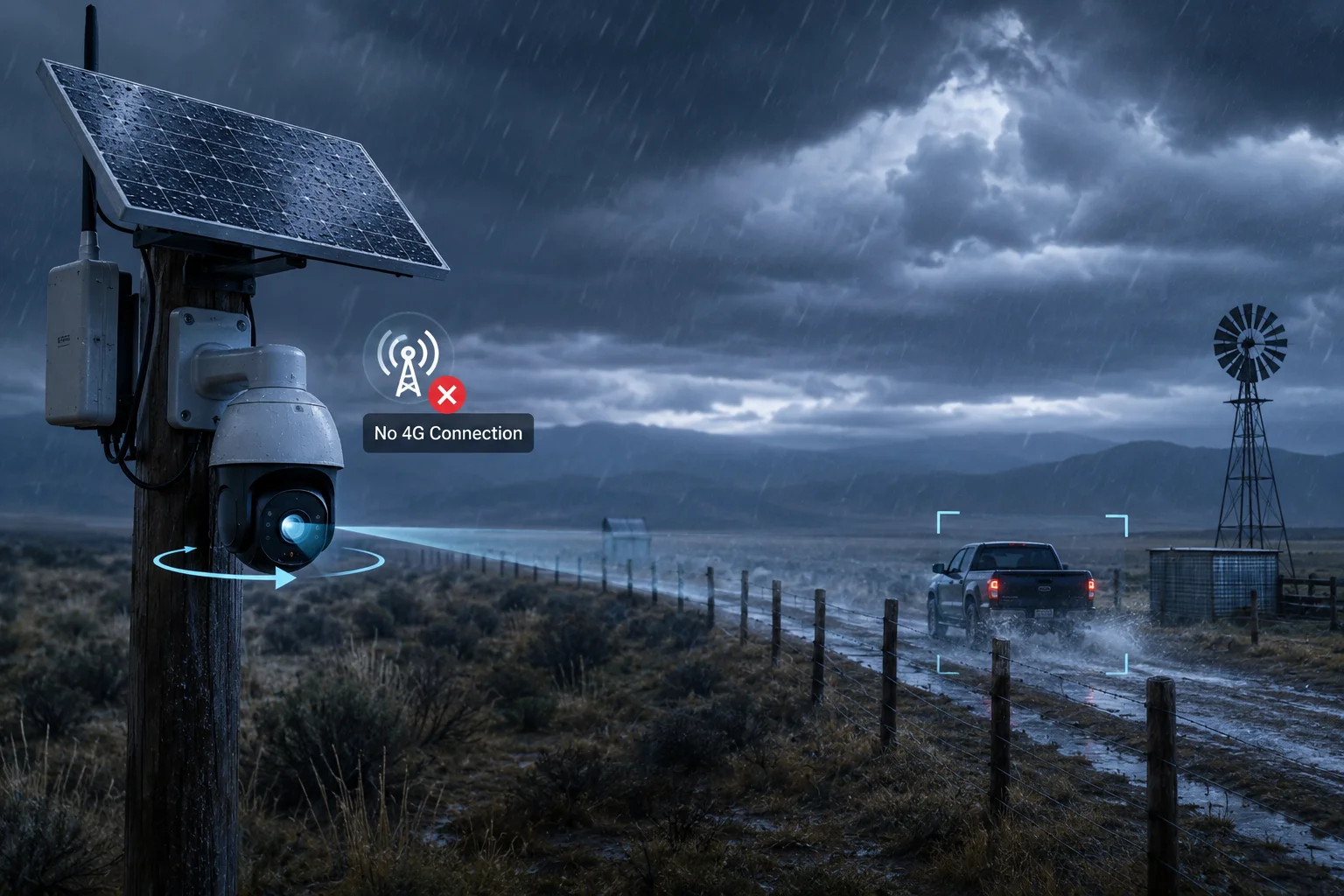
I want to stress this point because it matters in real projects. A lot of people think 4G is the brain of the system. It is not. In a well-designed Edge camera, 4G is just the pipe for remote viewing, alerts, and platform data. The actual tracking decision should stay inside the device. That is what keeps the system alive during a network outage.
What still works when the network drops
If the camera is built right, several core functions should continue during a total 4G loss:
| Function | Works Without 4G? | Notes |
|---|---|---|
| Local AI detection | Yes | Runs inside the camera |
| Auto-tracking | Yes | PTZ follows the target locally |
| SD card recording | Yes | Saves video on site |
| Alarm output | Often yes | Depends on model design |
| Cloud live view | No | Needs network connection |
I find this point very important for farms, sites, and remote roads. These places often have weak coverage. A camera that depends on cloud control is too fragile there. If the network drops, the system should still do its main job. It should detect, follow, and record. That is the basic promise of Edge AI.
Why local autonomy matters more than remote control
I also think about risk. If a camera loses network and also loses tracking, then the customer loses both visibility and trust. That is bad for any security project. But if the camera keeps tracking on its own, the site still has protection. The operator may lose remote live view for a while, but the camera does not become useless.
I also see this as a service issue. If a remote site needs a truck roll every time the network drops, the cost grows fast. The customer may spend more on service than on the camera itself. That is why I push for local decision-making. It protects both performance and budget.
What is the power consumption10 difference when both lenses are performing AI analysis at the Edge?
I often hear customers ask if Edge AI will drain too much power. This question is very fair, especially for solar and 4G systems. Power use can make or break the whole design.
When both lenses run AI at the Edge, power consumption is higher than simple recording, but it is still far more efficient than sending heavy video to the Backend for analysis. A well-designed camera uses dedicated chips to keep energy use under control.
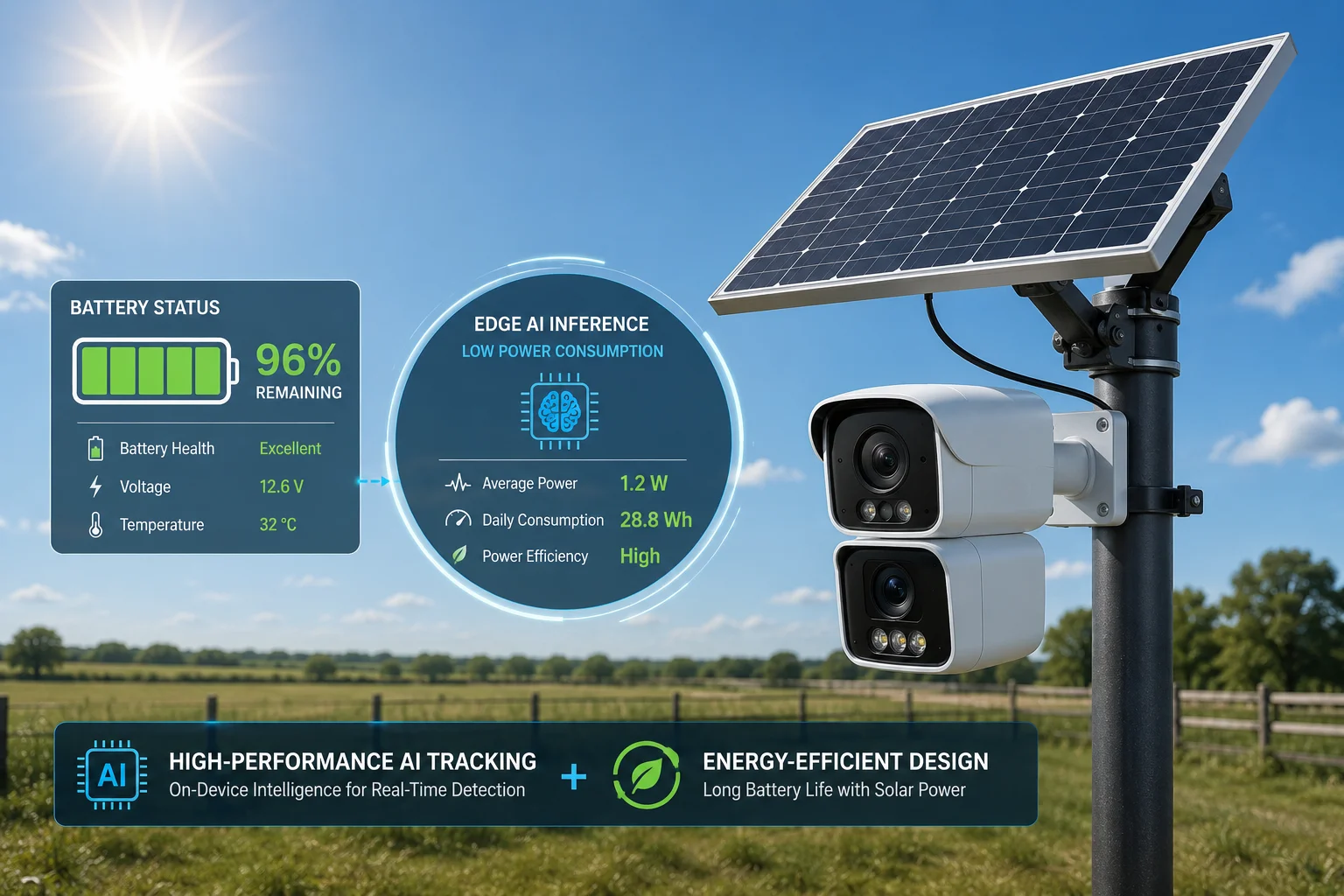
I look at power use in a practical way. The camera must balance AI load, lens movement, infrared, 4G transmission, and storage. If the device uses a weak design, the battery drains fast and the solar panel cannot keep up. If the device uses a good SoC and smart scheduling, it can run strong AI without wasting energy.
What drives power use up
There are a few main reasons power rises when both lenses run AI:
| Power Factor | Effect on Use | Simple Reason |
|---|---|---|
| AI inference | Medium to high | The NPU works hard |
| PTZ movement | Medium | Motors need current |
| 4G transmission | Medium | Radio uses power to send data |
| Night IR or laser | High | Lighting is expensive in power |
| High frame rate | Medium | More frames mean more work |
I think it helps to separate “AI power” from “system power.” AI is only one part. In many cases, the biggest drain comes from night lighting and PTZ movement, not the detection model itself. That is why I care so much about the full design, not just the chip spec.
Why Edge AI can still be the better power choice
I believe Edge AI often saves more power than a cloud setup because the camera does not need to stream heavy raw video all the time. Video uplink can be costly. The camera may need to keep the 4G radio active longer. It may also need higher bitrate settings to help remote servers analyze the scene. That adds load.
With Edge AI, the camera can send only events, metadata, and short clips when needed. This lowers data use and often lowers total system work. For solar projects, that is a big deal. A smaller and smarter power budget can mean fewer battery issues and fewer cold-start failures after bad weather.
How I guide buyers on this point
When I discuss power with buyers, I ask three simple questions. Does the site have stable power? Does it need full-time tracking? Does it need night AI as well? If the answer is yes to all three, then I recommend a model with a strong battery plan, a proper solar setup11, and a camera SoC made for continuous Edge work. I do not recommend guessing. I recommend measuring the real field load.
Conclusion
I treat dual-lens linkage as an Edge task first, because local AI gives faster tracking, better uptime, and safer field deployment.
1. Explore how auto-tracking works in PTZ cameras to follow moving targets. ↩︎ 2. Understand the trade-offs of cloud-based video analysis vs. local processing. ↩︎ 3. Discover how hybrid edge-cloud architectures balance performance and scalability. ↩︎ 4. Discover how Neural Processing Units accelerate AI inference in edge devices. ↩︎ 5. Understand the concept of dual-lens camera systems for security and surveillance. ↩︎ 6. Learn how System-on-Chip integrates multiple processing units for camera AI. ↩︎ 7. Understand the role of Image Signal Processors in improving video quality for AI. ↩︎ 8. Learn about Pan-Tilt-Zoom camera control mechanisms and their applications. ↩︎ 9. Understand 4G cellular networks and their role in remote camera connectivity. ↩︎ 10. Learn about factors affecting power usage in edge AI devices. ↩︎ 11. Understand how solar power systems support remote camera installations. ↩︎