
I’ve watched integrators waste hours nudging a PTZ left, right, up, down — trying to hit the exact angle they need. There is a better way.
Yes, you can achieve absolute positioning control1 on industrial-grade PTZ cameras. Instead of sending “move left” or “move right” commands, you send exact degree coordinates — like Pan 180°, Tilt 45° — and the camera snaps to that precise position instantly. This requires hardware with absolute encoders and protocol support through ONVIF, Pelco-D5, or HTTP API6.
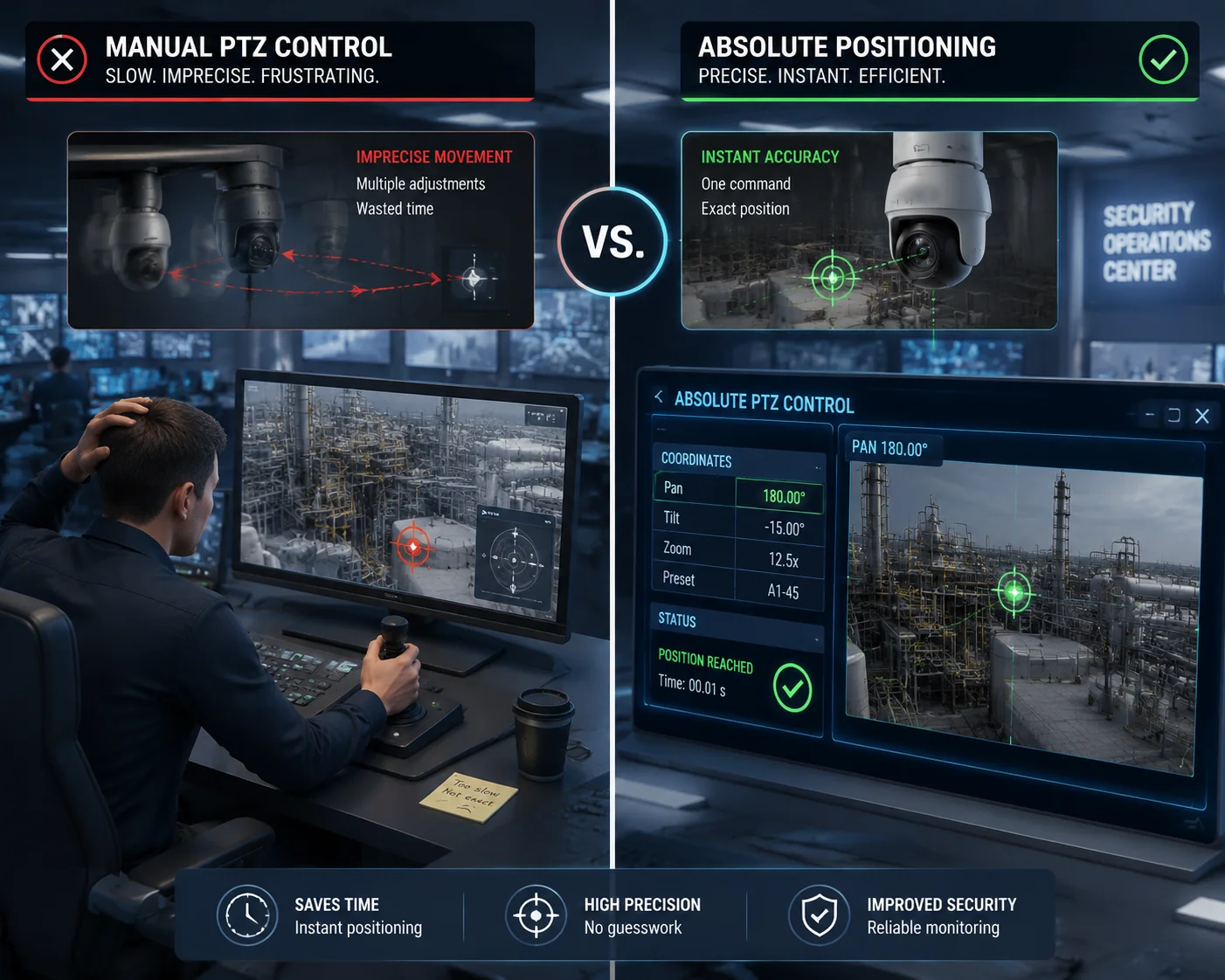
Absolute positioning changes everything about how you design a surveillance system. It is the foundation for radar tracking, GIS map integration, and AI-driven automated response. Below, I break down the key questions integrators ask me most about this feature — and give you the real technical answers.
Table of Contents
Can I Command the PTZ to Go to Exactly Pan 180°, Tilt 45° via an ONVIF String?
I get this question almost every week from system integrators. They want to know if they can send one command and have the camera land on an exact coordinate. The answer matters because their entire automation workflow depends on it.
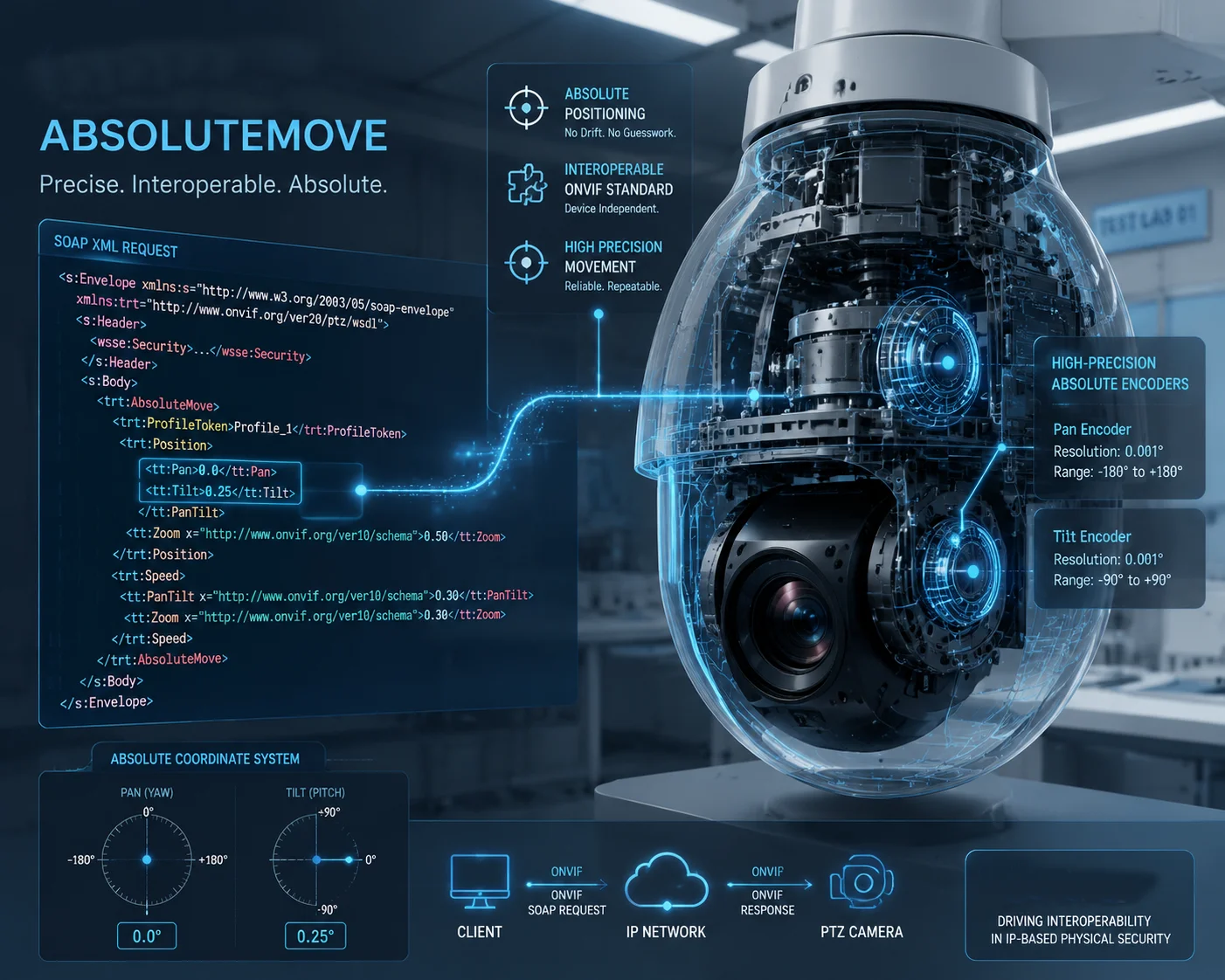
Yes, you can. ONVIF Profile S11 and ONVIF Profile T12 both support the AbsoluteMove command. You send a SOAP request with normalized Pan, Tilt, and Zoom values, and the camera moves directly to that exact position. The key requirement is that your PTZ hardware must have absolute encoders2 built into the motors.
How the ONVIF AbsoluteMove Command Works
The ONVIF protocol uses normalized values instead of raw degree numbers. This means Pan and Tilt values range from $-1.0$ to $+1.0$, and Zoom ranges from $0.0$ to $1.0$. Your VMS or automation platform converts real-world degrees into these normalized values before sending the command.
Here is what a typical ONVIF AbsoluteMove SOAP request looks like in practice:
<AbsoluteMove xmlns="http://www.onvif.org/ver20/ptz/wsdl">
<ProfileToken>MainStream</ProfileToken>
<Position>
<PanTilt x="0.0" y="0.25" />
<Zoom x="0.5" />
</Position>
</AbsoluteMove>
In this example, x="0.0" maps to Pan $180^{\circ}$ (the midpoint of a $360^{\circ}$ range), and y="0.25" maps to Tilt $45^{\circ}$ (a quarter of the way up from center). The exact mapping depends on the camera’s coordinate system, but the logic is the same across all ONVIF-compliant devices.
The Hardware Behind the Command
Sending the command is the easy part. The hard part is making sure the camera actually lands where you told it to. This comes down to one component: the absolute encoder.
There are two types of encoders in PTZ motors:
| Feature | Incremental Encoder | Absolute Encoder |
|---|---|---|
| Position at Power-On | Unknown — must re-home | Known immediately |
| Drift Over Time | Accumulates error | No drift |
| Cost | Lower | Higher |
| Use Case | Consumer PTZ, basic presets | Industrial PTZ, radar integration |
| Accuracy | $\pm 1.0^{\circ}$ typical | $\pm 0.1^{\circ}$ or better |
A camera with incremental encoders3 can still accept an AbsoluteMove command. But after a power cycle, it loses its reference point. It has to run a “homing” routine — spinning to a physical stop — before it knows where it is again. During that time, your automation system is blind.
An absolute encoder knows its exact position the moment power comes on. No homing. No delay. This is why I always recommend absolute encoders for any project that involves automated tracking or GIS integration.
Conversion Formula: Degrees to Normalized Values
If your automation platform works in degrees but ONVIF needs normalized values, here is the basic math:
$$x_{pan} = \frac{(\text{Target Pan} – 180)}{180}$$
$$y_{tilt} = \frac{\text{Target Tilt}}{90}$$
So for Pan $180^{\circ}$, Tilt $45^{\circ}$:
- $x_{pan} = \frac{(180 – 180)}{180} = 0.0$
- $y_{tilt} = \frac{45}{90} = 0.5$
This formula works for most cameras, but always check the manufacturer’s coordinate mapping. Some cameras define $0^{\circ}$ as North, others define it as the power-on position.
Does the Absolute Positioning Feature Allow for Better Integration with GIS Maps?
I’ve seen projects fail because the integrator could not link their map software to the PTZ camera. They had a beautiful GIS dashboard, but the camera just sat there doing nothing when an alarm triggered. That is a painful waste of budget.
Absolute positioning is the key that unlocks real GIS integration4. When your camera reports its exact Pan and Tilt angles, your GIS software can calculate exactly what the camera is looking at on the map. And when you click a point on the map, the software can convert that GPS coordinate into a Pan/Tilt command and send the camera there instantly.

The Math Behind GIS-to-PTZ Conversion
To link a GIS map to a PTZ camera, you need three pieces of information:
- Camera GPS location — latitude and longitude of the camera’s mounting position.
- Camera mounting orientation — which compass direction the camera faces at Pan $0^{\circ}$.
- Target GPS location — the point on the map you want the camera to look at.
With these three inputs, you calculate the azimuth13 (compass bearing) from the camera to the target:
$$\text{Azimuth} = \arctan2\left(\sin(\Delta\lambda) \cdot \cos(\phi_2),\ \cos(\phi_1) \cdot \sin(\phi_2) – \sin(\phi_1) \cdot \cos(\phi_2) \cdot \cos(\Delta\lambda)\right)$$
Where $\phi_1$ is camera latitude, $\phi_2$ is target latitude, and $\Delta\lambda$ is the difference in longitude. The result gives you the Pan angle. Tilt is calculated based on distance and height difference.
Why Relative Movement Breaks GIS Integration
With relative movement, you can only say “turn left 5 degrees.” But GIS software does not think in relative terms. It thinks in absolute coordinates. If the GIS system calculates that a target is at azimuth $237^{\circ}$, it needs to send Pan = 237° directly. There is no reliable way to do this with relative commands because:
- You do not know the camera’s current position precisely.
- Network latency makes “stop” commands unreliable.
- Small errors add up over multiple moves.
Real-World GIS Integration Architecture
Here is how a complete GIS-PTZ integration stack looks:
| Layer | Component | Role |
|---|---|---|
| Detection | Radar / Perimeter Sensor | Detects intrusion, outputs GPS coordinate |
| Processing | GIS Server (e.g., ArcGIS, QGIS) | Converts GPS to camera azimuth angle |
| Command | ONVIF Client / HTTP API | Sends AbsoluteMove to PTZ camera |
| Feedback | PTZ Status Query | Confirms camera reached target position |
| Display | VMS / Web Dashboard | Shows live video with map overlay |
The feedback loop is critical. After sending the command, your system should query the PTZ status to confirm it actually arrived at the target angle. This is where absolute encoders prove their value — the reported position matches reality.
Practical Tips for Field Deployment
In my experience working with integrators on outdoor projects, there are a few things that can throw off your GIS-to-PTZ accuracy:
- Pole sway from wind. A 10-meter pole in 30 mph wind can sway $1^{\circ}$ to $2^{\circ}$. At 500 meters distance, that is a 9-to-17 meter error on the ground.
- Magnetic declination. If you calibrate your camera’s North using a compass, remember that magnetic North is not true North. In Texas, the difference can be $4^{\circ}$ to $8^{\circ}$.
- Mounting alignment. Even a $0.5^{\circ}$ error in how the camera is mounted on the bracket will carry through to every single GIS command.
I always recommend doing a field calibration after installation. Pick three known landmarks, note their GPS coordinates, command the camera to each one, and measure the offset. Then apply a correction factor in your software.
How Accurate Is the Degree-Based Coordinate Return When I Query the PTZ Status?
I have had customers tell me their previous PTZ cameras reported one angle but were actually pointing somewhere else. When you are building an automated system, bad position data is worse than no data at all.
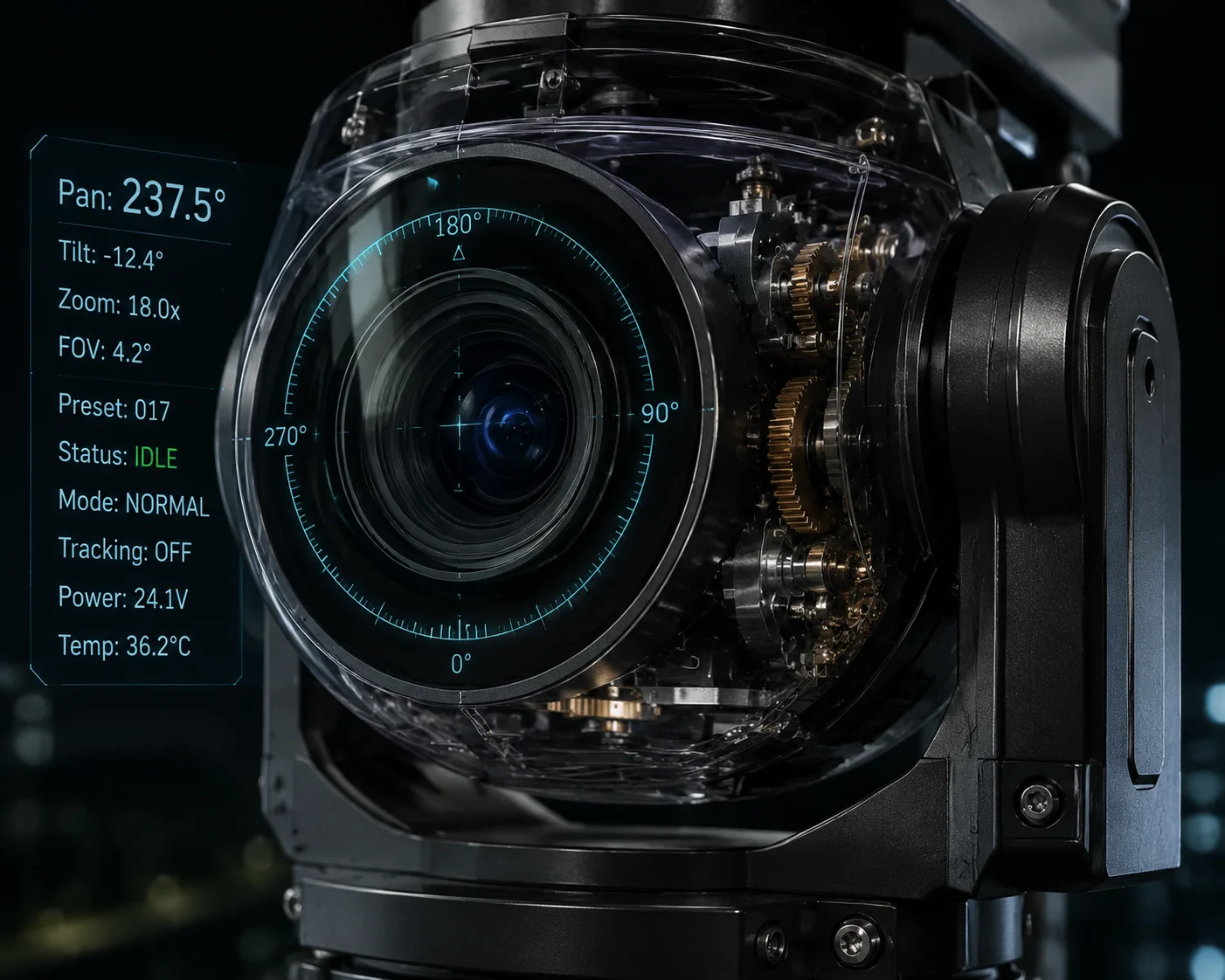
On industrial-grade PTZ cameras with absolute encoders, the position query accuracy is typically within $\pm 0.1^{\circ}$. You can query the current Pan, Tilt, and Zoom values at any time through ONVIF GetStatus or HTTP API calls. The returned values reflect the actual physical position of the motors, not just the last commanded position.
How Position Queries Work
When you send a GetStatus request through ONVIF, the camera reads the current encoder values and converts them to normalized coordinates. The response looks like this:
<GetStatusResponse>
<PTZStatus>
<Position>
<PanTilt x="-0.333" y="0.125" />
<Zoom x="0.75" />
</Position>
<MoveStatus>
<PanTilt>IDLE</PanTilt>
<Zoom>IDLE</Zoom>
</MoveStatus>
</PTZStatus>
</GetStatusResponse>
The MoveStatus field tells you whether the camera is still moving or has reached its target. This is important for automation — you should not capture a snapshot until the status shows IDLE.
Sources of Position Error
Even with absolute encoders, there are factors that affect accuracy:
Mechanical Backlash
Backlash is the small gap between gears. When the motor reverses direction, the gears have to “take up” this gap before the camera actually starts moving. The encoder may report the motor position correctly, but the camera lens is pointing slightly off because of the gear play.
Good PTZ cameras include backlash compensation14 in their firmware. This means the motor intentionally overshoots and then approaches the target from the same direction every time, eliminating the gear gap error.
Temperature Effects
Metal gears expand and contract with temperature. In a Texas summer, the camera housing can reach $70^{\circ}C$ internally. This can shift the gear mesh by a tiny amount. Over a $360^{\circ}$ rotation, the cumulative error might reach $0.2^{\circ}$ to $0.3^{\circ}$.
Accuracy Comparison by Camera Grade
| Camera Grade | Encoder Type | Typical Accuracy | Position Query Refresh Rate |
|---|---|---|---|
| Consumer / Prosumer | Incremental | $\pm 1.0^{\circ}$ to $\pm 2.0^{\circ}$ | 1 Hz |
| Mid-Range Commercial | Incremental + Home Sensor | $\pm 0.5^{\circ}$ | 2-5 Hz |
| Industrial / Military Grade | Absolute (Multi-turn) | $\pm 0.05^{\circ}$ to $\pm 0.1^{\circ}$ | 10+ Hz |
Why Query Speed Matters
If you are doing radar-driven auto-tracking, the camera needs to report its position fast enough for the tracking algorithm to calculate corrections. A 1 Hz update rate means the system only knows where the camera is once per second. At $400^{\circ}/s$ slew speed, the camera can travel $400^{\circ}$ between updates. That is useless for tracking.
Industrial PTZ cameras from our factory support position query rates of 10 Hz or higher. This gives the tracking algorithm enough data to make smooth, accurate corrections in real time.
Self-Calibration and Drift Correction
Even the best hardware drifts over months of continuous operation. I recommend setting up a scheduled self-calibration routine:
- Every 24 hours, command the camera to a known preset (e.g., a landmark with known coordinates).
- Use video analytics to detect the landmark in the frame.
- Measure the pixel offset from frame center.
- Calculate the angular correction and apply it as an offset in your control software.
This closed-loop approach keeps your system accurate over years of operation without any manual intervention.
Is Absolute Positioning Supported by All Major VMS Brands Like Genetec and Exacq?
I know this question keeps integrators up at night. You pick a camera, install it on site, and then discover your VMS cannot send absolute commands to it. Now you have a $3,000 camera that only does relative joystick control. I have seen this happen too many times.
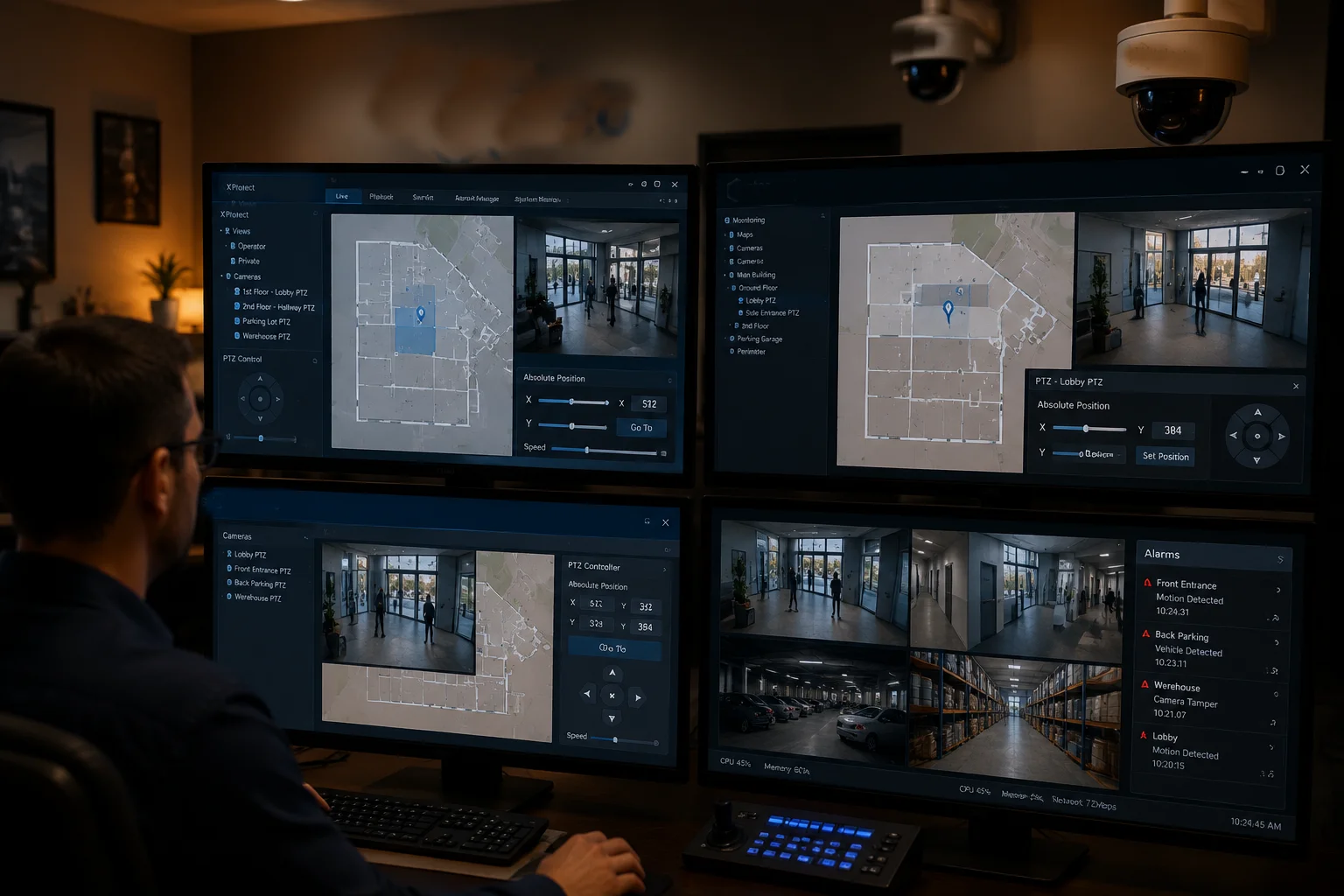
Most major VMS platforms — including Genetec Security Center, Exacq exacqVision, Milestone XProtect, and even open-source options like Blue Iris — do support ONVIF AbsoluteMove commands. However, the level of support varies. Some platforms expose full coordinate control in their UI, while others only support it through their API or SDK. Always test the specific VMS version with your camera model before committing to a large deployment.
The Compatibility Reality
On paper, every VMS that claims ONVIF Profile S compliance should support AbsoluteMove. In practice, there are gaps. Some VMS platforms implement only the joystick-style ContinuousMove and RelativeMove commands because those are simpler to build into a user interface. The AbsoluteMove command requires the VMS to maintain a coordinate system, display angle values, and handle the normalized-to-degree conversion — which is more development work.
Platform-by-Platform Breakdown
Here is what I have seen in real-world testing:
Genetec Security Center7 supports absolute positioning through its Map module. You can place cameras on a map, define their field of view, and click-to-track. The system sends ONVIF AbsoluteMove commands under the hood. This works well, but you need the right license tier — the basic license does not include map-based PTZ control.
Milestone XProtect9 has strong ONVIF support and exposes absolute positioning through its Smart Client and MIP SDK. If you are building a custom integration — say, linking a radar system to Milestone — you can use the SDK to send absolute commands programmatically. The standard UI also shows Pan/Tilt/Zoom coordinates when you hover over the PTZ control panel.
Exacq exacqVision8 supports ONVIF absolute positioning, but the UI is more limited. You can set presets using absolute coordinates, but real-time coordinate entry is not as smooth as Genetec or Milestone. For most projects, this is fine — you set your presets during commissioning and then trigger them via alarms.
Blue Iris10 is popular among smaller integrators and tech-savvy end users. It supports ONVIF and can send absolute commands through its HTTP API. The desktop UI is basic, but the API is powerful. Many of my customers use Blue Iris with n8n or Node-RED to build custom automation workflows.
What to Test Before You Buy
Before you commit to a camera-VMS combination for a large project, I recommend running these three tests:
Test 1: AbsoluteMove Round-Trip
Send an AbsoluteMove command from the VMS to a specific coordinate. Then query the camera’s position through ONVIF GetStatus. Compare the commanded position with the reported position. They should match within $\pm 0.1^{\circ}$.
Test 2: Preset Accuracy After Power Cycle
Set five presets using absolute coordinates. Power-cycle the camera. Call each preset and check if the camera returns to the exact same position. If it drifts by more than $0.3^{\circ}$, the camera likely uses incremental encoders and is not suitable for absolute positioning workflows.
Test 3: Speed of AbsoluteMove Execution
Command the camera to move from Pan $0^{\circ}$ to Pan $180^{\circ}$. Measure the time. A good industrial PTZ should complete this in under 2 seconds at maximum slew speed ($400^{\circ}/s$ or higher). If it takes longer, the motor or the communication pipeline has a bottleneck.
The OEM/ODM Advantage
One thing I always tell integrators: if your VMS has specific requirements for how PTZ commands are formatted, we can customize the camera firmware to match. As an R&D-led manufacturer, we control the full firmware stack. We can adjust the ONVIF response format, add custom CGI endpoints, or even implement proprietary protocols if your project demands it. This is the advantage of working directly with a factory instead of going through a trading company that cannot change a single line of code.
Conclusion
Absolute positioning turns your PTZ camera from a manual tool into a programmable sensor. With the right encoders, protocols, and VMS integration, you get precise, repeatable, and automated control that relative movement simply cannot deliver.
1. Learn how absolute positioning allows precise, repeatable camera movements to exact coordinates. ↩︎ 2. Absolute encoders provide immediate, drift-free position feedback without re-homing. ↩︎ 3. Incremental encoders lose position on power loss and require homing, limiting automation reliability. ↩︎ 4. Learn how geographic information systems are used with PTZ cameras for coordinate-based tracking. ↩︎ 5. Pelco-D is a widely used RS-485 protocol that supports absolute PTZ positioning commands. ↩︎ 6. HTTP APIs allow sending absolute PTZ commands via simple URL requests over IP networks. ↩︎ 7. Genetec’s VMS supports absolute PTZ control through its Map module and ONVIF integration. ↩︎ 8. ExacqVision supports ONVIF absolute positioning for preset-based PTZ control. ↩︎ 9. Milestone XProtect exposes absolute PTZ positioning through its Smart Client and MIP SDK. ↩︎ 10. Blue Iris supports ONVIF absolute commands via its HTTP API for custom automation workflows. ↩︎ 11. ONVIF Profile S defines basic video streaming and PTZ control, including AbsoluteMove. ↩︎ 12. ONVIF Profile T extends Profile S with advanced features like audio and metadata support. ↩︎ 13. Azimuth is the compass bearing used to calculate the pan angle from a camera to a GIS target. ↩︎ 14. Backlash compensation eliminates gear play for precise PTZ positioning, especially when reversing direction. ↩︎