
I get this question a lot from integrators who are spec’ing out perimeter security projects. The answer matters because it directly affects your false alarm rate5 and your client’s trust.
Our system does not rely on a single model. It uses a multi-feature fusion approach that combines full-body detection8 for long-range target acquisition, a head-and-shoulder model for close-range false alarm filtering, and Re-ID for continuous tracking across occlusions. Each layer handles a different job.
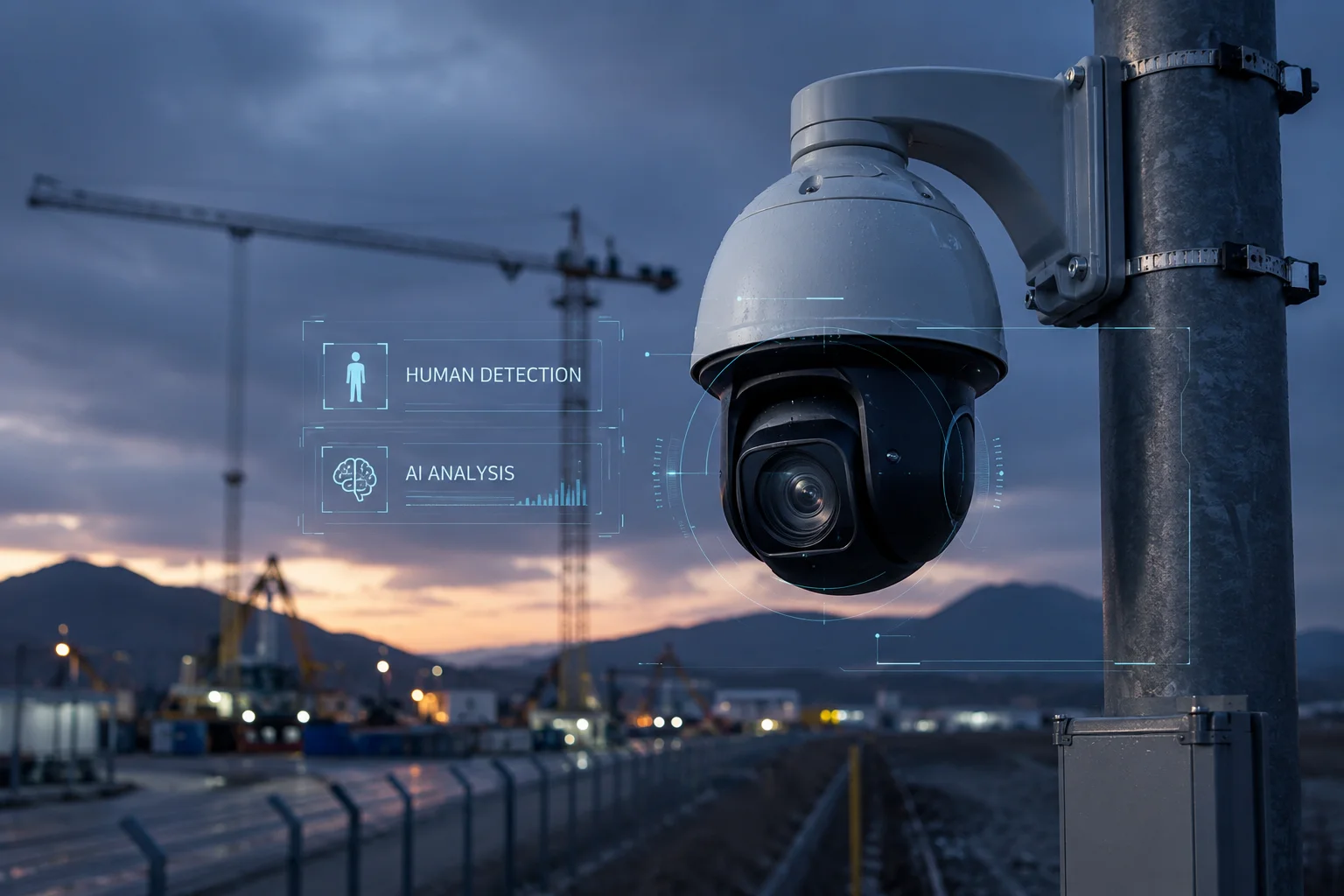 human detection PTZ camera AI algorithm
Below, I break down how each detection layer works in real deployments, when each model takes priority, and how you can tune the algorithm for your specific project site. Let me walk you through the details.
Table of Contents
Can the Camera Accurately Identify a Person Sitting Down or Crawling on the Ground?
This is a real concern. On construction sites and farms, people don’t always stand upright. If your camera only looks for a standing human shape, it will miss critical events.
Yes, the camera can detect a person sitting or crawling. The full-body detection model uses a CNN trained on thousands of non-standard postures. It recognizes human geometric proportions and limb ratios, not just an upright silhouette. When the posture is ambiguous, the head-and-shoulder model kicks in as a secondary check.
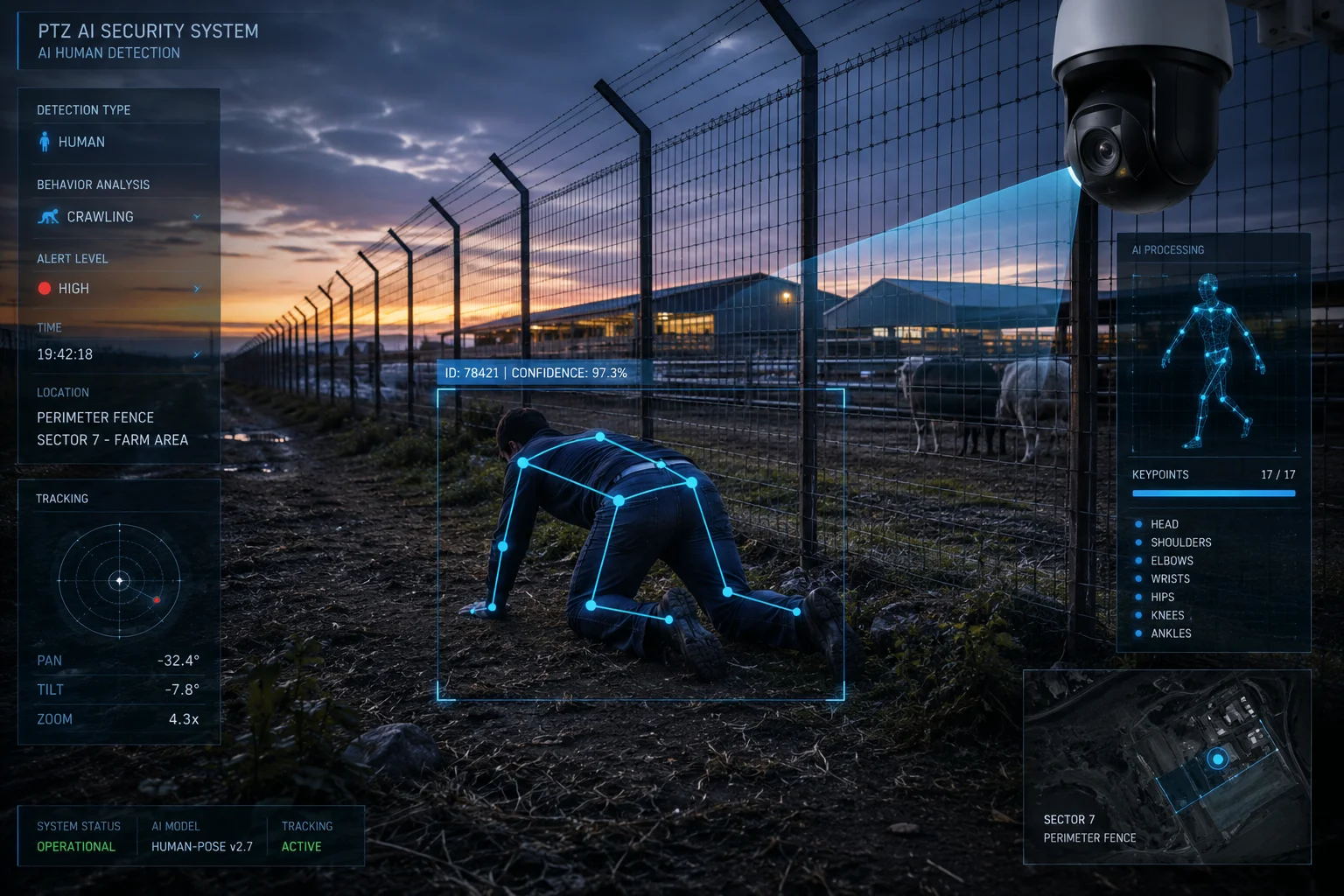 person detection sitting crawling PTZ camera
How Full-Body Detection Handles Non-Standard Postures
The full-body model does not look for a single “standing person” template. It analyzes body proportions, limb angles, and movement patterns. A person crawling still has a head-to-torso ratio, arm length, and leg length that match human geometry. The CNN was trained on datasets that include sitting, crouching, bending, and crawling postures.
In my experience working with farm security integrators, the crawling scenario comes up more than you’d think. Trespassers often try to stay low near fences. Our algorithm handles this because it extracts skeletal keypoints even when the body is horizontal. The system maps joint positions and checks if the overall structure matches a human skeleton.
The Role of Motion Analysis
Static posture detection alone is not enough. The system also analyzes motion patterns. A person crawling moves differently from a dog or a rolling tumbleweed. The algorithm looks at:
- Speed of movement relative to object size
- Limb articulation patterns (arms and legs moving in alternating cycles)
- Direction changes that indicate intentional navigation
When Does Detection Become Difficult?
There are edge cases. If a person is curled into a tight ball and completely still, the system may take longer to classify the target. In these situations, the camera’s auto-tracking logic will hold the PTZ position and wait for movement before confirming the alert. This prevents false negatives without flooding the 4G connection with uncertain alarms.
Posture Detection Performance by Distance
| Posture | Reliable Detection Range | Minimum Pixel Requirement | Confidence Level |
|---|---|---|---|
| Standing/Walking | 20m – 100m | 32×64 pixels | High |
| Sitting/Crouching | 10m – 60m | 48×48 pixels | High |
| Crawling/Prone | 5m – 40m | 64×32 pixels | Medium-High |
| Curled/Stationary | 3m – 20m | 48×48 pixels | Medium |
The key takeaway here is that non-standard postures need more pixels in the frame. This is why the 40X optical zoom7 matters. The system detects a potential target at wide angle, then zooms in to get enough pixel density for posture classification.
How Does Pedestrian Re-ID Improve the Tracking Consistency When the Person Changes Direction?
Tracking a person who walks in a straight line is easy. The real challenge is when they turn around, duck behind a pole, or change clothes by removing a jacket. Standard motion tracking loses the target in these moments.
Re-ID solves this by extracting a feature vector from the target’s appearance — clothing color, body shape, accessories, and gait. When the person reappears after an occlusion or direction change, the system compares the new detection against stored feature vectors. If the match score is above threshold, tracking resumes instantly without re-triggering a new alert.
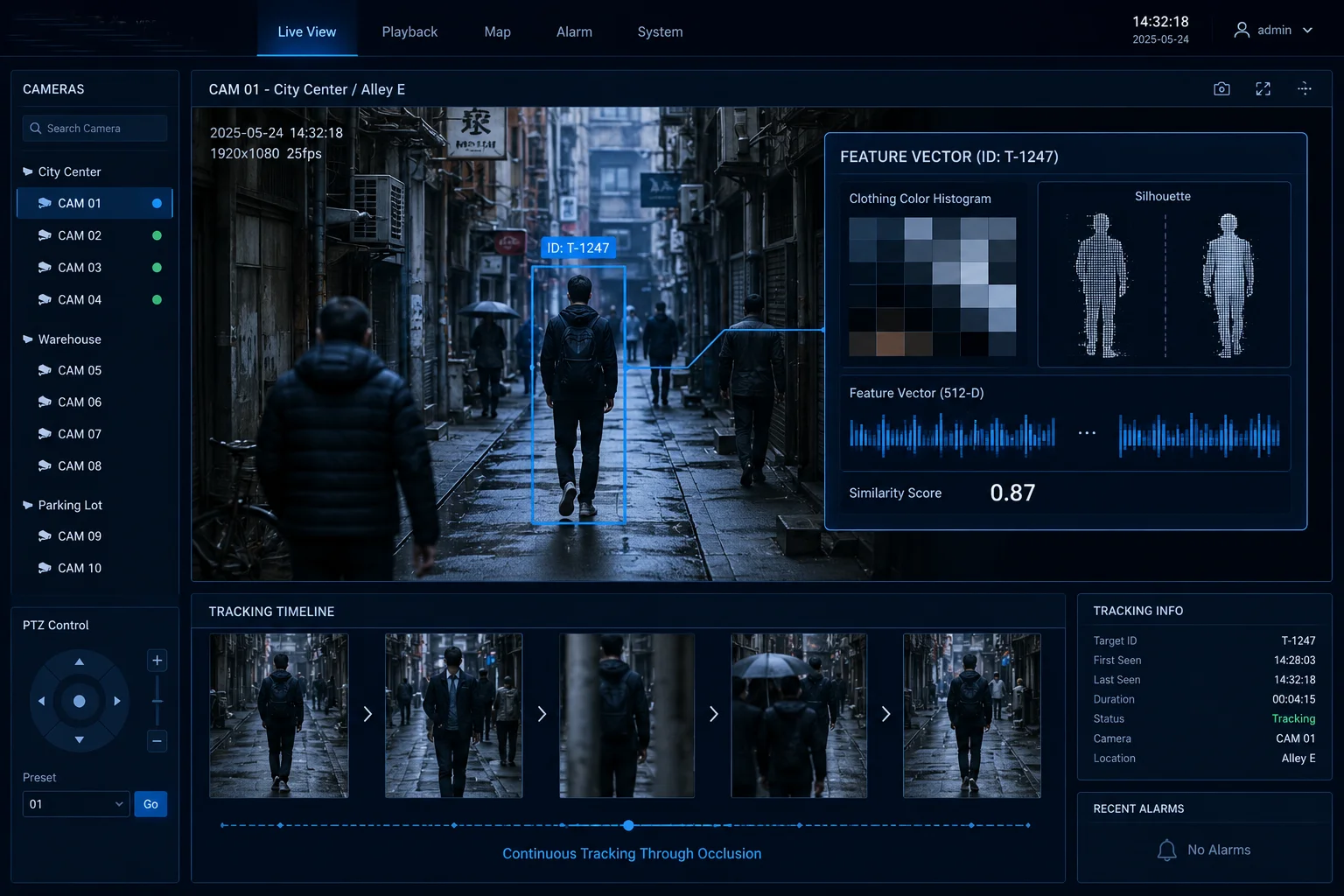 pedestrian Re-ID tracking PTZ camera occlusion
What Happens Without Re-ID
Without Re-ID, a basic tracker uses position prediction. It guesses where the target will be in the next frame based on speed and direction. When the person turns 180 degrees, the prediction fails. The system then sees a “new” object moving in the opposite direction. This causes two problems:
- The PTZ may swing the wrong way, losing the target entirely.
- The system generates a second alert for the same person, wasting bandwidth on your 4G connection.
How Feature Vector Extraction Works
The AI chip on our camera runs a lightweight embedding network alongside the detection model. For every confirmed human target, it generates a 128-dimensional or 256-dimensional feature vector. Think of this as a numerical fingerprint of the person’s appearance.
This vector encodes:
- Dominant color blocks (shirt color, pants color)
- Texture patterns (stripes, solid, reflective vest)
- Body proportions (height-to-width ratio, shoulder width)
- Carried objects (backpack, toolbox)
The Matching Process
When tracking is interrupted, the system stores the last known feature vector. For the next 30 to 60 seconds (configurable), every new human detection in the frame is compared against this stored vector. The comparison uses cosine similarity1. If the score exceeds 0.75 (adjustable), the system links the new detection to the existing track.
Re-ID Limitations to Be Aware Of
Re-ID is not perfect. It struggles when:
- Multiple people wear identical uniforms (common on construction sites)
- Lighting changes dramatically between detection and re-detection
- The person removes or adds a large outer layer
For uniform scenarios, I recommend enabling gait analysis2 as a supplementary feature. Even when two workers wear the same vest, their walking patterns differ enough for the system to maintain separate tracks.
Re-ID vs. Simple Motion Tracking
| Feature | Simple Motion Tracking | Re-ID Tracking |
|---|---|---|
| Handles direction change | No — loses target | Yes — matches by appearance |
| Handles brief occlusion | Partial — 1-2 seconds max | Yes — up to 60 seconds |
| Multi-target separation | Poor — IDs often swap | Strong — unique vectors per person |
| Compute cost | Very low | Moderate |
| Best use case | Open field, single target | Complex sites, multiple people |
Will the AI Trigger an Alert if Only the Legs or Torso of a Person Are Visible in the Frame?
This happens more than people expect. A person behind a half-wall, a fence, or parked machinery may only show partial body parts. If your system needs a full body to trigger, you have a blind spot.
Yes, the system will trigger an alert on partial body visibility. The head-and-shoulder model is specifically designed for upper-body-only scenarios. For lower-body-only cases (legs visible below a barrier), the full-body model uses limb-pair detection — recognizing two legs with human gait patterns as sufficient evidence to classify the target as human.
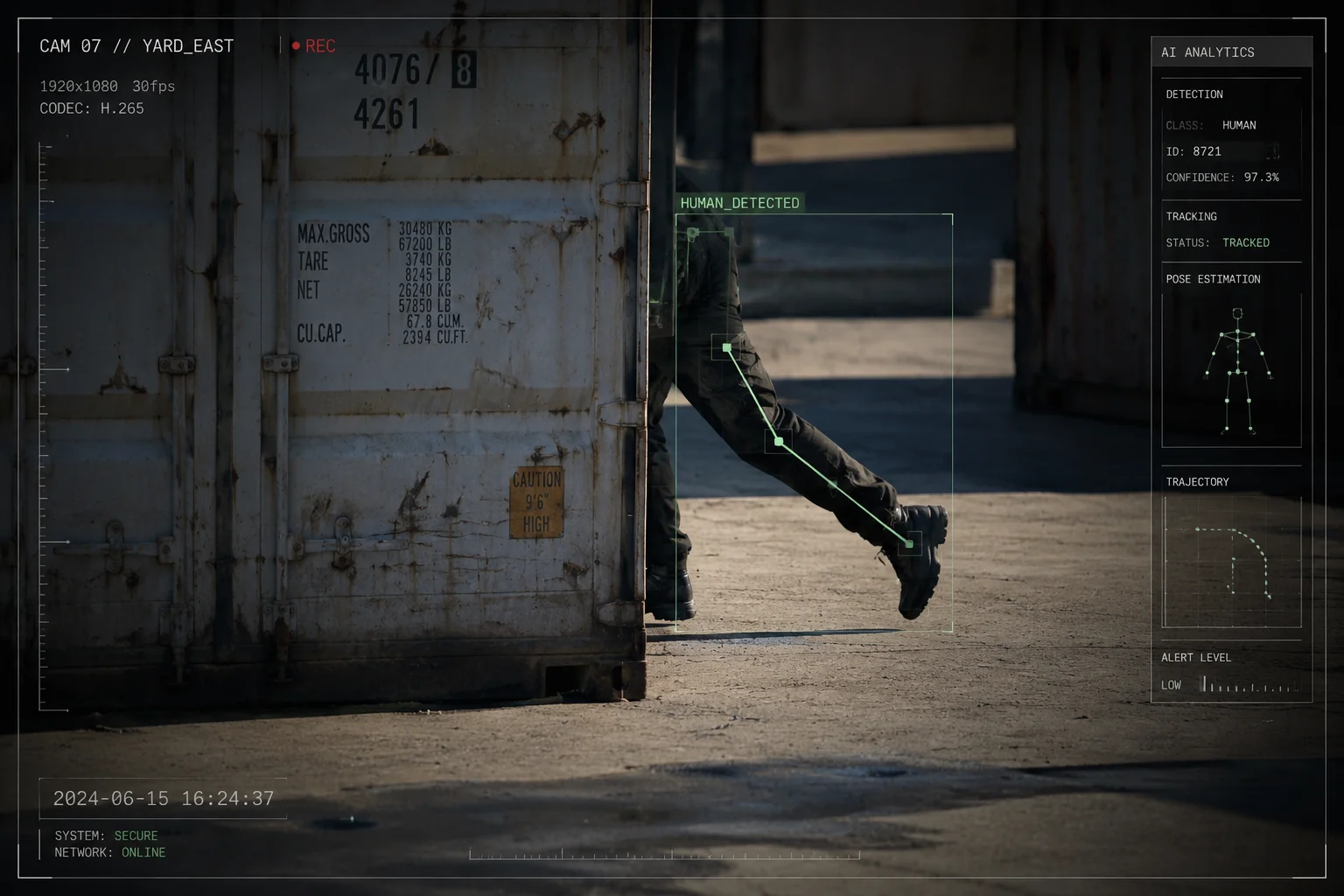 partial body detection AI security camera
How Partial Detection Works in Practice
The detection pipeline runs multiple classifiers in parallel. It does not wait for a single “whole person” bounding box4. Instead, it looks for body part clusters that statistically belong to a human.
Upper Body Only (Head, Shoulders, Torso)
This is the easier case. The head-and-shoulder model was built for exactly this scenario. The inverted “U” shape of a human head and shoulders is one of the most distinctive shapes in nature. No common animal or object replicates it at the same scale and proportion.
When only the upper body is visible:
- The system runs the head-and-shoulder classifier first
- If confidence exceeds 0.8, it triggers immediately
- The PTZ then attempts to zoom or pan to reveal more of the target for secondary confirmation
Lower Body Only (Legs, Feet)
This is harder. Two vertical shapes moving in alternating patterns could be human legs, but they could also be fence posts swaying in wind. The system uses three checks:
- Aspect ratio: Human legs have a specific width-to-height ratio that differs from poles or posts.
- Articulation: Legs bend at the knee. The system looks for periodic angular changes at a mid-point.
- Gait frequency: Human walking has a cadence of roughly 1.5 to 2.5 steps per second. The system checks if the movement frequency falls within this range.
If all three checks pass, the system classifies the target as “probable human” and triggers a low-confidence alert. It then commands the PTZ to reposition for a better angle.
Torso Only (No Head, No Legs)
This is the most challenging partial detection scenario. A torso without head or limbs could be a person behind a wall, or it could be a moving object like a cart. In this case, the system:
- Flags the detection as “unconfirmed”
- Holds the PTZ on the target for 3-5 seconds
- Waits for any additional body part to become visible
- If no additional evidence appears, it logs the event but does not push a 4G alert
This tiered approach keeps your cellular data usage low while still capturing potential threats.
Configuring Sensitivity for Your Site
For sites with many partial-view scenarios (warehouses, fenced compounds), I recommend lowering the minimum confidence threshold from 0.8 to 0.65 and enabling the “partial body” detection mode in firmware. This increases sensitivity at the cost of slightly more alerts to review. For open-field deployments where full bodies are almost always visible, keep the default threshold to minimize noise.
Does the Head-and-Shoulder Model Reduce False Alarms Caused by Large Animals in Farm Sites?
Farm deployments are the worst case for false alarms. Deer, coyotes, large dogs, and livestock all trigger basic motion detection. If every animal crossing generates a 4G push notification at 3 AM, your client will disable the system within a week.
Yes, the head-and-shoulder model dramatically reduces animal-caused false alarms. The key difference is skeletal geometry: humans have horizontal shoulders perpendicular to a vertical neck, forming an inverted “U” shape. No four-legged animal replicates this structure. Even large animals like deer or horses have a sloped neck-to-back line that the model explicitly filters out.
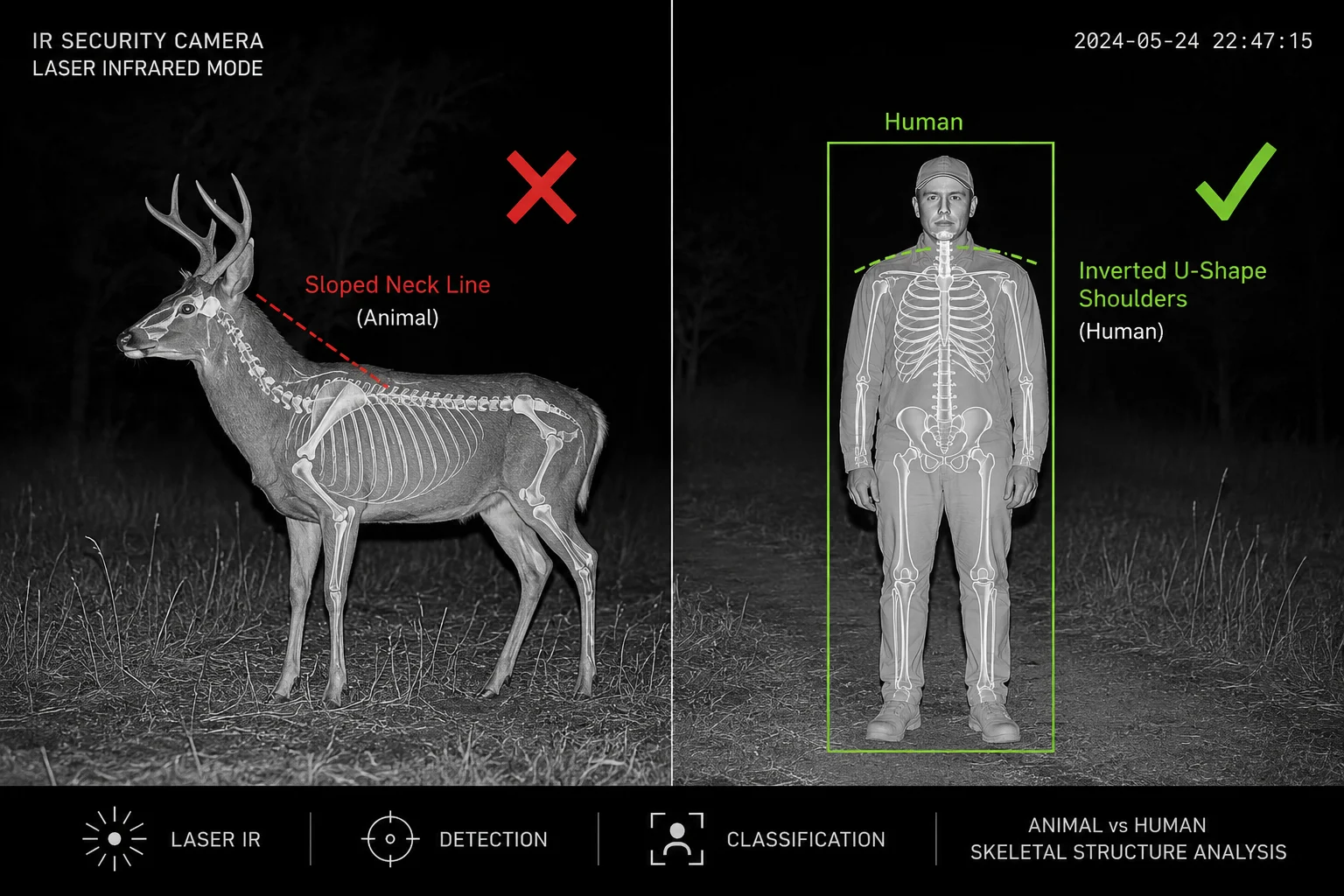 farm security camera false alarm animal filter
Why Animals Fool Basic Detection
Basic motion detection and even some low-end “human detection” systems use simple bounding box size as their primary filter. A large deer at 30 meters produces a bounding box similar in size to a human at 50 meters. Without shape analysis, the system cannot tell them apart.
Some budget cameras use a single-stage detector that only checks “is this object large enough and moving?” That approach fails completely on farms and rural sites.
How Our Multi-Layer Approach Solves This
The detection pipeline for farm mode works like this:
- Motion trigger: Something moves in the frame. The system wakes up.
- Full-body pre-filter: Is the object’s aspect ratio and movement speed consistent with a human? If yes, proceed. If the object moves on four legs or has a horizontal body axis, it’s flagged as “animal” and suppressed.
- Head-and-shoulder confirmation: Does the top portion of the object show the inverted “U” pattern? This is the decisive check.
- Size validation: Is the object’s pixel size within the expected range for a human at that distance? (Using the camera’s known focal length and tilt angle for distance estimation.)
Animal vs. Human Structural Differences
The head-and-shoulder model exploits fundamental anatomical differences:
- Humans: Vertical neck, horizontal shoulder line, head centered above shoulders
- Deer/Horses: Neck extends forward at 45-60 degrees, no horizontal shoulder line
- Dogs/Coyotes: Head is forward of the body center, shoulder width is narrow relative to body length
- Bears (standing): Closest to human shape, but shoulder-to-head ratio and arm position differ significantly
Real-World False Alarm Reduction
Based on field data from farm installations in Texas and Alberta, enabling the head-and-shoulder filter reduces animal-triggered false alarms by 85-95%. The remaining 5-15% of false alarms typically come from:
- Bears standing upright (rare but possible)
- Large birds landing on fence posts at close range (silhouette briefly resembles a head)
- Scarecrows or mannequins (these are correctly detected as “human-shaped” — the system cannot know they aren’t real)
Recommended Farm Configuration
| Setting | Recommended Value | Reason |
|---|---|---|
| Detection mode | Head-shoulder priority | Filters quadrupeds effectively |
| Minimum pixel size | 40×40 | Ignores small animals (rabbits, birds) |
| Motion sensitivity | Medium | Reduces wind/vegetation triggers |
| Alert cooldown | 30 seconds | Prevents repeated alerts from same animal |
| Night mode | Laser IR + thermal assist | Maintains shape clarity in darkness |
For farm projects, I also suggest setting the “animal suppression” flag in the firmware. This adds an extra 200ms of processing time per detection but cuts false alarm volume by an order of magnitude. On a 4G connection where every alert costs bandwidth and battery, that tradeoff is worth it every time.
Conclusion
Human detection in our PTZ cameras6 is not a single algorithm — it is a layered system. Full-body detection handles long range. Head-and-shoulder filtering kills false alarms. Re-ID maintains tracking through occlusions. Together, they deliver reliable performance across farm, construction, and perimeter security projects.
1. Definition and use of cosine similarity for comparing feature vectors in retrieval and matching. ↩︎ 2. Learn how gait patterns are used as a biometric for human identification. ↩︎ 3. Understanding aspect ratio in image processing for object detection and classification. ↩︎ 4. Concept of bounding boxes used in object detection to localize objects within an image. ↩︎ 5. General definition of false alarms and their impact on security system reliability. ↩︎ 6. Introduction to pan–tilt–zoom cameras and their applications in surveillance. ↩︎ 7. Explanation of optical zoom versus digital zoom in imaging devices. ↩︎ 8. Understand the fundamentals of full-body person detection in computer vision. ↩︎