
I’ve watched off-grid cameras reset to January 1, 1970 after one single power cut. Every recording on the SD card became useless overnight. The fix was surprisingly simple.
A built-in hardware RTC chip keeps accurate time even when the camera loses both 4G signal and power completely. It uses its own backup battery and crystal oscillator to maintain the clock independently. This means every recording gets a correct, legally valid timestamp — no internet required.

Below, I’ll break down the most common questions I get from system integrators about RTC chips in embedded surveillance systems 1. If you deploy cameras in remote areas, these details can save your project from serious trouble down the road.
Table of Contents
Will My Video Timestamps Be Accurate if the 4G Connection Is Lost for Several Days?
I once pulled an SD card from a remote solar site after a full week of 4G outage. The timestamps were perfect. Every file matched the real timeline. Here’s why.
Yes. A camera with a hardware RTC chip keeps accurate timestamps even during extended 4G outages. The RTC runs on its own backup battery, independent of any network connection. Recordings stay correctly time-stamped for weeks or even months offline.
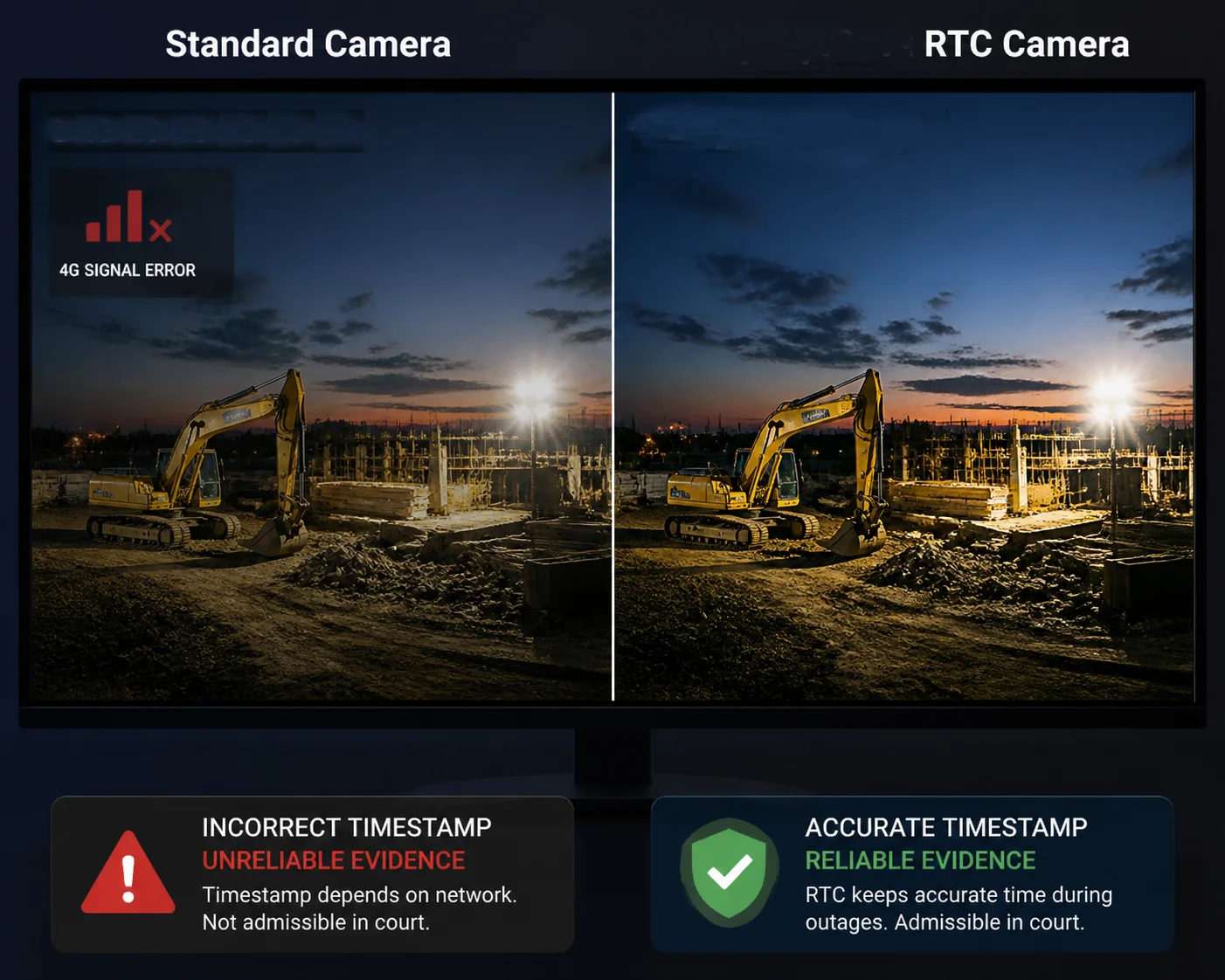
What Happens Without an RTC Chip?
Most IP cameras rely on NTP (Network Time Protocol) time synchronization 2 to get the correct time from the internet. This works fine in a city office with stable broadband. But in a remote solar site running on 4G, the story is very different.
When 4G drops, the camera can’t reach any NTP server. If the camera also loses power — even for a few seconds — the system clock resets. Some cameras jump back to 2000-01-01. Others go all the way back to 1970-01-01. Either way, every timestamp on your recordings is now wrong.
I’ve seen this happen on job sites in Texas and Western Canada. The client drives two hours to pull the SD card. The footage is there, but the file dates make no sense. Nobody can prove when anything was actually recorded. That’s a serious problem.
How RTC Solves This
An RTC chip has three key parts: a crystal oscillator, a small timing circuit, and a backup battery. These three parts work together to keep time running even when the entire camera is powered off.
When the camera boots up again, the system reads the current time straight from the RTC chip. It doesn’t need the internet. It doesn’t need 4G. The correct time is already there, ready to go.
| Scenario | Without RTC | With RTC |
|---|---|---|
| 4G drops for 3 days | Timestamps may drift or reset to factory date | Timestamps stay accurate within seconds |
| Full power loss for 24 hours | Clock resets to 1970-01-01 or 2000-01-01 | Clock continues running on backup battery |
| SD card review after outage | File dates are wrong or overlapping | File dates match real-world events precisely |
Why This Matters for Your Project
If you’re a system integrator deploying cameras on construction sites, farms, or oil pipelines, you can’t afford wrong timestamps. Your client expects every minute of footage to line up with the real timeline. An RTC chip makes that possible — even when the 4G tower goes down, the solar battery runs flat overnight, or the entire system reboots at 3 AM.
I always tell my clients: the footage itself is only half the value. The other half is proving when it was recorded. Without that proof, the footage loses its weight — in court, in insurance claims, and in project audits.
How Does the RTC Chip Prevent “Time Drifting” in Remote Solar Sites Without NTP Access?
I get asked about time drift a lot. It’s a real concern when solar sites stay offline for weeks at a time. Let me explain how a good RTC chip handles it.
The RTC chip uses a dedicated crystal oscillator to maintain time independently of the main processor. High-quality chips with temperature compensation limit drift to under 2 minutes per year, keeping timestamps reliable even without any NTP access.
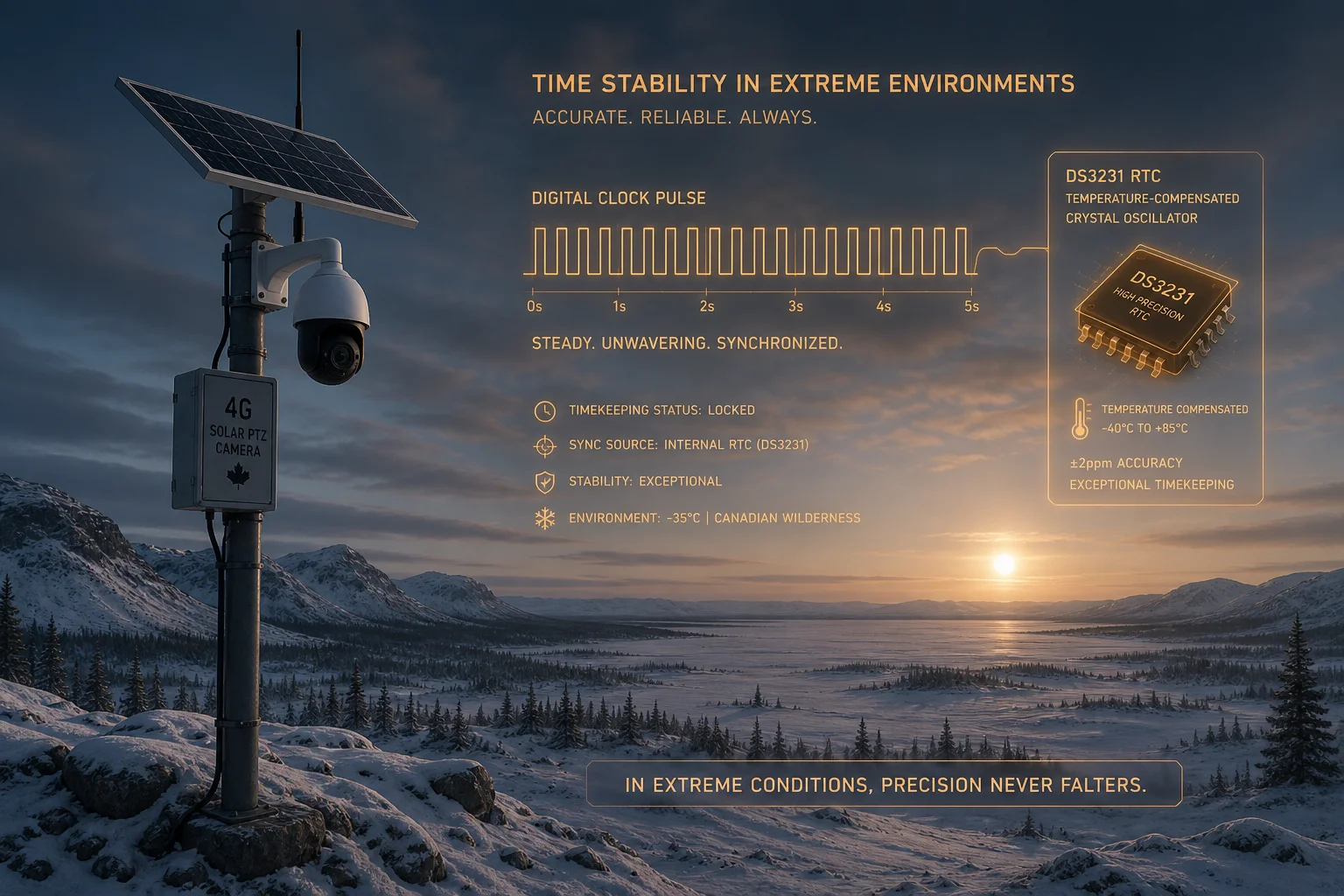
Understanding Time Drift
Every clock drifts. Even the clock on your kitchen wall gains or loses a few seconds over months. Digital clocks inside cameras are no different.
The system clock inside a camera’s processor runs on a software counter. It counts “ticks” based on the CPU’s internal frequency. But this counter is not perfectly stable. Temperature changes, voltage fluctuations, and CPU load all affect it. Over hours and days, the small errors add up.
In a remote solar site, the camera might run for weeks without ever seeing an NTP server. If the system clock drifts by several minutes — or even hours — your timestamps become unreliable. And once the timestamps are unreliable, the recordings lose their value for evidence, for scheduling, and for cross-site event matching.
How a Quality RTC Chip Fights Drift
Not all RTC chips are equal. A basic RTC with no compensation might drift 20 seconds per month. That sounds small, but over six months of offline operation, you could be off by two full minutes. An industrial-grade chip with a temperature-compensated crystal oscillator (TCXO) — like the Maxim DS3231 high-precision RTC 3 — drifts less than 2 minutes per year.
Here’s how I evaluate RTC quality when I design our PTZ cameras at Loyalty-Secu:
| RTC Grade | Typical Drift | Best Suited For |
|---|---|---|
| Basic (no compensation) | ±20 sec/month | Indoor cameras, always online |
| Mid-range (simple compensation) | ±5 sec/month | Semi-remote sites with occasional NTP |
| Industrial TCXO (e.g., DS3231 level) | ±2 min/year | Fully off-grid 4G solar deployments |
What I Recommend to Clients
When I talk to integrators like David, my first question is always: “How long will your site be offline?” If the answer is “weeks or months,” I push hard for industrial-grade RTC. The cost difference is small — usually less than $1 per unit at the component level — but the reliability difference is massive.
I also make sure our firmware writes the NTP-corrected time back to the RTC chip whenever 4G comes back online. This way, the RTC gets recalibrated automatically. The drift counter essentially resets every time the camera connects to the internet. Even if that only happens once a month, the accumulated drift stays well within acceptable limits.
The Practical Impact
Let me put it in real-world terms. Say your camera is deployed on a ranch in Montana. 4G signal comes and goes. Power comes from a solar panel and battery. The camera might lose both connectivity and power several times a week.
With an industrial RTC, the clock stays within a few seconds of real time — month after month. Your client can pull the SD card after 90 days and every file lines up with the actual date and time. Without the RTC, those same files might show dates from last year, or worse, from 1970.
What Is the Lifespan of the RTC Backup Battery Inside the PTZ Camera?
I always tell my clients to check the RTC battery spec before they sign a purchase order. A dead RTC battery turns a great camera into one that can’t keep time after a single reboot.
Industrial-grade RTC backup batteries — typically CR-series lithium manganese dioxide cells — last 5 to 8 years under normal conditions. This lifespan matches or exceeds the expected service life of most professional PTZ cameras deployed in off-grid environments.
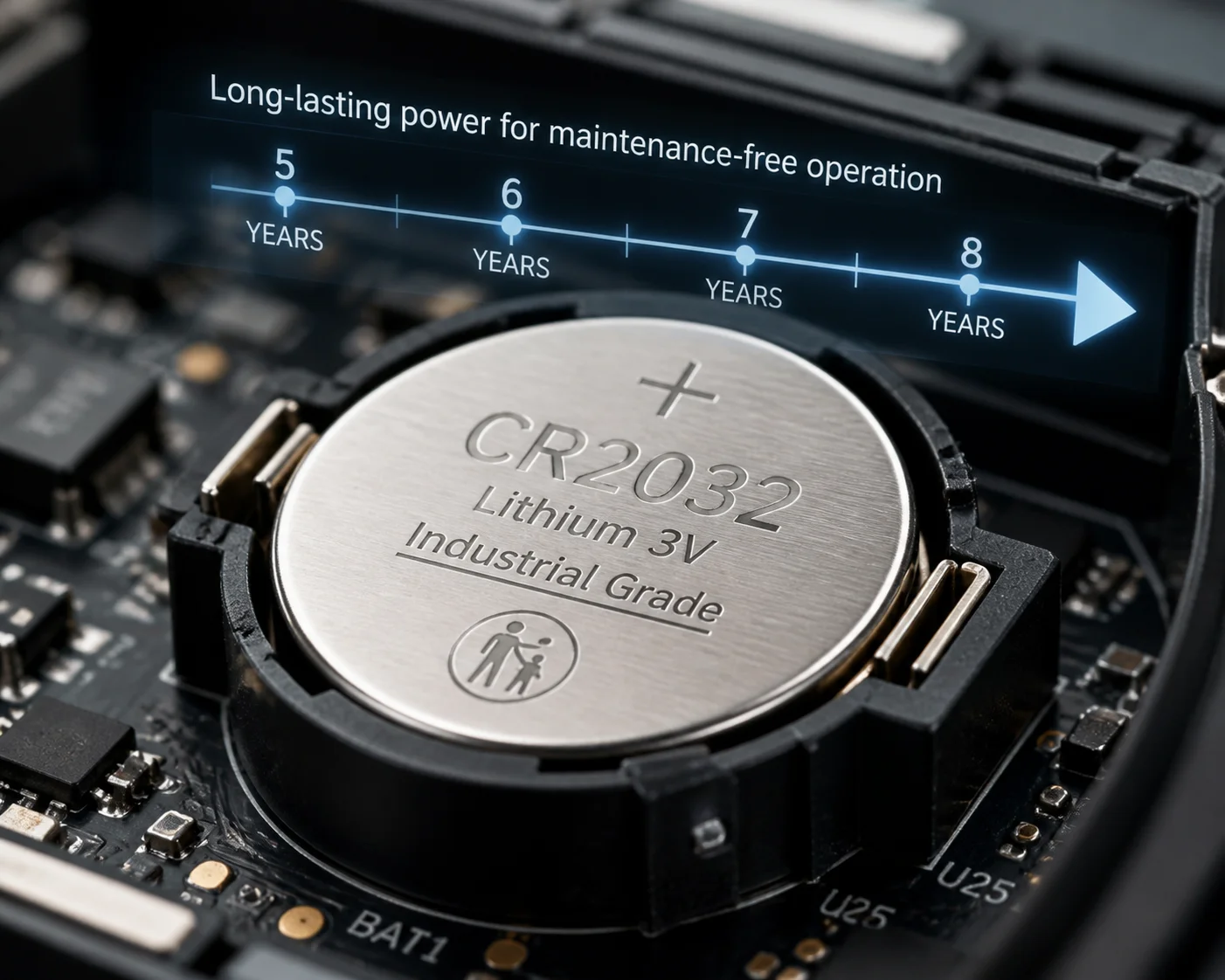
Why Battery Life Matters
The RTC chip draws very little power — usually just a few microamps. But it draws that power around the clock, every single day, even when the camera is completely turned off. Over years, this small drain adds up.
If the RTC battery dies, the chip can no longer keep time during power outages. The camera goes right back to the old problem: timestamps reset to factory defaults after every reboot. And in an off-grid site, nobody might notice for weeks or months — until they pull the recordings and find the timestamps are all wrong.
What I Use and Why
In our Loyalty-Secu PTZ cameras, I spec industrial-grade lithium manganese dioxide (LiMnO₂) batteries — like the CR2032 industrial-grade lithium battery specifications 4 in industrial-rated versions. These are rated for wide temperature ranges, typically -40°C to +85°C. That matters a lot for outdoor solar sites where the camera housing can reach extreme temperatures under direct sunlight.
I stay away from cheap consumer-grade coin cells. They might last 2-3 years in a wristwatch sitting at room temperature, but they fail much faster inside a metal camera housing baking in desert heat or freezing on a Canadian pipeline.
Battery Health Monitoring
One thing I’m proud of in our design is the RTC health check feature. Our firmware monitors the backup battery voltage continuously. When the voltage drops below a safe threshold, the camera sends an alert through the 4G connection to the management platform.
This gives the client enough lead time to schedule a maintenance visit before the battery actually dies. In remote sites, you don’t want surprises. A proactive alert about a $0.50 battery can save thousands of dollars in wasted truck rolls and corrupted evidence.
| Battery Type | Typical Lifespan | Operating Temperature | Best Use Case |
|---|---|---|---|
| CR2032 (consumer grade) | 2–3 years | -20°C to +60°C | Indoor, mild environments only |
| CR2032 (industrial grade) | 5–8 years | -40°C to +85°C | Outdoor solar PTZ cameras |
| Supercapacitor | 10+ years (but limited hold time) | -40°C to +65°C | Short-term backup, hours not months |
A Note on Supercapacitors
Some manufacturers use supercapacitors instead of batteries for RTC backup. Supercapacitors last longer in terms of charge cycles — they can recharge thousands of times. But they can only hold enough energy to keep the RTC running for a few hours to a few days, not weeks or months.
For true off-grid deployments where the camera might sit without power for extended periods, I still recommend a real lithium battery. A supercapacitor is fine as a secondary backup, but it shouldn’t be the only backup.
Learn more about RTC backup power options for embedded systems 5.
Is the Hardware Clock Synchronized Automatically Once the 4G Signal Is Restored?
I designed our sync process to be fully automatic. When 4G comes back, the camera corrects its clock in the background. No manual steps. No remote login needed.
Yes. Once the 4G connection is restored, the camera automatically contacts an NTP server to get the precise current time. It then updates the system clock and writes the corrected time back to the RTC chip for future power-loss events.
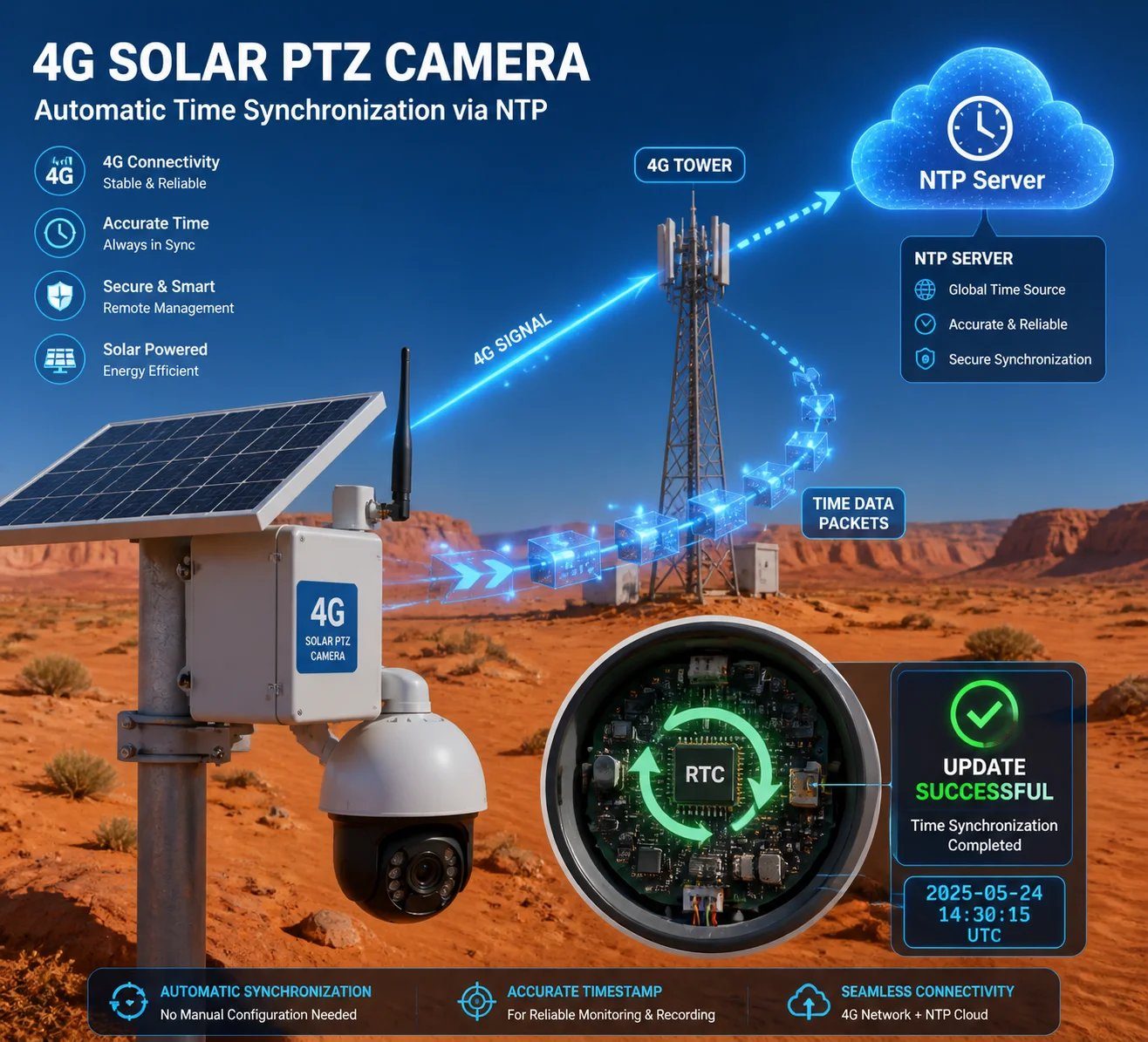
The Sync Process Step by Step
Here’s what happens inside our camera the moment 4G connectivity returns:
- The 4G modem registers on the cellular network.
- The camera’s NTP client sends a time request to a public NTP server — or a custom server if the client has configured one.
- The NTP server responds with the exact UTC time.
- The camera adjusts its internal system clock to match.
- The firmware writes this corrected time back to the RTC chip.
This entire process takes less than 2 seconds. The user doesn’t need to do anything. There’s no popup, no prompt, no button to press. It just works.
Why the Write-Back Step Is Critical
Step 5 above is the most important one. Many cheap cameras skip it. They update the system clock from NTP, but they never write the corrected time back to the RTC chip.
What happens next? The system clock is correct — for now. But the RTC chip still holds the old, slightly drifted time. The next time the camera loses power or 4G, it reads time from the RTC again, and the drift continues from where it left off.
By writing the corrected time back to the RTC after every successful NTP sync, I make sure the drift counter resets each time. This is especially important for sites that only get 4G signal for a few hours each day — maybe the SIM data plan is limited, or the solar power budget only allows short connection windows.
In Linux-based camera systems, this write-back is handled by a kernel mechanism called RTC_SYSTOHC. Our firmware enables this by default. It writes the system time to the RTC approximately every 11 minutes while the system is running. So even if the 4G connection is brief, the RTC gets updated.
Configuring NTP for Your Deployment
I always ask my clients where their cameras will be deployed and what network restrictions apply. The default public NTP servers (like pool.ntp.org) work fine for most commercial projects. But some clients — especially government, military, or critical infrastructure projects — need to use a private NTP server for security compliance.
Our firmware supports custom NTP server addresses. You can set them through the web interface, or push them to all cameras at once using our batch configuration tool. I’ve set up projects where 50+ cameras all point to a single internal NTP server accessible only through a private APN on the 4G network.
What If NTP Is Blocked?
In some regions or on some carrier networks, standard NTP traffic on port 123 is blocked or throttled. I’ve seen this in parts of the Middle East and Southeast Asia. In those cases, I recommend two workarounds:
- Use the cellular carrier’s own NTP server. Most major 4G carriers provide one, and it’s accessible from within their network without restriction.
- Use an alternative time sync method over a different port, if supported by the deployment platform.
Either way, the goal stays the same: get one accurate time reading whenever possible, and lock it into the RTC chip for safekeeping.
For more on NTP configuration in embedded Linux, see this guide to NTP for embedded systems 6.
Conclusion
A hardware RTC chip is not optional for 4G off-grid cameras. It keeps your timestamps real, your evidence court-ready, and your scheduling reliable — even when everything else goes offline.
1. Maxim Integrated tutorial on RTC chips for embedded systems. ↩︎ 2. NTP official documentation and protocol specifications. ↩︎ 3. Maxim DS3231 high-precision RTC product page. ↩︎ 4. Murata industrial-grade CR2032 battery specifications. ↩︎ 5. Comparison of RTC backup batteries vs supercapacitors. ↩︎ 6. Embedded Linux guide to NTP client implementation. ↩︎