
I lost a full battery bank in 11 days. The camera was “sleeping.” The datasheet said 30 days. That number was a lie.
A well-designed 4G solar camera system draws between 50mW and 100mW in true deep sleep mode. This equals roughly 4mA to 8mA at 12V. Cheap systems often pull 200mW or more because they never fully shut down the main processor or the 4G radio.
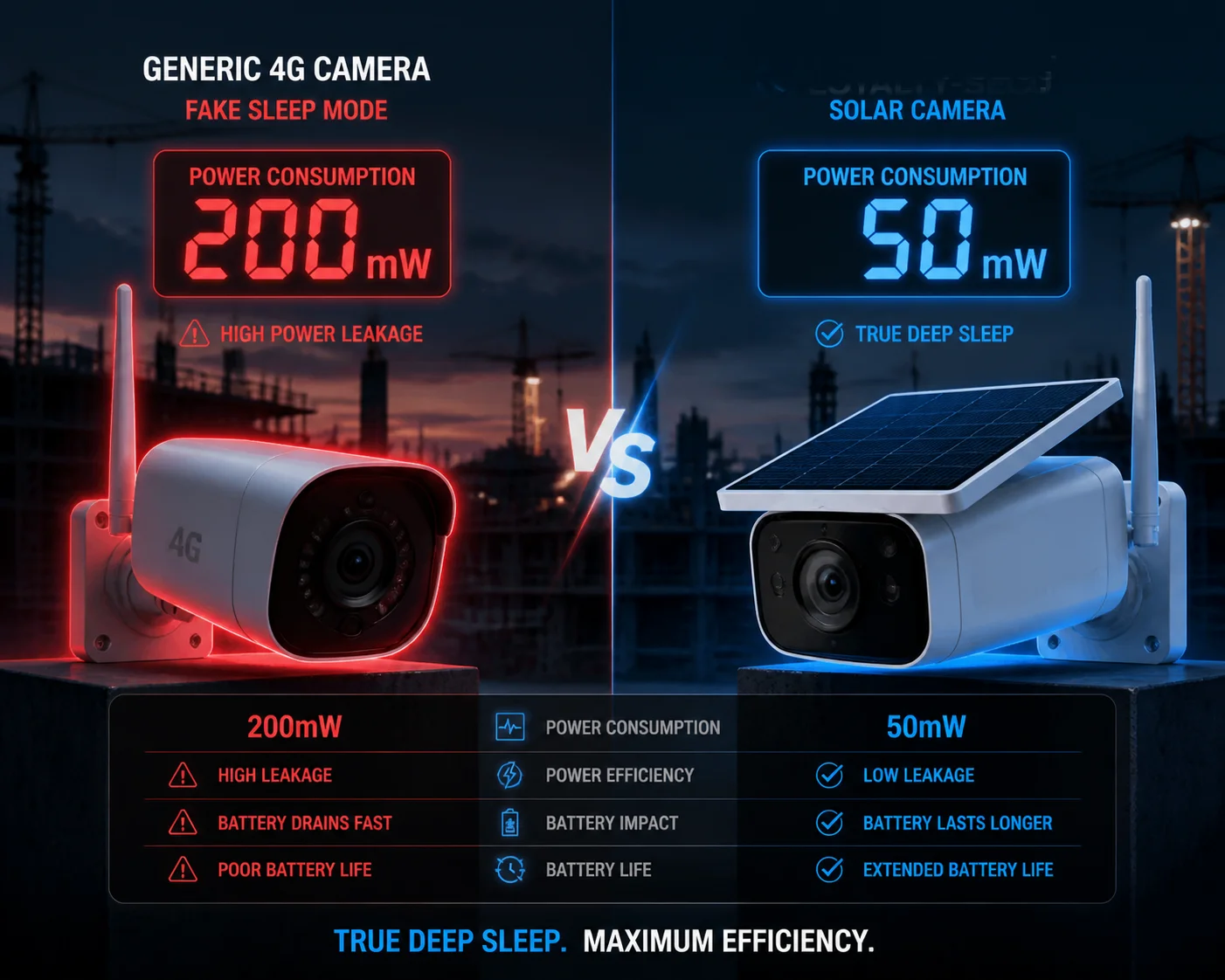
Most datasheets give you one clean number for sleep mode power. That number is measured in a perfect lab. Perfect temperature. Perfect signal. No wind to trigger the PIR. Your job site in Texas or Alberta is not a lab. So I want to walk you through what actually drains your battery when the camera is “silent.” I will break down each component. I will give you real numbers. And I will show you how to test them yourself before you commit to a bulk order.
Table of Contents
How Many Milliamps (mA) Does the System Draw While Waiting for a Remote Wake-Up?
I used to trust the mA number on the spec sheet. Then I put a meter on the wire. The real number was three times higher.
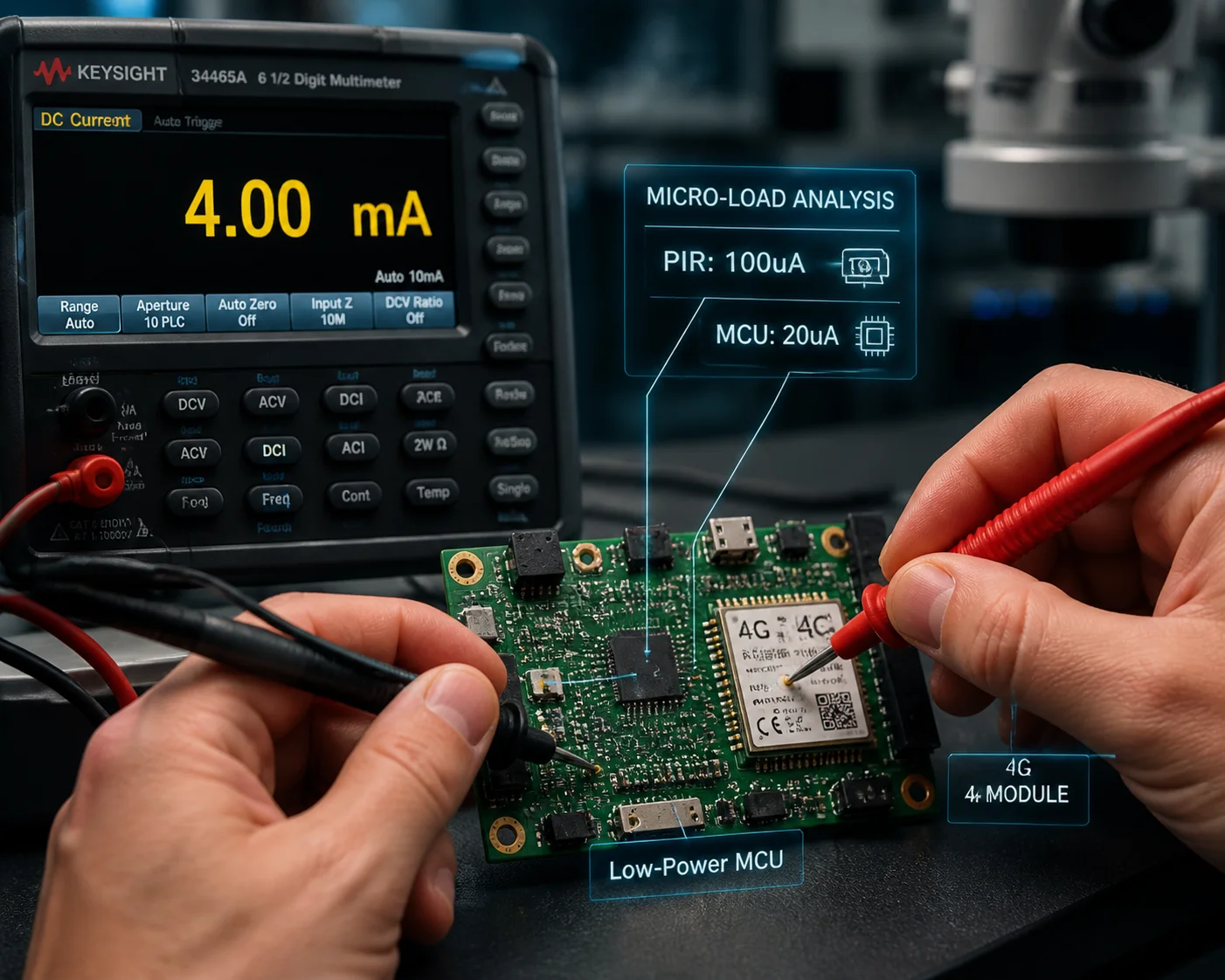
In remote wake-up standby, a properly designed 4G solar camera draws 4mA to 8mA at 12V. This means 50mW to 100mW total. But if the 4G signal is weak, the modem boosts its transmit power, and the draw can jump to 15mA to 20mA without warning.
Where Does Each Milliamp Go?
The total sleep current is not one number. It is the sum of several small loads. Each part of the system still needs a tiny bit of power to stay “alive” enough to wake up. Here is how the budget breaks down in a typical system I have tested on our bench:
| Component | Typical Sleep Current (at 12V) | Notes |
|---|---|---|
| Low-power MCU (sentinel chip) | 5–50 µA | Listens for PIR or wake-up command |
| 4G modem (PSM / DRX mode) | 1–3 mA | Periodic paging with the cell tower |
| PIR sensor circuit | 50–200 µA | Always on, waiting for motion |
| DC-DC converter quiescent current | 0.5–2 mA | The “hidden tax” of cheap power circuits |
| RTC (real-time clock) | < 10 µA | Keeps time for scheduled wake-ups |
| Total | ~4–8 mA | Good design target |
The Main SoC Must Be Fully Off
This is the single most important point. The main processor — the chip that runs video encoding, the operating system, and the network stack — must be completely powered down during sleep. Not in “low-power idle.” Not in “standby.” Fully off. Zero volts on its power rail.
In our Loyalty-Secu solar PTZ design 1, only a tiny MCU stays awake. This MCU uses microamps, not milliamps. It does one job: listen. When the PIR fires, or when a remote SMS or 4G paging signal arrives, the MCU switches the main power rail back on. The main SoC boots up in 2 to 8 seconds. Yes, you lose instant-on. But you gain months of battery life.
I have seen competing boards where the main SoC never fully shuts down. It just drops to a “sleep” state that still pulls 300mA to 500mA. That is not sleep. That is a nap. And naps kill batteries.
4G Signal Strength Is the Wild Card
Even with perfect hardware, a weak cell signal changes everything. The 4G modem uses DRX (Discontinuous Reception) in sleep. It wakes up every few seconds, listens for a paging message from the tower, and goes back to sleep. If the signal is strong, this takes very little energy. If the signal is weak (1–2 bars), the modem increases its transmit power to maintain the connection. I have measured this on our test bench. A camera in a strong signal area drew 5mA in sleep. The same camera, in a shielded room simulating weak signal, drew 18mA. That is a 3.6x difference from one variable alone.
For remote deployments, use a 4G signal strength guide for rural surveillance 2 to pre-assess your site before installation.
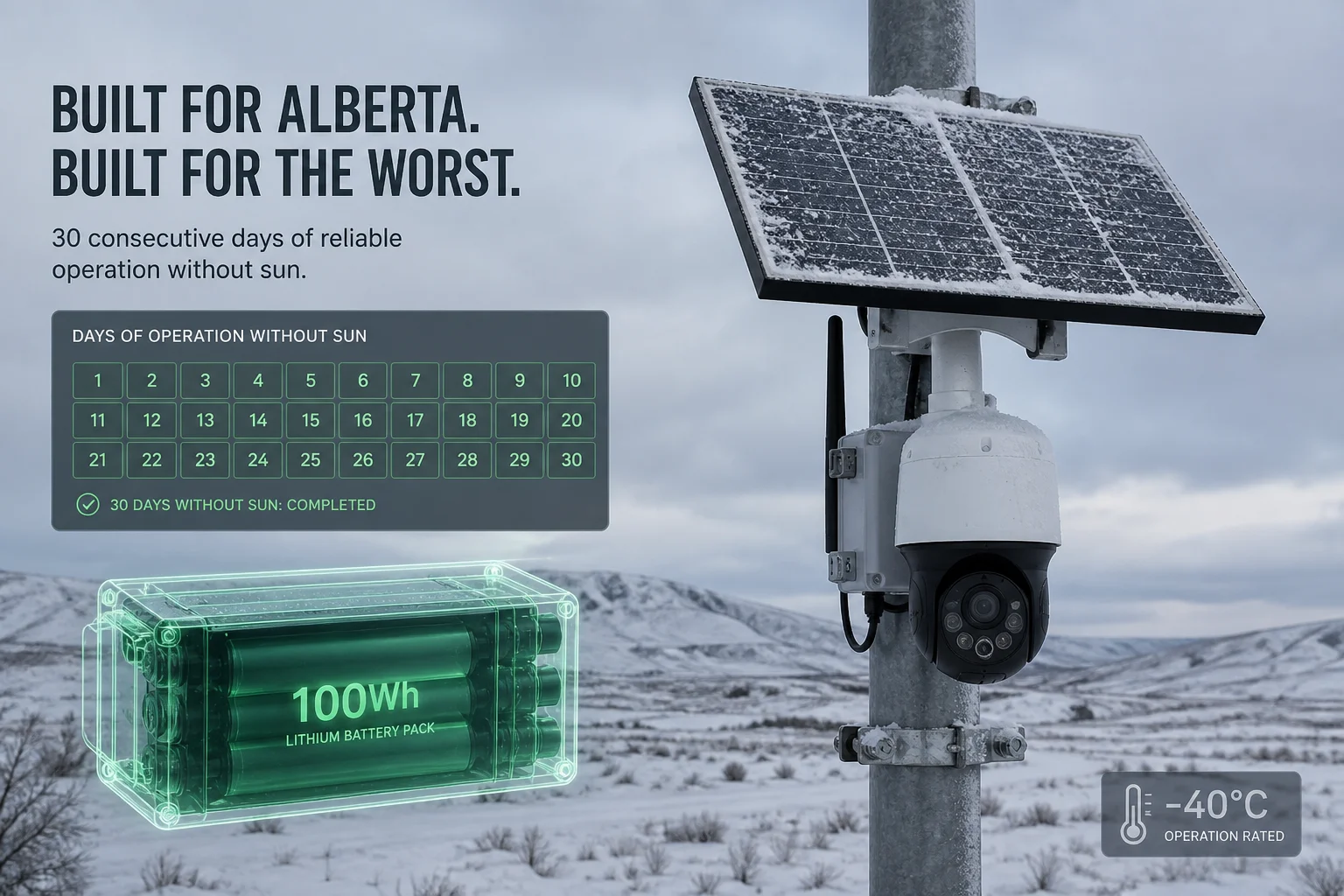
Can My 100Wh Battery Sustain the Sleep Mode for Over 30 Days Without Sun?
I had a customer in northern Canada ask me this exact question last winter. His panels were buried in snow for six weeks. He needed a real answer, not marketing math.
Yes. A 100Wh battery can sustain deep sleep mode for well over 30 days — often 80 to 100+ days — if the system truly draws ≤100mW in sleep and wakes up only a few times per day. The math is simple: 100Wh ÷ 0.1W = 1,000 hours = 41 days of pure sleep.
The Real Math: Sleep + Wake-Up Events
Pure sleep is not the full picture. Your camera will wake up. PIR triggers. Scheduled check-ins. Remote live views. Each wake-up event costs energy. Here is a realistic model I use when sizing batteries for our customers:
| Parameter | Value | Notes |
|---|---|---|
| Battery capacity | 100 Wh | Typical lithium pack |
| Sleep power | 0.08 W | Good 4G solar PTZ in deep sleep |
| Wake-up events per day | 20 | PIR triggers + remote views |
| Average wake-up duration | 30 seconds | Camera on, streaming, recording |
| Wake-up power | 8 W | Full operation including 4G upload |
| Daily sleep energy | 0.08W × 23.83h = 1.91 Wh | Nearly 24 hours of sleep |
| Daily wake-up energy | 8W × (20 × 30s / 3600) = 1.33 Wh | 10 minutes total active time |
| Total daily energy | ~3.24 Wh | |
| Days on 100Wh battery | 100 ÷ 3.24 ≈ 30.8 days |
So with 20 triggers per day, you just barely cross the 30-day mark. If you reduce triggers to 10 per day, you stretch to about 40 days. If your system has a higher sleep power — say 200mW because of a cheap DC-DC converter — you drop to about 22 days.
Why the Datasheet Number Is Always Optimistic
Manufacturers test in ideal conditions. Room temperature. Strong signal. Zero PIR triggers. That gives the best possible number. I do the same thing when I show best-case specs. But I also give our customers the “bad day” number. Because you are not designing for the best day. You are designing for the worst week.
Battery Chemistry Matters Too
At low temperatures, lithium batteries lose capacity. A 100Wh pack at 25°C might only deliver 70Wh at -10°C. So your 30-day calculation becomes a 21-day calculation. I always tell my customers: size your battery for winter, and enjoy the surplus in summer.
Learn more about lithium battery low-temperature performance 3 to choose the right chemistry for your climate.
Does the PIR Sensor or the 4G Heartbeat Consume More Power During Standby?
I spent two days on our test bench isolating each circuit. The answer surprised me. It was not what I expected.
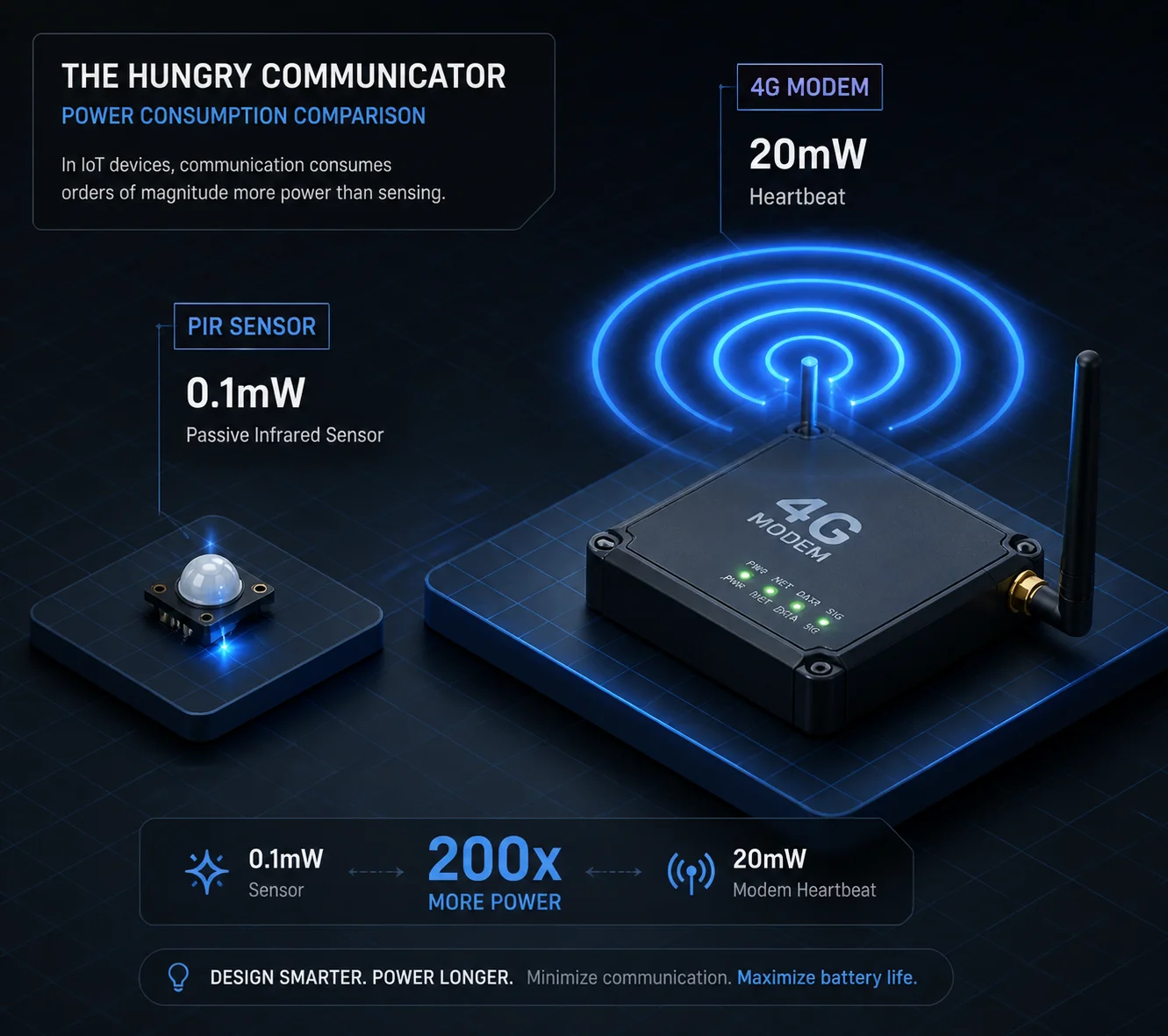
The 4G heartbeat consumes significantly more power than the PIR sensor during standby. A PIR sensor draws about 50 to 200 microamps continuously. A 4G modem in DRX mode draws 1 to 3 milliamps on average — roughly 10 to 30 times more. The modem is the dominant load in sleep mode.
Breaking Down the Two Loads
Let me explain why the difference is so large.
PIR Sensor: The Quiet Watcher
A passive infrared sensor is an analog device. It detects changes in infrared radiation — basically, body heat moving across its field of view. It needs almost no power. A typical PIR module runs on 3.3V and draws 50 to 200µA. That is 0.17mW to 0.66mW. You could run a PIR sensor on a coin cell battery for years. The PIR sensor is never the problem.
The problem with PIR is not power. It is false triggers. Wind moving warm air. Animals. Sun heating a surface. Each false trigger wakes up the main system. And each wake-up costs 8W for 5 to 30 seconds. So a PIR sensor with bad tuning can indirectly destroy your battery life — not through its own draw, but through the wake-ups it causes.
For a deeper dive, read this PIR sensor false trigger prevention guide 4.
4G Heartbeat: The Hungry Communicator
The 4G modem is a radio. Even in sleep, it must periodically contact the cell tower to stay registered on the network. This is called DRX — Discontinuous Reception. The modem wakes up, listens for a paging message, and goes back to sleep. Each cycle is short — maybe 50ms. But the peak current during that 50ms can be 100mA or more.
There are deeper sleep modes available:
- eDRX (Extended DRX): Stretches the listening interval from seconds to minutes. Reduces average current to ~0.5mA.
- PSM (Power Saving Mode): The modem essentially turns off its radio. Current drops to 10–50µA. But the modem is unreachable until its next scheduled wake-up window.
The Trade-Off: Reachability vs. Battery Life
If you enable PSM, your camera cannot receive a remote wake-up command during the sleep period. You lose instant remote access. For some use cases — like a construction site where you check in once a day — this is fine. For others — like perimeter security where you need on-demand live view — you must keep DRX active, and accept the higher modem current.
I configure most of our systems with eDRX as the default. It gives a good middle ground. The camera is reachable within 30 to 60 seconds, and the modem current stays under 1mA average. This is something I discuss with every B2B customer during the project planning stage.
How Do I Optimize the Sleep Settings to Maximize Battery Life in the Winter?
Every winter, I get the same call. “Han, the battery died. The panel has snow on it. What do we do?” The answer is always the same: you should have optimized the settings before winter started.
To maximize winter battery life, reduce PIR sensitivity to avoid false triggers, enable eDRX or PSM on the 4G modem, set scheduled wake-ups instead of always-on standby, and use a battery rated for low temperatures. These four changes together can double or triple your off-grid survival time.
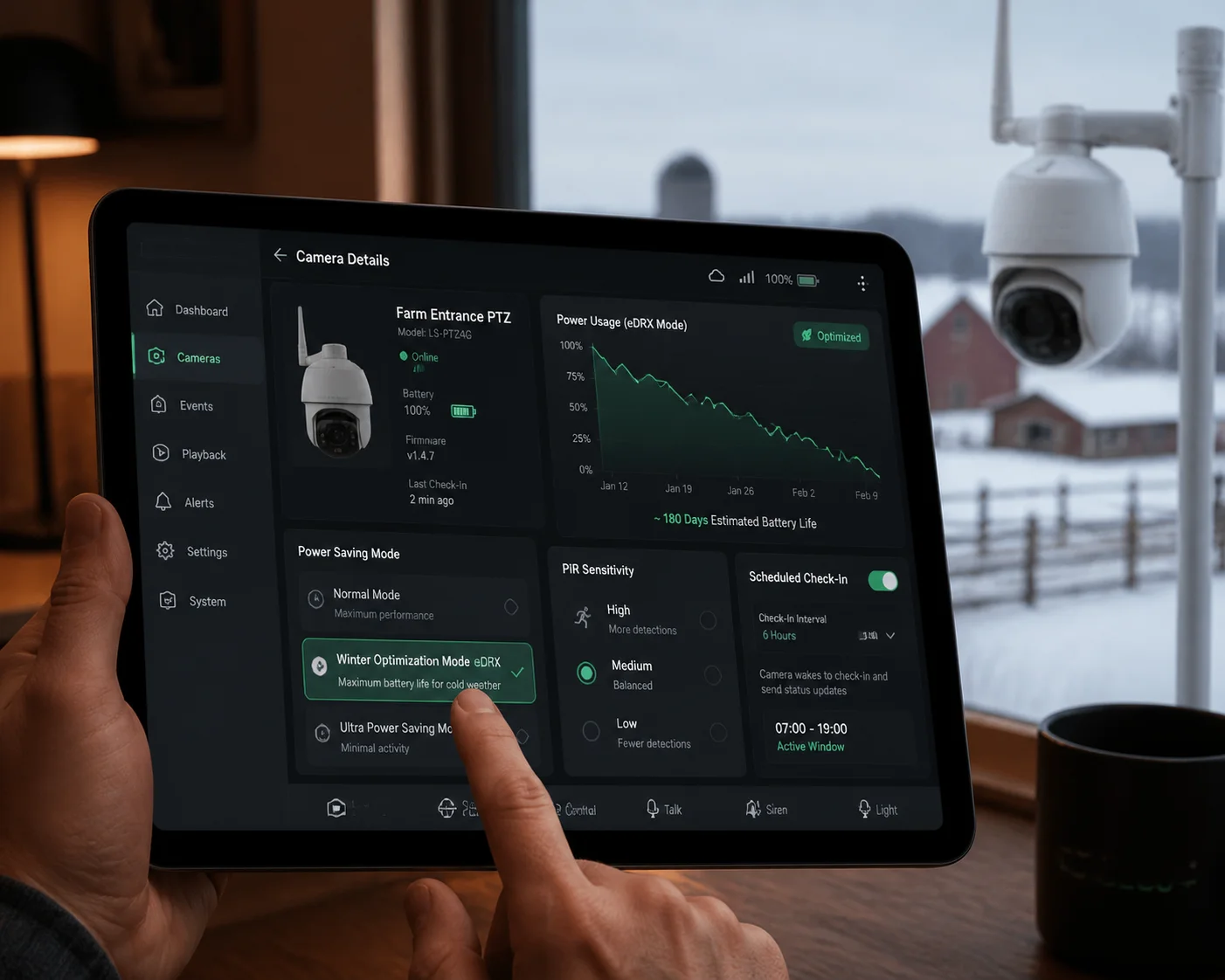
Step 1: Kill the False Triggers
False triggers are the number one battery killer in winter. Cold wind moves branches. Snow falls off a roof. The PIR fires. The camera boots up, records nothing useful, uploads nothing useful, and goes back to sleep. It just wasted 8W for 10 seconds. Multiply that by 200 false triggers per day, and you have burned through 4.4Wh of battery doing absolutely nothing.
I recommend these settings for winter deployments:
- Lower PIR sensitivity to medium or low.
- Enable a PIR “cooldown” period of 30 to 60 seconds between triggers.
- If the firmware supports it, use AI-based filtering. Our Loyalty-Secu cameras can be configured to only fully wake when the PIR trigger is confirmed by a quick neural network check on the MCU. This rejects wind and animal triggers before the main SoC even powers on.
Step 2: Switch the 4G Modem to eDRX or PSM
I covered this above, but here is the practical impact:
| 4G Mode | Avg. Sleep Current | Remote Wake-Up Delay | Best For |
|---|---|---|---|
| Normal DRX | 1–3 mA | < 2 seconds | 24/7 security sites |
| eDRX | 0.3–0.8 mA | 30–60 seconds | Construction sites, farms |
| PSM | 10–50 µA | Next scheduled window (minutes to hours) | Asset tracking, seasonal monitoring |
For most winter deployments, I push customers toward eDRX. You sacrifice a few seconds of response time. You gain weeks of battery life.
See the 3GPP specification for eDRX and PSM modes 5 for a technical explanation of how these modes work.
Step 3: Use Scheduled Check-Ins Instead of Always-On
Instead of keeping the 4G link always ready, program the camera to wake up at set intervals — say, every 2 hours. It boots, uploads a snapshot or short clip, checks for pending commands, and goes back to deep sleep. This turns a continuous 3mA drain into a pulsed load with an average well under 0.5mA.
Step 4: Choose the Right Battery
Standard lithium-ion cells lose 20% to 40% of their capacity below -10°C. LiFePO4 battery cold weather performance 6 handles cold better but has lower energy density. For extreme cold, some of our systems include a small self-heating battery wrapper. Yes, the heater uses power. But it uses less power than the capacity you lose from a frozen cell. I have tested this down to -25°C. The heater draws about 1W for 10 minutes at startup, then shuts off. Without it, the battery voltage sags so low the system cannot boot at all.
For extremely remote sites, consider a professional solar battery monitoring system 7 to track health remotely.
Step 5: Validate Before You Deploy
I always tell my B2B customers: do not trust my numbers. Test them. Take the sample unit. Cover the solar panel. Put it in your warehouse. Set your winter configuration. Let it run for 14 days. Measure the battery drop. Then you will know — not believe, not hope — you will know how many days you have. This is how professionals buy. And this is how I want to sell.
Conclusion
True sleep power consumption separates reliable off-grid systems from expensive paperweights. Test the real number. Size your battery for the worst week. And never trust a datasheet you have not verified yourself.
If you want to go deeper, study off-grid power system design best practices 8 and learn how to measure sleep current with a multimeter 9. For B2B buyers, I also recommend reviewing solar surveillance ROI calculators 10 before committing to a large deployment.
1. Overview of low-power solar PTZ hardware architecture. ↩︎ 2. How to measure 4G signal strength before installing surveillance cameras. ↩︎ 3. Technical guide to lithium battery capacity loss below freezing. ↩︎ 4. Common causes of PIR false triggers and how to fix them. ↩︎ 5. Official GSMA guide to PSM and eDRX for IoT devices. ↩︎ 6. LiFePO4 vs lead-acid performance comparison in cold climates. ↩︎ 7. Remote battery monitoring tools for off-grid solar installations. ↩︎ 8. Complete guide to sizing off-grid solar power systems. ↩︎ 9. How to accurately measure low-current sleep mode draw. ↩︎ 10. Calculating long-term ROI for solar-powered security deployments. ↩︎