
I lost a full batch of outdoor PTZ cameras during a Texas summer. The 4G modules inside kept dropping offline. That failure cost me more than money — it cost me a client’s trust.
At +75°C, an industrial-grade 4G module can still work, but it operates near its rated ceiling. Its true reliability depends on the module’s temperature class, the thermal path design inside the camera housing, and whether the firmware has active heat management. Without all three, expect signal drops, speed loss, and shortened component life.
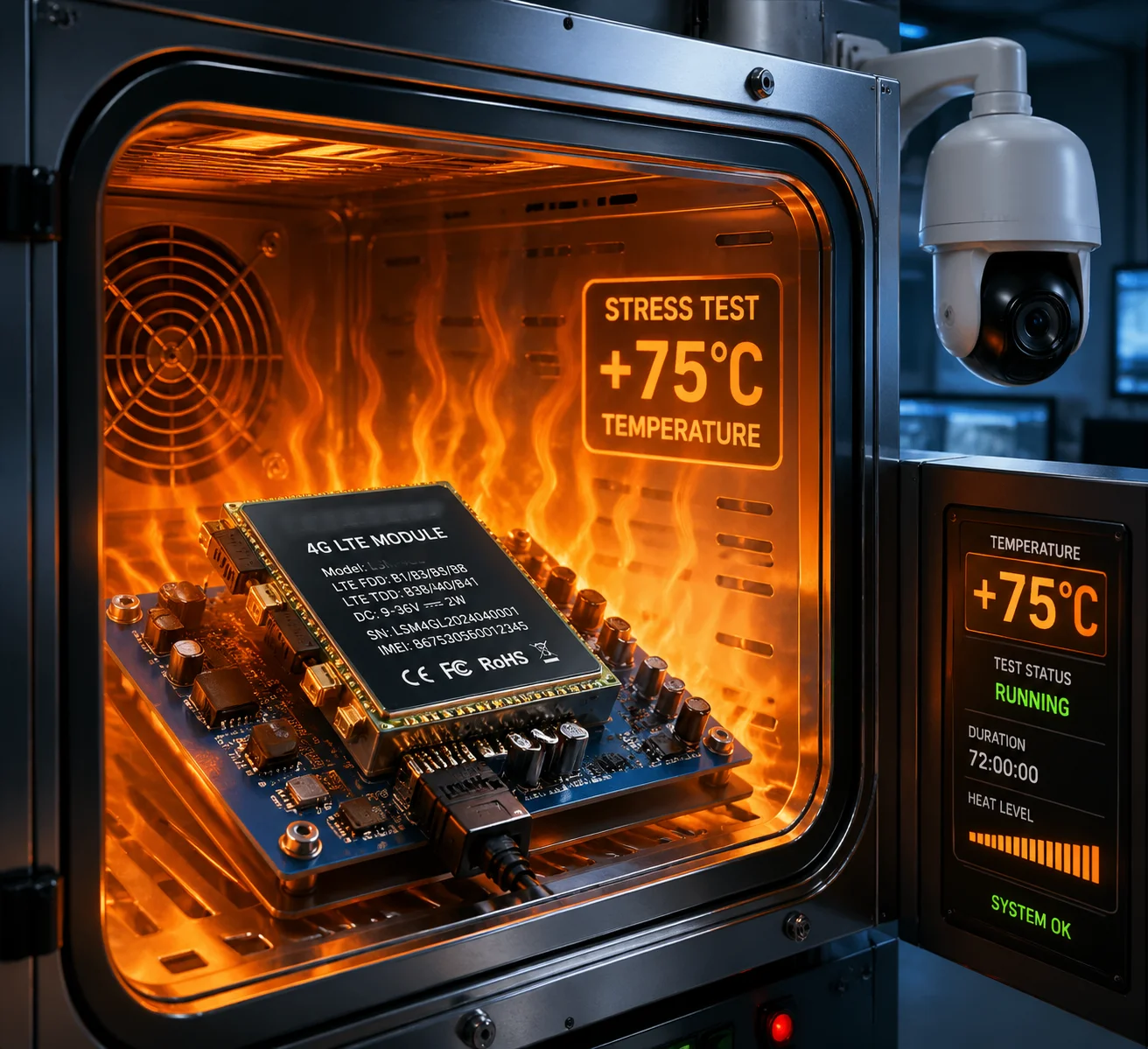
So how does a 4G cellular modem actually behave when pushed to +75°C? And what separates a camera that survives a brutal summer from one that dies in the first week? I will break this down across four critical questions below. Each one maps to a real engineering risk that I have seen trip up even experienced integrators.
Table of Contents
Will the 4G Module Throttle Its Data Speed if the Internal Temperature Exceeds 70°C?
I once watched a live 4G video feed from a job site go from smooth 1080p to a pixelated mess in under an hour. The cause was not the network. It was heat.
Yes, most 4G modules begin thermal throttling between 65°C and 75°C internal chip temperature. The module reduces its transmit power and processing clock speed to prevent damage. This directly lowers upload bandwidth and can cause video stuttering, frame drops, or full disconnection from the LTE network.

How Thermal Throttling Actually Works
When a 4G module transmits data — especially a high-bitrate video stream — the baseband processor and RF amplifier generate a lot of heat on their own. In a cool room at 25°C, this is not a problem. But when the surrounding air is already at +75°C, the chip’s internal temperature can quickly climb past +100°C. At that point, the module’s built-in protection kicks in.
The module does two things to save itself. First, it reduces the transmit power (TX Power). This means the signal it sends to the cell tower gets weaker. Second, it slows down its processing clock. This means it handles fewer data packets per second. Both of these actions directly cut into your upload speed.
What This Looks Like in the Field
I have seen real-world speed drops like this during high-temperature bench tests:
| Condition | Upload Speed | Latency | Connection Stability |
|---|---|---|---|
| 25°C (Room Temp) | 18 Mbps | 35 ms | Stable, no drops |
| 60°C (Warm) | 15 Mbps | 42 ms | Stable |
| 70°C (Hot) | 9 Mbps | 68 ms | Occasional packet loss |
| 75°C (Extreme) | 4–6 Mbps | 110+ ms | Frequent re-buffering |
For a security integrator streaming 1080p or 4K video back to a VMS, this kind of speed drop is a real problem. The video either freezes, downgrades in quality, or the session drops entirely. And if the module is also fighting a weak cell signal at the same time, the throttling gets even worse because the module tries to boost its TX power — which generates more heat — creating a vicious cycle.
The Thermal Noise Factor
There is also a physics problem at play. Thermal noise 1 power increases with temperature. Roughly speaking, every 10°C rise adds about 0.3–0.4 dB of noise. At +75°C, the signal-to-noise ratio (SNR) of the LTE link drops noticeably. In areas where the base station signal is already marginal (say, RSRP below -100 dBm), this extra noise can push the connection below the minimum threshold. The module might still be powered on, but it simply cannot decode the incoming signal cleanly enough to stay connected.
At Loyalty-Secu, I address this in our firmware. When the module’s internal temperature sensor reports above 70°C, the firmware switches to a “traffic smoothing” mode. It reduces the video bitrate, stretches the heartbeat interval, and avoids bursty uploads. This keeps the module from spiking into thermal shutdown during peak heat.
What Cooling Measures Protect the Cellular Modem During a Hot California Summer?
I have opened up returned cameras before and found the 4G module sitting in a plastic pocket with zero airflow. No wonder it died.
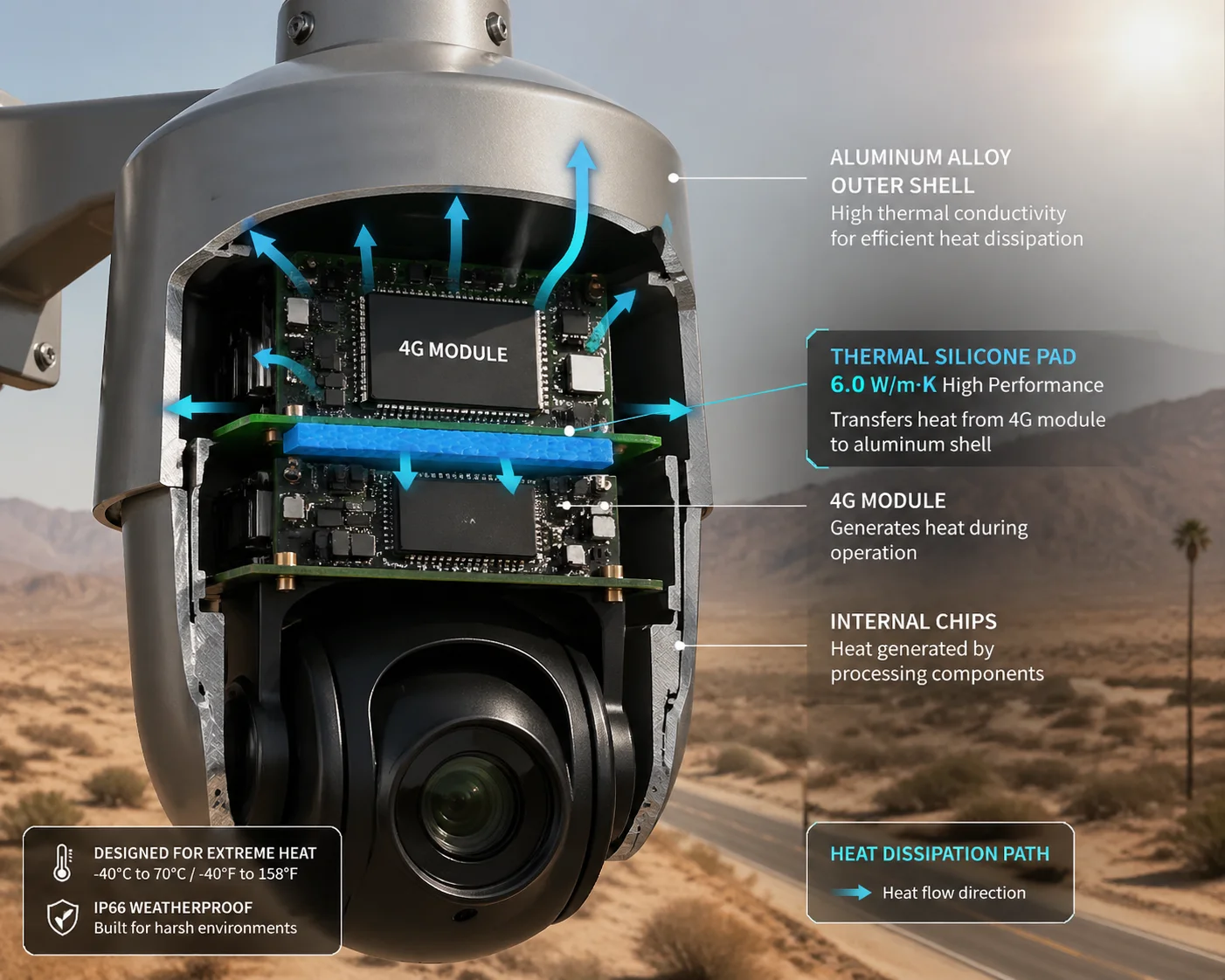
Effective cooling for an outdoor 4G modem relies on three things: a direct thermal path from the module to a metal housing, high-conductivity thermal interface materials, and smart PCB layout that separates the modem from other heat sources like the main SoC and power regulators.
Why Passive Cooling Matters More Than You Think
Most outdoor PTZ cameras are sealed units. They have IP66 or IP67 ratings. That means no fans, no vents, no forced air. All heat removal must happen through passive conduction and radiation. If the 4G module sits on a bare PCB inside a plastic dome with no metal contact, the heat has nowhere to go. The module just slow-cooks itself.
The Thermal Path Design
The right approach starts at the PCB level. At Loyalty-Secu, I make sure our 4G module has a large copper ground plane underneath it. This copper plane connects to a thermal pad — a soft, thermally conductive silicone sheet — which presses directly against the inside of the aluminum housing. The housing then acts as a giant heat sink, radiating heat into the outside air.
Here is how different thermal interface materials (TIMs) compare:
| Material | Thermal Conductivity (W/m·K) | Cost | Typical Use |
|---|---|---|---|
| Air gap (no pad) | 0.025 | Free | Budget cameras (bad) |
| Standard thermal pad | 1.0–2.0 | Low | Mid-range devices |
| High-performance silicone pad | 5.0–6.0 | Medium | Industrial cameras |
| Graphene sheet | 10–20 (in-plane) | High | Premium / military |
I use a 6.0 W/m·K thermal silicone pad in our 4G solar PTZ models. This gives a solid thermal bridge from the module to the shell without adding much cost.
PCB Layout: Keep Heat Sources Apart
Another mistake I see in cheap designs is cramming the 4G module right next to the main video processor or the PoE power stage. Both of those run hot on their own. When you stack them together, the local board temperature can be 15–20°C above the ambient air inside the housing. So even if the outside air is only 55°C, the module might already be sitting in a 75°C pocket.
I keep our 4G module physically separated from high-heat components on the PCB. I also add thermal relief copper pours around the module area and use a multi-layer board to spread heat across a wider surface.
The Enclosure Itself
The camera housing color and coating also matter. A black-painted metal housing in direct California sun can reach surface temperatures of 80–90°C. I use light-colored finishes and, where possible, a sunshield above the camera body. This alone can cut the internal temperature by 10–15°C — which is often the difference between stable operation and thermal shutdown.
How Does the Module’s “Industrial Grade” Rating Differ from Consumer-Grade Parts?
I used to assume that “industrial grade” was just a marketing label. Then I ran side-by-side tests in a thermal chamber, and the difference was very clear.
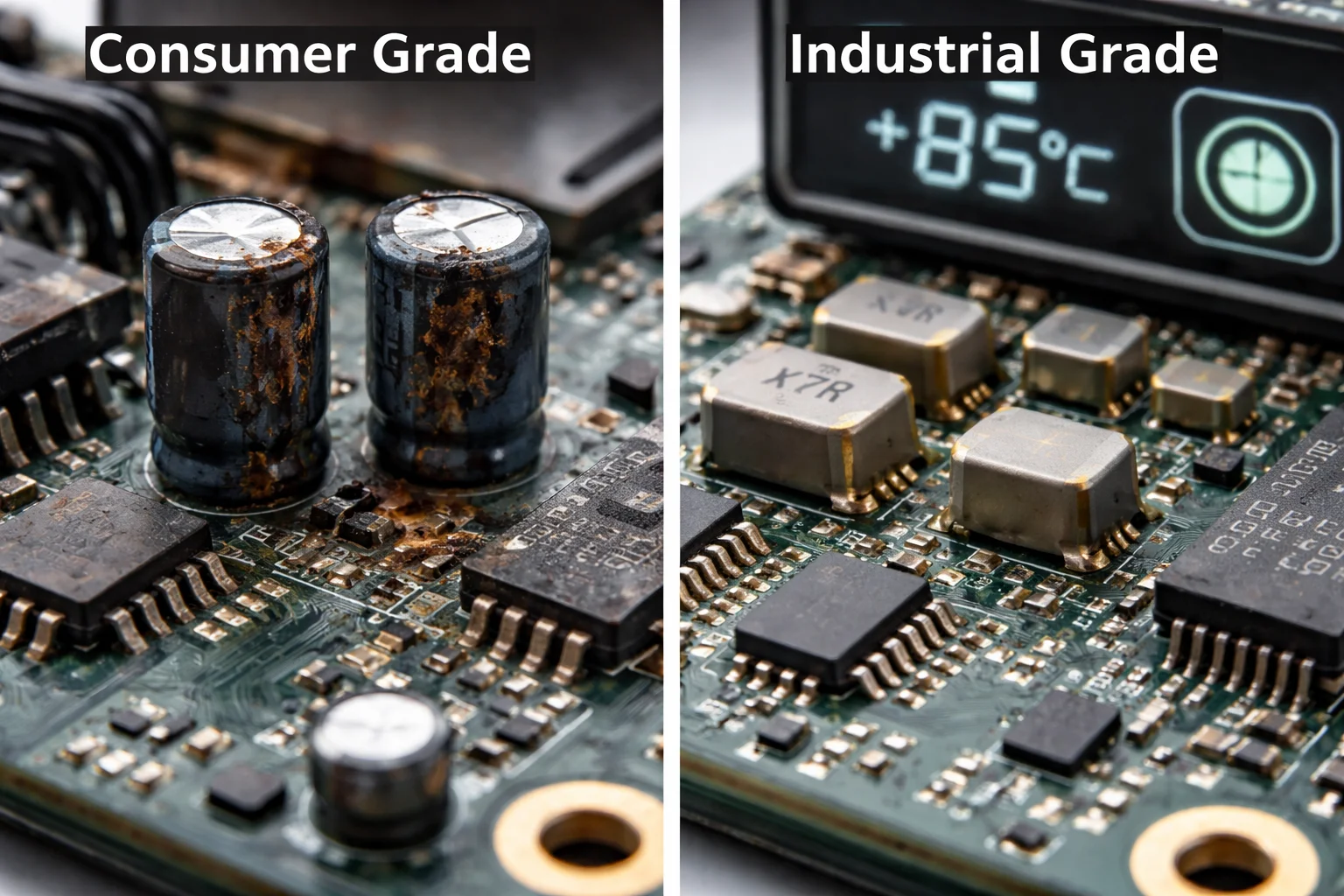
Industrial-grade 4G modules are rated for -40°C to +85°C and use components selected for wide temperature tolerance. Consumer-grade modules are rated for 0°C to +50°C and will enter thermal shutdown or suffer permanent damage at +75°C. The gap is not just a spec — it is a survival threshold.
Understanding the Temperature Ratings
Most 4G module datasheets from Quectel 2 or SIMCom 3 show two temperature ranges. The first is the Operating Temperature — the range where the module meets all of its 3GPP RF and throughput specs. The second is the Extended Temperature — the range where the module can still connect and pass data, but some RF performance numbers may slip outside the standard limits.
For example, the Quectel EG800Q Cat 1 module lists:
- Operating: -35°C to +75°C
- Extended: -40°C to +85°C
This means +75°C sits right at the top edge of the “operating” range. The module is designed to handle it, but there is zero margin. If the PCB layout or housing design adds even a few extra degrees, the module moves into the “extended” zone — and performance starts to degrade.
What Makes Industrial Parts Different Inside
The difference is not just a label. Industrial-grade modules use components that are specifically binned and tested for wide temperature ranges. This includes:
- Oscillators that maintain frequency stability across -40°C to +85°C
- Power amplifiers rated for higher junction temperatures
- Capacitors made with X7R or C0G dielectrics instead of cheaper Y5V types that lose capacitance at extreme temperatures
- Solder joints designed to handle repeated thermal cycling without cracking
The Arrhenius Rule and Component Life
There is a well-known rule in electronics reliability called the Arrhenius equation 4. In simple terms, for every 10°C increase in operating temperature, the life of electrolytic capacitors is cut in half. So a capacitor rated for 10,000 hours at 45°C might only last 2,500 hours at 65°C — and around 1,250 hours at 75°C. That is roughly 52 days of continuous operation before it starts to bulge or leak.
This is why I never accept a design that uses standard consumer-grade capacitors near the 4G module. In our Loyalty-Secu cameras, I spec long-life, high-temperature rated capacitors (105°C rated, minimum 5,000-hour life at rated temp) for all power supply circuits around the modem. This gives us a real-world service life measured in years, not months.
A Quick Comparison Table
| Feature | Consumer Grade | Industrial Grade |
|---|---|---|
| Operating temp range | 0°C to +50°C | -35°C to +75°C |
| Extended temp range | None | -40°C to +85°C |
| Capacitor rating | 85°C / 2000 hr | 105°C / 5000+ hr |
| Thermal shutdown risk at 75°C | Very high | Low (within spec) |
| Price premium | Baseline | +15–25% |
| Typical use | Phones, tablets | Outdoor cameras, industrial IoT |
Does the SIM Card Slot Have a High-Temperature Resistant Design to Prevent Warping?
I have pulled SIM trays out of failed units and found the plastic holder bent and the SIM card barely making contact. This is a failure mode most people never think about.
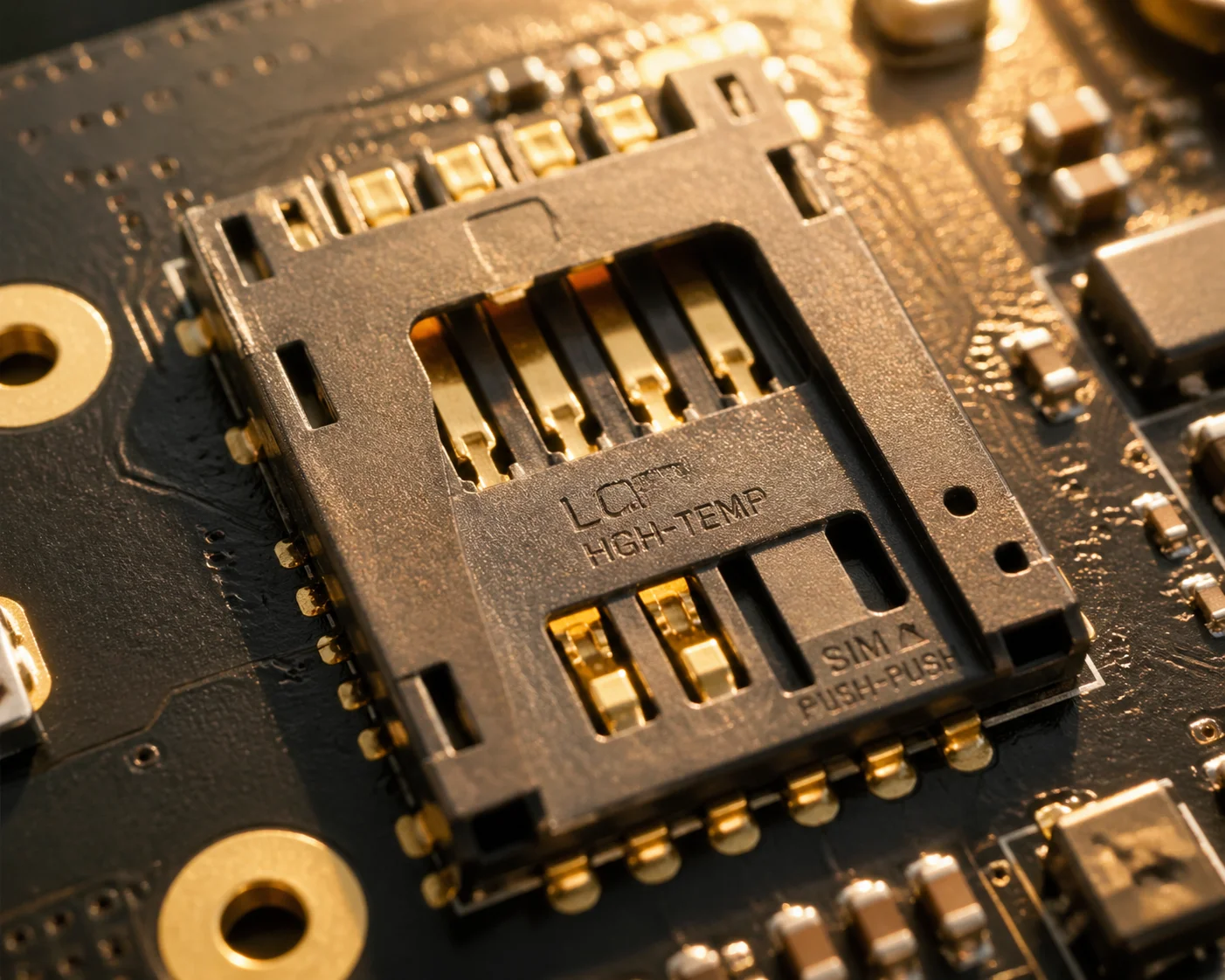
Yes, the SIM card slot must be designed for high temperatures. Standard SIM holders use plastics rated to only 85°C. At +75°C ambient, localized PCB hotspots can push the slot beyond this limit, causing warping, poor contact, and intermittent network drops. Industrial designs use high-temp nylon (PA9T) or LCP 5 housings rated to 105°C or higher.
Why the SIM Slot Is a Weak Link
Everyone focuses on the 4G module chip when talking about heat. But the SIM card slot is a mechanical component — and mechanical parts are often the first to fail in heat. A standard SIM card holder is made from injection-molded plastic. If the plastic softens or warps even slightly, the gold contact fingers lose pressure against the SIM card pads. The result is an intermittent connection. The module might register on the network, then drop off, then come back — over and over. This is one of the hardest faults to diagnose remotely because the logs just show random disconnections with no clear pattern.
Material Selection for the SIM Holder
The fix is simple but important. I use SIM holders made from PA9T (high-temperature nylon) or LCP (liquid crystal polymer). Both of these materials maintain their shape and stiffness well above 100°C.
Here is why this matters. In a sealed PTZ housing sitting in direct sun, the ambient air inside might be 75°C. But the PCB surface near a power regulator or the main SoC can be 85–95°C. If the SIM holder is right next to one of these hot zones, it will see temperatures far above the general ambient.
The SIM Card Itself
The SIM card also has a temperature rating. Standard consumer SIM cards are rated for -25°C to +85°C. For deployments in extreme heat, I recommend industrial-grade SIM cards rated to +105°C. These use a different substrate material and thicker gold plating on the contact pads to resist oxidation at high temperatures.
Soldering and Contact Reliability
Beyond the plastic body, the solder joints that hold the SIM holder to the PCB also matter. Repeated heating and cooling cycles — like a camera going from 75°C during the day to 20°C at night — create thermal stress on every solder joint. Over hundreds of cycles, a weak joint can crack. I specify that all SIM holder solder pads use ENIG (Electroless Nickel Immersion Gold) 6 finish on our PCBs. This gives a flat, reliable contact surface that holds up to thermal cycling much better than standard HASL (hot air solder leveling) finishes.
What I Ask From Our Production Line
On our Loyalty-Secu assembly line, every SIM holder goes through a push-pull force test after soldering. I also run a batch sample through 500 thermal cycles (-20°C to +80°C) and check for contact resistance changes. If the resistance shifts by more than 10%, the batch is rejected. This kind of testing is not glamorous, but it is what stops a $0.15 SIM holder from killing a $500 camera in the field.
Conclusion
At +75°C, only a fully engineered system survives — industrial module, proper thermal path, smart firmware, and every small part rated for the heat.
1. Johnson-Nyquist thermal noise effect on RF sensitivity. ↩︎ 2. Quectel EG800Q industrial-grade module temperature specs. ↩︎ 3. SIMCom wide-temperature 4G module product line. ↩︎ 4. Arrhenius equation for temperature-based lifespan estimation. ↩︎ 5. Liquid Crystal Polymer for high-temperature SIM holders. ↩︎ 6. ENIG PCB finish for thermal cycling reliability. ↩︎ 7. X7R vs Y5V capacitor dielectric temperature stability. ↩︎ 8. Thermal conductivity comparison of thermal interface materials. ↩︎ 9. IPC-2221 PCB thermal management design guidelines. ↩︎ 10. Solder joint creep and fatigue from thermal cycling. ↩︎