
I used to lose sleep over auto-tracking failures. A camera would lock onto a person, then suddenly jerk sideways because a shadow confused the algorithm. That problem cost me real money and real clients.
Modern PTZ auto-tracking relies on skeletal keypoint coordinates, not visual center-of-gravity. The system detects 17 to 18 body joints like shoulders, hips, and knees, then uses those fixed points to guide the pan-tilt motor. This method resists occlusion, shadow interference, and target overlap far better than older centroid-based approaches.
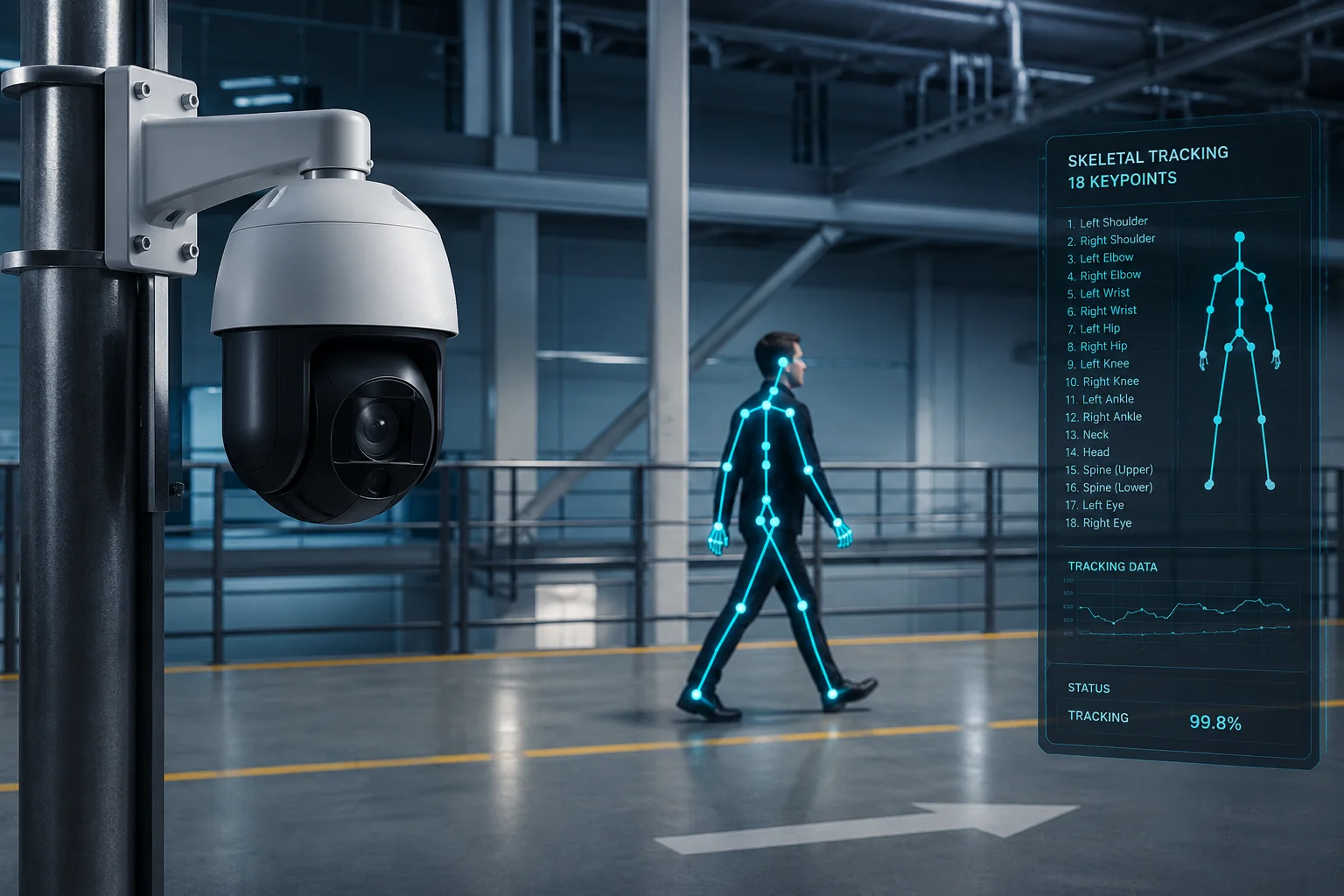
Below, I break down exactly how keypoint tracking works in real-world deployments, why it outperforms legacy methods, and what this means for your next project. Let’s get into it.
Table of Contents
Does Skeletal Tracking Provide a More Stable Lock During Complex “Human-Like” Movements?
I’ve watched centroid-based cameras lose their target the moment someone crouches to tie a shoe. The tracking box flies off to a nearby shadow, and the PTZ spins aimlessly. That single failure can ruin an entire project demo.
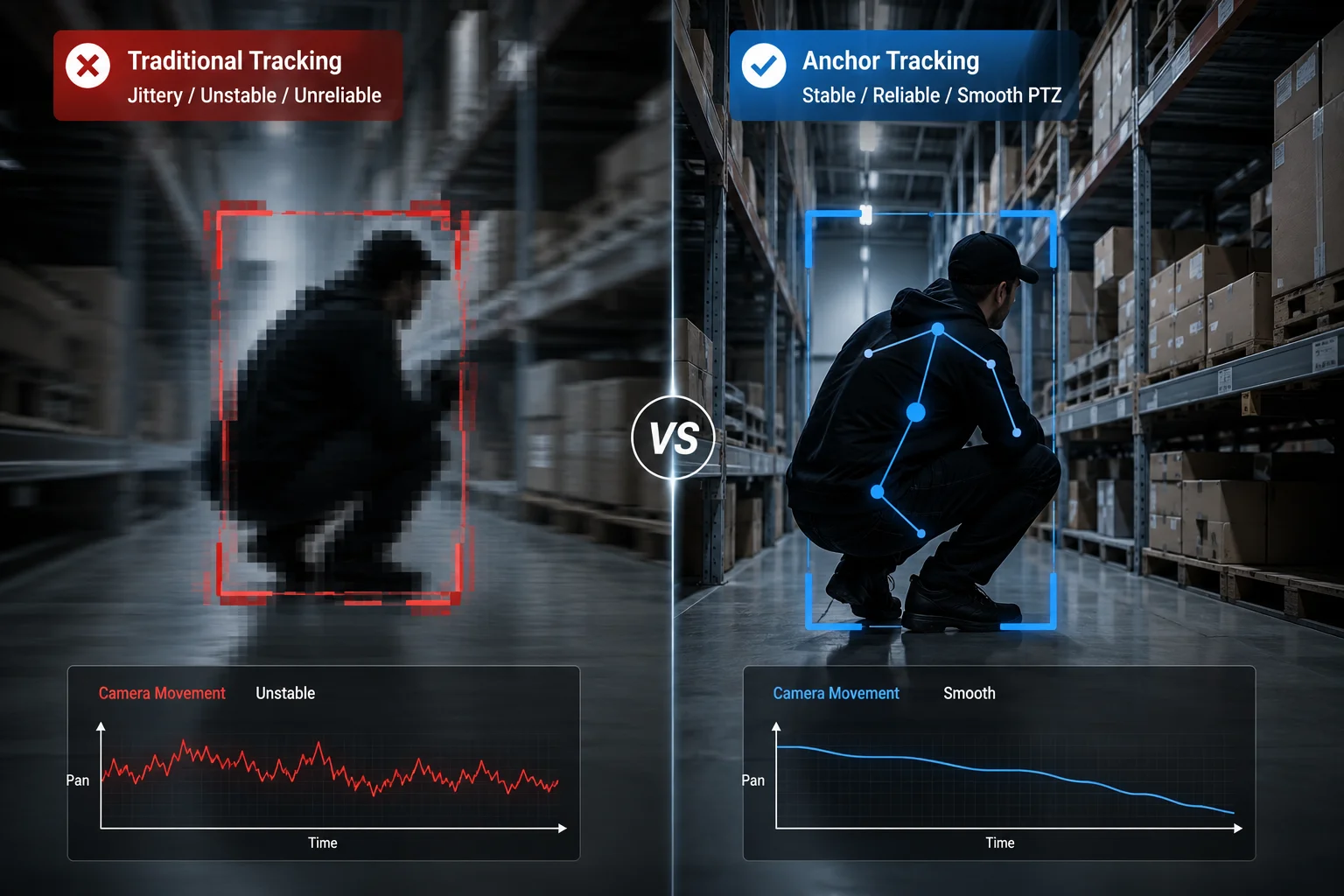
Yes. Skeletal tracking provides a far more stable lock because it follows the body’s joint structure, not a blob of pixels. Even when a person squats, twists, or waves their arms, the skeleton’s topology stays consistent. The camera holds its lock because it tracks bones, not shapes.
How Centroid Tracking Fails During Movement
Traditional center-of-gravity tracking works like this: the algorithm subtracts the background, finds the remaining pixel blob, and calculates its geometric center. That center point becomes the PTZ’s target.
The problem shows up fast. When a person raises both arms above their head, the blob gets taller. The centroid shifts upward. The camera tilts up. Now the person’s feet leave the frame. When they crouch down, the blob shrinks and the centroid drops. The camera dips. This constant vertical bouncing creates a jittery, unstable video feed that looks unprofessional on any VMS playback1.
How Skeletal Keypoints Solve This
A keypoint-based system doesn’t care about the overall shape of the pixel blob. It identifies specific anatomical landmarks. The algorithm picks a stable reference point, usually the midpoint between the two shoulders or the pelvis center. These points move smoothly and predictably, even during complex actions.
Here’s what happens frame by frame:
- The AI model detects 17 keypoints on the human body.
- The firmware selects the “torso center” (average of shoulder and hip keypoints) as the tracking anchor.
- The PID controller2 converts that anchor’s pixel position into motor angle commands.
- A motion vector predictor3 looks at the last 5 frames to anticipate where the anchor will be in frame 6.
This prediction step is critical. It means the motor starts moving before the person completes their action. The result is smooth, lag-free tracking.
Stability Comparison Table
| Scenario | Centroid Tracking Behavior | Keypoint Tracking Behavior |
|---|---|---|
| Person raises arms | Centroid jumps up, camera tilts too high | Shoulder midpoint barely moves, camera stays level |
| Person crouches | Centroid drops sharply, camera dips | Hip keypoint lowers gradually, camera follows smoothly |
| Person spins around | Blob shape changes drastically, centroid jitters | Skeleton topology remains consistent, lock holds |
| Person carries large object | Object merges with blob, centroid shifts toward object | Keypoints stay on the body, object is ignored |
In my experience working with system integrators across the US and Europe, this stability difference is what closes deals. When David runs a live demo for his end client, the camera needs to look intelligent. Jitter kills confidence. Smooth tracking builds trust.
How Do Keypoints Prevent the Camera From Losing the Track When the Target Bends Over?
I once had a client in Texas call me furious. His centroid-based PTZ lost track of a worker every time the guy bent over to pick up materials on a construction site. The camera would snap to a nearby vehicle instead. That’s a $200 truck roll to fix a software problem.
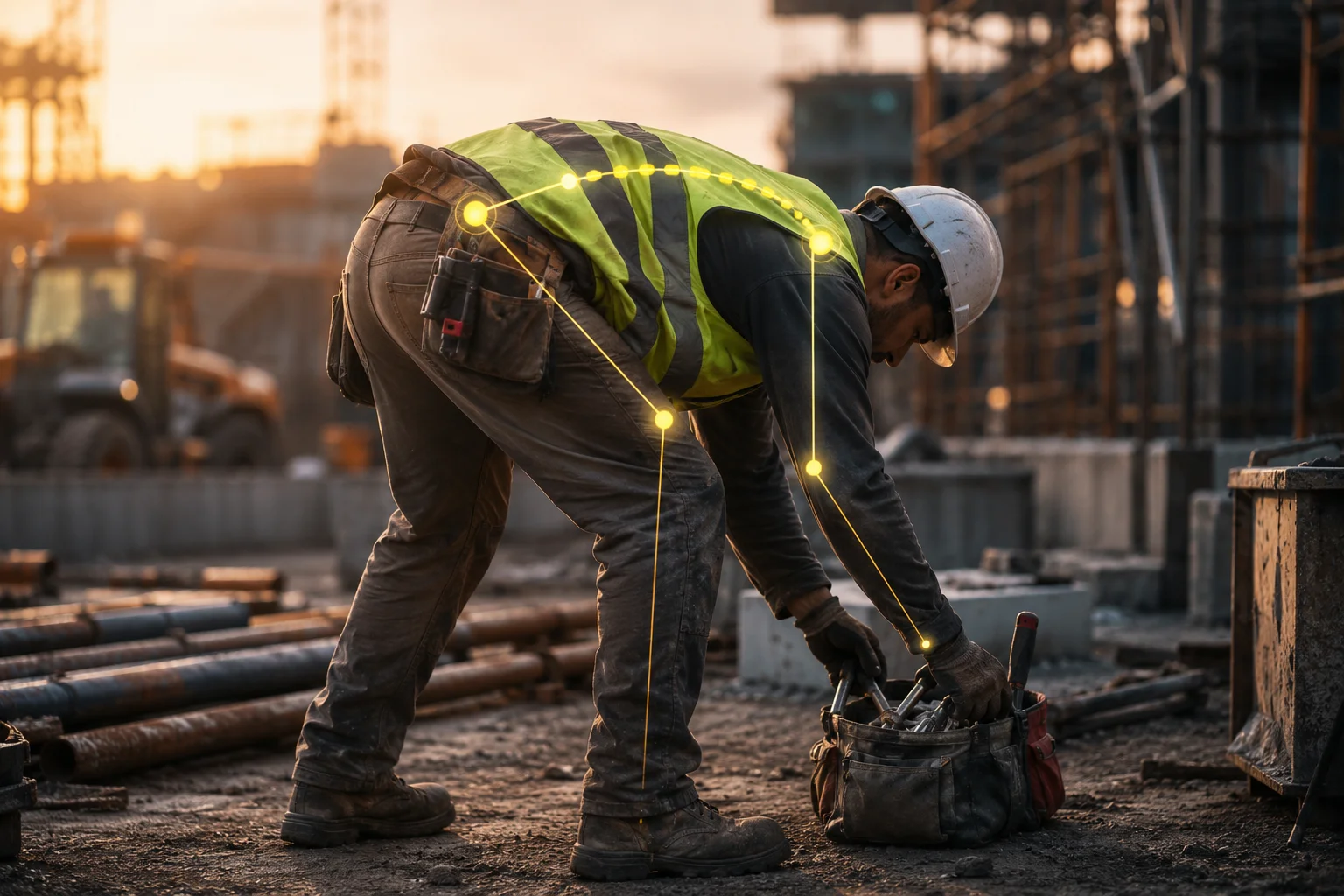
When a person bends over, their pixel silhouette changes dramatically, but their skeletal keypoints remain identifiable. The algorithm still sees the head, shoulders, and spine. It recalculates the tracking anchor using visible joints and maintains the lock. The camera never loses the target because the skeleton never disappears.
Why Bending Over Breaks Centroid Tracking
When a person stands upright, their silhouette is tall and narrow. The centroid sits roughly at chest height. When they bend forward at the waist, the silhouette becomes short and wide. The centroid suddenly jumps forward and downward. For a PTZ camera, this looks like the target teleported. The motor overcorrects, overshoots, and often locks onto something else entirely.
This is not a rare edge case. On construction sites, farms, and warehouses, people bend over constantly. If your tracking system can’t handle this basic human movement, it’s not ready for deployment.
The Keypoint Solution: Weighted Anchor Calculation
Our AI firmware uses a weighted anchor system. Instead of relying on a single keypoint, it assigns confidence scores to each detected joint. When a person bends over:
- The head keypoint moves downward but remains visible.
- The shoulder keypoints rotate forward but stay detectable.
- The hip keypoints become the most stable reference.
- The knee and ankle keypoints remain almost unchanged.
The firmware automatically shifts its anchor weight toward the most stable and visible keypoints. If the upper body is folded over and partially occluded, the system leans more heavily on hip and leg keypoints. The tracking anchor moves slowly and predictably. The PTZ follows without drama.
Real-World Frame Analysis
Here’s what the algorithm processes in a typical “bend over” sequence:
| Frame | Visible Keypoints | Anchor Calculation | Motor Command |
|---|---|---|---|
| Frame 1 (standing) | All 17 | Shoulder midpoint | Hold position |
| Frame 2 (starting to bend) | 16 (one ankle occluded by body) | Weighted shift toward hips | Tilt down 2° |
| Frame 3 (fully bent) | 12 (lower legs behind torso) | Hip center as primary anchor | Tilt down 4°, hold pan |
| Frame 4 (rising back up) | 15 | Transition back to shoulder midpoint | Tilt up 3° |
The key insight is that the system never panics. It never sees a “target lost” event. It simply adjusts which keypoints carry the most weight in the anchor calculation. This is fundamentally different from centroid tracking, where the entire blob changes shape and the algorithm has no internal model of what a human body looks like.
Why This Matters for Remote Sites
For 4G solar-powered deployments4 in places like ranches, oil fields, or remote construction zones, a lost track means lost evidence. You can’t rewind and re-track. The moment is gone. Our keypoint system ensures that even during the most common human movements, the camera maintains continuous, unbroken tracking. That’s the reliability that justifies the hardware investment.
Can the System Track a Person Accurately Even if They Are Only Partially Visible?
I’ve tested dozens of PTZ cameras behind chain-link fences, beside concrete barriers, and near parked vehicles. Most centroid trackers fail the moment half the body disappears behind an obstacle. The tracking box either freezes or jumps to the obstacle itself.
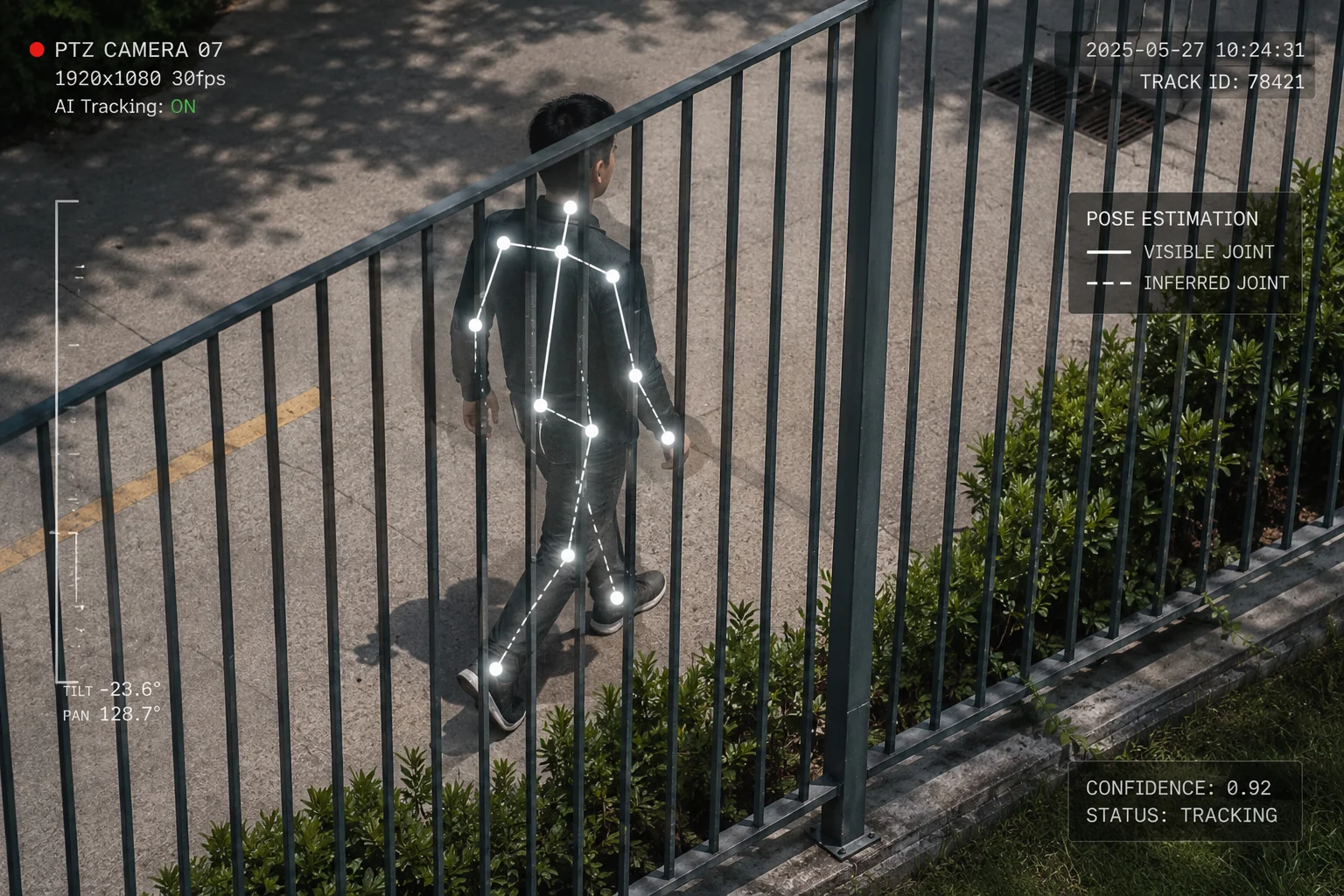
Yes. Keypoint-based tracking works even when only the upper body or a single side of the person is visible. The AI model infers the full skeleton from partial observations. As long as 4 to 5 keypoints remain detectable, the system maintains a confident lock on the target and continues smooth PTZ movement.
Understanding Partial Occlusion in the Field
Partial visibility is not an edge case. It’s the norm. In real deployments, targets walk behind cars, lean around corners, stand behind counters, or move along fence lines. At any given moment, 30% to 60% of the body may be hidden from the camera’s view.
Centroid tracking collapses under these conditions. When half the pixel blob disappears behind a wall, the remaining blob’s centroid shifts dramatically toward the visible side. The PTZ pans hard in that direction, often losing the target entirely when they emerge on the other side.
How Pose Estimation Handles Missing Data
Modern pose estimation models like HRNet5 and MobileNet-Pose6 are trained on millions of images that include partial occlusion. They learn the spatial relationships between joints. If the model sees a left shoulder and a head, it can infer where the right shoulder probably is, even if it’s hidden.
This inference happens through what we call “skeleton completion“7. The model outputs confidence scores for each keypoint. Visible keypoints get high confidence (0.8 to 0.99). Inferred keypoints get lower confidence (0.3 to 0.6). The tracking firmware uses only high-confidence keypoints for motor control, but it uses the inferred ones to maintain its internal model of where the person is.
Practical Scenarios
Here are common partial-visibility situations and how the system responds:
Person behind a half-wall (waist-high barrier): The system sees head, shoulders, elbows, and sometimes hands. That’s 5 to 7 high-confidence keypoints. More than enough. The anchor stays on the shoulder midpoint. Tracking is smooth and uninterrupted.
Person emerging from behind a vehicle: As the person steps out, keypoints appear one by one. The system doesn’t wait for full visibility. The moment it detects 4 reliable keypoints on one side of the body, it initiates tracking. By the time the person is fully visible, the PTZ is already locked on and centered.
Person walking along a fence line (intermittent occlusion): Fence posts create rapid, repeating occlusion. The centroid tracker would stutter with every post. The keypoint system ignores these brief interruptions because the skeleton model persists between frames. The firmware uses temporal smoothing to bridge the 2 to 3 frames where a post blocks part of the body.
The Role of the NPU
This level of real-time inference requires dedicated hardware. Our cameras use an onboard Neural Processing Unit8 (NPU) that runs the pose estimation model at 30 fps. The NPU handles the heavy math of skeleton detection, while the main processor manages PID control and motor commands. This separation ensures that tracking latency stays below 50ms, even during complex occlusion events.
For integrators like David who care about system architecture, this is a key differentiator. Cheap cameras try to run AI on the main CPU and end up with 5 to 10 fps detection rates. That’s too slow for reliable tracking. Our dedicated NPU approach guarantees consistent performance regardless of scene complexity.
Why Is Keypoint-Based Tracking Superior for Maintaining Focus on the Target’s Face?
I’ve had clients tell me their old cameras track the body fine but always frame the shot wrong. The person’s head gets cut off at the top of the frame, or the camera centers on the torso and the face is too small to identify. For security applications, that’s a critical failure.
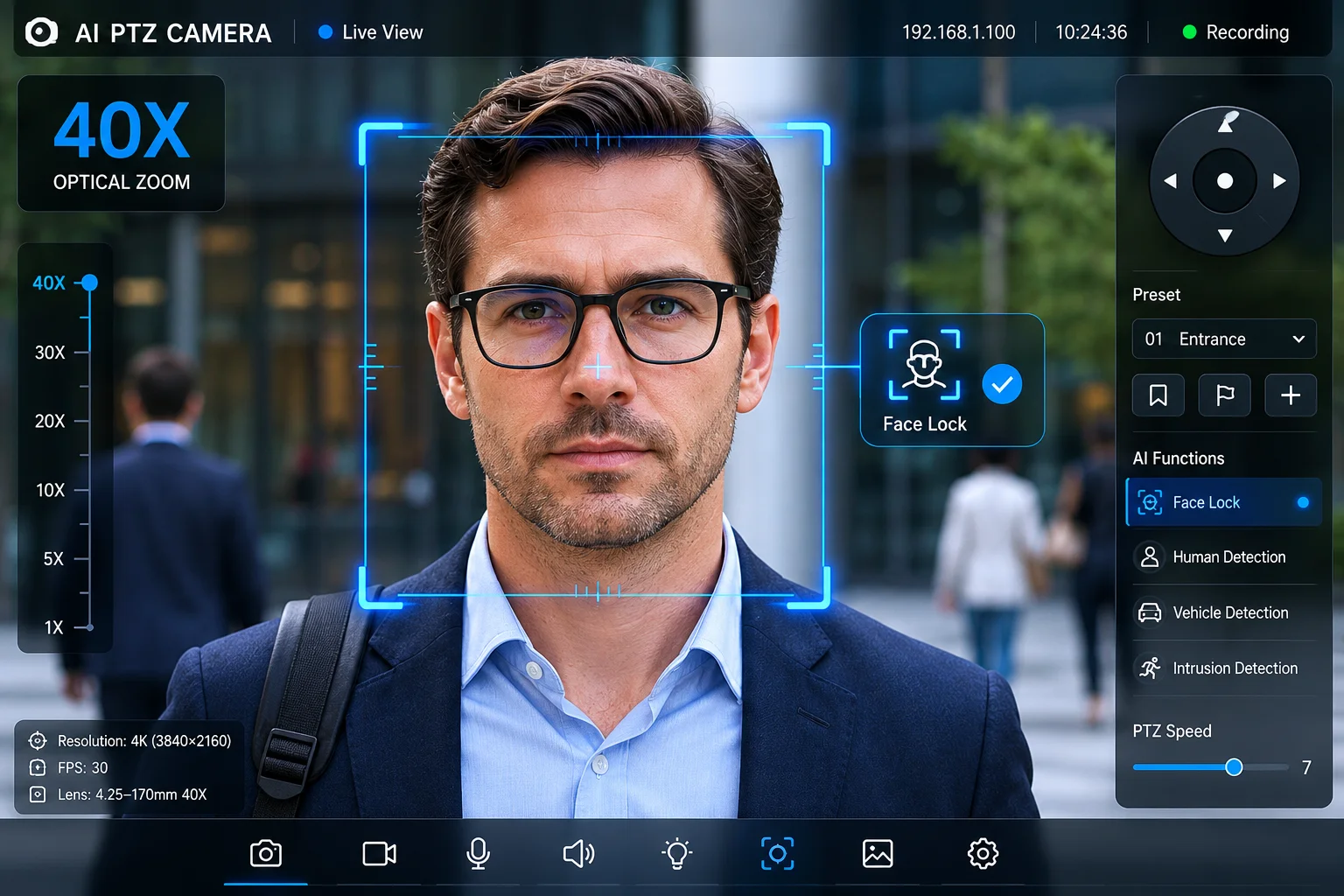
Keypoint tracking is superior for face focus because it knows exactly where the head is. The algorithm detects the nose, eyes, and ear keypoints directly. The firmware can offset the tracking anchor upward from the torso center to keep the face in the optimal frame position. This guarantees identifiable footage every time.
The Framing Problem With Centroid Tracking
A centroid tracker centers the geometric middle of the blob in the frame. For a standing person, that middle point is roughly at the waist or lower chest. The camera dutifully keeps the waist centered. The result? The head sits in the upper quarter of the frame, often too small for facial recognition or even basic identification.
Worse, when the person is far away and the camera zooms in, the centroid-centered framing cuts off the head entirely. The operator sees a torso. That footage is useless for identification purposes.
How Keypoint Tracking Enables Intelligent Framing
With skeletal keypoints, the firmware has a complete map of the body. It knows where the head is relative to the torso. It can apply an intentional offset to the tracking anchor:
- Standard security framing: Anchor is set to the neck keypoint. This places the face in the upper third of the frame, following the rule of thirds9. The full upper body remains visible.
- Identification mode: Anchor shifts to the nose keypoint. The camera zooms tighter and keeps the face centered. This mode activates automatically when the target stops moving.
- Full-body mode: Anchor stays at the hip center. The camera zooms out to capture the entire person, useful for gait analysis or clothing identification.
Dynamic Zoom Coupling
The real power comes from coupling keypoint data with the zoom motor. The firmware calculates the pixel distance between the head keypoint and the foot keypoints. This gives it the apparent size of the person in the frame. It then adjusts the optical zoom10 to maintain a consistent framing ratio.
| Tracking Mode | Anchor Point | Zoom Target | Use Case |
|---|---|---|---|
| Standard security | Neck keypoint | Person fills 60% of frame height | General surveillance |
| Face identification | Nose keypoint | Head fills 30% of frame height | Access control, suspect ID |
| Full body | Hip center | Person fills 85% of frame height | Gait analysis, clothing capture |
| Wide context | Hip center | Person fills 30% of frame height | Scene awareness, path tracking |
This is all automatic. The operator doesn’t need to manually adjust zoom or framing. The AI handles it based on the deployment profile configured during installation.
Why This Matters for Evidence Quality
In security applications, footage quality determines whether an incident leads to a conviction or a cold case. A camera that consistently delivers well-framed, face-visible footage is worth ten cameras that capture blurry torsos. Our keypoint-based framing system ensures that every tracked target produces identification-grade video, regardless of distance, movement speed, or body posture.
For integrators building proposals for government or enterprise clients, this is a specification you can write into the bid. “The system shall maintain facial visibility during active tracking at distances up to 150 meters.” That’s a promise only keypoint-based systems can keep.
Conclusion
Skeletal keypoint tracking has replaced centroid-based methods as the industry standard for PTZ auto-tracking. It delivers stable locks during complex movements, handles occlusion gracefully, and maintains proper framing for identification. If your current system still relies on pixel-blob centroids, it’s time to upgrade.
1. Learn about Video Management Systems and their playback capabilities. ↩︎ 2. Learn how PID controllers are used to convert pixel positions into motor commands. ↩︎ 3. Discover how motion prediction improves tracking smoothness. ↩︎ 4. Explore the challenges and solutions for remote site surveillance. ↩︎ 5. HRNet is a state-of-the-art pose estimation model used for accurate keypoint detection. ↩︎ 6. MobileNet-Pose is a lightweight pose estimation model optimized for real-time performance. ↩︎ 7. Research paper on inferring occluded skeleton keypoints from partial observations. ↩︎ 8. NPUs are specialized hardware for running AI models efficiently. ↩︎ 9. Understand the photographic composition guideline used for intelligent framing. ↩︎ 10. Learn how optical zoom works and its advantages over digital zoom. ↩︎