
I’ve lost count of how many times a client called me frustrated because their PTZ camera turned every zoom into a blurry mess.
During continuous zooming, a well-engineered PTZ camera should keep the image sharp from 1X to 40X without visible blur or focus hunting. This requires synchronized lens movement, predictive autofocus algorithms, and high-precision stepper motors working together in real time to maintain a locked focal plane throughout the entire transition.
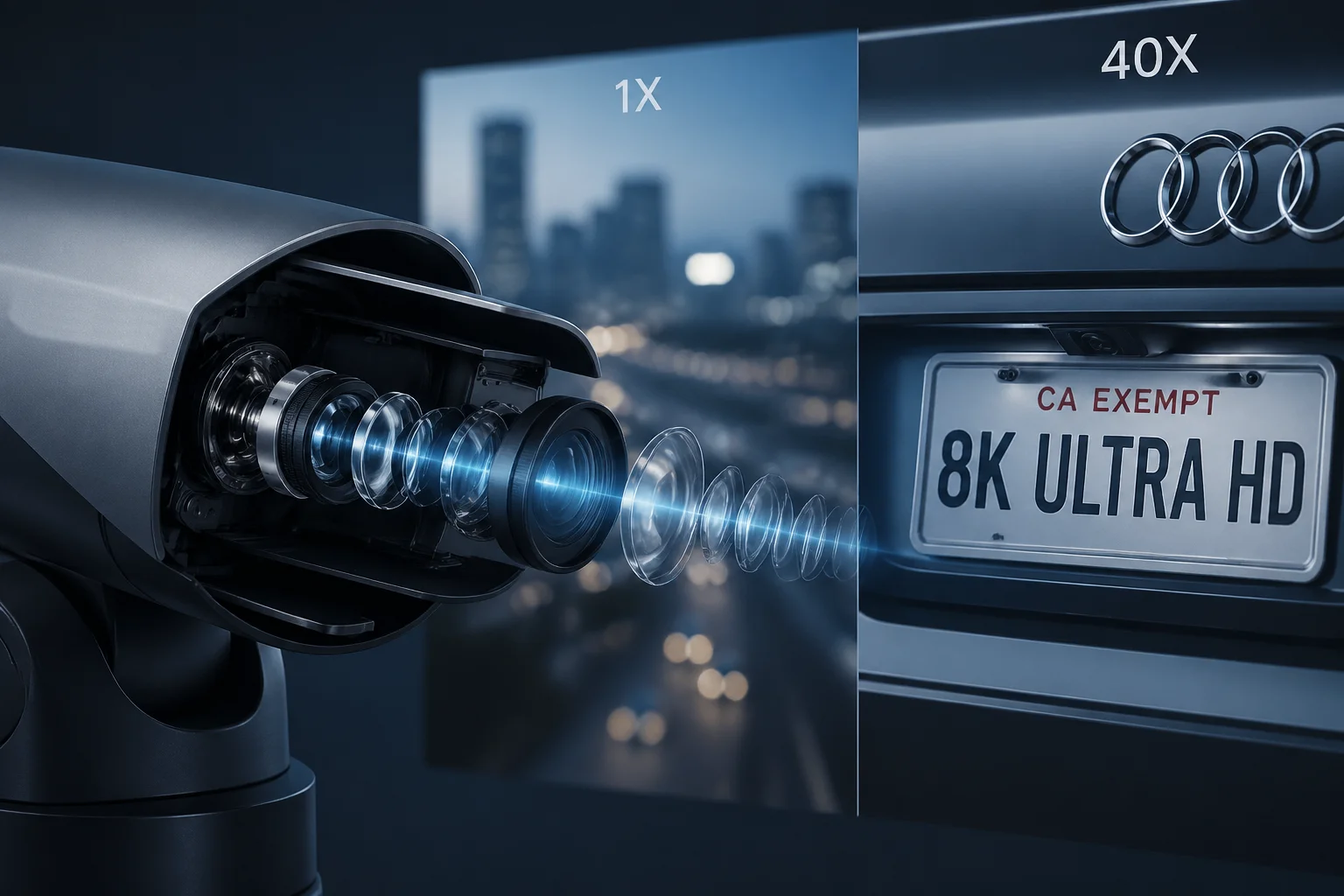
In this article, I will break down exactly how our cameras achieve this “silky smooth” zoom experience. I will also share a practical testing method you can use to verify any PTZ camera’s parfocal performance yourself. Whether you are a system integrator or an engineering project manager, this guide will help you separate real optical performance from marketing fluff.
Table of Contents
Does the Image Remain Clear and Stable Throughout the Entire 1X to 40X Zoom Process?
Every time I demo a full-range zoom to a new client, the first thing they watch for is that dreaded moment when the image goes soft.
Yes, our PTZ cameras maintain clear and stable focus throughout the entire 1X to 40X zoom range. This is achieved through factory-calibrated focus trace curves that synchronize the zoom and focus lens groups, so the image never loses sharpness during the transition.
What Is a Focus Trace Curve?
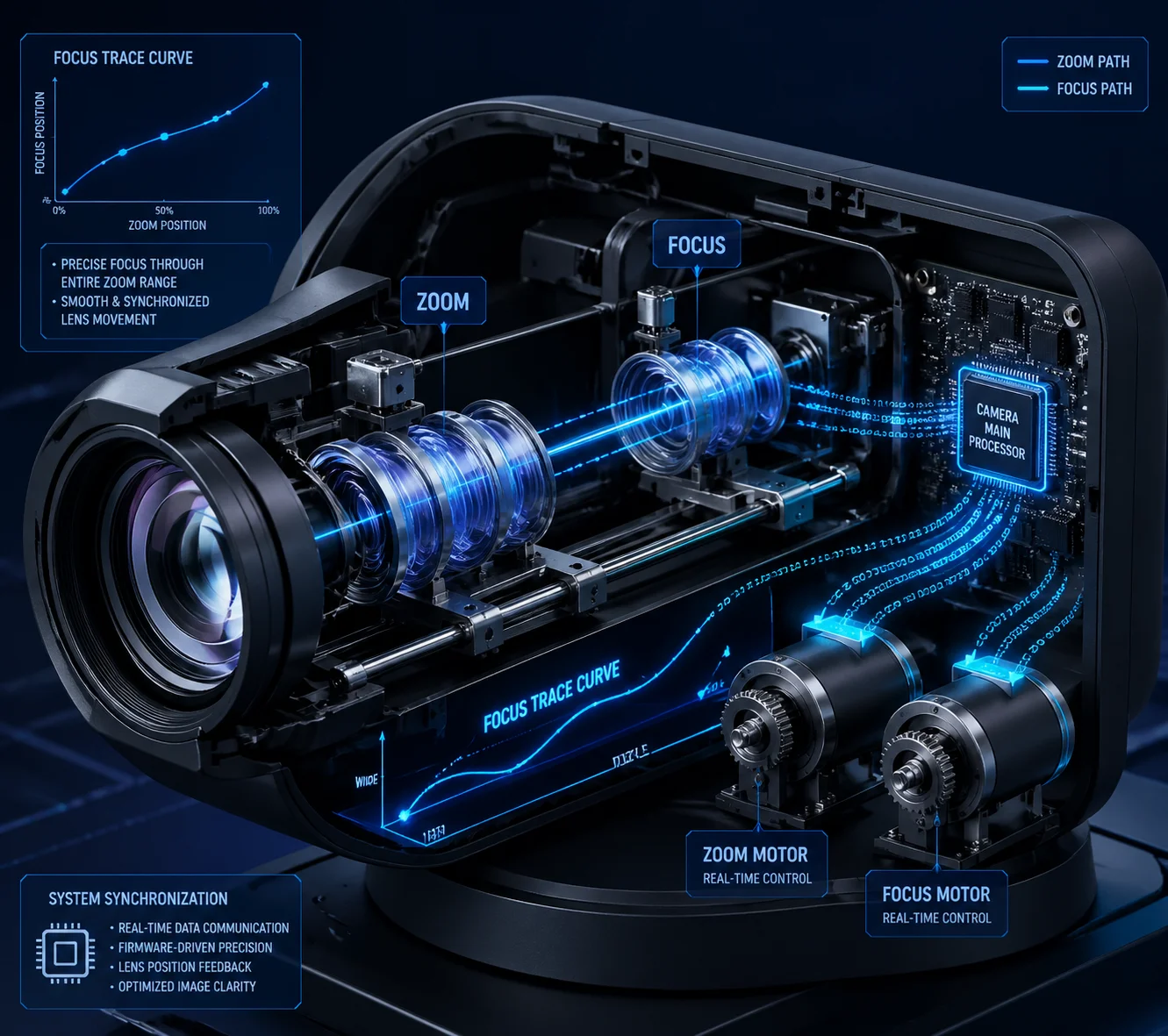
Zooming is not just about moving one piece of glass. Inside a PTZ lens module, there are two separate lens groups. One controls the zoom. The other controls the focus. If these two groups move independently, you get blur every time you zoom.
A focus trace curve solves this problem. Before each lens module leaves our factory, we run it through a calibration process. Our engineers record the exact physical position the focus lens group needs to be at for every single zoom position. This data becomes a lookup table stored in the camera’s firmware.
When you send a zoom command, the camera does not zoom first and then refocus. Both lens groups move at the same time. The firmware already knows where the focus group should be at the next millisecond. So the image stays sharp throughout the entire zoom range.
Why This Matters for 40X Optical Zoom
At low zoom levels like 2X or 5X, most cameras can keep up. The depth of field is wide. Small focus errors are invisible. But at 40X, the depth of field becomes extremely narrow. Even a tiny misalignment between the zoom and focus groups creates visible blur.
This is where cheap PTZ cameras fail. They rely on a generic focus curve that does not match the actual optical characteristics of each individual lens. Our approach is different. Each lens is calibrated individually.
Real-World Impact
| Scenario | Cheap PTZ (Generic Curve) | Loyalty-Secu PTZ (Calibrated Curve) |
|---|---|---|
| Zoom 1X → 10X | Slight blur, recovers in 0.5s | No visible blur |
| Zoom 10X → 25X | Obvious blur, hunts for 1–2s | No visible blur |
| Zoom 25X → 40X | Heavy blur, may fail to refocus | Brief micro-adjustment, sharp in <0.1s |
For someone like David, who needs to zoom in on a license plate 500 meters away, that 1–2 seconds of blur means the vehicle is already gone. Our calibrated curve eliminates that gap.
The Role of Temperature Compensation
Here is something most manufacturers never talk about. Optical glass changes its refractive index when the temperature changes. In places like Texas, where midday temperatures can exceed 45°C, the focus trace curve that worked perfectly at 20°C will drift.
Our firmware reads data from an internal temperature sensor and applies real-time micro-corrections to the focus curve. This means the camera stays accurate whether it is freezing in a Canadian winter or baking in a Middle Eastern summer.
How Do You Eliminate the “Jitter” or Momentary Blur During High-Speed Focal Changes?
I once watched a competitor’s camera try to track a running person while zooming in. The image looked like it was having a seizure.
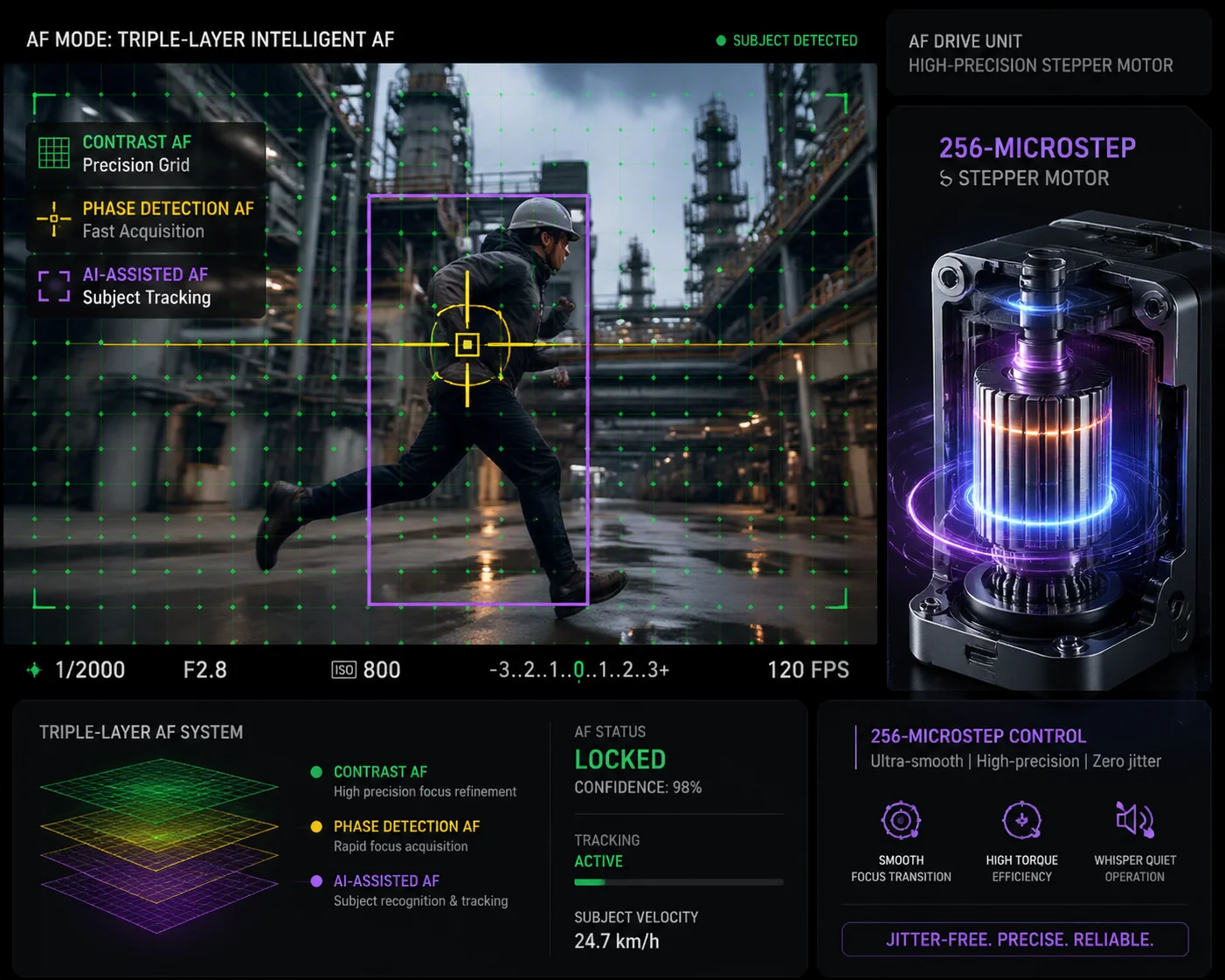
We eliminate jitter and momentary blur by combining three autofocus technologies — Contrast AF, Phase Detection AF (PDAF), and AI-assisted AF — with 256-microstep stepper motors. This triple-layer approach locks focus in under 0.1 seconds and keeps the motor movement smooth instead of jerky.
Understanding the Three Autofocus Modes
No single autofocus method works perfectly in every situation. That is why our cameras use three methods at the same time. Each one handles a different part of the problem.
Contrast AF analyzes the sharpness of pixel edges in the image. It works by measuring contrast. When contrast is highest, the image is in focus. This method is very accurate for static scenes. But it is slow because it needs to “search” back and forth to find the peak.
Phase Detection AF (PDAF) calculates the phase difference of incoming light. It can determine which direction the focus needs to move and by how much — all in a single measurement. This is fast. It locks onto the correct focal plane within 0.1 seconds. But it is less precise than Contrast AF for fine-tuning.
AI-Assisted AF adds intelligence on top of the optical methods. Instead of focusing on whatever has the most contrast, it identifies human shapes and vehicle shapes in the frame. Then it tells the focus system to prioritize those objects.
| AF Method | Speed | Precision | Best Use Case |
|---|---|---|---|
| Contrast AF | Slow (0.3–0.8s) | Very High | Static scenes, final fine-tuning |
| Phase Detection AF | Very Fast (<0.1s) | Moderate | Initial lock during zoom start |
| AI-Assisted AF | Fast (0.1–0.3s) | High (target-aware) | Moving subjects, complex backgrounds |
How They Work Together
When you start a zoom-in, PDAF fires first. It gets the focus “in the ballpark” almost instantly. Then Contrast AF takes over for the final fine-tuning. Meanwhile, AI-AF is constantly monitoring the scene. If a person walks behind a tree and reappears, AI-AF tells the system to ignore the tree and re-lock on the person.
This layered approach means you never see the camera “hunting” — that annoying back-and-forth focus searching that makes the image pulse in and out of sharpness.
The Hardware Side: 256-Microstep Motors
Software algorithms are only half the story. If the motor that moves the focus lens is crude, the image will still jitter. Many low-cost PTZ cameras use basic stepper motors with 16 or 32 microsteps. Each step is a small but visible jump.
Our motors use 256-microstep subdivision 1. This means the lens moves in extremely tiny increments. The motion is linear and smooth, not step-by-step. The result is zero visible stutter during focus adjustments.
There is a bonus here too. These motors are nearly silent. In covert surveillance scenarios where audio monitoring is active, you will not hear the lens moving.
Can I See a Video Sample of the Parfocal Performance During a Rapid Zoom-In?
I get this request at least once a week, and honestly, I think it is the smartest question a buyer can ask.
We provide unedited, full-length video samples showing continuous zoom from 1X to 40X in both daytime and nighttime conditions. These are raw recordings, not marketing clips. You can request them directly by emailing sales05@loyalty-secu.com with your specific use case.
Why Raw Video Matters More Than Spec Sheets
Spec sheets can say anything. “Parfocal lens.” “Zero-lag autofocus.” “Instant lock.” These are just words. The only way to verify parfocal performance is to watch actual footage of the camera zooming continuously from wide angle to full telephoto.
Here is what to look for in a sample video:
Key Evaluation Criteria
Focus consistency. Watch the target object throughout the entire zoom range. Does it stay sharp? Or does it go soft at certain zoom positions and then recover? A truly parfocal lens 2 will keep the subject in focus the entire time.
No hunting. Look for the “breathing” effect — the image rapidly going in and out of focus. This is a sign that the autofocus algorithm is struggling. Good cameras do not do this.
Exposure stability. Some cameras change their exposure settings during autofocus adjustments. This causes the image to flicker between bright and dark. Our cameras decouple the exposure and focus systems, so brightness stays consistent.
How to Run Your Own Test
If you receive a sample unit from us, here is a simple test you can run yourself:
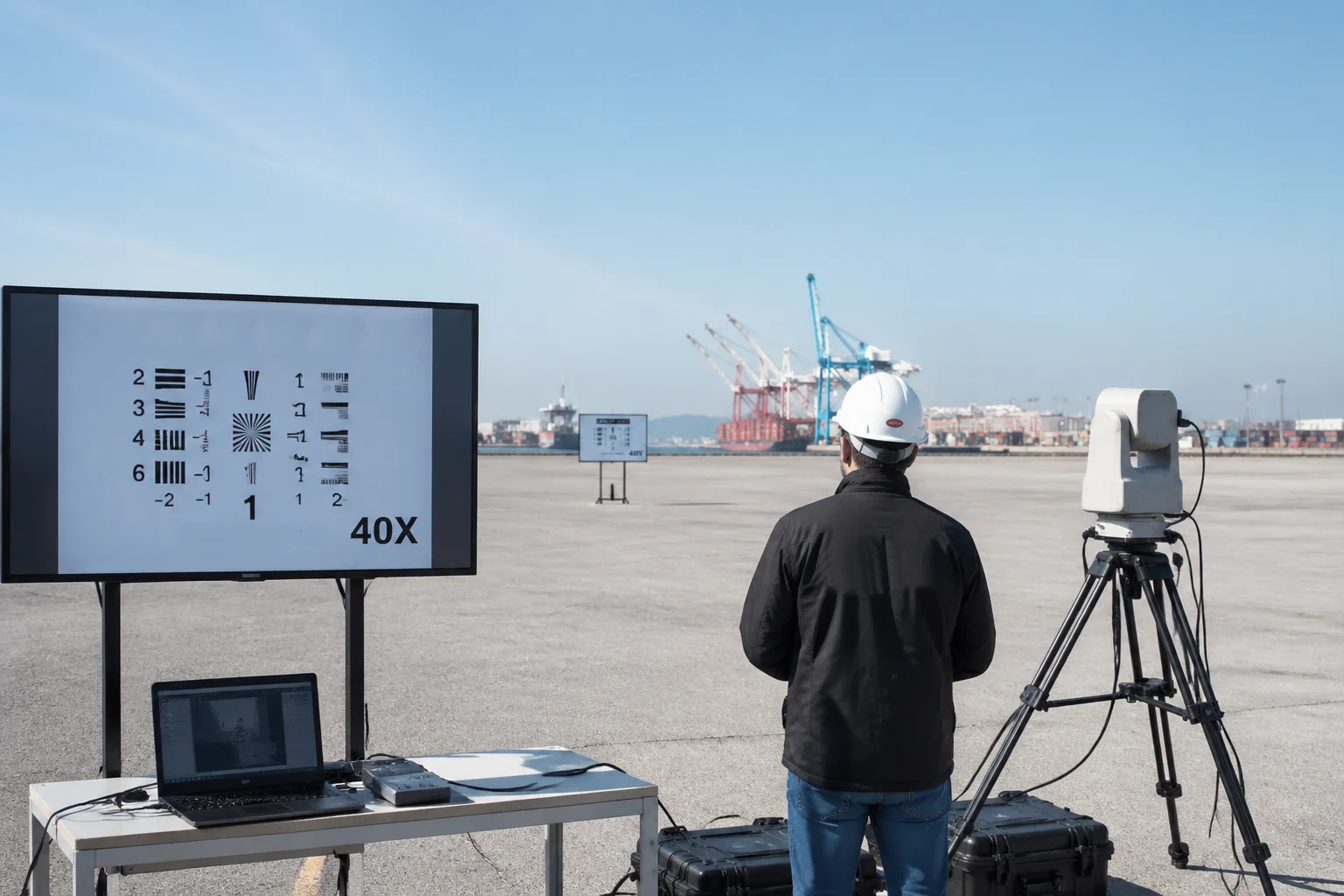
- Mount the camera on a stable tripod.
- Place a high-contrast target (like a printed resolution chart) at 20 meters.
- Set the camera to continuous autofocus mode.
- Lock the exposure and gain to manual so they do not change.
- Send a continuous zoom-in command from 1X to 40X. Do not stop in the middle.
- Record the entire process.
- Then zoom back out from 40X to 1X. Record that too.
- Review the footage frame by frame.
What Good Results Look Like
| Test Metric | Poor Performance | Good Performance |
|---|---|---|
| Out-of-focus frames | >10% of total frames | <1% of total frames |
| Focus hunting events | 3+ per zoom cycle | 0 per zoom cycle |
| AF recovery time after zoom starts | >0.5 seconds | <0.1 seconds |
| Focus position repeatability | Varies each cycle | Identical each cycle |
If you want, I can send you a set of raw test videos along with the test conditions we used. Just email me at sales05@loyalty-secu.com and tell me your target application. I will match the demo to your scenario.
Will My VMS Experience “Motion Blur” Alerts During the Camera’s Zooming Action?
This question comes up a lot with clients who run Milestone or Blue Iris, and it is a valid concern.
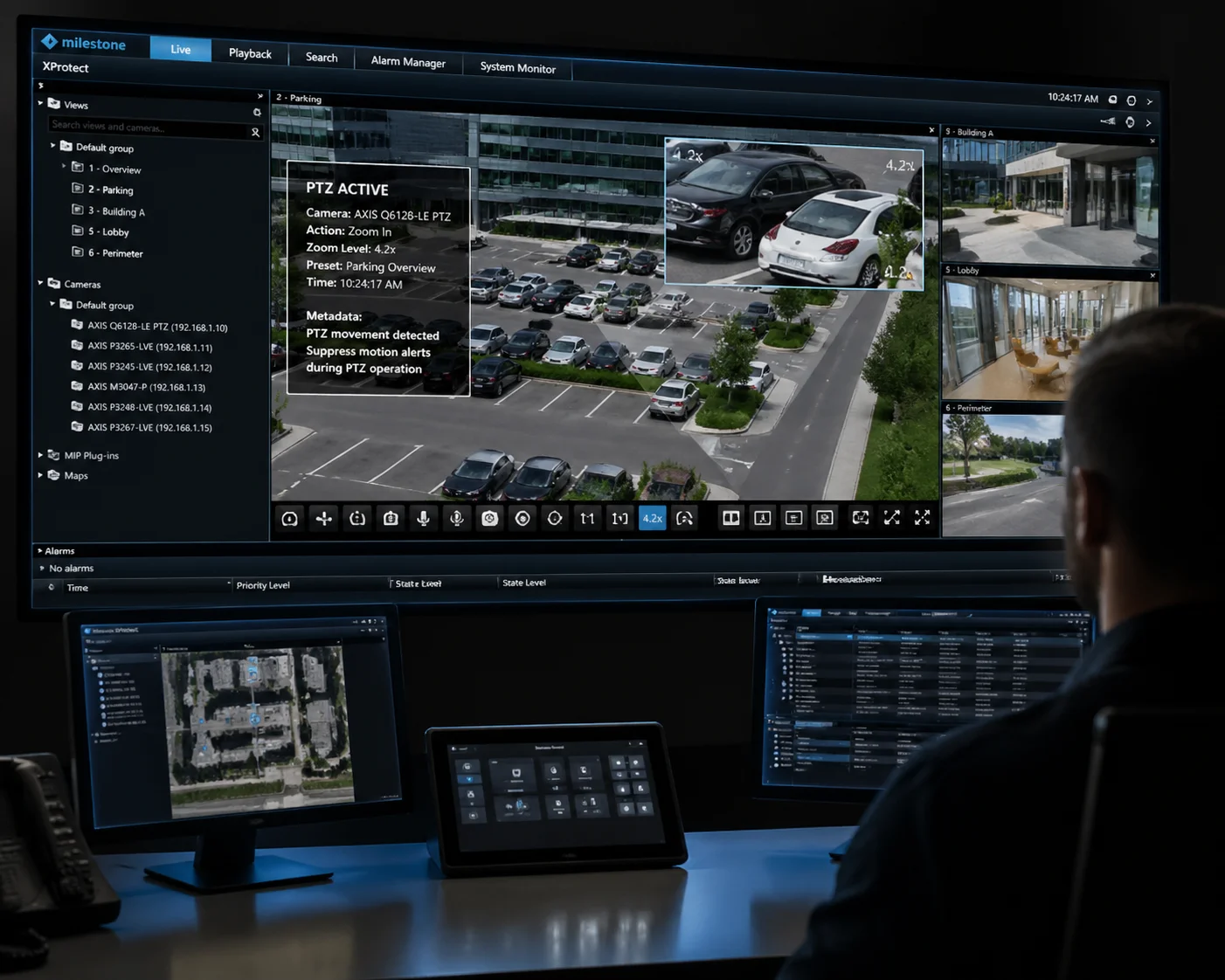
No, a properly configured VMS should not trigger false motion blur alerts during zooming. Our cameras use internal metadata flags to signal the VMS that a zoom action is in progress, and the smooth focus transition minimizes the pixel-level changes that typically trigger blur-based alerts.
Why VMS Systems Trigger False Alerts During Zoom
Most Video Management Systems detect motion by comparing consecutive frames. When a PTZ camera zooms, every pixel in the frame changes. The VMS sees this as a massive motion event. Some advanced VMS platforms also monitor image sharpness. If the image goes soft during a zoom, the VMS may flag it as “motion blur” or “camera tampering.”
This is not a camera defect. It is a VMS configuration issue. But it becomes a real problem for system integrators like David. If the VMS floods the operator with false alerts every time the camera zooms, the operator starts ignoring alerts. And then they miss the real ones.
How Our Cameras Solve This
Our PTZ cameras support ONVIF Profile S 3 and Profile T 4. Through these protocols, the camera sends metadata to the VMS that includes the current PTZ state. When the camera is actively zooming, the VMS can read this metadata and temporarily suppress motion-based analytics.
But metadata alone is not enough. The real solution is optical. Because our focus transition is so smooth, the pixel-level changes between consecutive frames during a zoom are minimal. There is no sudden blur spike. There is no frame where the entire image goes soft. So even if the VMS does not read the metadata, the actual image changes are small enough that most blur detection algorithms will not trigger.
Practical VMS Configuration Tips
Here are some settings I recommend to clients who integrate our cameras with popular VMS platforms:
Milestone XProtect: Use the “PTZ patrolling” event rule to suppress analytics during active zoom commands. Enable ONVIF metadata streaming.
Blue Iris: Set the motion detection sensitivity to “medium” and enable the “ignore PTZ movement” option in the camera properties. This tells Blue Iris to disregard pixel changes that correlate with PTZ commands.
Generic ONVIF VMS: Make sure your VMS is reading the PTZ status metadata channel. Most modern platforms support this, but it is often disabled by default.
The Bigger Picture: System-Level Thinking
This is something I always tell my clients. A PTZ camera does not work in isolation. It is part of a system. The camera, the VMS, the network, and the storage all need to work together. When we design our cameras, we think about the entire signal chain — not just the optics. That is why we test every firmware release against Milestone, Blue Iris, and several other major VMS platforms before we ship it.
If you are building a system and you are worried about false alerts, send me your VMS model and version. I will send you a configuration guide specific to your setup.
Conclusion
Smooth focus during continuous zoom is not magic — it is engineering. Calibrated focus curves, triple-layer autofocus, precision motors, and smart VMS integration work together to deliver sharp, stable images from 1X to 40X.
1. Stepper motor microstepping for smooth lens movement. ↩︎ 2. Parfocal lens design for zoom-through focus retention. ↩︎ 3. ONVIF Profile S for PTZ camera control and metadata. ↩︎ 4. ONVIF Profile T for motion analytics and tampering detection. ↩︎ 5. Focus trace curve calibration for parfocal zoom lenses. ↩︎ 6. Temperature compensation of refractive index in optical glass. ↩︎ 7. Hybrid autofocus combining PDAF and CDAF advantages. ↩︎ 8. Depth of field reduction at telephoto zoom levels. ↩︎ 9. VMS motion detection sensitivity during PTZ operations. ↩︎ 10. Stepper motor noise reduction for covert surveillance. ↩︎