
I’ve watched too many 4G cameras go dark in remote areas — and stay dark for weeks because no one was there to press the reset button.
A hardware Watchdog is an independent timer chip inside the camera. It monitors the system’s heartbeat signal. If the main CPU stops responding — due to a 4G module freeze, firmware crash, or memory overflow — the Watchdog cuts physical power and forces a full hard reboot. No human needed. No truck roll required.
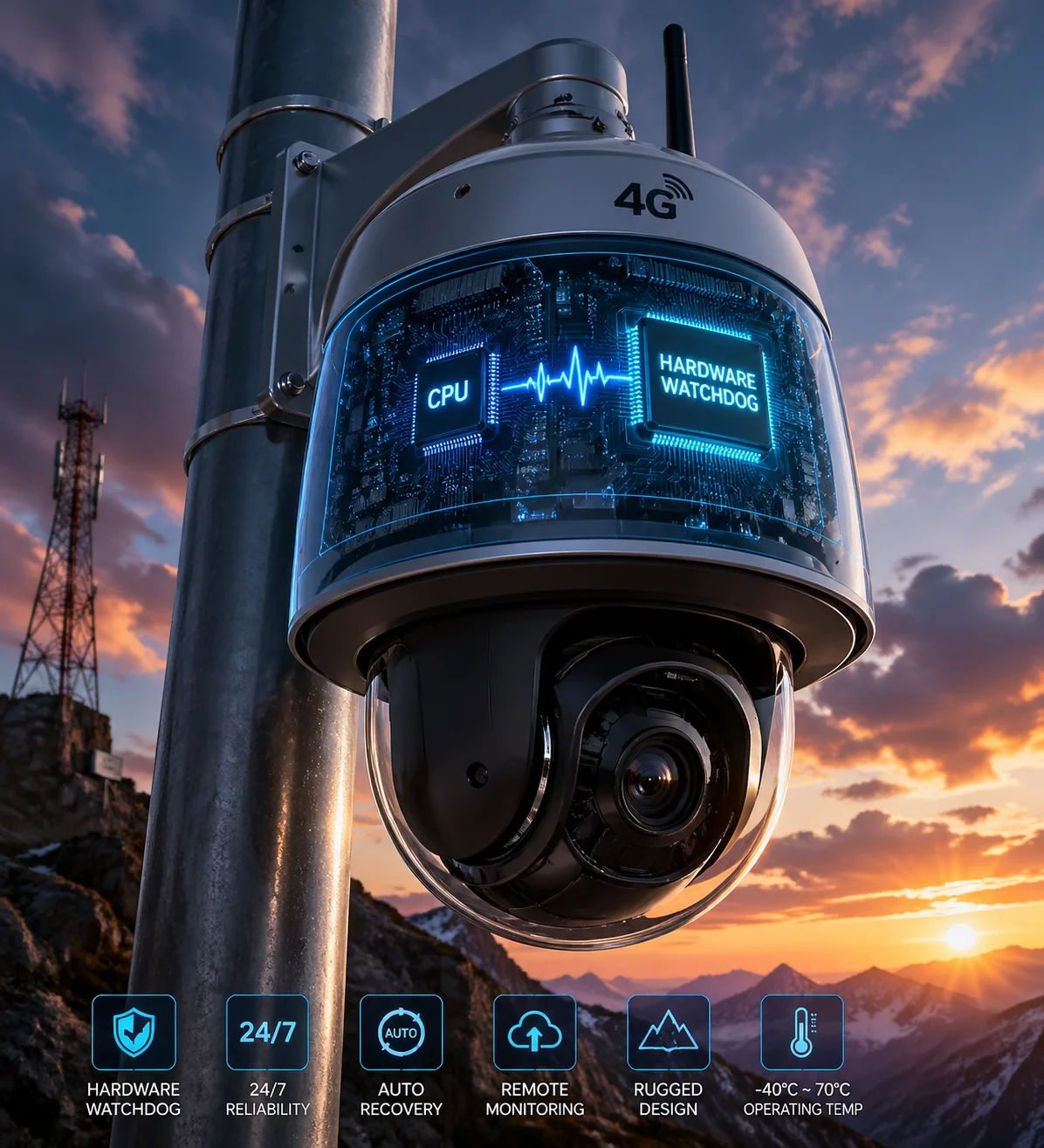
Below, I break down exactly how this mechanism works step by step. I also cover the smart link-check logic, the reboot logging, and the delay timer that prevents endless restart loops. If you deploy 4G PTZ cameras in places where a single site visit costs more than the camera itself, this article is for you.
Table of Contents
Can the Watchdog Ping a Public DNS (Like 8.8.8.8) to Detect Internet Failure?
I used to think the hardware Watchdog handled everything on its own — including checking whether the internet was still up. I was wrong.
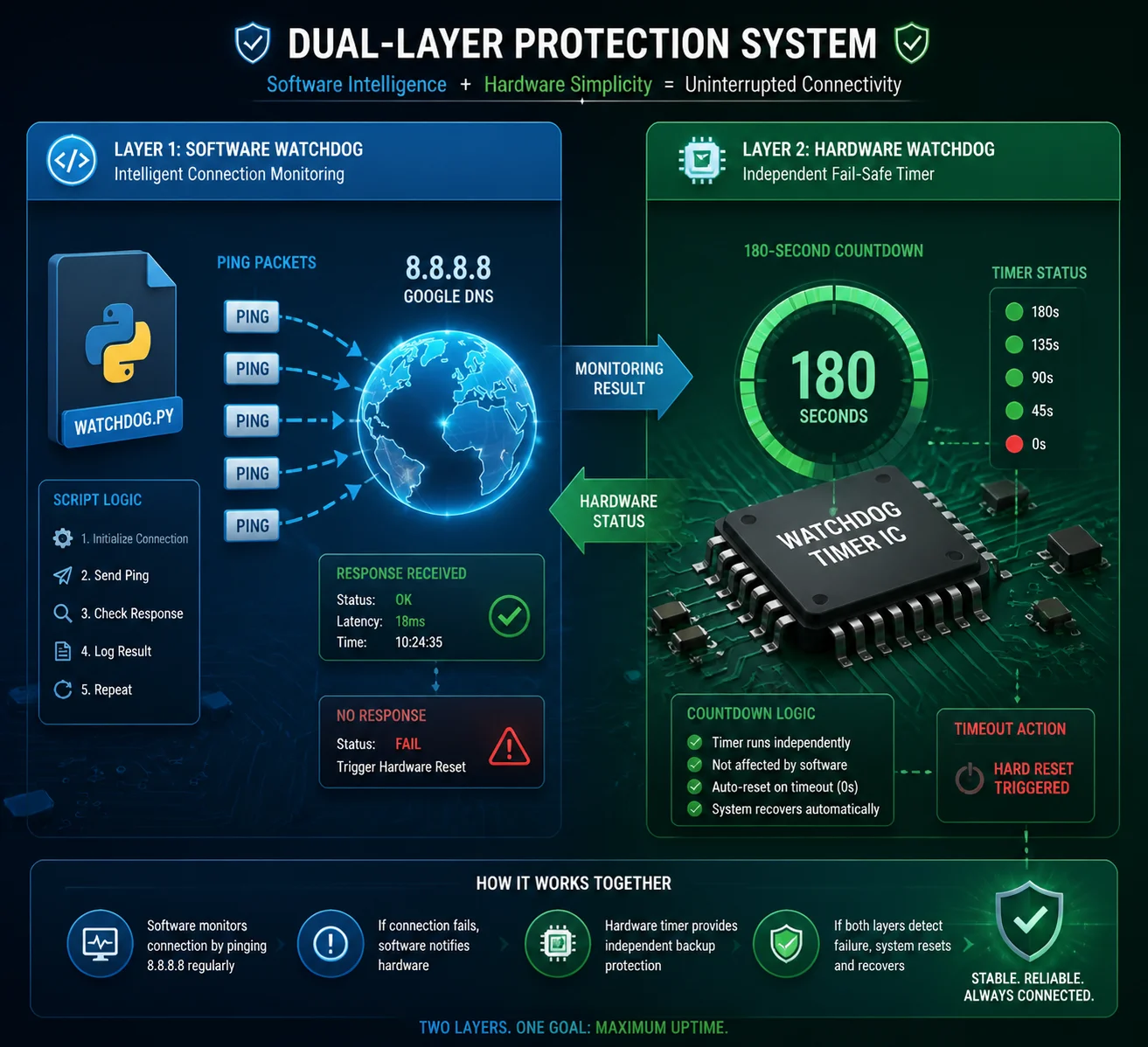
The hardware Watchdog itself does not ping anything. It only watches the CPU heartbeat. A separate software service — the link monitoring script — performs the actual ping tests to public DNS servers like 8.8.8.8 or the carrier gateway. If pings fail repeatedly, this script triggers recovery actions. The Watchdog is the last resort if everything else fails.
How the Two-Layer System Works
Think of it as two guards working different shifts. The first guard is the link monitoring process. It runs inside the Linux system and sends ICMP ping packets to a public IP address every 30 to 60 seconds. If the ping comes back, everything is fine. The guard does nothing.
But if the ping fails — say, three times in a row — this first guard starts taking action. It might restart the 4G dialing service. It might send an AT command to reset the modem module. It tries the gentle approach first.
The second guard is the hardware Watchdog. It sits on a separate chip. It does not care about ping results. It only cares about one thing: “Did the main CPU send me a heartbeat signal in the last 180 seconds?” If the answer is no, it pulls the power plug. Hard reboot. Everything restarts from zero.
Why This Separation Matters
Here’s why I think this design is smart. The hardware Watchdog is simple on purpose. It has no software dependencies. It cannot crash. It cannot hang. It just counts time. If the CPU freezes so badly that even the link monitoring script stops running, the Watchdog still works.
The link monitoring script, on the other hand, is smart. It can tell the difference between “the 4G module lost signal for 10 seconds” and “the entire network stack is dead.” It can try soft fixes before going nuclear with a full reboot.
What Gets Pinged and When
| Check Type | Target | Frequency | Purpose |
|---|---|---|---|
| ICMP Ping | 8.8.8.8 (Google DNS) | Every 30–60 seconds | Confirm public internet access |
| Gateway Ping | Carrier gateway IP | Every 60 seconds | Confirm 4G data session is alive |
| AT Command Query | 4G module (internal) | Every 120 seconds | Check registration status and signal strength |
In our PTZ cameras at Loyalty-Secu, I make sure both layers are active out of the box. You should not have to configure this yourself. But if you want to change the ping target or the check interval, you can do it through the web interface or the config file.
How Many Failed Connection Attempts Will Trigger a Hard Power Cycle of the Modem?
I’ve seen cheap cameras that reboot after a single failed ping. That’s a terrible idea. One dropped packet, and the whole system restarts — right in the middle of recording.
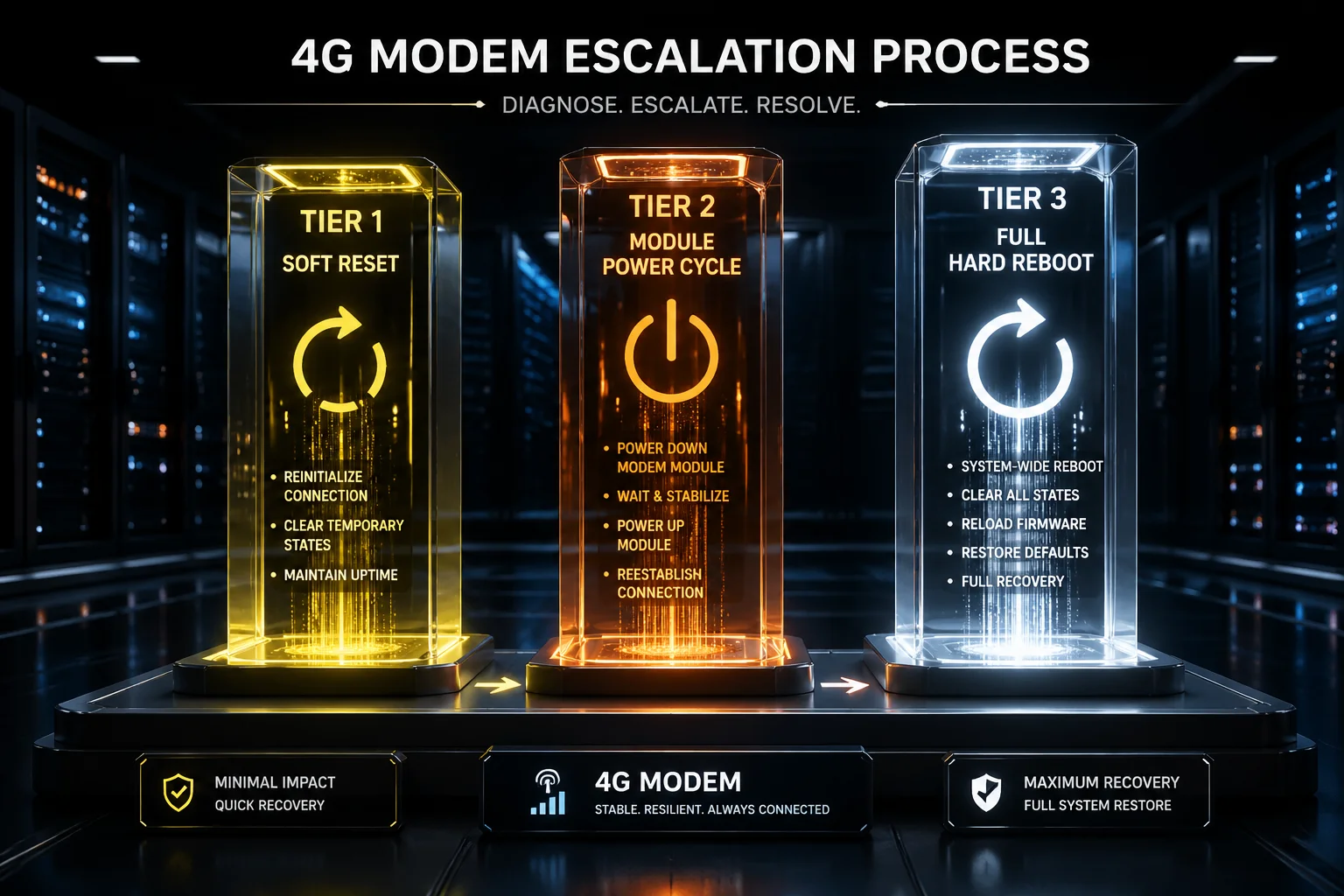
In a properly designed system, the recovery follows a tiered approach. Typically, 3 consecutive ping failures trigger a soft restart of the 4G dialing service. If that fails, the system power-cycles the 4G module after 5 cumulative failures. A full hard reboot by the Watchdog happens only after 10 to 15 minutes of total network loss — not after one bad ping.
The Three-Tier Recovery Strategy
I always tell my clients — especially those deploying in rural North America — that a good 4G camera should never jump straight to a hard reboot. The recovery should be gradual. Here’s how I design the escalation in our systems:
Tier 1: Soft Reset of the Data Connection. The link monitor detects 3 consecutive ping failures. It kills the current PPP or QMI data session and starts a new one. This fixes most temporary carrier-side disconnections. The camera stays powered on. No video is lost during this step.
Tier 2: 4G Module Power Cycle. If Tier 1 doesn’t fix the problem after 2 attempts, the system sends a hardware GPIO signal to cut power to the 4G module for 10 seconds, then powers it back on. This forces the modem to re-register with the cell tower from scratch. It clears any firmware-level deadlock inside the modem chip.
Tier 3: Full System Reboot via Watchdog. If the 4G module still cannot connect after 15 minutes of Tier 1 and Tier 2 attempts, the link monitoring script deliberately stops feeding the hardware Watchdog. The Watchdog timer expires. It cuts power to the entire board — CPU, memory, 4G module, everything — and restarts the system cold.
Why Gradual Escalation Saves You Money
Each tier takes more time but solves a harder problem. The key point is this: a full reboot takes 60 to 90 seconds. During that time, you lose video, you lose PTZ position, you lose any active alarm session. So you only want a full reboot when nothing else works.
| Recovery Tier | Trigger Condition | Action Taken | Downtime |
|---|---|---|---|
| Tier 1 – Soft Reset | 3 consecutive ping failures | Restart data session (PPP/QMI) | 5–10 seconds |
| Tier 2 – Module Power Cycle | Tier 1 fails twice | GPIO power cut to 4G module | 20–30 seconds |
| Tier 3 – Full Hard Reboot | No connection for 15 minutes | Watchdog cuts main power | 60–90 seconds |
I’ve tested this exact sequence on our 4G solar PTZ units under real conditions — weak signal areas, carrier maintenance windows, SIM card throttling events. In over 95% of cases, the problem gets fixed at Tier 1 or Tier 2. The full reboot rarely happens. But when it does, it works every time.
Will the Watchdog Log the Reason for Each Reboot for My Maintenance Reports?
I once had a client in Canada who kept asking me: “Han, the camera rebooted again last night. Was it the carrier? Was it the hardware? I need to know so I can write my maintenance report.”
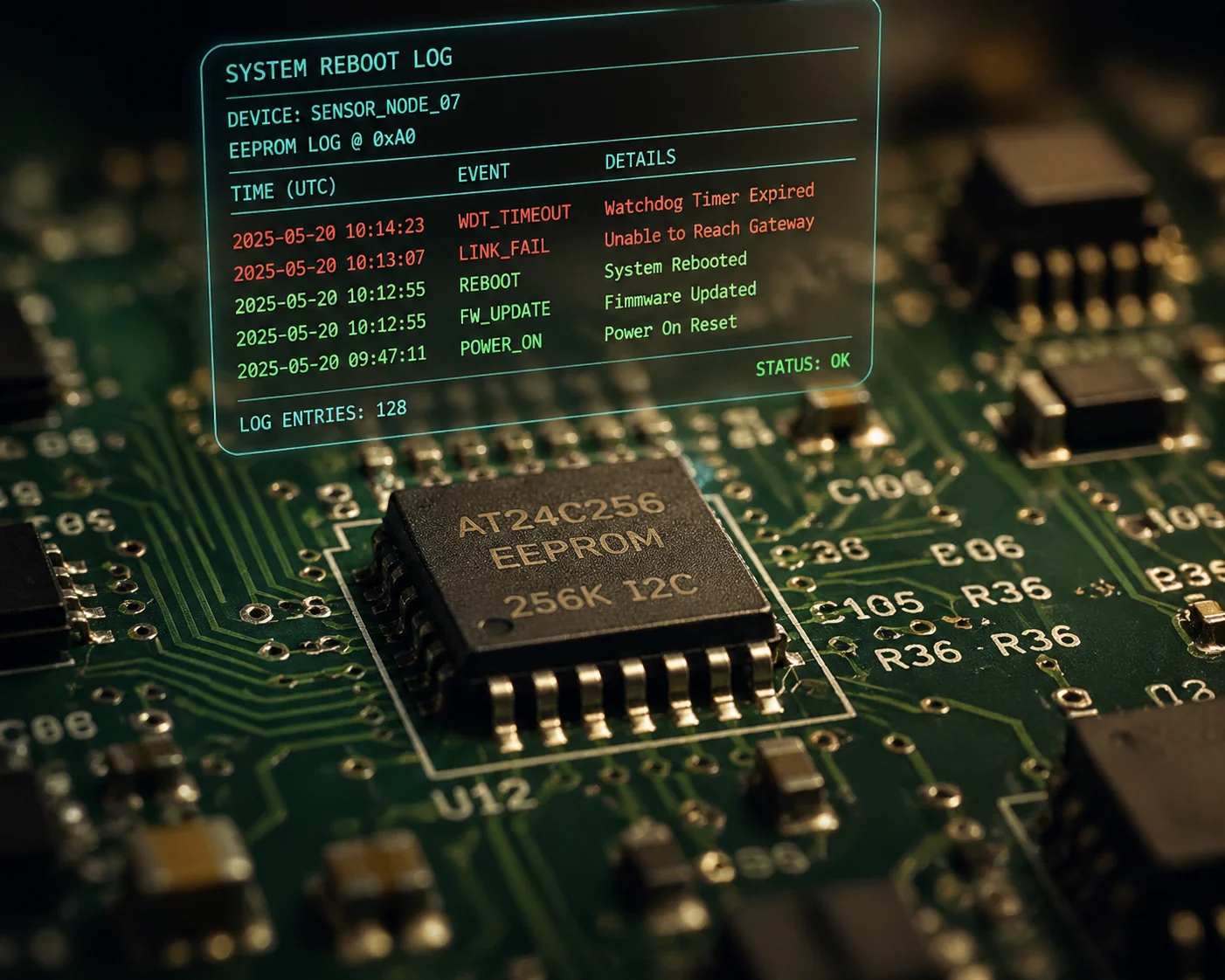
Yes. After each reboot, a well-designed system writes the reboot reason into EEPROM 1 — a type of non-volatile memory that survives power loss. You can pull this log remotely. It will tell you whether the reboot was caused by a Watchdog timeout, a 4G link failure, a manual restart command, or a power supply interruption.
What Gets Logged and Where
In our Loyalty-Secu PTZ cameras, the reboot log is stored in two places. The first is the onboard EEPROM chip. This is a small piece of memory that keeps its data even when the power is completely off. It stores a short code for each reboot event — things like “WDT_TIMEOUT,” “LINK_FAIL,” “USER_REBOOT,” or “POWER_LOSS.”
The second location is the system log file on the internal flash storage. This file has more detail. It includes timestamps, the last known signal strength before the reboot, the number of failed ping attempts, and which recovery tier was active when the system gave up.
How to Access the Logs
You can pull the logs in three ways. First, through the camera’s web interface — just log in and go to the maintenance page. Second, through an ONVIF-compatible VMS like Milestone 2 or Blue Iris 3, if the camera supports ONVIF event reporting. Third, through a remote management platform if your cameras report to a central server via MQTT or HTTP.
A Real-World Example of Why This Matters
I’ll share a story. A client in Texas deployed 20 of our solar 4G PTZ units along a pipeline. After three months, five cameras were rebooting every night around 2:00 AM. The logs showed the cause was “LINK_FAIL” — not “WDT_TIMEOUT.” That told us the CPU was fine. The 4G connection was dropping.
I looked deeper into the logs. The signal strength right before each failure was around -105 dBm — very weak. The carrier was doing maintenance on a nearby tower between 1:00 AM and 3:00 AM every night. Once we knew that, the client called the carrier, confirmed the maintenance schedule, and adjusted the Watchdog timing to wait longer before rebooting. Problem solved. No truck rolls needed.
Without the logs, my client would have assumed the cameras were broken. He might have sent a crew out to swap hardware. That would have cost him thousands of dollars — for a problem that wasn’t even the camera’s fault.
Common Reboot Reason Codes
| Log Code | Meaning | Suggested Action |
|---|---|---|
| WDT_TIMEOUT | CPU froze, Watchdog forced reboot | Check firmware version, update if needed |
| LINK_FAIL | 4G connection lost for over 15 min | Check signal strength, antenna position |
| USER_REBOOT | Manual restart via web or command | No action needed |
| POWER_LOSS | Power supply dropped below threshold | Check solar panel and battery health |
| MODULE_RESET | 4G module was power-cycled (Tier 2) | Usually auto-resolved, monitor frequency |
Does the System Have a “Delay Timer” to Prevent Endless Reboot Loops During Outages?
I’ve seen this nightmare scenario before: a carrier tower goes down for six hours, and the camera reboots itself every 15 minutes — over and over — until the battery is dead.
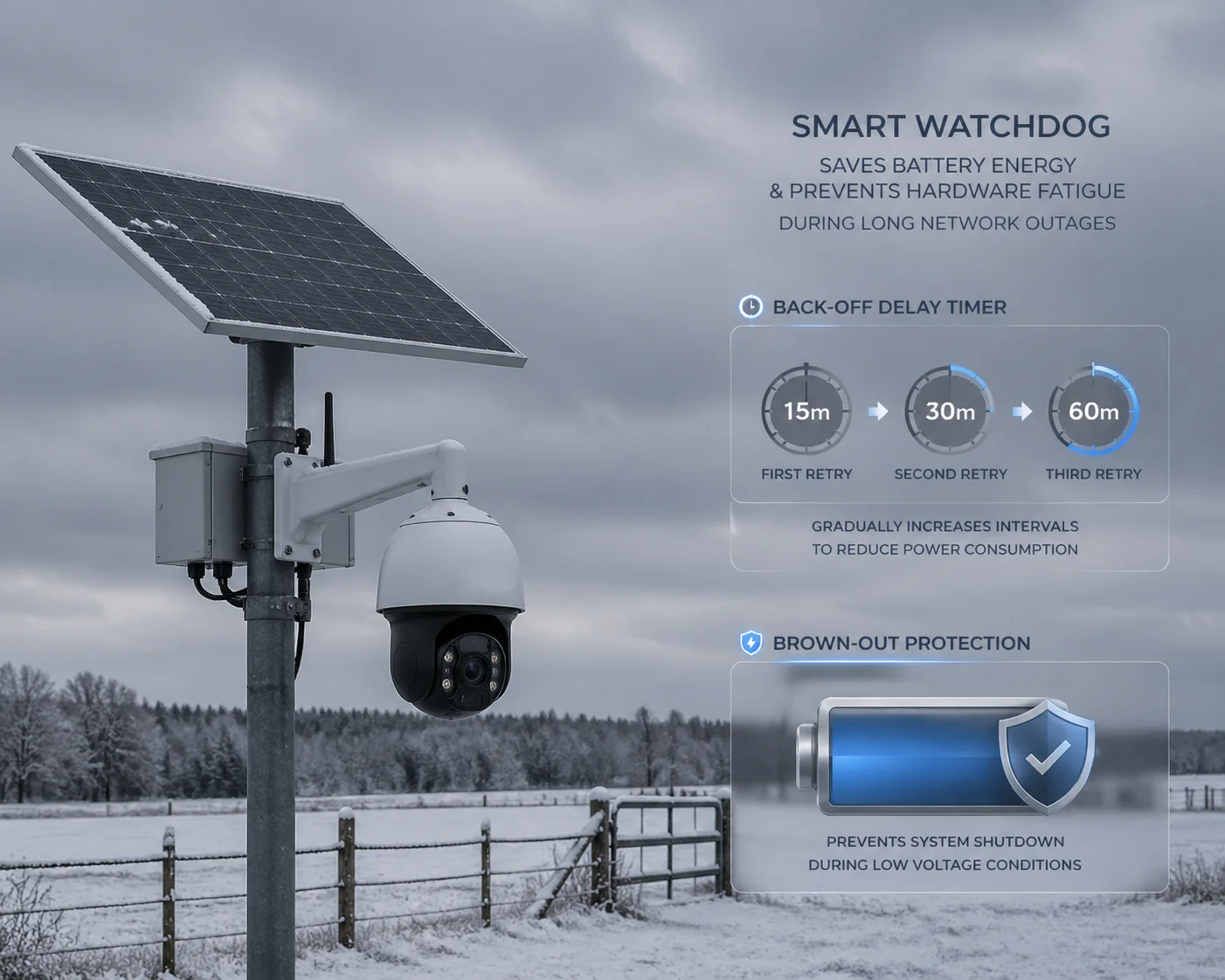
Yes. A properly designed Watchdog system includes a back-off delay timer. After a set number of consecutive reboots (usually 3 to 5), the system extends the wait time between reboot attempts. This prevents the camera from draining its battery during a long carrier outage. Some systems also include brown-out detection to block reboots when the battery voltage is too low.
Why Reboot Loops Are Dangerous
Every time a 4G camera reboots, the 4G module goes through a power-hungry sequence. It powers up the radio. It scans for nearby cell towers. It tries to register with the network. It negotiates an IP session. This whole process pulls high current — sometimes 2A or more for 30 to 60 seconds.
If you’re running on solar power with a battery, those 30 to 60 seconds of high draw add up fast. Five reboots in an hour can pull more power than the camera uses in normal operation for the same period. If it’s cloudy, or if it’s winter with short daylight hours, the battery drains. Once the voltage drops below the minimum, the camera shuts down completely. Now you have a dead camera that won’t come back until the sun charges the battery enough — which could take a full day.
How the Back-Off Timer Works
The back-off timer is simple. After the first reboot, the system waits the normal 15 minutes before trying another reboot if the connection still fails. After the second reboot, it waits 30 minutes. After the third, it waits 60 minutes. After the fourth, it waits 2 hours. This exponential back-off 4 keeps the camera alive long enough to survive a long outage.
Brown-Out Detection: The Silent Protector
I want to highlight one feature that most buyers don’t ask about but should. It’s called brown-out detection. Before the Watchdog triggers a reboot, it checks the battery voltage. If the voltage is below a safe threshold — say, 11.4V for a 12V system — the Watchdog postpones the reboot. It waits until the voltage climbs back above 11.8V before allowing the restart.
This is critical for solar deployments. During the 4G module’s search-for-signal phase, the current spike can cause a voltage dip. If the battery is already low, that dip can crash the system mid-boot. Brown-out detection prevents this. The camera stays in a low-power sleep state until it has enough juice to complete a full boot cycle safely.
What You Should Ask Your Supplier
If you’re sourcing 4G PTZ cameras from China, here’s my advice. Ask your factory three specific questions:
- Does the Watchdog have a back-off timer for repeated reboots?
- Does the system check battery voltage before triggering a reboot?
- What is the maximum number of reboots allowed per hour?
If the factory cannot answer these questions clearly, their Watchdog implementation is probably basic — just a simple timer with no intelligence. That’s fine for grid-powered cameras. But for solar 4G deployments in remote areas, you need the smart version.
At Loyalty-Secu, I designed our solar PTZ systems with all three protections built in. The back-off timer, the brown-out detection, and a configurable reboot limit. Because I know that for clients like David, a dead camera in a remote field is not just an inconvenience. It’s a failed project and a damaged reputation.
Conclusion
The hardware Watchdog guarantees your 4G camera reboots when it freezes. Combined with smart link monitoring, tiered recovery, and reboot logging, it keeps remote sites online — without costly truck rolls.
1. EEPROM non-volatile memory for reboot reason logging. ↩︎ 2. Milestone ONVIF event and Watchdog log integration. ↩︎ 3. Blue Iris PTZ Watchdog event monitoring. ↩︎ 4. Exponential back-off algorithm for reboot loop prevention. ↩︎ 5. ICMP ping-based internet connectivity monitoring. ↩︎ 6. Hardware Watchdog timer circuit design for embedded Linux. ↩︎ 7. PPP vs QMI data session recovery for 4G modules. ↩︎ 8. GPIO power switching for 4G module reset. ↩︎ 9. Brown-out detection circuit for solar-powered cameras. ↩︎ 10. MQTT remote management for Watchdog log reporting. ↩︎