
I have seen too many remote sites where the camera catches the intruder but does nothing to stop them. That gap between “seeing” and “acting” costs real money.
To trigger high-power strobe lights or searchlights on alarm, you need to separate the control signal from the power circuit. Your PTZ camera sends a weak relay signal through its alarm output. That signal drives an intermediate relay or solid-state relay (SSR). The relay then switches the main power line to your high-power light. This keeps your camera safe and your lights bright.
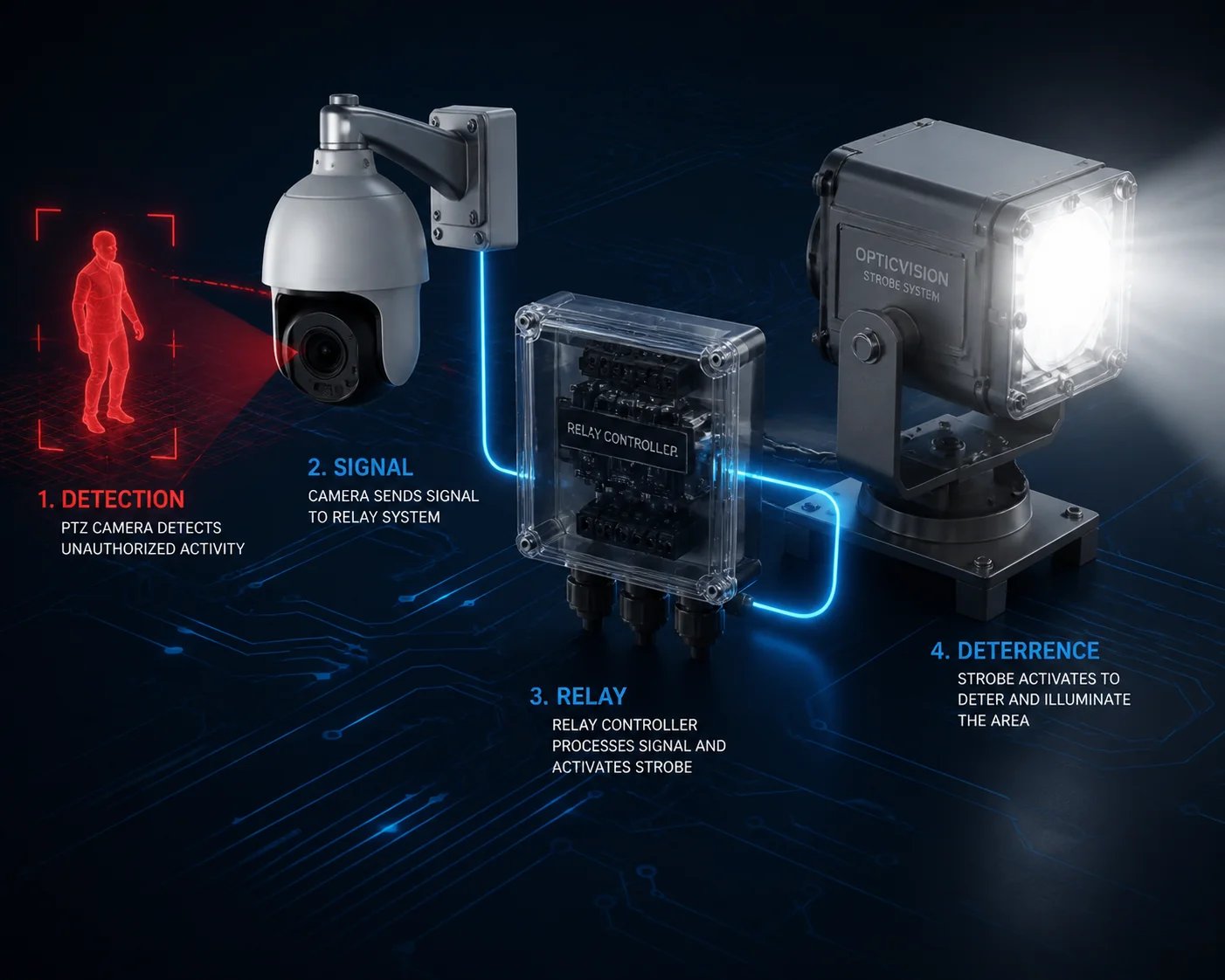
In this article, I will walk you through each part of this setup. I will cover AI-based auto-triggering 1, strobe frequency rules in the U.S. 2, power supply concerns, and how to link AI tracking with searchlights for night use. Whether you are an integrator serving North American farms or an engineer designing industrial perimeter security, this guide gives you the exact steps and hardware logic you need.
Table of Contents
Can the Camera Automatically Switch On a White Searchlight When It Detects a Human?
I used to get calls from integrators at 2 a.m. because their lights kept firing at every bug and leaf. False alarms kill trust in any system.
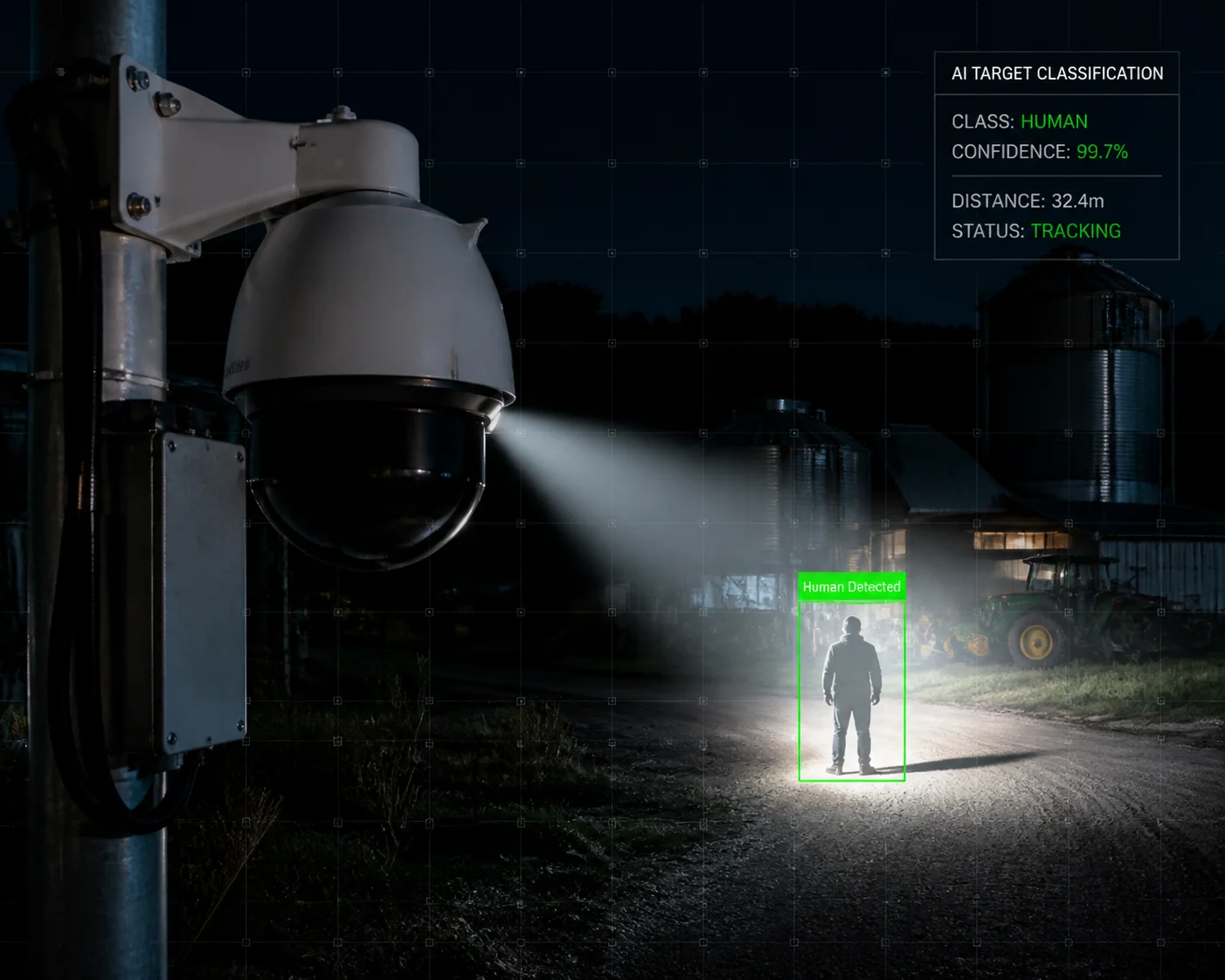
Yes, modern industrial PTZ cameras can auto-trigger a white searchlight only when they detect a human. The camera uses deep-learning AI to classify targets as human or vehicle 3. When a human is confirmed, the camera fires its alarm output, which then switches on your external searchlight through a relay.
How the AI Target Filter Works
The key here is target classification. Older cameras used simple motion detection. Any pixel change triggered the alarm. Bugs, rain, and swaying branches all caused false triggers. Modern PTZ cameras run a neural network on a built-in AI chip. This chip looks at the shape, size, and movement pattern of objects. It then labels them as “human,” “vehicle,” or “other.”
You set this up in the camera’s web interface. Go to Smart Event > Intrusion Detection or Line Crossing Detection. Then check the box for Human under Target Classification. Now the camera will only fire the alarm output when it sees a person.
Linking AI Detection to Your External Light
Once the AI event triggers, the camera closes its Alarm Output (COM/NO) relay contact. This contact drives your intermediate relay or SSR. The SSR then powers your white searchlight.
Here is the step-by-step flow:
| Step | Action | Hardware Involved |
|---|---|---|
| 1 | AI detects a human in the defined zone | PTZ camera’s onboard AI chip |
| 2 | Camera closes Alarm Output relay | Internal dry contact relay (COM/NO) |
| 3 | Intermediate relay or SSR activates | External relay rated for your light’s voltage |
| 4 | Searchlight main power circuit closes | High-power LED searchlight (e.g., 30W–100W) |
| 5 | Light stays on for configured dwell time | Timer set in camera firmware (e.g., 30 seconds) |
Setting the Dwell Time
In the camera’s web interface, go to Configuration > Event > Basic Event. Under Linkage Method, check Trigger Alarm Output. Then set the Dwell Time. I usually recommend 30 seconds for perimeter applications. This gives the camera enough time to record clear footage without draining power on solar-powered security setups 4.
A Note on IR-to-White-Light Switching
Some PTZ cameras have a built-in white light supplement. When the AI triggers, the camera can switch from infrared night mode to full-color mode instantly. But here is the catch. During that one-to-two-second switch, the image may lose detail. I recommend setting the Day/Night Threshold in firmware so the camera locks its exposure mode right before the light fires. This prevents the brief blackout that many integrators complain about.
For external searchlights, this is less of a concern. The camera stays in IR mode while the external light does the illumination work. This is actually a cleaner setup for most field deployments.
Is the Red/Blue Strobe Light’s Flashing Frequency Adjustable to Comply With Local U.S. Laws?
I once had a project delayed because the integrator did not check local strobe regulations before installing. The county sheriff asked them to remove the lights. That was an expensive lesson.
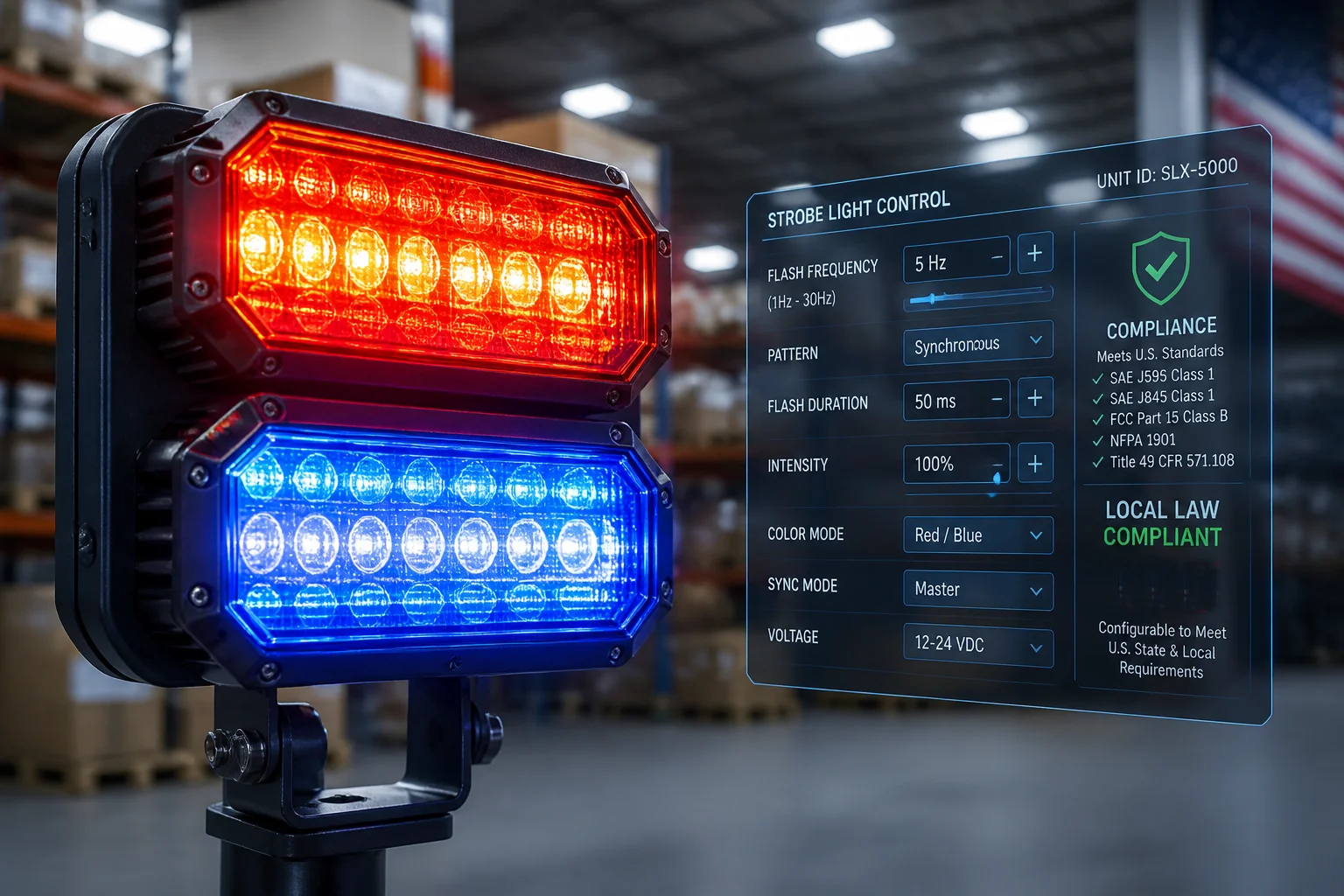
Yes, most professional-grade red/blue strobe controllers let you adjust the flash frequency. In the U.S., certain flash patterns and colors are restricted to law enforcement vehicle lighting standards 5. Private security installations should avoid mimicking police light patterns and should keep frequencies within their local code limits.
Why Flash Frequency Matters
Flash frequency affects two things: deterrence and legal compliance. A strobe flashing above 10 Hz creates a strong disorienting effect on intruders. It causes short-term visual confusion. This makes it a powerful active deterrence tool.
But in the United States, red and blue flashing lights are closely associated with emergency vehicles. Many states have laws that restrict the use of red/blue strobes on private property or non-emergency vehicles. If your strobe pattern looks too much like a police cruiser, you may face fines or forced removal.
What You Can Control
Most strobe controllers offer these adjustable parameters:
- Flash rate (Hz): How many times per second the light flashes. Common range is 1 Hz to 15 Hz.
- Flash pattern: Alternating, simultaneous, random burst, or steady-on.
- Color selection: Red only, blue only, red/blue alternating, amber, or white.
My Recommendation for Private Security Sites
For farms, warehouses, and industrial yards in North America, I suggest using amber or white strobes as the primary deterrent. Reserve red/blue only if your local jurisdiction allows it and your client has written approval. Always check with the local code enforcement office before installation.
If the client insists on red/blue, keep the flash rate below 5 Hz and avoid the “wig-wag” alternating pattern that police cars use. This reduces the risk of legal issues.
How to Integrate Frequency Control With Your PTZ
Your PTZ camera does not control the strobe frequency directly. The camera only provides the on/off signal through its alarm output. The strobe controller handles the flash pattern internally. So you need a strobe light unit that has its own built-in pattern selector or DIP switches for frequency adjustment.
The wiring is simple. The PTZ alarm output triggers the intermediate relay. The relay powers the strobe controller. The controller runs its pre-set flash pattern until the relay opens again.
Does the Internal Power Supply Provide Enough Current for External High-Power Light Modules?
I have seen cameras burn out because someone wired a 50W spotlight directly to the alarm output terminal. That is a quick way to destroy a $2,000 PTZ.
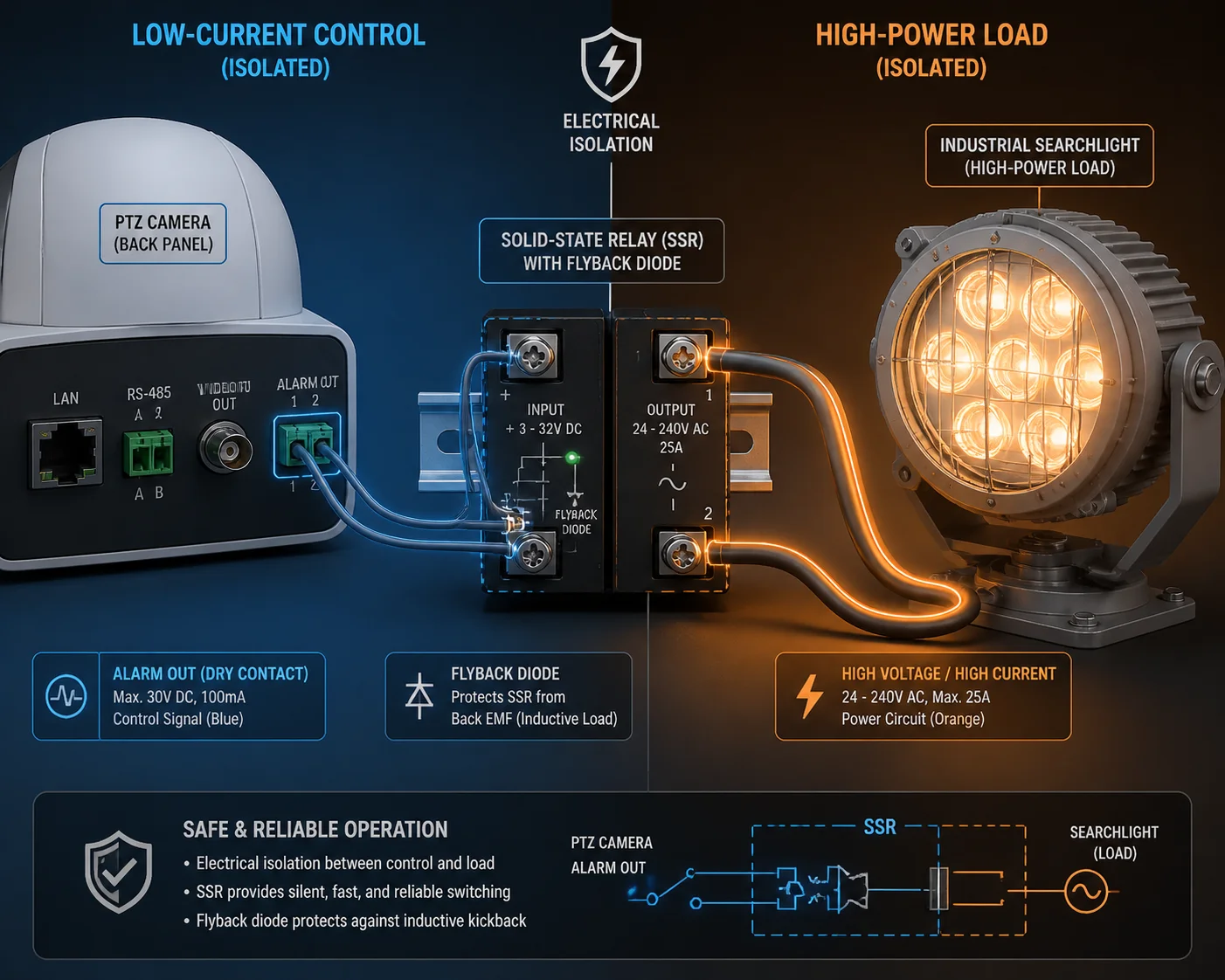
No, the PTZ camera’s internal power supply cannot drive high-power external lights directly. The alarm output is a weak signal rated for small loads, typically under 1A at 12V or 24V. You must use an external relay or SSR to isolate the camera circuit 6 from the high-power light circuit.
Understanding the Camera’s Alarm Output Specs
Most mid-range to high-end PTZ cameras provide one or two alarm output channels. These are either dry contact relay outputs or open-collector outputs. Their job is to signal an external device—not to power it.
Here is a typical spec comparison:
| Parameter | PTZ Alarm Output (Typical) | High-Power Searchlight (Typical) |
|---|---|---|
| Voltage | 12V or 24V DC | 12V, 24V DC, or 110/220V AC |
| Max current | 0.1A – 1A | 3A – 10A+ |
| Power handling | 1W – 12W | 30W – 200W |
| Purpose | Signal/trigger | Illumination |
The mismatch is obvious. The camera’s output can handle a small relay coil. It cannot handle a light module that draws 5A or more.
The Correct Wiring Approach
You need a two-stage circuit:
Stage 1: Signal Level
The PTZ alarm output connects to the coil of an intermediate relay. If the alarm output is a dry contact, the coil gets its power from an external 12V or 24V supply, and the PTZ contact simply completes the coil circuit. If the output is open-collector, you wire the coil between the positive supply rail and the output pin.
Stage 2: Power Level
The intermediate relay’s load contacts (rated for your light’s voltage and current) switch the main power feed to the searchlight or strobe. For DC lights, a standard electromechanical relay works fine. For AC lights (110V/220V), use an appropriately rated SSR or contactor.
Protecting the Camera From Back-EMF
When a relay coil de-energizes, it generates a voltage spike called back-EMF. This spike can travel back into the camera’s alarm output and damage the circuit board. Always install a flyback diode across the relay coil 7. This is a small, cheap component (like a 1N4007 diode) that absorbs the spike.
Solar and 4G Power Budget Concerns
If your site runs on solar power with a 4G PTZ camera, adding a 100W searchlight changes your power math completely. A searchlight running for even 10 minutes per night can drain a battery that was sized only for the camera.
I recommend these steps:
- Set a schedule in the camera firmware so the alarm output is only active during high-risk hours (e.g., 10 PM to 5 AM).
- Keep the dwell time short (15–30 seconds per trigger).
- Size your solar panel and battery for worst-case scenarios 8: multiple triggers per night.
This is where working with a manufacturer like us helps. We design our solar PTZ kits with power budgets in mind. We can advise you on panel size, battery capacity, and firmware settings to keep everything balanced.
How Do I Link the AI Tracking Function With the Searchlight for Night Target Illumination?
I had an integrator ask me why the PTZ tracked the intruder perfectly but the searchlight stayed pointed at the gate. The problem was simple: the light was fixed, not linked to the PTZ’s tracking output.
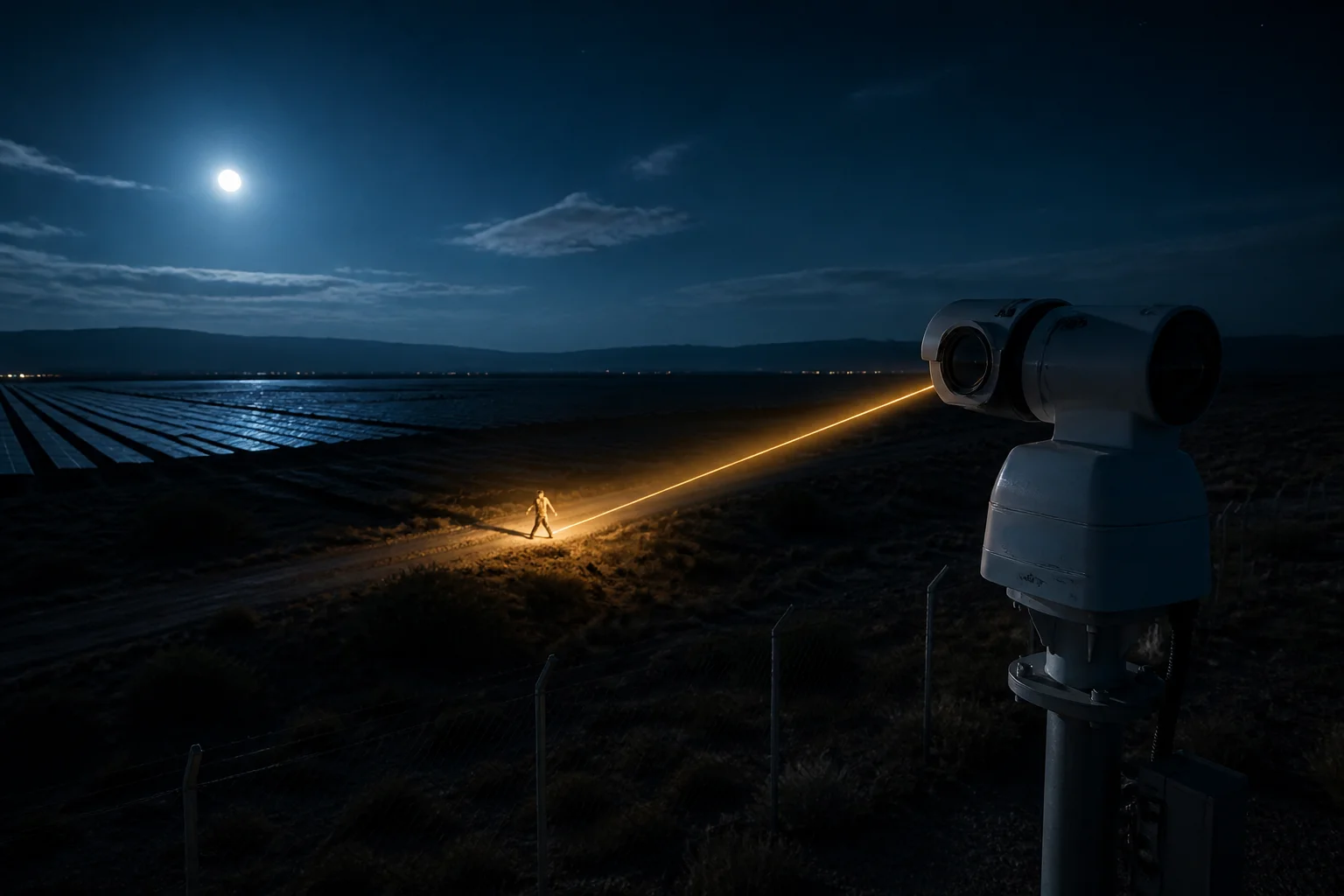
To link AI tracking with a searchlight, you have two options. First, use the PTZ camera’s built-in supplemental light, which moves with the camera head. Second, use the camera’s alarm output to trigger a fixed external searchlight and rely on the PTZ’s auto-tracking feature 9 to keep the camera aimed at the target while the light floods the zone.
Option 1: Built-In Laser or White Light Supplement
Many industrial PTZ cameras—including our long-range models—come with a built-in laser IR illuminator or white LED array. This light is mounted on the same pan-tilt head as the camera lens. When the camera moves, the light moves with it.
For AI tracking at night, this is the simplest setup:
- Enable Smart Tracking in the camera’s AI menu.
- Set the target type to Human or Vehicle.
- When the AI locks onto a target, the camera pans and tilts to follow it.
- The built-in light stays aimed at the target automatically.
The downside is range and power. Built-in lights are usually limited to 50–150 meters for white LED and up to 500–800 meters for laser IR. If you need more raw light output, you need an external unit.
Option 2: Fixed External Searchlight With Zone Triggering
If your searchlight is fixed (mounted on a pole, aimed at a specific zone), you can still link it to the PTZ’s AI detection. The logic is:
| Component | Role |
|---|---|
| PTZ camera | Detects target via AI, sends alarm output signal |
| Alarm output relay | Switches on when target enters defined zone |
| Intermediate relay/SSR | Amplifies signal to drive the searchlight |
| Fixed searchlight | Floods the detection zone with light |
In this setup, you define your intrusion detection zone in the camera’s smart event settings. When a human enters that zone, the alarm output fires. The searchlight turns on and lights up the area. The PTZ then tracks the target within the lit zone.
Option 3: VMS-Level Coordination
For multi-camera, multi-light sites, use your VMS platform to coordinate actions 10 (such as IVMS-4200, Milestone, or Blue Iris):
- Create an Action Rule in the VMS.
- Set the condition as an AI alarm from a specific camera.
- Set the action to trigger a network-controlled relay box or the PTZ’s Aux Switch output.
This lets you build complex rules. For example: “When Camera 3 detects a human in Zone B, turn on Searchlight B and slew Camera 4 to Preset 7.” This kind of coordination turns a passive camera network into an active deterrence system.
Dual-Lens PTZ Advantage
Our dual-lens linkage PTZ cameras offer a built-in advantage here. The fixed wide-angle lens provides constant full-scene coverage. When the AI spots a target on the wide lens, the PTZ lens automatically zooms in and tracks. The built-in illuminator follows. This removes the need for a separate fixed searchlight in many cases, because the wide lens never loses the big picture while the PTZ lens handles close-up tracking and lighting.
For integrators who serve large open areas—farms, solar fields, construction sites—this dual-lens approach cuts hardware cost and simplifies wiring. You get panoramic awareness and targeted illumination from a single unit on a single pole.
Conclusion
Keep your camera’s weak signal separated from your light’s heavy power load. Use an intermediate relay. Match your strobe to local laws. Size your power budget for worst-case nights. These steps turn a passive PTZ into a true active deterrence system.
1. How AI-based video analytics reduce false alarms for outdoor security. ↩︎ 2. U.S. regulations on outdoor strobe light frequency and color restrictions. ↩︎ 3. NVIDIA’s guide to deep learning for object classification in security cameras. ↩︎ 4. Best practices for sizing solar panels to power camera-triggered lights. ↩︎ 5. NFPA 1901 standards for emergency vehicle warning light colors and patterns. ↩︎ 6. Selection guide for solid-state relays to isolate camera alarm outputs. ↩︎ 7. Technical explanation of flyback diodes for relay coil suppression. ↩︎ 8. Official battery sizing calculator for solar-powered remote security sites. ↩︎ 9. How auto-tracking PTZ cameras maintain target lock during perimeter events. ↩︎ 10. Setting up conditional action rules in Milestone VMS for light triggering. ↩︎