
I have lost count of how many times a client opened a shipping container full of solar cameras — only to find dead batteries inside every box.
To keep solar PTZ camera batteries1 active during 30–45 days of sea freight, ship them at 30–40% state of charge (SoC)2, use LiFePO4 chemistry3 with a self-discharge rate4 of only 1–3% per month, enable a Shipping Mode5 that cuts all standby drain, and allow 4–6 hours of solar charging before the first power-on to avoid BMS lockout.

Below, I walk you through the exact discharge rates6, charging protocols, BMS safeguards7, and health monitoring steps that I recommend to every B2B client before they place a bulk order. If you manage large solar camera deployments8, this guide will save you real money.
Table of Contents
What is the discharge rate of my lithium batteries during a 45-day ocean shipment?
I once had a client in Texas who ordered 500 solar PTZ units. After 45 days at sea, over 60 cameras would not turn on — all because nobody checked the discharge math before shipping.
Lithium batteries in solar PTZ cameras typically lose 1–3% of their charge per month through natural self-discharge. But the real killer is parasitic standby drain9 from the camera electronics, which can add another 2–5% per month if the unit lacks a proper shipping mode.
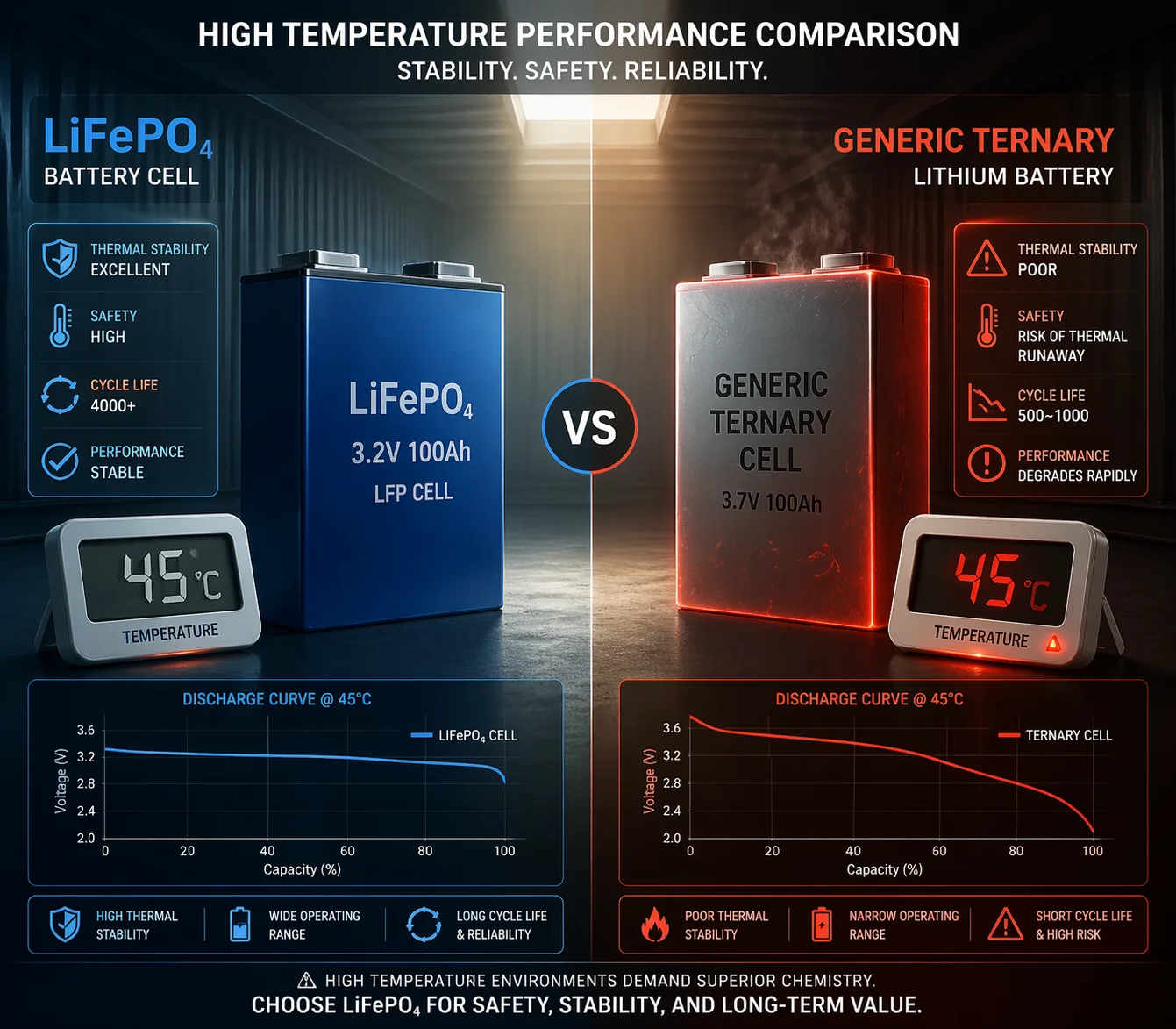
The self-discharge math you need to know
Let me break the numbers down. A standard lithium-ion cell sitting on a shelf at 25°C will lose about 1–3% of its remaining charge each month. That sounds small. But ocean freight is not a shelf.
Inside a shipping container, temperatures can swing from 5°C at night to 60°C during the day. Heat speeds up self-discharge. At 40°C, the rate can double.
Now add the parasitic load. If your camera does not have a true Shipping Mode, the MCU, PIR sensor, and 4G modem may still draw tiny amounts of current — even when the camera looks off. This standby drain often adds 2–5% per month on top of the natural self-discharge.
A real-world discharge scenario
Here is what a 45-day voyage looks like for two different battery types:
| Factor | LiFePO4 (Good) | Ternary Lithium (Risky) |
|---|---|---|
| Starting SoC | 30% | 30% |
| Monthly self-discharge | 1–2% | 2–3% |
| Parasitic drain (with Shipping Mode) | ~0.5% | ~0.5% |
| Parasitic drain (without Shipping Mode) | 3–5% | 3–5% |
| Estimated SoC after 45 days (with Shipping Mode) | ~27% | ~25% |
| Estimated SoC after 45 days (without Shipping Mode) | ~22% | ~18% |
| BMS under-voltage cutoff risk | Low | Medium–High |
Why the chemistry matters
LiFePO4 (Lithium Iron Phosphate) has a much flatter voltage curve than ternary lithium. This means even at 20% SoC, the cell voltage stays well above the BMS cutoff threshold. Ternary lithium, on the other hand, drops voltage sharply below 25% SoC. A few extra percent of drain can push it past the protection point.
I always tell my B2B clients: if you are shipping solar cameras by sea, LiFePO4 is not optional — it is mandatory. The extra cost per cell is tiny compared to a container of dead units.
The hidden cost of cheap batteries
Many factories use no-name cells with poorly calibrated BMS boards. The stated self-discharge rate on the datasheet may say 2%, but the actual rate — including BMS quiescent current10 — can be 5–8%. Over 45 days, that is enough to kill a battery shipped at 30% SoC.
At Loyalty-Secu, I test every batch under simulated shipping conditions. I charge packs to 30%, seal them, store them at 45°C for 60 days, and then measure the remaining voltage. If any sample drops below our safety margin, I trace the issue back to the BMS design before that batch ships.
Do I need to perform a deep charge cycle11 before installing my solar kits?
After a long ocean voyage, I know the temptation: rip open the box, mount the camera, and power it on. I have done it myself. It is a mistake.
Yes, you should allow the solar panel to charge the battery for 4–6 hours under direct sunlight before powering on the camera. This gentle wake-up charge lets the BMS re-balance the cells and avoids voltage sag that can trigger a protection lockout when the 4G module draws its peak current.
Why a wake-up charge matters
When a lithium battery sits for weeks at low SoC, its internal chemistry enters a semi-dormant state. The electrolyte interface layer (called the SEI layer) thickens slightly. This is normal and reversible — but only if you bring the battery back gently.
If you skip this step and immediately power on the camera, the 4G modem will try to register on a cell tower. That registration burst can draw 2–3 amps for several seconds. A battery at 20% SoC may not deliver that current without the voltage sagging below the BMS cutoff. The BMS will trip, the camera shuts down, and now you need to manually reset it.
The right wake-up protocol
Here is the step-by-step process I recommend to every project manager who receives a bulk order:
- Unbox the camera but do not press the power button.
- Connect the solar panel and place it under direct sunlight.
- Wait 4–6 hours. The charge controller will feed current into the battery at a safe rate.
- Check the LED indicator (or app, if available). When the battery shows above 40% SoC, you can power on.
- Then connect to 4G or Wi-Fi and begin your configuration.
Does this add labor cost?
I hear this question from every large integrator. The answer is: far less than the alternative.
| Scenario | Time per unit | Risk level |
|---|---|---|
| Power on immediately after unboxing | 2 min | High — BMS lockout, manual reset needed, possible truck roll |
| Solar wake-up charge (4–6 hrs, batch of 50) | ~5 min per unit (setup + check) | Very low — battery enters safe range naturally |
| Full 24-hour wall-charger cycle (cheap cameras without BMS pre-balance) | 30+ min per unit (charger setup, monitoring) | Low, but very high labor cost |
At Loyalty-Secu, I perform BMS pre-balance at the factory. This means every cell in the pack starts at exactly the same voltage before it ships. So your wake-up charge is short and simple — no expensive bench charging needed.
What about long warehouse storage12?
If your units sit in a warehouse for more than 3 months after arrival, I recommend a spot check. Pull 5–10 units from each pallet. Measure the pack voltage with a multimeter. If any unit has dropped below 3.0V per cell (for LiFePO4), charge it before deployment. This 10-minute check can save you thousands in field failures.
How does the BMS (Battery Management System) protect my cells during transit?
I think of the BMS as a bodyguard for the battery. During sea freight, it is the only thing standing between your cells and permanent damage.
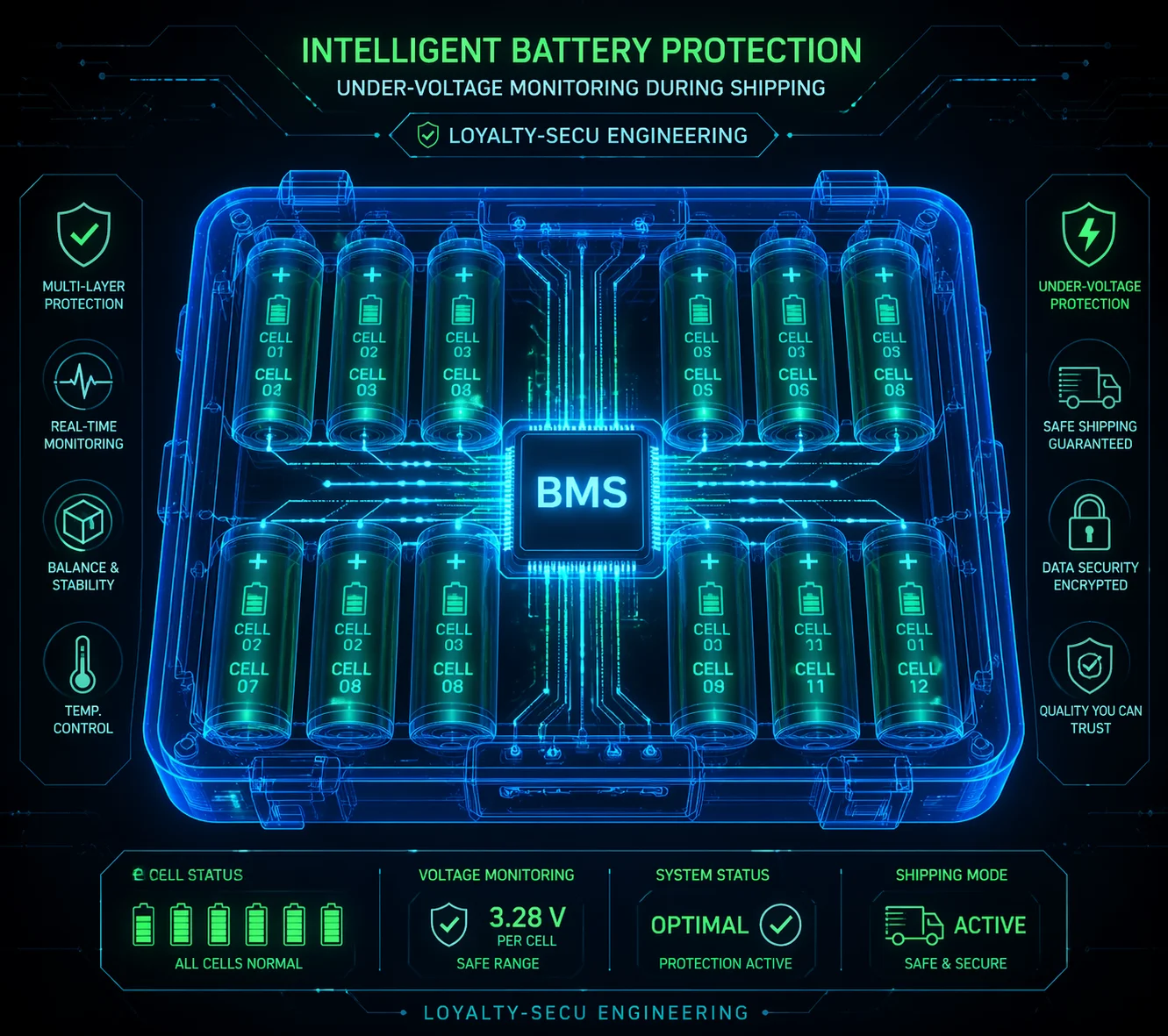
A well-designed BMS protects cells during transit by enforcing under-voltage cutoff (typically 2.5–2.8V per cell), preventing over-discharge from parasitic loads, balancing cell voltages to avoid weak-cell failure, and keeping its own quiescent current below 50 microamps to preserve charge over months of storage.
What the BMS actually does during shipping
Most people think the BMS only matters when the camera is running. That is wrong. During shipping, the BMS is the only active circuit in the whole device. It has three jobs:
- Monitor each cell voltage and disconnect the pack if any cell drops below the safe minimum.
- Balance the cells so no single cell drains faster than the others.
- Draw as little current as possible while doing jobs 1 and 2.
The quiescent current problem
Every BMS draws some current just to stay alive. This is called quiescent current or standby current. A cheap BMS might draw 200–500 microamps. A good one draws under 50 microamps.
Over 45 days, here is the difference:
- 50 µA BMS: consumes about 54 mAh over 45 days. On a 20Ah battery, that is 0.27% — almost nothing.
- 500 µA BMS: consumes about 540 mAh over 45 days. On a 20Ah battery, that is 2.7% — it starts to matter.
What to ask your supplier
Before you sign a purchase order, I suggest you ask these questions:
- What is the total system standby current in Shipping Mode?
- Does the BMS have cell-level under-voltage protection?
- Is there a physical disconnect switch or insulating pull-tab?
- What is the BMS quiescent current on your datasheet — and have you measured it on production units?
If your supplier cannot answer these questions with specific numbers, that is a red flag. I have seen too many integrators learn this lesson the hard way.
How I design for transit at Loyalty-Secu
At my factory, every solar PTZ camera ships with a firmware-level Shipping Mode. When I activate it at the end of the production line, this mode cuts power to the MCU, 4G modem, PTZ motor, IR LEDs, and all sensors. Only the BMS protection circuit stays active.
My measured system standby current in Shipping Mode is under 40 µA. That means a fully assembled camera can sit in a container for 6 months and still power on without issues.
I also use a dedicated BMS IC with cell-level balancing. Each cell is monitored on its own. If one cell drifts lower than the others during transit, the BMS will equalize on the next charge cycle. This prevents the weakest cell problem that kills cheap battery packs.
Can I monitor the battery health status13 immediately after unboxing my order?
I have been in this industry for over 20 years. The most common complaint I hear from integrators is: I have no idea what condition the batteries are in until I install them — and by then it is too late.
Yes, industrial-grade solar PTZ cameras should let you check battery State of Health (SOH), cycle count, and remaining capacity through a mobile app or web interface within minutes of unboxing — before you ever mount the camera on a pole.
Why post-arrival health checks matter
When you receive a bulk shipment — say 200 units — you cannot afford to install all of them and then find out that 15 have degraded batteries. Each truck roll to a remote site costs $200–$500. Multiply that by 15, and you have blown your project margin.
A proper health check at the warehouse takes 5 minutes per unit and saves you from those costly field failures.
What to look for in the app or interface
| Metric | What it tells you | Healthy range (new unit after shipping) |
|---|---|---|
| State of Charge (SoC) | How much energy is left right now | 20–35% |
| State of Health (SOH) | Overall battery capacity vs. original | 98–100% |
| Cycle Count | How many charge/discharge cycles the battery has completed | 0–2 (factory testing only) |
| Cell Voltage Balance | Voltage gap between the highest and lowest cell | < 30 mV |
| BMS Error Flags | Any protection events triggered during transit | None |
How to run a warehouse spot check
Here is what I suggest for any order above 50 units:
- Pick 10% of units at random from different cartons and pallet positions.
- Power on the app (or connect via USB/Bluetooth if the camera supports it).
- Record the five metrics from the table above.
- Flag any unit with SOH below 95%, cycle count above 5, or cell imbalance above 50 mV.
- Contact your supplier with the data if you find issues — before you deploy.
The battery health report14 advantage
If you are a system integrator selling a complete solution to an end client — a farm, a construction site, a city government — you can include the battery health data in your project handover package. This shows your client that every unit was tested and verified before installation. It builds trust. It justifies your markup. And it sets you apart from every competitor who just mounts cameras on poles and hopes for the best.
At Loyalty-Secu, my app displays all five metrics on a single screen. You do not need special tools or training. Open the app, scan the QR code on the camera, and the battery health data appears in seconds. I designed it this way because I know my B2B clients need speed and simplicity at the warehouse — not complexity.
Conclusion
Ship at 30–40% SoC, use LiFePO4 with Shipping Mode enabled, wake batteries with sunlight before powering on, and verify health via app before deployment.
-
Explore this resource to learn how to keep your solar PTZ camera batteries healthy during transit. ↩
-
Understanding SoC is crucial for battery management; this link provides insights on its impact. ↩
-
Discover why LiFePO4 is preferred for shipping batteries and how it can save costs. ↩
-
Learn about self-discharge rates to better manage battery health during transport. ↩
-
Find out how Shipping Mode can protect your batteries during long shipments. ↩
-
Understanding discharge rates is key to preventing battery failures; this link provides detailed information. ↩
-
Explore BMS safeguards to ensure your batteries remain safe and functional during transit. ↩
-
This resource offers best practices for efficient management of solar camera systems. ↩
-
This resource explains parasitic drain and its implications for battery performance. ↩
-
Understanding quiescent current is essential for battery longevity; this link provides valuable insights. ↩
-
Learn about the importance of deep charge cycles for optimal battery performance. ↩
-
Learn how to properly store batteries in a warehouse to maintain their health. ↩
-
This resource shows you how to monitor battery health effectively after unboxing. ↩
-
Learn how a battery health report can enhance client trust and project success. ↩