
I used to think my solar cameras ran the same way all day long. Then I noticed the AI tracking got sharper around midday — and I had to find out why.
Yes, industrial-grade 4G solar PTZ cameras do switch to a “High-Precision Mode“1 when energy is abundant. It is based on real-time battery charge level (SoC) and incoming solar power exceeding system draw. When both conditions are met, the firmware unlocks full hardware performance automatically.
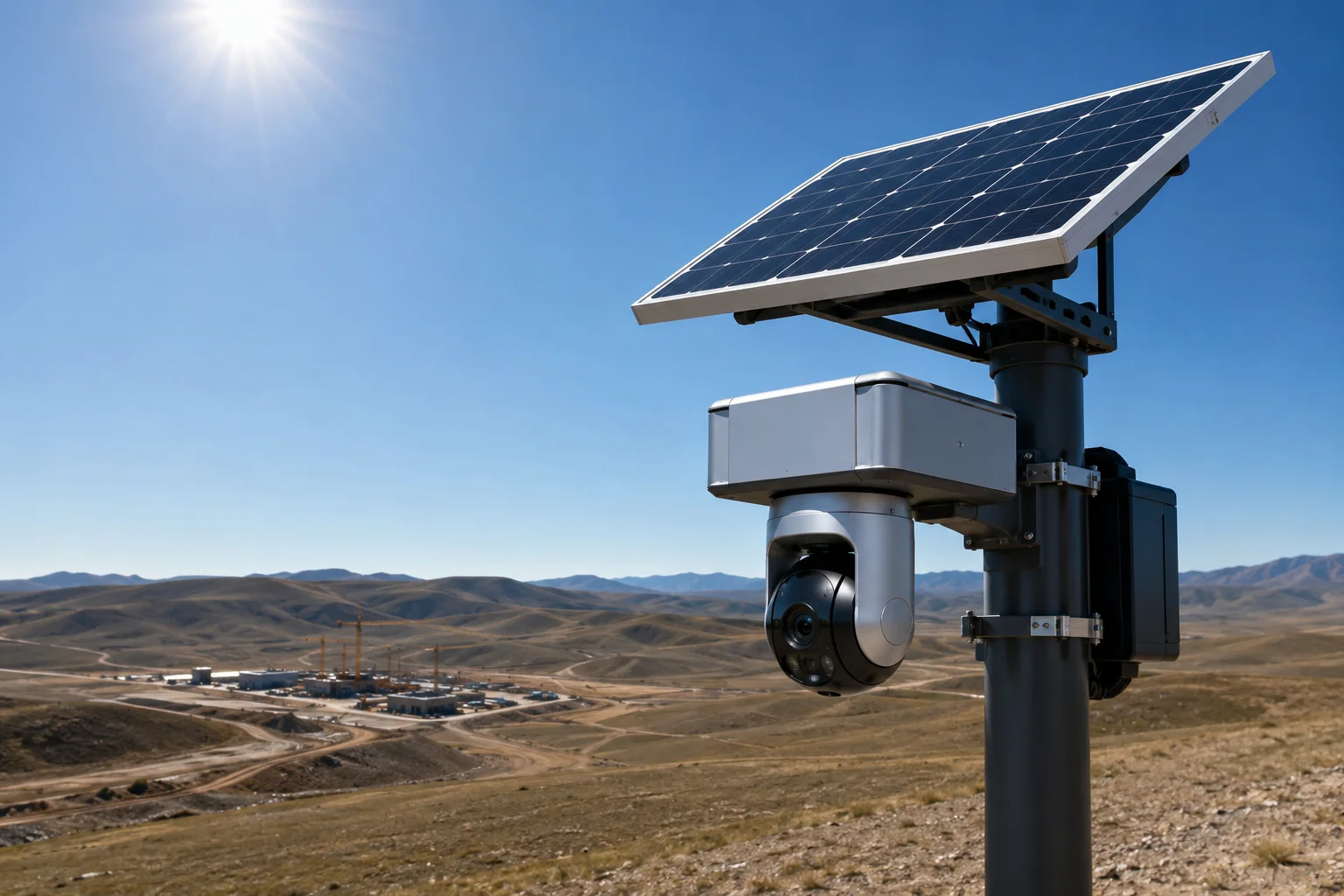
Below, I break down exactly how this energy-linked performance scaling works, what it means for your field deployments, and how you can configure it to get the best results from your solar surveillance system.
Table of Contents
Can the AI Increase Its Frame-Rate and TOPS Performance When the Battery Is Fully Charged?
I once deployed a solar PTZ on a remote ranch and wondered why the AI missed a truck at 6 AM but caught every single vehicle at noon. The answer was in the battery gauge.
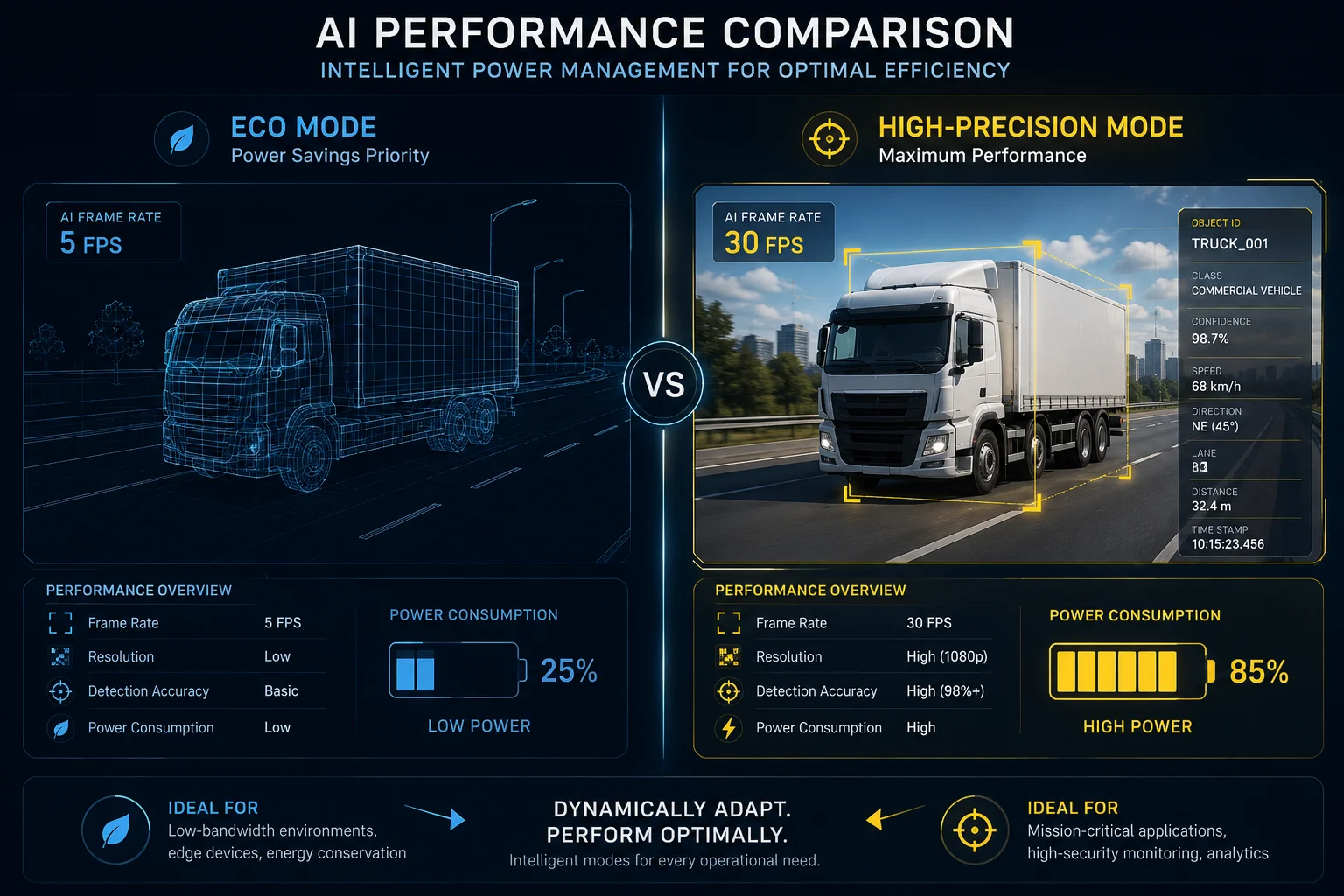
Yes. When the battery state-of-charge rises above a set threshold (typically 80%), the firmware releases full NPU power. AI frame-rate3 jumps from 5 fps in eco mode to 30 fps, and deeper recognition models activate — giving you vehicle brand detection, not just basic person/car classification.
How the Energy-to-Performance Link Actually Works
The system does not use a simple timer. It reads two live data points from the BMS (Battery Management System)6.
- Current battery SoC — is it above 80%?
- Real-time charge rate — is the incoming solar wattage higher than what the system consumes right now?
When both conditions are true, the firmware sends a command to the NPU (Neural Processing Unit) to exit its throttled state. This is what the industry calls “Performance-Power Balancing“2.
What Changes at the AI Level
In low-power mode, the AI chip runs a lightweight model. It can tell a person from a car, but that is about it. In high-precision mode, the full model loads. Here is what that means in practice:
| Parameter | Eco Mode (Low SoC) | High-Precision Mode (High SoC) |
|---|---|---|
| AI frame-rate | 5 fps | 30 fps |
| Recognition depth | Person / Vehicle only | Pose, color, brand, behavior |
| NPU utilization | ~20% | ~95% |
| Missed-detection rate (fast targets) | High | Very low |
Why 30 fps Matters for Tracking
At 5 fps, a vehicle moving at 60 km/h travels about 3.3 meters between frames. The AI might lose the target between frames, especially during a PTZ pan. At 30 fps, that gap shrinks to 0.55 meters. The tracker keeps a lock on the object, and the PTZ motor receives smooth, continuous correction commands instead of jerky jumps.
The TOPS Question
TOPS (Tera Operations Per Second)4 is the raw compute budget of the NPU. In eco mode, the chip is clock-gated — only a fraction of its cores are active. When the battery is full, all cores wake up. A chip rated at 8 TOPS might only deliver 1.5 TOPS in eco mode. That difference is why the deeper models (which need more compute) simply cannot run when power is scarce. The system is not broken — it is being smart about survival.
Does the Camera Enable “360-Degree AI Patrolling” Only When Solar Energy Is Abundant?
I had a client ask me why his PTZ stopped doing full patrol sweeps on cloudy days. He thought the motor was broken. It was not — the firmware was protecting the battery.
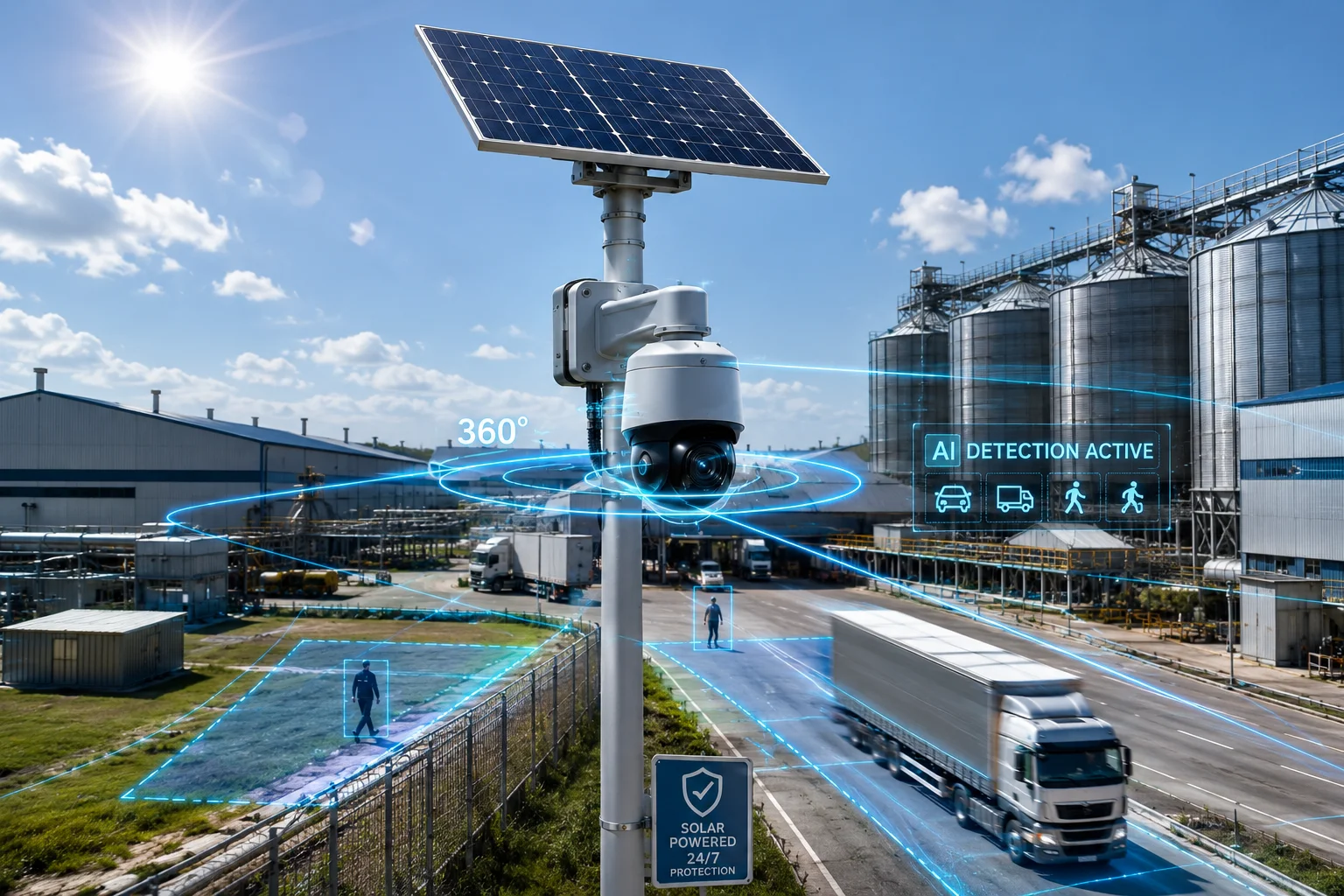
In most configurations, yes. Continuous 360-degree AI patrol is a high-drain activity because it keeps the pan motor, tilt motor, and AI engine all running at once. The firmware will only allow sustained patrol when the energy budget confirms it can do so without risking a shutdown before nightfall.
Why Full Patrol Is So Power-Hungry
A PTZ patrol is not just spinning the camera. During patrol, the system does three things at the same time:
- Pan/tilt motors draw current continuously — stepper motors need power to move and to hold position at each preset.
- AI processes every frame — the NPU is scanning for intrusions across the entire 360-degree sweep.
- Video encoding runs at full bitrate — because the scene changes constantly during rotation, the encoder cannot compress efficiently. Bitrate spikes.
This triple load can pull 15–25W on a PTZ system that idles at 5–8W. On a 60Wh battery, unrestricted patrol could drain the reserve in a few hours.
The Firmware’s Decision Tree
The patrol scheduler checks energy state before each cycle:
- SoC > 85% and charging → Full-speed patrol allowed. All presets visited. AI at 30 fps.
- SoC 50–85% → Reduced patrol. The camera visits only priority presets (e.g., gate and fence line), skips low-risk zones.
- SoC < 50% → Patrol suspended. Camera parks at a fixed position facing the highest-risk area. AI drops to motion-triggered only.
How to Use This to Your Advantage
Smart integrators schedule patrol during the energy peak window — typically 10:00 AM to 2:00 PM in summer. During this window, the solar panel is producing more than the system needs, so patrol runs “for free” on surplus energy. You can configure this in the management platform as a scheduled task:
- Patrol window: 11:00–13:00 daily
- Fallback behavior: Park at Preset 1 (main gate) outside this window
- Override: If SoC hits 95%, allow an extra patrol cycle regardless of time
This approach gives you full situational awareness during the best-lit hours (when shadows are shortest and AI accuracy is highest) while preserving battery for nighttime alerts.
Does the App Show Me When the Camera Is in “Boost Mode” Versus “Eco Mode”?
I remember checking my phone at 2 AM wondering if my camera was still alive or just saving power. Without a clear status indicator, you are guessing.
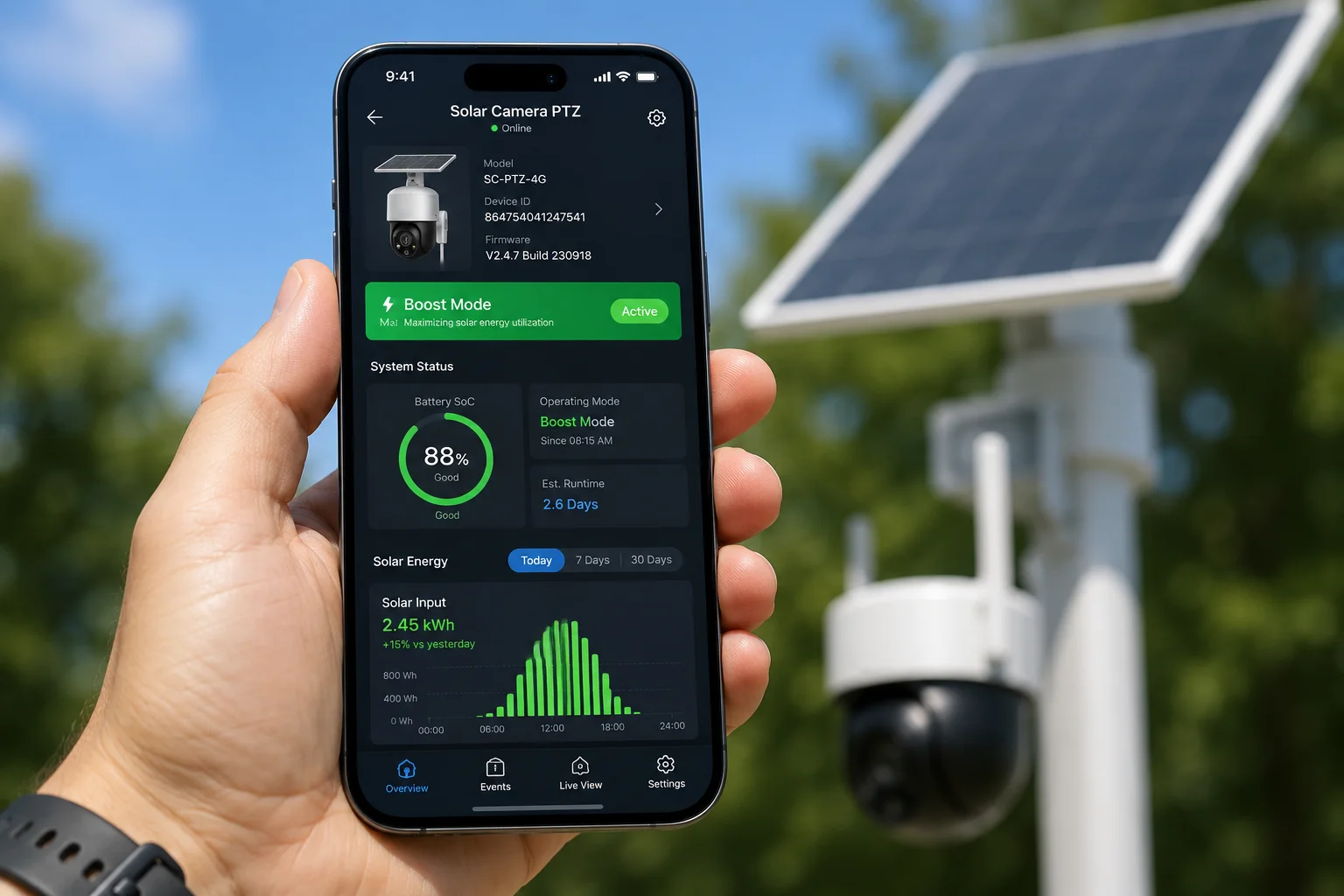
Yes, modern solar PTZ management apps display the current operating mode in real time. You will typically see a color-coded badge or icon — green for High-Precision/Boost, yellow for Balanced, and red for Ultra-Save. The app also shows battery percentage, charge rate, and estimated runtime so you know exactly what the camera is doing and why.
What the App Dashboard Tells You
A well-designed management app gives you three layers of information at a glance:
Layer 1: Current Mode Indicator
This is usually a badge at the top of the device card. It tells you the operating state right now. The naming varies by firmware version, but the logic is the same:
| App Display | Internal Mode | What It Means |
|---|---|---|
| 🟢 Boost / High Precision | Full performance | All AI features active, 30 fps, full patrol |
| 🟡 Balanced | Mid-power | 10 fps, basic detection, limited patrol |
| 🔴 Eco / Ultra-Save | Survival mode | AI suspended, PIR wake7 only, heartbeat comms |
Layer 2: Energy Metrics
Below the mode badge, you will see:
- Battery SoC (%) — current charge level
- Solar input (W) — how much power the panel is generating right now
- System draw (W) — how much the camera is consuming
- Net energy flow — positive means charging, negative means draining
- Estimated runtime — how many hours the battery will last at current draw if solar drops to zero
Layer 3: Mode Transition History
Good apps log every mode switch with a timestamp. This is gold for troubleshooting. If a client complains about missed detections at 4 PM, you can check the log and see the camera dropped to Eco mode at 3:47 PM because a cloud bank rolled in and SoC fell below threshold.
Why This Matters for Your Business
As an integrator, you need to prove to your end client that the system is working. A clear mode indicator in the app means fewer support calls. When a farmer asks “why didn’t it catch that coyote last night?” you can pull up the history and show: “The camera was in Ultra-Save at that time because yesterday was overcast. We need to add a second battery or a larger panel for winter coverage.” That is a data-driven upsell, not a guess.
Push Notifications for Mode Changes
Most platforms let you set alerts for mode transitions. I recommend enabling a push notification whenever the system drops from Boost to Eco. This gives you early warning that the energy budget is tight — before the camera goes fully offline.
How Much Better Is the Target Tracking Accuracy During the Peak-Power “High-Precision” State?
I tested this myself on a job site. Same camera, same target, same distance — but one test at noon and one at dusk when the battery was low. The difference was not subtle.
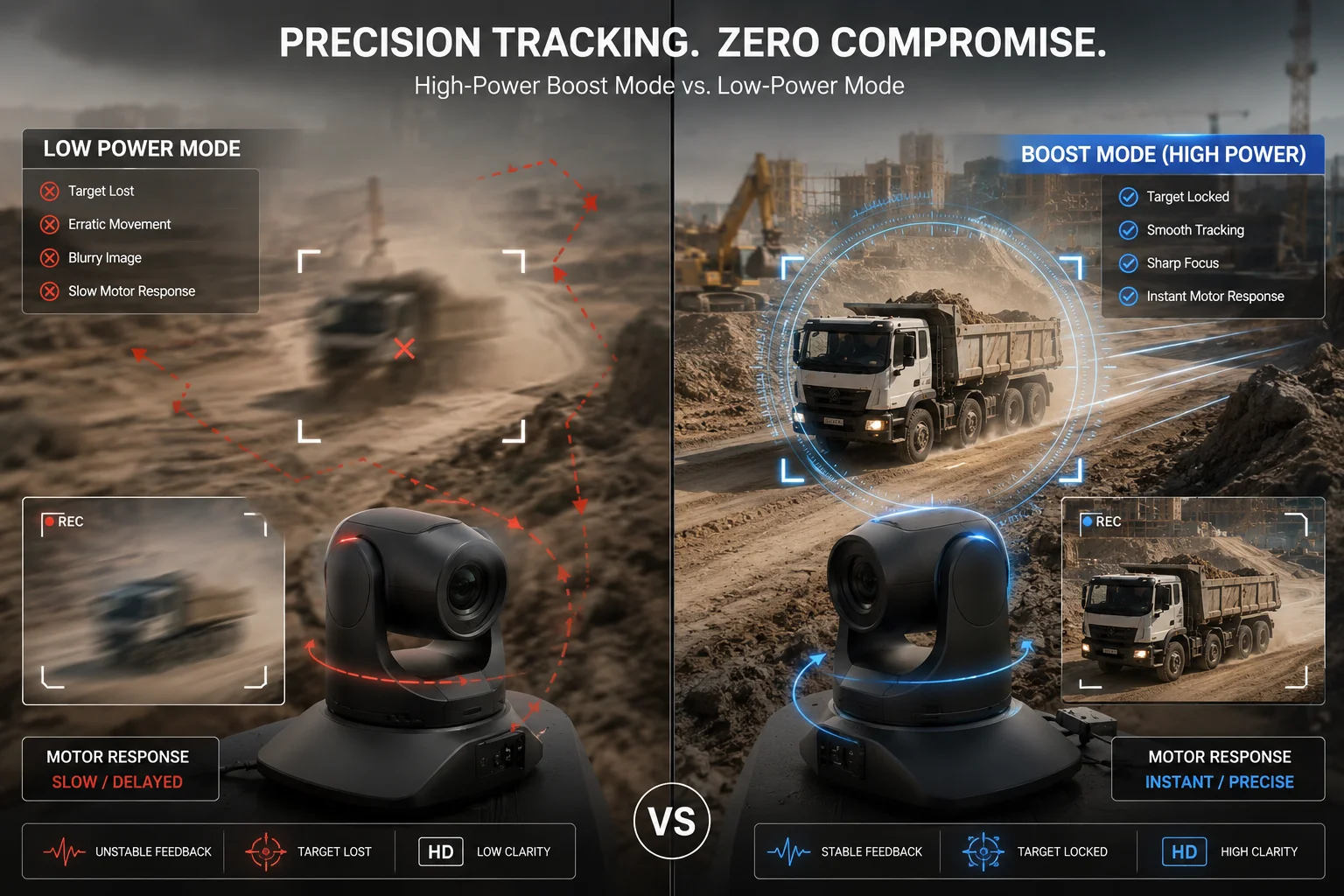
Tracking accuracy improves dramatically in High-Precision mode8.
Where the Accuracy Gains Come From
The improvement is not from one single factor. It is the combination of several systems all running at full capacity at the same time:
Factor 1: Frame-Rate and Prediction
At 30 fps, the AI tracker gets 6 times more data points per second than at 5 fps. More data means better motion prediction. The algorithm can calculate speed, direction, and acceleration with much higher confidence. When a target changes direction suddenly, the 30 fps tracker catches it within 1–2 frames (33–66 ms). The 5 fps tracker might not notice for 200 ms — by which time the target has left the frame.
Factor 2: Motor Response Speed
In Eco mode, the stepper motors receive reduced current to save power. This makes them slower to start and slower to stop. The result is overshoot — the camera pans past the target and has to correct back. In Boost mode, full current means:
- Faster acceleration (the camera starts moving sooner)
- Faster deceleration (the camera stops precisely on target)
- Less oscillation (fewer back-and-forth corrections)
Factor 3: Recognition Confidence Threshold
In Eco mode, the AI uses a lightweight model with lower confidence scores. To avoid false alarms, the system sets a high confidence threshold — meaning it ignores anything it is not very sure about. This causes missed detections. In Boost mode, the full model produces higher confidence scores naturally, so the threshold can stay the same while catching more real targets.
Real-World Performance Comparison
| Metric | Eco Mode (Low SoC) | High-Precision Mode (High SoC) |
|---|---|---|
| Target lock success rate | ~60% | >95% |
| Average time to lock (from detection) | 800 ms | 200 ms |
| PTZ overshoot frequency | 1 in 3 movements | 1 in 15 movements |
| Max trackable target speed | ~30 km/h | ~80 km/h |
| Re-acquisition after occlusion | Often fails | Succeeds ~90% of the time |
What This Means for Your Projects
If you are deploying cameras on a highway overpass or a construction site entrance where vehicles move fast, the difference between Eco and Boost mode is the difference between a useful system and a useless one. This is why I always tell integrators: size your solar panel and battery for the worst-case season, not the best. You want your cameras in Boost mode as many hours per day as possible — especially during the hours that matter most for your client’s security needs.
A Practical Tip
For sites where peak threat hours align with peak solar hours (like daytime construction theft), you are in luck — the system naturally performs best when you need it most. For sites where threats peak at night (like rural property intrusion), you need to ensure the daytime solar surplus fully charges the battery so the system can run in Balanced mode through the night rather than dropping to Ultra-Save before dawn.
Conclusion
Solar PTZ cameras do get smarter and faster when the sun is strong — but it is battery level, not the clock, that pulls the trigger. Size your power system right, and your AI runs at full strength exactly when it counts.
1. Learn how High-Precision Mode unlocks full AI and motor performance when energy is abundant. ↩︎ 2. This refers to the firmware strategy that adjusts AI throughput based on available energy. ↩︎ 3. Frame rate directly affects the smoothness and accuracy of AI tracking. ↩︎ 4. TOPS measures the raw compute performance of an NPU, critical for running complex AI models. ↩︎ 5. Continuous 360° patrol combines motor movement with AI analytics, consuming significant power. ↩︎ 6. The BMS monitors SoC and charge rate, feeding data that triggers mode changes. ↩︎ 7. Passive infrared sensors trigger the camera to wake from deep sleep for motion events. ↩︎ 8. Accuracy metrics such as lock success rate and re-acquisition after occlusion define system reliability. ↩︎