
I have seen too many installers open a box after overseas shipping, power on the PTZ camera1, and find every preset point is off by a few degrees. This is the hidden fault nobody warns you about.
The power-off memory2 function itself does not need recalibration. The software memory stays intact after transport. But physical vibration during long-distance shipping can shift the mechanical zero point of the PTZ gears and belts. This means the camera may return to a wrong physical position even though its stored data is correct. Professional PTZ cameras solve this with automatic self-calibration3 on every reboot.
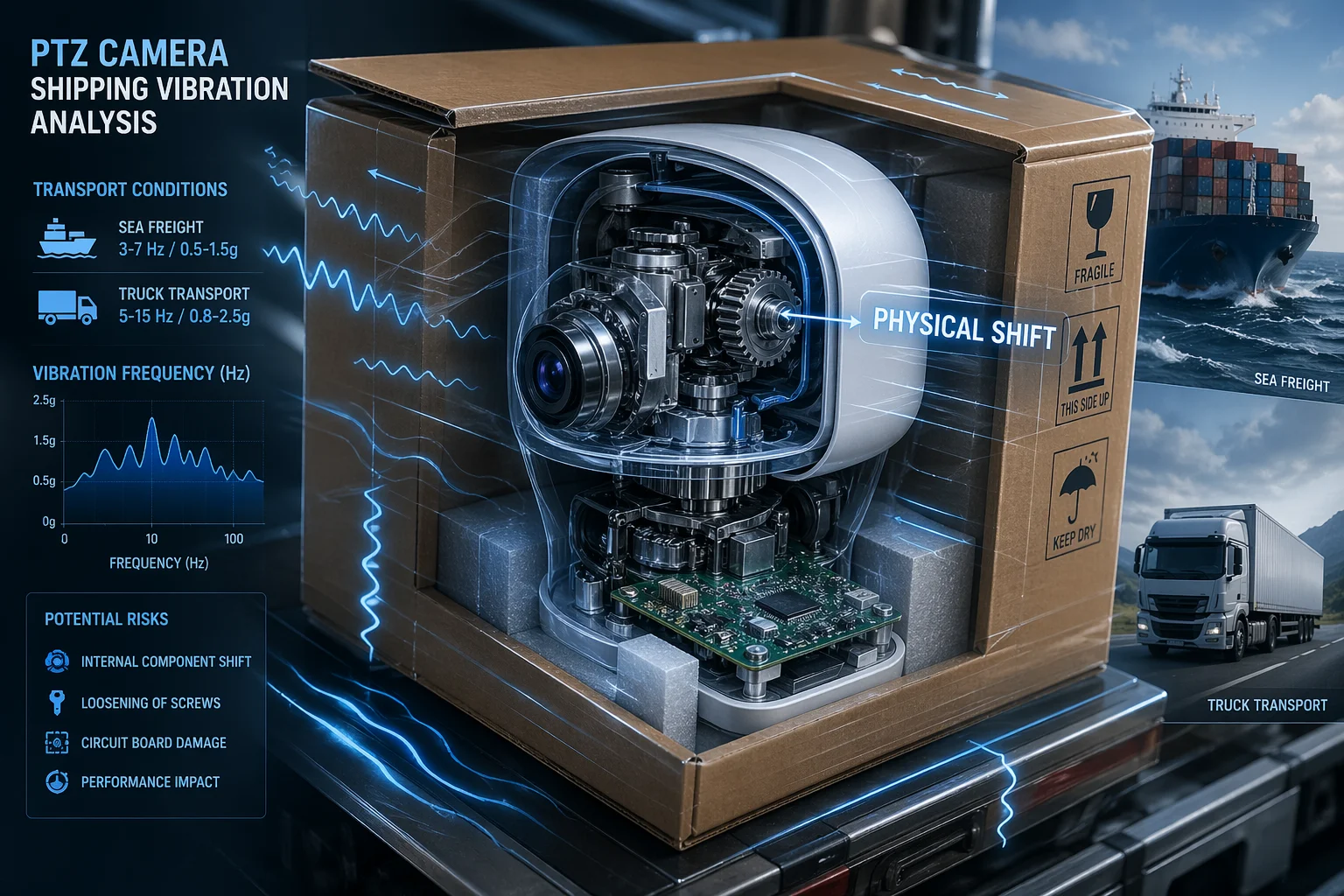
This sounds scary if you just ordered 200 units from China to a job site in Texas. But stay with me. I will break down exactly what happens inside your PTZ during shipping, how our cameras handle it, and what you can do to protect your investment. Every section below answers a real question from our engineering clients.
Table of Contents
How Does the PTZ Mechanism Protect Its Position Accuracy During Rough Shipping?
I get this question from almost every project manager who orders bulk shipments across the ocean. They spend thousands on freight, and they want to know their cameras will work on day one.
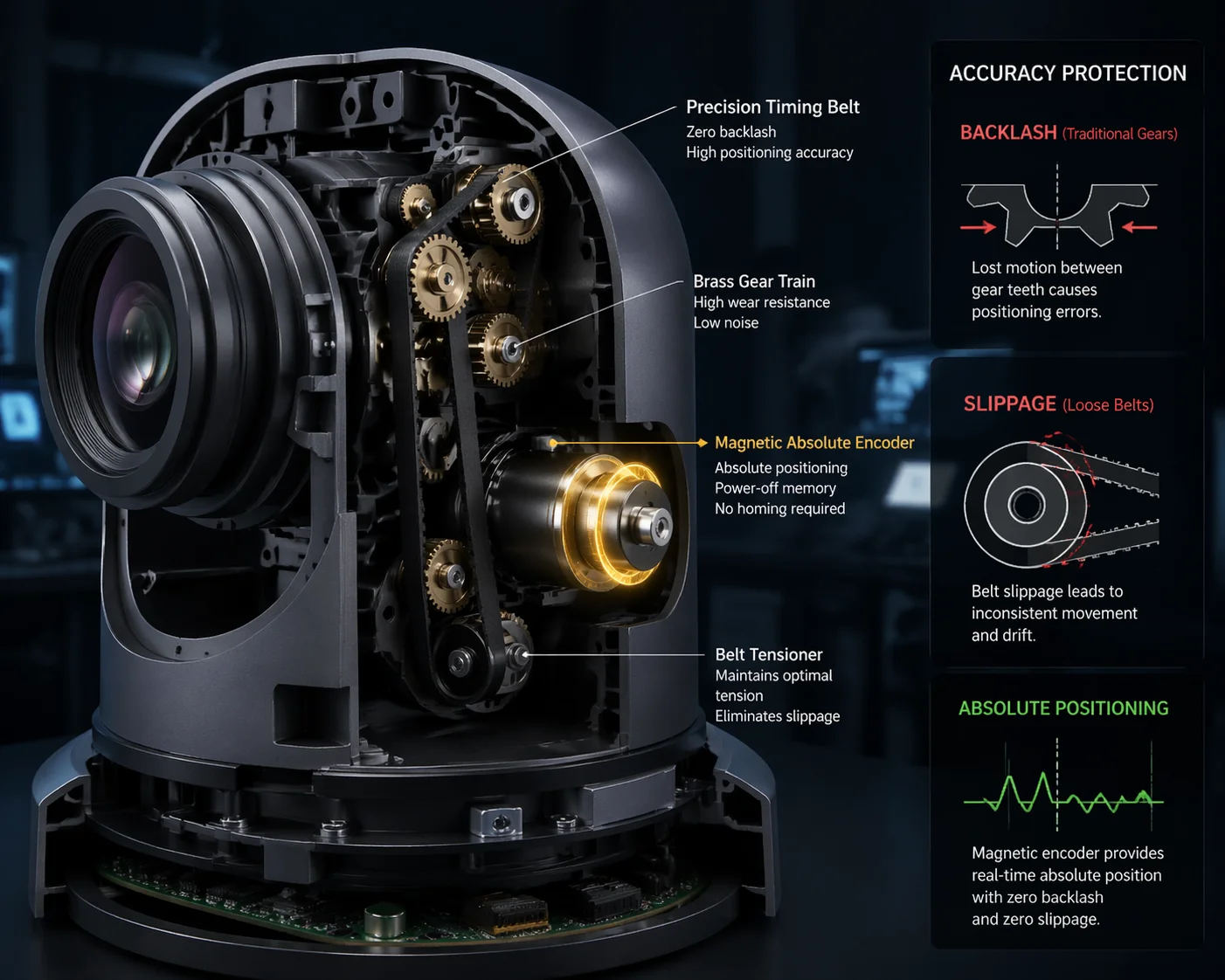
Professional PTZ cameras protect position accuracy during shipping through internal transport locks4, magnetic encoders5 for absolute position tracking, and boot-up self-calibration routines that re-sync the mechanical zero point every time the camera powers on.
The Real Problem: Gears, Belts, and Backlash
Let me explain what actually happens inside a PTZ camera during a bumpy truck ride or a 30-day sea voyage. The pan and tilt movements rely on small gears and timing belts6. These parts are precise, but they are mechanical. When your shipping container gets tossed around on a cargo ship, those gears can experience micro-slippage. The timing belt might skip by a fraction of a tooth. This is called “backlash.” It is the enemy of preset accuracy7.
The power-off memory stores a number. Think of it as a pulse count. The firmware8 says: “Preset 1 is at pulse 4,520 on the pan axis and pulse 1,200 on the tilt axis.” When the camera reboots, it drives the motor to those exact pulse counts. But if the belt slipped during shipping, pulse 4,520 no longer points at the same physical angle. The memory is perfect. The mechanics have shifted.
How Professional Cameras Fight This
There are two main approaches to solving this problem. Here is a side-by-side comparison:
| Protection Method | How It Works | Vibration Resistance | Cost Level |
|---|---|---|---|
| Transport Lock (Internal) | A physical pin or clamp locks the PTZ head in a fixed position during shipping | High — prevents any gear movement | Low |
| Magnetic Encoder (Absolute) | Records the actual physical angle, not cumulative pulses | Very High — immune to belt slip | Medium-High |
| Boot-Up Self-Calibration | Camera rotates to physical limit switches on power-on to find the true zero point | High — corrects any drift automatically | Included in firmware |
| Optical Coupler (Incremental) | Counts pulses from a starting point, no absolute reference | Low — loses accuracy if belt slips | Low |
At Loyalty-Secu, our industrial PTZ cameras combine magnetic encoders with a boot-up self-calibration protocol. Every time you power on the camera, it performs a full 360° pan sweep and a full tilt sweep. It hits the physical limit switches. It finds the real zero point. Then it applies the stored preset offsets from that verified zero. This means even after 10,000 kilometers of ocean shipping, your presets land within ±0.1° of the intended position.
What You Should Check Before Shipping
If you are a system integrator shipping cameras to remote job sites, ask your supplier three questions. Does the camera have internal transport locks? Does it use magnetic encoders or optical coupler9s? Does the firmware include a self-test routine10 on boot-up? These three answers will tell you everything about how much recalibration work waits for you at the other end.
Will My Camera Return to the Exact Preset Point After a Power Outage?
I have been in this industry since 2013. This is still the number one question I hear from engineers who deploy cameras in places with unstable power — solar sites, remote borders, construction yards.
Yes, a well-designed PTZ camera will return to the exact preset point after a power outage. The preset coordinates are stored in non-volatile memory11 that survives power loss. On reboot, the camera runs a self-calibration cycle to find its physical zero point, then drives to the stored preset position with high precision.

Non-Volatile Memory: What It Really Means
“Non-volatile” is a fancy term for a simple idea. It means the memory chip does not need electricity to hold data. Your presets, patrol routes, alarm settings, and calibration values are all saved on a small EEPROM or Flash chip inside the camera. Pull the power for five minutes or five months — the data stays.
This is different from RAM, which loses everything the moment power goes away. Every serious PTZ camera made in the last decade uses non-volatile storage for configuration data. So you do not need to worry about losing your settings.
The Boot-Up Sequence That Matters
The real question is not whether the camera remembers the preset. It does. The real question is whether the camera can accurately return to that physical position after a reboot. Here is the boot-up sequence12 our cameras follow:
Step-by-Step Self-Calibration Process
- Power on — the main processor initializes.
- Self-test — the camera checks all internal systems, including the motor drivers.
- Zero-point search — the PTZ head rotates to the physical limit switches or reads the magnetic encoder to establish the true mechanical zero.
- Offset application — the firmware reads the stored preset coordinates from non-volatile memory and calculates the distance from zero.
- Preset return — the motor drives to the correct position based on the verified zero point.
This whole process takes about 10 to 30 seconds. After that, your camera is looking exactly where it should be. No manual work needed.
Why Cheap Cameras Fail Here
I have tested many low-cost PTZ cameras over the years. Some of them skip step 3. They just power on and drive to the stored pulse count without verifying the zero point. If anything shifted — a power surge, a strong wind, a bird landing on the housing — the preset will be off. You will not notice until a client calls and says, “Your camera is watching the parking lot instead of the gate.”
This is why I always tell clients: the self-calibration step is not optional. It is the difference between a camera that works and a camera that causes callbacks. For our 4G solar PTZ systems, power outages happen every night when the battery runs low. The camera must recover on its own every single morning. That is the real test of power-off memory combined with self-calibration.
Can I Remotely Recalibrate the PTZ Coordinates if the View Has Shifted?
Last year, one of my clients in Canada had 40 cameras deployed along a pipeline. After a winter storm, three cameras had shifted views. He could not send a technician to each site — the nearest one was 200 kilometers away. He needed a remote fix.
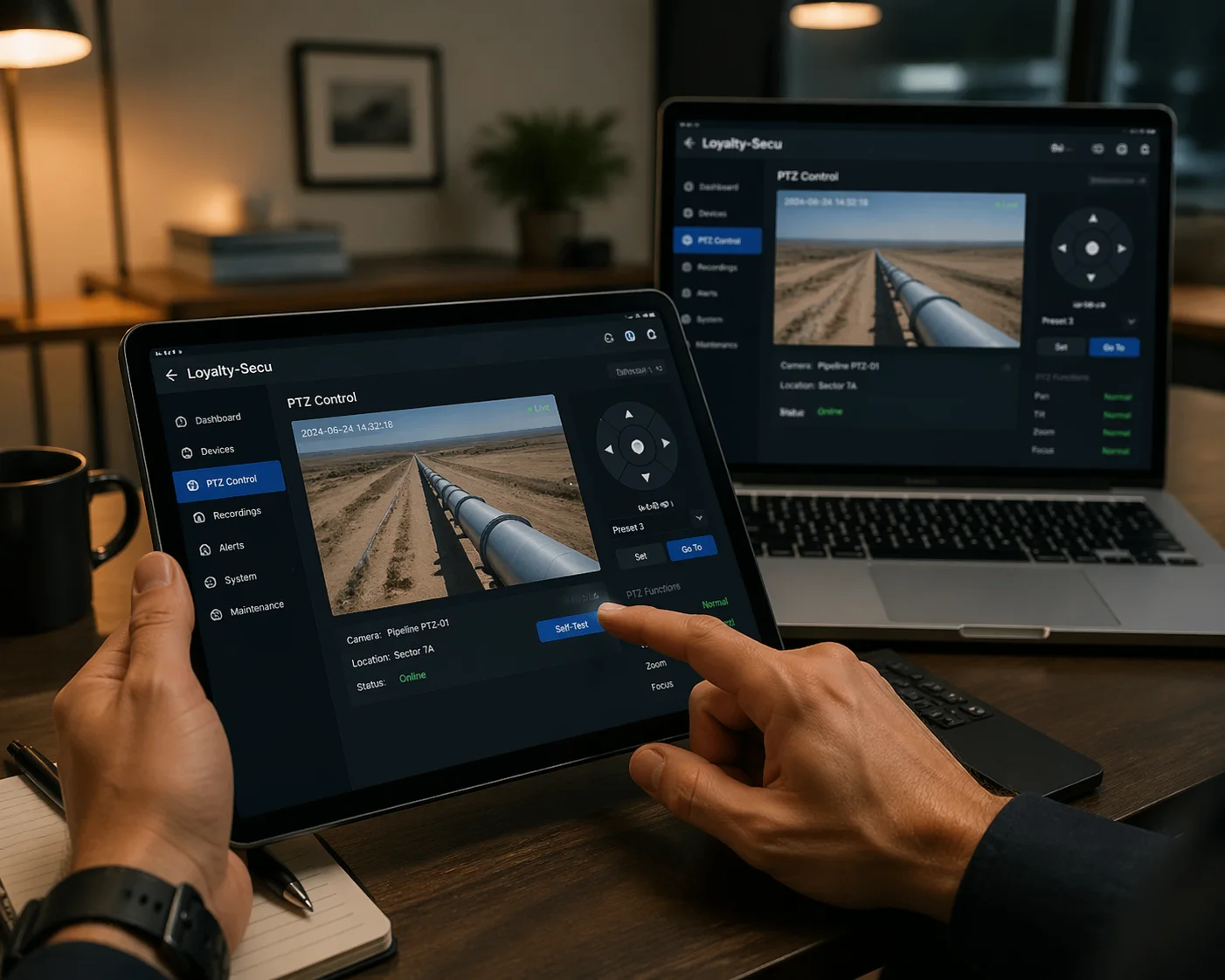
Yes, you can remotely recalibrate PTZ coordinates through the camera’s web interface or your VMS platform. You can adjust preset positions, run a manual self-calibration, and save new coordinates — all without touching the camera physically. This saves significant labor costs on remote deployments.
Remote Access Options
Most professional PTZ cameras support several ways to access and recalibrate from a distance. Here is a quick comparison:
| Remote Access Method | Requirements | Best For | Limitations |
|---|---|---|---|
| Camera Web Interface | Direct IP or VPN access to camera | Quick single-camera adjustments | Need to know camera IP; one camera at a time |
| VMS Software (Milestone, Blue Iris) | Camera connected to VMS server | Managing many cameras at once | Requires VMS license and setup |
| 4G/LTE Remote Management | SIM card in camera, cloud platform | Off-grid and solar-powered sites | Depends on cellular coverage |
| ONVIF Protocol Commands | Any ONVIF-compatible client | Cross-brand compatibility | Limited to ONVIF-supported functions |
How to Recalibrate Remotely: A Practical Guide
Here is what I recommend to clients when a camera’s view has shifted after a storm, a heavy vibration event, or a long period without power.
Step 1: Verify the Shift
Log into the camera or VMS. Go to Preset 1 and call it. Look at the live view. Is the target — a gate, a door, an intersection — still centered in the frame? If it is off by more than a few pixels, you need to recalibrate.
Step 2: Run a Manual Self-Calibration
Most of our cameras have a “PTZ Self-Test” button in the web interface under the PTZ settings page. Click it. The camera will perform the same zero-point search it does on boot-up. This often fixes minor drifts caused by wind, vibration, or temperature changes.
Step 3: Adjust and Re-Save Presets
If the self-test does not fully fix the issue, manually drive the camera to the correct position using the PTZ controls in the web interface. Then save that position as the new preset. This overrides the old coordinates.
Step 4: Verify All Presets
Do not stop at Preset 1. Check every preset and every patrol route. If one shifted, others might have shifted too.
For our 4G solar PTZ systems, all of this can be done through a cloud management platform on your phone. No VPN needed. No laptop needed. Just open the app, adjust, save, done. When your camera is sitting on top of a wind turbine or in the middle of a farm, this is not a luxury. It is a necessity. The ability to fix a shifted view from your office chair can save you thousands of dollars in truck rolls and technician time.
What Is the Deviation Tolerance for My Camera’s Preset Points Over Time?
I remember a government project bid where the specification required ±0.05° preset accuracy over 5 years. The procurement officer asked me point-blank: “Can your camera guarantee that?” This question separates professional-grade equipment from consumer toys.
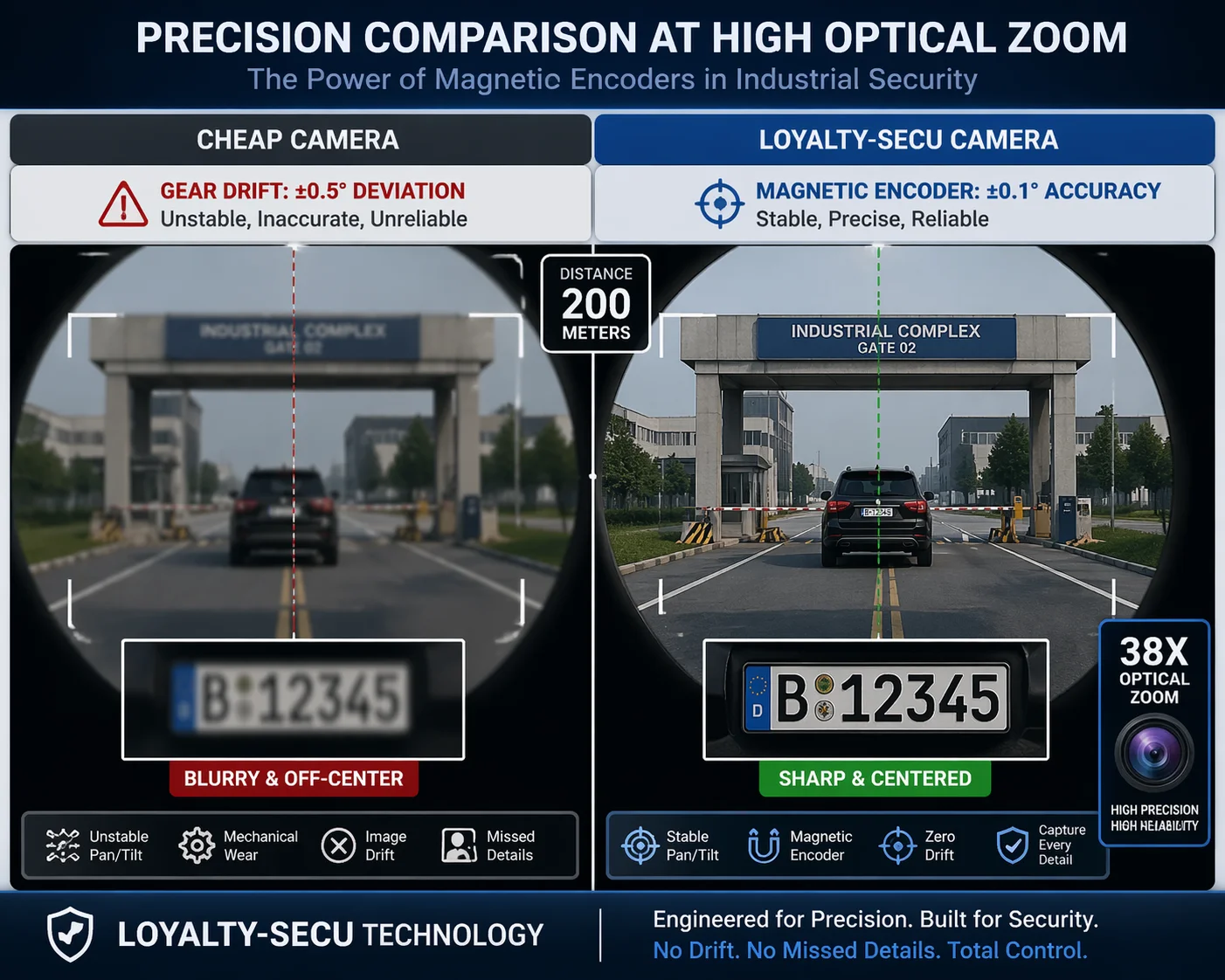
For professional PTZ cameras with magnetic encoders and self-calibration, the typical deviation tolerance13 is ±0.1° or better under normal conditions. Over time, mechanical wear may increase this slightly, but regular self-calibration on every reboot keeps the drift within acceptable limits for security applications.
What Causes Preset Drift Over Time?
Preset accuracy does not stay perfect forever. Several factors cause it to degrade slowly.
Mechanical Wear Factors
- Gear tooth wear — thousands of rotations per day gradually wear down the gear teeth, creating small gaps.
- Belt stretch — timing belts made of rubber or composite materials stretch over months and years of use.
- Bearing degradation — the bearings that support the pan and tilt shafts develop play over time.
- Temperature cycling — metal parts expand and contract with daily temperature changes. This creates micro-movements in the mechanical assembly.
All of these factors are normal. They happen in every PTZ camera, no matter the brand or the price. The question is: does your camera have a way to compensate for them?
Encoder Type Makes the Biggest Difference
I cannot stress this enough. The type of encoder inside your PTZ camera is the single biggest factor in long-term preset accuracy. Here is why:
| Encoder Type | Position Tracking | Drift Over Time | Self-Correction | Best Application |
|---|---|---|---|---|
| Optical Coupler (Incremental) | Counts pulses from zero; loses count if belt slips | High — cumulative errors build up | No — errors are permanent until manual reset | Low-cost residential cameras |
| Magnetic Encoder (Absolute) | Reads actual shaft angle at all times | Very Low — each reading is independent | Yes — every position check is fresh | Industrial, government, critical infrastructure |
| Hall Effect Sensor | Detects magnet position on shaft | Medium — limited resolution | Partial — coarse correction only | Mid-range commercial cameras |
A magnetic encoder reads the actual physical angle of the shaft every time it is asked. It does not care what happened before. It does not accumulate errors. Even if the belt slipped, even if the gears wore down, the encoder reports the true angle. The firmware then adjusts the motor drive to compensate. This is why magnetic encoders are the gold standard for any PTZ camera going into a project where you cannot send a technician every month.
Real-World Numbers from Our Factory Testing
In our factory, we run a 30-day continuous stress test on every PTZ model before release. The camera cycles through 16 presets, 24 hours a day. After 30 days — that is over 40,000 preset calls — we measure the deviation.
Our magnetic encoder models consistently show less than ±0.1° deviation. Our optical coupler models for budget product lines show ±0.3° to ±0.5° deviation. For a camera with a 38X zoom at full telephoto, ±0.5° can mean the difference between capturing a license plate and missing it entirely.
So when someone like David asks me, “What is the tolerance?” — my answer is always: “Tell me your zoom level and your target distance. Then I will tell you which encoder you need.” At 200 meters with 38X zoom, ±0.1° keeps your target in frame. At ±0.5°, you are looking at the wrong car. This is not a guess. This is math. And getting it wrong means your client fails their acceptance test.
Conclusion
Power-off memory does not need recalibration after vibration, but your PTZ mechanics might. Choose cameras with magnetic encoders, boot-up self-calibration, and remote access14 — they eliminate field recalibration entirely.
-
Explore top-rated PTZ cameras that ensure high precision and reliability for your security needs. ↩
-
Learn about the technology behind power-off memory and its importance in camera performance. ↩
-
Discover how self-calibration enhances the accuracy and reliability of PTZ cameras. ↩
-
Learn how transport locks protect your camera during shipping and ensure accuracy. ↩
-
Find out how magnetic encoders improve position tracking in PTZ cameras. ↩
-
Discover the role of timing belts in the mechanical operation of PTZ cameras. ↩
-
Understand the factors influencing preset accuracy to make informed purchasing decisions. ↩
-
Learn how firmware impacts camera functionality and performance. ↩
-
Understand the role of optical couplers and their limitations in camera accuracy. ↩
-
Find out how self-test routines ensure camera functionality and reliability. ↩
-
Explore the benefits of non-volatile memory for storing camera settings securely. ↩
-
Explore the critical boot-up sequence that ensures camera accuracy after power loss. ↩
-
Understand deviation tolerance and its impact on camera performance over time. ↩
-
Explore various remote access methods to manage your PTZ cameras efficiently. ↩