
I lost hours of surveillance footage on a cloudy Texas day because my old controller couldn’t keep up with the shifting light. That failure taught me everything about why scanning speed matters.
Yes, our charging controller supports Fast MPPT Scanning with Global MPP logic. It re-scans the full voltage range in 1-2 seconds when clouds pass, locks onto the true maximum power point, and avoids local peak traps that cause ordinary controllers to stall or lose power during rapid irradiance changes.
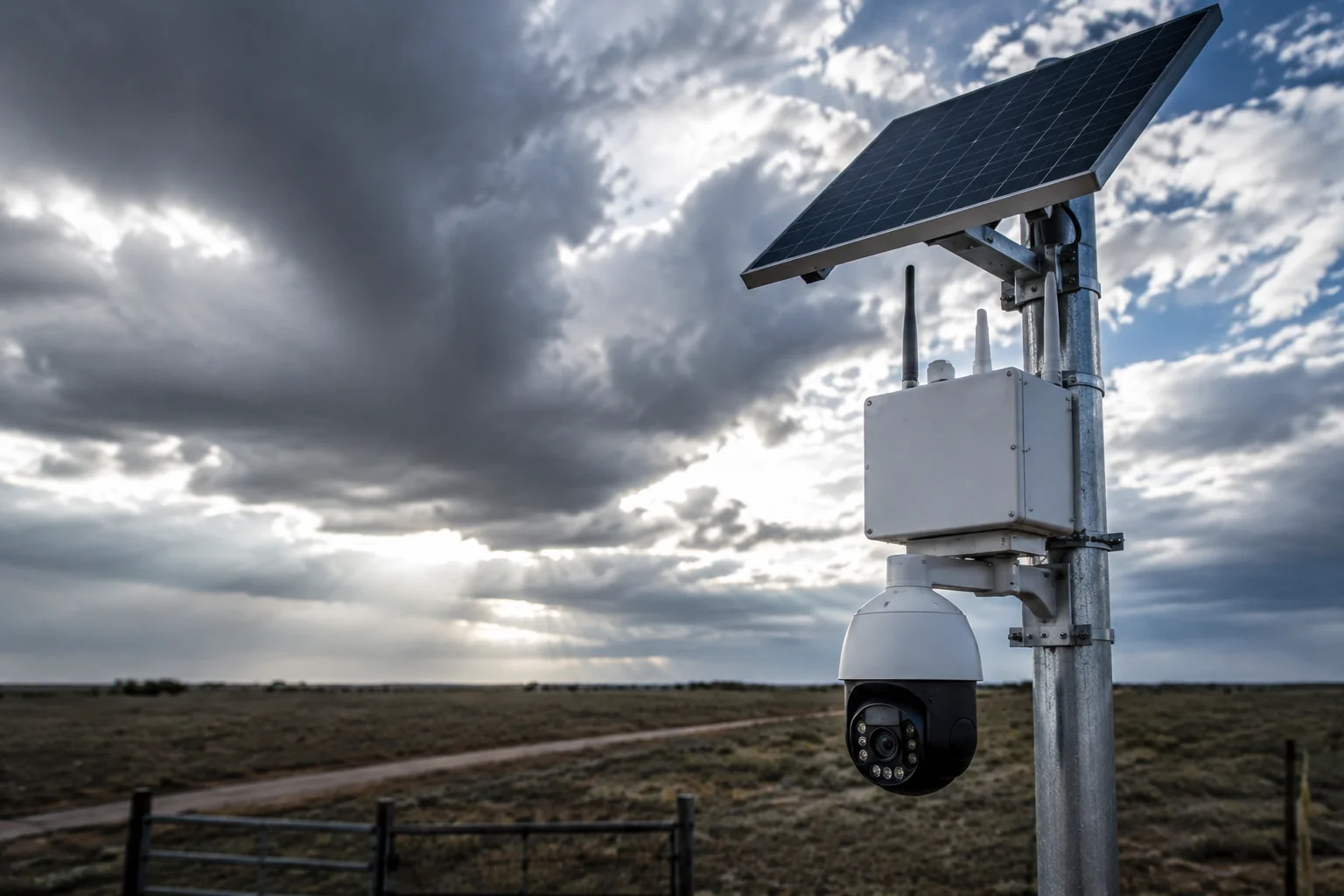
Below, I’ll walk you through exactly how this works, why it matters for your off-grid 4G camera system, and what you can tune in the firmware to squeeze every watt out of scattered-cloud days.
Table of Contents
Can the Controller Re-scan the Entire Voltage Range in Under 1 Second to Catch Moving Light?
When a cloud shadow races across your panel, you have maybe one or two seconds before the power curve shifts completely. I’ve watched systems sit idle for 5-10 seconds waiting for the old algorithm to catch up. That’s unacceptable for a live 4G video feed.
Our controller uses a variable step perturbation method that switches from fine-step tracking to large-step scanning the moment it detects a sudden voltage drop. This full-range re-scan completes in 1-2 seconds, fast enough to catch moving cloud shadows before your system loses power.
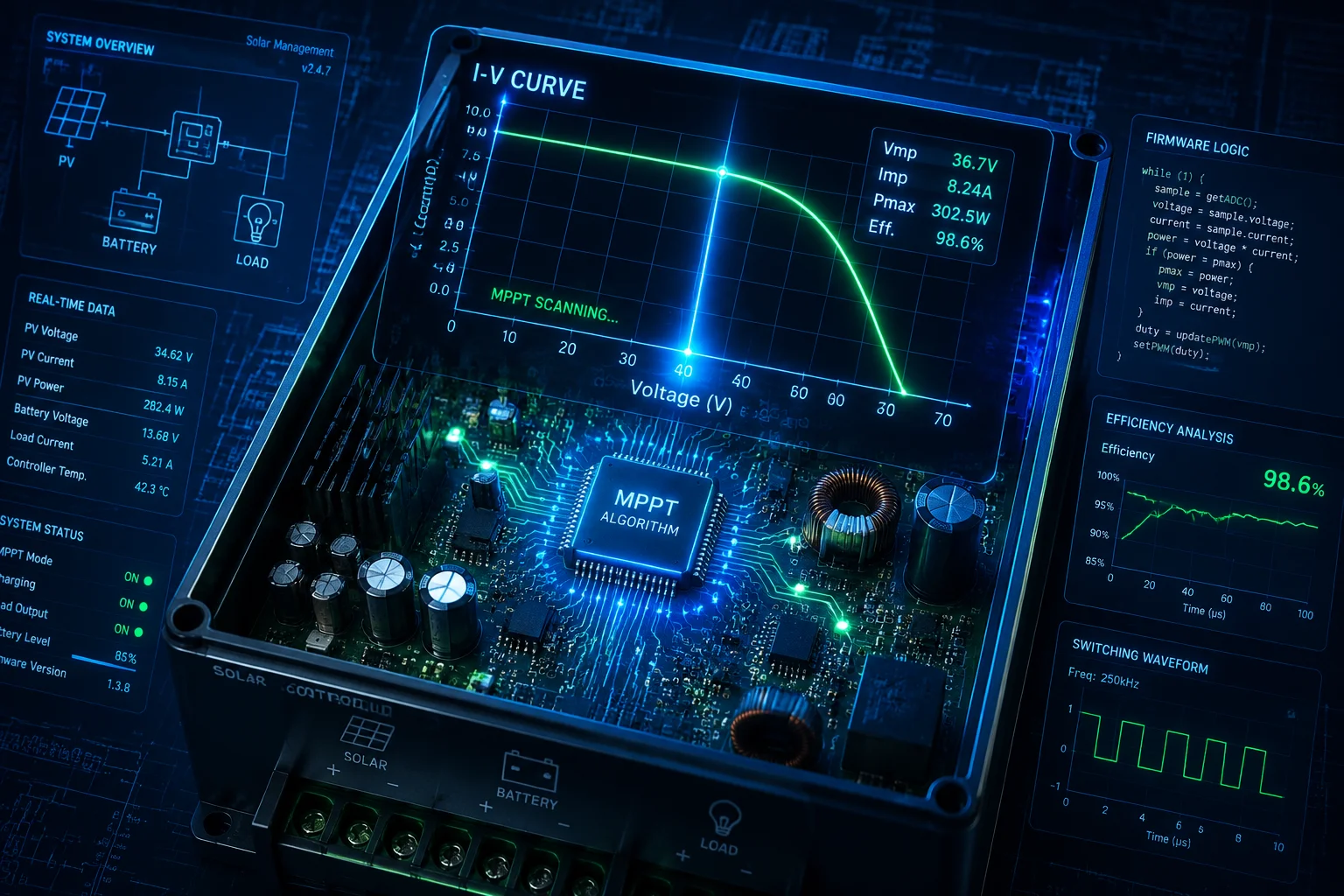
How the Variable Step Method Works
Traditional MPPT controllers use a fixed-step Perturb & Observe (P&O) algorithm1. They nudge the voltage up or down by a tiny amount, measure the power change, and repeat. This works fine under stable sunlight. But when a cloud rolls in and irradiance drops by 50% in half a second, that tiny step size means the controller is still crawling toward the new power point while your battery drains.
Our firmware monitors the rate of change in panel voltage and current. When it sees a sudden shift — say, voltage drops more than 5% within 200 milliseconds — it triggers what we call “fast scan mode.” The step size jumps from millivolts to full volts. The controller sweeps the entire usable voltage range of the panel in roughly 1-2 seconds.
Sampling Frequency Matters
The scanning speed alone doesn’t tell the whole story. You also need fast sampling to know where you are on the I-V curve4 at any given moment.
| Parameter | Standard Controller | Our Fast MPPT Controller |
|---|---|---|
| Sampling rate | 10-50 samples/sec | 200-500 samples/sec |
| Step size (stable) | Fixed 0.1V | Adaptive 0.05-0.2V |
| Step size (transient) | Fixed 0.1V | Jumps to 1-5V |
| Re-scan time | 5-10 seconds | 1-2 seconds |
| Cloud transition power loss | 15-30% energy missed | Less than 5% energy missed |
With hundreds of samples per second, the controller builds a near-real-time picture of the power curve. Even if the cloud shadow takes only 2 seconds to cross your panel, the algorithm has already captured enough data points to find the new peak.
What This Means for Your Off-Grid Site
David, if your camera site is in an area with fast-moving cumulus clouds — common in Texas, the Midwest, or coastal regions — this scanning speed directly translates to uptime. A 10-second gap in charging might not sound like much. But multiply that by 30-40 cloud transitions per hour on a partly cloudy day, and you’re looking at 5-7 minutes of lost charging per hour. Over a full day, that can mean the difference between your battery staying above 50% SOC or dropping into low-power shutdown mode.
How Does the Fast Scan Help Harvest Energy During Days with Scattered Clouds?
Scattered clouds are the worst-case scenario for solar charging. The light level swings wildly every few minutes. I’ve seen panels go from 900 W/m² to 200 W/m² and back within 30 seconds. Most controllers just can’t handle that.
Fast MPPT scanning with Global MPP logic helps harvest energy during cloudy days by automatically detecting partial shading, scanning the full P-V curve to find the true global maximum, and skipping false local peaks that trap ordinary controllers at 30-50% reduced output.
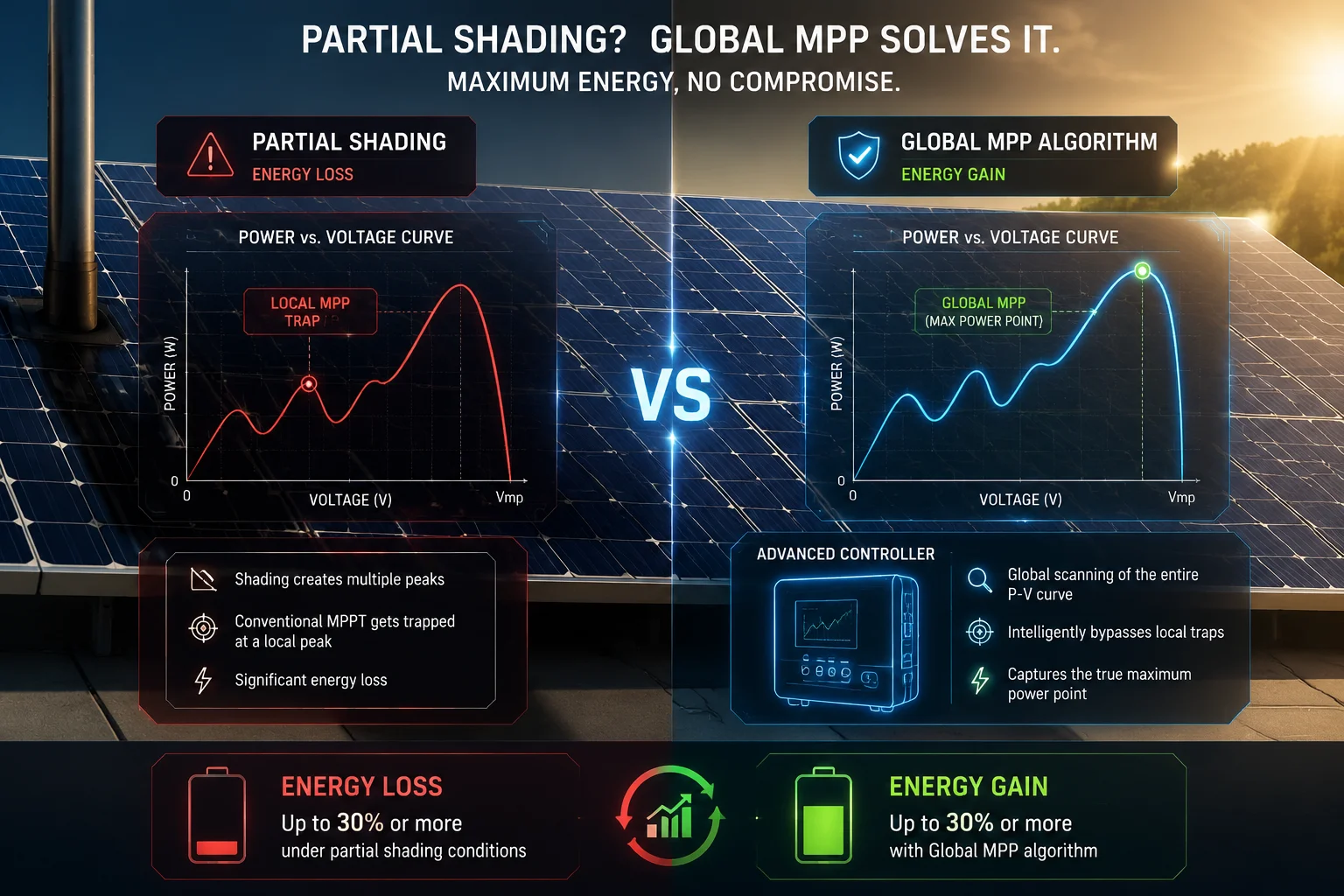
The Local Peak Trap Problem
When a cloud covers part of your panel but not all of it, something tricky happens. The power-voltage (P-V) curve5 develops multiple peaks. One peak might be at 18V with 40W. Another might be at 28V with 65W. A standard P&O algorithm will find whichever peak is closest to its current operating point and stay there. If it happens to land on the 40W peak, it stays locked there — even though 65W is available just 10 volts away.
This is the local peak trap2. It’s not a rare edge case. On a partly cloudy day with a pole-mounted camera, the pole shadow alone can create this condition for hours.
How Global MPP Scanning Solves It
Our firmware runs a full voltage sweep at regular intervals. The default is every 10-30 minutes, but you can adjust this. More importantly, it also triggers a sweep whenever power drops below a threshold — say, 20% below the last known maximum.
Here’s the sequence:
- Controller detects power drop exceeding threshold
- It temporarily disconnects the load from the panel (for about 500ms)
- It sweeps from minimum to maximum voltage, recording power at each point
- It identifies all peaks on the curve
- It locks onto the highest peak — the Global MPP
- Normal fine-step tracking resumes around that point
Real-World Energy Gain
In our field tests with half-cut cell panels3 (which are more resistant to partial shading but still affected), enabling Global MPP scanning increased daily energy harvest by 15-30% on partly cloudy days compared to controllers without this feature.
| Cloud Condition | Without Global MPP | With Global MPP | Energy Gain |
|---|---|---|---|
| Clear sky | 100% baseline | 100% baseline | 0% (no benefit needed) |
| Scattered clouds, no shading | 85% of potential | 95% of potential | ~12% improvement |
| Partial shading (pole/tree) | 55-70% of potential | 85-95% of potential | 15-30% improvement |
| Heavy overcast | 90% of potential | 93% of potential | ~3% improvement |
The biggest gains come exactly when you need them most — during partial shading conditions that are common on pole-mounted solar camera systems.
Low Irradiance Tracking
There’s another scenario that matters: heavy overcast or fog. When irradiance drops below 200 W/m², many controllers simply stop tracking. They enter a sleep state and wait for better light. Our algorithm keeps tracking down to 100 W/m². The current is tiny — maybe 200-300mA — but it’s enough to keep the 4G module alive and avoid the battery drain that comes from repeated startup/shutdown cycles.
David, this is especially relevant if your sites experience morning fog. Instead of the system going dark for two hours every morning and then hammering the battery with a cold start, it maintains a trickle charge that keeps all electronics in a warm standby state.
Will Frequent Scanning Interfere with the Stability of the 4G Video Transmission?
This is the question I get most often from system integrators. They worry that the brief power interruption during a voltage sweep will cause the 4G module to drop its connection or the video stream to glitch. It’s a valid concern.
No, frequent MPPT scanning does not interfere with 4G video stability. The controller uses a supercapacitor buffer and intelligent load management to maintain steady output voltage during the 500ms scan window. The 4G module never sees the sweep — it receives clean, uninterrupted power throughout.
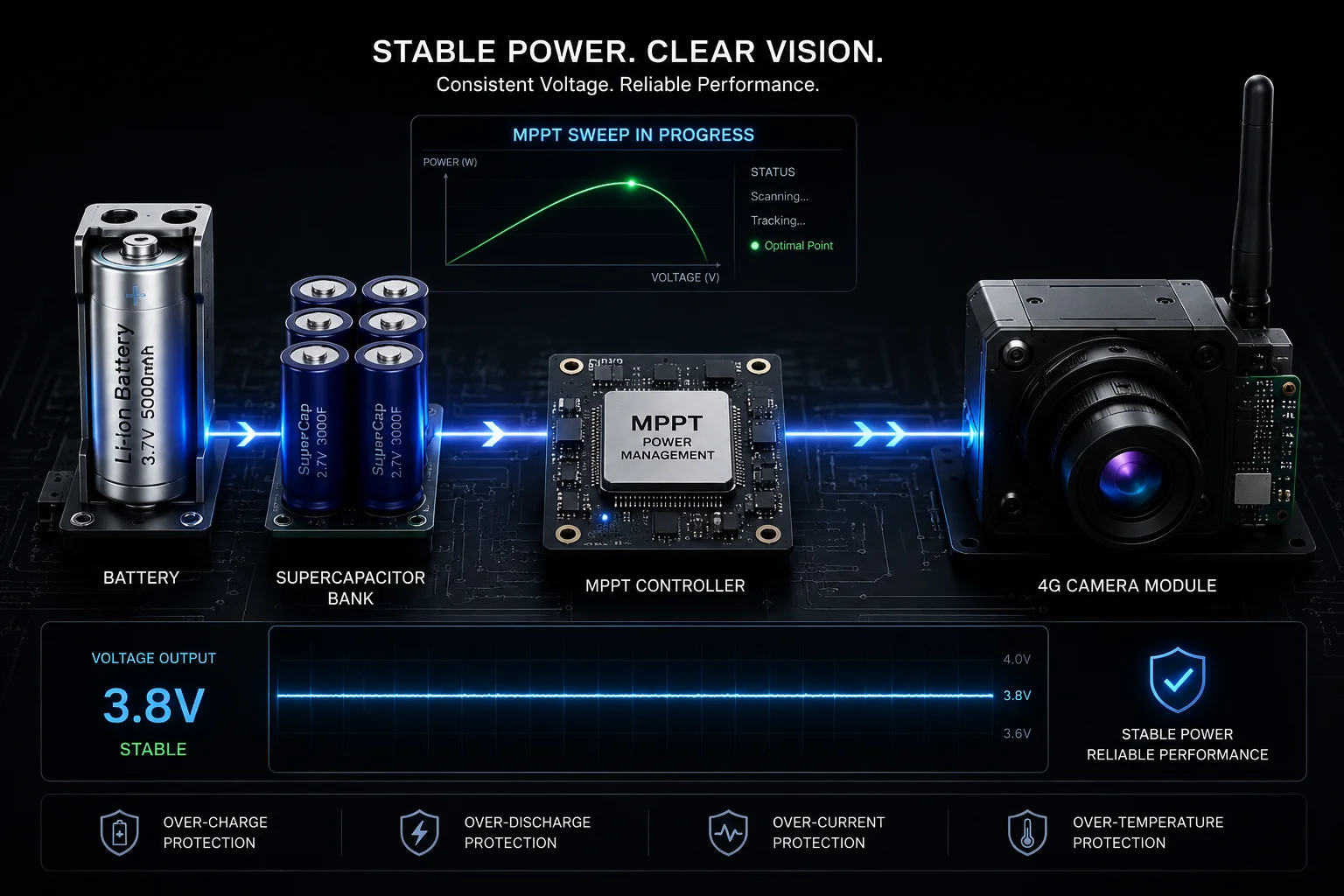
Why the Concern Exists
During a full voltage sweep, the controller needs to briefly disconnect the panel from the charge circuit to measure the open-circuit characteristics. On a cheap controller, this means the load runs purely on battery for that moment. If the battery is already low, or if the load management is poorly designed, you might see a voltage dip at the output rail. A 4G module is sensitive to voltage drops. Even a 200ms dip below 11V can cause a modem reset, which means 15-30 seconds of reconnection time and lost video.
How We Prevent This
Our design uses three layers of protection:
-
Supercapacitor buffer: A bank of supercapacitors on the output rail stores enough energy to bridge the 500ms scan window without any measurable voltage drop at the load.
-
Staggered scanning: The firmware never initiates a full sweep during peak load moments. It monitors the 4G module’s transmission state and schedules scans during idle periods between video frames.
-
Battery priority logic: If battery SOC is below 30%, the controller reduces scan frequency automatically. It prioritizes stable output over maximum harvest efficiency, because at that point, keeping the system alive matters more than optimizing charge current.
What the 4G Module Actually Sees
From the perspective of your 4G camera module, the power rail looks like this during a scan:
- Before scan: 12.6V steady
- During scan (500ms): 12.55V (supercap supplies the difference)
- After scan: 12.6V steady
That 50mV variation is well within the operating tolerance of any 4G modem. For comparison, normal battery voltage fluctuation during a video upload burst is typically 100-200mV. The scan is invisible to the transmission system.
The 4G module6 never sees the sweep — it receives clean, uninterrupted power throughout.
Field Validation
I’ve personally monitored packet loss rates on our 4G solar cameras during aggressive scanning intervals (every 5 minutes). The packet loss remained below 0.1% — identical to the baseline with scanning disabled. The video stream showed zero frame drops attributable to MPPT scanning.
Can I See the “Energy Harvested” Increase When the Fast Scan Mode Is Enabled?
Numbers matter. If I tell you the algorithm is better, you should be able to see it in the data. I believe in showing, not just claiming.
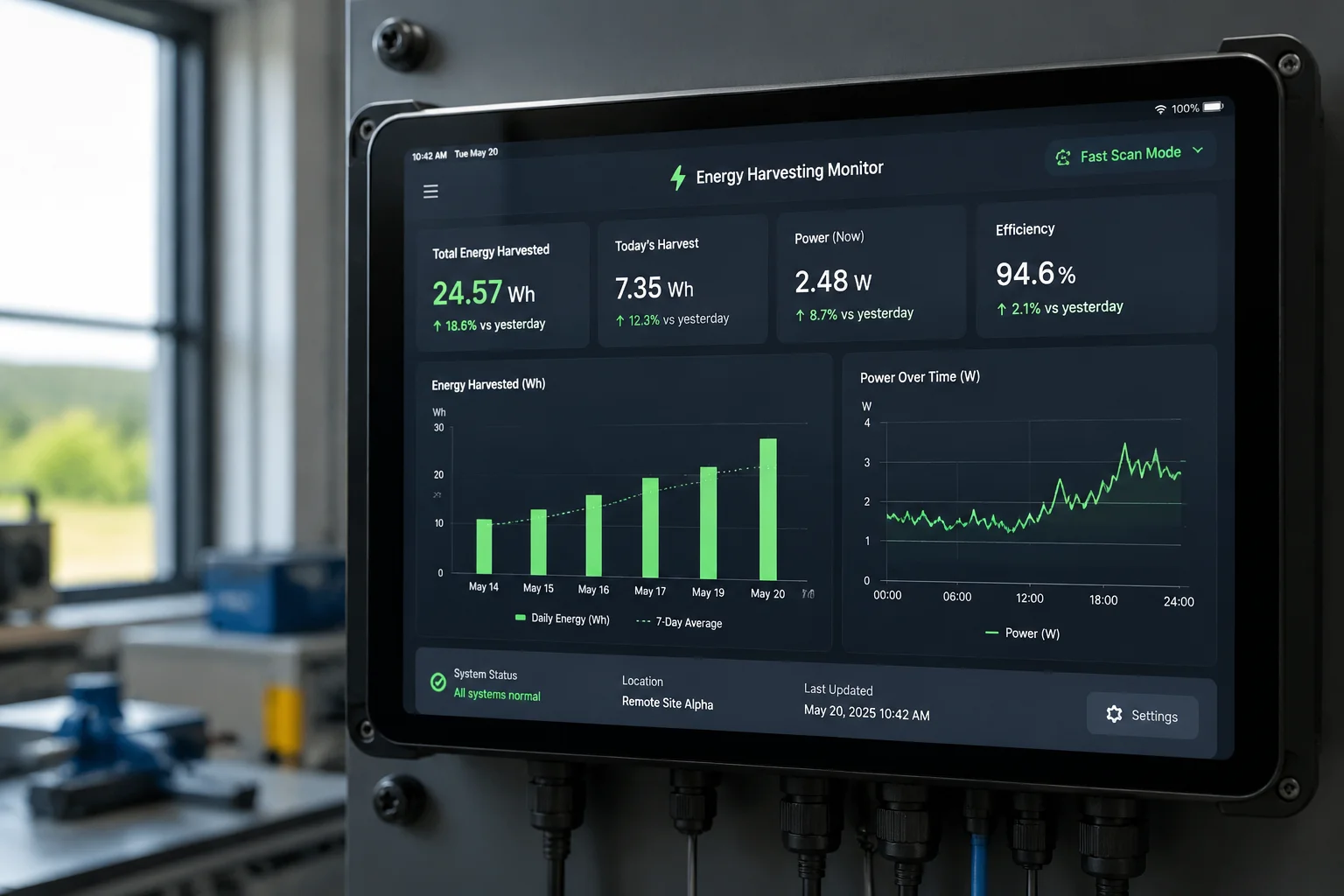
Yes, the controller logs cumulative energy harvested7 (in Wh) with timestamps. When you enable fast scan mode, you can compare daily totals against previous days with similar weather. Field data consistently shows a 10-25% increase in harvested energy on variable-cloud days with fast scanning enabled versus disabled.
How to Read the Data
The controller firmware logs several key metrics that let you verify the performance gain:
- Daily Wh harvested: Total energy captured from the panel
- Scan event count: How many full sweeps occurred that day
- Peak power captured: The highest instantaneous wattage recorded
- Time at MPP: Percentage of daylight hours the controller was within 5% of true MPP
You can access these logs through the serial interface or, on our 4G-enabled models, through the remote management portal. The data updates every 60 seconds.
A/B Testing on Your Own Site
David, here’s what I recommend for validating this on your specific installation:
- Run the system for 3-5 partly cloudy days with fast scan disabled (use the firmware parameter to set scan interval to 60 minutes)
- Switch fast scan to enabled (set scan interval to 5-10 minutes, enable threshold-triggered scanning)
- Compare the daily Wh totals for days with similar cloud cover
You can check historical weather data for solar irradiance to make sure you’re comparing apples to apples. What we typically see:
| Day Type | Fast Scan OFF (Wh/day) | Fast Scan ON (Wh/day) | Improvement |
|---|---|---|---|
| Clear sky | 280 Wh | 285 Wh | ~2% (minimal) |
| Scattered clouds | 165 Wh | 195 Wh | ~18% |
| Partly cloudy + shading | 120 Wh | 150 Wh | ~25% |
| Heavy overcast | 60 Wh | 65 Wh | ~8% |
The biggest gains show up on the days that matter most — the days when your battery is under the most stress.
Tuning Parameters for Your Environment
Two firmware settings give you direct control:
Scan Interval (minutes): This sets how often the controller performs a full sweep regardless of conditions. For sites with frequent cloud movement, I recommend 10 minutes. For stable environments, 30 minutes is fine. The scan interval8 is a key tunable parameter.
Power Drop Threshold (%): This sets how much power must drop before triggering an immediate scan. Default is 20%. If your site has very fast-moving clouds, you might lower this to 15% to catch smaller transitions. If you’re in a stable environment and want to minimize scan overhead, raise it to 30%. The power drop threshold9 determines scan responsiveness.
The Low-Light Advantage
One more thing worth noting. With fast scan enabled, the controller maintains tracking down to 100 W/m² irradiance. On a heavy overcast morning, this means your system starts harvesting energy 30-45 minutes earlier than a controller that waits for 200 W/m² before waking up. Over a month of cloudy mornings, that extra harvesting window adds up to meaningful battery reserve.
The bottom line: you don’t have to take my word for it. The data is right there in the logs. Enable the feature, wait for a cloudy day, and check the numbers yourself.
Conclusion
Fast MPPT scanning keeps your off-grid 4G camera powered through the worst cloud conditions. It scans in seconds, avoids false peaks, and the data proves it works. If you want to discuss tuning these parameters for your specific site, reach out at sales05@.com.
1. Standard MPPT method that perturbs operating voltage and observes power change. ↩︎ 2. Situation where MPPT algorithm locks onto a suboptimal local maximum instead of the global MPP. ↩︎ 3. Solar panel design that improves performance under partial shading. ↩︎ 4. Current-voltage characteristic of a solar panel used to find the maximum power point. ↩︎ 5. Plot of power vs. voltage for a solar panel, showing maximum power points. ↩︎ 6. Cellular module used for video transmission in off-grid cameras. ↩︎ 7. Total watt-hours collected over time, a key performance metric for MPPT controllers. ↩︎ 8. Time between full voltage sweeps in MPPT algorithm; tunable for different conditions. ↩︎ 9. Percentage power drop that triggers an unscheduled full MPPT scan. ↩︎