
I lost critical evidence once because my camera only started recording after the alarm fired. The intruder was already halfway across the yard. That moment changed how I think about pre-recording.
Yes, our AI cameras fully support pre-record. This feature uses a loop buffer in RAM to save 5 to 10 seconds of video before an AI alarm triggers. When the camera detects a person, vehicle, or line-crossing event, it locks that buffered footage and joins it with the post-alarm clip. You get one complete file that shows what happened before and after the alert.
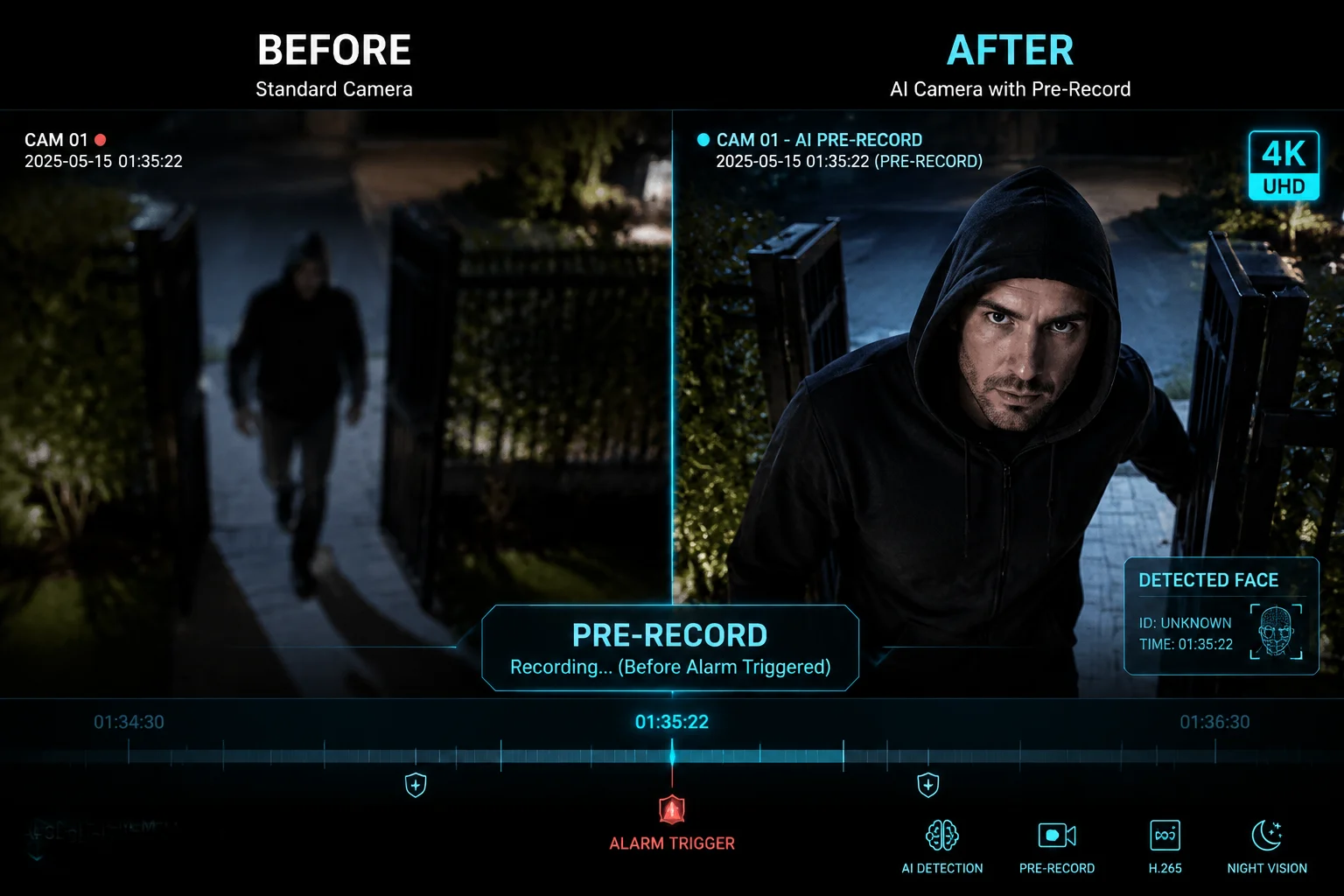
Below, I break down the most common technical questions I get from integrators and engineers about how pre-recording actually works under the hood. If you deploy cameras in off-grid or 4G environments, you will find the power and bandwidth sections especially useful.
Table of Contents
How Does the Internal RAM Buffer Manage Continuous 4K Pre-Recording Without Overheating?
I hear this question a lot from engineers who run 4K cameras in hot outdoor enclosures. They worry the constant buffering will push the SoC past its thermal limit.
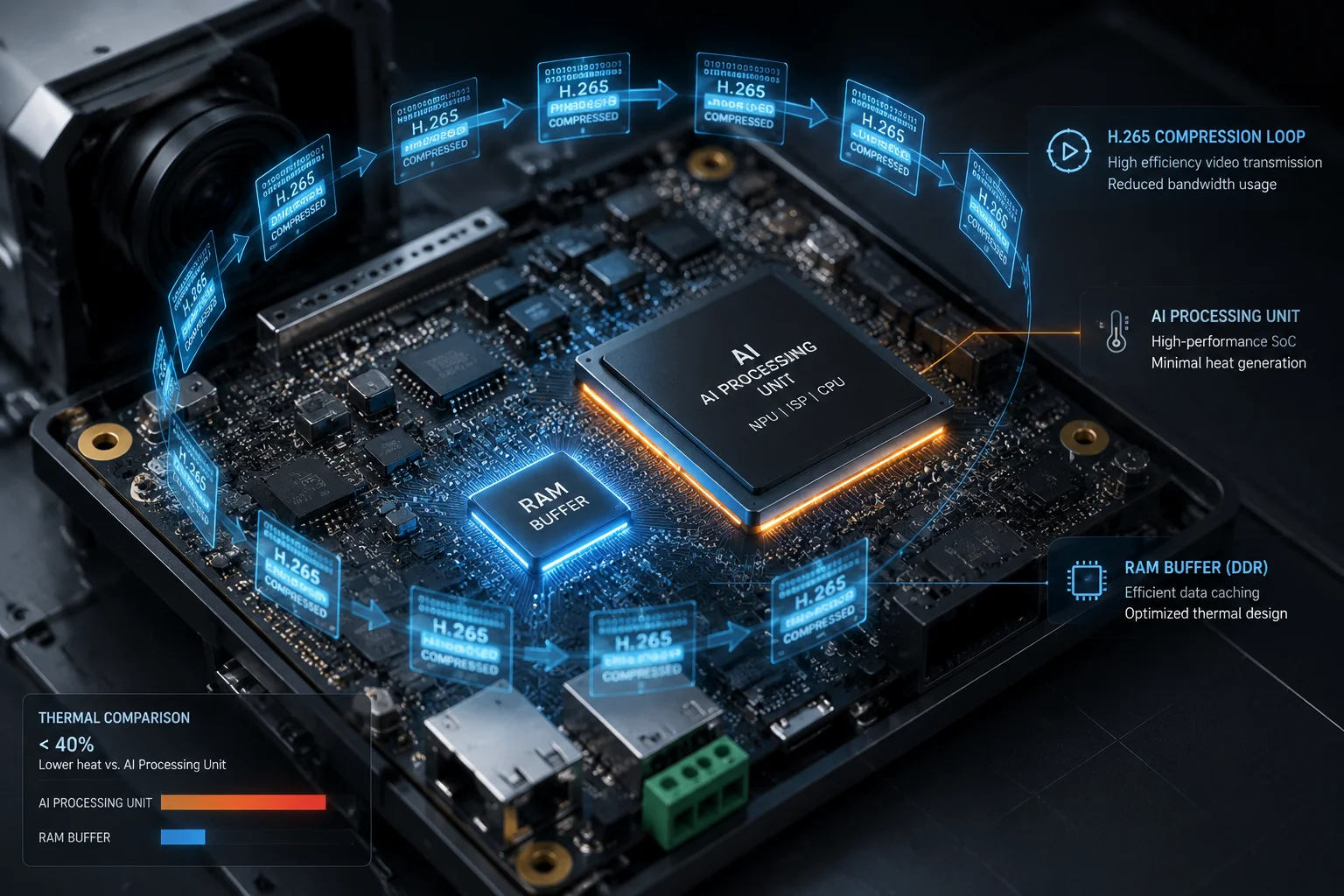
The RAM buffer for pre-recording is small, usually between 64MB and 256MB, depending on the set duration and bitrate. The SoC writes a short loop of compressed H.265 video to this buffer. Because the data size is tiny compared to continuous recording to an SD card, the extra heat generated is minimal and well within the thermal design of the chipset.
Why the Buffer Stays Small
A common misunderstanding is that pre-recording means the camera is secretly recording everything to storage all the time. That is not what happens. The camera writes a short video loop into volatile memory, not to the SD card or NAS. Once the buffer is full, the oldest frames get overwritten by the newest ones. This cycle repeats every few seconds.
Let me put some numbers on this. A 10-second pre-record clip at 4MP resolution using H.265 encoding at a bitrate3 of 4Mbps takes up roughly 5MB of RAM. Even at 4K (8MP) with a higher bitrate of 8Mbps, a 10-second buffer only needs about 10MB. Modern surveillance SoCs have hundreds of megabytes of DDR memory available. So the buffer is a tiny fraction of total capacity.
Thermal Impact in Real Deployments
The heat concern is valid for cameras mounted in sealed metal housings under direct sun. But the pre-record buffer does not change the thermal picture much. Here is why. The SoC2 is already running the AI detection engine1, the video encoder, and the network stack. These tasks consume far more power than writing a small loop to RAM. The buffer write operation adds less than 0.1W of extra power draw in most chipsets I have tested.
| Factor | Without Pre-Record | With Pre-Record (10s) |
|---|---|---|
| RAM Usage | ~180MB (OS + AI + Encode) | ~190MB (+10MB buffer) |
| SoC Power Draw | ~3.2W | ~3.3W |
| Surface Temp (40°C ambient) | ~62°C | ~63°C |
What Actually Causes Overheating
If your camera overheats, the cause is almost never the pre-record buffer. The real culprits are poor housing ventilation, direct sun exposure without a sunshield, or running dual streams at maximum bitrate while the AI engine processes every frame. I always tell my clients to check the housing design and mounting angle first before blaming a software feature.
One more thing. If you use H.2647 instead of H.265, the buffer size doubles for the same video quality. That means more memory bandwidth and slightly more heat. So switching to H.265 is a simple way to keep both the buffer and the thermal load smaller.
Can I Adjust the Pre-Record Duration to Ensure I Catch the Start of a Fast-Moving Vehicle?
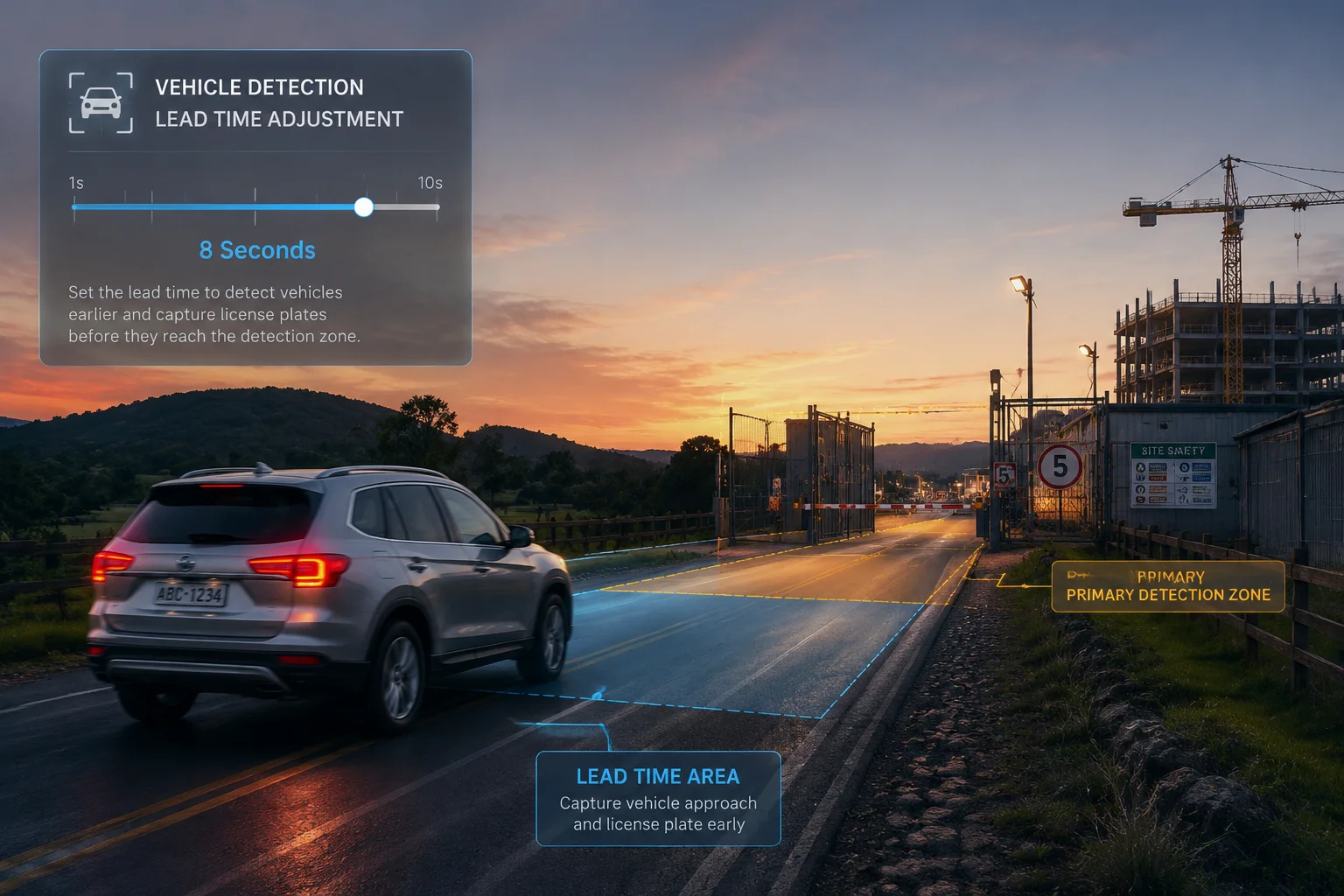
This is a practical question I get from clients who monitor highways, construction entrances, or farm roads. A vehicle moving at 60 km/h covers about 17 meters per second. If your pre-record is too short, the car is already in the middle of the frame when the clip starts.
You can adjust the pre-record duration from 1 second up to 10 seconds in the camera settings. For fast-moving vehicles, I recommend setting it to at least 5 seconds. This gives you enough lead time to see the vehicle approach from outside the detection zone, which is critical for capturing license plates and direction of travel.
How AI Detection Delay Affects Your Choice
The pre-record duration is not just about how many seconds of video you want. It also needs to cover the AI detection delay. When a vehicle enters the frame, the AI engine does not trigger instantly. It needs a few frames to confirm the object is a vehicle and not a shadow or a tree branch. This confirmation step typically takes 300ms to 800ms depending on the SoC and the AI model.
So if you set the pre-record to 3 seconds, you actually get about 2.2 to 2.7 seconds of useful footage before the vehicle reached the spot where the AI confirmed it. For a car moving at highway speed, that might not be enough.
Matching Duration to Scene Type
Different scenes need different settings. Here is a simple guide I share with my integrator clients.
| Scene Type | Vehicle Speed | Recommended Pre-Record | Why |
|---|---|---|---|
| Parking lot entrance | 5-15 km/h | 3 seconds | Slow speed, short approach distance |
| Construction site gate | 10-30 km/h | 5 seconds | Medium speed, need plate capture |
| Highway or rural road | 60-120 km/h | 8-10 seconds | High speed, vehicle crosses frame fast |
| Farm perimeter | 20-50 km/h | 5-7 seconds | Variable speed, wide open area |
The Trade-Off With Longer Buffers
Setting the pre-record to 10 seconds sounds like the safe choice. But there is a trade-off. A longer buffer means a larger file for each alarm event. If your camera uploads clips over 4G, every extra second adds roughly 0.5MB to 1MB of data depending on resolution and encoding. Over a month with dozens of alarms per day, that adds up.
I had a client in Texas who set his solar PTZ cameras to 10-second pre-record with H.264 encoding. His monthly 4G data usage jumped by over 2GB just from the longer pre-record clips. We switched him to H.265 and dropped the pre-record to 6 seconds. His data usage went back to normal, and he still captured every vehicle approach clearly.
My Recommendation
For most B2B deployments, 5 seconds with H.265 encoding is the sweet spot. It covers the AI detection delay, gives you a clear view of the approach, and keeps file sizes manageable. If you monitor a high-speed road, push it to 8 seconds and make sure your 4G data plan can handle the extra load.
Does Pre-Recording Significantly Increase the Power Consumption of a Solar-Powered PTZ?
This is the question that keeps coming up in every conversation I have with off-grid project managers. They have a limited solar panel and battery budget. Every extra watt matters.
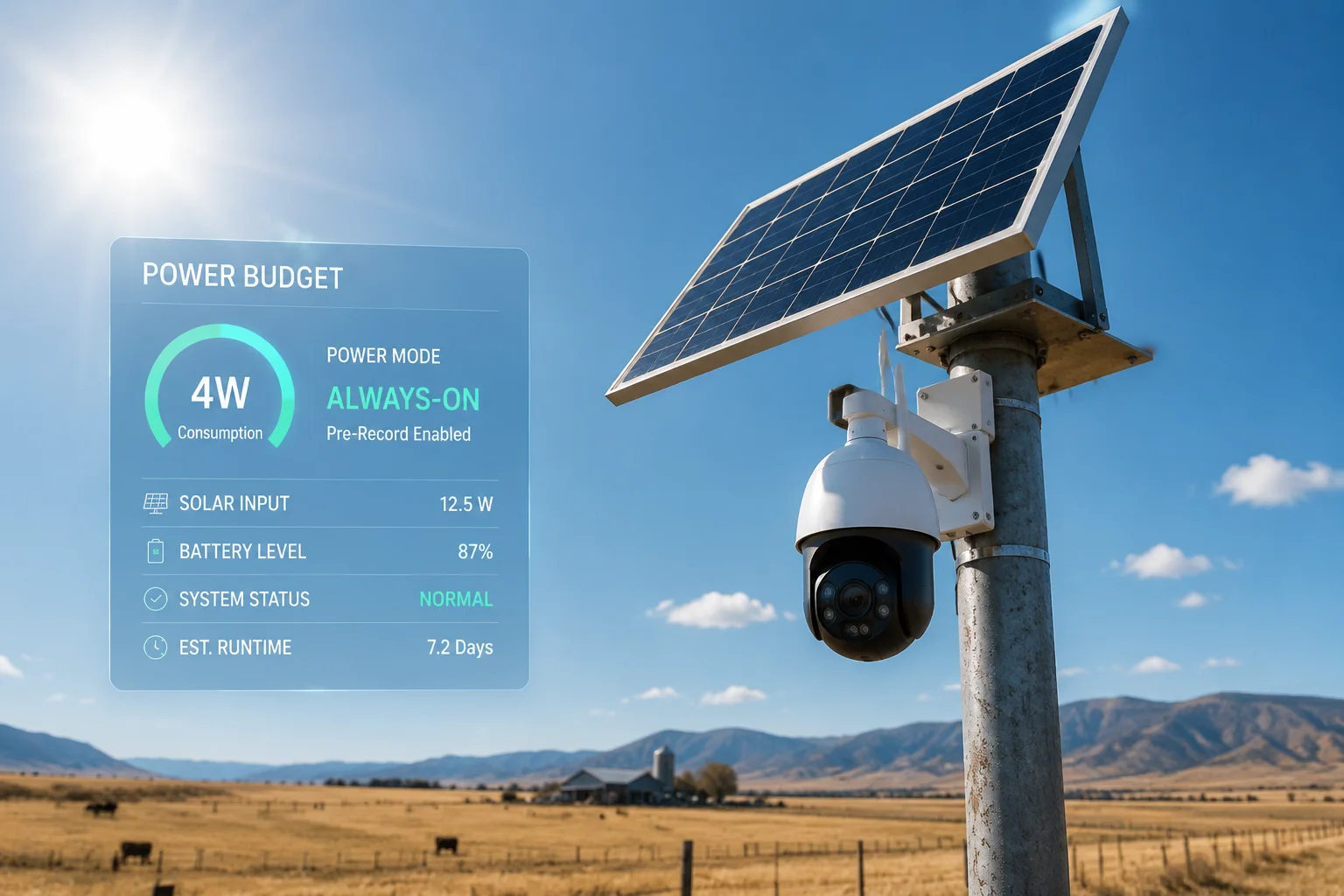
Pre-recording itself adds very little power draw, typically less than 0.2W, because it only writes a small video loop to RAM. The real power question is whether your camera runs in always-on mode or deep sleep mode. In always-on mode, pre-record costs almost nothing extra. In deep sleep mode, true pre-recording is not possible because the SoC needs 1 to 3 seconds to wake up.
Always-On Mode vs. Deep Sleep Mode
This is where most confusion happens. Let me explain the two modes clearly.
In always-on mode, the camera SoC, the AI engine, and the video encoder are running all the time. The camera is always watching, always analyzing. Pre-recording works perfectly here because the buffer is always being filled. The extra power for the buffer write is negligible compared to the 3-5W the system already draws.
In deep sleep mode5, the camera shuts down almost everything to save power. The draw drops to as low as 0.05W. A PIR sensor4 or a simple motion trigger wakes the system up. But waking the SoC, initializing the AI model, and starting the 4G module8 takes 1 to 3 seconds. During that wake-up window, there is no video being captured. So you cannot have a true pre-record buffer.
The Hybrid Approach
Some of our newer models use a hybrid approach. The camera keeps a low-power secondary processor running that captures a low-resolution stream into a small buffer. When the main SoC wakes up, it grabs that low-res buffer and stitches it with the high-res post-alarm footage. The result is not as clean as a full-resolution pre-record, but it gives you something rather than nothing.
Power Budget Planning
For a solar PTZ system, I always walk my clients through a simple power budget. Here is a typical example for a 4MP 4G solar PTZ.
| Component | Always-On Power | Deep Sleep Power |
|---|---|---|
| SoC + AI Engine | 2.5W | 0W (off) |
| Video Encoder | 0.8W | 0W (off) |
| RAM Buffer (Pre-Record) | 0.15W | 0W (off) |
| 4G Module (Standby) | 0.6W | 0.05W |
| PTZ Motor (Idle) | 0.1W | 0W (off) |
| Total | ~4.15W | ~0.05W |
If you want reliable pre-recording, you need the camera in always-on mode. That means your solar panel and battery must support roughly 4W continuous draw. For a location with 5 peak sun hours per day, you need at least a 40W panel and a 30Ah battery to keep the system running through the night and cloudy days.
My Advice for Off-Grid Clients
If pre-recording is a must-have for your project, size your solar system for always-on mode. Do not try to save money on a smaller panel and then wonder why you miss the first few seconds of every event. The cost difference between a 20W and a 40W solar panel is small compared to the cost of missing critical evidence.
If your budget is truly tight and you must use deep sleep mode, accept that you will not get true pre-recording. Focus instead on setting a longer post-record duration, like 30 to 60 seconds, so you capture everything after the alarm even if you miss the first moment.
Is the Pre-Recorded Footage Stored in a Separate Temporary Cache to Reduce SD Card Wear?
I get this question from engineers who have seen SD cards fail after a few months of continuous recording. They want to know if pre-recording makes the problem worse.
Yes, the pre-recorded footage lives in a volatile RAM buffer, not on the SD card. The data only moves to the SD card when an alarm triggers. This means the SD card does not suffer constant write cycles from pre-recording. The card only receives complete alarm clips, which dramatically reduces wear compared to 24/7 continuous recording.

How SD Card Wear Actually Works
SD cards use NAND flash memory6. Each memory cell can only handle a limited number of write and erase cycles before it degrades. Consumer-grade cards are rated for roughly 500 to 1,500 write cycles per cell. Industrial or endurance-grade cards handle 3,000 to 10,000 cycles.
When a camera records 24/7 to an SD card, it writes data constantly. A 4MP H.265 stream at 4Mbps generates about 1.7GB per hour. On a 128GB card, the camera fills the card in roughly 3 days, then starts overwriting from the beginning. Over a year, every cell on that card gets written and erased over 100 times. That is why cheap SD cards die fast in surveillance cameras.
Pre-Record’s Impact on Card Life
Pre-recording changes the write pattern completely. Instead of writing every second of every day, the card only receives data when an alarm happens. If your camera triggers 20 alarms per day, each with a 5-second pre-record and a 30-second post-record, that is 35 seconds of video per alarm. At 4Mbps, each clip is about 17.5MB. Twenty clips per day equals 350MB.
Compare that to 24/7 recording, which writes about 42GB per day. The alarm-only approach writes less than 1% of the data. Your SD card will last many times longer.
The RAM-to-SD Transfer Process
When an alarm fires, the camera does three things in sequence. First, it locks the current RAM buffer so the loop stops overwriting. Second, it starts recording the post-alarm video directly to the SD card. Third, it copies the locked buffer from RAM to the SD card and prepends it to the post-alarm file. The whole process takes a fraction of a second and produces one seamless video file.
Best Practices for SD Card Longevity
Even with alarm-only recording, I recommend these steps to my clients.
Use industrial-grade or endurance-rated SD cards. Brands like Samsung PRO Endurance or SanDisk High Endurance are designed for surveillance workloads. Format the card in the camera, not on a PC, to ensure the correct file system and cluster size. Enable the camera’s automatic overwrite feature so the card does not fill up and stop recording. Check the card health through the camera’s web interface if your model supports S.M.A.R.T. monitoring.
One last point. If your deployment has frequent false alarms, like trees swaying or animals passing through, the number of write events goes up. Tuning your AI detection sensitivity and setting proper detection zones will reduce false triggers, which in turn reduces SD card wear. It is a chain reaction. Better AI tuning means fewer writes, which means longer card life.
Conclusion
Our AI cameras support 1-10 second adjustable pre-recording using a RAM buffer. This feature adds minimal power draw, protects your SD card from constant writes, and gives you the complete picture of every alarm event from start to finish.
1. Explore how AI detection engines identify persons, vehicles, and events in surveillance footage. ↩︎ 2. Learn about System-on-a-Chip architecture used in modern AI cameras. ↩︎ 3. Understand how video bitrate affects buffer size and overall data consumption. ↩︎ 4. Learn about Passive Infrared sensors used as motion triggers in low-power camera modes. ↩︎ 5. Understand deep sleep power-saving states in IoT devices and their impact on pre-recording. ↩︎ 6. Understand the underlying storage technology that determines SD card lifespan. ↩︎ 7. Compare H.264 (AVC) vs H.265 codecs regarding buffer size and thermal impact. ↩︎ 8. Learn about 4G cellular modules used in off-grid surveillance cameras and their power consumption. ↩︎