
I’ve seen 4G modules shut themselves down in the middle of a Texas summer. No warning. Just a dead feed. That’s when I learned how thermal throttling really works.
Yes, most industrial-grade 4G modules trigger a multi-stage thermal throttling process starting around 70°C. The module reduces transmit power first, then limits upload bandwidth, and finally shuts down the RF circuit entirely near 85°C. This protects the RF power amplifier from permanent damage while keeping the connection alive as long as possible.
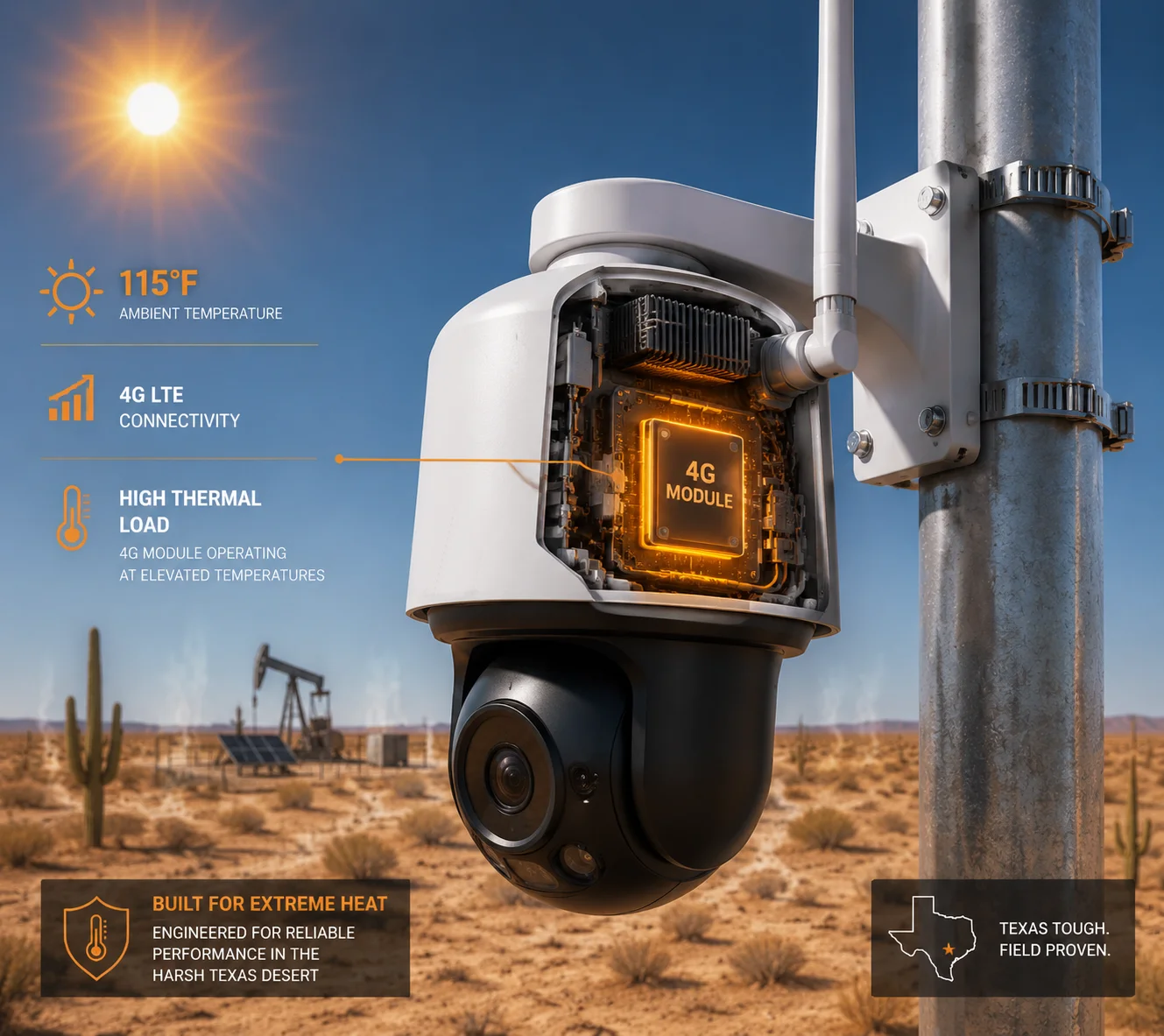
Below, I’ll walk you through exactly what happens at each temperature stage, how it affects your camera’s video stream, and what you can do to keep your system running cool in the field. Let’s break it down question by question.
Table of Contents
Will the Camera Automatically Drop to a Lower Bitrate to Reduce Heat Generation?
When your 4G module1 starts throttling, the camera doesn’t just sit there pushing data into a shrinking pipe. I’ve watched live feeds turn into a pixelated mess because the camera kept trying to push 8Mbps through a 2Mbps-limited link.
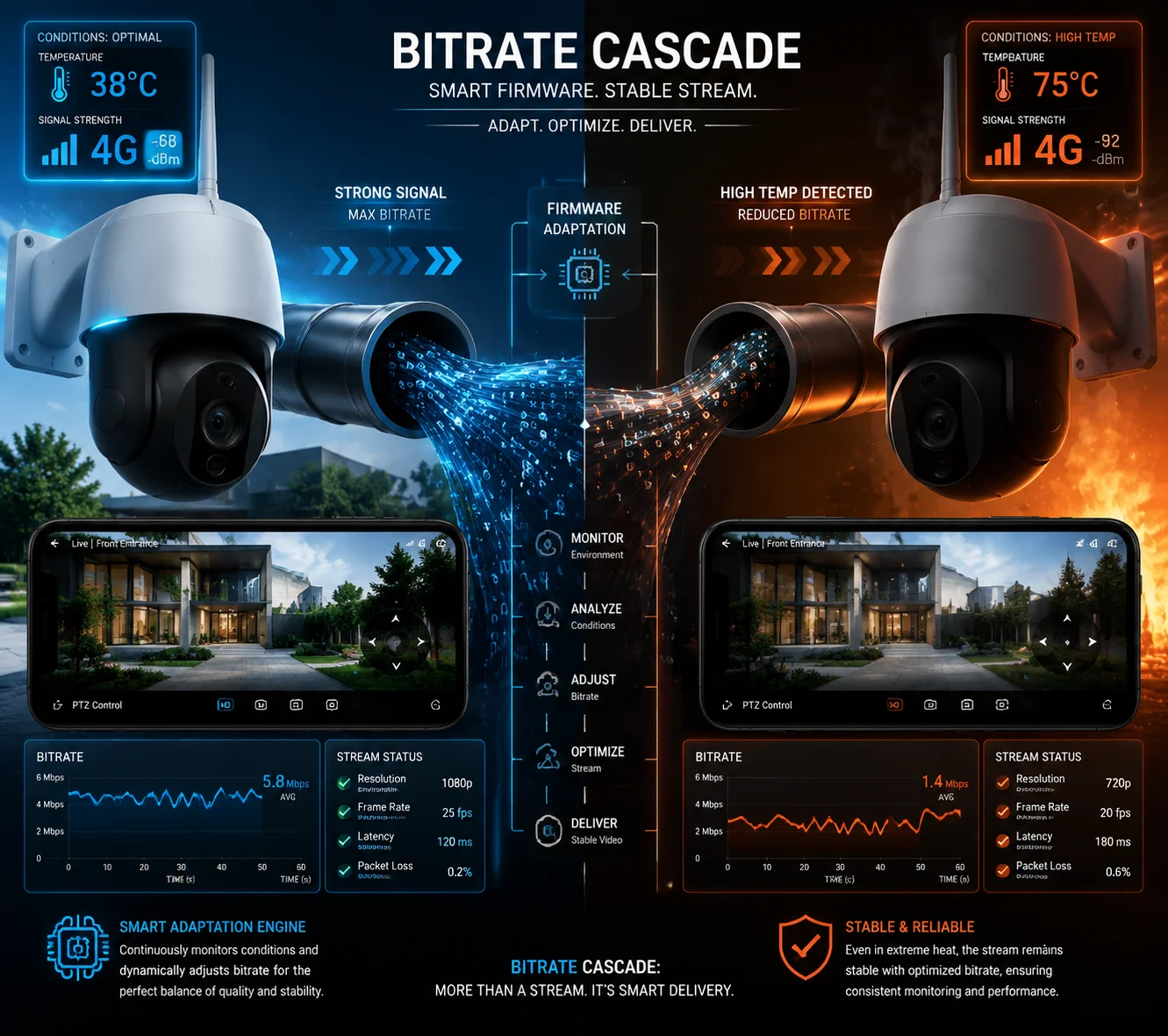
Yes, a properly designed PTZ camera will automatically lower its video bitrate when it detects reduced 4G throughput caused by thermal throttling. The camera’s VBR (Variable Bitrate) encoder senses the bandwidth drop and compresses the stream harder, trading image quality for connection stability.
How VBR Adaptation Actually Works
The camera doesn’t directly read the 4G module’s temperature. Instead, it monitors the available upload bandwidth in real time. When the 4G module enters its first throttling stage around 70°C and cuts transmit power, the effective upload speed drops. The camera’s encoder sees this as network congestion.
Here’s what happens step by step. The encoder checks the outgoing buffer. If packets start piling up, it knows the pipe is getting smaller. So it reduces the bitrate. On our PTZ cameras, this process takes about 2 to 5 seconds. It’s fast enough that you won’t lose the connection, but you will notice a quality dip.
The Bitrate Cascade
Let me show you what a typical bitrate cascade looks like when thermal throttling kicks in:
| Module Temperature | Throttling Stage | Available Upload | Camera Bitrate Response |
|---|---|---|---|
| Below 70°C | None | 8–10 Mbps | Full quality (6–8 Mbps H.265) |
| 70°C – 75°C | Tx Power Reduction | 4–6 Mbps | Medium quality (3–4 Mbps) |
| 75°C – 80°C | Throughput Limiting | 1–2 Mbps | Sub-stream only (512 Kbps–1 Mbps) |
| 85°C+ | RF Shutdown | 0 Mbps | Local SD card recording only |
Local Caching as a Safety Net
This is the part most people miss. When the bitrate drops, you’re not losing footage. The camera switches to a dual-stream5 strategy. The main stream — full resolution, high bitrate — goes straight to the local SD card4. Only the sub-stream gets pushed over 4G. So your client can still see a live preview on their phone. And when the module cools down and the bandwidth comes back, the camera can upload the cached high-quality footage during cooler hours, like at night.
I always tell my clients: “The camera is smarter than you think. It won’t throw away good footage just because the module is hot.” This dual-stream approach is something we built into the firmware specifically for solar-powered off-grid deployments, where heat and limited bandwidth are daily realities.
Why This Matters for Your Project
If you’re deploying in a hot climate — Texas, the Middle East, or Southeast Asia — this bitrate adaptation is not optional. It’s essential. Without it, the camera keeps pushing high-bitrate data into a throttled link. Packets get dropped. The stream freezes. Your client calls you. You send a truck. That truck costs more than the camera. I’ve seen this cycle repeat too many times. A camera that can gracefully degrade its own output is a camera that keeps you out of trouble.
Does the 4G Module Shut Down Completely if It Reaches a Critical Thermal Threshold?
This is the question that keeps system integrators up at night. You’ve got a camera on a pole in the middle of nowhere. If the 4G module shuts down, you lose all remote access. No live view. No alerts. Nothing.
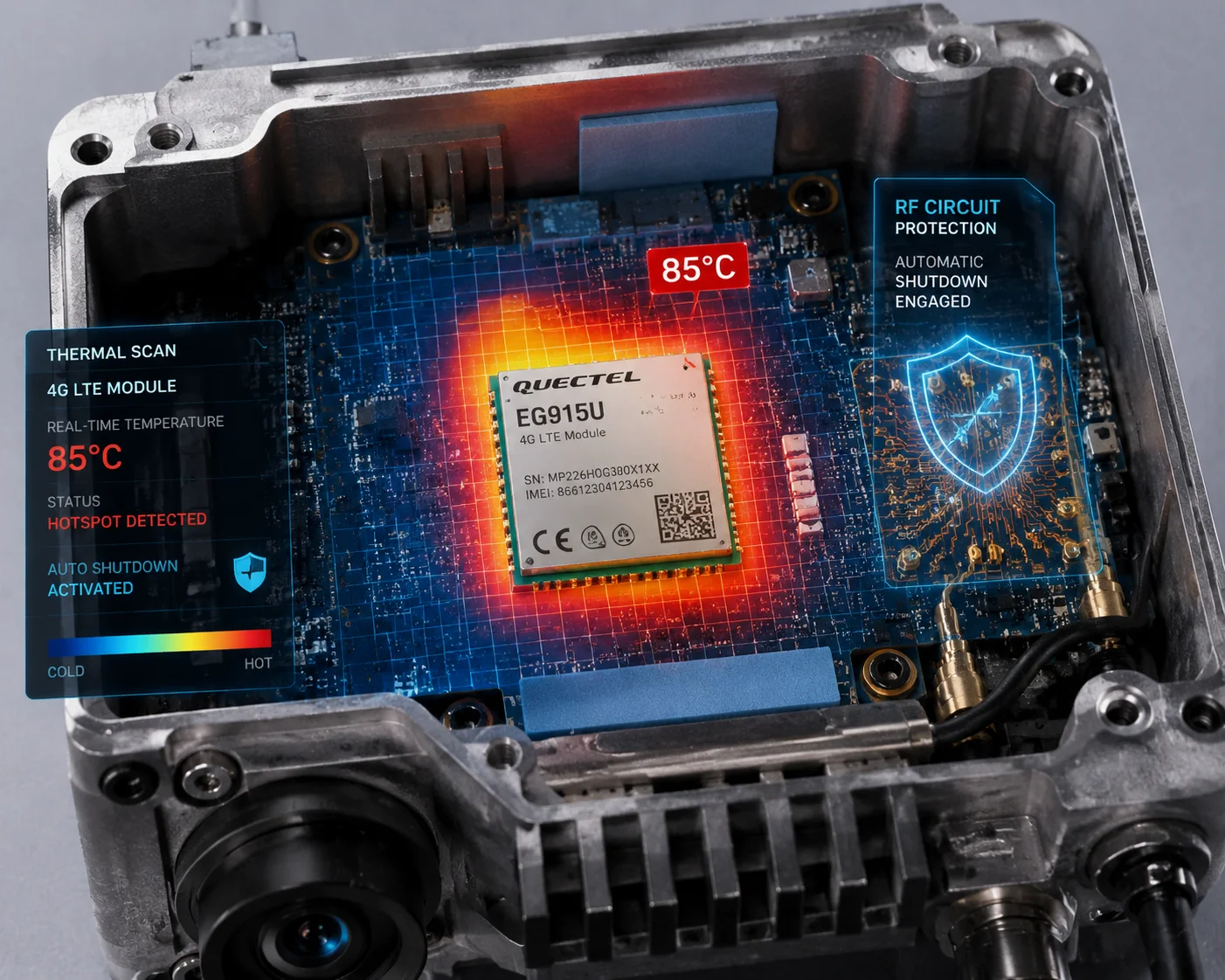
Yes, the 4G module will perform a complete RF shutdown if its internal temperature exceeds approximately 85°C. This is a hard-coded safety mechanism in the module’s firmware designed to prevent irreversible damage to the RF power amplifier. The module will automatically restart once the temperature drops back below the safe threshold.
Understanding the Three Protection Stages
Industrial 4G modules from manufacturers like Quectel2 and SIMCom3 are rated for an operating range of -40°C to +85°C. But “operating range” doesn’t mean “full performance range.” The module starts protecting itself well before it hits the upper limit.
Here’s how the three stages work in practice:
Stage 1: Tx Power Reduction (70°C – 75°C). The module lowers its radio transmission power. This is the gentlest form of throttling. Your signal bars might drop by one. Upload speed decreases slightly. Most users won’t even notice this stage unless they’re watching the diagnostics page.
Stage 2: Throughput Limiting (75°C – 80°C). Now the module actively caps the data rate. It tells the baseband processor to slow down. Upload speeds can drop from 10 Mbps to 2 Mbps or less. This is where you’ll see visible impact on video quality. The camera’s VBR encoder kicks in hard at this point.
Stage 3: RF Shutdown (85°C+). This is the emergency brake. The module turns off its radio frequency circuits entirely. No signal. No data. The camera is now offline from a remote access perspective. But it’s still recording locally. The module monitors its own temperature sensor and will attempt to reconnect once it cools below approximately 75°C.
What Triggers a Full Shutdown in Real Life?
In my experience, a full RF shutdown is rare if the system is designed correctly. It usually happens when multiple heat sources combine:
- Ambient temperature above 40°C
- Direct sunlight on a dark-colored enclosure
- Continuous high-bitrate upload (like 24/7 live streaming)
- IR illuminator running at full power at the same time
When all four of these stack up, the internal temperature can climb fast. That’s why hardware-level thermal design matters so much. I’ll cover that in detail below.
Recovery Time After Shutdown
Once the module shuts down, recovery depends on how fast the camera can dissipate heat. In our aluminum die-cast PTZ housings, the module typically cools from 85°C to 75°C in about 8 to 12 minutes, assuming the ambient temperature is around 40°C. If there’s a breeze, it’s faster. If the camera is in a sealed box with no airflow, it can take 20 minutes or more.
During this recovery window, the camera keeps recording to the SD card. No footage is lost. But you have no remote access. For most surveillance applications, this is acceptable. For mission-critical sites, we recommend adding a physical sun-shield to prevent the situation from happening in the first place.
How Does the Thermal Protection Notify Me Before It Limits the Network Speed?
You don’t want to find out about thermal throttling by watching your live feed freeze. You want a warning before it happens. I’ve had clients call me in a panic because their camera “went offline” — and it turned out the module was just throttling. A simple alert would have saved everyone a lot of stress.
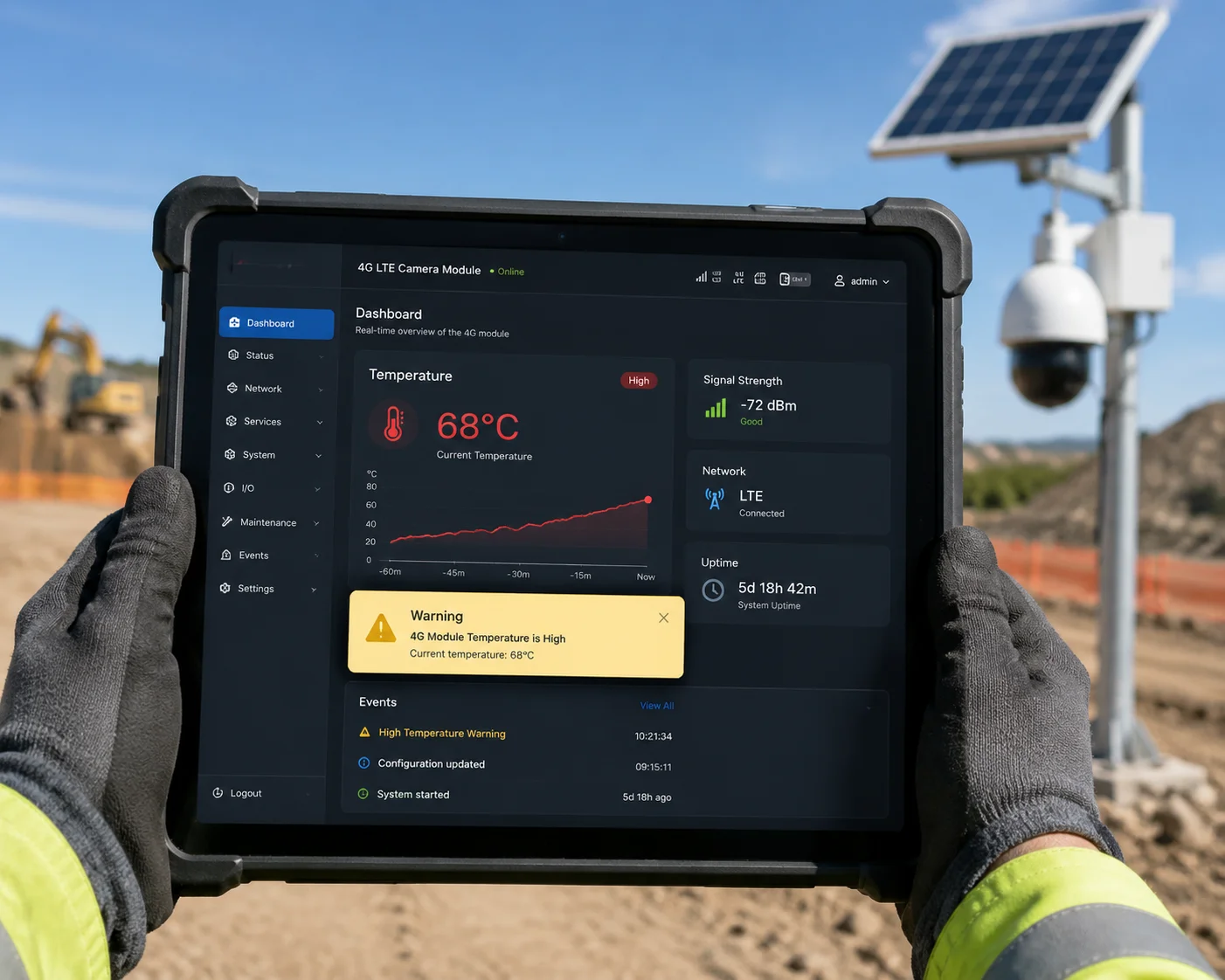
Most industrial PTZ camera systems provide thermal status monitoring through their web interface or management platform. You can view the real-time module temperature, set custom alert thresholds, and receive push notifications or email alerts before the module enters its first throttling stage.
Where to Find the Temperature Data
On our cameras, you can access the module temperature through the web management interface. Navigate to the system status page, and you’ll see a field labeled “Module Temperature” or “4G Modem Temp.” This value updates every 10 seconds. It reads directly from the thermistor inside the 4G module.
Setting Up Alerts
Here’s how a typical alert configuration works:
| Alert Level | Temperature Trigger | Notification Method | Recommended Action |
|---|---|---|---|
| Info | 60°C | Dashboard indicator turns yellow | Monitor — no action needed |
| Warning | 68°C | Email or push notification | Check sun exposure, reduce streaming |
| Critical | 78°C | Email + SMS (if configured) | System will throttle — expect lower quality |
| Emergency | 85°C | Email + SMS + event log entry | Module will shut down RF — local recording only |
Proactive Monitoring Saves Truck Rolls
The real value of thermal alerts is pattern recognition. If you see your camera hitting 68°C every day at 2 PM, that’s not a random event. That’s a design problem. Maybe the camera is mounted on a south-facing wall with no shade. Maybe the IR illuminator is running during the day by mistake. Maybe the solar panel is reflecting heat onto the housing.
Once you spot the pattern, you can fix the root cause. Install a sun-shield. Adjust the IR schedule. Reposition the camera. These are $20 fixes that prevent $500 truck rolls.
SNMP and Platform Integration
For larger deployments, our cameras support SNMP traps6. This means your existing network monitoring system — whether it’s Zabbix, PRTG, or something custom — can pull the module temperature as a standard metric. You can set up automated dashboards that show the thermal status of every camera in your fleet. When one camera starts running hot, you see it immediately on the map. No surprises.
I always recommend that integrators add module temperature to their standard monitoring checklist. It sits right alongside signal strength (RSSI), storage capacity, and uptime. These four metrics together give you a complete health picture of every off-grid camera in the field.
Will the Camera’s AI Features Be Disabled First to Prioritize Core Cooling?
AI processing burns power. Power makes heat. When the system is already hot, it makes sense to ask: does the camera turn off AI first to buy more thermal headroom for the 4G module?
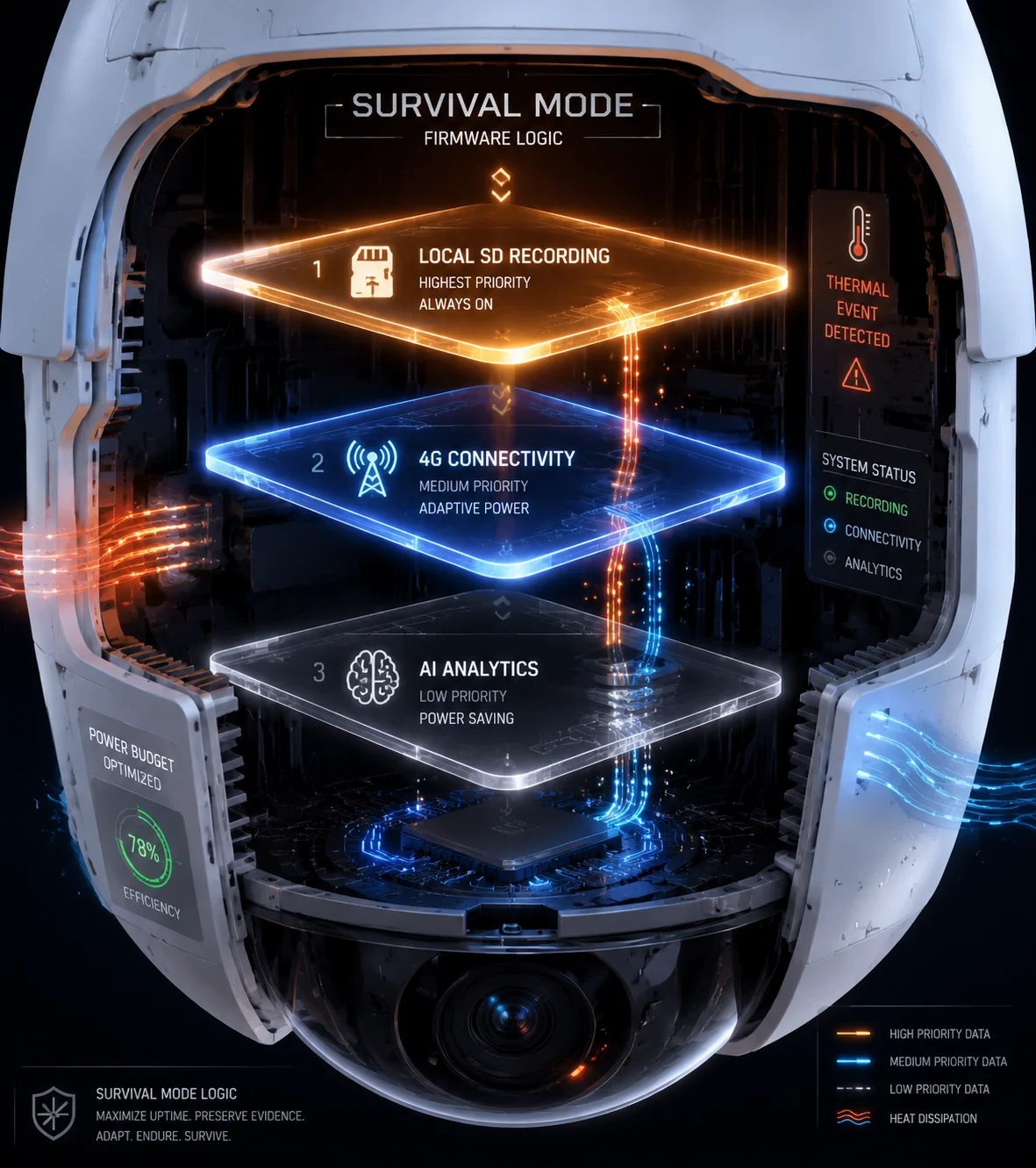
In most industrial PTZ camera architectures, the AI processor and the 4G module are thermally independent subsystems. The 4G module’s throttling logic is self-contained and does not directly disable AI features. However, the system-level firmware can be configured to reduce AI workload as a secondary thermal management strategy when the overall internal temperature rises.
Why AI and 4G Are Separate Thermal Domains
Inside a PTZ camera, the AI chip (typically an NPU7 or a dedicated ISP with neural network capability) sits on the main processing board. The 4G module is a separate component, usually mounted on its own daughter board or soldered onto a dedicated section of the PCB. Each has its own thermal sensor. Each manages its own heat independently.
This separation is intentional. The AI chip generates heat from computation. The 4G module generates heat from radio transmission. They have different thermal profiles and different protection thresholds. Linking them together would create unnecessary complexity and could cause one subsystem to interfere with the other.
System-Level Thermal Coordination
That said, both subsystems share the same enclosed space inside the camera housing. When the 4G module is hot, the AI chip is probably warm too. The overall internal ambient temperature affects everything.
This is where system-level firmware comes in. On our cameras, we implement a thermal coordination layer that works like this:
| Internal Ambient Temp | AI Behavior | 4G Behavior | Overall Strategy |
|---|---|---|---|
| Below 60°C | Full AI (tracking, detection, classification) | Full speed | Normal operation |
| 60°C – 70°C | AI runs at reduced frame rate (from 25fps to 15fps analysis) | Normal or Stage 1 throttle | Reduce total heat output |
| 70°C – 80°C | AI limited to motion detection only (no tracking) | Stage 1–2 throttle | Prioritize recording and connectivity |
| 80°C+ | AI suspended | Stage 2–3 throttle or shutdown | Survival mode — protect hardware |
The Logic Behind the Priority Order
When heat becomes critical, the system makes a clear choice: connectivity and recording matter more than AI features. Here’s why. If the AI stops tracking a person for 10 minutes, you still have the recorded footage. You can run analytics on it later. But if the 4G module dies and the camera goes offline, your client loses remote access entirely. And if recording stops, you lose evidence.
So the priority order is:
- Keep recording to SD card (highest priority)
- Keep 4G connection alive (second priority)
- Maintain AI features (third priority)
This hierarchy is built into the firmware. You don’t need to configure it manually. But if you want to adjust the thresholds — for example, keeping AI active up to 75°C instead of 70°C — we can customize that through an OEM firmware build.
Hardware Design That Reduces the Need for AI Shutdown
The best thermal strategy is to never reach the point where you need to disable features. That’s why our PTZ cameras use the aluminum die-cast housing8 as a giant heat sink. The 4G module connects to the internal metal frame through a thermal pad9. The thermal pad transfers heat from the module to the frame. The frame transfers heat to the outer shell. The outer shell radiates heat into the air.
This passive cooling chain is surprisingly effective. In our thermal chamber tests at 55°C ambient (which simulates a worst-case desert deployment with some solar gain), the 4G module stabilizes at around 72°C — just barely into the first throttling stage. Add a sun-shield, and it stays below 68°C. No throttling. No AI reduction. Full performance.
For clients deploying in extreme heat environments, I always recommend the sun-shield10. It’s a simple aluminum canopy that mounts above the camera. It blocks direct sunlight and can reduce internal temperatures by 8 to 12 degrees. That’s often the difference between full performance and throttled operation.
Conclusion
Thermal throttling at 70°C is real, multi-staged, and designed to protect your investment. Good hardware design and a simple sun-shield can keep your system running at full performance even in extreme heat.
1. Learn about 4G LTE modules and their operation in IoT devices. ↩︎ 2. Quectel is a leading manufacturer of cellular modules used in IoT and M2M. ↩︎ 3. SIMCom is another major supplier of cellular modules for embedded systems. ↩︎ 4. SD cards provide local storage for video footage when network connectivity is compromised. ↩︎ 5. Dual-stream technology allows simultaneous high-resolution local recording and low-resolution remote streaming. ↩︎ 6. SNMP traps enable automated monitoring and alerts for network devices. ↩︎ 7. A neural processing unit accelerates AI inference tasks in embedded cameras. ↩︎ 8. Die-cast aluminum housings act as heat sinks, dissipating heat from internal components. ↩︎ 9. Thermal pads conduct heat from components to heat sinks or chassis. ↩︎ 10. A sun-shield prevents direct sunlight from heating the camera enclosure. ↩︎