
I have tested hundreds of PTZ cameras from Chinese factories. Most of them claim 120dB WDR on the spec sheet. But when I put them in front of a bright window, the face goes black. That number is often a lie.
The short answer: top-tier Chinese manufacturers do support real 120dB Hardware WDR, but only when the camera uses a specific sensor-plus-processor hardware combination. Most mid-to-low-tier suppliers label Digital WDR (DWDR) as “120dB WDR” to win orders. You must verify the sensor model and ISP chip before you trust any spec sheet.
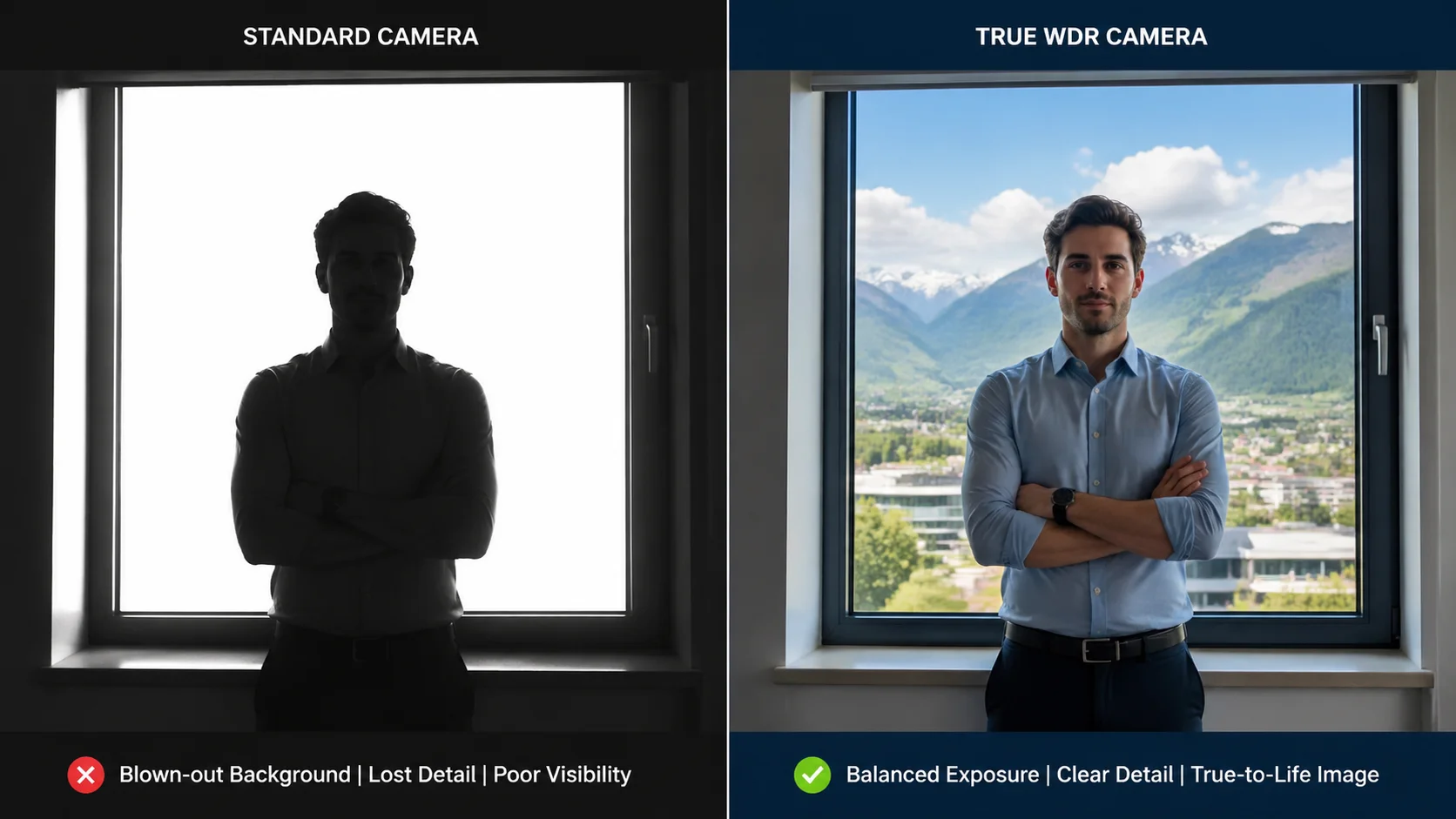 120dB Hardware WDR PTZ camera test in high contrast lighting
The difference between True WDR and fake WDR is not a minor detail. It decides whether your camera can capture a clear face at a sunlit entrance or just show a dark silhouette. Below, I break down exactly how to tell them apart, what to demand from your supplier, and what real-world results look like.
Table of Contents
How Do I Distinguish Between True Hardware WDR and Cheaper Digital WDR (DWDR)?
I used to trust spec sheets. Then I installed 40 cameras at a warehouse entrance in direct sunlight. Half of them showed nothing but white glare and black shadows. The spec said “120dB WDR.” The reality was DWDR with software tricks.
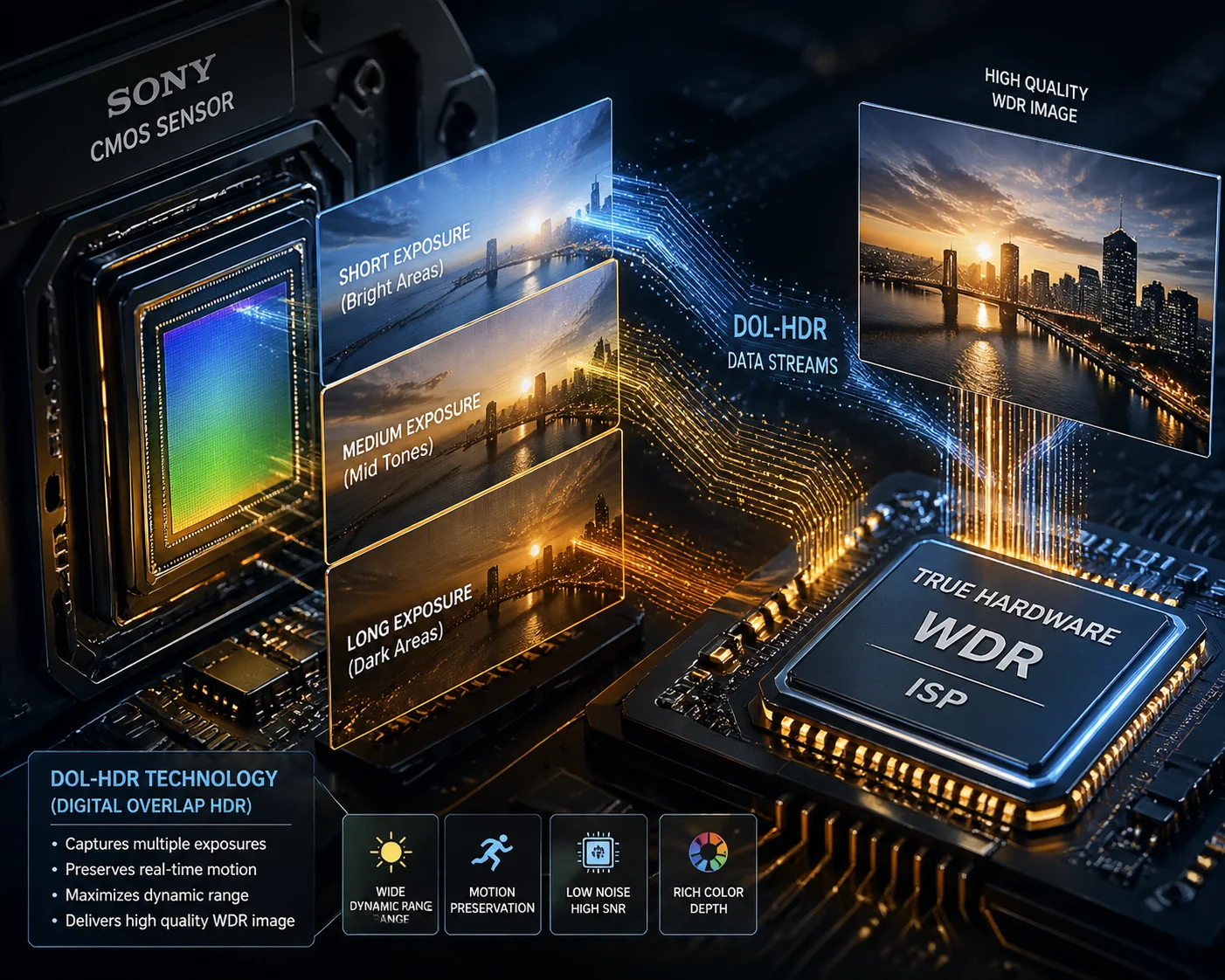
True Hardware WDR uses the sensor to capture multiple exposures of the same frame at different brightness levels, then merges them in hardware. DWDR only adjusts contrast on a single frame using software — like adding a filter to a phone photo. The difference in image quality is massive and easy to spot.
 True WDR vs Digital WDR comparison in backlight scene
The Physics Behind True WDR
True WDR is a hardware-level process. The image sensor takes two or three exposures in rapid sequence within one frame period. One exposure is long — it captures shadow details. Another exposure is short — it prevents bright areas from blowing out. The ISP (Image Signal Processor) then combines these exposures into a single frame with full detail in both dark and bright zones.
This is called DOL-HDR (Digital Overlap High Dynamic Range) in Sony’s terminology. The sensor reads out multiple exposure lines simultaneously, so there is minimal motion blur between frames.
DWDR, on the other hand, takes one single frame and applies software algorithms to stretch the histogram. It brightens shadows and darkens highlights digitally. The result? Heavy noise in dark areas, washed-out colors, and no real detail recovery.
Quick Identification Checklist
Here is a simple table to help you tell them apart during procurement:
| Check Point | True Hardware WDR | Digital WDR (DWDR) |
|---|---|---|
| Sensor requirement | Must support DOL-HDR or multi-exposure output | Any basic CMOS sensor works |
| Menu options | Level adjustment (1–100) or Normal/High modes | Simple On/Off toggle only |
| Frame rate impact | Frame rate drops (e.g., 30fps → 15fps) when enabled | No frame rate change |
| Image quality | Natural colors, clean shadows, rich highlight detail | Noisy shadows, color shift, limited improvement |
| Cost | Higher BOM cost due to premium sensor + ISP | Near-zero additional cost |
What to Ask Your Supplier
Ask this direct question: “Is your WDR based on sensor-level multi-frame exposure, or is it ISP software processing on a single frame?”
If the supplier cannot answer clearly, or if they dodge the question, treat the 120dB claim as DWDR. A factory that uses real hardware WDR will proudly tell you the sensor model — because it is a genuine selling point.
Also ask for the sensor datasheet. Look for terms like “DOL-WDR,” “DOL-HDR,” or “Multi-exposure HDR” in the official documentation. If those terms are absent, the sensor does not support true hardware WDR. Period.
Can I See a Side-by-Side Test of My Camera Facing a High-Contrast Backlight Source?
Every supplier says their WDR is great. But words mean nothing without a real test. I always ask for a specific demo before I approve any order. If the supplier refuses, I move on.
Yes, you should demand a side-by-side test video. Ask the supplier to place a person in front of a bright window or open door. With WDR off, the person’s face should be a dark silhouette. With True WDR on, both the face details and the outdoor background must be clearly visible at the same time.
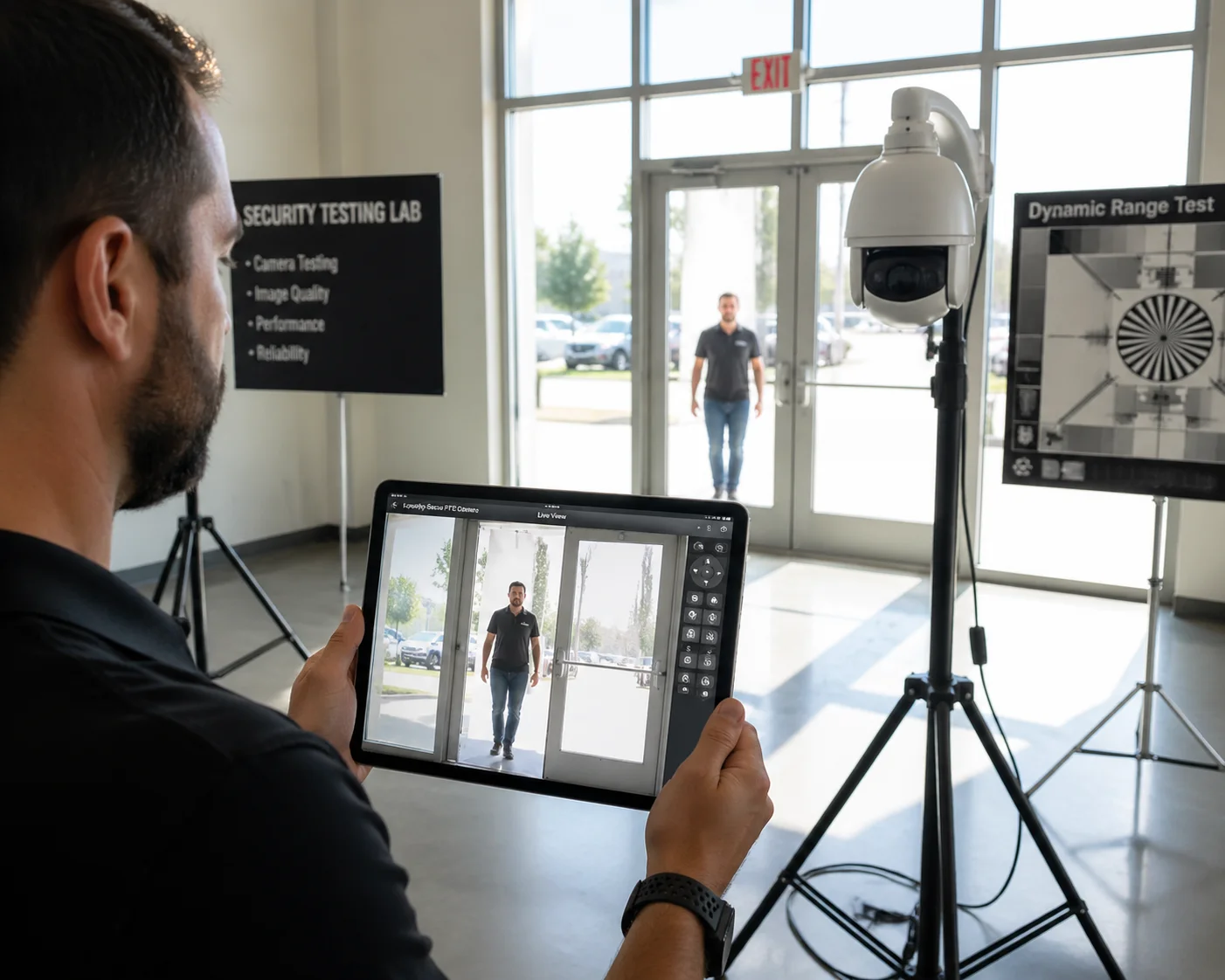 Side by side WDR test with person standing in front of bright window
How to Set Up a Proper WDR Test
The test is simple, but it must follow specific conditions. Otherwise, the supplier can manipulate the result.
Step 1: Create a High-Contrast Scene
Point the camera directly at a bright light source — a window with sunlight, an open garage door, or a glass entrance. Place a person about 2 meters in front of the camera, between the camera and the light source. This creates the classic “backlight” scenario that kills cheap cameras.
Step 2: Record With WDR Off
Capture 30 seconds of video with WDR disabled. In this clip, the background will be overexposed (white), and the person’s face will be underexposed (dark silhouette). This is normal. It establishes the baseline.
Step 3: Record With WDR On
Enable the WDR function and record another 30 seconds. Now compare:
| What to Look For | True WDR Result | DWDR Result |
|---|---|---|
| Person’s face | Clear skin texture, visible eyes and mouth | Slightly brighter but still muddy, heavy noise |
| Background (window/sky) | Cloud details visible, not blown out | Still mostly white, minimal recovery |
| Color accuracy | Natural skin tones, no purple or green tint | Noticeable color shift, especially in shadows |
| Motion artifacts | Slight ghosting on fast-moving edges (normal) | No ghosting (because no multi-exposure is happening) |
| Noise level | Low noise in shadow areas | Visible grain and purple noise in dark zones |
Step 3 Is Where Most Fakes Fail
Here is the critical insight: if you see zero ghosting on moving objects when WDR is on, that is actually a red flag. True hardware WDR merges multiple exposures taken at slightly different times. Fast-moving objects will show a faint “ghost” or “jelly” effect at their edges. This is a known side effect of real multi-exposure fusion.
DWDR processes a single frame, so there is no ghosting at all. Ironically, the absence of artifacts proves the WDR is fake.
What I Tell My Clients
At Loyalty-Secu, I tell every client the same thing: “Do not trust my spec sheet. Trust your eyes.” I send test videos shot in our lab with controlled backlight conditions. I also encourage clients to test the sample unit at their own job site before placing a bulk order. A $200 sample test can save you from a $20,000 mistake.
Why Does the Frame Rate of My Camera Drop When I Enable the 120dB WDR Mode?
I got this question from a client in Texas last year. He enabled WDR on his PTZ camera and noticed the video dropped from 30fps to 15fps. He thought the camera was broken. It was not. It was actually proof that the WDR was real.
Frame rate drops because True WDR requires the sensor to capture two or three separate exposures for every single output frame. This doubles or triples the sensor’s workload. A camera that runs at 30fps normally will typically drop to 15fps or even 12.5fps with 120dB WDR enabled. If your frame rate stays the same, the WDR is likely fake.
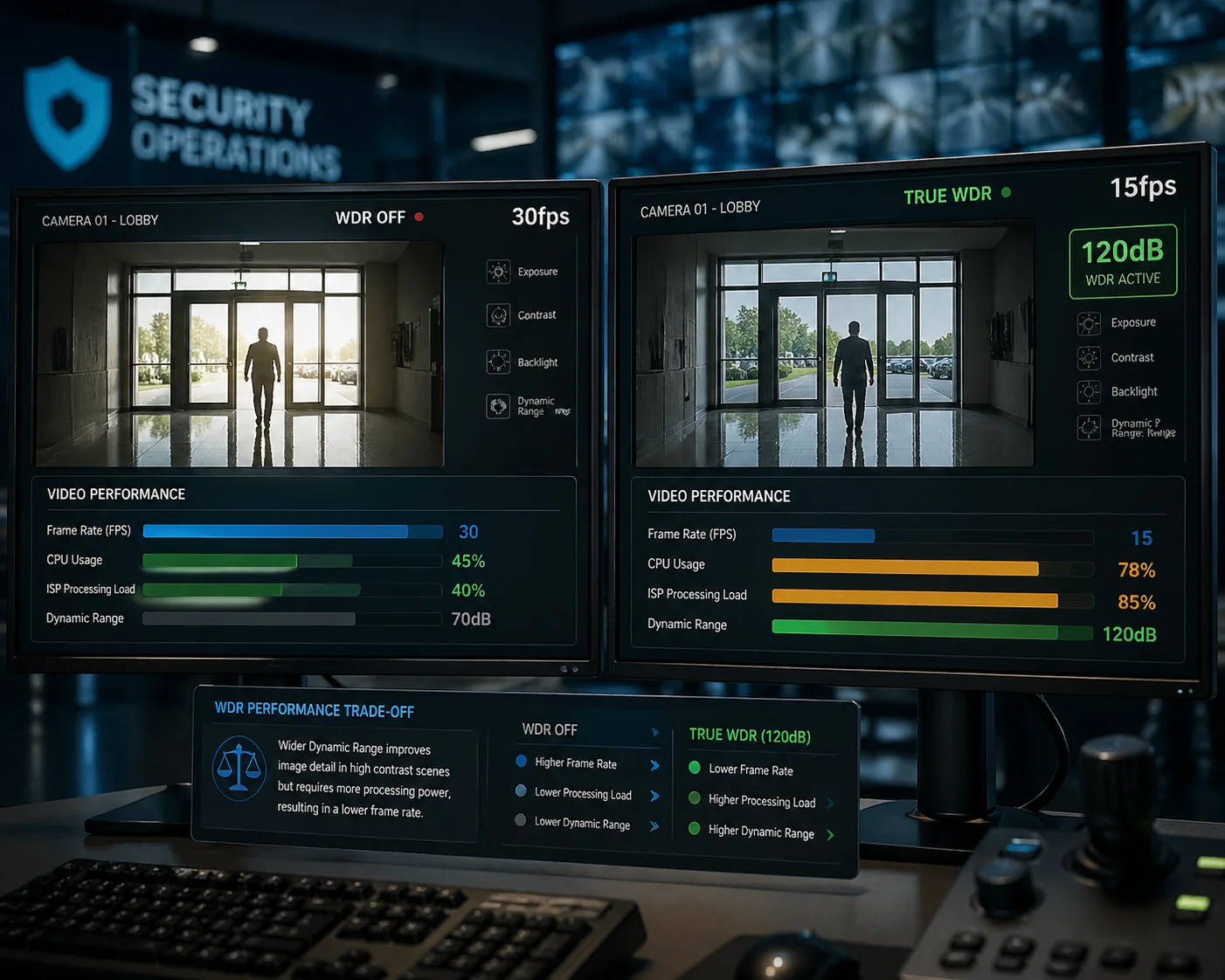 PTZ camera frame rate comparison with WDR on and off
Why Multi-Exposure Costs Frame Rate
Think of it this way. At 30fps, the sensor has about 33 milliseconds to capture each frame. With True WDR, the sensor must capture a long exposure AND a short exposure within that same 33ms window — or it must extend the window.
Sony’s DOL-HDR technology 1 helps reduce this penalty by overlapping the readout of different exposures. But even with DOL, the ISP needs extra processing time to merge the frames. The result is a lower output frame rate.
Typical Frame Rate Behavior
Here is what you should expect from a camera with genuine 120dB WDR:
- WDR Off: 30fps at 1080p, 25fps at 4MP or higher
- WDR On (2-frame): 15–20fps at 1080p
- WDR On (3-frame DOL): 12.5–15fps at 1080p
If a supplier tells you their camera does 120dB WDR at full 30fps with a standard sensor, ask them to explain how. Some very high-end sensors (like Sony IMX485 2) with powerful ISPs (like Ambarella CV series 3) can maintain higher frame rates. But these chips cost significantly more. A $50 camera module cannot do this.
The NDAA Factor and ISP Changes
Before the U.S. NDAA 4 restrictions, most Chinese security cameras used HiSilicon (Huawei’s chip division) ISPs. HiSilicon’s Hi3516 and Hi3519 series had excellent WDR processing algorithms. They handled multi-exposure fusion efficiently with good color tuning.
Now, many manufacturers have switched to Novatek (NT9852X series) 5, SigmaStar, or Ambarella ISPs for NDAA-compliant products. These chips also support 120dB WDR, but the color tuning and contrast style are different. Some early Novatek-based products had weaker shadow recovery compared to HiSilicon.
At Loyalty-Secu, we have done secondary optimization on the Novatek WDR algorithm in our firmware. We tuned the contrast curve and noise reduction specifically for high-contrast scenes common in North American deployments — like parking garage entrances and building lobbies with glass walls.
A Simple Rule of Thumb
If you enable WDR and the frame rate does not change at all, you are almost certainly looking at DWDR. Real physics has a real cost. That cost shows up as reduced frame rate. Accept it. Plan for it. And use it as a verification tool.
Will the True WDR Feature Help Me Identify License Plates in Dark Shadows and Bright Sun?
This is the question that matters most to my clients. They do not care about dB numbers or sensor models. They care about one thing: can I read the plate? Can I see the face? If the answer is no, the camera is worthless.
Yes, True WDR is essential for license plate and face identification in mixed lighting. In a scene where direct sunlight hits the pavement but the vehicle is under a shadow or canopy, True WDR recovers detail in both zones simultaneously. Without it, you get either a readable plate with a blown-out background, or a visible background with an unreadable plate.
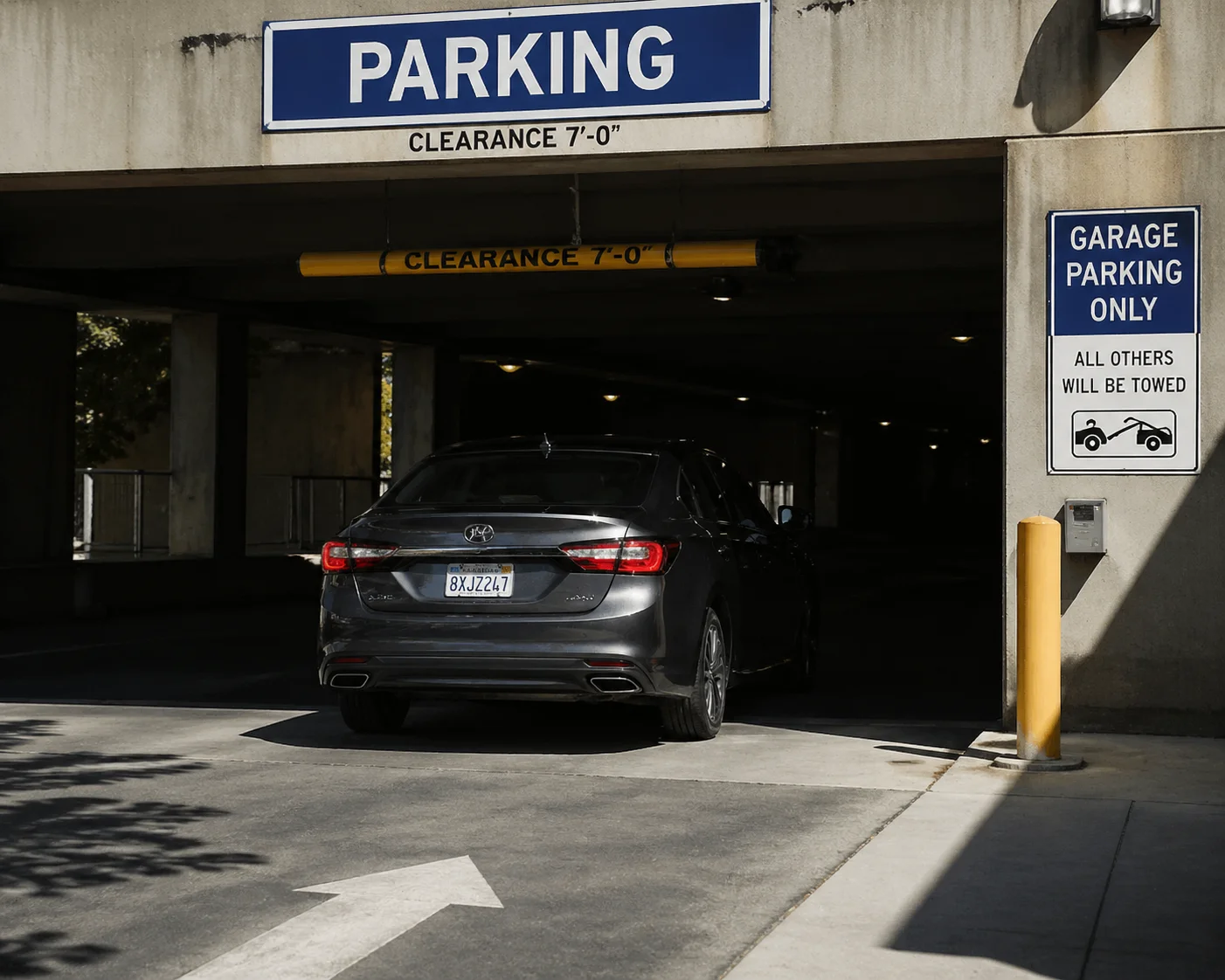 License plate identification under mixed sun and shadow with WDR enabled
The Texas Problem
Let me describe a real scenario. David runs security installations across Texas. His typical job site is a commercial building entrance facing south. At noon, the sun blasts the parking lot with intense light. The entrance overhang creates a deep shadow. A car pulls in. The plate is in shadow. The windshield reflects blinding sunlight.
Without True WDR, the camera has to choose: expose for the bright area (plate goes black) or expose for the dark area (background goes white). Either way, David cannot read the plate. His client complains. He sends a technician to adjust settings. The technician drives 90 minutes each way. That is $400 in labor for a $150 camera problem.
With True WDR, the camera captures both zones. The plate characters are sharp. The driver’s face through the windshield is visible. The sunny background is not blown out. One camera. One trip. Done.
What Sensor and ISP Combination Works Best
For license plate capture in extreme contrast, I recommend cameras built on these hardware platforms:
| Component | Recommended Options | Why It Matters |
|---|---|---|
| Sensor | Sony IMX335 (5MP), IMX415 (4K), IMX485 (2MP, large pixel) | All support DOL-HDR with 3-frame capability |
| ISP / SoC | Novatek NT98528, Ambarella CV25, SigmaStar SSC338Q | Sufficient processing power for real-time multi-exposure merge |
| Lens | Motorized varifocal or fixed with IR-cut filter | Must maintain focus accuracy across exposure changes |
| IR Illuminator | Smart IR with auto-dimming | Prevents IR overexposure on close objects at night |
Beyond WDR: The Full Picture
True WDR alone does not guarantee plate readability. You also need:
- Sufficient resolution at the target distance. A 2MP camera at 50 meters may not resolve plate characters even with perfect WDR. You need enough pixels on target.
- Proper shutter speed. Moving vehicles require a fast shutter (1/500s or faster) to avoid motion blur. This conflicts with WDR’s long exposure. A good ISP balances both.
- 3D DNR (Digital Noise Reduction). After WDR merges the exposures, some noise remains. 3D DNR cleans it up without smearing detail.
At Loyalty-Secu, our PTZ cameras with 38X optical zoom and True WDR are designed for exactly this use case. The zoom gets you enough pixels on the plate. The WDR handles the contrast. The AI auto-tracking keeps the camera pointed at the vehicle as it moves. These features work together. No single feature solves the problem alone.
Three Quick Ways to Spot Fake WDR Before You Buy
- Check the settings menu. If WDR only has an On/Off switch with no level adjustment, it is likely DWDR. True WDR menus offer strength levels (Low/Medium/High or 0–100 slider).
- Search the sensor model. Google the sensor part number from the spec sheet. Read the official datasheet. If it does not mention DOL-HDR or multi-exposure, the sensor cannot do True WDR. No exceptions.
- Watch for ghosting. During your test, wave your hand quickly in front of the camera with WDR on. If you see faint double edges on your moving hand, that is the multi-exposure merge at work. That is real WDR. If the motion looks perfectly clean, it is DWDR.
Conclusion
Most “120dB WDR” claims from Chinese suppliers are DWDR or inflated numbers. Always verify the sensor model, test with real backlight scenes, and check for frame rate drop. These three steps protect your project and your reputation.
1. Sony DOL-HDR technology for multi-exposure WDR sensors. ↩︎ 2. Sony IMX485 4K STARVIS 2 sensor specifications. ↩︎ 3. Ambarella CV series ISP for high-performance WDR processing. ↩︎ 4. NDAA Section 889 restrictions on Chinese surveillance chips. ↩︎ 5. Novatek NT98528 SoC for NDAA-compliant PTZ cameras. ↩︎ 6. Digital WDR (DWDR) vs Hardware WDR technical comparison. ↩︎ 7. Backlight testing standards for security camera WDR. ↩︎ 8. Smart IR technology for nighttime license plate capture. ↩︎ 9. LPR camera placement and shutter speed guidelines. ↩︎ 10. 3D noise reduction after WDR frame merging. ↩︎