
I’ve seen too many integrators spend thousands on a PTZ system, only to watch it freeze the moment a target steps outside the panoramic view. That’s a costly blind spot.
Yes, high-end industrial PTZ cameras can track targets independently after they leave the panoramic field of view. The PTZ uses its own onboard AI engine and motor control to follow a subject across a full 360° rotation, without needing constant guidance from the fixed panoramic lens.
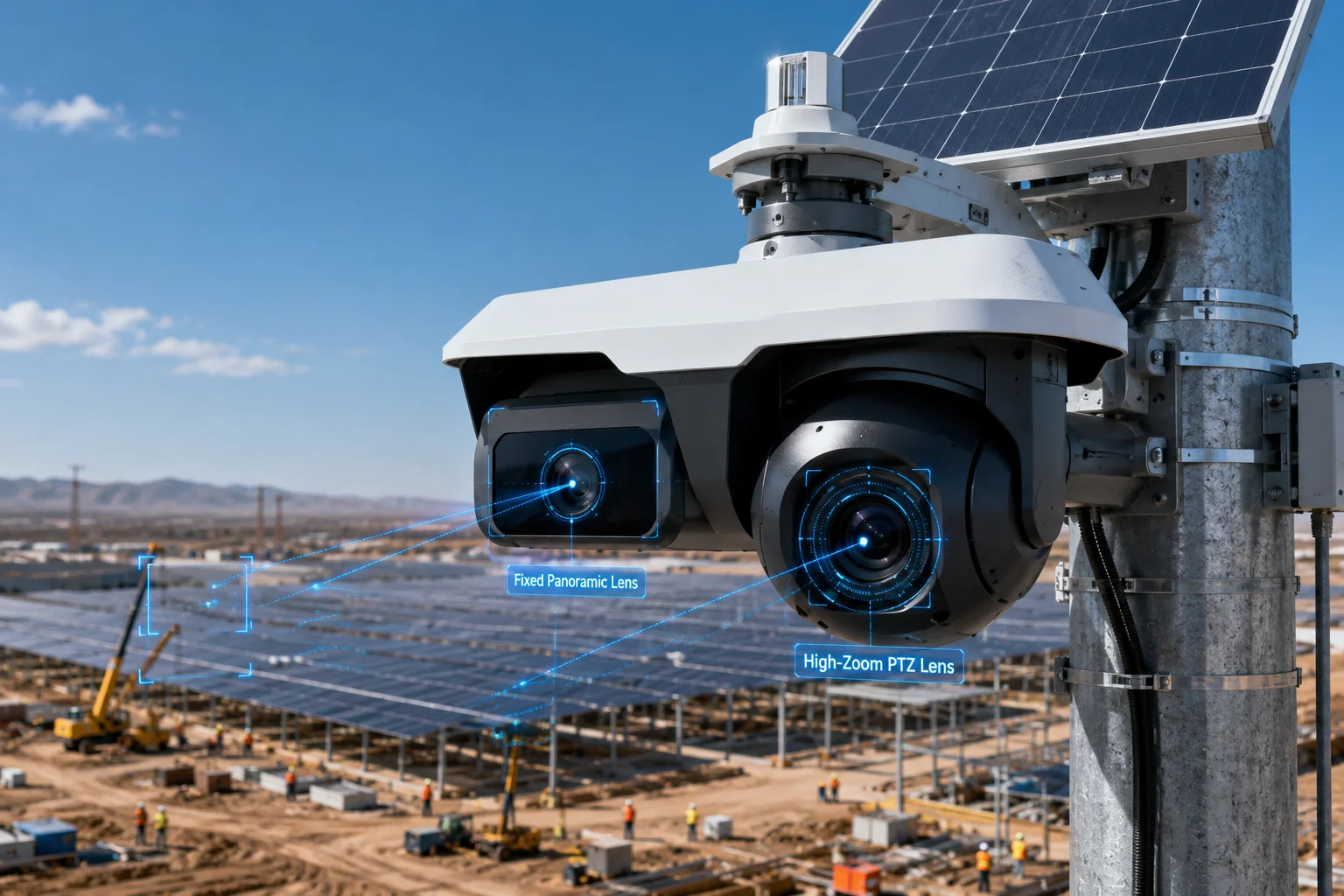 PTZ camera independent tracking beyond panorama field of view
Below, I’ll break down exactly how this “handover” works, what happens when the PTZ loses sight, how virtual fences keep things under control, and how the camera returns home after an event. Each section covers the real firmware logic behind these features.
Table of Contents
How Does the “Handover” Logic Work When a Target Moves Outside the Fixed Lens’s Field of View?
I’ve tested dozens of dual-lens systems over the years, and the handover moment is where cheap systems fail and good systems prove their worth.
The handover works by passing absolute coordinates from the fixed panoramic lens to the PTZ. Once the PTZ locks onto the target, it switches to independent tracking mode and no longer needs the panoramic feed to maintain its lock.
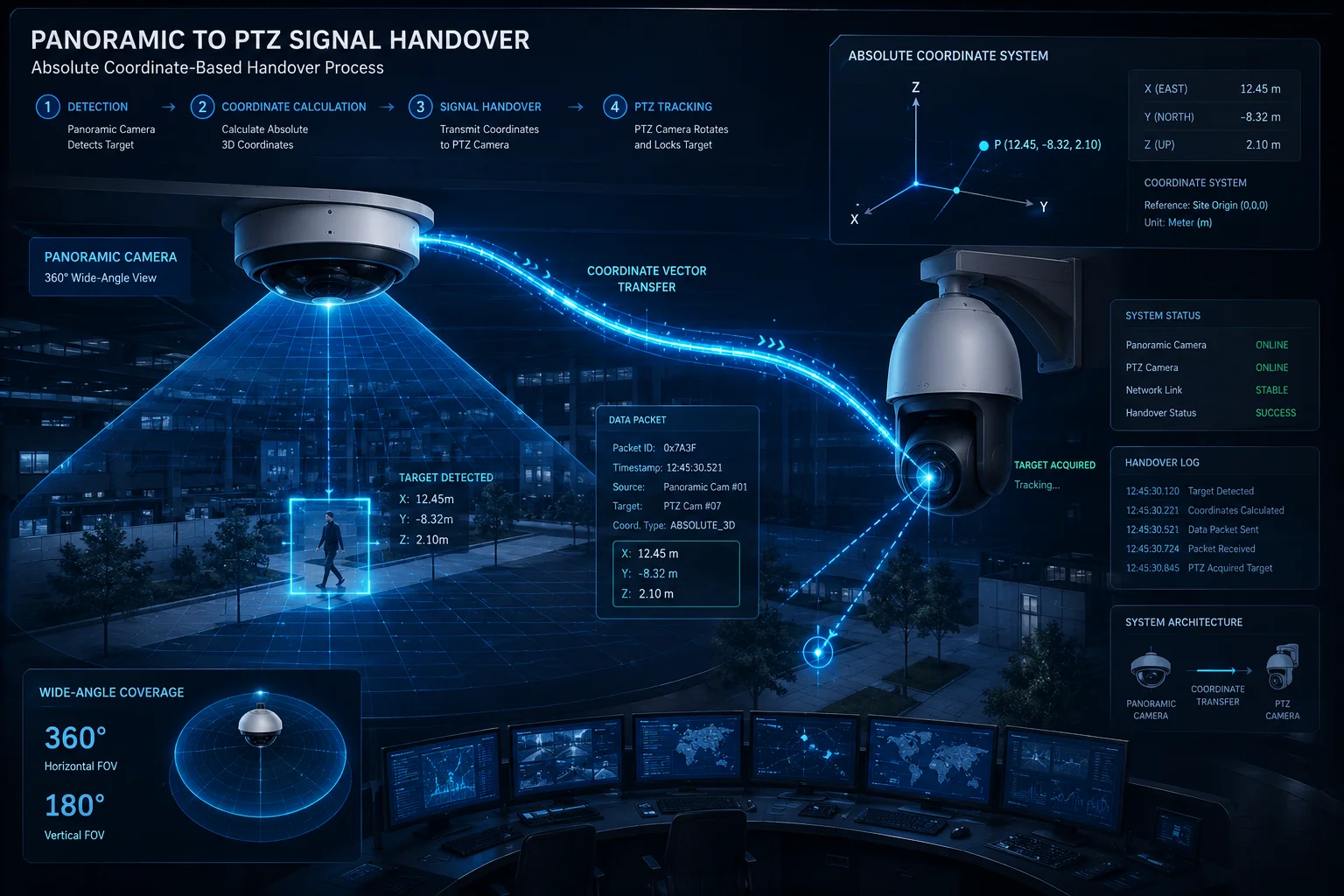 PTZ panorama handover logic dual lens coordination
The Two-Phase Handover Process
The handover between a panoramic lens and a PTZ is not a single event. It happens in two clear phases. Understanding both phases helps you troubleshoot when tracking fails.
Phase 1: Detection and Coordinate Push. The fixed wide-angle lens watches the entire site. When its AI detects a human or vehicle entering a pre-drawn alert zone, it calculates the target’s position in absolute coordinates6 (pan angle + tilt angle relative to the PTZ’s home position). It then sends this coordinate packet to the PTZ motor controller.
Phase 2: Lock-On and Release. The PTZ slews to the given coordinates. Its own onboard AI then runs object detection on its current live frame. Once it confirms a matching target (human skeleton, vehicle outline, or thermal signature), it sends an acknowledgment back to the panoramic controller. From this point, the PTZ is “released” into independent mode.
What Happens During the Handover
| Stage | Component Active | Action Taken |
|---|---|---|
| 1. Detection | Panoramic Lens AI | Identifies target, draws bounding box |
| 2. Coordinate Push | System Controller | Converts pixel position to PTZ angle |
| 3. Slew | PTZ Motor | Rotates to target coordinates |
| 4. Re-Detection | PTZ Onboard AI | Confirms target in its own frame |
| 5. Independent Lock | PTZ AI + Motor | Begins self-guided tracking |
Why This Matters for 4G Off-Grid Sites
In a 4G solar deployment, bandwidth is limited. The handover design means the panoramic lens only needs to send a tiny data packet (a few bytes of coordinate data) to the PTZ. It does not stream video between the two lenses internally for tracking purposes. This keeps the system responsive even on a slow cellular link.
The key point: once Phase 2 completes, the PTZ does not look back at the panoramic feed. It trusts its own eyes. This is what separates a true industrial dual-lens system from a software-only solution that requires constant server-side coordination.
Will the PTZ Maintain Its Lock Using Its Own AI Engine Once It Loses the Panoramic Assistance?
I remember a project in the Middle East where the client asked me this exact question. Their concern was simple: “If the panoramic camera can’t see the intruder anymore, does the PTZ just stop?”
Once the PTZ enters independent tracking mode, it relies entirely on its own NPU (Neural Processing Unit) to analyze each live frame. It generates motor commands based on the target’s pixel offset from center, regardless of whether the panoramic lens can still see the target.
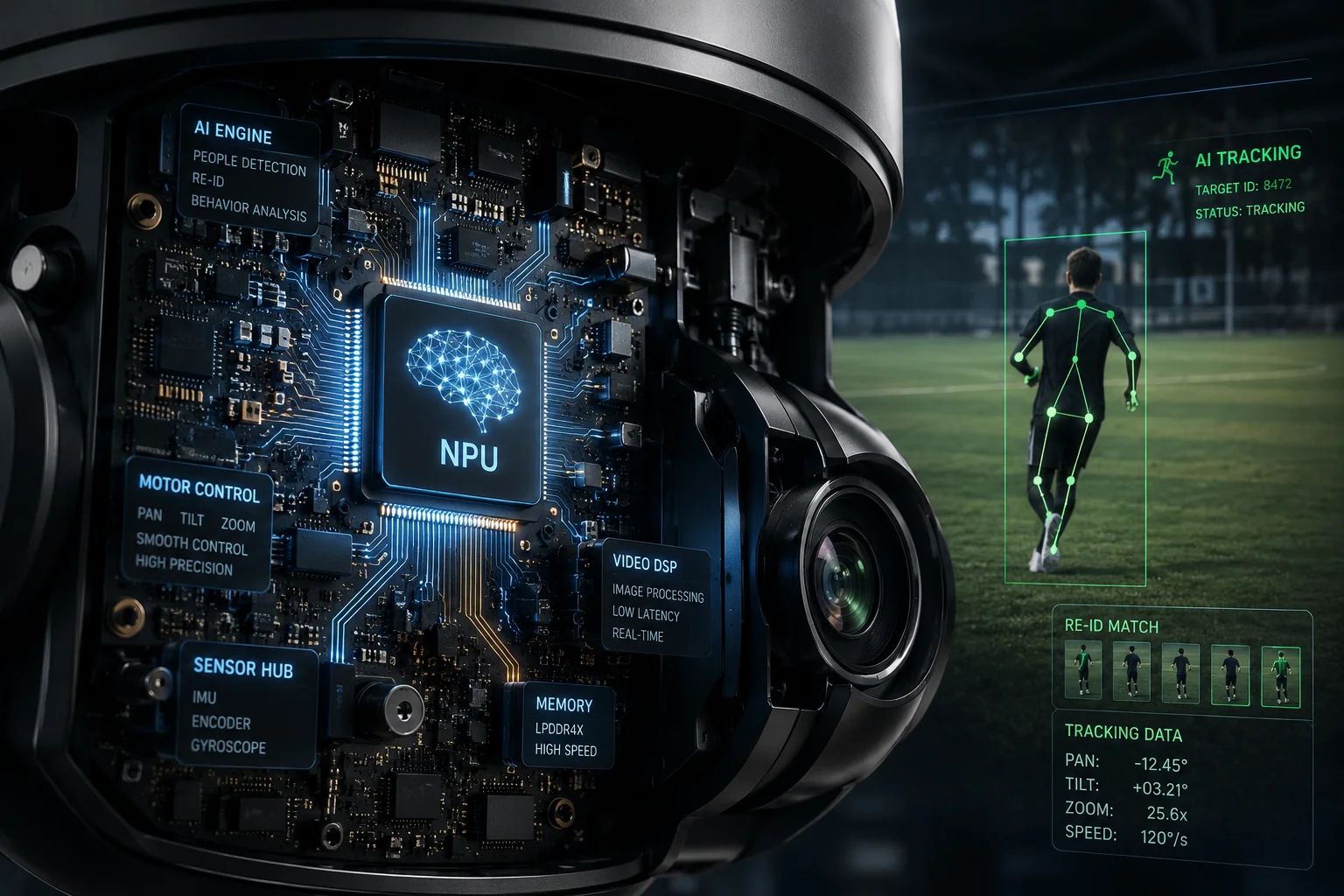 PTZ independent AI tracking engine onboard NPU processing
How the Onboard AI Keeps the Lock
The PTZ’s internal tracking loop runs at a very high speed, typically 30 times per second. Each cycle follows the same simple logic:
- Capture current frame
- Run object detection on frame
- Find the target’s bounding box
- Calculate how far the box center is from the frame center
- Send proportional motor commands to reduce that offset to zero
This loop does not require any external input. It works the same whether the PTZ is pointing at the same direction as the panoramic lens or has rotated 180° away from it.
Skeletal Re-Identification (Re-ID)
Modern PTZ firmware does more than just track “a person.” It builds a short-term feature profile of the target. This includes:
- Body proportions: Height-to-width ratio, limb lengths
- Color histogram: Clothing color distribution
- Gait pattern: Walking rhythm and stride length
This Re-ID profile helps the PTZ stay locked on the correct person, even if another person walks into the frame. Without Re-ID, the camera might jump between targets. With it, the PTZ maintains what we call “Presenter Lock4” — it stays on the first triggered target until that target is truly lost.
Loss and Search Logic
If the target moves too fast or ducks behind an obstacle, the PTZ does not immediately give up. The firmware runs a recovery sequence:
| Condition | PTZ Response | Duration |
|---|---|---|
| Target at frame edge | Accelerate motor in that direction | Continuous |
| Target disappeared (predicted path clear) | Continue along motion vector | 3-5 seconds |
| Target disappeared (no re-acquisition) | Spiral scan5 from last known point | 5-10 seconds |
| Target not found after scan | Return to Home position | Configurable (default 30s) |
The motion vector prediction1 is based on the target’s speed and heading in the last few frames before disappearance. The PTZ essentially “guesses” where the person went and checks there first. This works surprisingly well in open environments like farms, construction sites, and parking lots.
Does the PTZ Have Its Own “Virtual Fence” Settings to Stop Tracking After a Certain Distance?
I always tell my clients: a PTZ that tracks without limits is a liability. You don’t want your camera staring at a neighbor’s window because it followed a bird across the property line.
Yes, industrial PTZ cameras support configurable tracking limits, often called “Virtual Fences2” or “Tracking Boundaries.” These are physical pan/tilt angle limits that the motor will not exceed, even if the AI wants to continue following a target beyond that point.
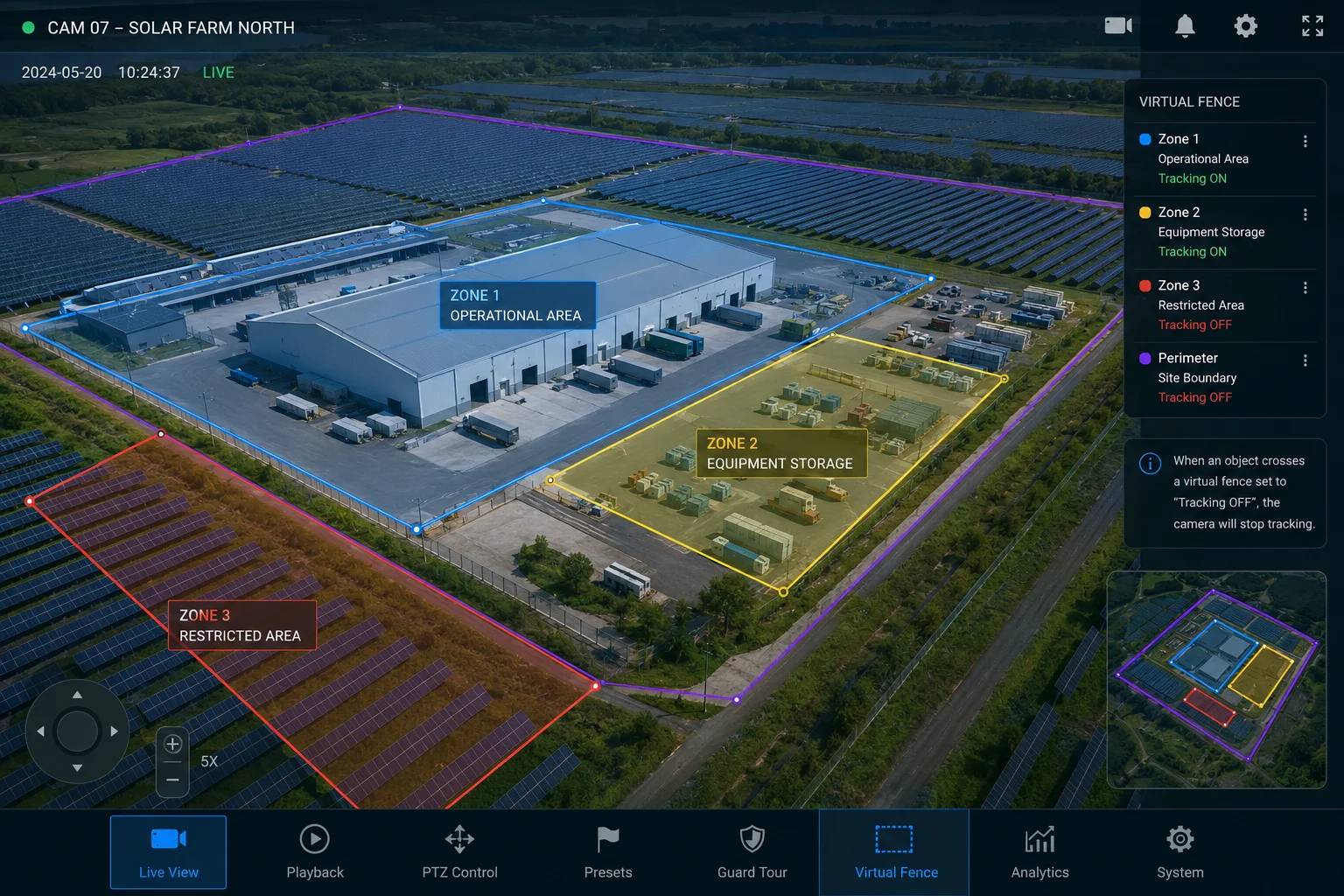 PTZ virtual fence tracking limits boundary configuration
Types of Tracking Limits
There are three main ways to restrict PTZ tracking behavior. Each serves a different purpose, and in most deployments, you’ll use a combination of all three.
1. Physical Angle Limits (Hard Stops)
You set a minimum and maximum pan angle (e.g., 45° to 270°) and a minimum and maximum tilt angle. The motor physically will not rotate beyond these values. This is the most reliable method because it works at the hardware level, independent of AI decisions.
2. Zone-Based Tracking Masks
You draw polygons on the PTZ’s preview image at various preset positions. If the target enters a masked zone, the PTZ releases its lock and stops following. This is useful when the restricted area is not a simple angular boundary — for example, a specific window on a building that falls within your otherwise valid tracking range.
3. Distance-Based Timeout
Some firmware versions allow you to set a maximum tracking duration or maximum angular displacement from the home position. If the PTZ has rotated more than, say, 200° from home while tracking a single target, it will release the lock. This prevents the camera from getting “wound up” chasing a target in circles.
Configuration Recommendations for Open-Field Deployments
| Parameter | Recommended Setting | Reason |
|---|---|---|
| Pan Limits | Exclude public road angles | Privacy compliance, reduce false triggers |
| Tilt Lower Limit | 5° above horizon | Prevent sun damage to sensor |
| Tracking Timeout | 60 seconds max | Ensure camera returns to watch position |
| Return to Home Delay | 30 seconds after target loss | Balance between re-acquisition and reset |
| Priority Mode | First-target lock (Presenter Lock) | Avoid “head-shaking syndrome” with multiple targets |
Privacy and Legal Considerations
In the US and Europe, pointing a camera at a public road or a neighbor’s property can create legal issues. The virtual fence feature is not just a convenience — it’s a compliance tool. When I help clients configure their systems, I always recommend documenting the tracking boundaries in writing. This documentation can protect you if a neighbor or local authority questions your camera’s behavior.
The firmware should also support “Privacy Mask3” overlays. These black out specific areas in the recorded video, even if the PTZ physically rotates through that zone during a tracking event. This gives you a second layer of protection beyond just stopping the motor.
Can the PTZ Automatically Return to the Panoramic “Home” Position Once the Target Is Lost?
I’ve seen cameras stuck pointing at a wall for days because nobody configured the return-to-home timer. That’s days of zero surveillance coverage on the actual site.
Yes, all professional PTZ cameras support a “Return to Home” or “Park Action” feature. After losing a target for a configurable period (typically 15-60 seconds), the PTZ automatically slews back to its designated home preset, restoring full panoramic coverage of the site.
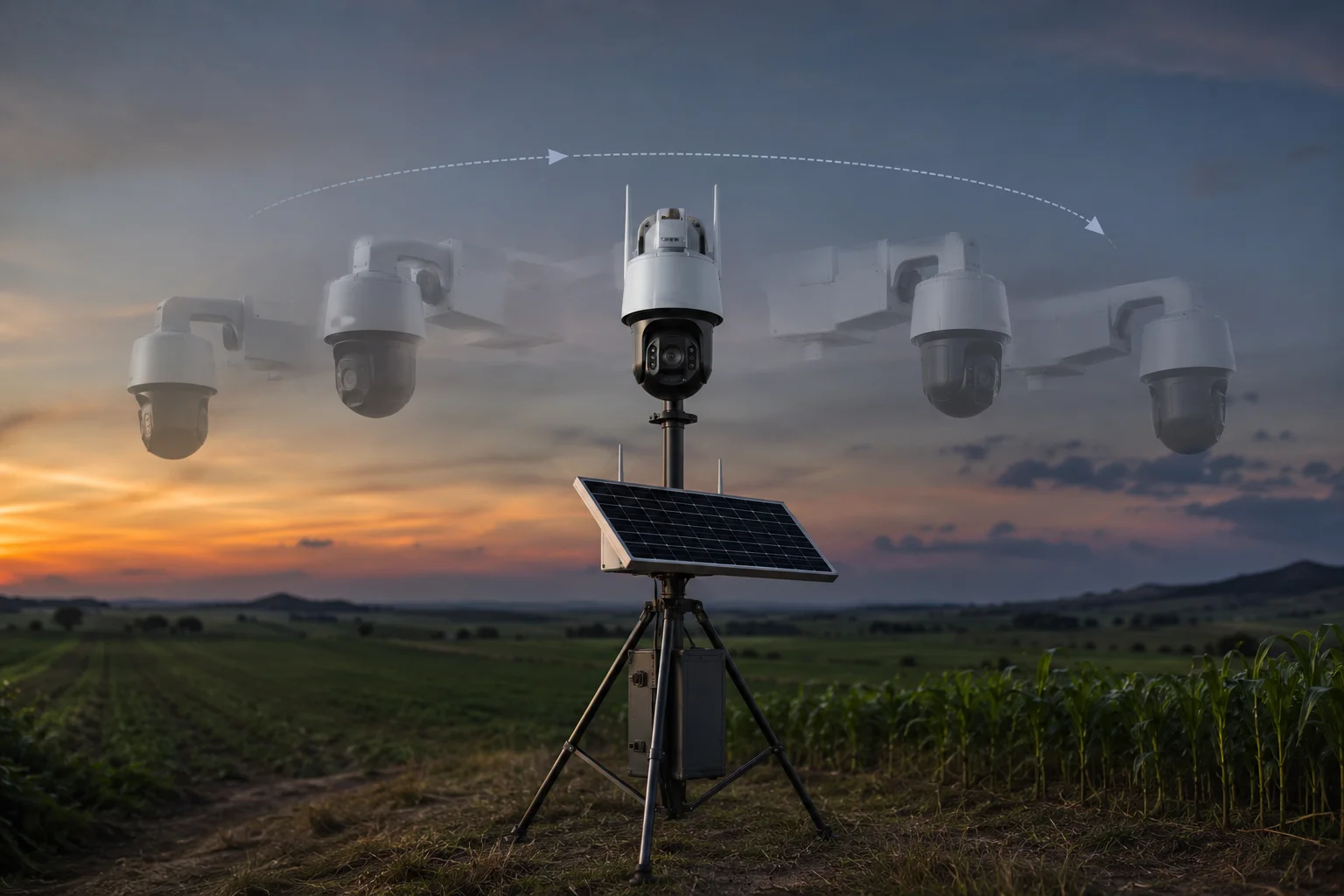 PTZ return to home position automatic reset after tracking
How Return to Home Works in Practice
The return-to-home function is simple in concept but has several configurable layers that matter in real deployments.
The Basic Timer: When the AI loses its tracking lock (target gone from frame, search scan failed), a countdown starts. If no new target appears before the timer expires, the PTZ moves to Preset 1 (Home). The timer length depends on your environment. In a busy urban site, 15 seconds works well. In a remote farm where a real intruder might reappear from behind a barn, 45-60 seconds gives the system more chance to re-acquire.
Priority Interrupts: If a new alarm triggers from the panoramic lens while the PTZ is counting down, the PTZ will immediately slew to the new target instead of waiting to go home first. This ensures the system stays responsive to fresh threats.
Scheduled Home Positions: Advanced firmware lets you set different home positions for different times of day. During business hours, the PTZ might watch the main gate. At night, it might watch the equipment yard. The return-to-home function always sends the camera to the currently active home preset.
The Full Tracking Lifecycle
Here’s the complete sequence from detection to reset:
- Panoramic lens detects target → sends coordinates to PTZ
- PTZ slews to target → confirms lock with onboard AI
- PTZ tracks independently → follows target across full rotation
- Target disappears → PTZ runs motion prediction (3-5 seconds)
- Prediction fails → PTZ runs spiral scan (5-10 seconds)
- Scan fails → Return-to-home timer starts (15-60 seconds)
- Timer expires → PTZ slews back to Home preset
- PTZ resumes panoramic watch → ready for next event
What to Avoid
A common mistake is setting the return timer too short. If you set it to 5 seconds, the PTZ will constantly snap back home during legitimate tracking events whenever the target briefly goes behind a pole or tree. This creates a frustrating cycle of lock-lose-return-relock that wastes motor life and misses critical footage.
Another mistake: not setting a return timer at all. I’ve seen PTZ cameras stuck at extreme tilt angles for weeks, completely useless for site monitoring, because the last tracked target was a bird that flew overhead. Always configure this timer. It’s your safety net.
Conclusion
A properly configured industrial PTZ tracks targets far beyond the panoramic view, uses its own AI to maintain lock, respects virtual boundaries, and always returns home. These four behaviors together create a complete autonomous surveillance loop that works reliably in off-grid 4G deployments.
1. Algorithm that predicts target future position based on past trajectory. ↩︎ 2. Configurable tracking boundaries to limit PTZ movement for privacy and compliance. ↩︎ 3. Video blackout regions to prevent recording of sensitive areas even if camera rotates through them. ↩︎ 4. Feature that keeps the PTZ locked on the first detected target until it is truly lost. ↩︎ 5. Search pattern used by PTZ to re-acquire a lost target by sweeping outward from the last known position. ↩︎ 6. Coordinate system that maps target location relative to a fixed home position regardless of current camera angle. ↩︎