
I’ve seen a single failed firmware update brick a camera 200 miles from the nearest technician. That one truck roll cost more than the camera itself.
OTA update packages for 4G PTZ cameras range from 2MB to 120MB depending on the update type. Yes, industrial-grade systems do support incremental (delta) updates, which cut download sizes by 85–95%. A full firmware image is typically 40–120MB, while a delta patch is usually under 10MB. This makes remote updates over metered 4G connections practical and affordable.
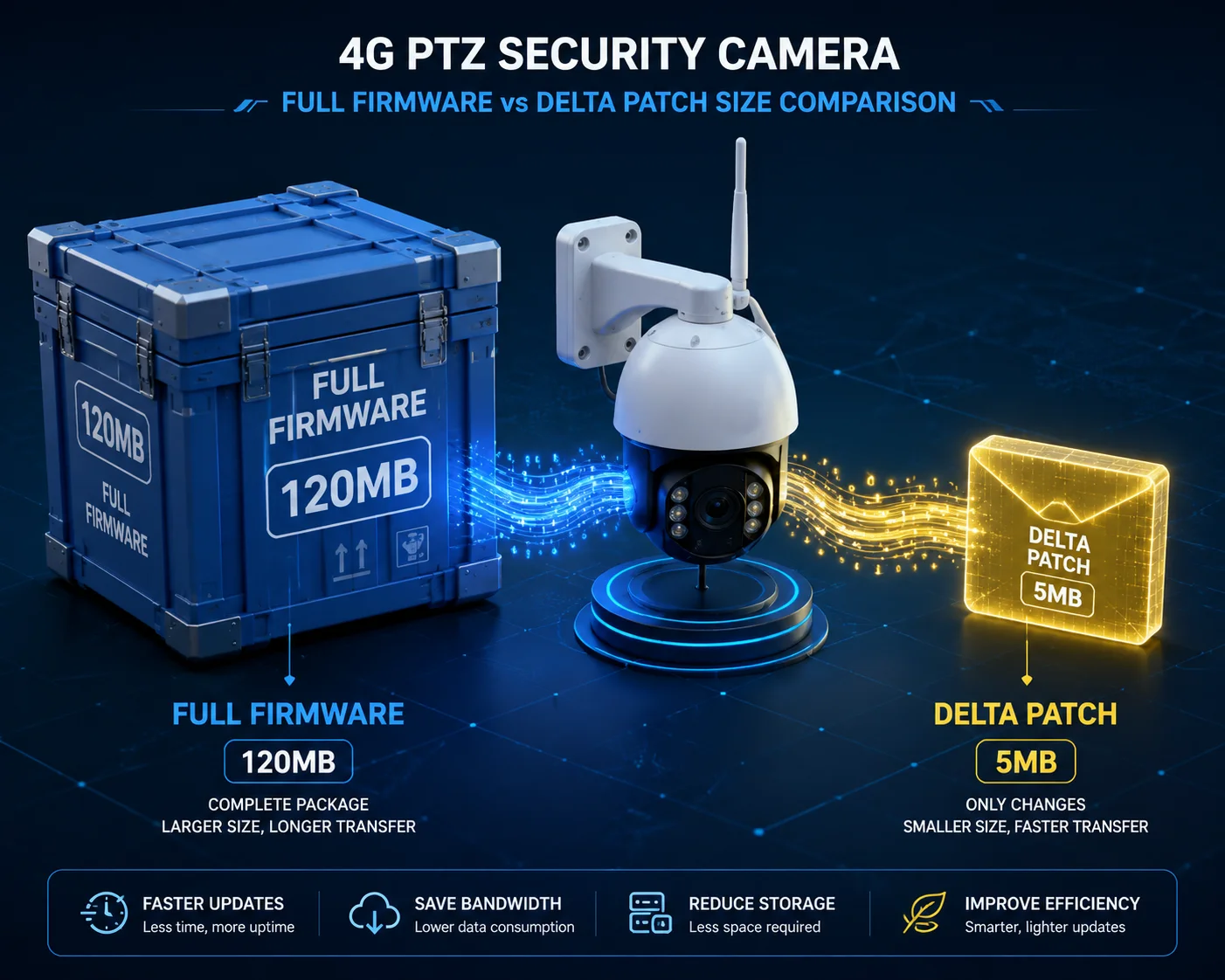
Below, I break down the exact mechanics behind delta updates, data usage protection, download scheduling, and pre-download verification. If you manage cameras on limited 4G plans, every section here matters to your bottom line.
Table of Contents
Can the Camera Perform a “Delta Update” to Only Download Changed Code Blocks?
I used to push full firmware images to every camera in the field. Then I got the monthly data bill. That was the last time I did that.
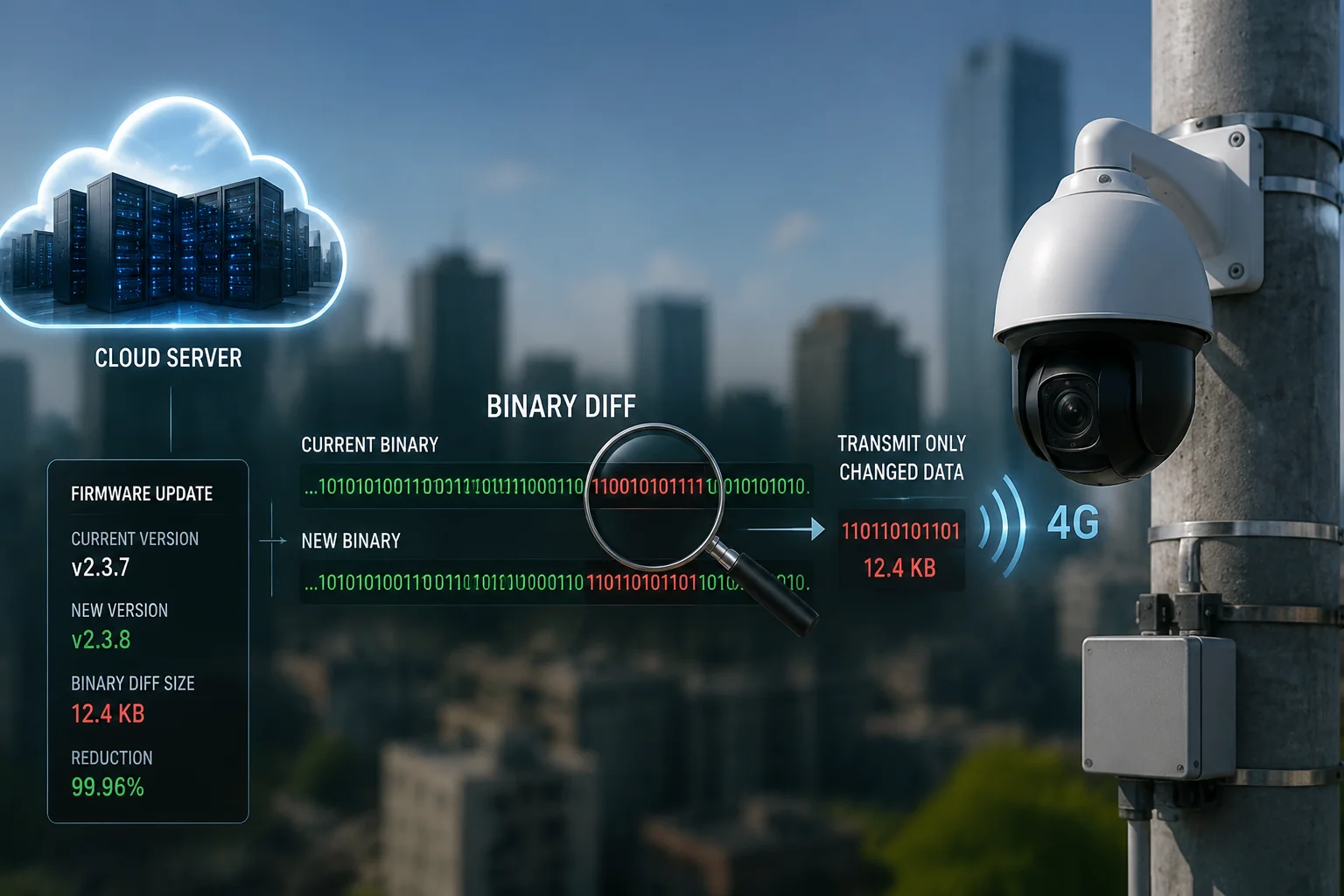
Yes, a well-designed 4G PTZ camera can perform delta updates. The system compares the old firmware with the new one at the binary level and generates a patch file containing only the changed code blocks. This patch is typically 5–15% of the full image size, saving massive amounts of 4G data on every update cycle.
How Binary Diff Works in Practice
The delta update process is not magic. It is a well-established engineering method. Here is how it works step by step.
First, the cloud server holds both the old firmware version and the new firmware version. A diff tool (like bsdiff1 or xdelta2) compares the two files byte by byte. It produces a small patch file that records only the differences. This patch file is what gets sent to the camera over 4G.
Second, the camera receives the patch. It then takes its current firmware from flash storage and applies the patch locally. The result is a complete new firmware image, rebuilt right on the device. Before writing this new image to flash, the camera checks its integrity using SHA256 or MD5 hash values. If the hash matches, the write proceeds. If not, the camera discards the patch and reports an error.
Size Comparison: Full vs. Delta
| Update Type | Typical Size | Data Cost (at $10/GB) | Best Use Case |
|---|---|---|---|
| Full Firmware Image | 40–120 MB | $0.40–$1.20 per device | First-time provisioning, major OS change |
| Application Patch | 2–10 MB | $0.02–$0.10 per device | App logic fix, AI model tweak |
| Delta/Incremental Patch | 3–15 MB | $0.03–$0.15 per device | Routine security patches, minor updates |
Why This Matters for Fleet Deployments
Think about this. You have 200 cameras on a construction site across Texas. Each camera uses a Verizon prepaid SIM with 1 GB per month. If you push a full 100 MB firmware update to all 200 cameras, that is 20 GB of data. At $10 per GB, you just spent $200 on a single update.
Now switch to delta updates. That same update becomes an 8 MB patch. Across 200 cameras, total data usage drops to 1.6 GB. Cost: $16. You saved $184 in one update cycle.
Version Matching Is Critical
Delta updates only work when the server knows exactly which firmware version each camera is running. If camera A is on version 2.1 and camera B is on version 2.3, they need different patches to reach version 2.5. The server must track every device’s current version and generate or select the correct patch.
This is why a proper device management platform9 matters. Without version tracking, delta updates break. The camera will reject a mismatched patch because the hash check will fail. At Loyalty-Secu, our devices report their firmware version and hash value to the management server on every heartbeat. This keeps the patch pipeline accurate.
Module-Level Updates (DFOTA)
There is another layer most people forget: the 4G modem itself. The Quectel4 or Sierra Wireless module inside the camera has its own firmware. When carriers update their network configurations or add new band support, the modem firmware needs updating too.
This uses a process called DFOTA3 (Delta Firmware Over-The-Air). It works the same way — only the changed bytes get downloaded. The modem’s internal processor handles the update independently. It does not load the main camera CPU. This is important because it means the camera can keep recording while the modem updates in the background.
How Do I Prevent a 100MB Firmware Update from Exhausting My Daily 4G Quota?
I once had a client call me at 7 AM because all 50 of his cameras went offline after an update drained every SIM card overnight. That call changed how we handle OTA.
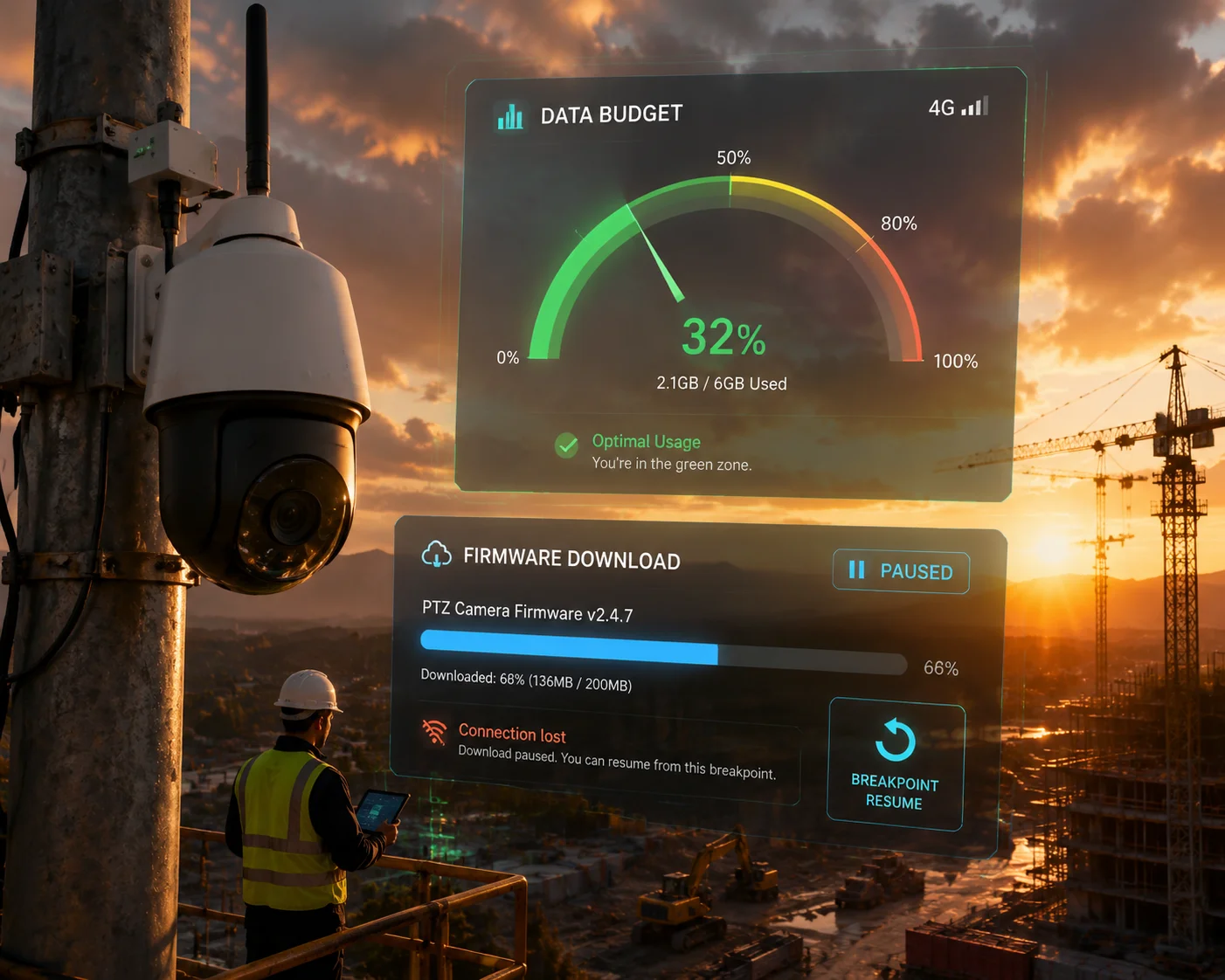
You prevent quota exhaustion by enabling delta-only update mode, setting daily data caps5 in the device management platform, and using resumable downloads with bandwidth throttling. These three controls together ensure that a firmware update never consumes more data than you allow, even if the full package is 100MB or larger.
The Real Risk: Uncontrolled Downloads
A 100 MB firmware update sounds small on a fiber connection. On a 4G link with a 500 MB monthly cap, it is 20% of your entire month’s data gone in one shot. If the download fails halfway and restarts from zero, you could lose 40% before the update even succeeds.
This is not a theoretical problem. It happens in the field. Especially on prepaid SIM cards in rural areas where signal quality fluctuates. The camera starts downloading, loses signal at 60 MB, reconnects, and starts over. Now you have used 160 MB and still do not have the update.
Three Layers of Protection
Here is how a properly configured system prevents this:
Layer 1: Delta-Only Mode
As I covered above, enabling “Differential Upgrade Only” mode on the management platform ensures the server never sends a full image when a delta patch exists. This alone cuts data usage by 85–95%.
Layer 2: Daily Data Budget
The camera’s 4G connection manager should support a daily data ceiling. You set a maximum — say 50 MB per day for all traffic including video streaming and OTA. If the OTA download would push the camera past that limit, it pauses and waits until the next day’s budget resets.
| Protection Feature | What It Does | Typical Setting |
|---|---|---|
| Delta-Only Mode | Blocks full image downloads when a patch exists | ON (default recommended) |
| Daily Data Cap | Limits total daily 4G usage per device | 30–100 MB/day |
| Resumable Download | Saves progress if connection drops | Always ON |
| Bandwidth Throttle | Limits OTA download speed to preserve live stream | 50–200 Kbps |
| Scheduled Window | Restricts OTA to off-peak hours | 01:00–05:00 local time |
Layer 3: Resumable Downloads (Breakpoint Resume)
This is non-negotiable for 4G deployments. If the download stops at 6.2 MB out of 8 MB, the camera must remember that. When the connection comes back, it picks up at 6.2 MB. It does not start over.
At Loyalty-Secu, our firmware download agent uses HTTP range requests. The camera stores a progress file in local memory. Even if the device reboots during the download, it reads the progress file on startup and continues from where it stopped. Zero wasted bytes.
Dual Partition Safety Net
What if the update downloads completely but the installation fails? This is where the A/B dual partition system6 saves you.
The camera has two firmware slots: Partition A (active) and Partition B (standby). The new firmware downloads to Partition B. The camera verifies the hash. If verification passes, it reboots into Partition B. If Partition B fails to boot properly, the bootloader automatically switches back to Partition A within 30 seconds.
This means a bad update never bricks the camera. You never need to send a truck. The camera just rolls back and keeps working on the old firmware. It then reports the failure to the server so you can investigate.
Is There an Option to Schedule Firmware Downloads Only When Signal Strength Is Peak?
I learned the hard way that pushing updates during business hours on a congested tower leads to 40% failure rates. Timing matters more than most people think.
Yes, advanced 4G camera systems allow you to schedule OTA downloads based on time windows, and some can also factor in real-time signal strength (RSSI/RSRP) readings. The camera can be configured to only start downloading when signal quality exceeds a set threshold, such as RSRP above -100 dBm, during a predefined maintenance window.

Why Signal Strength Affects Update Success
A 4G connection is not like Wi-Fi in an office. Signal strength at a remote site changes throughout the day. In the morning, when fewer people are on the tower, you might get -85 dBm (strong). At noon, when every phone in the area is streaming video, it drops to -115 dBm (weak). At 3 AM, the tower is nearly empty and signal is at its best.
Downloading firmware on a weak signal has three problems:
- Slower speed. A weak signal means lower throughput. An 8 MB download that takes 2 minutes on a strong signal might take 20 minutes on a weak one.
- Higher error rate. Weak signals produce more packet loss. The download agent has to request retransmissions, which wastes data.
- More disconnections. If signal drops below -120 dBm, the modem may lose registration entirely. The download stops. Even with resumable downloads, each reconnection cycle wastes time and a small amount of data on re-authentication.
How Scheduling Works
Time-Based Scheduling
This is the simplest method. You set a maintenance window in the device management platform — for example, 01:00 to 05:00 local time. The server pushes the download command, but the camera holds it in a queue until the window opens. During those hours, the camera downloads the patch, verifies it, and either installs immediately or waits for a manual reboot command.
Signal-Based Gating
This is more advanced. The camera’s 4G module continuously reports signal metrics:
- RSRP (Reference Signal Received Power): Measures signal strength. Above -100 dBm is good. Below -110 dBm is risky for large downloads.
- RSRQ (Reference Signal Received Quality): Measures signal quality relative to interference. Above -10 dB is acceptable.
- SINR (Signal to Interference plus Noise Ratio): Above 10 dB is ideal for data transfers.
You can set a rule: “Only start OTA download when RSRP7 > -100 dBm AND SINR > 10 dB.” The camera checks these values before starting. If conditions are not met, it waits and checks again every 15 minutes.
Combining Both Methods
The best approach combines time and signal gating. The camera waits for the maintenance window to open. Then, within that window, it checks signal quality. If signal is strong enough, it starts. If not, it tries again the next night.
| Scheduling Method | Pros | Cons |
|---|---|---|
| Time-Based Only | Simple to configure, predictable | May download during poor signal |
| Signal-Based Only | Adapts to real conditions | May never trigger if signal is always marginal |
| Combined (Time + Signal) | Best success rate, lowest data waste | Slightly more complex to set up |
At Loyalty-Secu, we recommend the combined approach for all 4G solar-powered deployments. Our cameras log every download attempt with timestamp, signal metrics, and result (success/fail/paused). This gives you a clear audit trail when troubleshooting update issues across a large fleet.
Solar Power Consideration
There is one more factor unique to solar-powered cameras: battery level. You do not want the camera to start a firmware update at 3 AM if the battery is at 15%. The installation process — especially the flash write — draws more power than normal operation. If the battery dies mid-write, you could corrupt the firmware.
Our system adds a battery gate8: OTA installation only proceeds if battery level is above 40%. The download itself can happen at any battery level since it is low-power. But the actual flash write and reboot sequence requires a healthy battery reserve.
Does the System Verify the Package Size Before Starting the Download Over a 4G Link?
I have seen cameras attempt to download a corrupted 2 GB file that was never a valid firmware package. It burned through the entire SIM card’s data plan in one night.
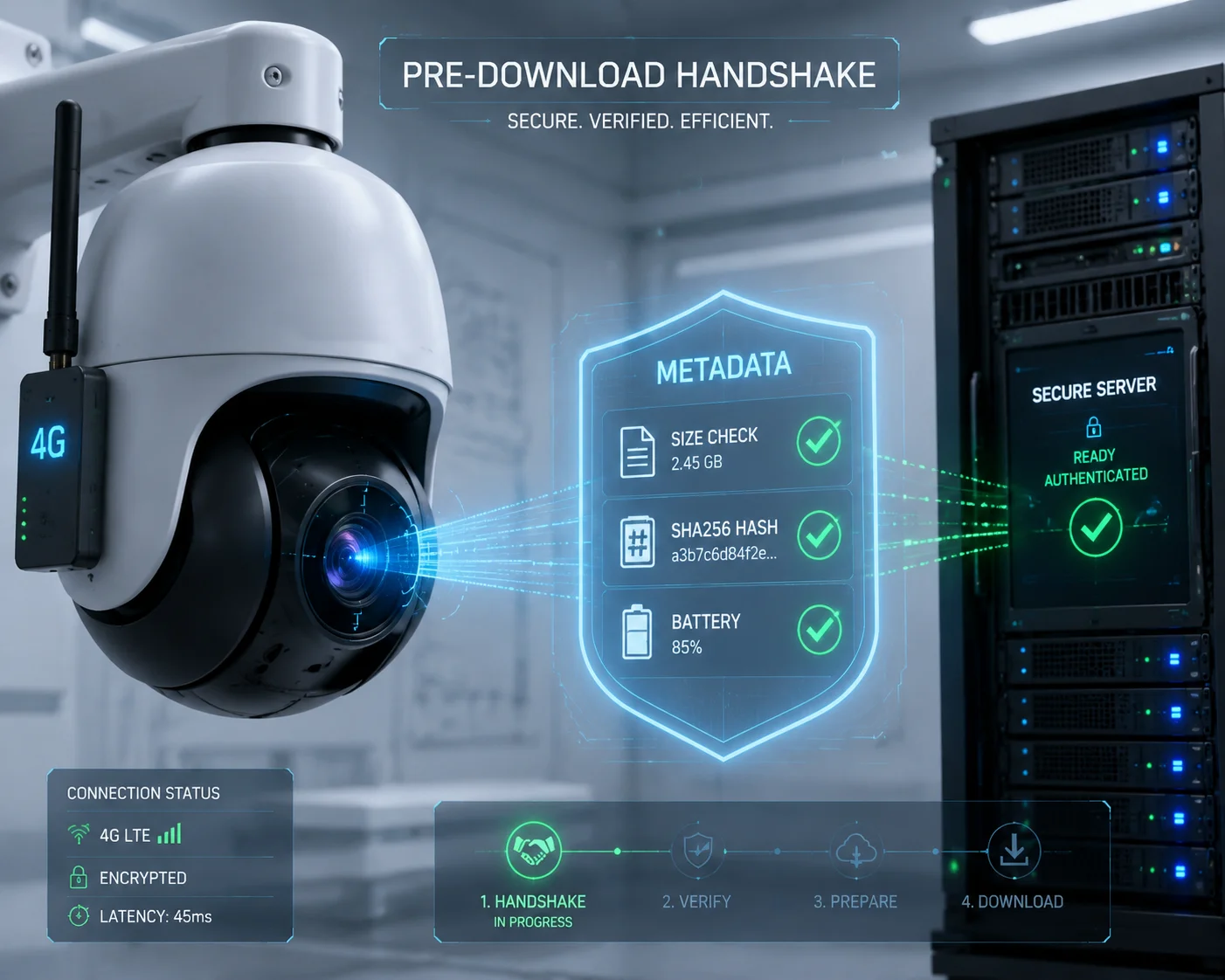
Yes, a properly engineered system performs pre-download verification before any bytes are transferred over 4G. The camera first receives a lightweight metadata file (typically under 1 KB) containing the expected package size, hash value, target hardware model, and minimum battery level. Only after all pre-checks pass does the actual download begin.
The Pre-Download Handshake
Before the camera downloads a single byte of firmware data, a handshake happens between the device and the OTA server. This handshake is tiny — usually a few hundred bytes — and it carries all the information the camera needs to decide whether to proceed.
Here is the sequence:
-
The camera sends a check-in request to the OTA server. This request includes the camera’s model number, current firmware version, current firmware hash, available flash storage, battery level, and current signal metrics.
-
The server responds with a metadata packet. This packet contains:
- New firmware version number
- Package type (full image or delta patch)
- Expected file size in bytes
- SHA256 hash of the package
- Minimum required battery level
- Compatible hardware revisions
- Expiration timestamp (the package is only valid until this date)
- The camera runs local checks:
- Is the file size smaller than available storage? If not, abort.
- Is the file size reasonable? (A 2 GB “firmware” is obviously wrong.) If not, abort.
- Does the hardware revision match? If not, abort.
- Is battery level above the minimum? If not, wait.
- Is the current signal strong enough? If not, wait.
- Only after all checks pass does the camera send a “ready to download” confirmation. The server then begins streaming the actual firmware file.
Why Size Verification Prevents Disasters
Without size verification, several things can go wrong:
- Corrupted server file. A bug in the OTA platform could serve a wrong file. Without a size check, the camera would download the entire thing before discovering it is invalid.
- Man-in-the-middle attack. On an unsecured connection, an attacker could inject a large malicious file. Size and hash verification together prevent this.
- Storage overflow. If the camera has 32 MB of free space and the package is 50 MB, downloading will fail partway through. The camera will have wasted 32 MB of 4G data for nothing. Pre-checking the size avoids this entirely.
Post-Download Verification
Size checking is just the first gate. After the download completes, the camera computes the SHA256 hash of the downloaded file and compares it to the hash from the metadata packet. If they match, the file is intact. If not, the camera deletes the file and reports a failure.
This double verification — size before download, hash after download — creates a tight safety net. In over 10 years of shipping 4G cameras, I have never seen a device bricked by a corrupted OTA package when both checks are enabled. The failures I have seen always came from systems that skipped one or both of these steps.
What Happens When a Check Fails
The camera does not just silently fail. It logs the failure reason and sends it back to the management platform. Your dashboard shows exactly why the update did not proceed: “Insufficient storage,” “Hash mismatch,” “Battery too low,” or “Signal below threshold.” This gives you actionable information. You know whether to free up storage, recharge the battery, or wait for better signal conditions.
Conclusion
OTA updates over 4G work reliably when you combine delta patching, resumable downloads, signal-aware scheduling, and pre-download verification. These are not optional features — they are requirements for any serious remote camera deployment.
1. bsdiff is a common binary diff tool used to generate patch files for firmware updates. ↩︎ 2. xdelta is an open-source binary diff tool used for delta compression in OTA updates. ↩︎ 3. DFOTA (Delta Firmware Over-The-Air) enables efficient modem firmware updates that work independently of the main camera CPU. ↩︎ 4. Quectel is a leading manufacturer of 4G and 5G modules used in IoT devices, including security cameras. ↩︎ 5. Setting a daily data cap per device prevents OTA updates from exhausting a limited 4G quota. ↩︎ 6. An A/B partition system provides a safety net by updating the standby partition and rolling back on failure. ↩︎ 7. RSRP (Reference Signal Received Power) is a key metric used to gate OTA downloads based on signal strength. ↩︎ 8. Solar-powered cameras require a battery level threshold to prevent firmware installation during low power. ↩︎ 9. A robust platform tracks firmware versions and enables delta-only mode, scheduling, and data caps. ↩︎