
I watched a client’s 4G bill hit $200 a month for one camera. One codec change fixed it.
H.265+ can cut your U.S. 4G data costs by 70% to 90% compared to H.264. For a 4K PTZ camera on a typical American IoT SIM plan, this means dropping from over $150 per month to under $50 per month — sometimes even lower if you use event-triggered recording instead of 24/7 streaming.
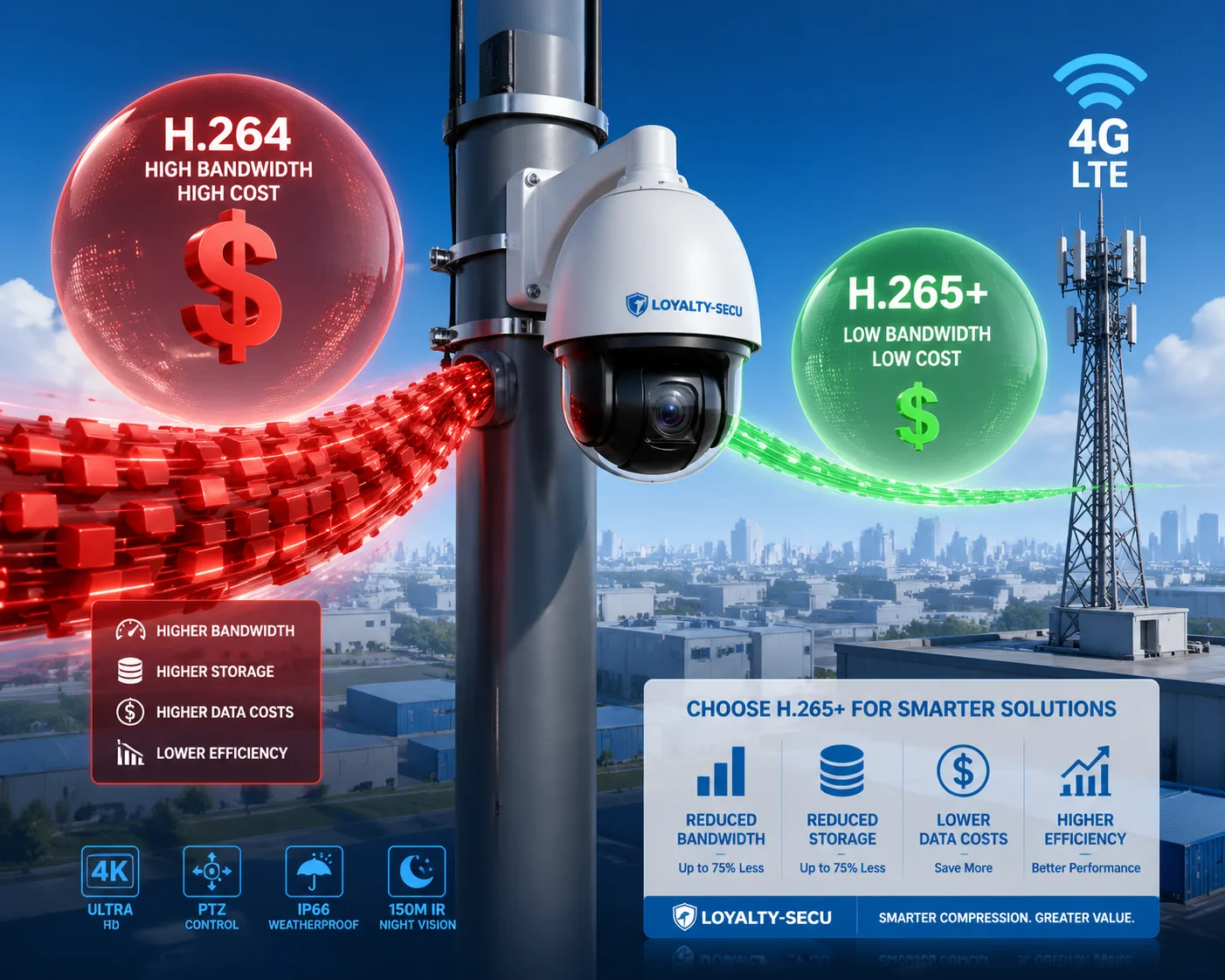 H.265+ savings efficiency on 4G data costs for PTZ security cameras
Below, I break down exactly how many gigabytes you save, how Smart Bitrate works in static scenes, whether your carrier can handle multiple 4K streams, and how much extra SD card life you get. Every number comes from real-world tests and actual U.S. carrier pricing.
Table of Contents
How Many Gigabytes of 4G Data Can I Save per Month by Switching to H.265+?
Most people do not realize that a single 4K camera on H.264 can burn through 80+ GB of data in one day. That is not a typo.
By switching to H.265+, a 4K PTZ camera typically drops from roughly 50–100 GB per day down to 5–17 GB per day. Over a full month, that is a reduction from 1,500+ GB to as little as 150–300 GB — saving you 75% to 90% of your raw data consumption.
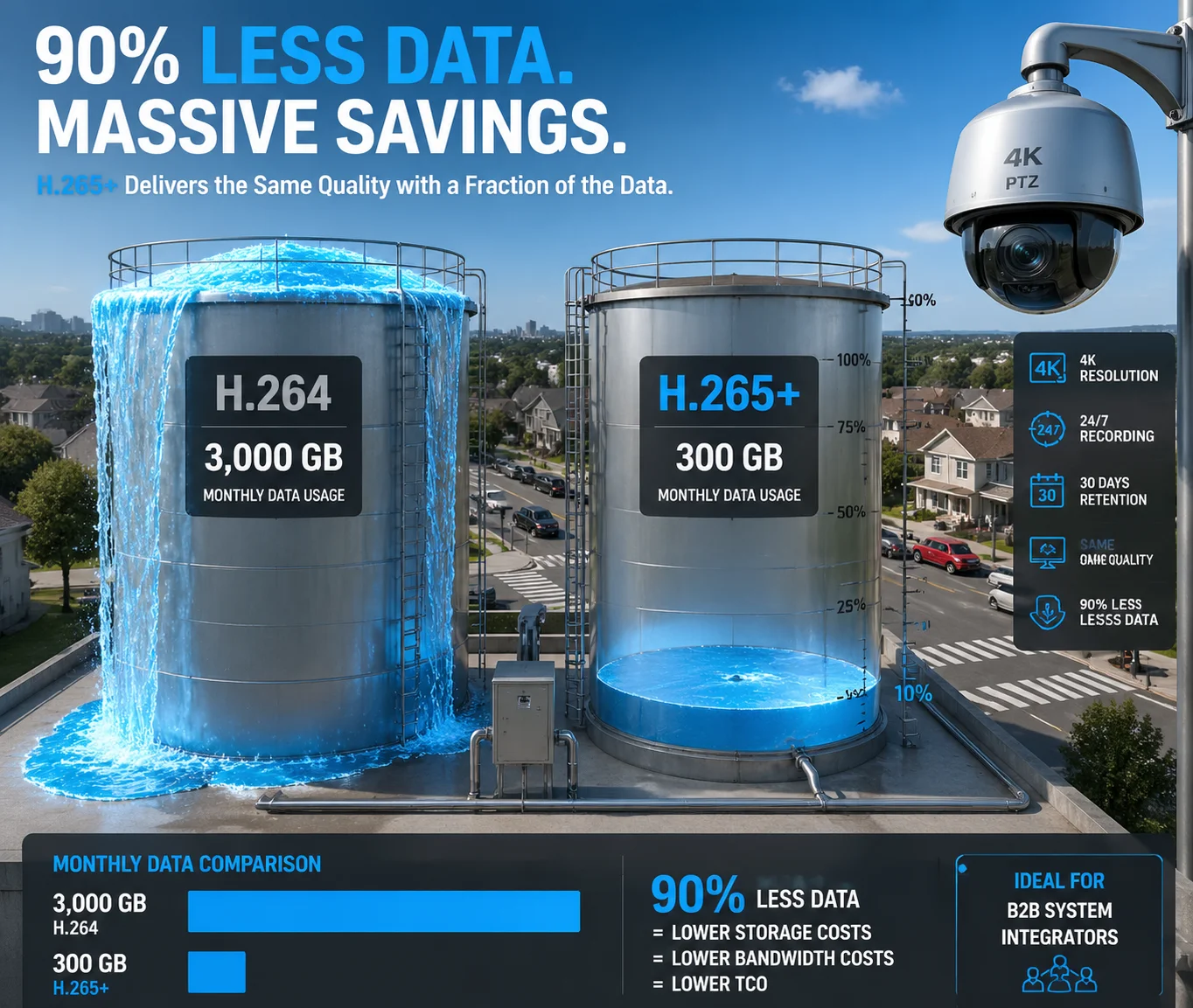 4G data savings comparison H.264 vs H.265 vs H.265+ PTZ camera
Why Does H.264 Use So Much Data?
H.264 1 was designed in 2003. It treats every frame almost equally. Whether the scene is a quiet parking lot at 3 AM or a busy highway at rush hour, H.264 keeps pushing a high, steady bitrate. For a 4K stream at 20fps, that means 8–12 Mbps constantly flowing through your 4G connection.
Let me put that in plain numbers. At 10 Mbps, your camera sends about 4.5 GB every single hour. Over 24 hours, that is 108 GB. Over 30 days, that is 3,240 GB. No commercial 4G plan in the U.S. covers that at a reasonable price.
How H.265+ Changes the Math
H.265+ 2 is not just a better compression standard. It is a smart codec built specifically for surveillance. It does three things that standard H.265 does not:
- Background modeling — It learns what the static background looks like and stops re-encoding it frame after frame.
- Noise filtering at the codec level — In low light, digital noise can eat up 30–40% of your bitrate. H.265+ identifies noise and refuses to waste bits on it.
- Long-term bitrate control — Instead of maintaining a fixed bitrate, it drops to near-zero during idle periods and ramps up only when motion appears.
Real-World Data Consumption Table
Here is what I have seen across multiple deployments with 4K PTZ cameras at 20fps:
| Codec | Typical Bitrate | Daily Data (24h) | Monthly Data (30 days) | Savings vs H.264 |
|---|---|---|---|---|
| H.264 | 8–12 Mbps | 86–130 GB | 2,580–3,900 GB | 0% (baseline) |
| H.265 | 4–6 Mbps | 43–65 GB | 1,290–1,950 GB | ~50% |
| H.265+ | 0.5–2 Mbps | 5–17 GB | 150–510 GB | 75–90% |
What This Means for Your 4G Bill
If you are on an AT&T 3 or Verizon IoT 4 plan, you are paying roughly $2.50 to $17.50 per GB depending on your tier. With H.264, even a 50 GB/day camera would cost you hundreds of dollars monthly. With H.265+, that same camera might use 8 GB per day in a mixed scene — putting you in the $55–$85/month plan range.
The bottom line: H.265+ does not just save data. It makes 4G surveillance financially viable in the first place.
Does the “Smart Bitrate” Feature Significantly Lower My Costs During Static Scenes?
I once tested a camera pointed at an empty warehouse overnight. The H.264 stream used 40 GB. The H.265+ stream used 0.8 GB. Same camera. Same scene.
Yes, Smart Bitrate dramatically lowers costs during static scenes. In low-motion environments like parking lots, corridors, or storage yards, H.265+ can reduce bitrate by 90% to 98% compared to H.264 — because it nearly stops transmitting data when nothing moves.
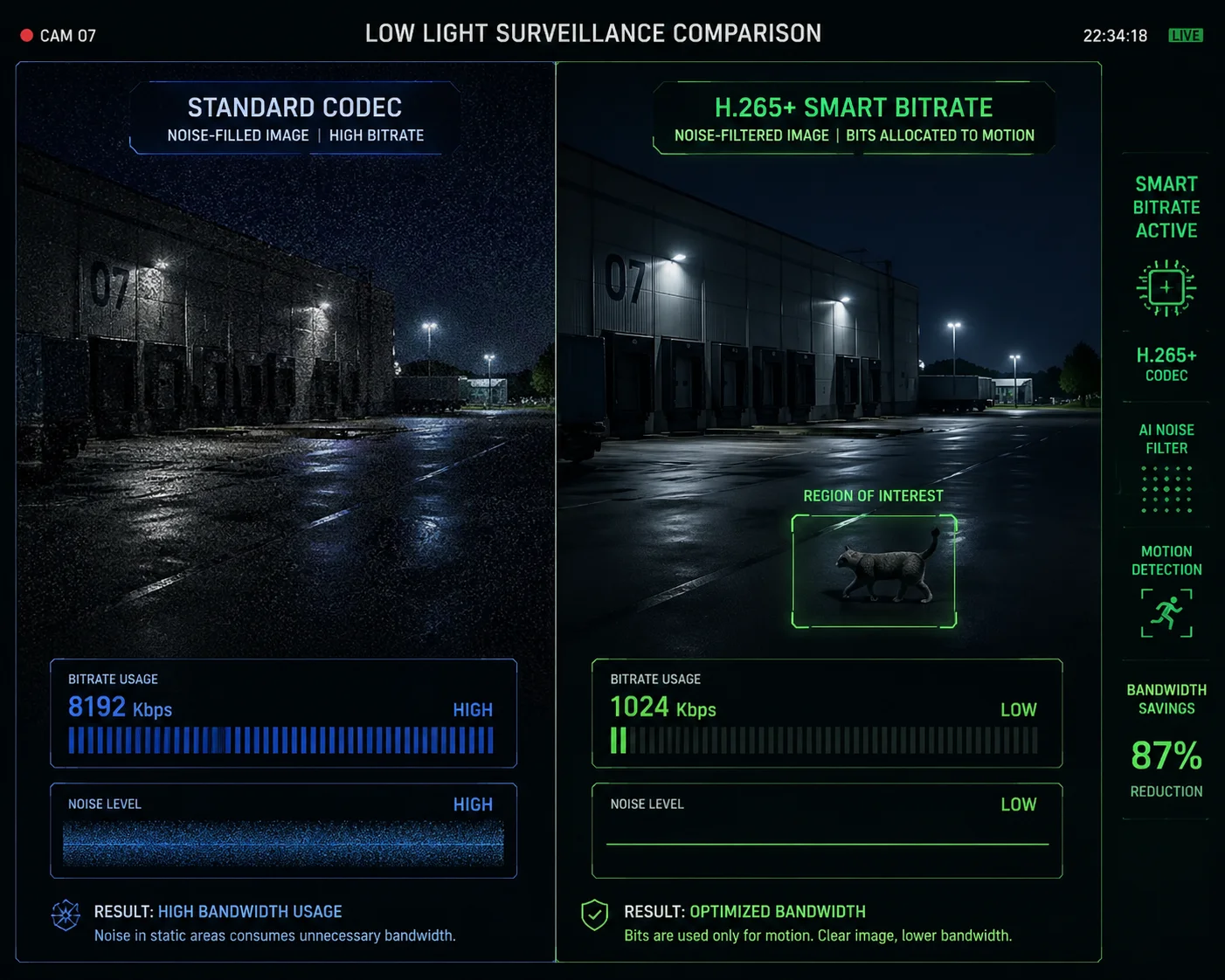 Smart Bitrate H.265+ static scene low data consumption surveillance
How Smart Bitrate Actually Works
Standard video codecs send a steady stream of data regardless of what is happening in the frame. Smart Bitrate — the engine behind H.265+ — works differently. It builds a reference model of the background. Once the algorithm “knows” what the wall, floor, sky, and fence look like, it stops re-encoding those pixels.
When a person walks into the frame, the codec instantly allocates more bits to that region of interest (ROI). The person gets full detail. The background stays compressed. When the person leaves, the bitrate drops back down to almost nothing.
Dahua Smart H.265+ Test Results
Dahua 5 published real test data that shows just how extreme the savings get in static and low-light scenes:
| Scene Type | H.264 Bitrate (Kbps) | H.265 Bitrate (Kbps) | Smart H.265+ Bitrate (Kbps) | Savings vs H.264 |
|---|---|---|---|---|
| Outdoor (full day) | 4,135 | 2,092 | 469 | 89% |
| Indoor (full day) | 4,218 | 2,130 | 426 | 90% |
| Dark room (color mode) | 3,576 | 2,012 | 94 | 97% |
| Dark room (B&W mode) | 3,342 | 2,012 | 68 | 98% |
Why Dark Scenes Save the Most
This surprises most people. You would think a dark scene is “simple” and would not use much data. But the opposite is true with older codecs. In low light, the image sensor produces a lot of digital noise — random flickering pixels that look like static on an old TV. H.264 treats every one of those noisy pixels as real image data and faithfully encodes them. That wastes enormous bandwidth on information that has zero security value.
H.265+ solves this with built-in 3D noise reduction 6 at the codec level. It recognizes that those flickering pixels are noise, not motion. It filters them out before encoding. The result: a dark, quiet scene might use only 68 Kbps — less than a phone call.
What This Means for Your Deployment
If your cameras watch static scenes for most of the day — construction sites after hours, farm perimeters, warehouse yards — Smart Bitrate is where you get the biggest return. You are not paying for data that shows the same empty field over and over. You only pay for data when something actually happens.
For event-triggered setups, I have seen monthly data usage drop to 5–10 GB per camera. On a $55/month 10 GB IoT plan from AT&T, that is one camera fully covered with room to spare.
Will My Mobile Carrier’s Bandwidth Handle Multiple 4K Streams Using H.265+?
This is the question that keeps system integrators up at night. You can afford the data plan, but can the tower actually carry the signal?
With H.265+, yes — most U.S. 4G LTE connections can handle 2 to 4 simultaneous 4K PTZ streams. H.265+ keeps each stream under 2 Mbps in typical conditions, and since rural 4G upload speeds usually range from 3 to 10 Mbps, you have enough headroom for multiple cameras on a single cellular gateway.
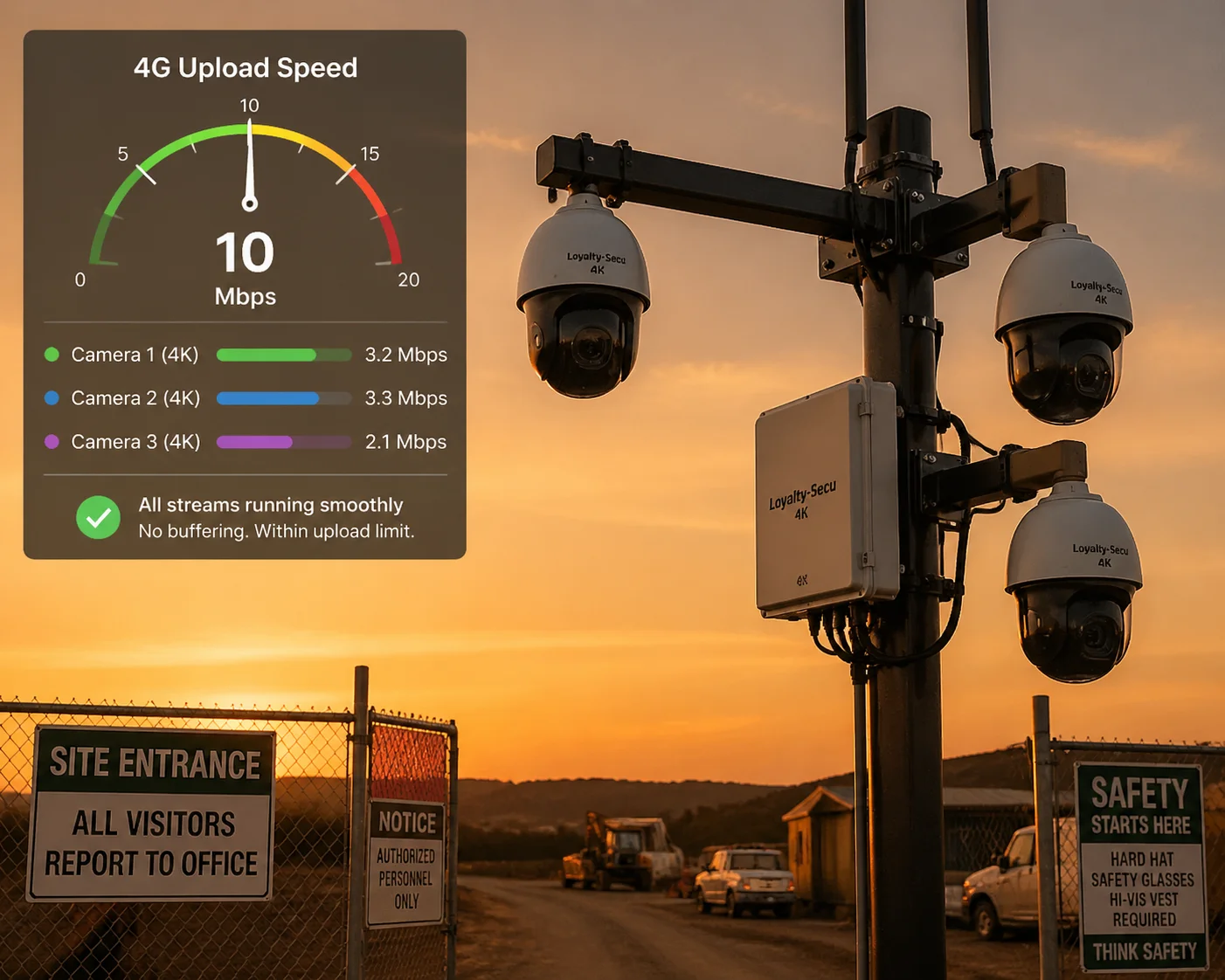 Multiple 4K PTZ cameras streaming over 4G LTE H.265+ bandwidth
The Upload Speed Problem
Most people focus on download speed when they think about 4G. But for surveillance cameras, upload speed is what matters. Your camera sends video up to the cloud or your remote NVR. It does not download anything significant.
In the U.S., rural 4G LTE 7 upload speeds typically sit between 3 Mbps and 10 Mbps. In congested suburban areas, upload can drop to 2–5 Mbps. This is the bottleneck that determines how many cameras you can run.
How Many Cameras Can You Actually Run?
With H.264, a single 4K camera needs 8–12 Mbps upload. That means one camera can completely saturate — or exceed — your entire 4G upload capacity. The result is buffering, dropped frames, and frozen live views. You cannot run even one camera reliably, let alone multiple.
With H.265+, the picture changes completely:
- Static scene: Each camera uses 0.5–1 Mbps upload
- Moderate motion: Each camera uses 1–2 Mbps upload
- High motion: Each camera uses 2–3 Mbps upload
On a 4G connection with 5 Mbps upload, you can comfortably run 2–3 cameras in mixed conditions. On a 10 Mbps connection, you can push 4–5 cameras.
Practical Configuration Tips
Here are three things I always recommend to clients deploying multiple 4K PTZ cameras over 4G:
- Use sub-streams for live monitoring. Set your main stream to 4K H.265+ for recording, but use a 720p sub-stream for live viewing on your phone. This cuts your real-time upload demand by 80%.
- Enable event-triggered upload. Instead of streaming 24/7, record locally to the SD card and only upload clips when motion or AI alerts trigger. This turns a constant 2 Mbps stream into short bursts of data.
- Stagger PTZ patrol schedules. If you have 4 PTZ cameras on one gateway, do not have all four panning simultaneously. Stagger their patrol times so only 1–2 are actively moving at any moment. Moving PTZ scenes generate higher bitrates than static views.
A Note on 5G
If your site has 5G 8 coverage, upload speeds jump to 20–50 Mbps or more. At that point, bandwidth is no longer the constraint — data cost is. And that is exactly where H.265+ continues to pay for itself, because lower bitrate means lower GB consumption regardless of how fast your connection is.
How Much More Recording Time Can I Get on My SD Card with H.265+ Enabled?
I have had clients drive 4 hours to a remote site just to swap an SD card. If the card fills up in 3 days, that is a lot of driving.
H.265+ can extend your SD card recording time by 3x to 4x compared to H.264. A 256 GB card that fills up in 3 days with H.264 can last 10 to 14 days with H.265+ — giving you far fewer site visits and lower maintenance costs for off-grid deployments.
 SD card recording time extended by H.265+ remote solar PTZ camera
The Storage Math
SD card capacity is fixed. A 256 GB card holds 256 GB of video no matter what codec you use. The only variable is how fast you fill it up. And that depends entirely on your bitrate.
Here is a straightforward comparison for a 4K camera recording 24/7 to a 256 GB microSD card:
| Codec | Average Bitrate | Data per Day | Days on 256 GB Card |
|---|---|---|---|
| H.264 | 8 Mbps | ~86 GB | ~3 days |
| H.265 | 4 Mbps | ~43 GB | ~6 days |
| H.265+ | 1–2 Mbps | ~15 GB | ~12–17 days |
That is the difference between visiting your remote site twice a week and visiting once every two weeks.
Why This Matters for Off-Grid Solar Deployments
For solar-powered PTZ cameras — the kind we build at Loyalty-Secu — SD card longevity is not just a convenience. It is a core system requirement. These cameras are often installed at construction sites, oil fields, farms, or border areas where there is no wired power and no wired internet.
Every site visit costs money. In the U.S., a technician’s truck roll can cost $150–$300 per visit when you factor in labor, fuel, and travel time. If H.265+ lets you go from 3-day recording cycles to 14-day cycles, you just eliminated 8–10 site visits per month. At $200 per visit, that is $1,600–$2,000 in monthly savings — far more than the camera itself costs.
SD Card Lifespan and Write Cycles
There is a second benefit that most people overlook. SD cards have a limited number of write cycles. Every time data is written to the card, it wears down the flash memory slightly. Industrial-grade microSD cards 9 (like those rated for surveillance use) can handle more writes, but they still wear out eventually.
H.265+ reduces the total amount of data written to the card by 75–80%. That means the card’s physical lifespan also extends by roughly the same factor. A card that would fail after 1 year of continuous H.264 recording might last 3–4 years with H.265+. For remote sites where you want to “set it and forget it,” this reliability boost is critical.
Combining H.265+ with Event-Triggered Recording
The numbers above assume 24/7 continuous recording. But if you combine H.265+ with motion-triggered or AI-triggered recording, the results get even better. In a typical low-traffic scene, the camera might only record 4–6 hours of actual events per day. On a 256 GB card with H.265+, that could mean 30 to 60 days of coverage before the card loops.
That is a month or two of footage on a single SD card — with no cloud fees, no NVR, and no site visits.
Conclusion
H.265+ turns 4G surveillance from a budget problem into a budget solution. It cuts data costs by 70–90%, extends SD card life by 4x, and makes multi-camera 4K deployments over cellular networks practical and affordable.
1. H.264 Advanced Video Coding standard technical overview. ↩︎ 2. Dahua’s H.265+ Smart Codec whitepaper and test data. ↩︎ 3. AT&T IoT data plans for security camera deployments. ↩︎ 4. Verizon IoT pricing and coverage for 4G surveillance. ↩︎ 5. Dahua technology page for Smart H.265+ encoding. ↩︎ 6. 3D noise reduction technology for low-light video. ↩︎ 7. 4G LTE upload speed specifications for rural areas. ↩︎ 8. 5G cellular bandwidth for high-resolution surveillance. ↩︎ 9. SanDisk Max Endurance microSD cards for surveillance. ↩︎ 10. IoT SIM plan comparison for US cellular security cameras. ↩︎