
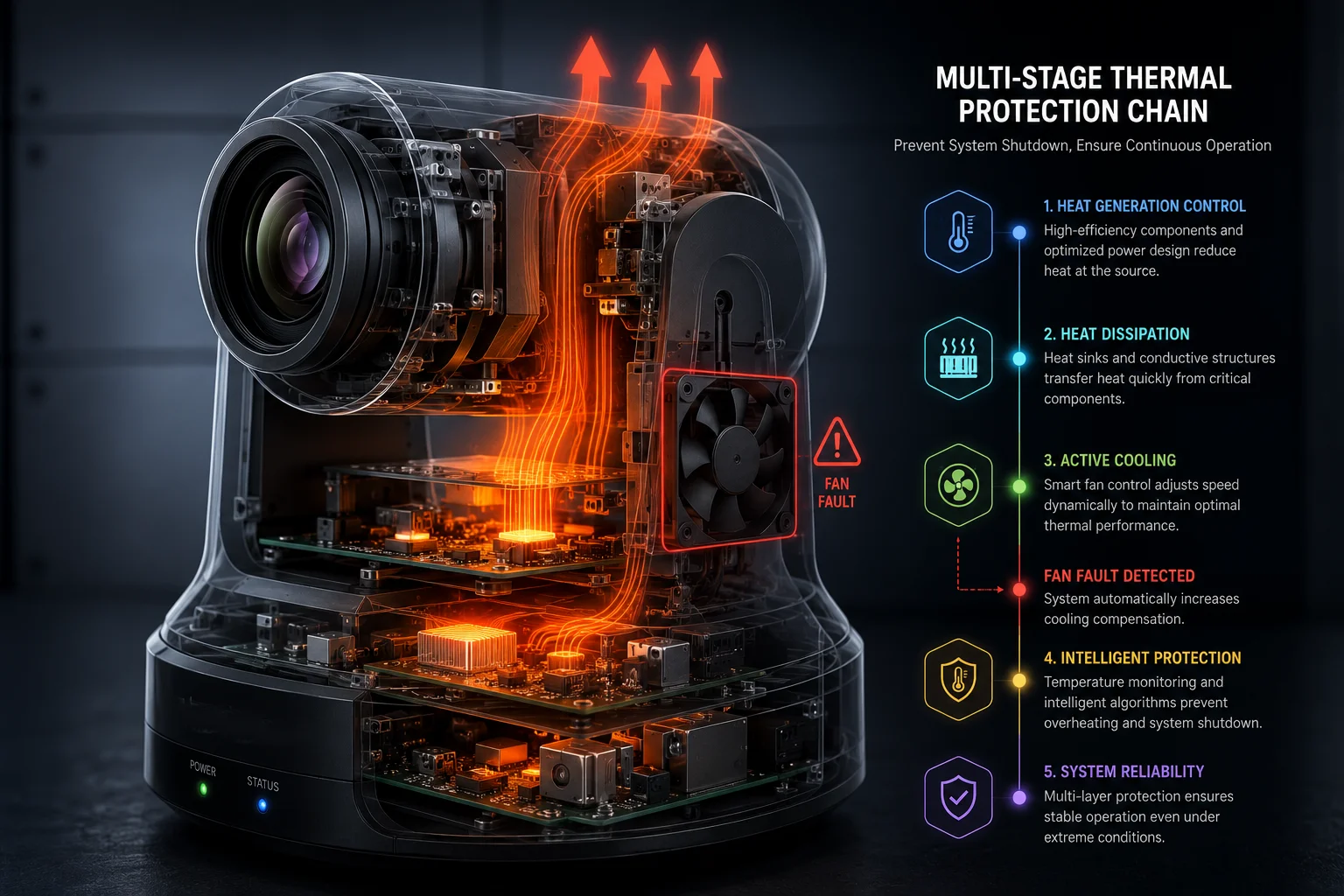
When a cooling fan fails, I do not assume the camera is safe. Heat rises fast, and I have seen how one small fault can become a full system shutdown if the design has no backup.
Yes, there is usually a thermal throttling1 mechanism in a well-built industrial PTZ camera2. The system lowers AI load, reduces video output, and limits motor activity before the heat reaches a level that could damage the silicon or power board.
 industrial ptz thermal throttling cover image
I always look at thermal protection as a chain, not a single switch. Once one part gets too hot, the camera should move step by step into safer modes, so I keep reading to see how that chain works in real use.
Table of Contents
Will the AI processor reduce its TOPS performance to protect the silicon from melting?
I know this is the first thing many buyers ask when they worry about fan failure. If the AI chip keeps running at full speed, heat will climb fast, and that can turn a small cooling issue into a real hardware loss.
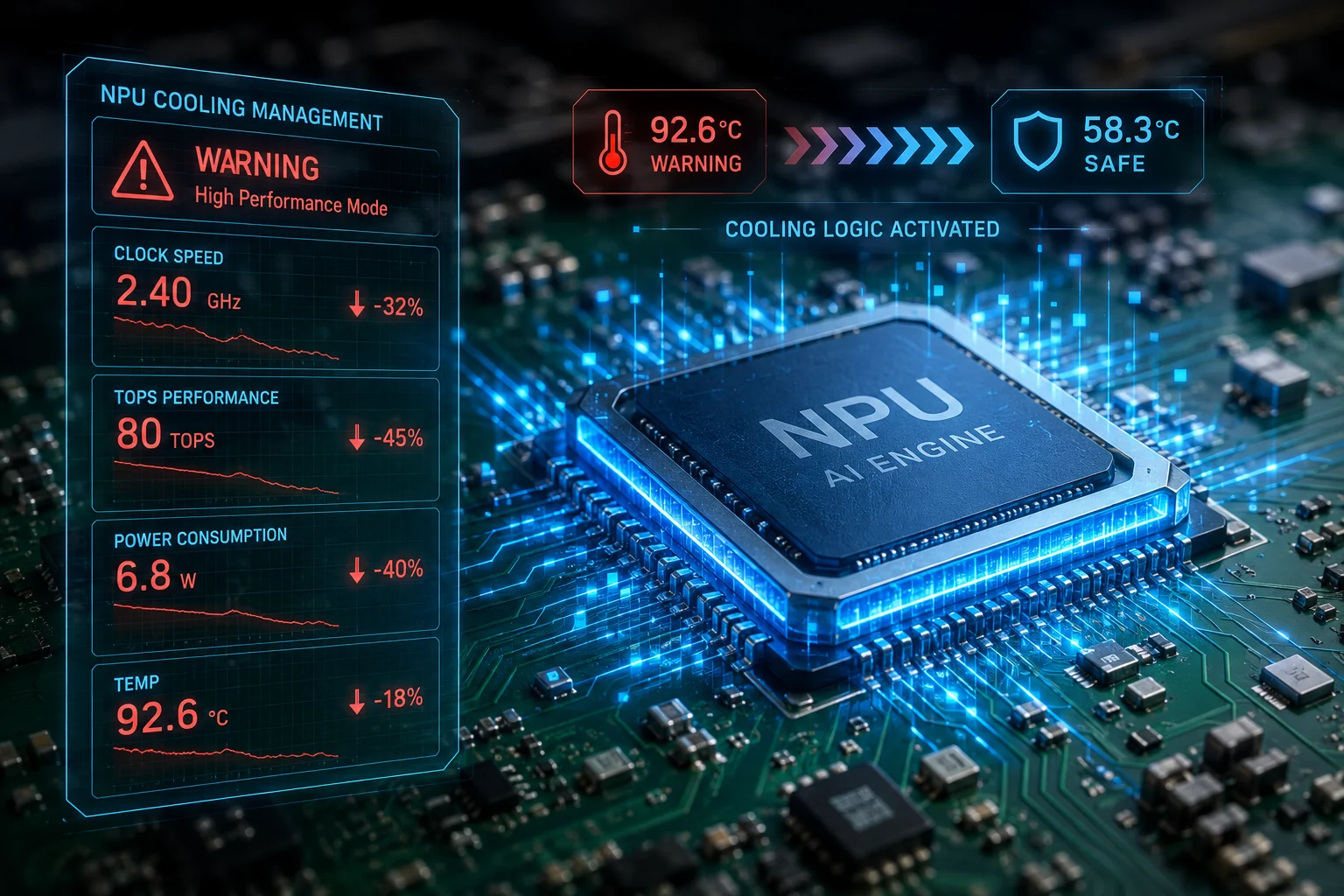
Yes, the AI processor3 should reduce its TOPS output when the internal temperature passes safe limits. In a proper industrial design, the firmware lowers the NPU clock4, cuts power draw, and keeps the silicon inside a safer range until the heat drops.
 AI processor thermal throttling image
I build my view on the idea that heat does not stay in one place. The AI chip is only one part of the system, but it is often the first part to get blamed because it works hard all day. In a 4G LTE solar PTZ camera5, the AI engine handles human and vehicle detection6, edge analytics7, and sometimes tracking logic. That means it keeps pulling power even when the camera is not moving. If the fan stops, the chip does not get the airflow it expects, so the firmware must react fast.
How I look at the AI throttling logic
I usually break the logic into simple layers. First, the system watches the SoC or NPU temperature. Then it compares that value with fixed limits. If the temperature is still in the warning range, the camera can stay online, but the AI engine should run slower. If the temperature keeps rising, the firmware should reduce frame processing, shorten AI tasks, or pause advanced functions like continuous tracking.
| Temperature Zone | AI Action | User Impact |
|---|---|---|
| Normal | Full TOPS | Fast detection and tracking |
| Warning | Partial throttle | Slight delay in AI response |
| Critical | Strong throttle | Lower detection speed and fewer tasks |
| Emergency | Safety lock | AI functions stop or stay basic |
This matters because the AI block is not only about performance. It also affects power budget. When the chip runs at full speed, it creates more heat, and that extra heat can raise the load on the whole board. So when I design or review a camera, I ask a simple question: does the firmware know how to trade speed for safety? If the answer is yes, then the camera has a real chance to survive fan failure without permanent harm.
I also think buyers should care about the way the throttle feels in the field. A good system does not just “slow down.” It should keep the core functions alive. That means basic detection, alarm support, and remote health reporting should still work. The user may lose some AI speed, but the unit should still protect the hardware and stay useful. That is the difference between a smart safety system and a dead device.
Does the camera send an “Overheat Emergency” push alert before it shuts down completely?
I know how frustrating it is when a remote camera dies without warning. If I am managing a site in a farm, yard, or road project, I need time to react before the camera goes dark.
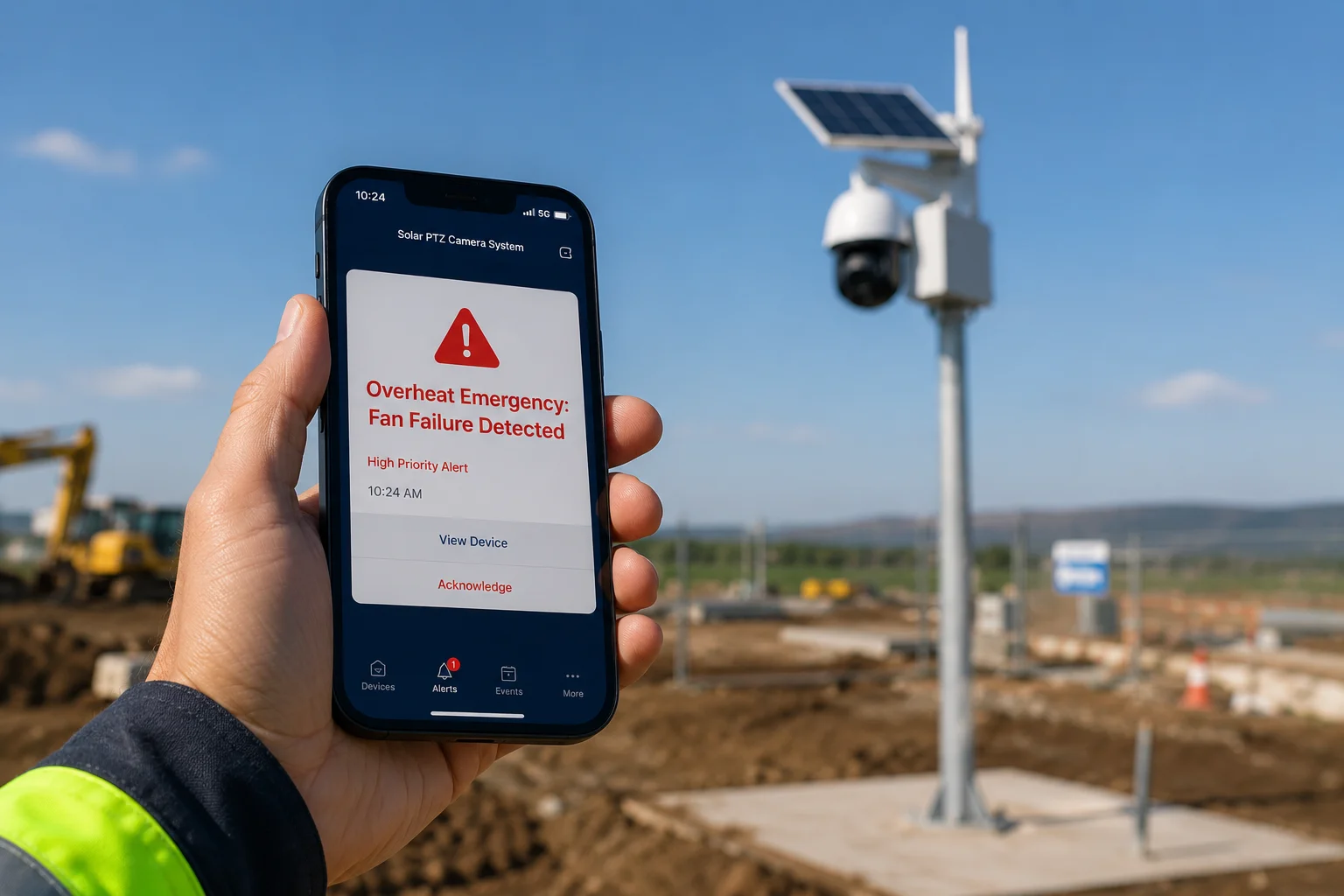
Yes, a good industrial PTZ camera should send an overheat alert before full shutdown. The alert should reach the app, the VMS, or the NVR layer while the camera still has enough power to report its own status.
 overheat alert notification image
I treat this as a basic must-have, not a luxury. If the camera can sense danger but cannot report it, then the operator loses the chance to act. In real projects, that can mean missed footage, broken service levels, and higher repair cost. A thermal warning is useful only if it arrives early enough. That is why I like designs that combine local thermal sensing with remote push messages, SNMP events, or platform alarms. The camera should not wait until the last second. It should warn the user while the system is still stable.
What I expect from a proper alert chain
I want the alarm chain to be simple and clear. First, the camera detects a fan fault or a rising temperature trend. Then it creates a warning event. Then it sends a push alert and stores the event in logs. If the temperature goes higher, it should upgrade the warning into a critical event. At that point, the user should know that the unit is entering a protection mode.
| Event Stage | Camera Status | Alert Type |
|---|---|---|
| Early warning | Temperature rising | App push / platform notice |
| Mid warning | Fan failure confirmed | High priority alarm |
| Critical | Strong thermal stress | Emergency alert |
| Shutdown risk | Safety limit reached | Final warning and log record |
I also think the wording of the alert matters. If the system only says “error,” the user may ignore it. If it says “Overheat Emergency,” the meaning is clear. That kind of message helps installers, CTOs, and site managers act fast. They can reduce load, stop PTZ patrols, lower video quality, or schedule a safe reset. In my view, this is where a manufacturer proves real field thinking. A camera that warns well is a camera that saves time, money, and face in front of the end customer.
Will the system record the last 60 seconds of video to the cloud if a thermal failure is imminent?
I know this question comes up often with buyers who care about incident proof. If a camera is about to fail, they do not want to lose the last scene before shutdown.
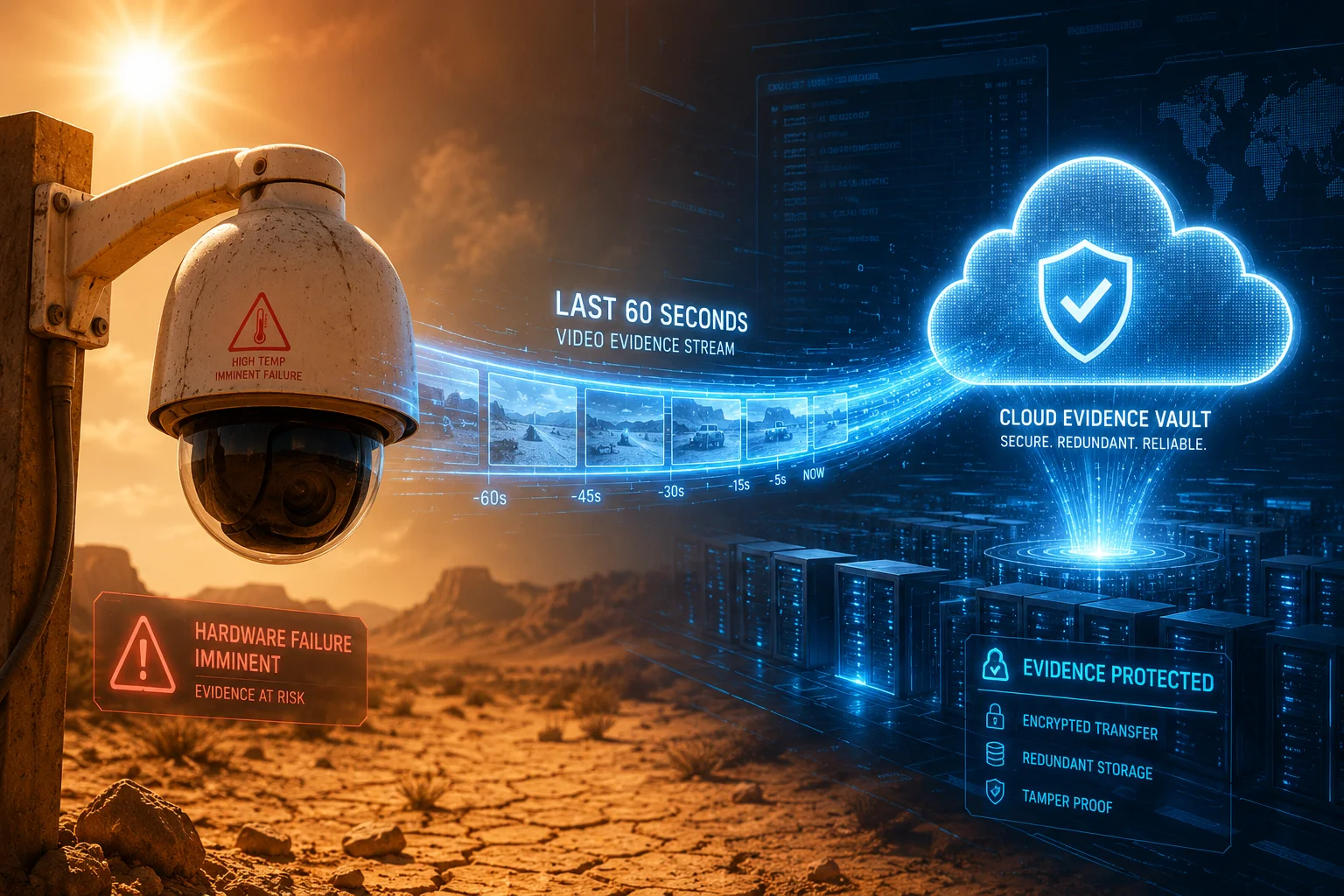
Yes, a well-planned system can buffer and upload the last 60 seconds to the cloud, but only if the camera and platform support pre-alarm recording8 or emergency sync. The feature depends on memory design, network status, and the rules in the firmware.
 cloud last 60 seconds recording image
I think this feature is very important in projects where evidence matters. A thermal fault does not always happen in a quiet moment. It can happen during a storm, a trespass event, a fire risk, or a machine failure. If the camera dies and the last minute is gone, the site owner loses more than hardware. They lose evidence. That is why I always ask whether the system has a local buffer, a cloud backup path, and a clean trigger rule. The camera should detect danger, then save the recent clip before shutdown, not after.
What I look for in emergency video protection
I like to split this into three parts. First, the camera needs a rolling buffer in local memory or on the edge device. Second, the platform needs a rule that can mark the thermal event as urgent. Third, the camera or gateway needs enough time and bandwidth to push the clip out before the unit powers down or locks up. If one of these parts is missing, the feature becomes weak or useless.
| Requirement | Why It Matters | Risk If Missing |
|---|---|---|
| Local buffer | Keeps recent video ready | Lost incident history |
| Emergency trigger | Starts the save process fast | Clip never uploads |
| Cloud sync path | Stores proof off site | Data is lost in shutdown |
| Stable power reserve | Gives time for final upload | Upload fails mid-way |
I also think customers should test this in real life, not just read the spec sheet. I would simulate a fan stop, push the temperature near the limit, and check whether the system really saves the clip. I would also check if the file is playable, time stamped, and easy to find in the cloud. A feature like this sounds simple, but it is only valuable when it works under stress. For me, that is the real test of an industrial camera. It should protect both the machine and the evidence.
How do I remotely reset the thermal protection once the unit has cooled down?
I know this is a practical question that comes after the panic is over. Once the camera cools down, I want a clean way to bring it back online without a long site visit.
The reset process should be remote, simple, and safe. In most cases, I would first confirm that the temperature has returned to a normal range, then clear the thermal warning from the app, VMS, or web console, and finally restore full function in steps.
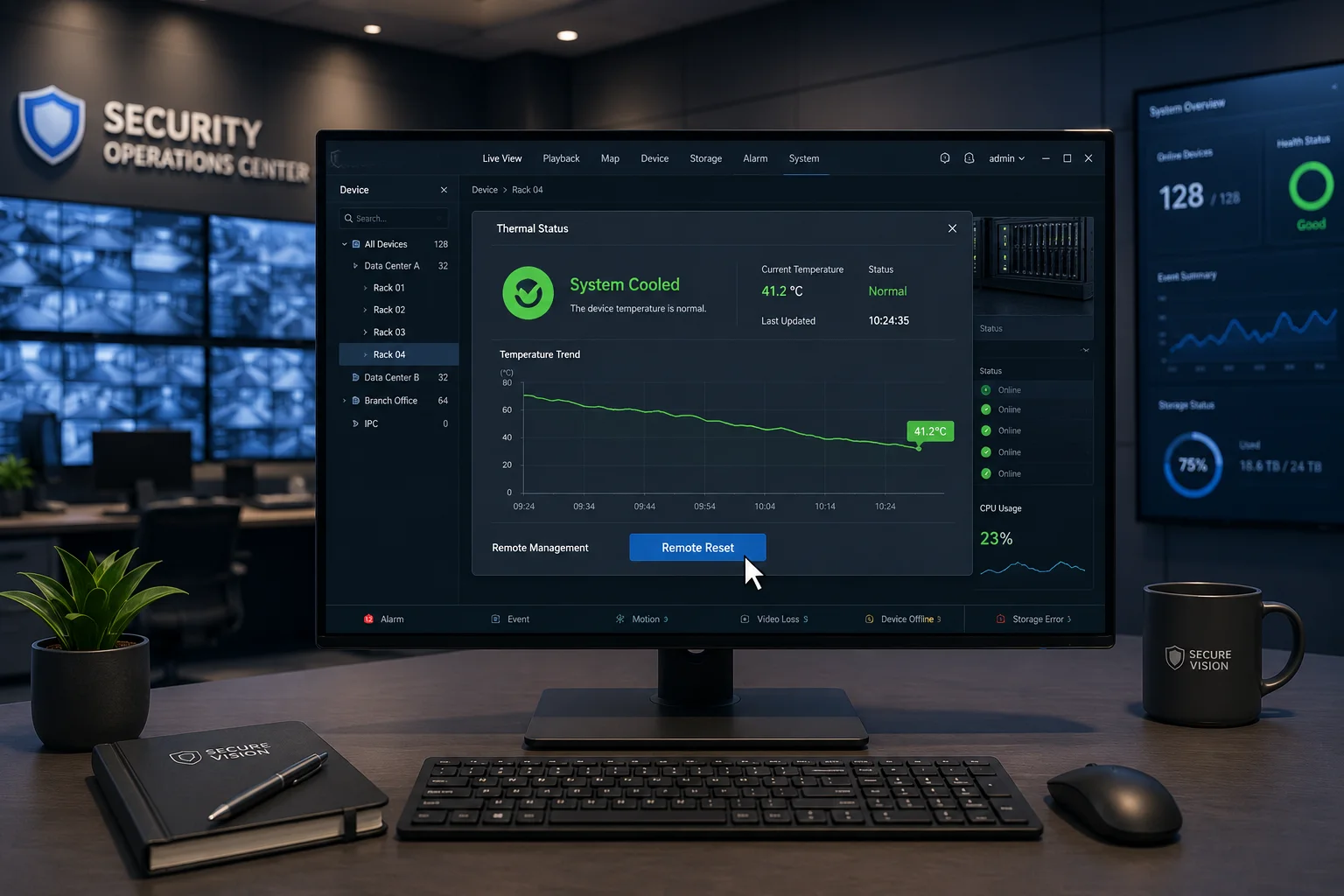 remote thermal reset image
I do not like a reset path that is too open. If the system jumps back to full speed too fast, the same heat problem can return at once. So I prefer a reset flow that checks temperature first, then unlocks AI, then restores video quality, and only after that brings back PTZ patrol or heavy zoom use. This is safer for the hardware and better for the end user. It also helps the installer avoid repeated trips to a remote site.
How I would reset it in the field
I usually follow a basic order. First, I verify the fan is working again or that the ambient temperature is lower. Second, I check the thermal log. Third, I send a remote restart or thermal clear command. Fourth, I watch the live status after the reset. If the camera enters warning mode again too fast, I know the cooling problem is still there and I need to stop and inspect the setup.
| Reset Step | Action | What I Check |
|---|---|---|
| 1 | Confirm cooldown | Temperature is back in safe range |
| 2 | Review thermal logs | Fan fault or heat spike is recorded |
| 3 | Clear protection | System allows safe restart |
| 4 | Restore functions | AI, video, and PTZ come back in order |
I also think support teams should give users a clear rule: never force a reset if the camera is still hot. That sounds obvious, but in real jobs people sometimes rush. They want the camera online again, and they skip the wait. That can damage the board, the motor driver, or the power module. A good thermal reset policy protects the device from bad human timing. It also gives the customer confidence that the product is designed with real life in mind, not just lab tests.
Conclusion
I believe thermal throttling, early alerts, cloud backup9, and safe remote reset10 are all part of one strong protection system for industrial PTZ cameras.
1. Learn how thermal throttling reduces performance to prevent overheating in electronic devices. ↩︎ 2. Explore industrial PTZ camera specifications and thermal protection features from a leading manufacturer. ↩︎ 3. Understand how AI processors (NPUs) handle thermal limits and performance scaling. ↩︎ 4. Learn how NPU clock speed controls AI performance and heat generation. ↩︎ 5. See an example of a solar-powered PTZ camera with 4G connectivity and thermal management considerations. ↩︎ 6. Understand how edge analytics processes data locally in cameras, impacting CPU/GPU load and heat. ↩︎ 7. Learn about AI‑driven object detection and its processing demands on camera hardware. ↩︎ 8. Understand how pre-alarm recording buffers video before an event, crucial for capturing evidence before shutdown. ↩︎ 9. Learn how cloud backup ensures video evidence is preserved even if the camera loses power or fails. ↩︎ 10. Find best practices for remotely resetting a camera after thermal protection is triggered. ↩︎