
I’ve tested dozens of dual-lens PTZ cameras1 over the years. The one complaint I hear most from integrators? “Why does the screen go black for a second when I switch lenses?”
Professional-grade dual-lens PTZ cameras keep switching delay2 under 100ms by running both sensors at the same time. They use dual-stream parallel processing3 and AI pre-positioning4 so the transition from wide-angle to telephoto feels instant. Budget models often reload streams one at a time, causing 0.5 to 2 seconds of visible lag or black screen.
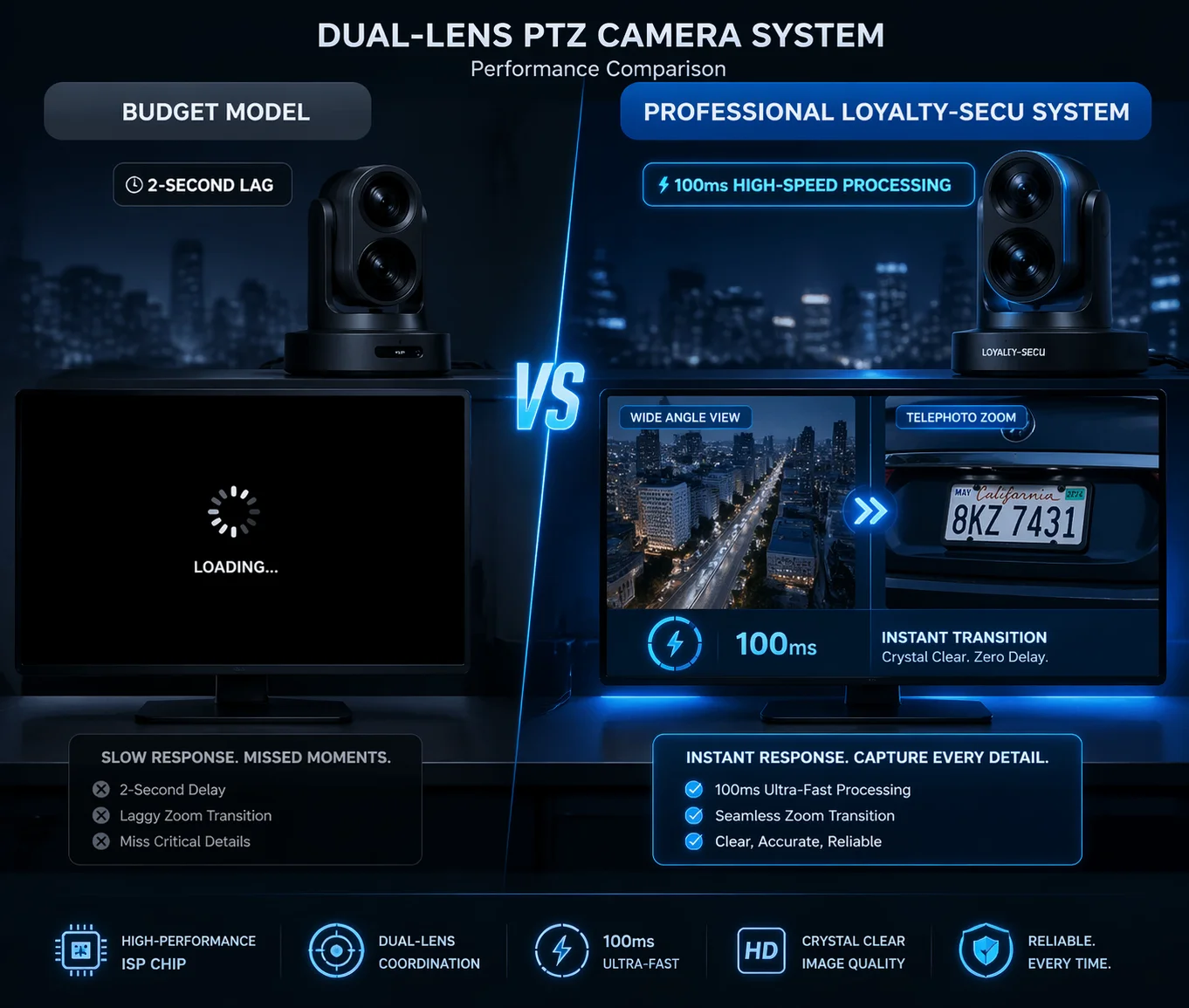
If you are sourcing dual-lens cameras for real projects, you need to understand exactly where that delay comes from and how to avoid it. Let me break it down section by section below.
Table of Contents
How Fast Can My Dual-Lens System Transition From Wide-Angle to Telephoto View?
I’ve had clients call me in frustration because their “dual-lens” camera felt like two separate cameras glued together. The switch was slow. The image flickered. It was not the seamless experience they paid for.
A well-designed dual-lens PTZ camera can switch from wide-angle to telephoto view in under 100 milliseconds. This is possible because both lenses run at the same time in the background. The switch is just a video output change5, not a full stream reload.
Why Cheap Dual-Lens Cameras Feel Slow
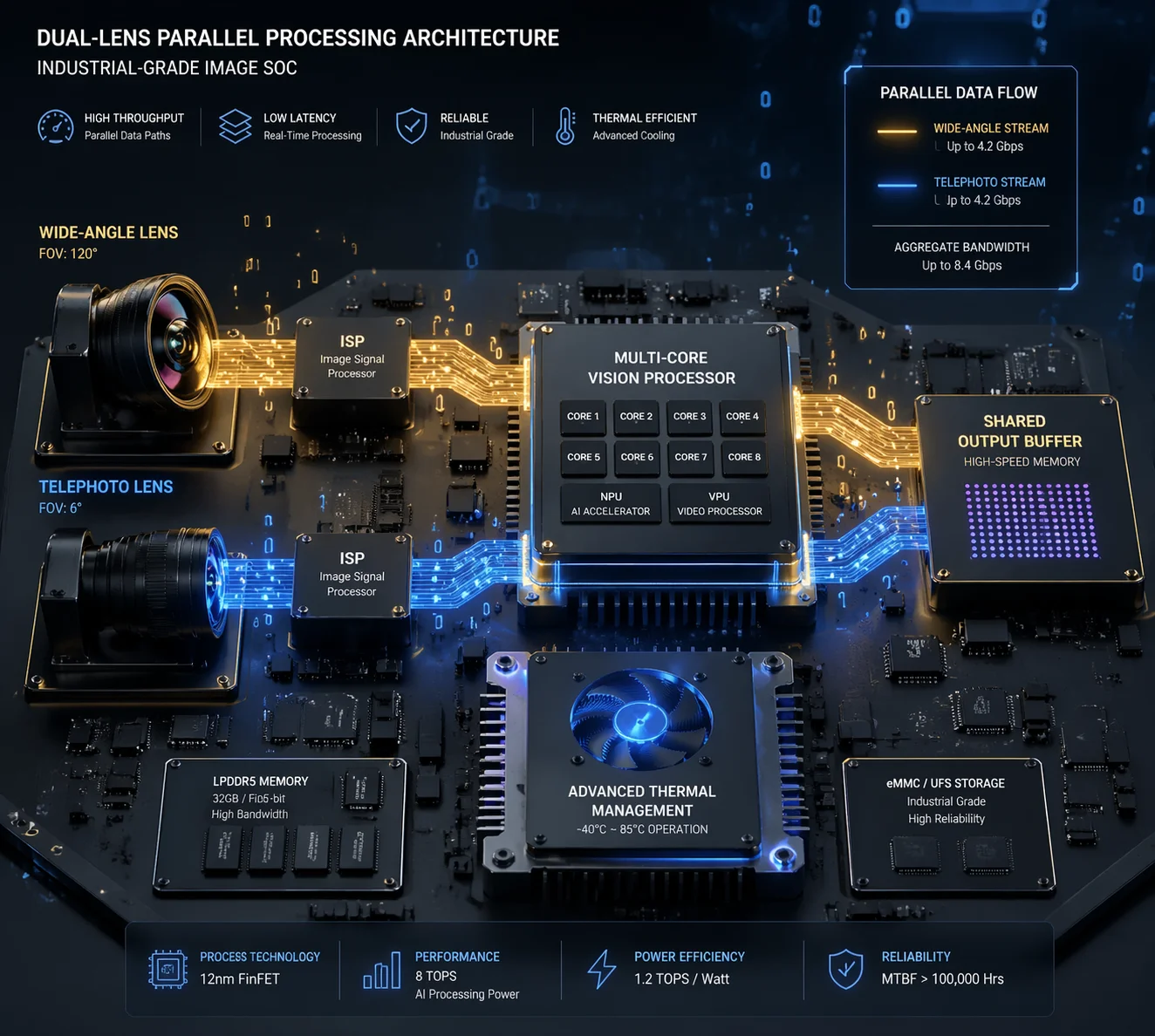
The speed of the transition depends on the chipset inside the camera. Many budget cameras use a single SOC (System on Chip6) that can only process one 4K video stream at a time. When you switch from the wide-angle lens to the telephoto lens7, the chip has to stop decoding the first stream and start decoding the second one. This creates a visible gap.
That gap can last from 0.5 seconds to over 2 seconds. During that time, the screen may go black, freeze on the last frame, or show a loading icon. For a security job, this is a real problem. You cannot afford to miss what happens in those seconds.
How Industrial-Grade Cameras Solve This
Professional cameras use a dual-path processing architecture. Both the wide-angle sensor and the telephoto sensor feed their video into the processor at the same time. The chipset decodes both streams in parallel. When you press “switch,” the camera just changes which stream it sends to your screen. It does not need to stop one and start another.
This is why the delay drops to under 100ms. It is not a mechanical change. It is a software index swap. The video is already decoded and ready. The camera just points the output to a different buffer.
| Feature | Budget Dual-Lens Camera | Professional Dual-Lens Camera |
|---|---|---|
| Stream Processing | Single stream at a time | Dual streams in parallel |
| Switching Delay | 0.5s – 2s (black screen) | Under 100ms (seamless) |
| Chipset Type | Low-cost single-core SOC | Industrial multi-core processor |
| User Experience | Flickering, buffering | Instant, smooth transition |
What to Ask Your Supplier
Before you place an order, ask your supplier one simple question: “Are both lenses always active, or does the camera only run one lens at a time?” If the answer is “one at a time,” expect noticeable lag. If both run in parallel, you are looking at a camera built for real-world surveillance. This single question can save you months of headaches after deployment.
Will I Lose Critical Frames During the Lens-Switching Process in a Pursuit?
This question keeps me up at night. I’ve seen project failures caused by a single second of missing footage during a pursuit. When your client’s security team is tracking a vehicle or a person, every frame matters.
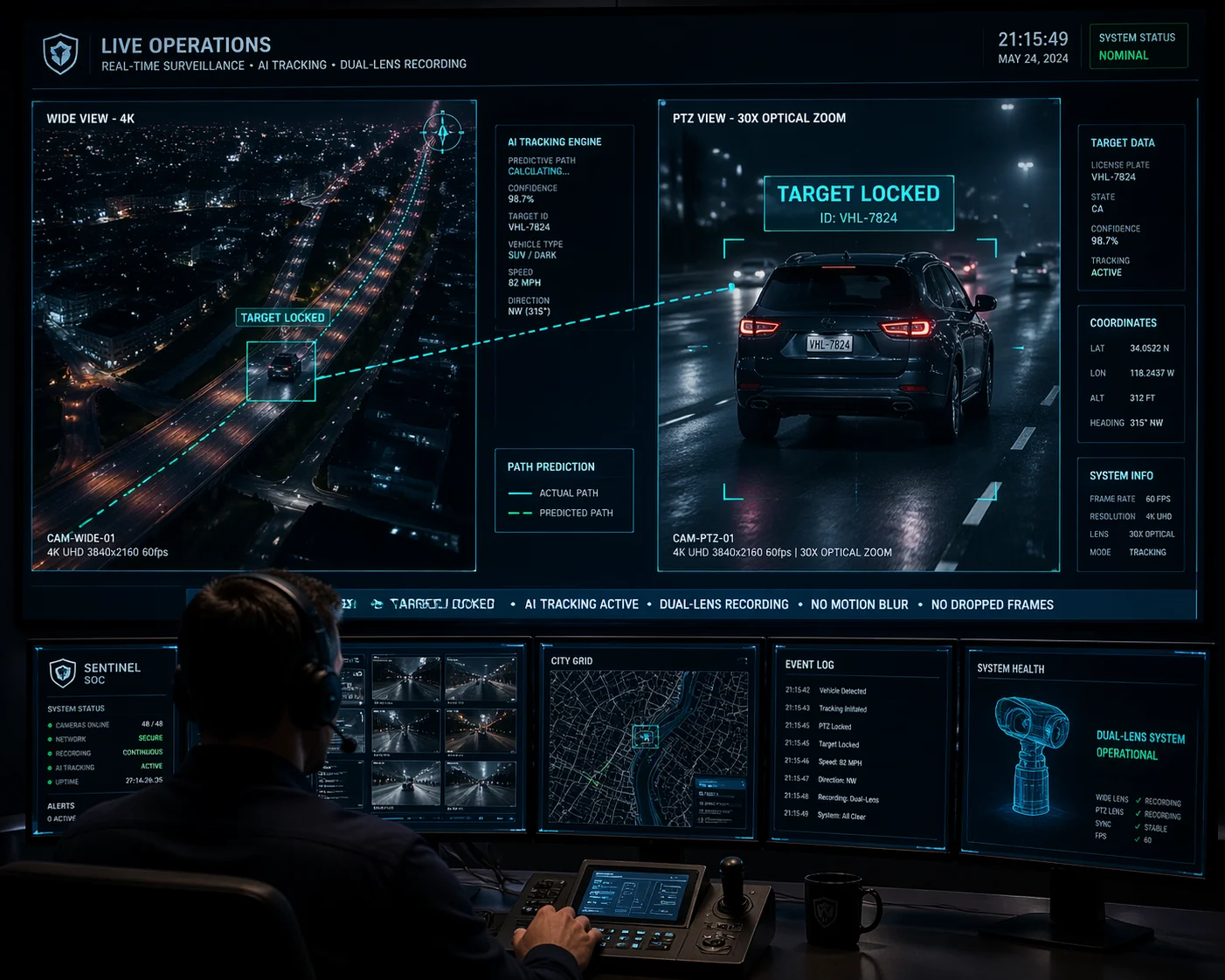
You should not lose any critical frames if your dual-lens camera uses AI coordinate pre-positioning8. The PTZ lens calculates the target’s position and pre-focuses before you even press switch. Both lenses record at all times, so no frames are ever lost during the transition.
The Real Risk: Not Frame Loss, But Focus Delay
Most people worry about losing frames. But the bigger risk is focus delay9. Even if the camera switches the video stream right away, the telephoto lens may still be out of focus when the new view appears on your screen. This is called “hunting10.” The lens motor searches back and forth to find the right focus point.
In a pursuit scenario, hunting can take 1 to 3 seconds. During that time, the image is blurry. You can see the target, but you cannot read details like a license plate or a face. For security work, a blurry frame is almost as bad as a missing frame. Your client will not accept it.
How AI Pre-Focus Eliminates Hunting
Advanced dual-lens systems solve this with AI coordinate pre-focus. Here is how it works:
- The wide-angle lens detects a target using AI (person or vehicle detection).
- The system calculates the target’s position within the scene.
- Before the operator clicks “switch,” the PTZ motor has already moved to the correct pan, tilt, and zoom position.
- The telephoto lens has already adjusted focus based on the estimated distance.
When you finally switch, the telephoto view is already sharp. There is no hunting. No blur. No wasted time. The image is clear from the first frame.
Recording Continuity
Another key point: both lenses should record at all times. This means even during the switch, the wide-angle lens keeps capturing the full scene. If you need to go back and review footage later, you have two continuous recordings from two different angles. Nothing is missing.
This is a major advantage for evidence-grade surveillance. In court, a gap in recording can weaken a case. Dual continuous recording removes that risk completely. Always confirm with your supplier that both channels record independently and without interruption.
How Do I Sync the Focus Between My Fixed Lens and the PTZ Tracking Lens?
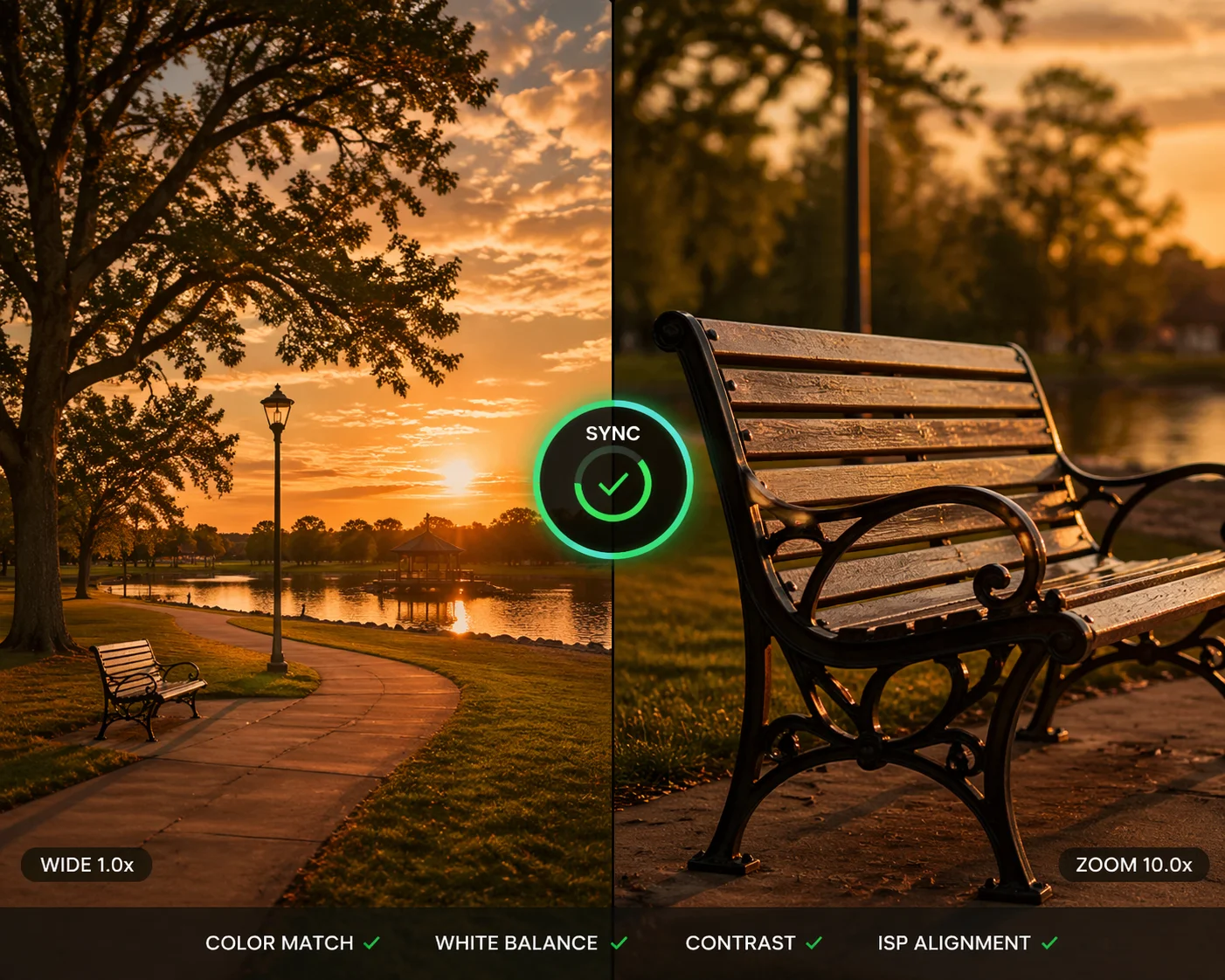
I worked on a project last year where the client’s dual-lens camera had a strange problem. The wide-angle view looked warm and yellow. The telephoto view looked cool and blue. Switching between them felt jarring. The images did not look like they came from the same camera.
Focus sync between the fixed lens and PTZ lens requires matched ISP (Image Signal Processor11) calibration. Both sensors must share the same white balance, exposure, and color profile settings. Without ISP alignment, switching between lenses creates a visible color and brightness shift that looks unprofessional.
What ISP Sync Really Means
ISP stands for Image Signal Processor. It is the part of the camera that converts raw sensor data into a viewable image. Each lens has its own sensor, and each sensor has its own ISP pipeline. If these two pipelines are not calibrated to match, the output images will look different from each other.
Here are the three key parameters that must stay in sync:
| ISP Parameter | What It Controls | What Happens If Not Synced |
|---|---|---|
| White Balance (AWB) | Color temperature of the image | One lens looks warm, the other looks cold |
| Auto Exposure (AE) | Brightness level of the image | One lens is bright, the other is dark |
| Color Profile | Saturation and contrast curve | Colors look different between views |
When these three settings do not match, operators feel confused. They might think the camera is broken. In reality, the camera is working fine. The two ISP pipelines are just not talking to each other.
How Professional Cameras Handle ISP Alignment
In a well-built dual-lens camera, the firmware links the ISP settings of both sensors. When the wide-angle sensor detects that the scene is under daylight at 5600K color temperature, the telephoto sensor adjusts to match. When one sensor increases exposure for a dark area, the other sensor follows the same curve.
This linked ISP approach means the two views always look consistent. When you switch from one lens to the other, the image feels like a smooth zoom rather than a jump between two completely different cameras. The viewer’s eyes do not need to adjust. The experience is natural.
How to Test ISP Sync Before You Buy
Ask your supplier for a demo video that shows the camera switching between lenses in three conditions:
- Bright daylight — Check if both views have the same color tone.
- Indoor mixed lighting — Check if fluorescent lights cause one view to flicker or shift color.
- Low light or IR mode — Check if both lenses switch to night mode at the same time.
If the supplier cannot provide this, request a sample unit and test it yourself. ISP sync is not something you can verify from a datasheet. You have to see it with your own eyes. Do not skip this step.
Can My VMS Handle the Dual-Stream Transition Without Lagging?
I once spent three days debugging a “camera delay” that turned out to be a VMS problem. The camera was fine. The network was fine. But the software could not keep up with two streams from one device.
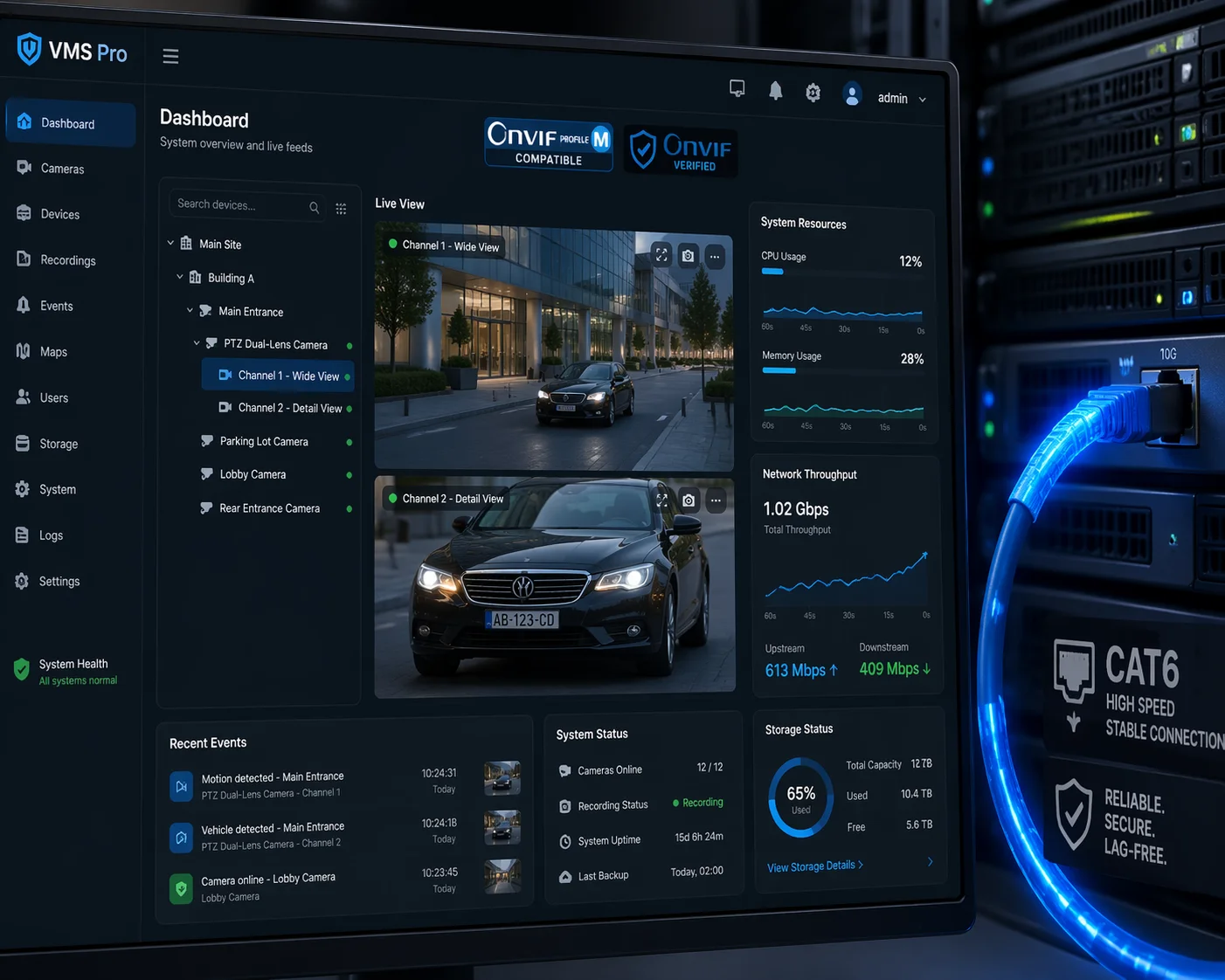
Your VMS can handle dual-stream transitions without lag if it supports ONVIF Profile M12 and treats both lens streams as sub-channels of one device. Older or consumer-grade VMS platforms13 may treat each lens as a separate camera, causing reconnection delays of 2 to 5 seconds when switching views.
Why the VMS Matters More Than You Think
Your dual-lens camera sends two video streams over the network. How your VMS receives and displays those streams decides how fast the switch feels to the operator. There are two common ways VMS platforms handle this.
Approach 1: Two Separate Camera Channels
Some VMS platforms, especially older ones, see each lens as a completely separate camera. When you switch from the wide-angle view to the telephoto view, the software disconnects from Stream A and connects to Stream B. This connection process includes a TCP handshake, RTSP negotiation, and keyframe buffering. The software has to wait for the next I-frame before it can show the image.
This can take 2 to 5 seconds. During that time, the screen is either black or frozen on the last frame.
Approach 2: Single Device, Dual Sub-Channels
Modern VMS platforms that support ONVIF Profile M treat the camera as one device with two sub-channels. Both streams stay open in the background at all times. Switching between them is just a display change. No reconnection is needed. No waiting for a new keyframe.
| VMS Behavior | Stream Handling | Perceived Switching Delay |
|---|---|---|
| Two separate cameras | Disconnect + reconnect | 2 – 5 seconds |
| Single device, dual sub-channels | Both streams always open | Under 200ms |
| Split-screen or PiP mode | Both streams displayed at once | No switching needed |
What to Check in Your VMS
Before blaming the camera for slow switching, check these VMS settings:
- Protocol support — Make sure your VMS supports ONVIF Profile M or the camera’s native SDK. Without this, the platform may not understand the dual-channel structure.
- Stream buffering — Some VMS platforms add extra buffering for network stability. This increases delay. Try reducing the buffer size in your VMS settings.
- Hardware decoding — If your VMS server uses software decoding instead of GPU-based hardware decoding14, it may struggle with two 4K streams from one camera. Enable hardware acceleration or upgrade your graphics card.
- Network bandwidth — Two 4K streams from one camera can use 16 to 24 Mbps combined. Make sure your network switch and cables can handle this without packet loss. Use Cat6 or better.
If you have checked all of the above and still see delays, then the problem is likely in the camera’s firmware or chipset. At that point, it is time to talk to your supplier and ask for a firmware update15 or a different model.
Conclusion
Dual-lens PTZ cameras can switch views in under 100ms when built with parallel processing, AI pre-focus, matched ISP calibration16, and proper VMS integration. Always test before you buy.
-
Explore top-rated dual-lens PTZ cameras to find models that minimize switching delay and enhance your surveillance experience. ↩
-
Learn effective strategies to minimize switching delay, ensuring seamless transitions in your surveillance footage. ↩
-
Understand how dual-stream parallel processing enhances video quality and reduces lag in camera systems. ↩
-
Discover the technology behind AI pre-positioning and how it improves focus and tracking in surveillance cameras. ↩
-
Explore the concept of video output change and its impact on camera switching performance. ↩
-
Gain insights into how SoCs affect camera performance and the importance of choosing the right chipset. ↩
-
Understand the role of telephoto lenses in capturing distant subjects with clarity and detail. ↩
-
Understand the benefits of AI coordinate pre-positioning for accurate and timely tracking in surveillance. ↩
-
Investigate the factors contributing to focus delay and how to mitigate them for better image clarity. ↩
-
Learn about hunting in camera focus and its implications for capturing clear images during critical moments. ↩
-
Explore the importance of the Image Signal Processor in delivering high-quality images from camera sensors. ↩
-
Understand the importance of ONVIF Profile M for seamless integration of dual-lens cameras with VMS. ↩
-
Explore top VMS platforms that support dual-lens cameras for optimal performance and minimal lag. ↩
-
Discover the benefits of hardware decoding for improving performance in video management systems. ↩
-
Find out how to keep your surveillance cameras up-to-date with the latest firmware for optimal performance. ↩
-
Learn the steps to ensure matched ISP calibration for consistent image quality across different lenses. ↩