
I’ve seen too many off-grid cameras die on day three of a cloudy week. If your site has no grid power, battery management isn’t a feature — it’s a survival mechanism.
Yes, our industrial PTZ cameras include a built-in Smart Low-Power Management system. It uses hardware-level voltage detection and algorithm-based scheduling to automatically switch between three power tiers — Normal, Eco, and Ultra-Low Power — so the camera stays online even after days of poor solar input.
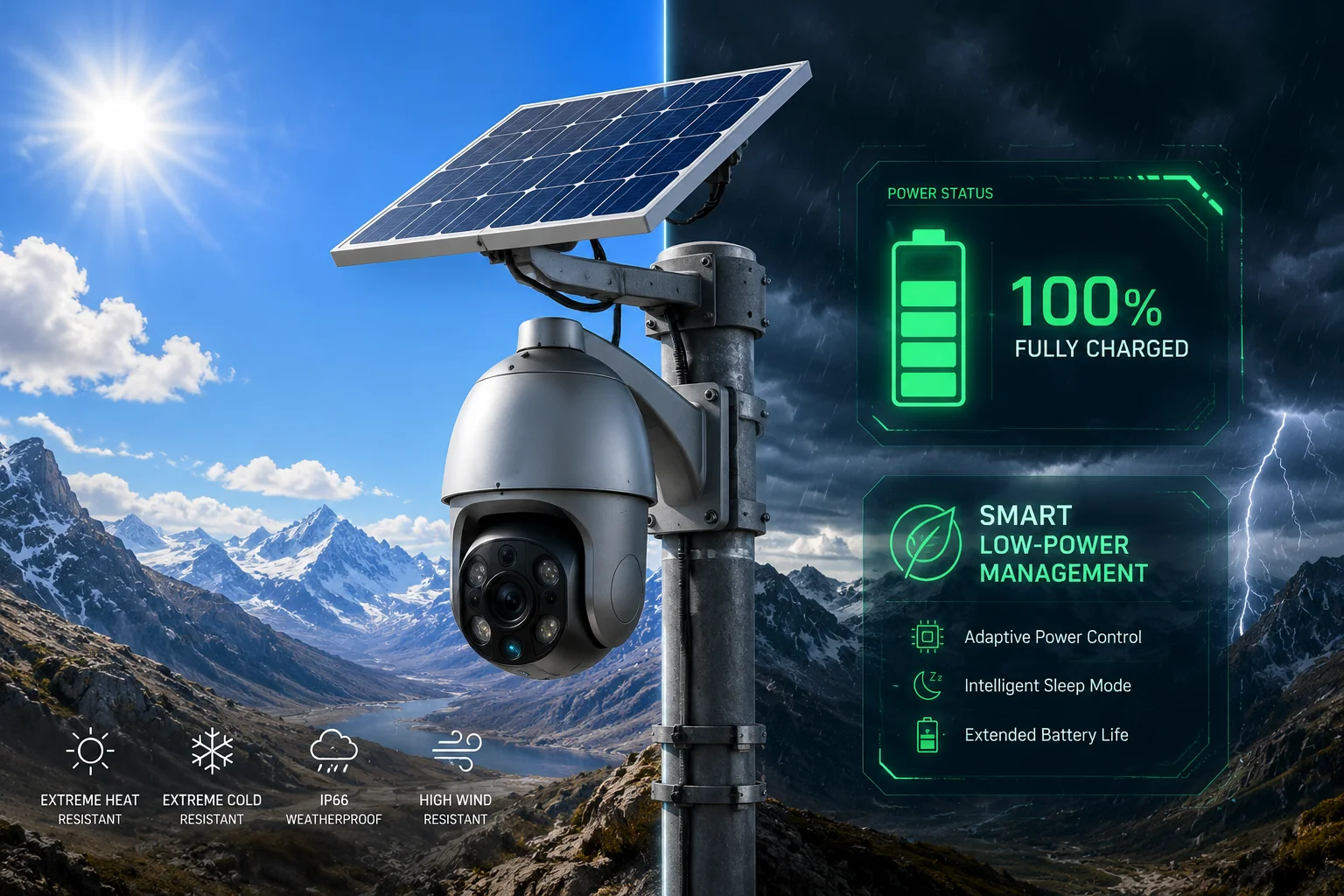
Below, I’ll walk you through exactly how this system works in real-world conditions — from low solar days to winter storms — and what settings I recommend for deployments in places like Texas ranches or remote mining sites.
Table of Contents
How Does the Camera Prioritize Functions When Solar Input Is Low for Several Days?
When the sun disappears for three, five, or even seven days straight, most off-grid cameras just shut down. I’ve heard this story from too many integrators who had to drive four hours to manually reboot a dead system.
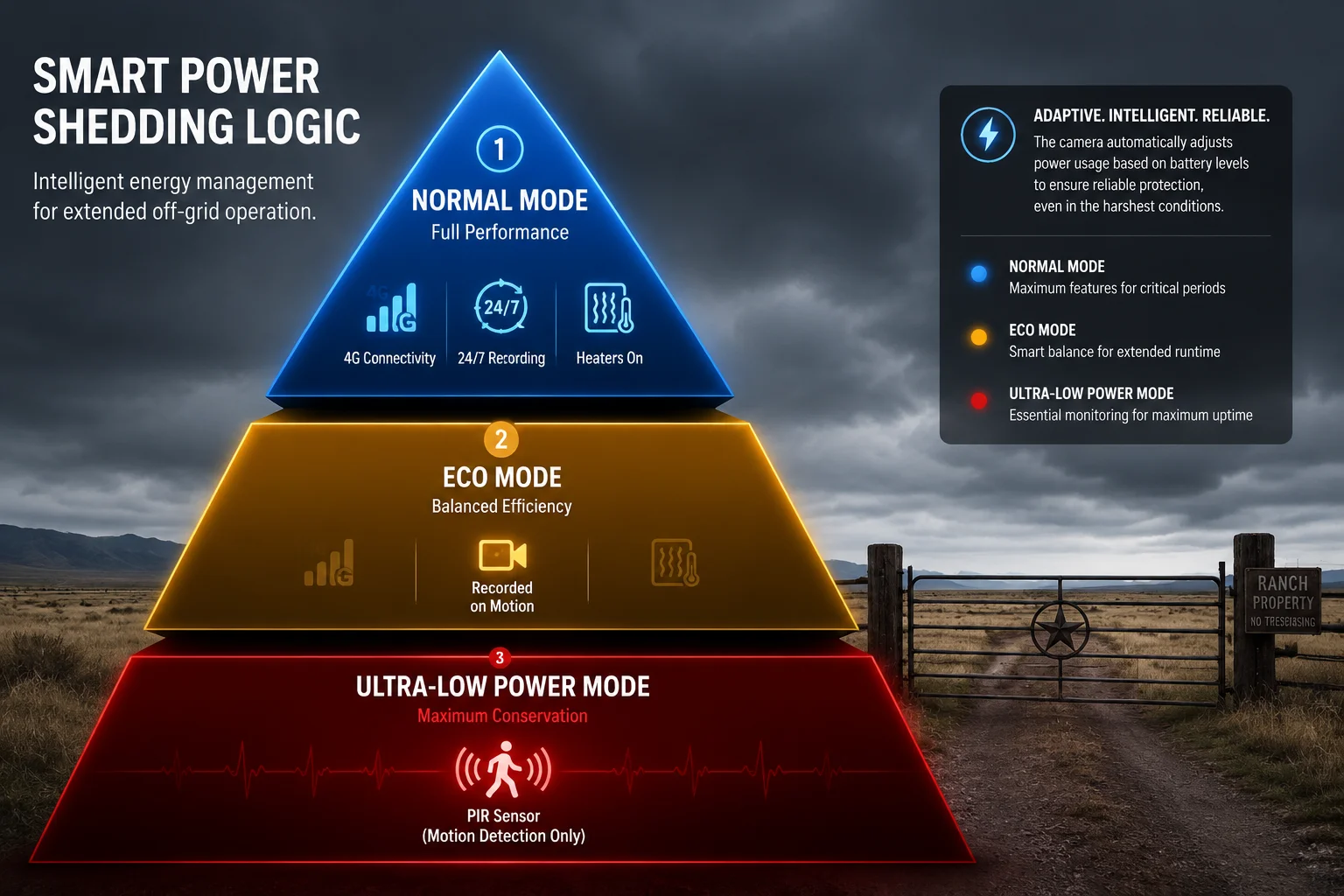
Our camera uses a 3-tier power management system that automatically sheds non-essential functions as battery voltage drops. It starts by cutting heaters and laser illuminators, then reduces 4G activity, and finally enters a deep sleep mode where only the PIR sensor and real-time clock stay alive.
How the 3-Tier System Actually Works
The core logic is simple. The system reads two inputs: the real-time charging power from the solar panel and the current battery voltage. Based on these numbers, it picks one of three modes. There is no manual switching needed. It happens automatically, in the background.
Tier 1: Normal Mode (Battery Above 12.8V)
This is full-power operation. Everything runs — 4G stays connected around the clock, the camera records 24/7, and all accessories like the defroster and laser IR are active. This is your sunny-day mode.
Tier 2: Eco Mode (Battery Between 11.8V and 12.5V)
This is where the smart part kicks in. The system starts making choices. It turns off the defroster and the laser illuminator first, because these are the biggest power consumers after the main SoC. The 4G module switches to a “heartbeat” state. Instead of maintaining a constant video stream, it sends short status pings to the cloud. Video bitrate and frame rate drop automatically. This alone can cut RF transmission power by 40-60%.
Tier 3: Ultra-Low Power Mode (Battery Below 11.5V)
This is survival mode. The 4G module powers off completely. The main processor goes to sleep. Only two things stay awake: the PIR motion sensor1 and the hardware real-time clock (RTC)2. The system will only wake up if a person walks into the PIR detection zone or if the battery voltage climbs back to a safe level after the sun returns.
| Power Tier | Voltage Threshold | Active Functions | Estimated Power Draw |
|---|---|---|---|
| Normal Mode | > 12.8V | All functions, 24/7 recording, 4G always-on | ~8-12W |
| Eco Mode | 11.8V – 12.5V | Core recording, 4G heartbeat only, no heater/laser | ~3-5W |
| Ultra-Low Power | < 11.5V | PIR sensor + RTC only, everything else off | < 0.05W |
Why This Matters for Your Bottom Line
Think about the cost of a single truck roll to a remote site. In the U.S., that can easily be $500-$1,500 when you factor in labor, fuel, and lost time. A camera that can ride out a week of bad weather without dying saves you real money. And more importantly, it saves your reputation with your end client. Nobody wants to explain why the security system went dark during a storm — exactly when it was needed most.
The voltage thresholds3 I listed above are the factory defaults. But they are fully adjustable through the management app. If you’re using a larger battery bank, you might want to lower the Eco Mode trigger. If you’re in an area with frequent short cloudy spells, you might want to raise it so the system starts conserving earlier.
Does the Firmware Offer Different Power Profiles (Performance vs. Eco) for Winter and Summer?
Seasonal changes hit off-grid systems hard. I’ve worked with clients in northern Canada where winter days give only 4-5 hours of usable sunlight. Using the same power settings year-round is a recipe for failure.
Yes, the firmware includes an Environmental Adaptation algorithm that dynamically adjusts the power curve based on internal temperature and charging patterns. It effectively creates different operating profiles for hot summers and cold winters — without requiring manual seasonal reconfiguration.
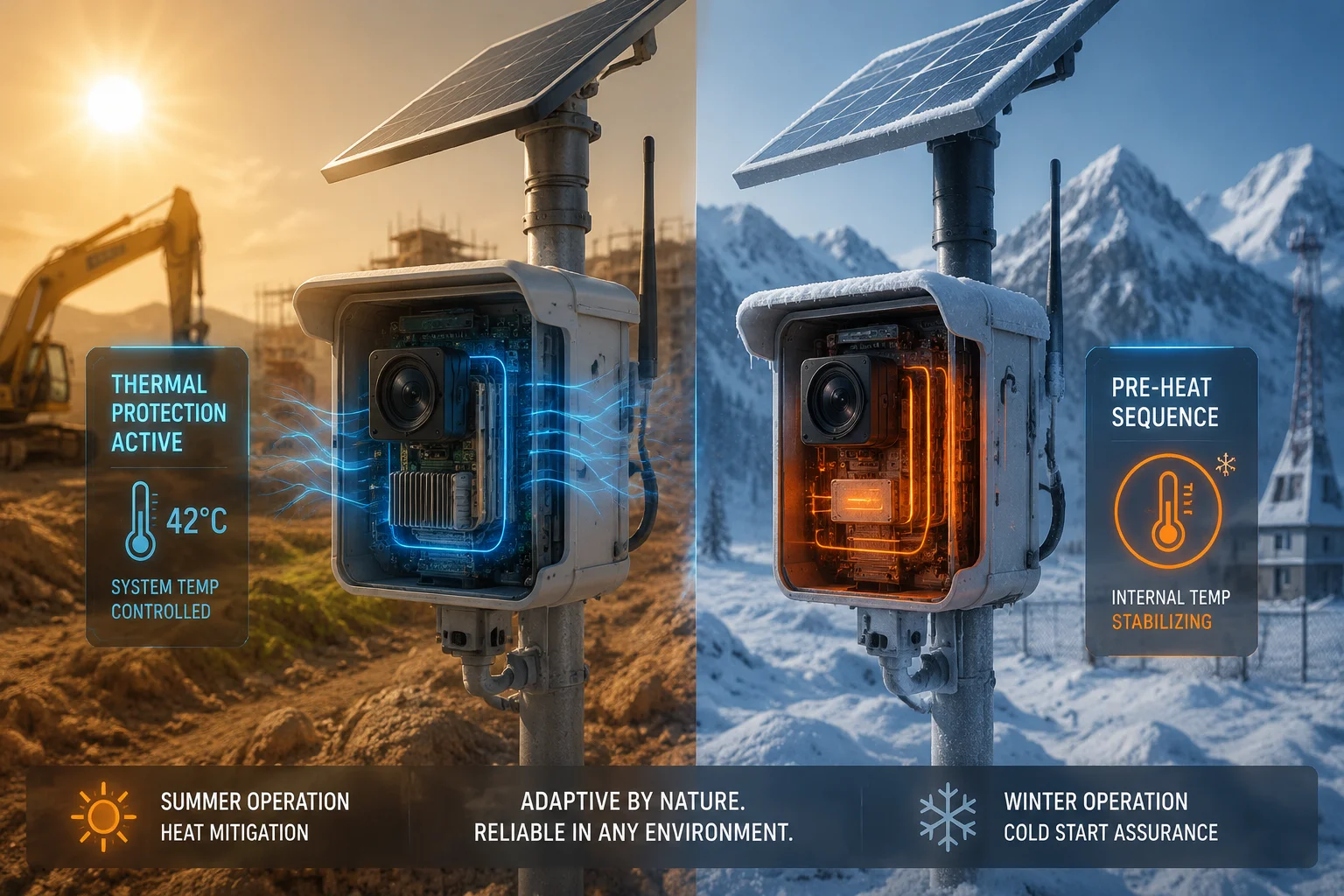
Summer: High-Temperature Protection
When the internal temperature of the camera exceeds 75°C — which can happen easily inside a metal housing under direct Texas sun — the firmware takes protective action. It reduces the 4G transmission power and lowers the CPU clock frequency. This isn’t just about saving battery. It’s about preventing thermal runaway4, which can permanently damage lithium battery cells and shorten the lifespan of the entire system.
The logic here is straightforward. Heat increases internal resistance in the battery. Higher resistance means more energy is wasted as heat during charging and discharging. By reducing the load during peak heat, the system keeps the battery healthier for longer.
Winter: Low-Temperature Wake-Up Compensation
Cold weather creates the opposite problem. At temperatures below -10°C, lithium battery chemistry slows down. The battery can show 12V on the meter but fail to deliver enough current to boot the main processor. This causes a ‘brown-out5‘ — the system tries to start, pulls too much current, the voltage crashes, and it shuts down again. Then it tries again. And again. This repeated cycling can kill a battery in days.
Our firmware handles this with a pre-heat sequence6. If the camera is equipped with an internal heating film (standard on our cold-weather models), the co-processor will activate the heater for a controlled warm-up period before attempting to boot the main SoC. This prevents the brown-out loop entirely.
Seasonal Configuration Table
| Parameter | Summer Profile | Winter Profile |
|---|---|---|
| Max CPU Frequency | Throttled above 75°C | Full speed (heat is welcome) |
| 4G Tx Power | Reduced during peak heat hours | Full power |
| Pre-Heat Before Boot | Disabled | Enabled (if heating film installed) |
| Eco Mode Voltage Trigger | 11.8V (standard) | 12.2V (raised to compensate for reduced battery capacity) |
| Night Sleep Window | 1:00 AM – 5:00 AM | 8:00 PM – 6:00 AM (longer nights, less solar) |
Do I Need to Change Settings Manually Each Season?
For most deployments, no. The algorithm reads the internal temperature sensor and the solar charging curve to figure out the season on its own. If charging power peaks early and stays high, it assumes summer. If charging power is low and brief, it assumes winter and tightens the power budget automatically.
That said, if you want manual control, you can lock the profile through the app. Some of our integrator partners prefer this because they do seasonal maintenance visits anyway and want full control over the configuration.
Can the Low-Power Mode Automatically Reduce the IR LED Intensity to Save Battery?
IR LEDs are one of the biggest power consumers on any camera at night. I’ve measured setups where the IR array alone draws more power than the rest of the camera combined. In an off-grid system, that’s a problem.
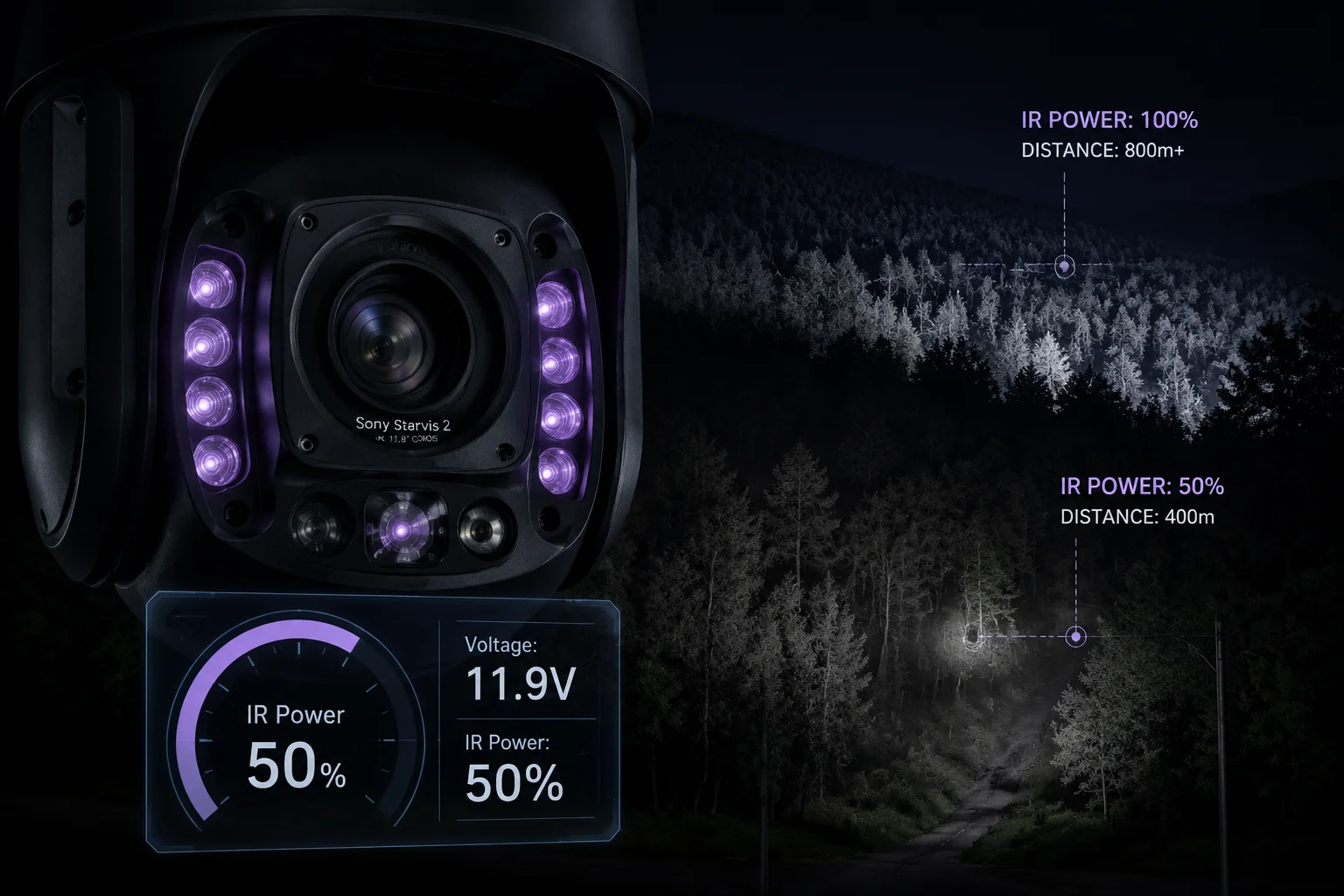
Yes, the low-power mode automatically dims or completely disables the IR LEDs and laser illuminator based on the current battery voltage tier. In Eco Mode, IR intensity is reduced to 50%. In Ultra-Low Power Mode, IR is turned off entirely, and the camera relies on the PIR sensor for wake-up triggers instead of continuous video monitoring.
Understanding the IR Power Problem
Let me put some numbers on this. A typical high-power laser IR module on a long-range PTZ camera can draw 15-25W on its own. That’s more than the entire camera system in Eco Mode. If you leave the IR running at full power on a cloudy night, you can drain a 100Ah battery in under 20 hours — even with zero video streaming.
This is why our power management system treats the IR illuminator as a “luxury” function. It’s the first thing to get cut when power gets tight.
How IR Dimming Works in Practice
The system doesn’t just have an on/off switch for IR. It uses a PWM (Pulse Width Modulation) driver to smoothly control the LED current. Here’s the progression:
- Normal Mode: IR runs at full rated power. The camera delivers its maximum rated night vision distance (up to 800m with our laser models).
- Eco Mode: IR current is reduced to 50%. Night vision range drops, but the camera can still see 50-100m clearly. This is usually enough to identify a person or vehicle approaching the site.
- Ultra-Low Power Mode: IR is off. The camera is asleep. Only the PIR sensor is watching. If the PIR triggers, the camera wakes up and records — but it records without IR, relying on whatever ambient light is available. The priority here is capturing something rather than capturing a perfect image.
A Note on Starlight Sensors
This is where our sensor choice pays off. We use Sony Starvis 27 sensors on our off-grid models. These sensors can produce usable color images in light levels as low as 0.002 lux. So even when the IR is completely off, if there’s moonlight or distant ambient light, the camera can still capture identifiable footage. It won’t be as crisp as a fully-lit IR shot, but it’s far better than a black screen.
What About the Laser Illuminator Specifically?
The laser IR module is handled separately from the standard IR LEDs. It has its own power rail and its own control logic. In Eco Mode, the laser is the very first thing to be disabled — before the standard IR LEDs are even dimmed. The reason is simple: the laser draws significantly more power, and it’s designed for long-range identification (500m+). In a low-power situation, you’re not trying to read a license plate at 500 meters. You’re trying to detect if someone is on your property at all. The standard IR LEDs handle that job at a fraction of the power cost.
Will the AI Detection Sensitivity Be Lowered to Prevent Excessive 4G Wake-Ups During a Storm?
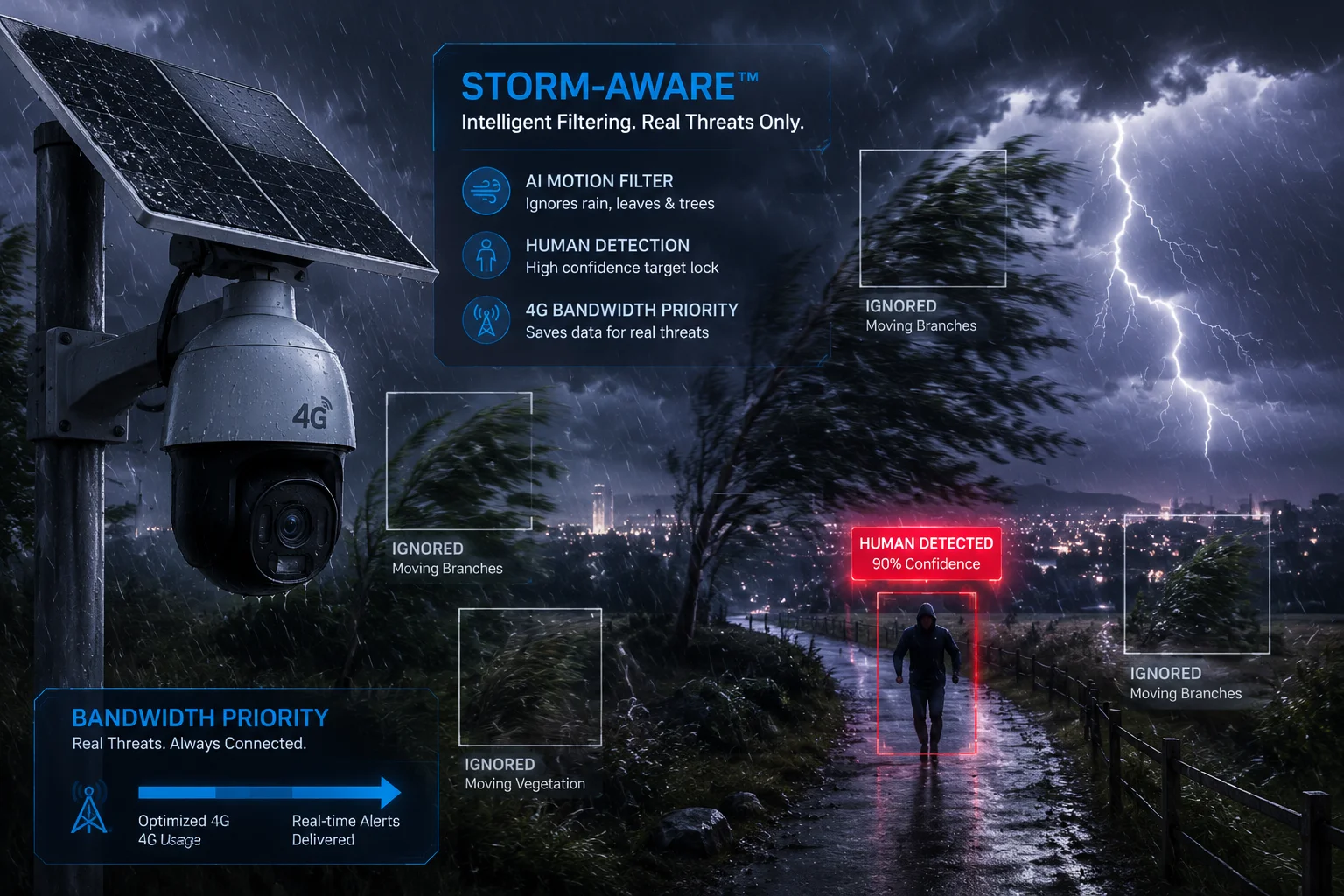
Storms are the worst-case scenario for off-grid cameras. Wind shakes the mount. Rain creates motion artifacts. Leaves and debris fly across the frame. A camera with aggressive AI detection will wake up every 10 seconds, burn through the battery, and flood your phone with false alerts.
Yes, the firmware includes a storm-aware logic that raises the AI detection threshold during sustained high-activity periods. If the system detects a pattern of rapid, repeated triggers — typical of wind and rain — it automatically increases the confidence score required for a valid alert, reducing unnecessary 4G wake-ups by up to 80%.
How Storm Detection Works
The camera doesn’t have a weather station built in. But it doesn’t need one. It uses a simple but effective heuristic: if the PIR sensor or the AI model triggers more than a configurable number of times within a short window (default: more than 10 triggers in 5 minutes), the system assumes environmental interference — wind, rain, animals, or blowing debris.
When this condition is met, the system enters what we call ‘Alert Suppression Mode8.’ Here’s what changes:
What Changes in Alert Suppression Mode
- AI confidence threshold increases from 65% to 90%. This means the AI model needs to be much more certain that it’s looking at a human or vehicle before it triggers a wake-up. Random motion from rain or wind almost never reaches 90% confidence.
- PIR-only triggers are logged locally but do not activate 4G. The camera still records to the SD card, but it won’t spend battery power connecting to the network for what is almost certainly a false alarm.
- Minimum interval between 4G uploads increases from 10 seconds to 60 seconds. Even if a real detection occurs, the system won’t upload more than one event per minute. This prevents a burst of legitimate detections (like a herd of cattle running past during a storm) from draining the battery.
The Real-World Impact
Let me give you a scenario. A Texas ranch site during a spring thunderstorm. Without storm-aware logic, the camera might trigger 200+ times in a single hour. Each trigger wakes the 4G module, which takes 5-8 seconds to connect, transmits a clip, and then goes back to sleep. At roughly 0.5Wh per wake-up cycle, that’s 100Wh burned in one hour — enough to drain a small battery bank completely.
With storm-aware logic enabled, the same storm might produce 5-10 actual 4G uploads. The rest are logged locally on the SD card. Total power consumed: under 5Wh. That’s a 20x improvement.
Post-Storm Recovery
Once the trigger rate drops back below the threshold for 15 minutes, the system automatically returns to normal sensitivity. No manual reset needed. And here’s the important part: all those locally-stored recordings from the storm period are still on the SD card. When the sun comes back and the battery recovers, the system can send a batch notification to your app — a “catch-up report” — so you can review anything you might have missed.
Configuration Recommendations for David
David, based on what I know about your deployment sites, here’s what I’d set up in the management app:
| Setting | Recommended Value | Why |
|---|---|---|
| Smart Sleep Timer | 12:00 AM – 5:00 AM deep sleep (if no alert) | Saves 5 hours of idle power draw per night |
| Bitrate Circuit Breaker | Force sub-stream below 12.0V | Cuts 4G transmission power by ~60% |
| Storm Suppression Trigger | 10 events in 5 minutes | Balances false alarm reduction with real threat detection |
| Offline Alert Mode | PIR + local SD recording, auto-sync on recovery | Ensures zero missed events even during full network outage |
When the network is completely down, the camera keeps recording locally. Once solar power and 4G come back, the system automatically syncs and sends you a “catch-up complete” notification. You don’t lose a single event. You just get them a little late.
Conclusion
Our built-in Smart Low-Power Management keeps your off-grid cameras alive through storms, cloudy weeks, and extreme temperatures — so you never pay for a wasted truck roll.
1. How passive infrared sensors detect motion by measuring heat signatures. ↩︎ 2. A battery-backed clock that keeps time even when the main system is off. ↩︎ 3. Predefined voltage levels that trigger switching between power modes. ↩︎ 4. Uncontrolled temperature increase that can damage or destroy lithium batteries. ↩︎ 5. A condition where voltage drops below the level needed for proper operation. ↩︎ 6. Warming the battery before a high‑current draw to prevent voltage sag in cold weather. ↩︎ 7. Sony’s low‑light sensor technology that delivers clear images in near‑darkness. ↩︎ 8. A mechanism to reduce false alarms by raising detection thresholds during high‑activity periods. ↩︎