
I see a common mistake in parking control. Many systems watch for motion only. That fails fast in real life, because a car can drive through a no-parking zone and still trigger an alarm.
I identify illegal parking by combining regional intrusion1 with loitering detection2. The camera watches a marked area, starts timing when a vehicle stops, and only alarms when the stay goes beyond the set limit.
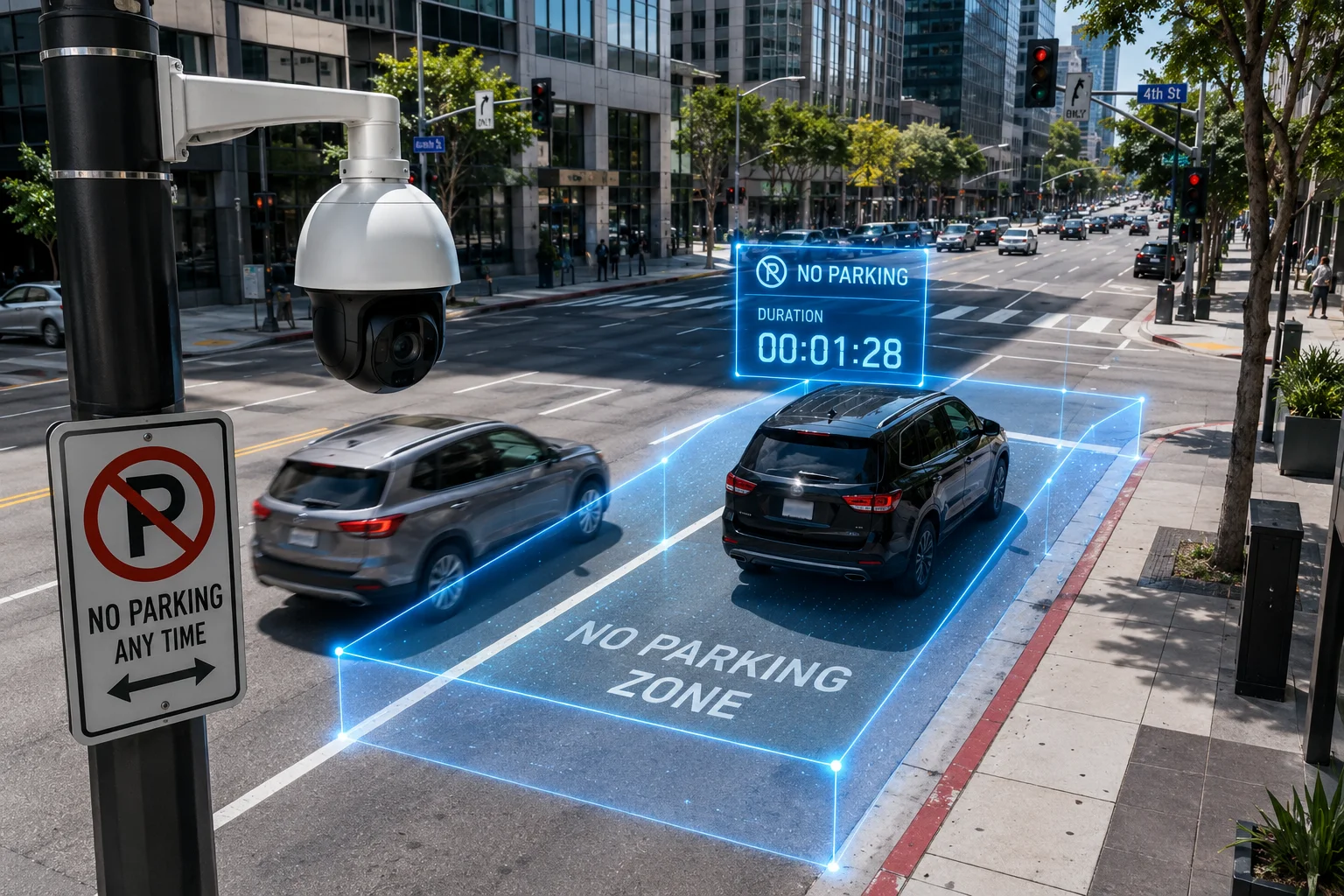
I use this approach because it filters out normal passing traffic and focuses on real violations. The best setup is not just detection. It is detection plus timing plus PTZ evidence capture.
Table of Contents
Can I set a “Parking Duration” threshold (e.g., 5 mins) before the AI triggers a vehicle alarm?
I want a clean way to ignore short stops and only catch real violations. If the alarm fires too early, I get false alerts. If it fires too late, the system misses the problem.
Yes, I can set a parking duration threshold, such as 5 minutes, so the AI only triggers after the vehicle stays inside the no-parking zone longer than the chosen time.
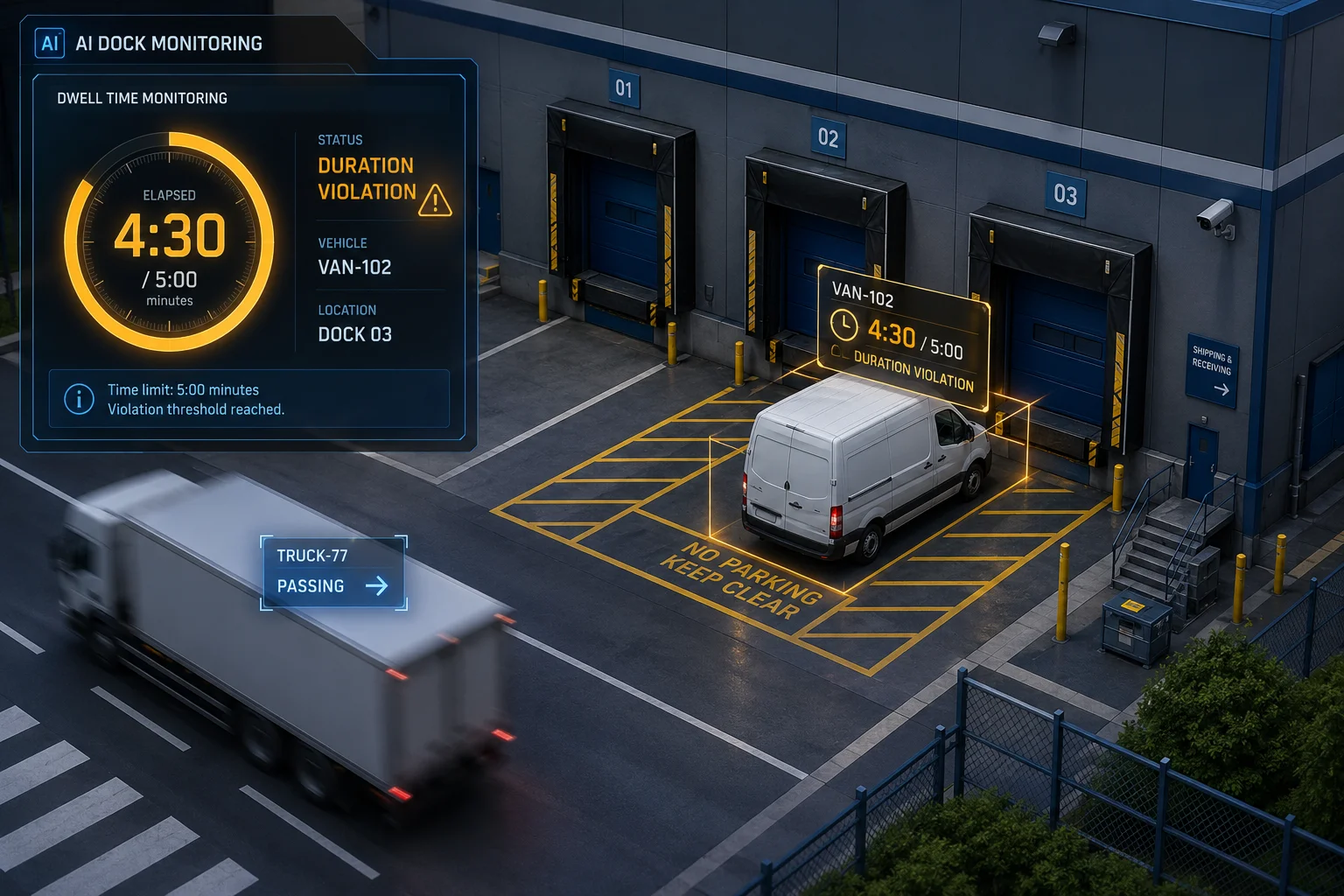
I usually treat this as the core rule in a parking detection project. The camera does not alarm the moment it sees a car inside the zone. It first checks if the car is still there after a time limit. That time limit can be 30 seconds, 180 seconds, 5 minutes, or even longer, depending on the site. A warehouse gate is different from a city curb, so the threshold must match the real use case.
How I set the time rule
I normally define three simple steps:
| Step | What I set | Why it matters |
|---|---|---|
| 1 | Draw a polygon ROI | This tells the camera where parking is forbidden |
| 2 | Choose vehicle as the target | This removes people and small objects |
| 3 | Set a duration threshold | This separates brief stopping from real parking |
I also make the threshold fit the site flow. If trucks often slow down near the gate, I do not set a very short timer. If the area is a strict no-parking lane, I can use a shorter timer. My goal is to reduce false alarms without letting illegal parking stay hidden.
Why timing is better than motion alone
Motion alone is weak. A passing car may move slowly, stop for a second, or shift because of traffic. That does not mean it is parked. A timing rule gives the AI a second check. It asks, “Did the object stay here long enough to count as a violation?” That is the difference between a noisy system and a useful one.
What I watch for during setup
I always test the rule at least three times:
| Test case | Expected result |
|---|---|
| Car enters and leaves fast | No alarm |
| Car stops briefly, then moves | No alarm |
| Car stays beyond threshold | Alarm triggers |
This is how I make the system practical for real sites. A good threshold protects the site team from alert fatigue7 and helps the camera act like a real guard instead of a simple motion sensor.
Does the system ignore vehicles that are just passing through the forbidden zone?
I have seen this problem many times. A vehicle drives across the zone, and a basic system treats it like an offense. That creates bad alerts and wastes time.
Yes, a proper system can ignore vehicles that are only passing through the forbidden zone, as long as I use regional intrusion plus loitering logic instead of simple motion detection.
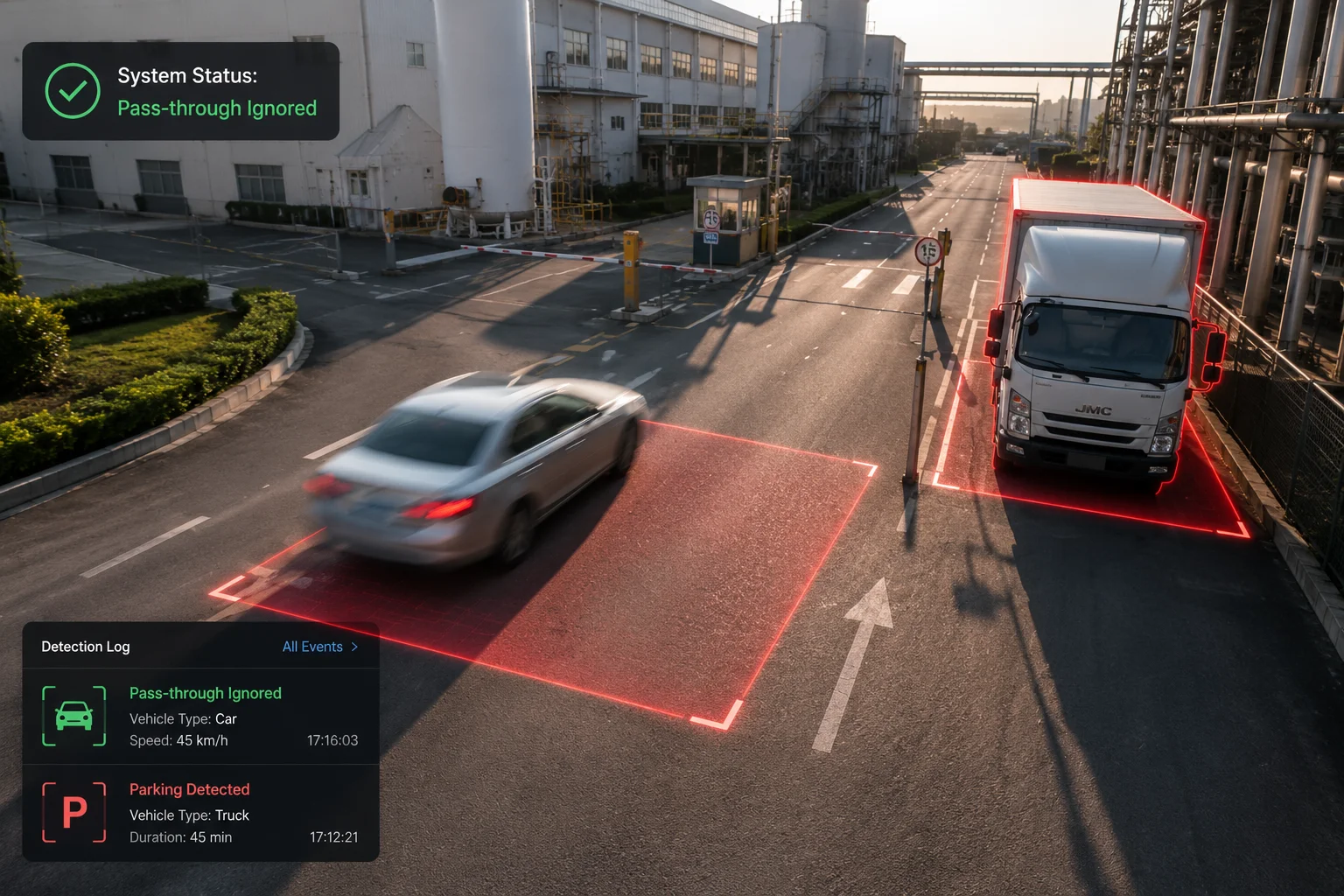
I think this point matters more than most people first expect. In a lot of sites, cars cross the camera view for normal reasons. They may turn around, drop someone off, or move through a shared lane. If I use only intrusion detection, the camera may alarm too fast. But if I combine intrusion with stay-time logic, the system becomes much smarter.
What makes passing traffic different from illegal parking
The camera should ask two questions, not one:
- Is the vehicle inside the restricted area?
- Is the vehicle still inside after the allowed time?
If the answer to the first question is yes but the second is no, then the system should stay silent. This is the key to avoiding false alarms.
Why object tracking matters
The AI needs to keep tracking the same car across frames. It should not restart the timer every time the vehicle moves a little. Good tracking helps the system understand that the same object is still there. It also helps when the car shifts slightly because of driver movement, wind, or small camera shake.
How I reduce false alarms in hard sites
I usually apply a few rules together:
| Rule | Effect |
|---|---|
| Motor vehicle filter | Ignores pedestrians and bicycles |
| Parking zone polygon | Limits the rule to the real no-parking area |
| Minimum stay time | Stops alarms for short stops |
| Tracking stability check | Avoids timer resets from tiny movement |
Why this matters for B2B projects
In B2B projects, a false alarm is not just a small issue. It can hurt trust in the full system. If the site manager gets too many wrong alerts, they stop listening. That is why I focus on event quality. I want the camera to warn only when the car really stays too long. This makes the system easier to sell, easier to install, and easier to support after delivery.
Can the PTZ automatically zoom in to capture the license plate of an illegally parked car?
I want better proof than a wide scene image. If I only show a distant car, the evidence may not be enough for a report, a warning, or a case file.
Yes, a PTZ camera3 can automatically zoom in to capture the license plate9 of an illegally parked car, as long as I link the parking alarm to a PTZ patrol or snapshot action.
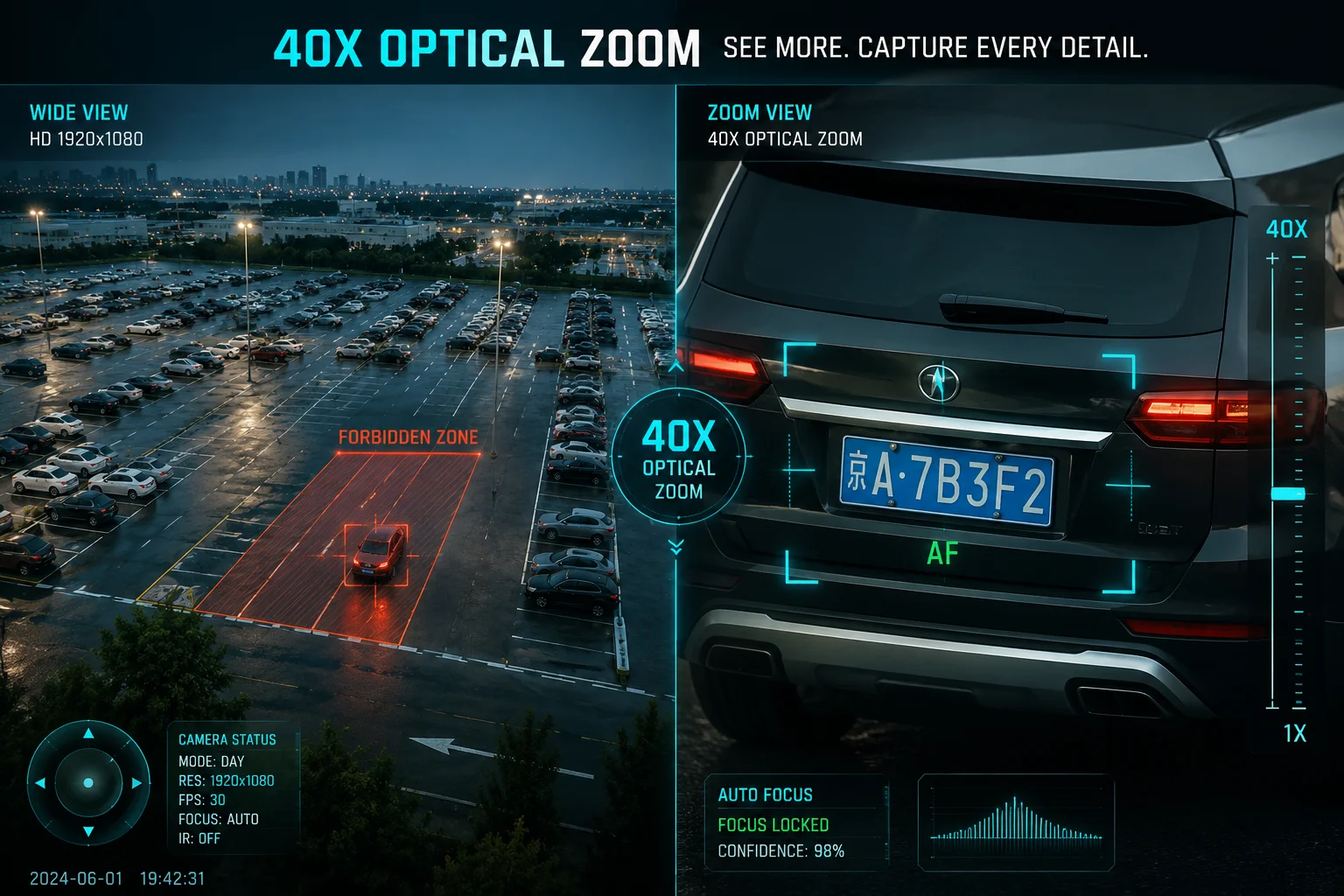
I see PTZ linkage as the strongest part of this workflow. The system does not stop at detection. It uses the detection event to guide the camera. First, the camera keeps a wide view for context. Then the PTZ turns toward the target and zooms in. After that, it captures the plate and the vehicle body in a clear frame.
How I build the PTZ chain
I usually use this flow:
| Stage | Action | Output |
|---|---|---|
| 1 | Detect vehicle in restricted zone | Event starts |
| 2 | Confirm stay time exceeds threshold | Violation confirmed |
| 3 | Trigger PTZ preset or auto-track | Camera turns to target |
| 4 | Zoom in on rear or front plate | Clear evidence image |
| 5 | Save snapshot and data | Report ready |
Why the plate image is so important
A wide shot can show that a car is in the wrong place. But a close shot can show who the car is. In many cases, the license plate is the most useful detail for site records, security logs, or later review. If the car is parked in a loading bay, near a gate, or inside a private lot, the plate image helps the operator act with confidence.
What I check before using PTZ auto-zoom
I always check a few things before I promise this feature:
- The target distance must fit the lens range.
- The camera must have enough light or proper night support.
- The PTZ speed must be fast enough to reach the target before the vehicle moves.
- The preset positions must be tuned well.
Why 38X or 40X zoom helps
For a professional site, optical zoom matters more than digital zoom. A real 38X or 40X lens gives me better detail at range. That is important for large yards, factory roads, farms, and parking lots. If I need to capture a plate from far away, I need real lens power, not fake software crop.
My view on evidence quality
I always prefer a two-shot record. I want one wide photo that proves the vehicle was in the no-parking zone. I also want one close photo that shows the plate. Together, they give a much stronger record than either image alone.
Will the app send a snapshot of the vehicle with a timestamp of when it first arrived?
I need a record that shows when the vehicle entered the zone, not only when the alarm fired. Without that first-arrival time, the report feels weak and less useful.
Yes, the app can send a snapshot of the vehicle with a timestamp of when it first arrived, if the camera or VMS6 saves the entrance event and the alarm event together.
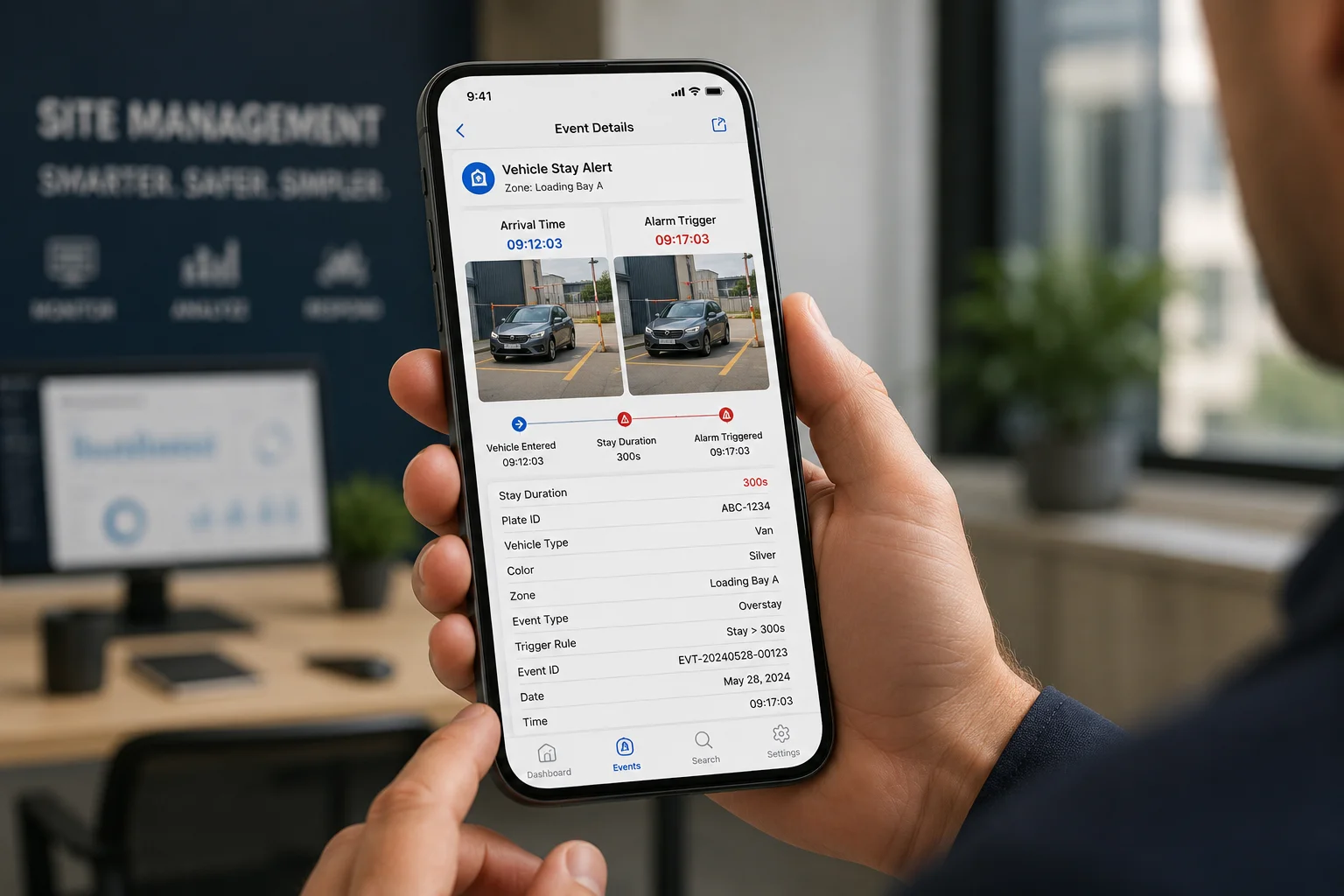
I think this is one of the most useful parts for operations teams. When a vehicle first enters the zone, the system can save an arrival snapshot. When the threshold is reached, it can save another alarm snapshot. That gives the user a timeline. It shows when the car came in, how long it stayed, and when the violation was confirmed.
Why first-arrival time is useful
The first-arrival record helps in three ways:
- It shows the exact start of the stay.
- It helps verify the timer logic.
- It gives a clear audit trail for later review.
This matters a lot in places like logistics yards, private roads, and industrial sites. Managers often want to know not just that a car was there, but how long it was there before action was taken.
What data I want in the snapshot package
I usually want the app or backend to send these fields:
| Field | Example value | Use |
|---|---|---|
| Vehicle snapshot | JPG image | Visual proof |
| First arrival time | 2025-05-01 09:12:03 | Start of event |
| Alarm time | 2025-05-01 09:17:03 | Violation point |
| Stay duration | 300 seconds | Rule result |
| Camera ID | Gate PTZ-01 | Source trace |
| Plate number | ABC-1234 | Vehicle identity |
Why a webhook workflow helps
For many B2B users, the app alone is not enough. They want the event to move into a workflow tool, a backend system, or a security platform. A webhook4 can send the snapshot and metadata right away. Then the team can store it, alert staff, or generate a report. This works well with n8n5, a custom dashboard, or a site management system.
My practical advice on timestamp accuracy
I always check time sync before deployment. The camera, NVR8, VMS, and backend should all use the same time source. If the clocks are off, the record becomes messy. In a real project, clean time data is just as important as clear video. Without it, the evidence is harder to trust.
Conclusion
I use parking duration rules, tracking logic, and PTZ linkage together to catch real illegal parking and ignore normal passing traffic.
1. Understand how regional intrusion detection defines virtual zones for security alerts. ↩︎ 2. Learn how loitering detection tracks objects that stay too long in a zone. ↩︎ 3. See how PTZ cameras pan, tilt, and zoom for automatic license plate capture. ↩︎ 4. Webhooks push event data to external systems in real-time for automation. ↩︎ 5. n8n is an open-source workflow automation tool that can process webhook data. ↩︎ 6. A Video Management System (VMS) centralizes recording and alarm handling. ↩︎ 7. Excessive false alarms cause operators to ignore real threats. ↩︎ 8. Network Video Recorder stores footage and metadata from IP cameras. ↩︎ 9. License plate capture provides critical identification evidence. ↩︎