
I lost count of how many times a client called me about false alarms from basic motion detection on their remote sites.
Loitering detection works by combining AI target tracking1 with a time threshold. The system assigns a unique ID to each person or vehicle, then starts a timer when that target enters a defined zone. Only when the dwell time exceeds your set limit does the camera trigger an alarm and push a notification over 4G push notification4.
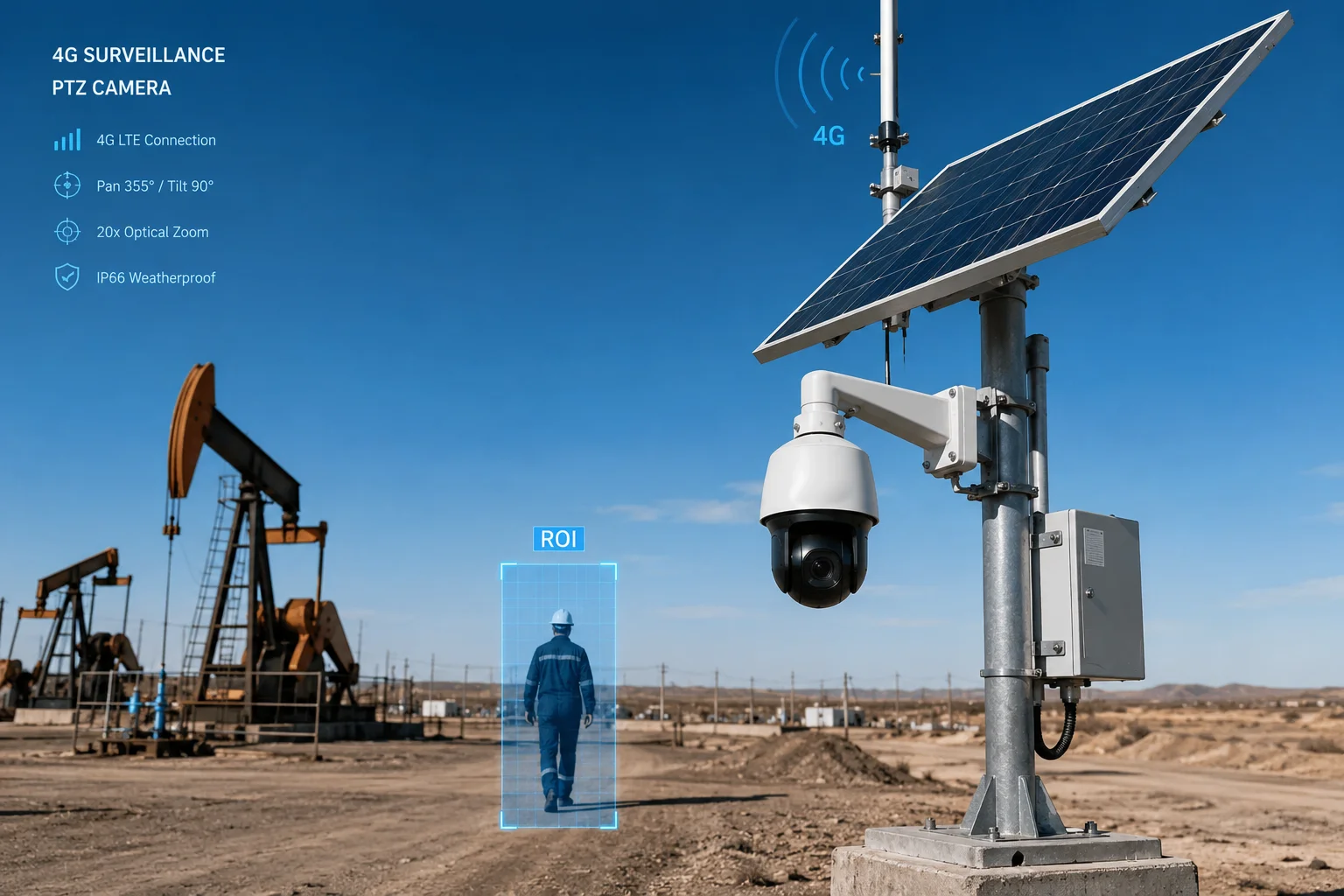
Below, I break down the four most common questions our integrator partners ask when they configure loitering detection on solar-powered PTZ systems for off-grid sites. Each answer comes from real deployment experience across ranches, oil fields, and industrial yards.
Table of Contents
Does the Loitering Algorithm Track the “Dwell Time” of a Unique ID Within a Specific Zone?
I used to think motion detection was enough. Then a client in Texas showed me 200 false alerts in one night from wind-blown tumbleweeds.
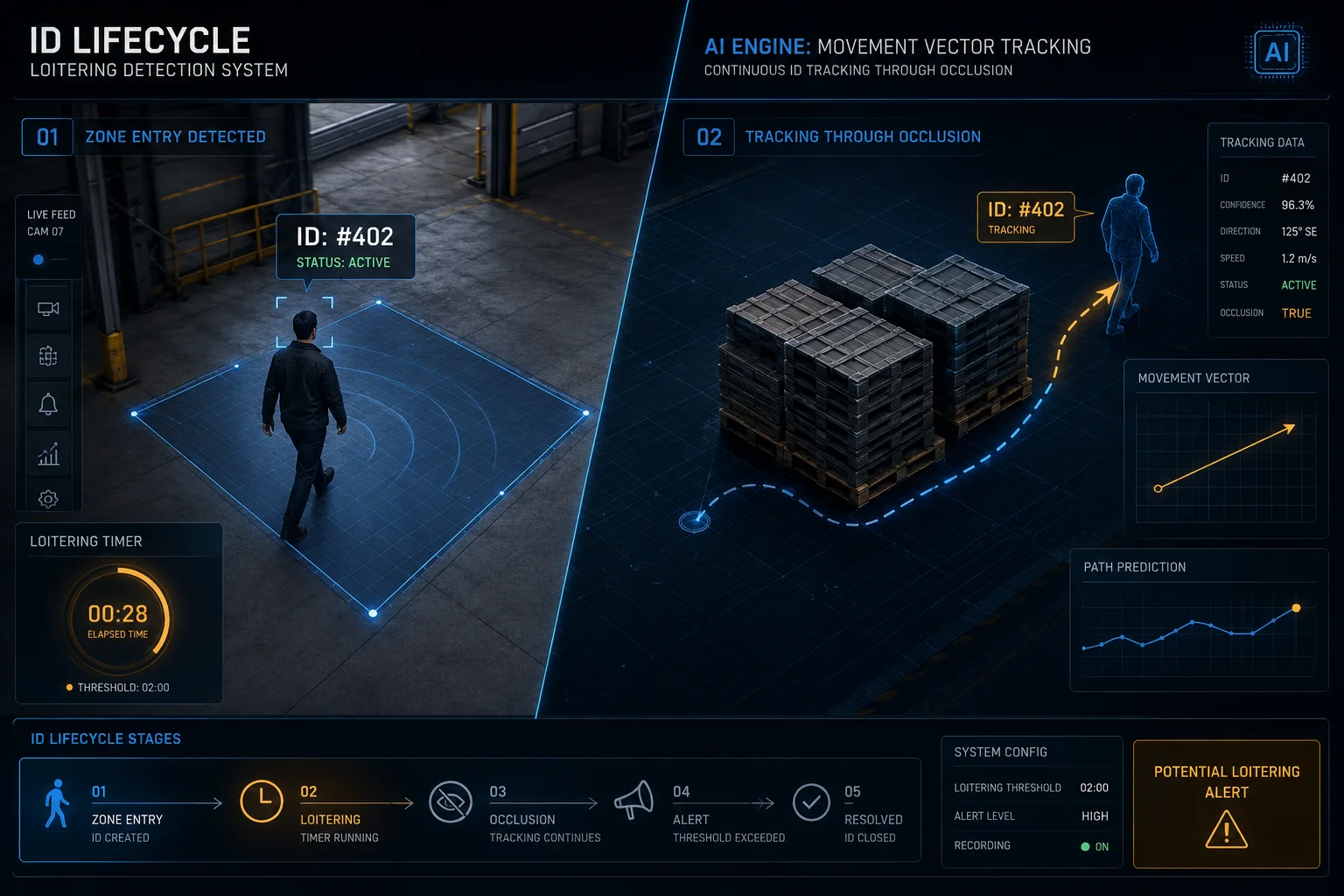
Yes. The algorithm assigns a persistent ID to each detected target and tracks its dwell time inside a user-defined Region of Interest (ROI)2. The timer only starts when the AI confirms the object is a human or vehicle, and it keeps counting even if the target is briefly occluded.
How the ID Lifecycle Works
The core logic behind loitering detection is what we call the “ID lifecycle.” When a person walks into your defined zone, the AI engine creates a new tracker. This tracker holds several pieces of data: the target’s bounding box, its movement vector, its appearance features, and a timestamp for when it first entered the ROI.
Every frame, the system checks if that same target is still inside the zone. If the target moves behind a pole or a parked truck for 1 to 2 seconds, the Re-ID module3 uses appearance features to match it back to the same tracker. The timer does not reset. This is a big deal for sites with lots of visual clutter like pipe racks or stacked pallets.
Setting Up the ROI
You draw the ROI directly on the camera’s web interface or through the NVR. I always tell clients to keep the zone tight. A smaller zone means fewer edge cases. For example, if you draw a huge zone covering an entire parking lot, every delivery driver who stops to check paperwork will trigger an alert. But if you draw the zone only around the generator room door, you catch the real threats.
Duration Threshold Selection
| Site Type | Suggested Duration | Reason |
|---|---|---|
| Oil well pump jack | 15–30 seconds | High-value asset, fast response needed |
| Ranch perimeter fence | 45–60 seconds | Allows animals and passing hikers to clear |
| Construction equipment yard | 30–45 seconds | Balances security with worker movement |
| Water treatment facility | 20–30 seconds | Restricted zone, no legitimate loitering |
The duration you pick depends on how much normal foot traffic exists in that zone. A zone where nobody should ever stop can use a short threshold like 15 seconds. A zone near a break area needs a longer threshold to avoid alerting on workers taking a phone call.
What Happens When the Timer Hits Zero
Once the dwell time exceeds your threshold, the system marks that ID as a “loiterer.” At this point, the camera can do several things at once: capture a high-resolution snapshot, begin continuous recording, send a push notification over 4G, and activate a white-light strobe. All of these linkage actions are configurable per zone.
Can I Trigger a Voice Warning Through the Internal Speaker if a Person Loiters for Over 30 Seconds?
A ranch owner in Montana once told me: “I don’t need to know someone is there. I need them to know I know they’re there.”
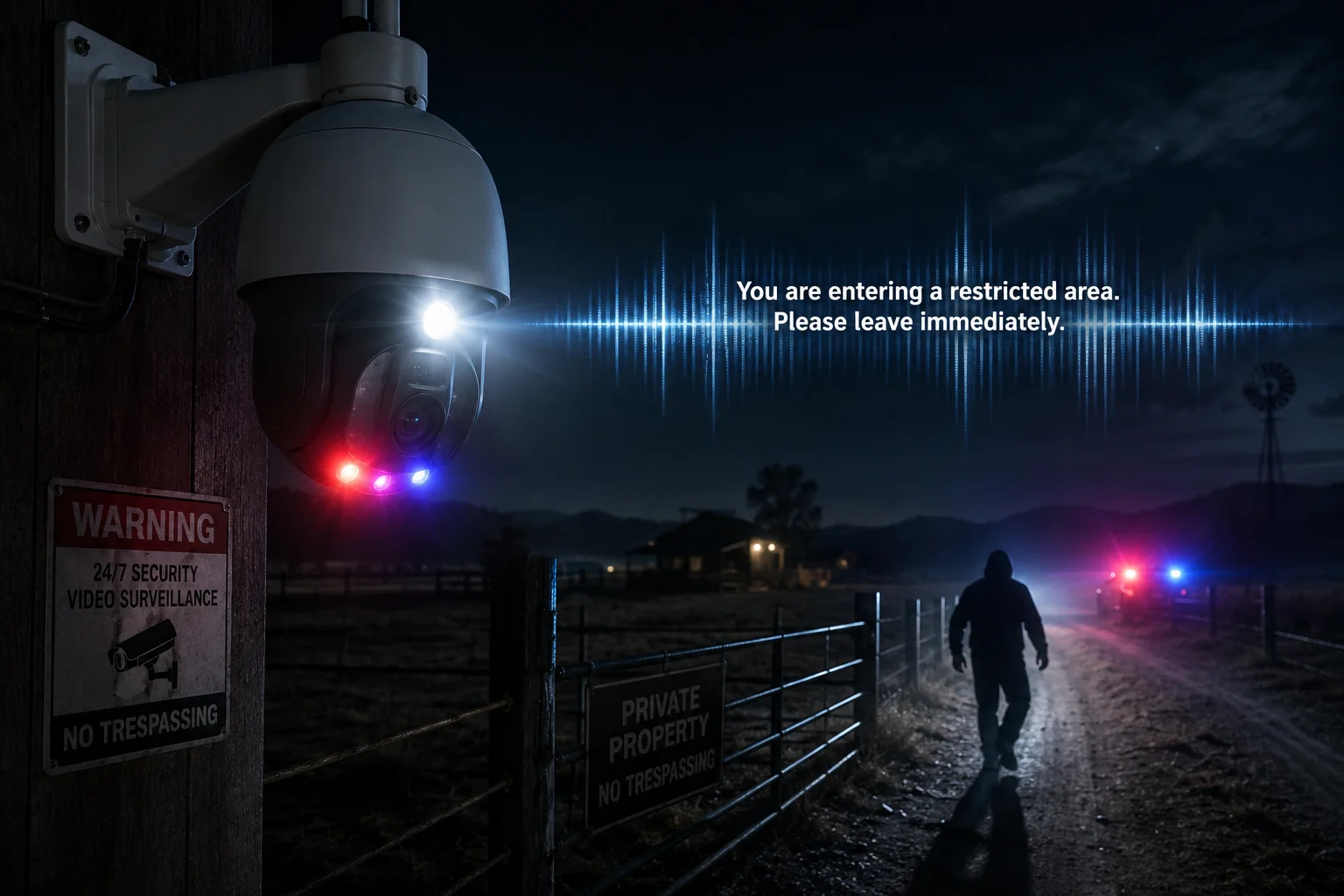
Yes. You can link the loitering alarm to the camera’s built-in speaker or an external horn. When the dwell time crosses 30 seconds, the system plays a pre-recorded warning or opens a live two-way audio5 channel so you can speak directly from your phone.
Pre-Recorded vs. Live Audio
There are two ways to use audio deterrence. The first is a pre-recorded message. You upload an audio file like “This is private property. You are being recorded. Leave now.” The camera stores this locally and plays it the instant the alarm triggers. No internet delay. No human needed.
The second option is live two-way audio5. The 4G push notification arrives on your phone. You tap it, see the live feed, and press the talk button. Now you are speaking directly to the person on site. In my experience, this is the most effective deterrent. Hearing a real human voice from a camera shocks people far more than a generic recording.
Staged Alarm Strategy
I recommend a two-stage approach for 4G sites where bandwidth matters:
| Stage | Trigger Point | Action | Bandwidth Use |
|---|---|---|---|
| Stage 1 | 50% of threshold (e.g., 15s) | PTZ auto-tracks target, starts local recording | Zero (no upload) |
| Stage 2 | 100% of threshold (e.g., 30s) | 4G push + snapshot + audio warning | Low (one image + short audio) |
This staged approach saves your data plan. Most loitering events resolve at Stage 1 because the person leaves before hitting the full threshold. You only burn 4G data on confirmed threats.
Audio File Requirements
Keep your audio file short. Three to five seconds is ideal. Longer messages give the intruder time to think. A short, sharp command creates urgency. Record it in the local language of your deployment site. If your client operates in a bilingual area, upload two files and set them to play in sequence.
Combining Audio with Strobe
On our solar PTZ units, the white-light LED doubles as a strobe. When the loitering alarm fires, the white-light strobe6 flashes in a red-blue pattern while the audio plays. This combination mimics a police response. In field tests across three ranch deployments, this combo achieved a 90% deterrence rate before any human intervention was needed.
Will the PTZ Automatically Start Tracking the Loiterer to Get a Clear Facial Identification?
I have seen too many cases where the alarm fires but the recording only shows the back of someone’s head. That is useless for a police report.
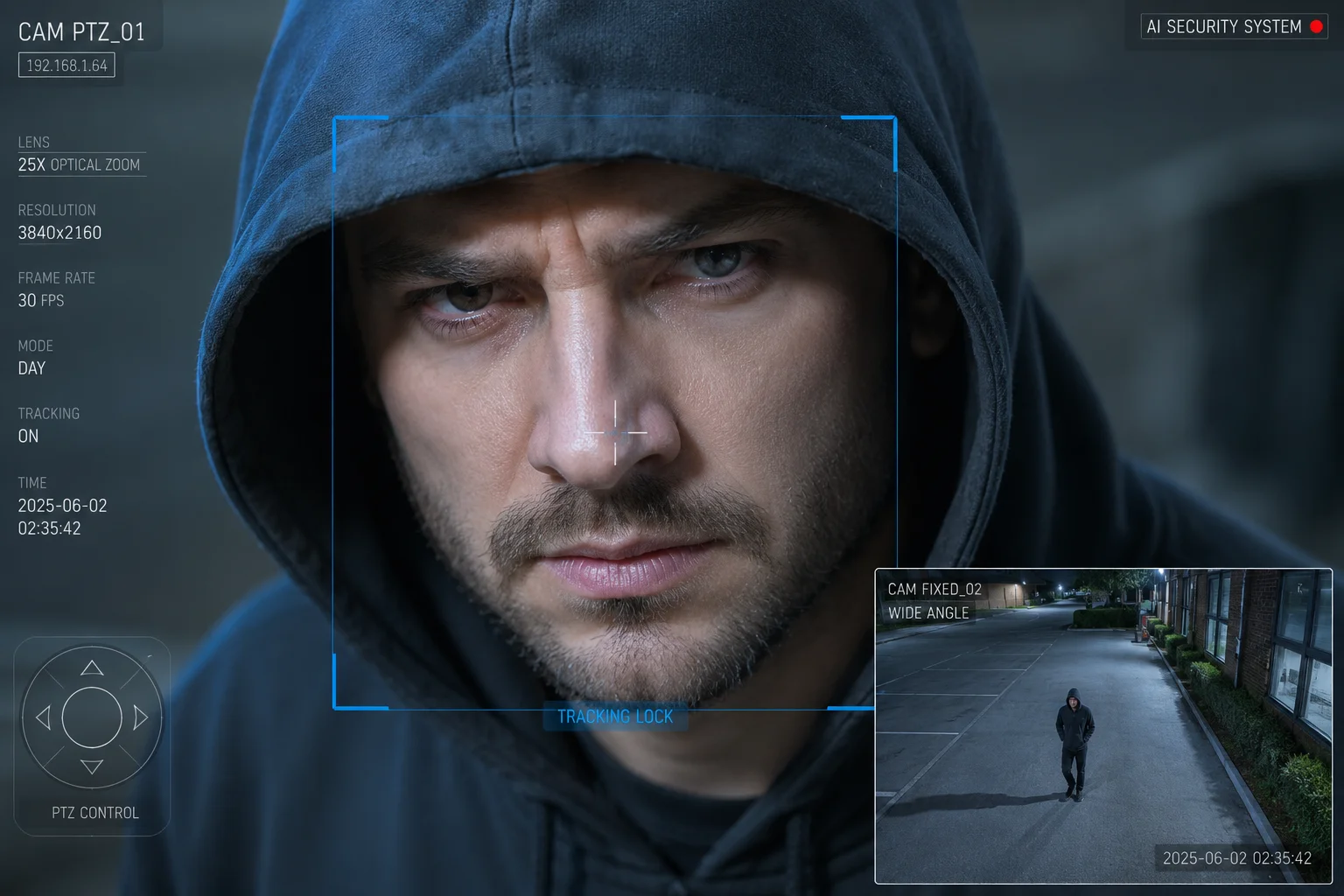
Yes. When the loitering threshold is reached, the PTZ auto-tracking7 can auto-lock onto the target and follow their movement across the scene. The camera adjusts zoom dynamically to keep the subject’s face at a size suitable for identification, typically filling 20–30% of the frame height.
How Auto-Tracking Engages
The tracking sequence works like this. During the dwell-time countdown, the camera is already watching the target through its AI engine. The moment the threshold is crossed, the PTZ motor receives a command to center on that target’s coordinates. The camera then enters “tracking mode.” In this mode, the pan and tilt motors follow the target’s movement in real time. The zoom motor adjusts to maintain a consistent subject size.
Dual-Lens Advantage
Our dual-lens systems8 handle this better than single-lens PTZ cameras. The fixed wide-angle lens maintains full scene awareness. It never moves. The PTZ lens does the tracking. This means if a second person enters the zone while the PTZ is following the first loiterer, the fixed lens still captures them. You do not lose situational awareness.
Zoom Behavior During Tracking
The camera uses an adaptive zoom algorithm. When the target is far away, it zooms in tight. When the target moves closer, it zooms out to keep them in frame. The goal is always the same: get a face shot that is clear enough for identification.
Here is what matters for facial capture quality:
| Factor | Minimum Requirement | Our System Capability |
|---|---|---|
| Face pixel width | 80 pixels | 120+ pixels at 50m with 38X zoom |
| Frame rate during tracking | 15 fps | 25 fps continuous |
| Tracking latency | Under 500ms | Under 200ms |
| Night face capture | IR illumination to 50m | Laser IR to 300m+ |
What Happens After the Target Leaves
Once the loiterer exits the ROI or the camera loses the track, the PTZ returns to its preset home position. The entire tracking clip is saved as a separate event file. This makes it easy to find later. You do not need to scrub through hours of footage. The NVR tags it as a “loitering event” with start time, end time, and a thumbnail of the best face capture.
Limitations to Be Honest About
Auto-tracking is not perfect. If the target runs behind a building, the camera cannot see through walls. If two people walk very close together, the tracker might jump between them. In heavy rain, the image quality drops. I always tell clients: tracking gives you a much better chance of getting a usable face shot, but it is not a guarantee. Position your cameras to minimize blind spots and you will get good results 90% of the time.
How Do You Distinguish Between a Security Guard on Patrol and a Suspicious Loiterer?
One of our integrators in Canada disabled loitering detection entirely because it kept alerting on his client’s own night watchman. That is the wrong solution.
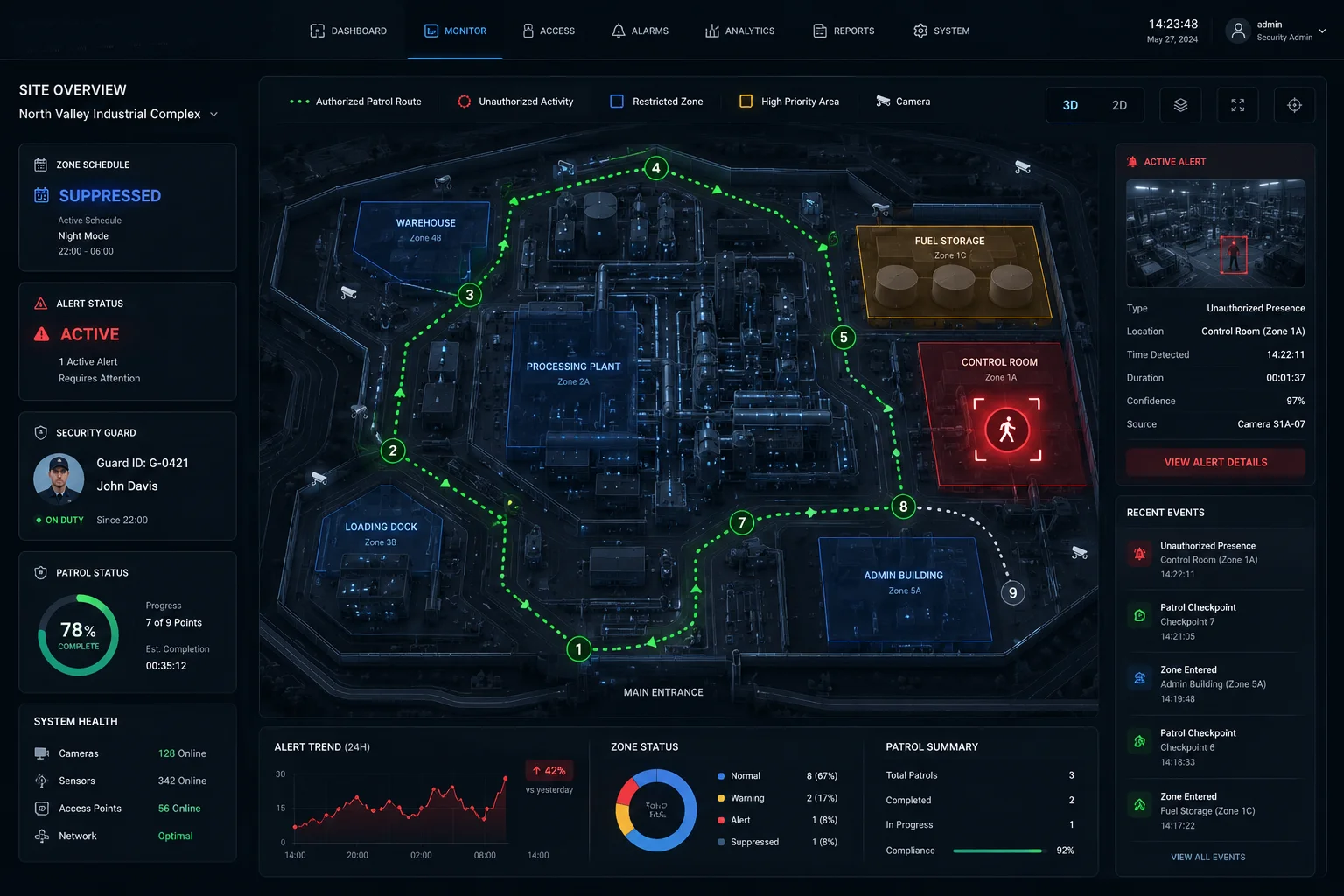
The system distinguishes authorized personnel from suspicious loiterers through schedule-based rules, zone exemptions, and uniform or badge recognition on supported models. You can set time windows where loitering alerts are suppressed, or whitelist specific patrol routes so the guard’s predictable path does not trigger alarms.
Schedule-Based Suppression
The simplest method is time-based rules. If your client’s guard patrols from 10 PM to 6 AM and follows a fixed schedule, you suppress loitering alerts during those hours for the zones on the patrol route. Outside those hours, the same zones remain fully armed.
But this approach has a weakness. What if the guard is late? What if an intruder shows up during patrol hours? You need a smarter layer.
Zone Exemption by Path
A better approach is path-based filtering. You define the guard’s expected route as a series of waypoints. If a target moves through those waypoints in the expected sequence within a reasonable time window, the system tags them as “patrol” and suppresses the alert. If someone enters the same zone but does not follow the route, or stays in one spot too long, the alarm fires.
Behavioral Differences
Think about how a guard moves versus how a loiterer moves. A guard walks at a steady pace. They follow a path. They do not stop and stare at a lock for 45 seconds. A loiterer moves slowly, stops frequently, looks around, and often approaches specific assets like doors or windows.
The AI can detect these behavioral patterns10:
- Movement speed: Guards walk at 3–5 km/h. Loiterers often move below 1 km/h or stand still.
- Direction changes: Guards follow a linear path. Loiterers pace back and forth.
- Dwell clustering: Guards spend equal time across zones. Loiterers concentrate on one spot.
Practical Setup for Most Clients
For most of our integrator partners, I recommend this combination:
- Set loitering detection to “Human Only” mode.
- Define patrol hours and suppress alerts during those windows.
- Set the duration threshold to 60 seconds for patrol-route zones (a guard passes through in under 30 seconds).
- Keep the threshold at 30 seconds for high-security zones where nobody should stop.
This layered approach catches real threats while letting the guard do their job without flooding the system with false positives.
When All Else Fails: Manual Whitelist
Some advanced NVR platforms allow you to register specific faces into a face recognition whitelist11 database. When the loitering alarm fires, the system checks the captured face against the whitelist. If it matches a registered guard, the alarm is auto-dismissed. This requires good lighting and a cooperative enrollment process, but it works well for fixed-site deployments with a small security team.
Conclusion
Loitering detection turns your PTZ camera from a passive recorder into an active security tool. Set your ROI tight, pick the right time threshold for each zone, and layer your response from silent tracking to loud deterrence. That is how you stop threats before damage happens.
1. Learn how AI-based tracking assigns persistent IDs and follows targets across a scene. ↩︎ 2. Define a specific zone where loitering detection is active. ↩︎ 3. Person re-identification allows the system to maintain tracking through occlusions. ↩︎ 4. How 4G cameras send alerts without relying on Wi‑Fi. ↩︎ 5. Live voice communication from a phone to the camera speaker. ↩︎ 6. Strobe lights mimic police response and deter intruders. ↩︎ 7. Automatic pan/tilt/zoom tracking to keep a subject in frame. ↩︎ 8. Fixed wide-angle lens maintains scene awareness while PTZ zooms. ↩︎ 10. How AI analyzes movement speed, direction changes, and dwell clustering. ↩︎ 11. Registering known faces to suppress alarms from authorized personnel. ↩︎