
I used to burn through 200GB of 4G data per camera each month. Then I switched the encoding format. The bill dropped so fast I thought something was broken.
In static scenes, H.265+ saves 70% to 90% of 4G bandwidth compared to H.264. For a typical 4MP PTZ camera with almost no motion in the frame, the bitrate can drop from 2–4 Mbps down to 0.3–0.5 Mbps. This means your monthly data cost per camera can fall from over 200GB to under 60GB.
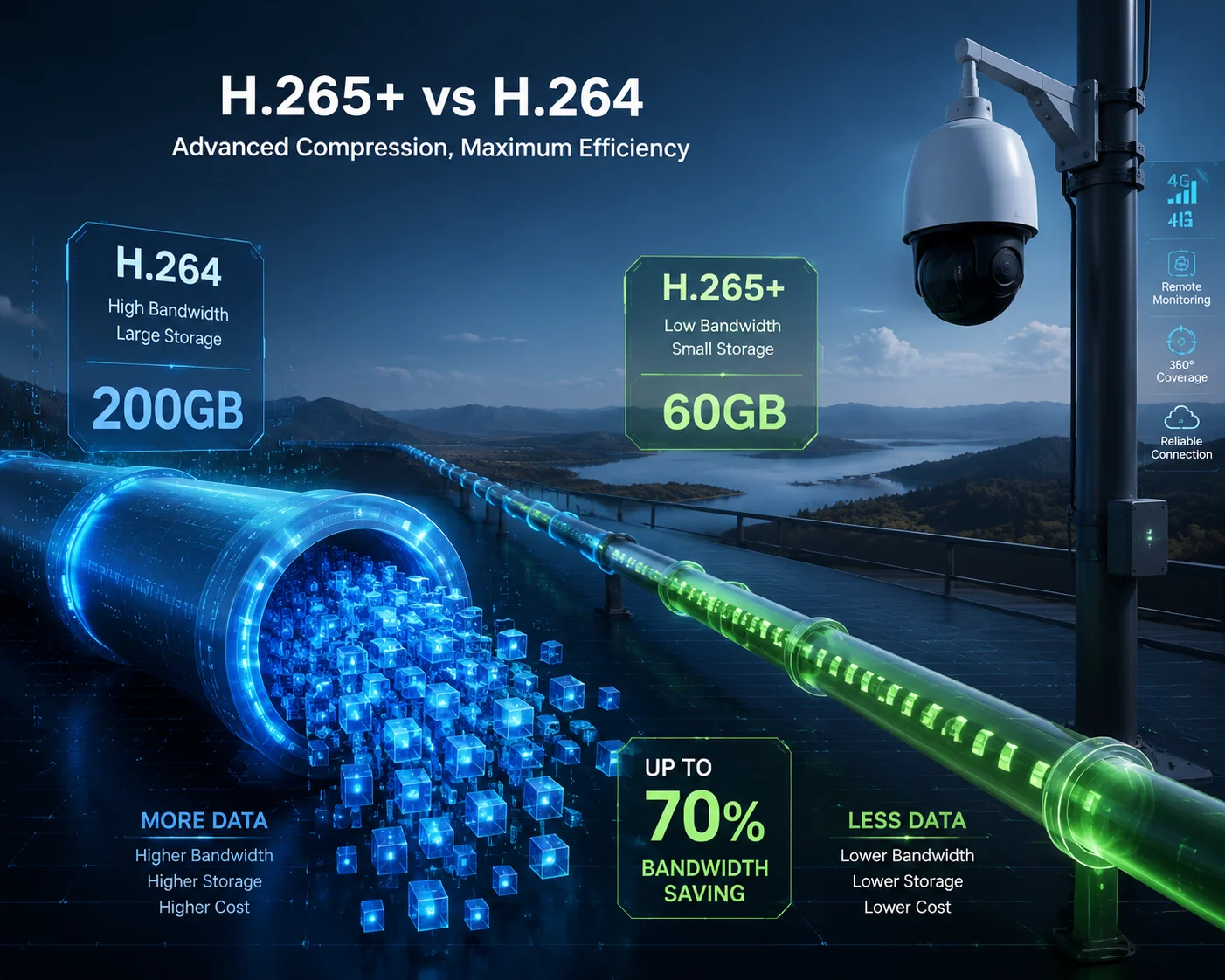
Below, I break down exactly how this works across four real questions I hear from integrators and project managers every week. If you run solar-powered 4G monitoring in remote areas, these numbers will change how you plan your next deployment.
Table of Contents
Will H.265+ Reduce My Monthly 4G Bill by More Than 50% for Fixed-View Monitoring?
I had a client in Texas running 10 solar PTZ cameras on a ranch. His monthly 4G bill was over $800. He asked me this exact question before switching encoders.
Yes. H.265+ will reduce your monthly 4G bill by far more than 50% for fixed-view monitoring. In most static scenes, the real saving is 70% to 85%. This is because H.265+ almost stops sending data when nothing moves in the frame, while H.264 keeps pushing a high bitrate regardless.

Why the Saving Goes Beyond 50%
The 50% figure comes from standard H.265 (HEVC1). That is the baseline improvement over H.264. But H.265+ is not the same as H.265. It adds a layer of smart encoding on top.
Here is what happens inside the encoder:
Standard H.265 uses bigger coding blocks (CTU2 up to 64×64 pixels vs. H.264’s 16×16 macroblock3). This alone cuts the bitrate by about 40–55%. But H.265+ goes further. It looks at the entire frame and asks: “What changed since the last frame?” In a fixed-view scene — say a warehouse at night or an empty parking lot — the answer is almost nothing. So H.265+ sends almost nothing.
Real Monthly Cost Comparison
Let me put this into dollars. Assume you use a 4MP6 PTZ camera streaming 24/7 over 4G at 1080p, 20fps.
| Encoding | Average Bitrate (Static) | Monthly Data Usage | Estimated 4G Cost (at $5/GB) |
|---|---|---|---|
| H.264 | 2.0 Mbps | ~648 GB | ~$3,240 |
| H.265 | 1.0 Mbps | ~324 GB | ~$1,620 |
| H.265+ | 0.4 Mbps | ~130 GB | ~$650 |
That is an 80% drop from H.264 to H.265+. For 10 cameras, you save over $25,000 per month. This is not theory. This is what our clients report after switching.
What Makes Fixed-View the Best Case?
Fixed-view means the PTZ is locked in one position. No panning. No zooming. The background stays the same hour after hour. H.265+ treats this background as a long-term reference frame. It only updates the tiny pixels that change — like a timestamp overlay or a slight shift in lighting.
H.264 cannot do this. Even when the scene is perfectly still, H.264 keeps re-encoding the full frame at regular intervals. It wastes bandwidth on pixels that have not changed at all.
So yes, for fixed-view 4G monitoring, H.265+ does not just beat the 50% mark. It crushes it.
Does the Compression Algorithm Maintain 4K Clarity When a Small Object Starts Moving?
This is the fear I hear most often. “Sure, it saves bandwidth when nothing moves. But what happens when a person walks into the frame? Does the image turn into a blurry mess?”
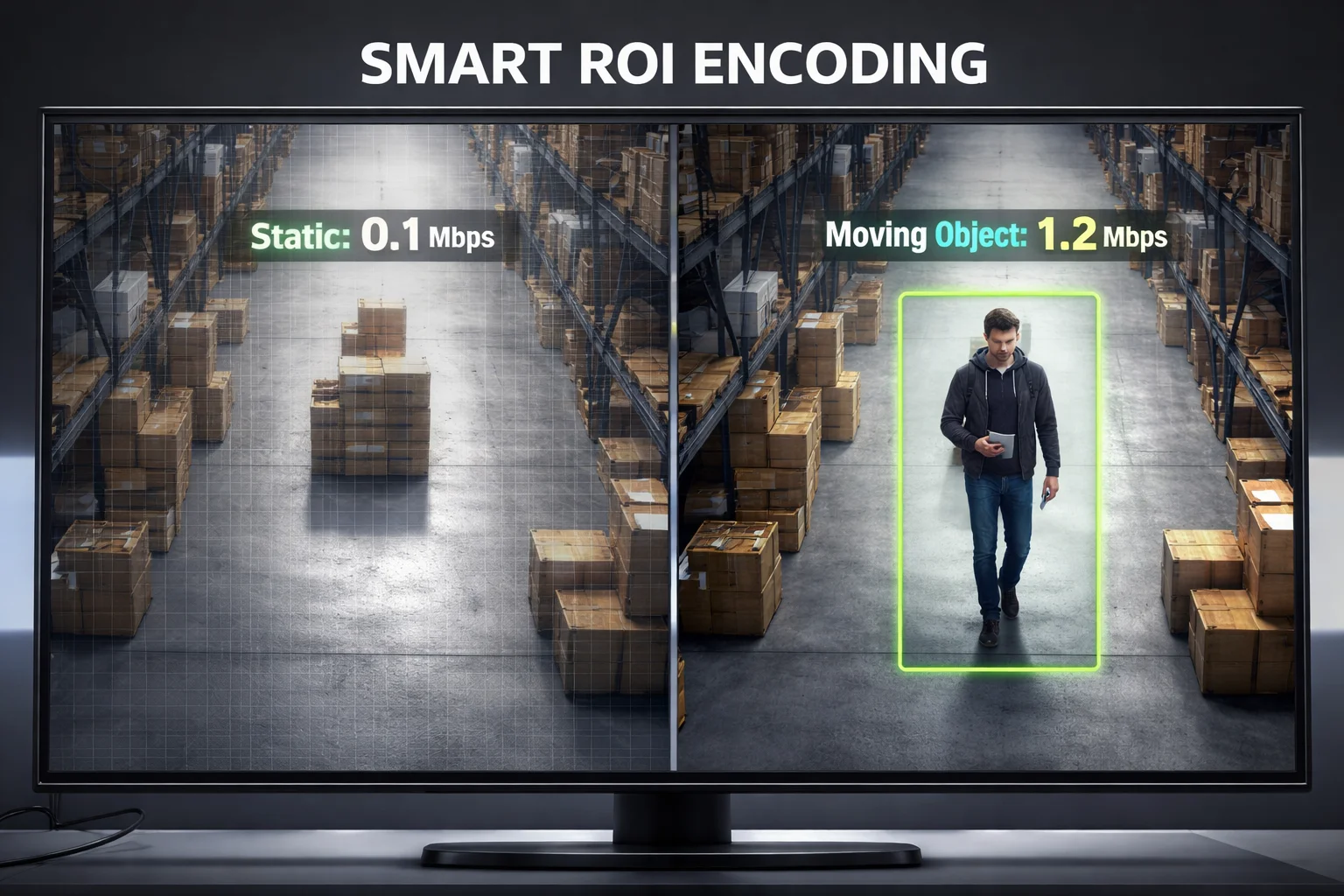
H.265+ maintains full 4K clarity when a small object starts moving. The encoder instantly allocates more bitrate4 to the moving region while keeping the static background at low bitrate. This means you get sharp detail on the person or vehicle without wasting data on the sky or the ground.
How the Smart ROI System Works
ROI stands for Region of Interest. H.265+ divides the frame into zones. When the entire frame is still, all zones get minimal bitrate. The moment a person or car enters one zone, that zone’s bitrate jumps up. The rest of the frame stays low.
This is very different from H.264. In H.264, the entire frame gets the same treatment. If one corner has motion, the whole frame’s bitrate goes up. That wastes a lot of data.
Bitrate Behavior During Motion Events
Here is what actually happens to the bitrate when a person walks through a static scene:
| Time Period | H.264 Bitrate | H.265+ Bitrate | What Is Happening |
|---|---|---|---|
| 0–10 sec (static) | 2.0 Mbps | 0.3 Mbps | Nothing moves |
| 10–20 sec (person enters) | 3.5 Mbps | 1.2 Mbps | Person walks across frame |
| 20–30 sec (person exits) | 2.5 Mbps | 0.4 Mbps | Scene returns to static |
| 30–60 sec (static again) | 2.0 Mbps | 0.3 Mbps | Full static recovery |
Notice two things. First, H.265+ spikes to only 1.2 Mbps during motion, while H.264 hits 3.5 Mbps. Second, H.265+ drops back down within seconds after the motion stops. H.264 takes longer to settle.
Will You Lose Detail on a Face or License Plate?
No. The moving object gets priority bandwidth. H.265+ uses predictive encoding to track the moving pixels and give them the highest quality. The static background gets compressed aggressively, but you do not care about the quality of a wall that has not changed in three hours.
I have tested this with our 40X optical zoom PTZ cameras. At 4MP resolution, a person at 200 meters is still sharp enough to identify clothing color and walking direction — even at 0.8 Mbps total bitrate under H.265+. With H.264 at the same clarity, you would need 3 Mbps or more.
The Key Takeaway for Integrators
If your client worries about missing critical details, show them a side-by-side recording. Same camera, same scene, same resolution. H.265+ at 0.5 Mbps vs. H.264 at 2.0 Mbps. The H.265+ clip will look just as sharp on the moving subject. The only difference is the data bill at the end of the month.
How Much Extra Storage Days Can I Get on My SD Card with H.265+ Active?
I get this question a lot from clients who deploy cameras in places with no internet at all. They rely on local SD card recording and send someone to pull the card every few weeks.
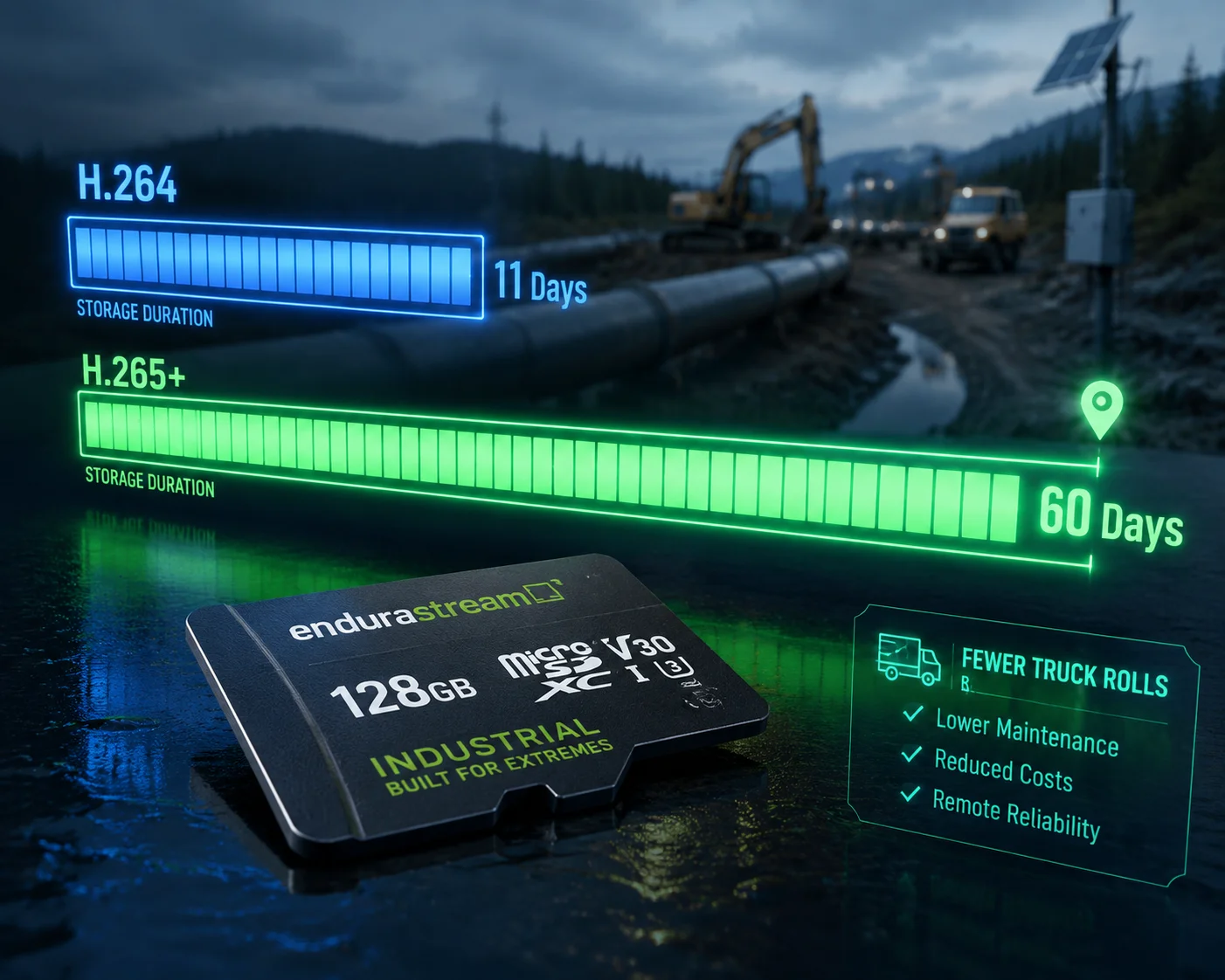
With H.265+ active, you can get 3 to 5 times more storage days on the same SD card compared to H.264. A 256GB card that lasts 7 days under H.264 can last 21 to 35 days under H.265+ in a static scene. This means fewer truck rolls and lower maintenance costs.
The Math Behind Storage Extension
Storage days depend on three things: card size, bitrate, and recording hours per day. Let me walk through the math with a 256GB MicroSD card recording 24/7.
Daily data consumption formula:
Daily GB = (Bitrate in Mbps × 3,600 × 24) ÷ 8 ÷ 1,000
For H.264 at 2.0 Mbps:
- Daily = (2.0 × 86,400) ÷ 8,000 = 21.6 GB/day
- 256 GB ÷ 21.6 = about 11.8 days
For H.265+ at 0.4 Mbps (static scene):
- Daily = (0.4 × 86,400) ÷ 8,000 = 4.32 GB/day
- 256 GB ÷ 4.32 = about 59 days
That is 5 times longer. In a mixed scene with some daytime motion, expect about 3 to 4 times longer.
Why This Matters for Solar-Powered Sites
Solar-powered cameras in remote areas are hard to reach. Every truck roll costs money — fuel, labor, time. If your SD card fills up in 10 days, you need someone on site twice a month. If it lasts 40 days, you visit once a month or less.
For large-scale projects with 20 or 50 cameras spread across a pipeline or a farm, this difference adds up to thousands of dollars per year in maintenance savings alone.
A Practical Tip
Always pair H.265+ with motion-triggered recording7 if your project allows it. In a static scene, the camera records continuously but at very low bitrate. When motion is detected, it bumps up the quality. This combination can push a 256GB card past 90 days in some cases. I have seen it happen on ranch monitoring projects where the camera only sees cattle once or twice a day.
Why Is the Bitrate Remarkably Lower During Nighttime Monitoring with H.265+?
I noticed something strange during a test last year. The same camera, same scene, same settings — but the nighttime bitrate under H.265+ was almost half of the daytime bitrate. That seemed backwards at first.
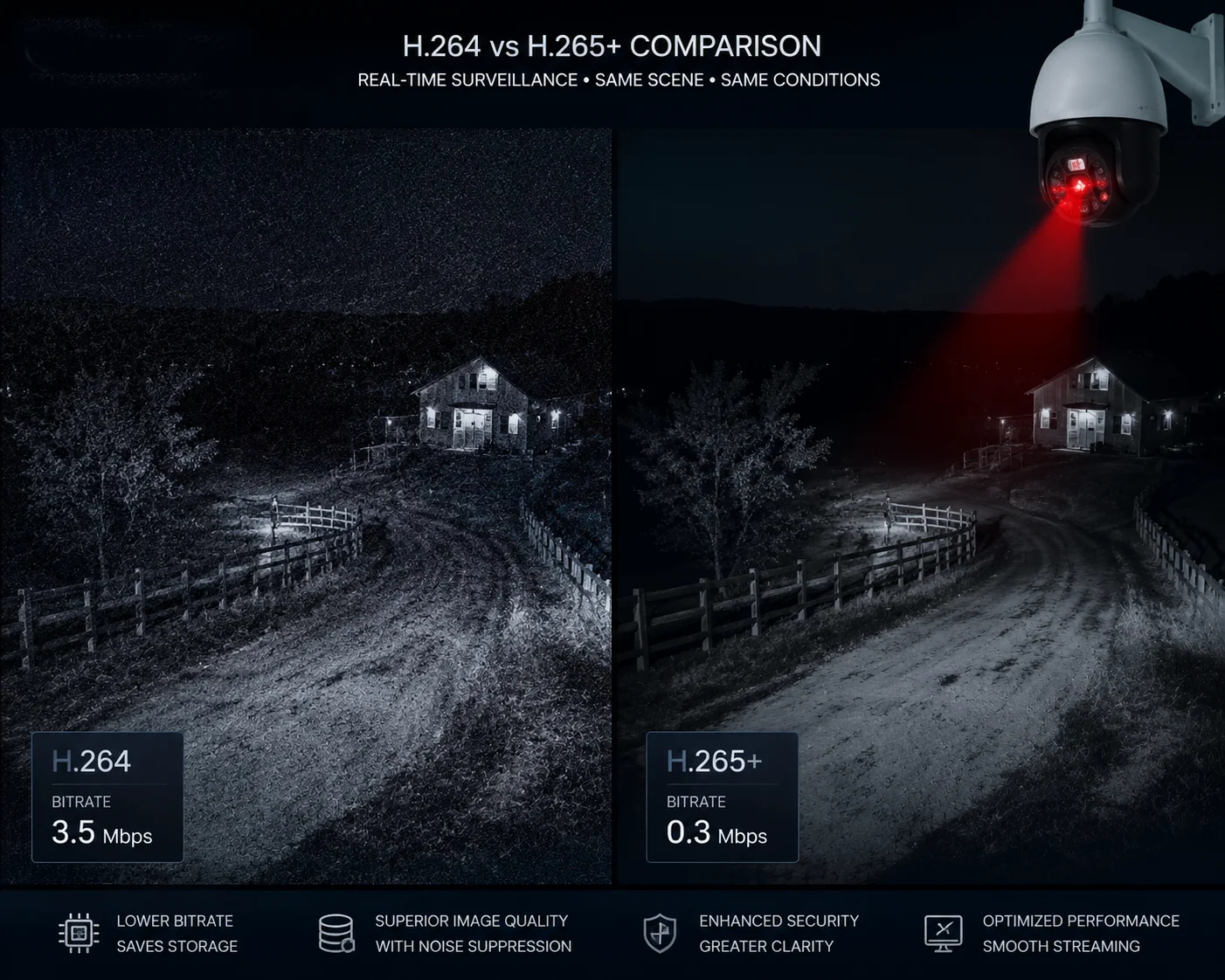
The bitrate is lower at night because H.265+ filters out sensor noise that H.264 treats as motion. At night, image sensors produce electronic noise — random pixel flicker that looks like movement. H.264 encodes all of it, wasting bandwidth. H.265+ recognizes this noise and ignores it, so the bitrate drops dramatically.
The Noise Problem in Night Surveillance
Every camera sensor generates thermal noise in low light. The darker the scene, the more the sensor amplifies its signal, and the more noise appears. This noise looks like tiny moving dots across the entire frame.
To H.264, every flickering pixel is “motion.” So H.264 keeps encoding these random changes frame after frame. The result? A static nighttime scene under H.264 can actually use MORE bandwidth than a daytime scene with real motion. This is a well-known problem in the security industry.
How H.265+ Solves This
H.265+ uses a noise suppression layer before encoding. It separates real motion from sensor noise using temporal analysis5. If a pixel changes randomly with no spatial pattern, it is noise. If a group of pixels moves together in a consistent direction, it is a real object.
This means:
- H.264 at night (static scene): 2.5–4.0 Mbps — higher than daytime because of noise
- H.265+ at night (static scene): 0.2–0.4 Mbps — lower than daytime because there is truly nothing moving
The Impact on 4G Data at Night
| Time of Day | H.264 Bitrate | H.265+ Bitrate | H.265+ Saving vs H.264 |
|---|---|---|---|
| Daytime (some motion) | 2.5 Mbps | 0.8 Mbps | 68% |
| Dusk (low light, little motion) | 3.0 Mbps | 0.5 Mbps | 83% |
| Nighttime (dark, no motion) | 3.5 Mbps | 0.3 Mbps | 91% |
Look at that nighttime row. H.264 actually increases to 3.5 Mbps because of noise. H.265+ drops to 0.3 Mbps. That is a 91% saving. This is why H.265+ is not just a “nice to have” for 4G solar cameras. It is essential.
What This Means for Your 4G Data Plan
Most surveillance happens at night. That is when security matters most. And that is exactly when H.265+ saves the most bandwidth. If your cameras run 24/7, roughly 10–12 hours are nighttime hours. During those hours, H.265+ is saving you 85–91% compared to H.264.
This is the single biggest reason I recommend H.265+ for every 4G project. The nighttime savings alone can pay for the camera upgrade within the first two months of operation.
A Note on IR and Laser Illumination
Our PTZ cameras with built-in laser IR illuminators8 produce a cleaner night image than cameras that rely on cheap IR LEDs. A cleaner image means less noise, which means even lower bitrate under H.265+. If you pair a high-quality laser night vision camera with H.265+ encoding, you get the best of both worlds: clear night footage and minimal 4G data usage.
Conclusion
H.265+ saves 70–90% of 4G bandwidth over H.264 in static scenes. It cuts your data bill, extends SD card life by 3–5x, and performs best at night when it matters most.
1. Wikipedia on High Efficiency Video Coding (H.265), the standard upon which H.265+ is based. ↩︎ 2. Explanation of Coding Tree Units (CTU) used in HEVC for larger block sizes. ↩︎ 3. Wikipedia on macroblocks, the basic processing unit in H.264. ↩︎ 4. TechSmith’s guide to video bitrate and its impact on quality and file size. ↩︎ 5. ScienceDirect definition of temporal analysis in video processing. ↩︎ 6. Article explaining the difference between 4MP and 1080p security cameras. ↩︎ 7. Guide to motion-triggered recording in security cameras. ↩︎ 8. Bosch Security page on laser IR illuminators for clearer night video. ↩︎