
I have seen too many solar cameras die in the field — not from weather, not from vandals, but from their own firmware burning through the battery trying to find a signal that does not exist.
After multiple 4G reconnection failures, the system uses an exponential backoff algorithm1 combined with hardware-level power isolation2 to enter an intelligent intermittent sleep mode. The MCU physically cuts power to the 4G modem, drops whole-system consumption to under 0.5W, and wakes at increasing intervals to retry the network — protecting the battery from total drain while keeping the camera ready to recover automatically.
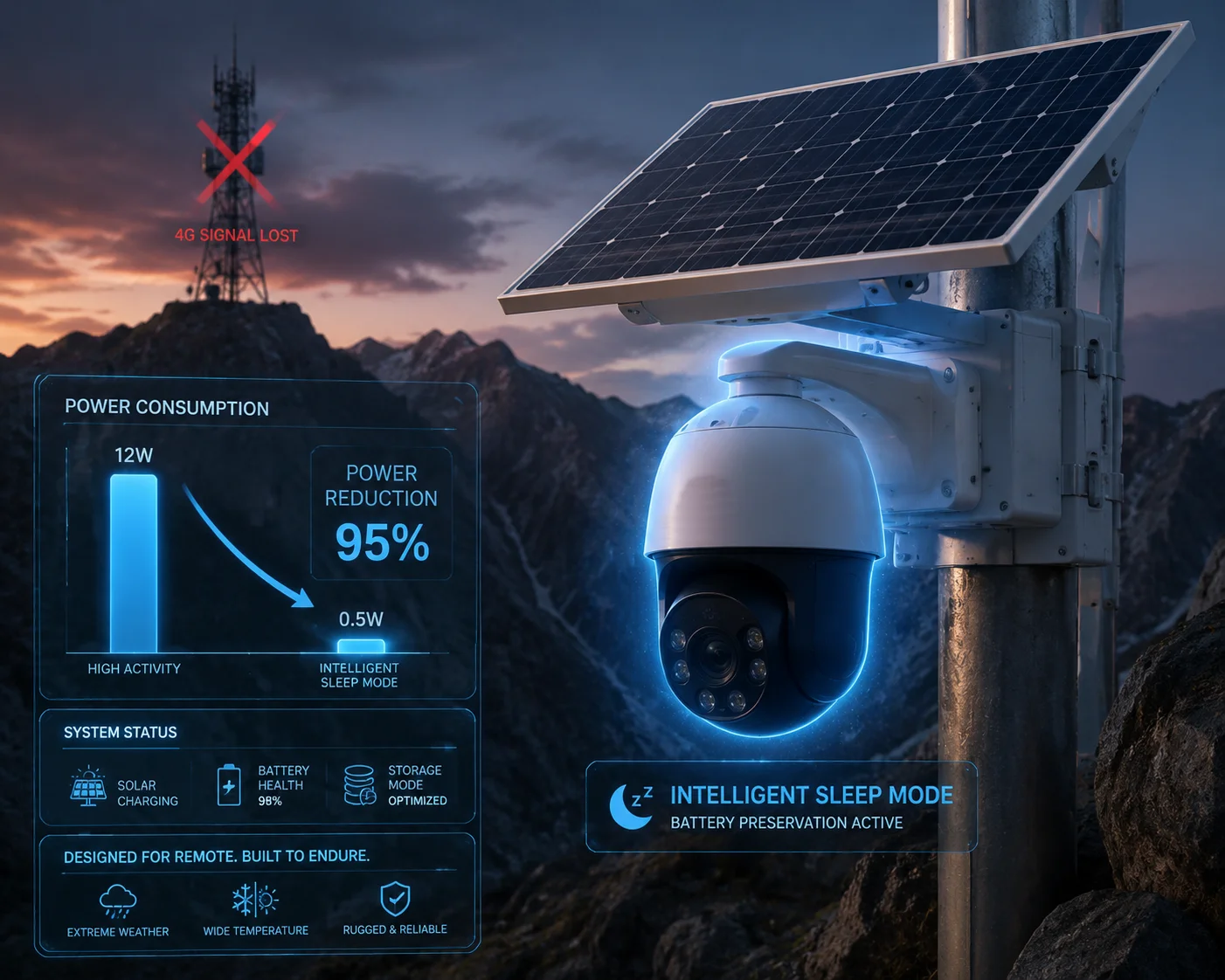
Below, I will walk you through exactly how this works — from the trigger conditions, to the wake-up logic, to what happens with local recording and PIR alerts while the modem sleeps. If you deploy cameras in areas with unstable cellular coverage, this is the article you need to read before your next purchase order.
Table of Contents
Will the Camera Stop Trying to Connect if the Signal Is Dead to Prevent Total Battery Drain?
I learned this the hard way on a remote ranch project. The camera kept searching for a tower that was down for maintenance. Within 36 hours, a 60Ah battery was completely dead.
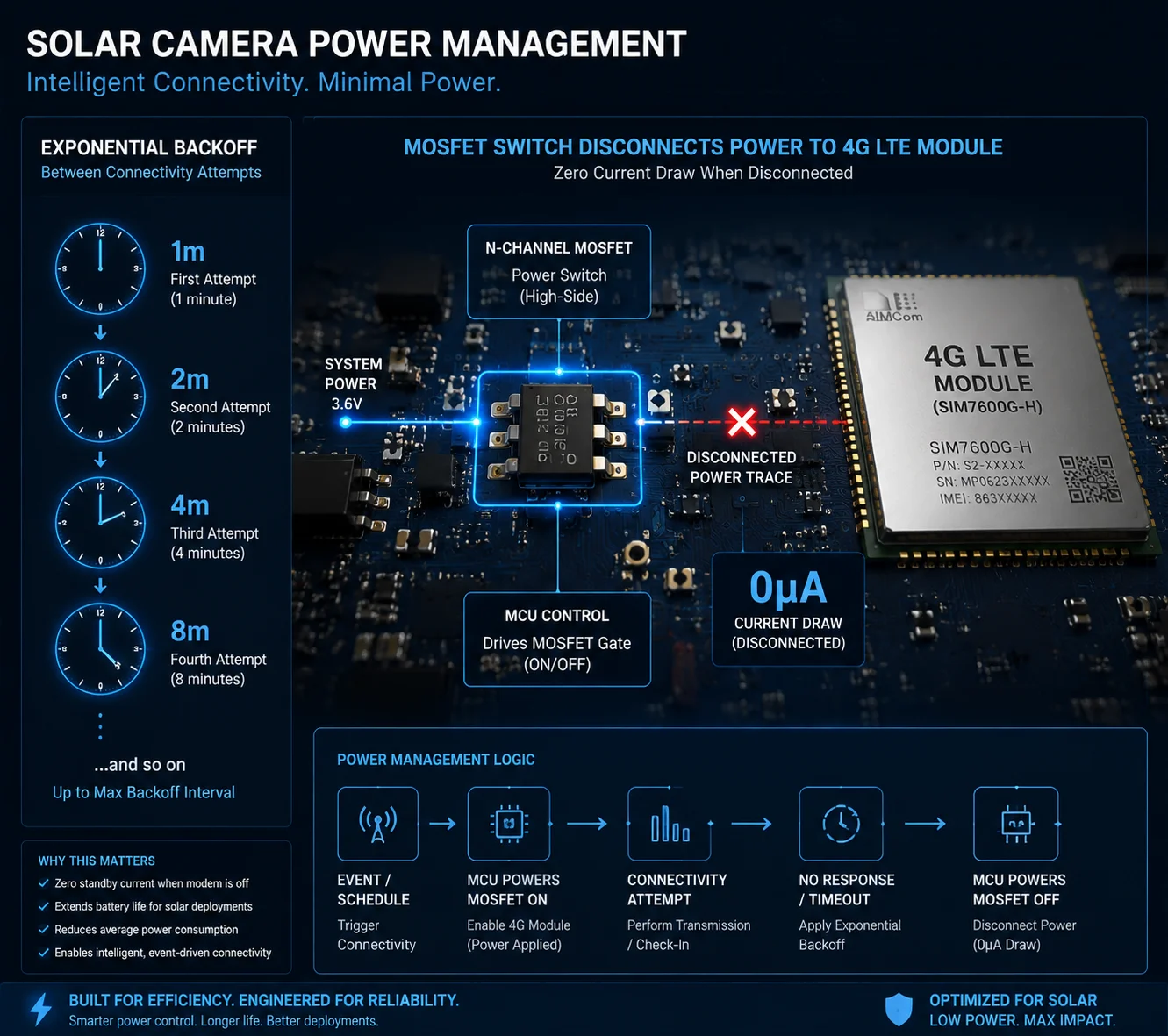
Yes. After a set number of failed reconnection attempts, the camera stops continuous retrying. The firmware uses an exponential backoff strategy — increasing the wait time between each attempt — and eventually enters a deep sleep state3 where the 4G modem is physically powered off to prevent total battery drain.
Why Continuous Retrying Is the Fastest Way to Kill Your Battery
Most people think a camera sitting idle uses very little power. That is true — until the 4G modem starts searching for a base station. The RF search process4 is the single most power-hungry operation the camera performs. During a network scan, the 4G module can draw over 2A of instantaneous current. If the firmware keeps retrying every 10 or 30 seconds, you are essentially running a space heater inside your battery box.
Here is what the power draw looks like at each stage:
| Operating State | Typical Power Draw | Current Spike |
|---|---|---|
| Normal 4G streaming | 4–6 W | ~1.2 A steady |
| 4G network search (RF scan) | 8–10 W peak | 2 A+ burst |
| Low-power standby (modem on) | 1–2 W | ~0.3 A |
| Intelligent sleep (modem off) | 0.1–0.5 W | < 0.02 A |
| Deep shutdown protection | < 0.05 W | ~0 A |
How the Exponential Backoff Algorithm Works
The firmware does not just give up after one failure. It follows a structured retry schedule that gets slower over time:
- First failure: Wait 1 minute, then retry.
- Second failure: Wait 2 minutes.
- Third failure: Wait 4 minutes.
- Fourth failure: Wait 8 minutes.
- And so on… doubling each time until it hits a maximum interval — usually 1 or 2 hours.
This is called exponential backoff. It is the same logic your phone uses when it cannot find Wi-Fi. The key difference here is that after reaching the maximum interval, the camera does not just put the modem to sleep in software. It physically cuts the power rail.
Hardware-Level Power Isolation: True Zero-Leakage Sleep
This is where our design separates from cheap cameras. In our system, the MCU controls a MOSFET switch5 on the 4G module’s power line (VCC_4G). When the system enters intelligent sleep:
- The MOSFET opens. Current to the 4G module drops to 0 μA. Not microamps. Zero.
- The main processor enters a suspend state. Only the RTC chip6 and a tiny amount of SRAM stay powered.
- Total system draw falls to 0.1–0.5 W.
This is not a software standby. This is a hard power cut. The modem is electrically dead until the MCU decides to wake it up again.
The “Death Spiral” You Must Avoid
For someone like David Miller deploying cameras across remote Texas ranches or Canadian pipeline corridors, here is the math that matters:
- A 60Ah 12V battery holds about 720Wh of usable energy.
- A camera stuck in continuous RF search mode at 8W average will drain that battery in 90 hours — less than 4 days.
- A camera in intelligent sleep at 0.3W average will last 2,400 hours — that is 100 days.
That is the difference between a camera that survives a two-week tower outage and one that is dead before the technician can even schedule a site visit.
In our firmware, we expose a “Retry Threshold” setting. You can configure it to say: “After 5 failures, enter a 2-hour long sleep.” This gives you direct control over how aggressively the camera conserves power based on your specific site conditions.
What Is the Wake-Up Interval for the Camera to Check if the 4G Network Has Returned?
I get this question from almost every integrator I work with. They want to know: “If the network comes back at 2 AM, how long before my camera is back online?”
The wake-up interval starts short — around 10 to 15 minutes — and gradually extends to a maximum of 1 to 4 hours depending on battery level and how many consecutive reconnection attempts have failed. The RTC chip triggers each wake-up cycle, and the camera typically reconnects within one interval after the network returns.
The Three Wake-Up Triggers
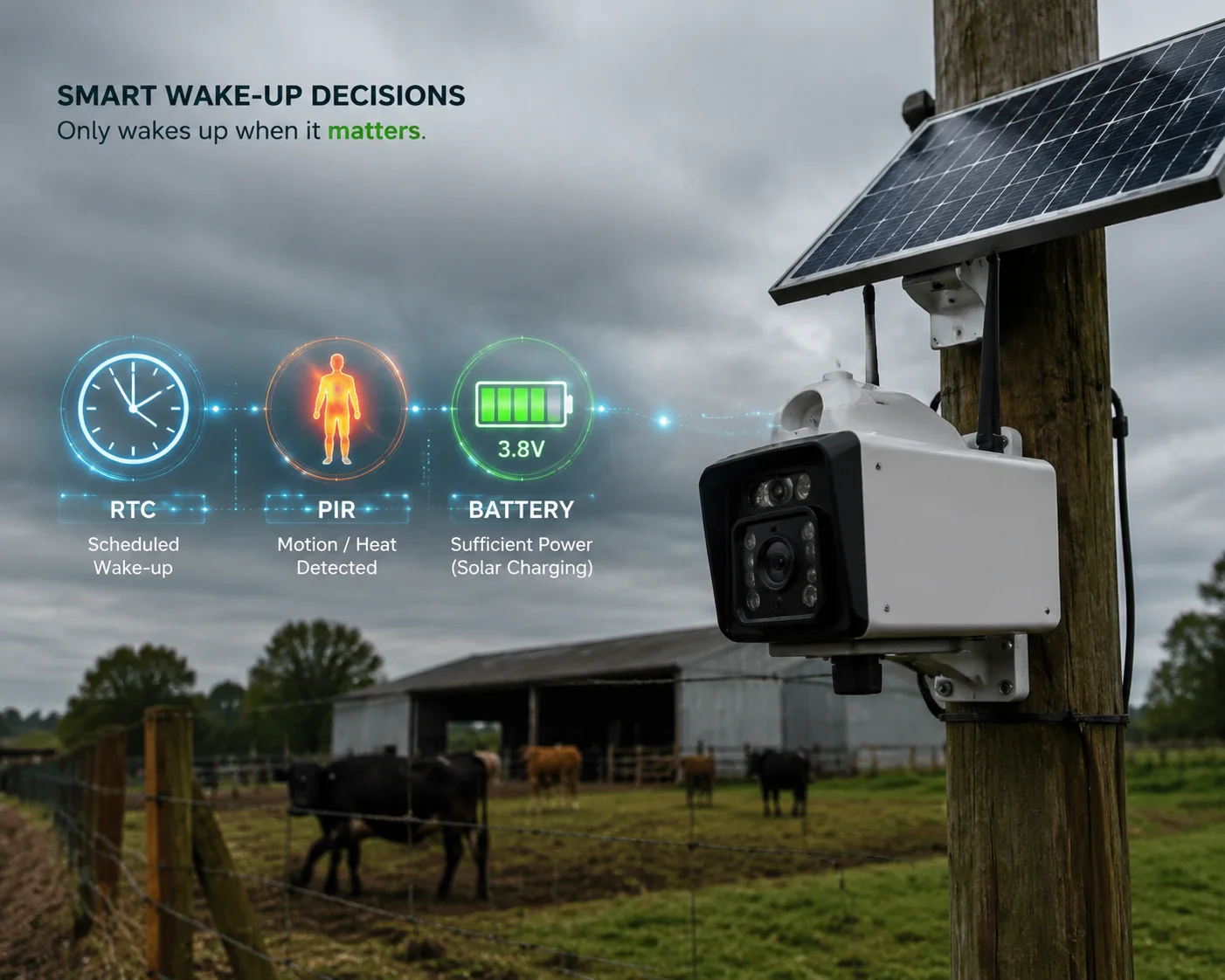
The camera does not rely on a single timer. It uses three independent channels to decide when to wake up:
- RTC Scheduled Wake-Up: The hardware real-time clock chip fires an interrupt at the next scheduled retry time. This is the primary mechanism.
- PIR / AI Sensor Override: If the passive infrared sensor7 or the onboard AI detects a person or vehicle, the system immediately wakes up — skipping the sleep timer entirely. Security always takes priority over power saving.
- Voltage Threshold Recovery: If the battery voltage rises above a safe level (for example, 12.5V after solar charging), the system can shorten the sleep interval or wake up early to attempt reconnection.
How the Interval Changes Over Time
The wake-up schedule is not fixed. It adapts based on conditions:
| Condition | Wake-Up Interval | Behavior |
|---|---|---|
| First 3 failures, battery > 60% | 10–15 minutes | Aggressive retry |
| 4–8 failures, battery 40–60% | 30–60 minutes | Moderate retry |
| 9+ failures, battery 20–40% | 1–2 hours | Conservative retry |
| 15+ failures, battery < 20% | 2–4 hours | Survival mode |
| Battery < 15% (critical) | Indefinite sleep | Wake only when solar charges battery above 40% |
What Happens During Each Wake-Up Cycle
Each wake-up cycle follows a tight sequence:
- RTC interrupt fires. MCU wakes from deep sleep.
- MCU closes the MOSFET switch, powering on the 4G module.
- The 4G module boots and attempts to register with the nearest base station. This takes 15–45 seconds.
- If successful: The camera exits sleep mode entirely. It restores full operation — live streaming, cloud upload8, PTZ control9, everything. The failure counter resets to zero.
- If failed: The MCU logs the failure, calculates the next wake-up time (usually 1.5x or 2x the current interval), powers off the 4G module, and goes back to sleep.
The entire wake-up cycle — from RTC interrupt to modem power-off — takes about 60 to 90 seconds. During that window, the camera draws around 6–8W. But because the window is so short compared to the sleep period, the average power consumption stays very low.
Solar-Aware Scheduling
Some of our higher-end models also factor in charging current. If the solar panel is producing strong current (meaning it is a sunny day), the firmware shortens the wake-up interval. The logic is simple: if you have energy coming in, you can afford to check the network more often. On cloudy days with low charge current, the system stretches the interval to conserve every watt-hour.
This is what makes the sleep mode “intelligent” rather than just “timed.” It responds to the actual energy budget of the system in real time.
Can the Camera Still Record to the Local SD Card While the 4G Modem Is in “Intelligent Sleep”?
This is a critical question for any project where evidence capture matters more than live streaming. If the camera is asleep on the network side, is it also blind?
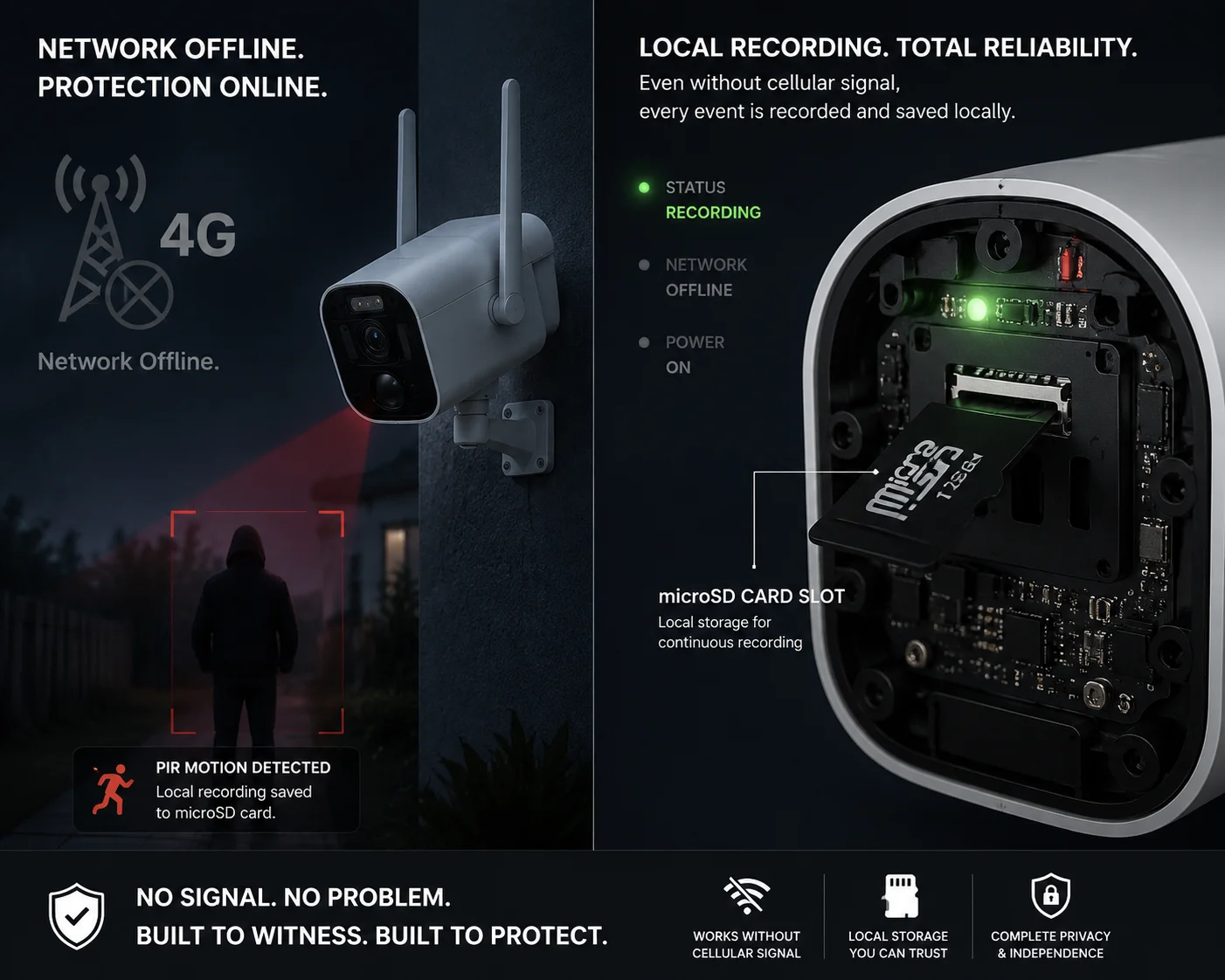
Yes, the camera can still record to the local SD card during intelligent sleep — but only in event-triggered mode. The 4G modem is powered off, but the PIR sensor and the main processor remain in a low-power listening state. When motion is detected, the system wakes the camera module, records the event locally, and then returns to sleep without attempting a network connection.
How Local Recording Works Without the Network
When the 4G modem enters hard power-off, the camera does not go completely dark. The system splits into two independent operating layers:
- Network layer (OFF): The 4G module, cloud upload engine, and remote access functions are all shut down. No data leaves the device.
- Sensor layer (ON, low-power): The PIR sensor, the AI detection coprocessor (if equipped), and a minimal portion of the main CPU remain powered. They draw very little current — typically under 50mA combined.
When the PIR sensor detects heat movement in its field of view, it sends a hardware interrupt to the MCU. The MCU then:
- Powers on the camera sensor (CMOS imager).
- Starts recording video to the microSD card.
- Records for a preset duration (usually 15–60 seconds, configurable).
- Powers down the camera sensor.
- Returns to low-power listening mode.
The Trade-Off: What You Lose and What You Keep
It is important to understand what you give up in this mode:
| Feature | Available During Sleep? | Notes |
|---|---|---|
| Live remote viewing | ❌ No | 4G modem is off |
| Cloud upload / push alerts | ❌ No | No network connection |
| PTZ pan/tilt/zoom control | ❌ No | Motor drivers are off |
| Continuous 24/7 recording | ❌ No | Too power-hungry |
| PIR-triggered local recording | ✅ Yes | Records to SD card |
| AI human/vehicle detection | ✅ Yes (if equipped) | Runs on local coprocessor |
| Timestamp and metadata logging | ✅ Yes | RTC keeps accurate time |
| Automatic network recovery | ✅ Yes | Wakes at scheduled intervals |
Why This Matters for Evidence and Compliance
For David Miller and integrators working on construction sites, farms, or critical infrastructure, the local recording capability during sleep mode is not optional — it is a project requirement. Even if the 4G tower is down for a week, the camera must still capture intrusion events. When the network comes back, those locally stored clips can be uploaded to the cloud or pulled manually via the SD card.
In our firmware, we also support a “post-reconnection batch upload” feature. Once the 4G link is restored, the camera automatically uploads all locally stored event clips to the cloud platform in chronological order. This means the client’s monitoring center gets a complete timeline of events — even the ones that happened during the network outage.
Storage Management During Extended Outages
If the camera is in sleep mode for days or weeks, the SD card can fill up. Our firmware handles this with a simple loop-recording strategy10: when the card is full, the oldest files are overwritten first. We recommend using a 128GB or 256GB industrial-grade microSD card for remote deployments. At event-triggered recording rates (a few clips per day), a 128GB card can hold several months of footage.
How Does the System Prioritize PIR Detection Alerts While in a Low-Power Network State?
I have had clients ask me: “If the camera is half asleep and someone walks up to my equipment yard, what actually happens? Does it just log it quietly, or does it try to scream for help?”
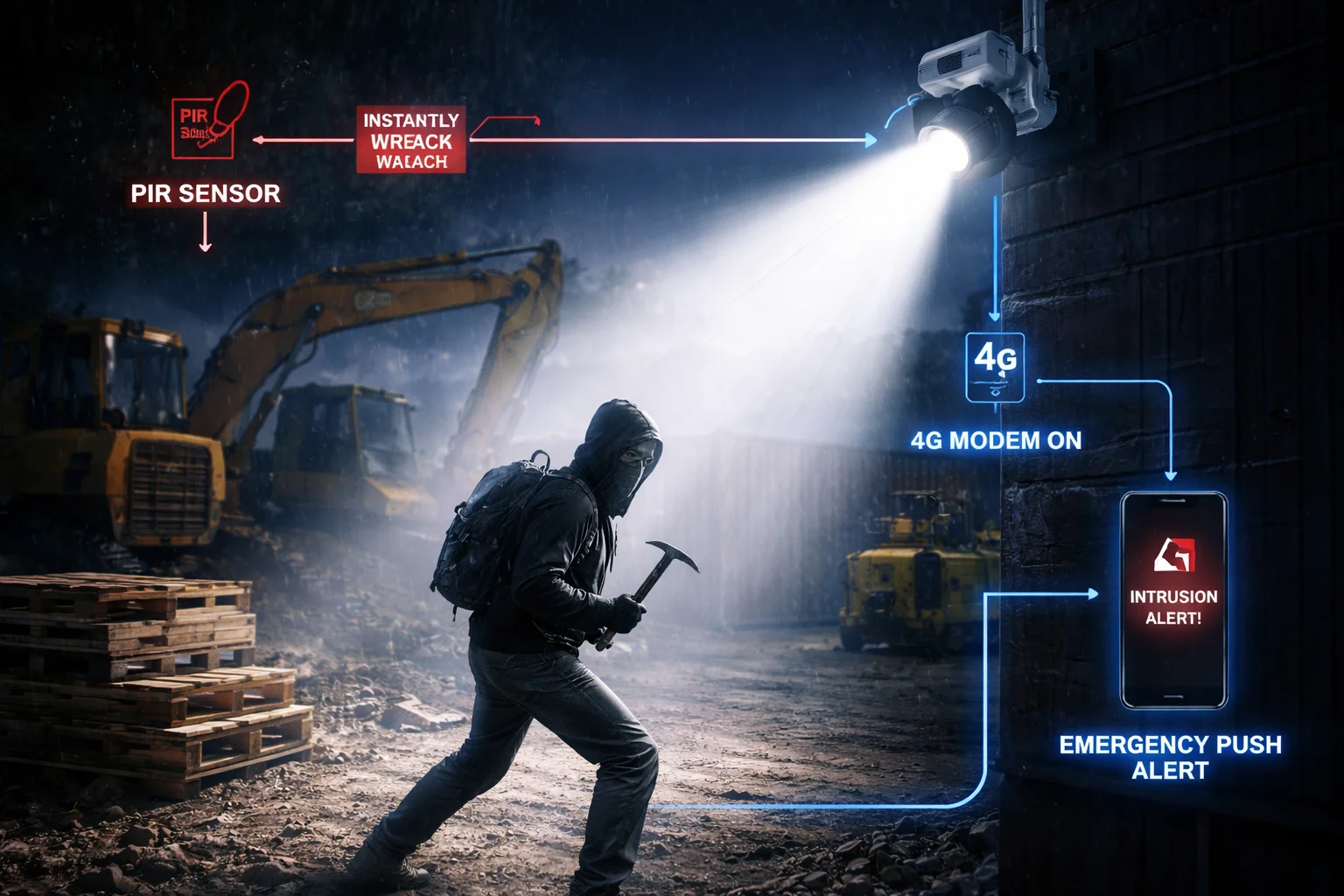
The PIR sensor operates independently of the 4G modem and can override the sleep timer at any time. When a PIR event is detected during intelligent sleep, the system immediately wakes the camera to record locally. If the battery level permits, it also force-wakes the 4G modem to attempt sending a push alert — even if the next scheduled network retry is hours away.
The Priority Hierarchy: Security First, Power Second
The firmware runs a simple but effective priority system. Not all wake-up events are treated equally. Here is the hierarchy from highest to lowest priority:
- PIR / AI intrusion detection — Immediate full wake-up. Camera records. 4G modem attempts to connect and send alert (if battery allows).
- Voltage recovery threshold — If solar charging brings the battery above a safe level, the system shortens the sleep interval and may attempt an early reconnection.
- RTC scheduled wake-up — The normal timed retry. The camera powers on the modem, checks for network, and goes back to sleep if it fails.
- Low-voltage protection11 — If battery drops below the critical threshold (e.g., 11.5V), the system enters forced indefinite sleep. Even PIR events will only trigger local recording — no modem wake-up — because protecting the battery from deep discharge takes absolute priority.
What Happens Step by Step During a PIR Alert in Sleep Mode
Let me walk through the exact sequence:
-
PIR sensor fires. The passive infrared detector picks up a heat signature moving through its detection zone. This generates a hardware interrupt on the MCU — it does not need software polling, so it works even in deep sleep.
-
MCU wakes instantly. The interrupt pulls the processor out of its low-power state in microseconds.
-
Camera module powers on. The CMOS sensor starts capturing video. Recording begins to the SD card within 1–2 seconds of the PIR trigger.
-
Battery check. The MCU reads the battery voltage via ADC.
- If battery is above the “alert threshold” (e.g., > 30%): proceed to step 5.
- If battery is below the threshold: skip the modem wake-up. Record locally only.
-
4G modem force-wake. The MOSFET switch closes. The 4G module powers on and attempts to register with the network. This takes 15–45 seconds.
-
Alert delivery attempt.
- If the network is available: the camera sends a push notification12 (with a snapshot or short video clip) to the cloud platform and the client’s phone app.
- If the network is still down: the alert is logged locally with a timestamp and flagged for upload when connectivity returns.
- Return to sleep. After the recording window closes (typically 30–60 seconds) and the alert attempt completes (success or fail), the system powers down the modem and camera sensor. The MCU goes back to low-power listening mode.
The “Forced Wake” vs. “Scheduled Wake” Distinction
This is a detail that matters for project planning. A scheduled wake-up is gentle — the system checks the network and goes back to sleep. A PIR-forced wake-up is aggressive — the system tries to send an alert right now, even if it costs extra battery.
The firmware balances this by limiting the number of forced wake-ups per hour. If the PIR sensor is triggering constantly (for example, due to animals or swaying vegetation), the system applies a cooldown period. After 5 forced wake-ups within 30 minutes, it stops waking the modem and only records locally until the next scheduled wake-up. This prevents a false-alarm storm from draining the battery just as fast as continuous network searching would.
Why This Design Matters for Real-World Deployments
For integrators like David Miller, the key takeaway is this: the camera never fully ignores a security event. Even in the deepest sleep mode, the PIR sensor is always listening. The system is designed so that power management serves security — not the other way around. You will never have a situation where the camera had enough battery to record an intruder but chose not to because it was “sleeping.”
That said, the system is also smart enough to know when sending an alert is physically impossible (dead network) or financially reckless (battery at 10%). In those cases, it does the next best thing: record locally, timestamp it, and upload it the moment conditions improve.
Conclusion
Intelligent intermittent sleep is not a luxury feature — it is a survival mechanism. It uses exponential backoff, hardware power isolation, and sensor-priority logic to keep your solar PTZ camera alive and recording through the worst network outages and weather conditions.
1. Learn the general concept of exponential backoff used in network retry logic. ↩︎ 2. Understand how hardware power isolation works to achieve zero-leakage sleep states. ↩︎ 3. Deep sleep is an ultra-low-power state where most chip functions are disabled. ↩︎ 4. The RF search process is the most power-intensive operation in a cellular modem. ↩︎ 5. MOSFETs are commonly used as electronic switches for power control. ↩︎ 6. RTC chips provide accurate timekeeping and can trigger wake-up events in low-power devices. ↩︎ 7. Passive infrared sensors detect heat movement and are commonly used in security cameras. ↩︎ 8. Cloud upload enables remote access and backup of video footage. ↩︎ 9. Pan-tilt-zoom cameras allow remote directional control and zooming. ↩︎ 10. Loop recording automatically overwrites the oldest video when storage is full. ↩︎ 11. Low-voltage protection prevents deep discharge damage to batteries. ↩︎ 12. Push notifications deliver alerts to mobile devices in real time. ↩︎