
I’ve seen too many remote solar PTZ cameras go dark because the 4G module1 froze — and nobody was there to press the reset button.
A hardware watchdog does not directly monitor the 4G module’s real-time status. It monitors the main system’s heartbeat. If the main CPU or OS crashes — including crashes caused by 4G stack failures — the watchdog forces a full hardware reset. The actual 4G status monitoring (signal strength, network registration, data link health) is handled by software daemons running on the main processor, not by the watchdog chip itself.
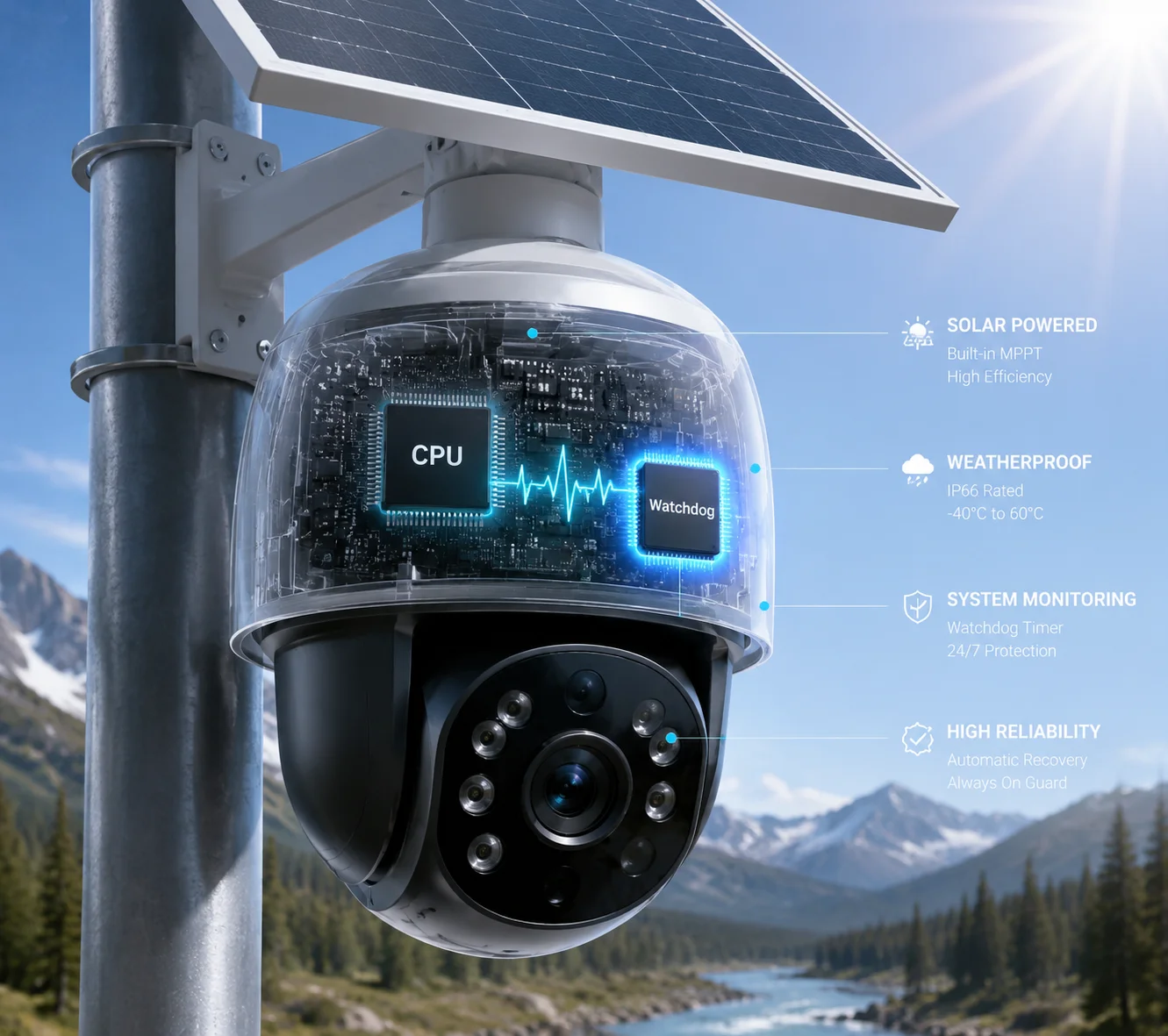
Most buyers assume the hardware watchdog is watching everything. It’s not. Understanding this gap is critical if you deploy PTZ cameras in places where nobody can drive out to reboot them. Let me break down exactly how each layer works, what the watchdog actually does, and what you should demand from your supplier.
Table of Contents
Does the Watchdog Verify the “AT Command” Response From the Modem Every 60 Seconds?
I used to think the hardware watchdog was sending AT commands to the modem on its own. It doesn’t work that way.
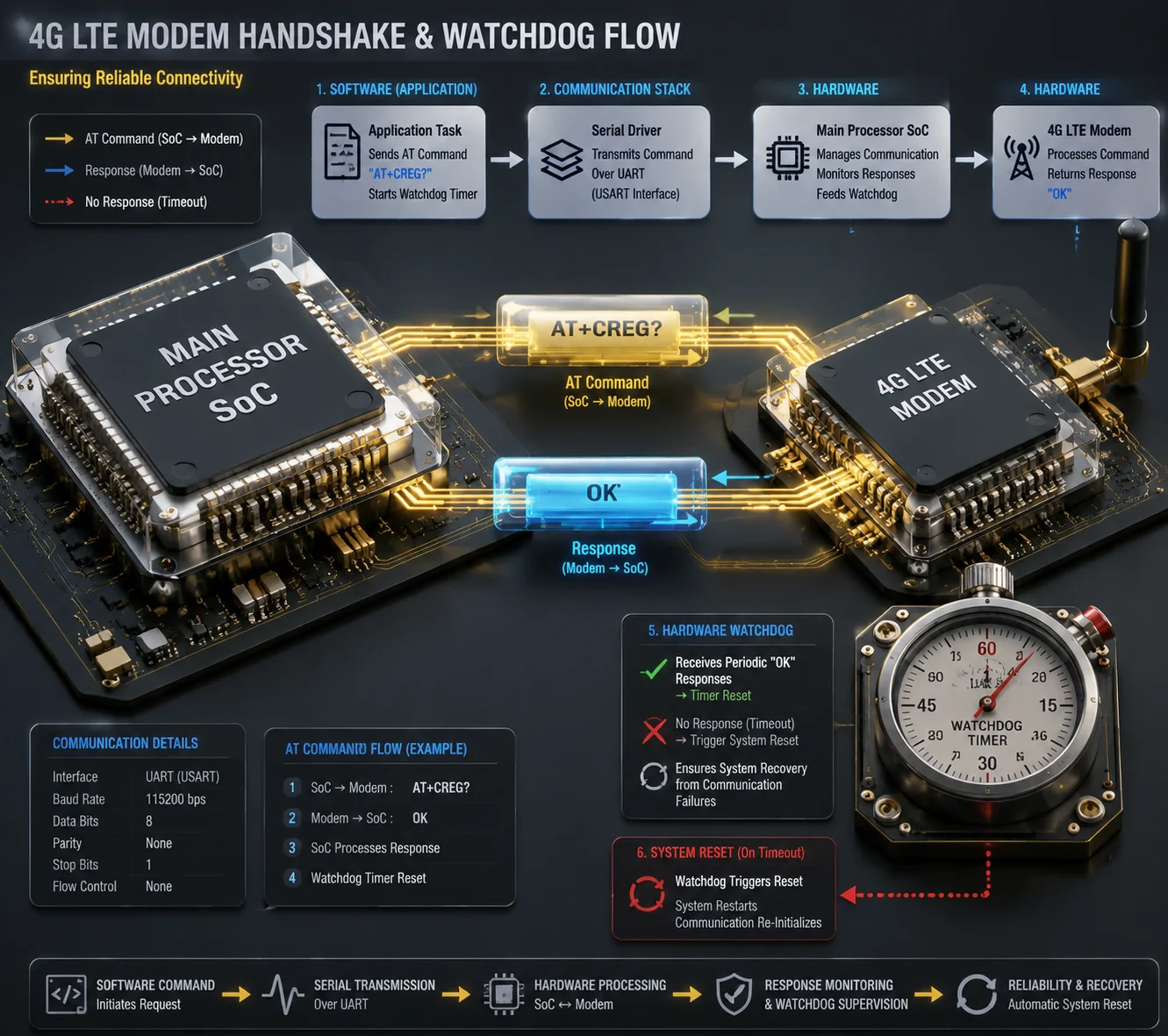
The hardware watchdog itself does not send AT commands. It is a simple timer circuit. A software daemon on the main processor sends AT commands like AT, AT+CREG?, or AT+CSQ to the modem at regular intervals. If the modem stops responding, the software stops feeding the watchdog, and the watchdog then triggers a hardware reset.
How the Software-Hardware Chain Actually Works
Let me walk you through the real sequence. The hardware watchdog is a very simple device. It has a counter. The counter counts up. If software resets the counter before it overflows, nothing happens. If the counter overflows, the watchdog pulls the reset line low and reboots the whole system.
The watchdog has no UART port. It has no ability to parse AT commands. It doesn’t know what AT+CREG? means. It doesn’t know what a modem is.
So who sends the AT commands? A software process — usually a Linux daemon5 or a dedicated monitoring thread — runs on the main SoC. This process does the following:
- Opens the serial port connected to the 4G modem (usually
/dev/ttyUSB0or similar). - Sends
ATand waits forOK. - If
OKcomes back, the modem firmware is alive. - Sends
AT+CREG?to check network registration. - Sends
AT+CSQto check signal strength. - If all checks pass, the daemon feeds the watchdog (writes to
/dev/watchdogor toggles a GPIO pin).
What Happens When the Modem Freezes
If the modem firmware locks up, the AT command gets no response. The daemon detects this. It may retry 3 times. If all retries fail, the daemon has two choices:
| Failure Type | Software Response | Watchdog Role |
|---|---|---|
| AT command timeout (modem firmware freeze) | Daemon tries to reset modem via GPIO power control | Watchdog is not involved yet |
| Modem reset fails, daemon itself crashes | Daemon stops feeding watchdog | Watchdog timer overflows → full system reboot |
| Main OS kernel panic caused by USB modem driver | No process can feed watchdog | Watchdog timer overflows → full system reboot |
The key point: the watchdog is the last line of defense, not the first responder. The software daemon does the smart work. The watchdog does the brute-force work.
The 60-Second Question
Does this happen every 60 seconds? It depends on the firmware design. In most industrial 4G routers and PTZ cameras I’ve worked with, the polling interval is configurable — typically between 30 seconds and 5 minutes. The watchdog timeout4 is usually set to a longer period (like 90–120 seconds) to avoid false reboots during temporary network hiccups.
If your supplier says “the watchdog checks AT commands every 60 seconds,” ask them to clarify: is it the software daemon polling every 60 seconds, or is it the watchdog timer set to 60 seconds? These are two very different things.
Can the Hardware Reset the Modem Independently of the Main OS if the Cellular Stack Freezes?
This is the question that keeps me up at night. If the Linux kernel crashes, can anything still save the 4G connection?
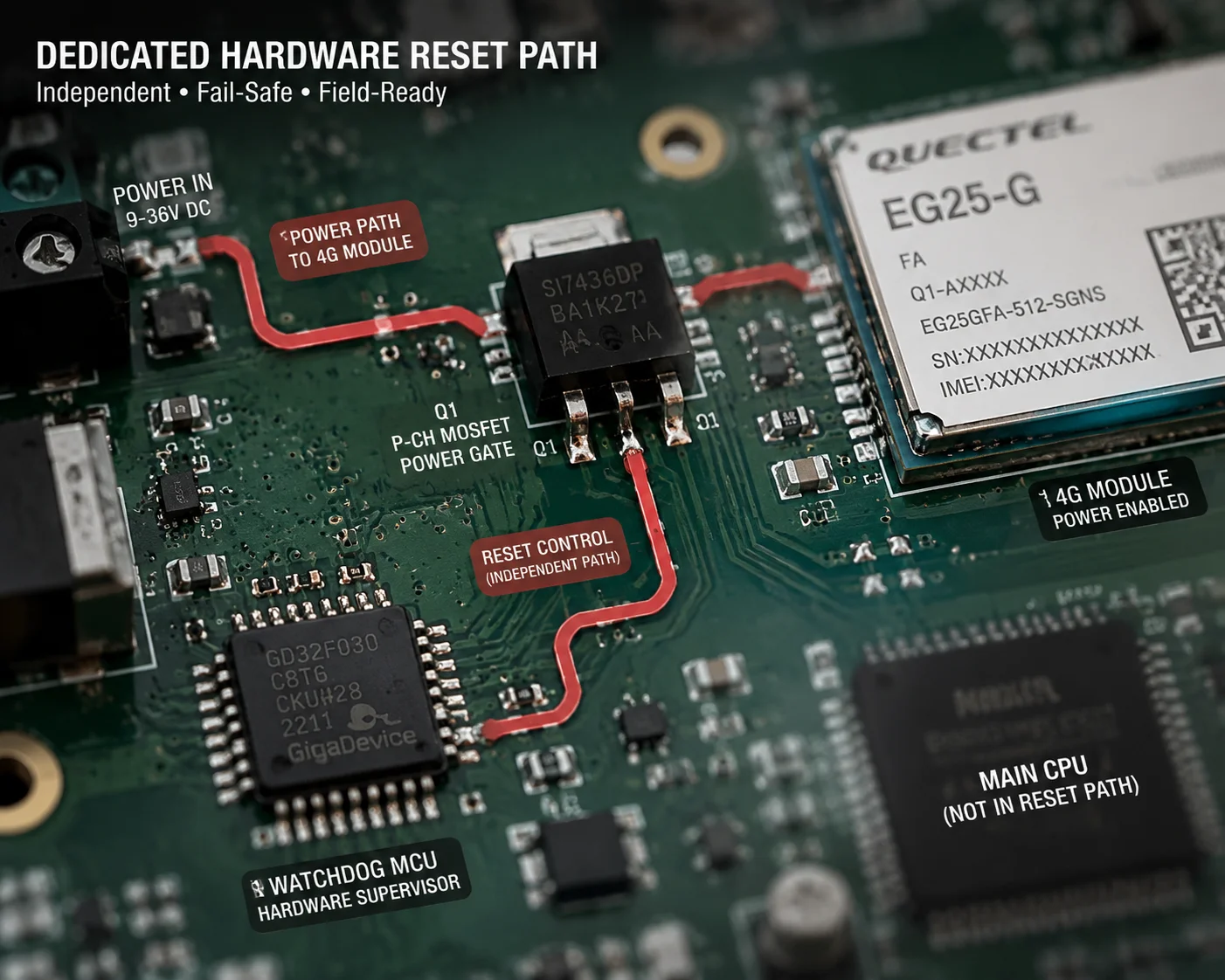
Yes — but only if the hardware design includes a dedicated reset path. A properly designed system gives the hardware watchdog direct control over the modem’s power supply or reset pin, independent of the main OS. When the watchdog timer overflows, it can cut power to the modem through a MOSFET switch or pull the modem’s RESET_N pin low, without needing any software to be running.
Two Levels of Hardware Reset
Not all watchdog implementations are equal. There’s a big difference between a basic watchdog and a properly designed industrial watchdog.
Level 1: Whole-System Reset (Basic)
In most cheap PTZ cameras, the watchdog can only do one thing: reset the entire system. The modem, the main SoC, the video encoder — everything reboots together. This works, but it’s slow. A full system boot can take 60–90 seconds. During that time, you have zero video and zero connectivity.
Level 2: Independent Modem Reset (Advanced)
In better designs — especially in industrial 4G gateways and high-end solar PTZ systems — the watchdog MCU has a separate GPIO line connected to the 4G modem’s power control circuit. This allows a staged recovery:
| Reset Stage | Action | Recovery Time | System Impact |
|---|---|---|---|
| Stage 1: Soft reset | Software sends AT+CFUN=1,1 to reboot modem | 10–15 seconds | No system interruption |
| Stage 2: Hard reset | Watchdog MCU pulls RESET_N pin low for 500ms | 15–20 seconds | Main system stays running |
| Stage 3: Power cycle | Watchdog MCU cuts MOSFET, kills modem VCC for 3–5 seconds | 20–30 seconds | Main system stays running |
| Stage 4: Full reboot | Watchdog overflows, resets entire system power | 60–90 seconds | Everything reboots |
Why This Matters for Remote Solar Sites
In a solar-powered deployment3, every reboot costs energy. A full system reboot draws peak current from the battery. If the battery is already low (cloudy day, winter), a full reboot might drop the voltage below the modem’s minimum operating threshold, causing a boot loop.
A well-designed watchdog with independent modem reset can fix 80% of 4G issues without touching the main system. The video encoder keeps running. The PTZ motor controller stays initialized. Only the modem restarts.
What to Ask Your Supplier
When you evaluate a PTZ camera or solar 4G system from China, ask these specific questions:
- Does the watchdog MCU have a separate GPIO connected to the 4G modem’s power control?
- Can the watchdog reset only the modem without rebooting the entire SoC?
- What is the power-cycle duration for the modem (how long is VCC cut)?
- Is the modem power controlled through a MOSFET switch6 or just through the SoC’s GPIO (which won’t work if the SoC is frozen)?
If the supplier can’t answer these questions, the watchdog probably only does whole-system resets. That’s acceptable for many projects, but it’s not ideal for off-grid solar deployments where every watt counts.
Will the Watchdog Record the “Signal Strength” and “Cell ID” Before Triggering a Forced Reboot?
I’ve had sites reboot 5 times in one night. Without logs, I had no idea if it was a signal problem, a hardware problem, or a power problem.
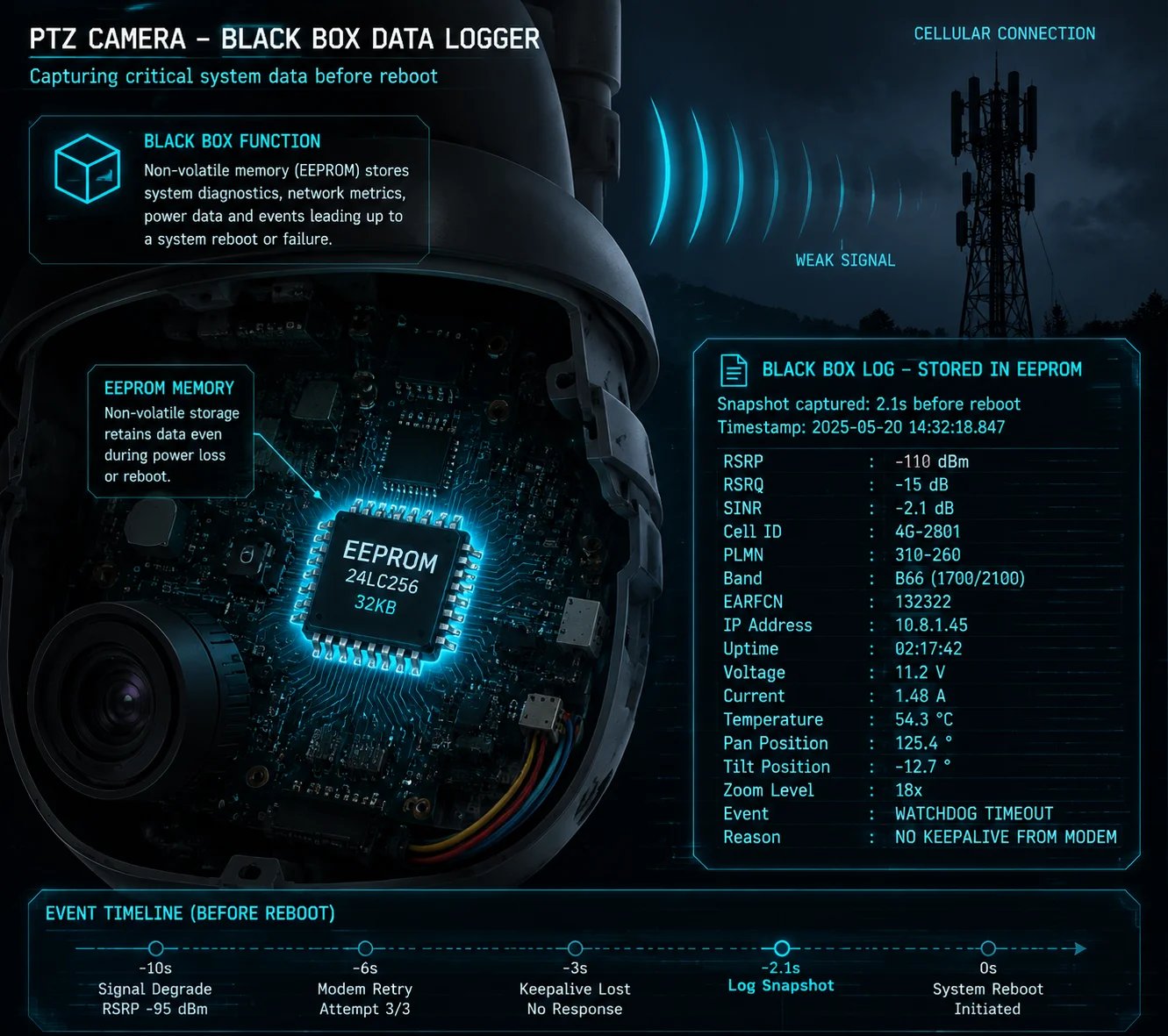
A basic hardware watchdog does not record any data — it has no memory for logs. However, an advanced watchdog system with a dedicated MCU and non-volatile storage (EEPROM or flash) can log the last known signal strength (RSSI/RSRP), Cell ID, reboot reason, and battery voltage before triggering a reset. This data is critical for remote diagnostics.
Why Pre-Reboot Logging Changes Everything
Without logs, every reboot is a mystery. You know the device went offline and came back. But you don’t know why. Was it a modem firmware crash? A weak signal causing the modem to search endlessly for a tower? A low battery voltage causing the modem to brown out?
With pre-reboot logging, you get a forensic trail. Here’s what a good system should record:
What Should Be Logged
A well-designed monitoring daemon should write the following data to non-volatile storage before it stops feeding the watchdog:
- Timestamp of the last successful network connection
- RSSI / RSRP / SINR — signal quality metrics from
AT+CSQorAT+QENG - Cell ID and LAC — which cell tower the modem was connected to (from
AT+CREG?orAT+CEREG?) - Reboot reason code — was it AT timeout, network registration failure, data link timeout, or low voltage?
- Battery voltage at the time of failure
- Modem temperature (if available via AT command)
- Number of consecutive reboot attempts
Where Is This Data Stored?
The hardware watchdog chip itself (like a TPS3823 or MAX6369) has no storage. It’s just a timer and a reset output. The logging must be done by either:
- The software daemon — writes to a file on the main system’s flash storage before triggering a reboot. Risk: if the kernel has crashed, the daemon can’t write anything.
- The watchdog MCU — if the watchdog is implemented as a separate microcontroller (like an STM32 or ATtiny), it can have its own EEPROM. The main system sends status data to the MCU periodically via I2C or UART. The MCU stores the last known state. Even if the main system crashes, the MCU still has the data.
How to Access the Logs Remotely
After the system reboots and reconnects to 4G, the monitoring software should:
- Read the stored reboot logs from EEPROM or flash.
- Upload them to your cloud server or VMS platform.
- Alert you via email or push notification with the reboot reason and signal data.
This turns a blind reboot into actionable intelligence. If you see that every reboot happens when RSRP drops below -110 dBm, you know you need a better antenna or a different tower. If every reboot happens when battery voltage drops below 11.2V, you know you need a bigger battery or solar panel.
| Log Field | Source Command | Diagnostic Value |
|---|---|---|
| RSRP / RSSI | AT+CSQ or AT+QENG="servingcell" | Identifies weak signal as root cause |
| Cell ID / LAC | AT+CEREG? | Detects tower handover issues |
| Battery Voltage | ADC reading from watchdog MCU | Identifies power-related boot loops |
| Reboot Reason | Software daemon status flag | Distinguishes modem crash from OS crash |
| Consecutive Reboots | Counter in EEPROM | Triggers deep-sleep protection mode |
How Do I Prevent the Watchdog From Rebooting During a Legitimate Firmware Update?
I once bricked a camera because the watchdog rebooted it mid-firmware-update. The flash was half-written. The device never came back.
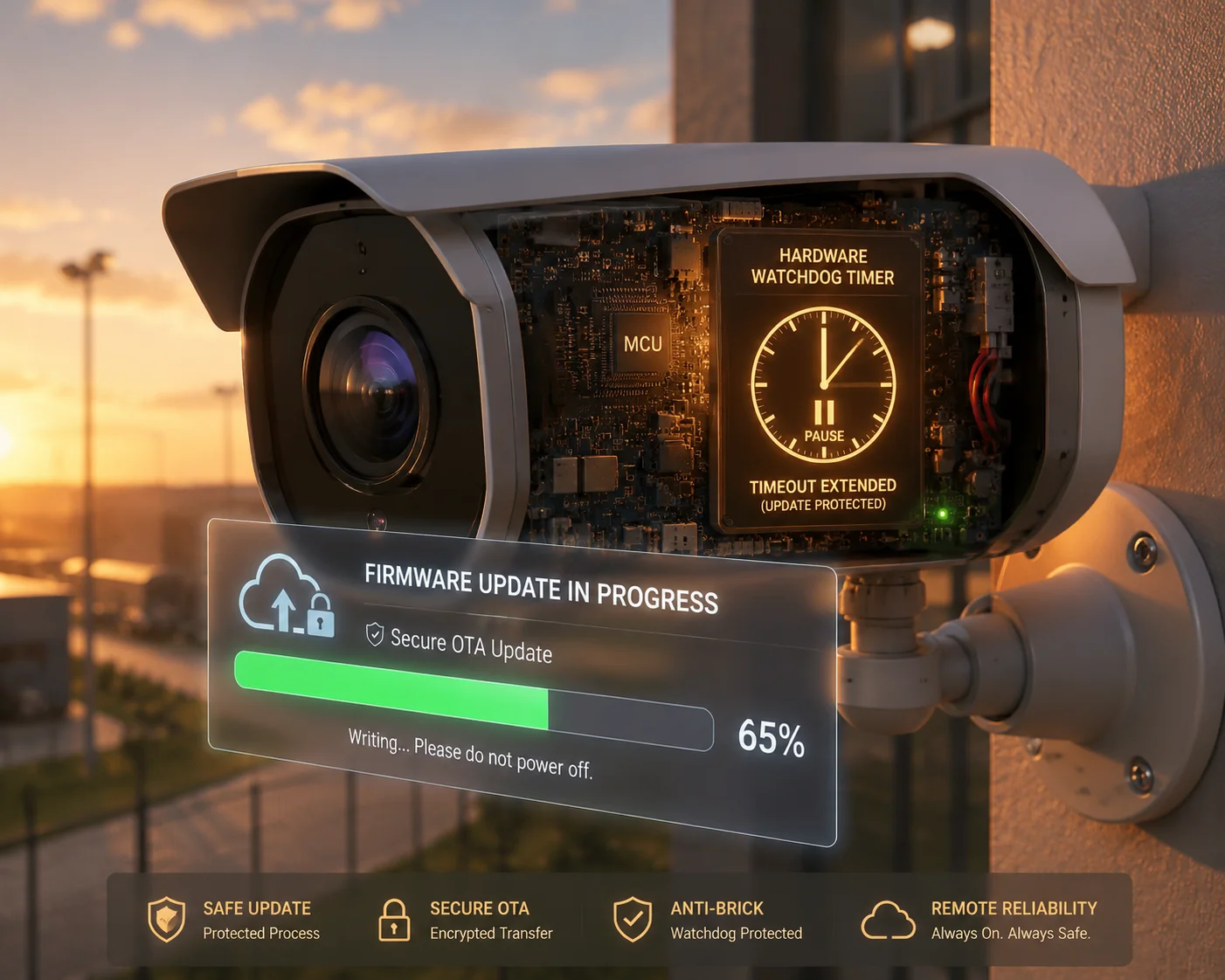
Before starting a firmware update2, the software must either disable the watchdog timer or extend its timeout to a value longer than the update duration. Most Linux systems support this through the /dev/watchdog interface using the WDIOC_SETTIMEOUT ioctl call. For hardware watchdogs with no software control, the update process must continue to feed the watchdog at regular intervals throughout the update.
The Firmware Update Problem
A firmware update (especially an OTA update7 over 4G) can take 5–30 minutes depending on file size and connection speed. During this time, the system is busy writing to flash memory. It may not be running its normal monitoring tasks. It may not be feeding the watchdog.
If the watchdog timeout is set to 120 seconds and the firmware write takes 10 minutes, the watchdog will reboot the system at the 2-minute mark. The flash is half-written. The bootloader can’t find a valid image. The device is bricked. You now need to send someone to the site with a JTAG programmer or a serial console.
This is not a theoretical risk. I’ve seen it happen in the field.
Three Strategies to Prevent This
Strategy 1: Disable the Watchdog During Update
On Linux systems, you can disable the watchdog by writing the magic character V to /dev/watchdog and then closing the file descriptor. This tells the watchdog driver to stop the timer.
Risk: If the update process itself crashes, there’s no watchdog to recover the system. You’re flying without a safety net.
Strategy 2: Extend the Watchdog Timeout
A better approach is to extend the watchdog timeout to a value longer than the maximum expected update duration. For example, set it to 30 minutes before starting the update, then reset it to 120 seconds after the update completes.
Risk: If the system crashes during the update for a reason unrelated to the update itself, you’ll wait 30 minutes before the watchdog reboots. But at least the watchdog is still active.
Strategy 3: Feed the Watchdog From the Update Process
The most robust approach is to have the firmware update process itself feed the watchdog at regular intervals. After each block of data is written to flash, the update process writes to /dev/watchdog to reset the timer.
Risk: Minimal. The watchdog stays active with its normal timeout. If the update process hangs, the watchdog will reboot the system. The key requirement is that your bootloader supports A/B partition8 switching or has a rollback mechanism, so a partial write doesn’t brick the device.
What to Demand From Your Supplier
If your PTZ camera supports OTA firmware updates over 4G (and it should, for remote deployments), ask your supplier:
- What happens to the watchdog during a firmware update?
- Does the update process feed the watchdog, or does it disable it?
- Does the bootloader support A/B partitions or rollback on failed update?
- Has the supplier tested a power failure during firmware update? Does the device recover?
These questions separate serious manufacturers from assemblers who just put components on a board. A bricked camera at a remote solar site can cost you $500–$2,000 in truck roll expenses — far more than the camera itself.
Conclusion
The hardware watchdog is your last line of defense, not your first. It reboots the system when everything else fails. For real 4G monitoring — signal checks, modem resets, and pre-reboot logging — you need software daemons working together with the watchdog. Demand both from your supplier.
1. Overview of 4G cellular technology and module standards. ↩︎ 2. General information on firmware and update procedures. ↩︎ 3. Basics of solar energy systems for remote equipment. ↩︎ 4. Technical application note on watchdog timers in embedded systems. ↩︎ 5. Explanation of background processes in Unix-like systems. ↩︎ 6. How MOSFETs are used for power switching in circuits. ↩︎ 7. Definition of over-the-air firmware updates for connected devices. ↩︎ 8. Explanation of A/B system updates for reliable boot after failed updates. ↩︎