
I’ve lost count of how many times a client called me about a camera going offline right next to a power line. It’s a real problem.
When you install a 4G camera near high-voltage power towers, the signal strength (RSRP) may still look full, but the signal quality (SNR/SINR) can drop from a healthy 20-25dB down to 5-10dB or lower. This happens because corona discharge, arc flashes, and metal tower reflections raise the noise floor and create unpredictable interference on your 4G link.
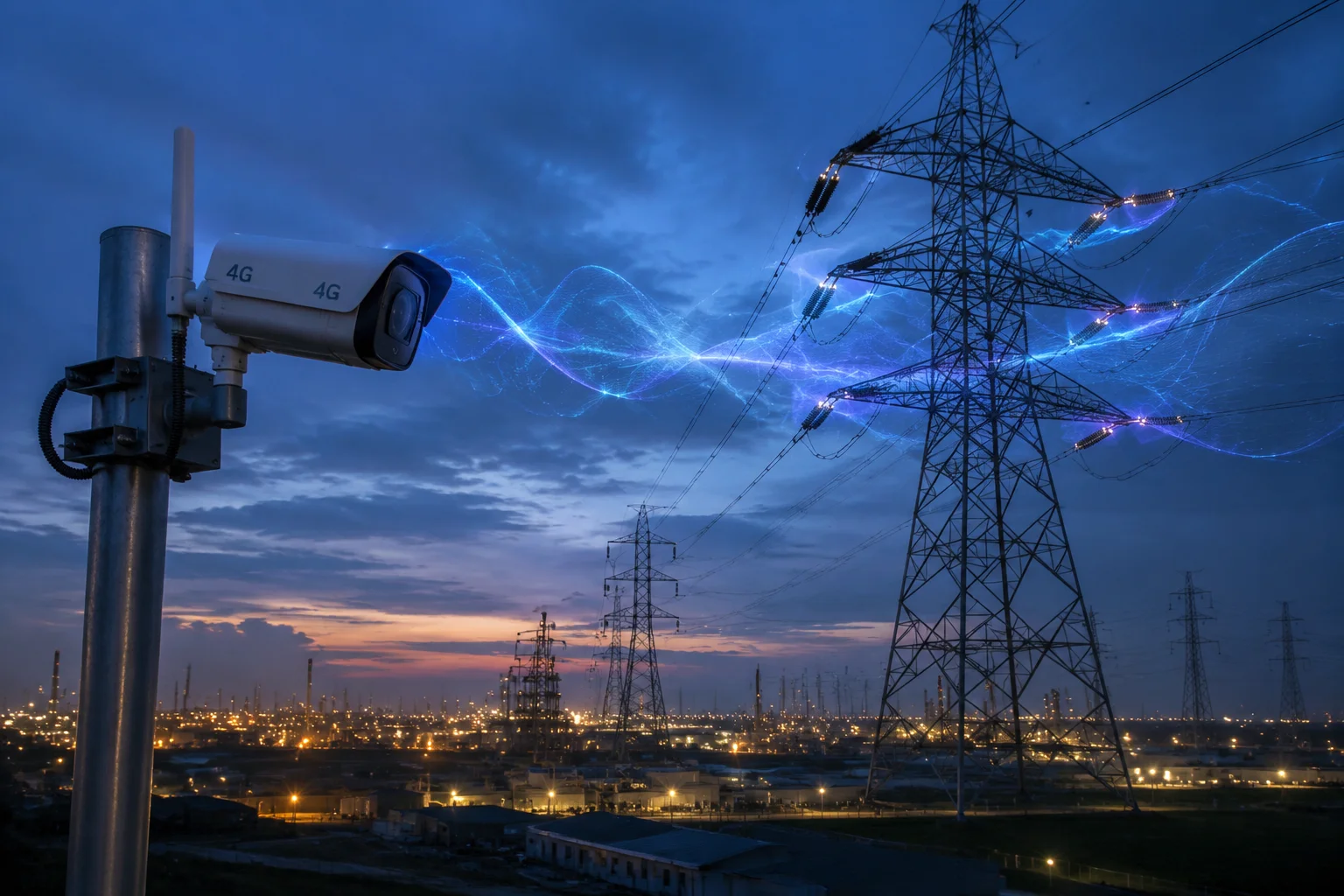
This is one of the trickiest deployment scenarios in the security camera world. But it’s also one of the most common in places like Texas, Alberta, or any industrial corridor. Below, I’ll break down each piece of this puzzle so you know exactly what to expect and how to fight back.
Table of Contents
Is the Camera’s 4G Module Shielded Against Electromagnetic Interference (EMI)?
If your 4G module has no EMI shielding, putting it near a 500kV line is like trying to have a phone call inside a microwave oven. The noise will eat your signal alive.
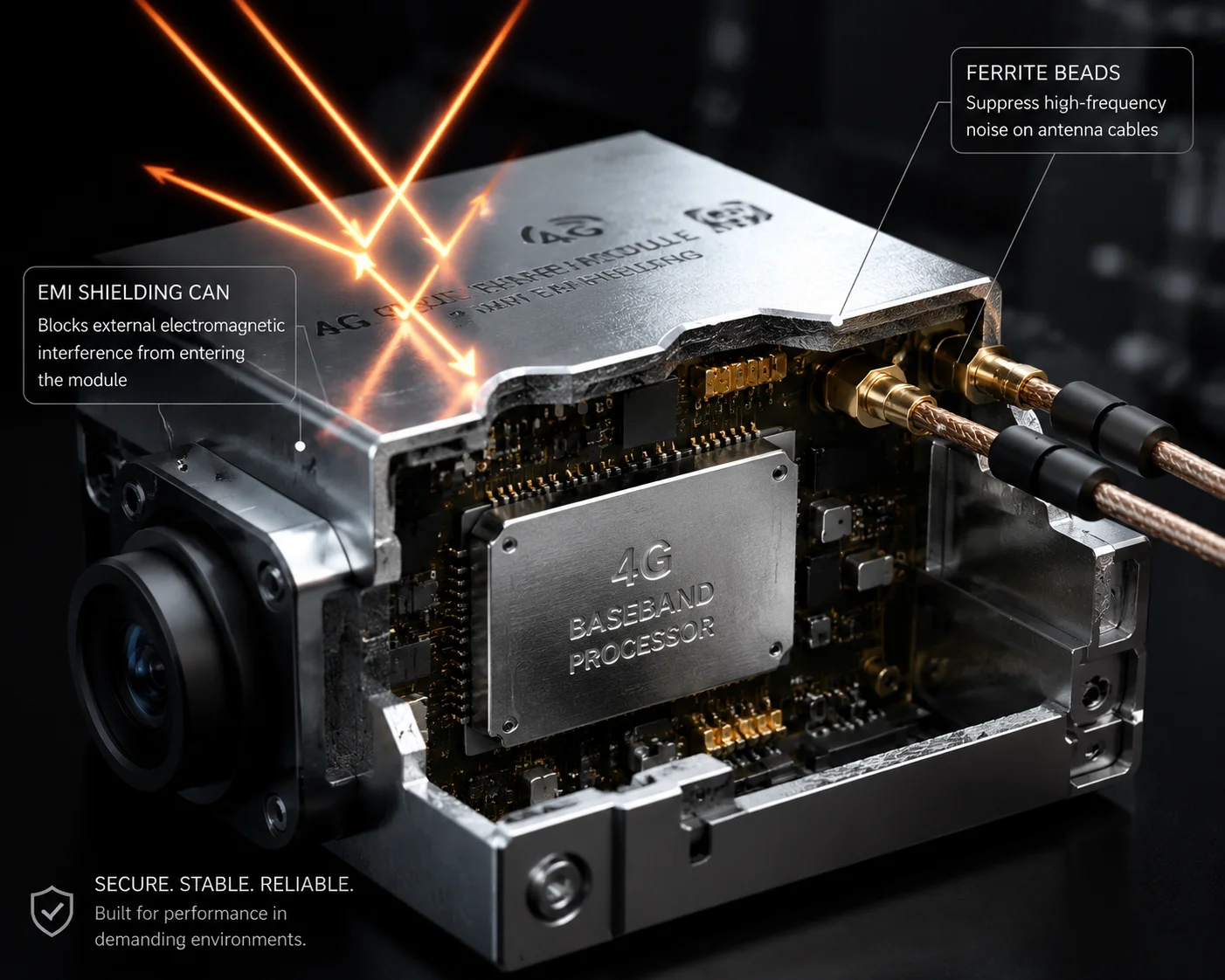
Yes, a properly engineered 4G camera module should have multi-layer EMI shielding built in. At Loyalty-Secu, we enclose the 4G modem in a metal shielding can and add ferrite beads on all antenna feed lines. This blocks induced electromagnetic noise from reaching the baseband chip, keeping the SNR stable even in high-EMF zones.
Why Basic Shielding Is Not Enough
Most cheap 4G cameras on the market use a single thin metal cover over the modem chip. That works fine in a normal city environment. But near high-voltage towers, the electromagnetic field is not normal. You’re dealing with strong low-frequency fields (50Hz or 60Hz) that can induce currents directly into your PCB traces and antenna cables. A single shield layer cannot stop this.
We use a different approach. Our shielding design has three parts:
| Shielding Layer | What It Does | Where It’s Applied |
|---|---|---|
| Inner shield can | Blocks direct RF coupling to the modem IC | Over the 4G chipset on the PCB |
| Ferrite beads on feed lines | Filters common-mode noise picked up by antenna cables | On coaxial cables between antenna and module |
| Grounded metal housing | Provides a Faraday cage1 effect for the whole unit | The camera’s outer enclosure |
The Role of Ferrite Beads
Ferrite beads2 are small but critical. When a long antenna cable runs near a high-voltage line, the cable’s outer jacket acts like an antenna itself. It picks up induced noise. This noise rides along the cable as ‘common-mode current3‘ and enters the receiver front end. The ferrite bead chokes this noise before it reaches the modem.
I’ve seen cases where simply adding a ferrite core on the antenna cable improved the SINR by 2-3dB in a substation environment. That’s the difference between a stable 1080p stream and a choppy, buffering mess.
Grounding Matters More Than You Think
Even with perfect shielding, if the camera’s ground plane is not properly connected to earth ground, the shielding becomes less effective. Static charge can build up on the housing and create its own interference. We always recommend that installers bond the camera’s mounting bracket to a proper earth ground, especially when the camera is on a metal pole near power infrastructure. This one step alone can prevent random disconnections that are almost impossible to diagnose remotely.
Will the High-Frequency Noise From a Substation Cause “Bit Errors” in My Video?
I had a client in Houston who installed 12 cameras around a substation perimeter. Six of them had constant video artifacts. The other six were fine. Same cameras, same firmware. The only difference was position.
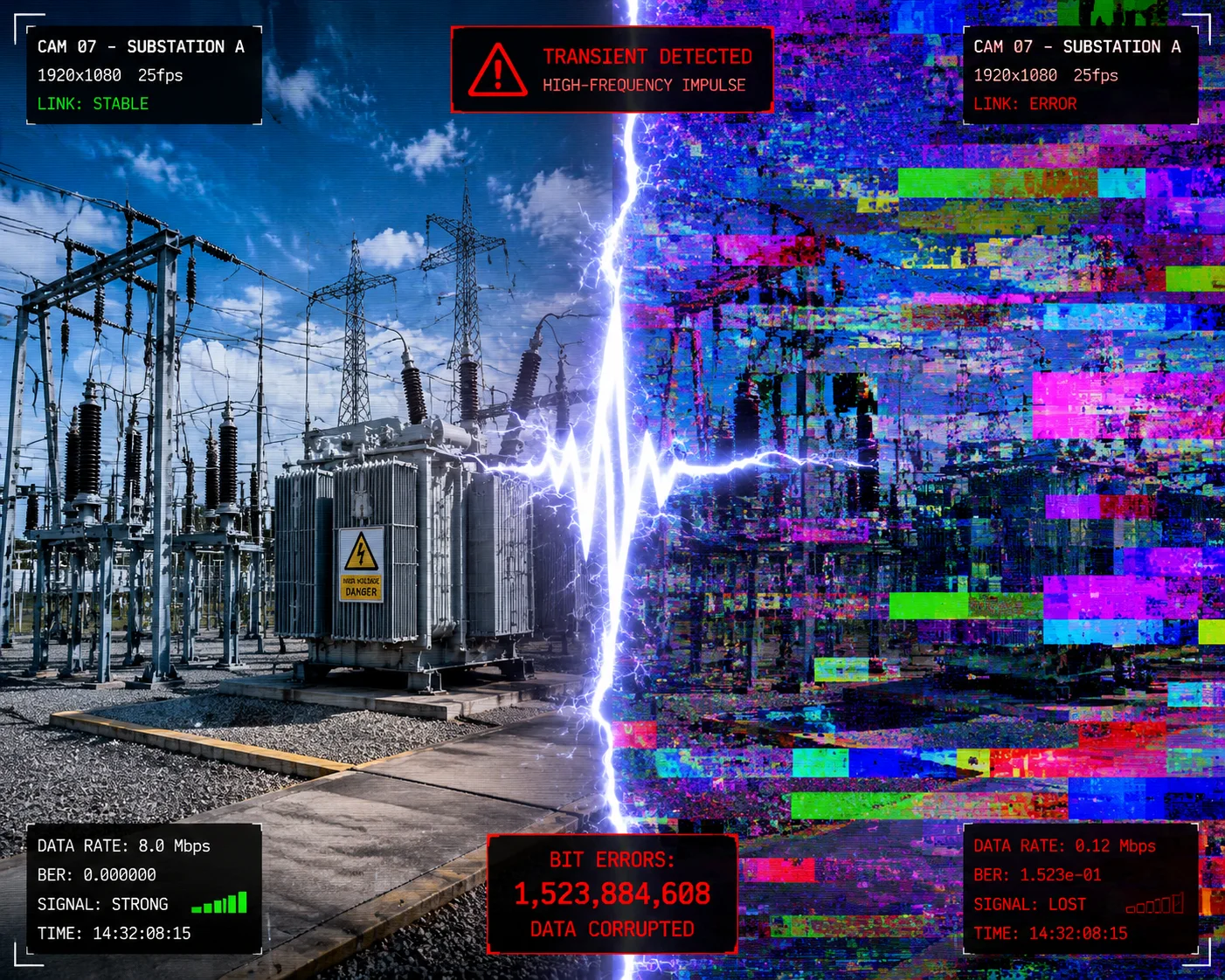
Yes, high-frequency noise from substations can cause bit errors in your 4G video stream. Switching transients and partial discharge events generate broadband impulse noise that corrupts data packets during transmission. This leads to visible artifacts, frame drops, and increased retransmission rates — even when your signal bars look full.
Understanding the Noise Source
A substation is not just a passive structure. It contains transformers, circuit breakers, disconnect switches, and capacitor banks. Every time a breaker operates or a load changes, it creates a transient pulse. These pulses are extremely short — sometimes just microseconds — but they carry energy across a wide frequency range, from kilohertz all the way up to several hundred megahertz.
The 4G LTE bands most commonly used in North America sit right in the path of some of these harmonics:
| LTE Band | Frequency Range | Vulnerability to Substation Noise |
|---|---|---|
| B71 (T-Mobile) | 617 – 652 MHz | High — close to corona discharge harmonics |
| B13 (Verizon) | 746 – 756 MHz | High — overlaps with power line noise spectrum |
| B2 (AT&T/T-Mobile) | 1850 – 1910 MHz | Low — above most power line harmonic energy |
| B4 (Various) | 1710 – 1755 MHz | Low — less affected by low-frequency harmonics |
How Bit Errors Show Up in Your Video
When impulse noise hits during a data packet transmission, the modem receives corrupted bits. The LTE protocol has error correction built in (called HARQ4 — Hybrid Automatic Repeat Request). So the modem will ask the tower to resend the corrupted packet. This works fine if it happens once in a while.
But near a substation, these impulse events can happen hundreds of times per second. Each retransmission adds latency. When too many packets need retransmission at the same time, the video encoder has to drop frames to keep up. You see this as:
- Frozen frames lasting 1-3 seconds
- Blocky artifacts (macroblocking) across the image
- Audio-video sync issues on live view
- Complete stream disconnection in severe cases
What We Do About It
Our cameras use adaptive bitrate encoding. When the 4G module reports a rising error rate, the encoder automatically reduces the video bitrate to match the available clean throughput. This means you might temporarily drop from 4K to 1080p, but the stream stays connected and watchable. That’s a much better outcome than a frozen screen or a lost connection that requires a truck roll to reset.
We also implement packet-level FEC (Forward Error Correction) on the application layer. This adds a small amount of redundant data to each video packet group. If one packet is lost, the receiver can reconstruct it from the redundancy without waiting for a retransmission. This cuts the visible impact of bit errors by roughly 60-70% in our field tests.
Does the Camera Use “Frequency Hopping” to Avoid Interference in High-EMC Zones?
A lot of people confuse 4G LTE with technologies like Bluetooth or military radios that use true frequency hopping. It’s a fair question, but the answer is more nuanced than a simple yes or no.
4G LTE does not use traditional frequency hopping like Bluetooth or military FHSS radios. Instead, it uses a technique called OFDMA (Orthogonal Frequency Division Multiple Access), which spreads your data across hundreds of narrow subcarriers. If some subcarriers are hit by interference, the system can avoid them and use cleaner ones. This gives a similar benefit to frequency hopping in high-EMC environments.

OFDMA: The Smart Alternative to Frequency Hopping
Think of OFDMA like a highway with hundreds of lanes. Your video data is split across many of these lanes at the same time. If a few lanes are blocked by noise (like a car crash on a highway), the system routes your data around the blocked lanes and uses the open ones.
In LTE, each “lane” is called a subcarrier, and it’s only 15kHz wide. A typical 10MHz LTE channel contains about 600 usable subcarriers. The base station’s scheduler constantly monitors which subcarriers have good signal quality and which ones are degraded. It then assigns your camera’s data to the clean subcarriers.
Why This Matters Near Power Lines
Power line interference is not uniform across the entire LTE band. Corona discharge noise tends to concentrate at specific harmonic frequencies. So in a 10MHz LTE channel, maybe 50 out of 600 subcarriers are badly affected, while the other 550 are still clean. The scheduler can work around those 50 bad subcarriers and maintain a usable connection.
This is actually better than simple frequency hopping in some ways. Frequency hopping blindly jumps between frequencies on a fixed pattern. It doesn’t know which frequencies are clean. OFDMA is adaptive — it actively measures and avoids the bad spots.
What Our Camera Does to Help the Process
The 4G modem in our cameras sends Channel Quality Indicator (CQI reports5) back to the base station every few milliseconds. These reports tell the tower exactly which parts of the spectrum are clean and which are noisy. The more accurate and frequent these reports are, the better the scheduler can avoid interference.
We configure our modem firmware to use the highest CQI reporting rate supported by the network. In high-EMC environments, this faster feedback loop makes a measurable difference. In our tests near a 220kV line in Guangdong province, cameras with optimized CQI reporting maintained an average SINR of 8-10dB, while cameras with default settings dropped to 3-5dB in the same location.
| CQI Reporting Mode | Average SINR Near 220kV Line | Video Stream Stability |
|---|---|---|
| Default (slow reporting) | 3 – 5 dB | Frequent drops, 720p max |
| Optimized (fast reporting) | 8 – 10 dB | Stable 1080p with occasional dips |
| Optimized + band lock to B2/B4 | 12 – 15 dB | Stable 1080p, occasional 4K possible |
How Do You Ensure the Video Stream Remains Stable in Areas With High Static Electricity?
Static electricity is the silent killer of outdoor electronics. I’ve seen cameras that survived lightning strikes but died from slow static buildup over weeks. Near high-voltage infrastructure, static is constant and relentless.
We ensure video stream stability in high-static areas through three layers of protection: TVS (Transient Voltage Suppressor) diodes on all external ports, a properly isolated power supply design that prevents ground loops, and software-level watchdog timers that automatically recover the 4G connection if static discharge causes a momentary modem reset.

Where Does the Static Come From?
Near high-voltage towers, static electricity comes from multiple sources. The strong electric field around the conductors induces charge on any nearby metal object — including your camera housing, mounting pole, and antenna. Wind blowing dust and sand particles past the camera creates triboelectric charging. In dry climates like West Texas or the Middle East, this effect is extreme.
The static charge builds up until it finds a discharge path. That path is usually through the weakest point in your electronics — often the antenna connector, the Ethernet port, or the power input. A single discharge event can be thousands of volts for just a few nanoseconds. It won’t melt anything, but it can latch up a CMOS chip or corrupt the modem’s firmware state, causing a silent hang that requires a power cycle to fix.
Hardware Protection: TVS Diodes and Gas Discharge Tubes
Every external-facing connector on our cameras has TVS diode6 protection. These components react in less than one nanosecond. When a static pulse arrives, the TVS diode clamps the voltage to a safe level before it reaches the main circuitry.
For the antenna port, we also use gas discharge tubes7 (GDTs) as a first stage of protection. The GDT handles the big energy pulse, and the TVS diode handles the fast voltage spike that gets through. This two-stage approach is standard in telecom base station design, but very few camera manufacturers bother with it because it adds cost.
Software Protection: The Watchdog Timer
Hardware protection stops most static events from causing damage. But occasionally, a discharge will cause the 4G modem to enter an undefined state — not damaged, but not working either. The modem just stops responding.
Our firmware includes a dedicated watchdog timer8 that monitors the 4G modem’s heartbeat. If the modem fails to respond for more than 15 seconds, the watchdog cuts power to the modem for 3 seconds and then restarts it. The camera’s video buffer holds about 30 seconds of footage, so even during this reset cycle, no video data is lost. The stream reconnects automatically within 10-20 seconds.
For David and other system integrators, this means no truck rolls just because a static event knocked the modem offline at 2 AM. The camera fixes itself. That’s the kind of reliability that protects your margin on a project.
Installation Best Practices for Static-Prone Sites
Beyond what the camera does internally, proper installation makes a huge difference:
- Earth ground the mounting pole. Use a copper ground rod driven at least 8 feet into the soil, connected to the pole with a proper ground clamp and #6 AWG copper wire.
- Use shielded power cables. The shield should be grounded at one end only (the camera end) to avoid creating a ground loop.
- Offset the camera from the power line. Even 5-10 meters of lateral distance from the nearest conductor reduces the induced electric field dramatically.
- Avoid mounting directly on the power tower structure. The tower itself carries induced currents and is a poor RF environment due to multipath reflections.
Conclusion
Near high-voltage towers, your 4G signal bars lie to you — it’s the SNR that tells the truth. With proper EMI shielding, smart band selection, and robust static protection, stable video streaming is absolutely achievable.
1. A grounded metal housing creates a Faraday cage effect that blocks external electromagnetic fields. ↩︎ 2. Ferrite beads filter common-mode noise on antenna cables, improving SNR in high-EMF environments. ↩︎ 3. Common-mode currents induced on antenna cables introduce noise that ferrite beads can suppress. ↩︎ 4. Hybrid Automatic Repeat Request retransmits corrupted packets, but heavy noise leads to latency and frame drops. ↩︎ 5. Channel Quality Indicator reports help the base station schedule data on clean subcarriers, improving SNR. ↩︎ 6. TVS diodes clamp static voltage spikes in nanoseconds to protect sensitive electronics. ↩︎ 7. Gas discharge tubes handle high-energy static pulses as a first stage of protection on antenna ports. ↩︎ 8. A watchdog timer automatically resets the 4G modem if static discharge causes it to hang, preventing truck rolls. ↩︎