
I have seen too many PTZ cameras crash under pressure. The root cause? Not enough RAM to handle what the system actually needs to do at the same time.
RAM capacity directly controls how stable a PTZ camera stays when multiple users, NVRs, and AI features pull video streams at the same time. More RAM means larger frame buffers, more room for network connections, and better resistance to lag spikes, frame drops, and system crashes during concurrent access.
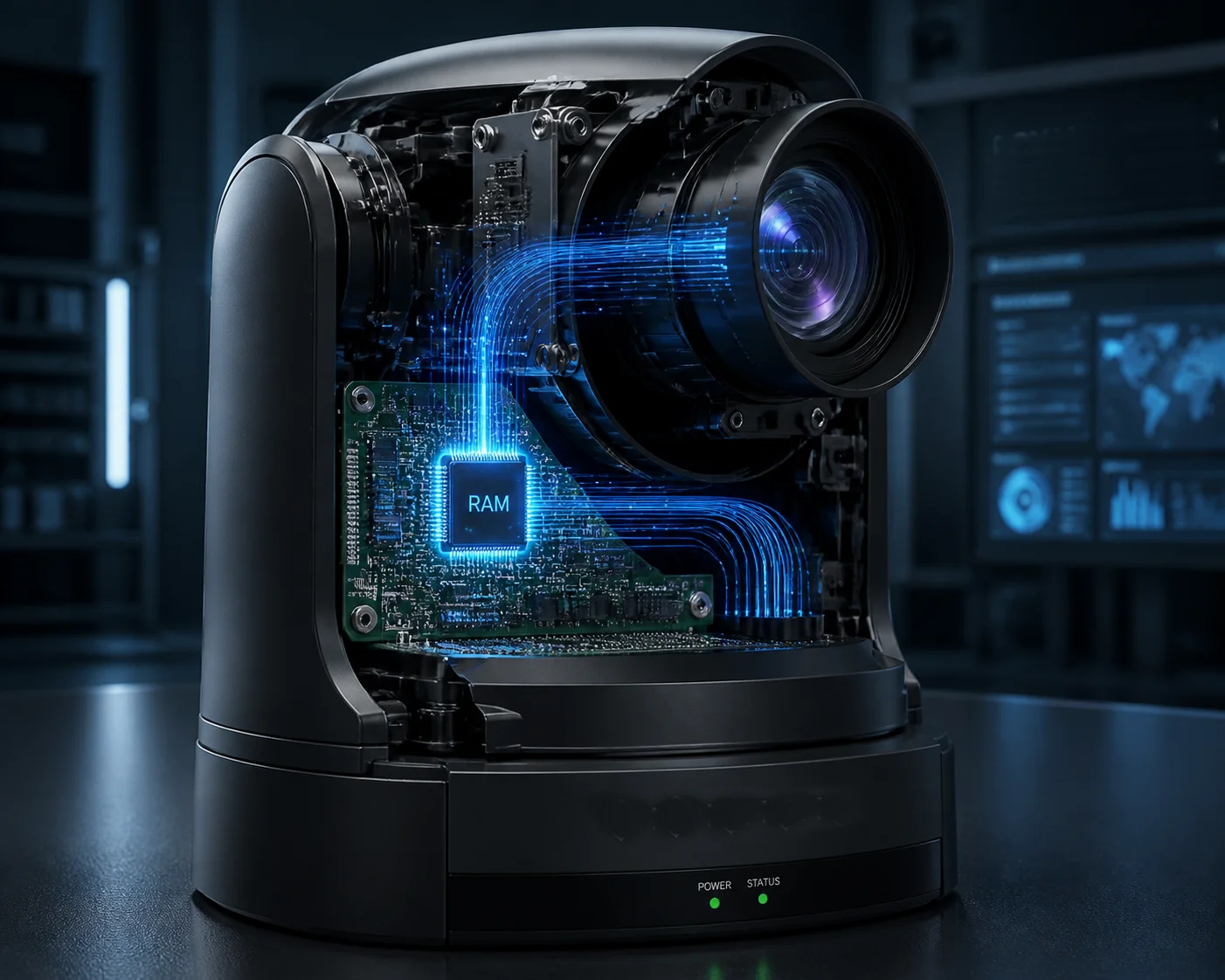
In this article, I will break down exactly how RAM in embedded security cameras 1 works inside a PTZ camera during multi-stream access. I will cover real crash scenarios, buffer mechanics, AI memory demands, and what you should test before placing a bulk order. If you are sourcing PTZ cameras from China and your projects involve multiple NVRs or remote viewers, this is the article you need to read before your next purchase.
Table of Contents
Will My Camera Crash if Five Users Try to View the 4K Stream Simultaneously?
I got this exact question from a system integrator in Texas last year. He had three NVRs and two mobile apps pulling from one camera. The camera kept dropping offline every few hours.
Yes, it can crash. Each concurrent viewer needs its own network buffer in RAM. If the camera only has 256MB of DDR, five simultaneous 4K connections can fill the memory completely, causing the network stack to collapse and the camera to reboot.
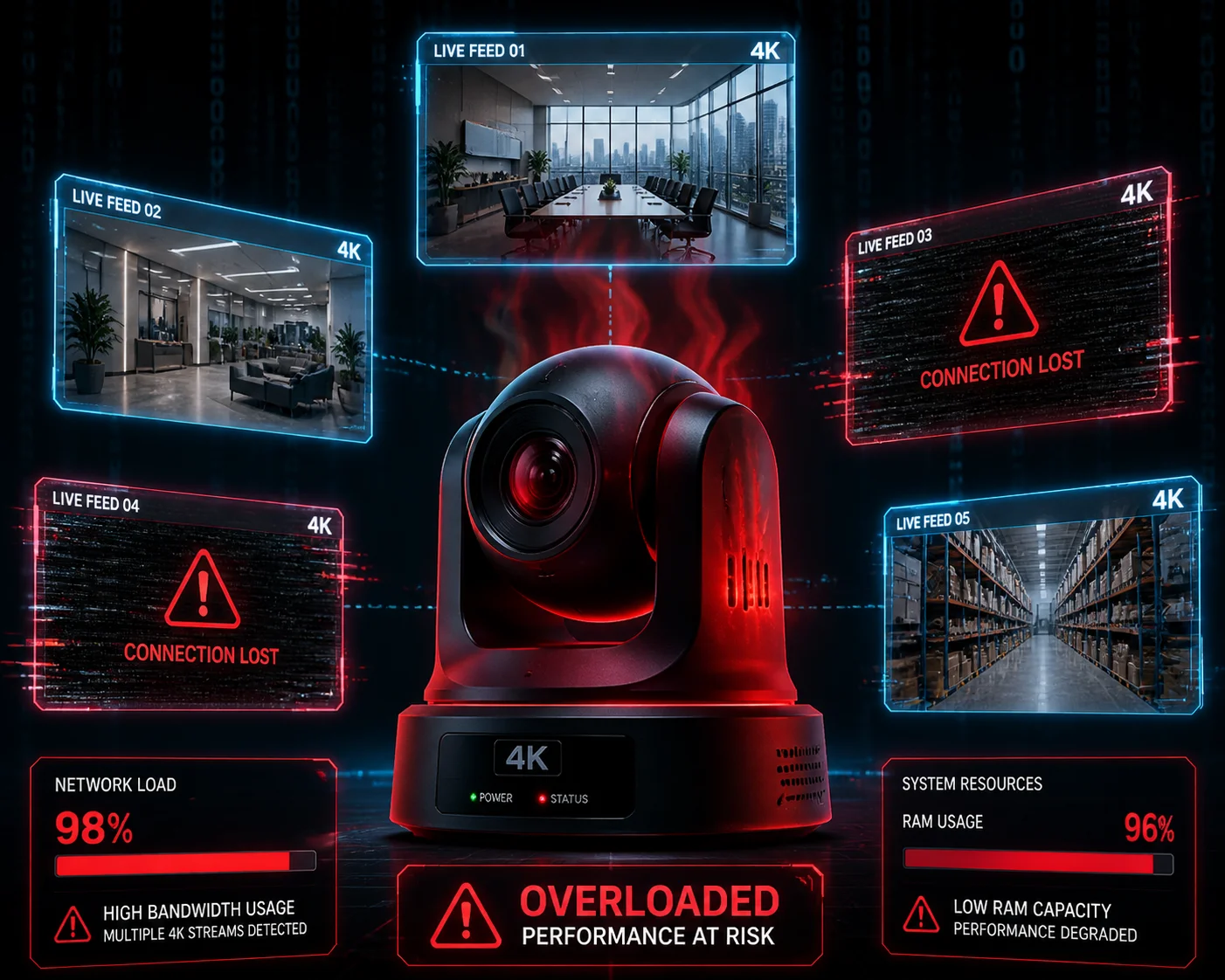
What Happens Inside the Camera When Five Users Connect?
Every time a user opens a live view, the camera creates a new TCP or UDP session. Each session needs memory for socket data, packet reassembly, and a send queue. Think of it like opening five browser tabs on an old laptop — at some point, the system just freezes.
Here is what the camera has to manage at the same time:
- Main stream encoding (4K, H.265, 8–12 Mbps)
- Sub stream encoding (D1 or 720p, 512 Kbps–2 Mbps)
- Five separate send buffers, one for each viewer
- ISP processing (white balance, noise reduction, WDR)
- RTSP/ONVIF protocol handling for each session
How RAM Gets Used Up Per Connection
| Component | Approx. RAM Usage Per Connection | Notes |
|---|---|---|
| TCP/RTSP socket buffer | 2–8 MB | Depends on OS settings |
| Frame send queue | 10–30 MB | Higher for 4K main stream |
| Protocol overhead (ONVIF, RTMP) | 1–3 MB | Each protocol adds its own layer |
| Total per connection | ~15–40 MB | 5 users = 75–200 MB just for networking |
On a camera with only 256MB of total DDR, those five connections alone could eat up 60–80% of the available memory. That leaves almost nothing for encoding, ISP, or the Linux kernel itself. The result is that the Linux kernel OOM killer 2 terminates processes to survive. Sometimes it kills the streaming service. Sometimes it kills the whole system and reboots.
Why the Crash Often Happens at the Worst Time
The crash usually does not happen right away. It happens when there is a spike. A car drives through the scene, the bitrate jumps from 6 Mbps to 12 Mbps, and suddenly all five send buffers need twice the space. That is the moment the camera runs out of RAM and drops one or more connections — or reboots entirely.
I always tell my clients: if your project needs more than three concurrent viewers, do not accept anything below 512MB DDR. For five or more, push for 1GB. The cost difference on the mainboard is small. The cost of a truck roll to a remote site to reboot a dead camera is not.
Does 2GB of RAM Provide a Smoother PTZ Response Than a Standard 512MB Model?
I have tested side-by-side comparisons in our Shenzhen lab. The difference in PTZ response is real, but it is not just about RAM size — it is about what else is fighting for that RAM at the same time.
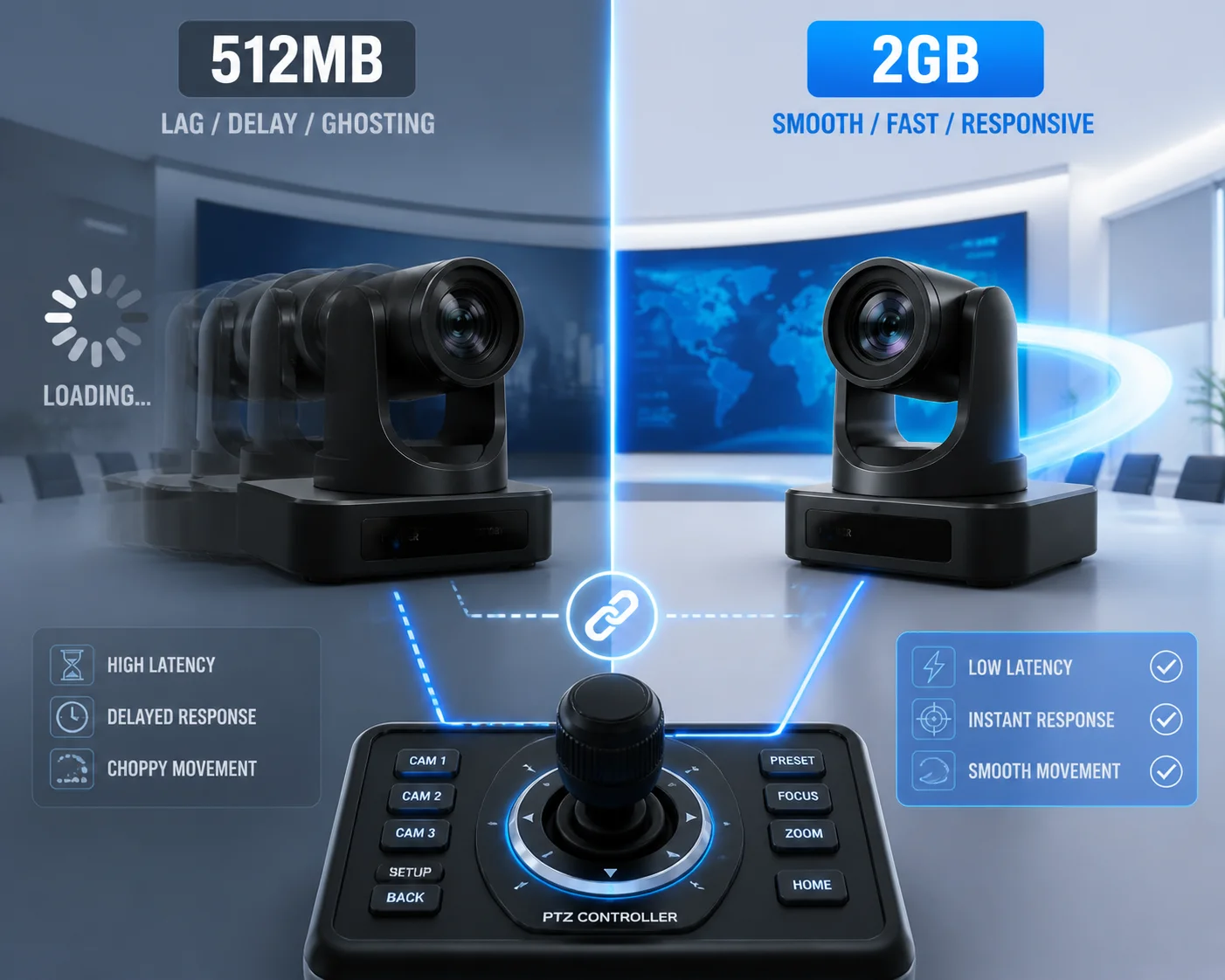
A camera with 2GB of RAM gives noticeably smoother PTZ control under heavy load because the system has enough memory headroom for motor control commands, video encoding, and network streaming to run without competing for the same limited buffer space.
Why PTZ Control Feels Sluggish on Low-RAM Cameras
When you send a pan or tilt command from your joystick or VMS, that command travels over the network, gets parsed by the camera’s firmware, and then triggers the motor controller. This whole chain runs in RAM. On a camera that is already using 90% of its memory for video streaming and AI, the PTZ command has to wait in line. You press “pan left,” and the camera responds half a second later. In security, half a second can mean losing track of a suspect.
The Real Bottleneck: Memory Contention
The issue is not that PTZ control needs a lot of RAM by itself. It does not. The issue is memory contention. When the DDR bus is busy moving large 4K video frames between the ISP, encoder, and network stack, the small PTZ control data packets get stuck waiting for their turn. More total RAM means the system can keep separate memory regions for different tasks. The motor controller gets its own space. The video pipeline gets its own space. They stop stepping on each other.
For a deeper understanding, read this explanation of DDR memory bandwidth and contention 3.
What I Observed in Our Lab Tests
We ran a simple test. We had a 512MB model and a 1GB model from the same SoC family. Both were streaming 4K main stream plus one 720p sub stream. Both had basic human detection running. We sent continuous PTZ preset tour commands while monitoring response latency.
- The 512MB model averaged 320ms response time, with spikes up to 800ms during high-motion scenes.
- The 1GB model averaged 110ms, with spikes never exceeding 200ms.
The takeaway is clear. If your project involves active PTZ tracking — especially with AI auto-follow — you need enough RAM so the motor commands are never starved.
How Does the Memory Buffer Prevent Frame Loss During High-Bitrate Recording?
I have watched recordings from job sites where the most important moment — a break-in, a vehicle collision — was the exact moment the video turned into a wall of green pixels. That is frame loss, and it almost always comes back to buffer management.
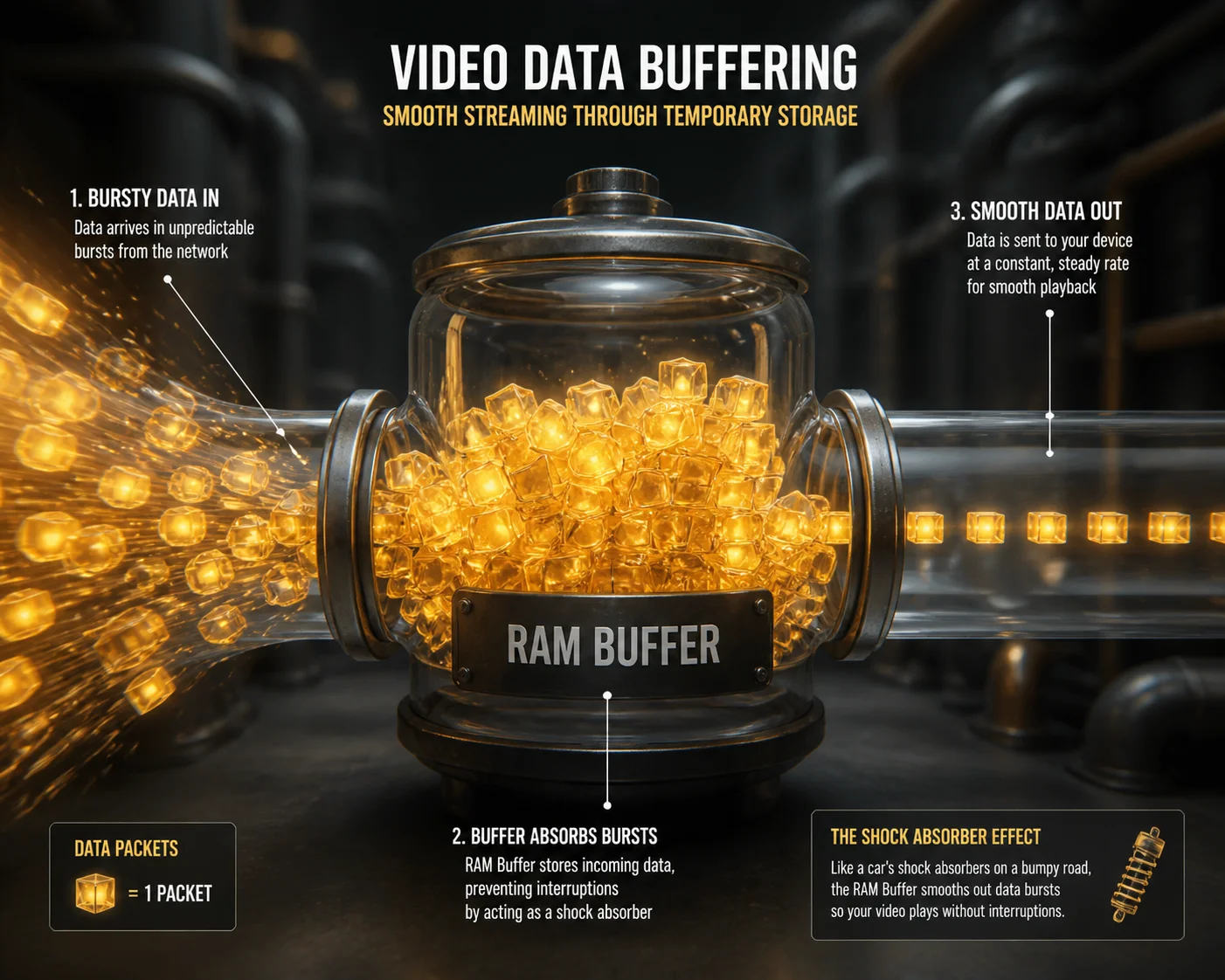
The memory buffer acts as a shock absorber between the encoder output and the network or storage write speed. When the bitrate spikes during complex scenes, a larger RAM buffer holds those extra frames in a queue instead of dropping them, preventing the green-screen artifacts and frozen frames that ruin critical footage.
How Frame Buffering Actually Works
Inside the camera, the encoder outputs compressed video frames at a variable rate. In a quiet scene — a parking lot at night — the bitrate might sit at 2 Mbps. But when a truck drives through, headlights sweep across the frame, rain starts falling, or a crowd appears, the bitrate can jump to 10–15 Mbps in less than a second.
The network port can only push data out at a fixed speed. If the encoder suddenly produces more data than the network can send, that extra data has to go somewhere. It goes into the RAM buffer. If the buffer is big enough, the data waits safely until the network catches up. If the buffer is too small, the oldest frames get overwritten or the newest frames get thrown away. Either way, you lose footage.
The Math Behind Buffer Size
Here is a simplified look at what happens during a bitrate spike:
| Scenario | Bitrate Spike | Network Speed | Buffer Needed for 2-Second Spike |
|---|---|---|---|
| 1080p, calm scene | 4 Mbps → 8 Mbps | 100 Mbps (plenty) | ~2 MB |
| 4K, moderate motion | 8 Mbps → 20 Mbps | 100 Mbps (still OK) | ~5 MB |
| 4K, complex scene + rain | 10 Mbps → 35 Mbps | 100 Mbps (network is fine, but encoder output is bursty) | ~9 MB |
| 4K + 2 sub streams + AI | 15 Mbps → 40 Mbps total | Network congested or Wi-Fi | ~15–25 MB |
These numbers are per stream, per connection. Multiply by the number of concurrent viewers, and you see why 256MB of total RAM runs out fast.
Why “Smart Buffer Management” Matters as Much as Raw Size
Even with enough RAM, the firmware has to manage it well. A poorly written firmware might allocate a fixed 4MB buffer per stream and never resize it. A well-designed firmware dynamically adjusts buffer sizes based on current bitrate and network conditions. At Loyalty-Secu, our Linux-based firmware uses adaptive buffer allocation. When a bitrate spike is detected, the system temporarily borrows unused memory from lower-priority tasks. This is why our cameras pass 72-hour stress tests without a single dropped frame, even at 4K 30fps with three concurrent viewers.
Can the RAM Handle Complex AI Metadata While Streaming 4K Video at 30fps?
I get asked this question more and more, because every project now wants AI — human detection, vehicle classification, line crossing, face capture. The question is not whether the AI works. The question is whether it works at the same time as everything else.
Yes, but only if the camera has enough RAM to hold the AI model weights, the per-frame inference buffers, and the video streaming pipeline simultaneously. On cameras with 512MB or less, enabling complex AI features while streaming 4K at 30fps often causes either the AI accuracy to drop or the video stream to stutter.

Where AI Eats RAM
AI processing on a camera is not like running an app on your phone. The camera loads the entire neural network model into RAM when it boots up. For a basic human detection model, that might be 20–50MB. For a more advanced model that detects humans, vehicles, and faces, it can be 80–150MB. And that memory stays occupied the entire time the camera is running.
On top of the model itself, the AI engine needs working memory for each frame it processes:
- Input frame buffer: A copy of the current video frame, scaled to the model’s input size. For a 4K frame downscaled to 640×640, that is about 1.2MB.
- Intermediate feature maps: The layers inside the neural network produce temporary data during inference. This can use 30–100MB depending on model complexity.
- Output metadata buffer: Bounding box coordinates, object class labels, confidence scores, tracking IDs. Small per frame, but it adds up when stored for event search.
The Conflict Between AI and Streaming
Here is the core problem. The video encoder and the AI engine both need to read the same video frames from RAM. On a low-RAM system, they are fighting for DDR bandwidth. The DDR controller can only serve one read request at a time. When the AI engine is doing a heavy inference pass — reading millions of parameters from RAM — the encoder might stall for a few milliseconds. At 30fps, each frame only has 33ms. A 5ms stall means the encoder misses its deadline, and you get a dropped frame or a stuttered stream.
How We Solve This at Loyalty-Secu
Our approach is to use SoCs with dedicated NPU (Neural Processing Unit) memory paths, combined with 1GB or higher DDR. This gives the AI engine its own lane to access RAM without blocking the video pipeline. We also optimize our AI models through quantization — converting 32-bit floating point weights to 8-bit integers — which cuts model RAM usage by 75% with minimal accuracy loss.
Learn more about model quantization for edge AI 4 to understand how this technique reduces memory footprint.
What You Should Ask Your Supplier
If a factory tells you their camera “supports AI,” ask them these questions:
- What is the total DDR capacity?
- How much RAM does the AI model consume at runtime?
- Can the AI run at full accuracy while the camera streams 4K main stream plus a sub stream to two concurrent viewers?
- Have you tested this under a 24-hour stress scenario?
If they cannot answer these questions clearly, the AI feature is probably a checkbox on a spec sheet, not a real-world capability.
| RAM Capacity | AI Capability | 4K Streaming Stability with AI On |
|---|---|---|
| 256MB | Basic motion detection only | Unstable with more than 1 viewer |
| 512MB | Human/vehicle detection | Stable with 2–3 viewers, occasional lag under heavy scenes |
| 1GB+ | Full AI suite (face, vehicle, behavior) | Stable with 5+ viewers, suitable for edge computing projects |
For a benchmark reference, review this comparison of edge AI processors for surveillance 5.
Conclusion
RAM capacity is the hidden factor that decides whether your PTZ camera stays stable or crashes when real-world multi-stream loads hit. Ask for the specs, run the stress tests, and never trust a datasheet alone.
1. Understanding memory requirements for video surveillance SoCs. ↩︎ 2. How the Linux kernel terminates processes under memory pressure. ↩︎ 3. Technical note on DDR memory bandwidth and contention. ↩︎ 4. TensorFlow Lite guide to post-training quantization for edge AI. ↩︎ 5. Benchmark comparison of edge AI processors for surveillance. ↩︎