
I’ve seen hackers take over PTZ cameras by simply replaying old command packets. It’s a real threat, and most integrators don’t even know it’s happening until it’s too late.
P2P technology prevents replay attacks by combining three dynamic defenses: timestamp verification that rejects stale commands, one-time-use nonce values that block duplicate packets, and session keys generated fresh for every single connection using Diffie-Hellman key exchange. Together, these layers make captured data packets completely useless to attackers.
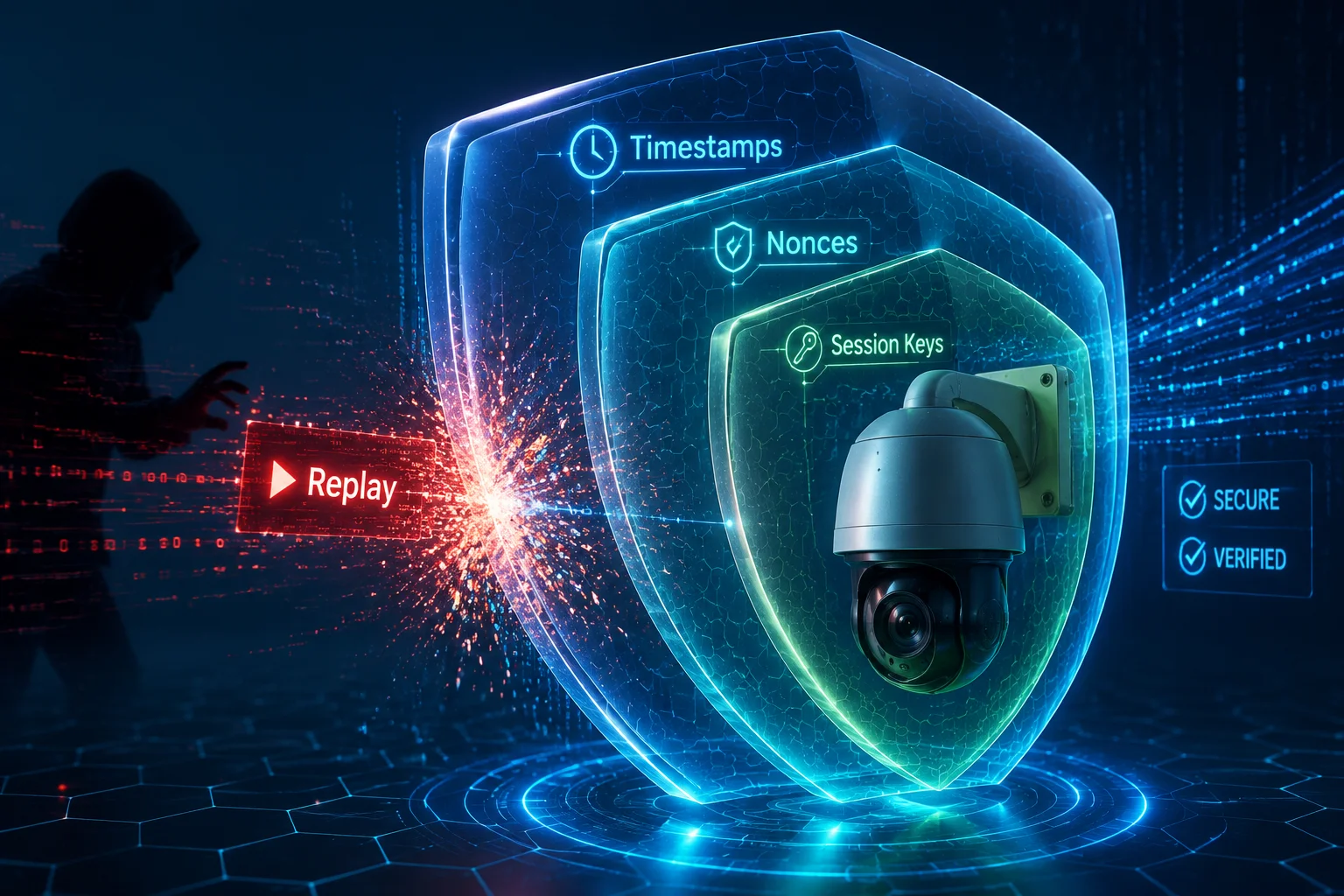
In this article, I’ll break down each layer of this defense system. I’ll explain how timestamps, nonces, and session keys work together. I’ll also cover what happens when things go wrong — like a dropped 4G signal in the middle of a session. If you deploy cameras in remote or sensitive locations, this is the stuff you need to understand before your next project.
Table of Contents
Is a Unique Session Key Generated for Every Single Login Attempt from My Mobile App?
One of my clients once asked me: “If a hacker steals my login credentials, can they watch my cameras forever?” The answer surprised him. It’s not about the password at all.
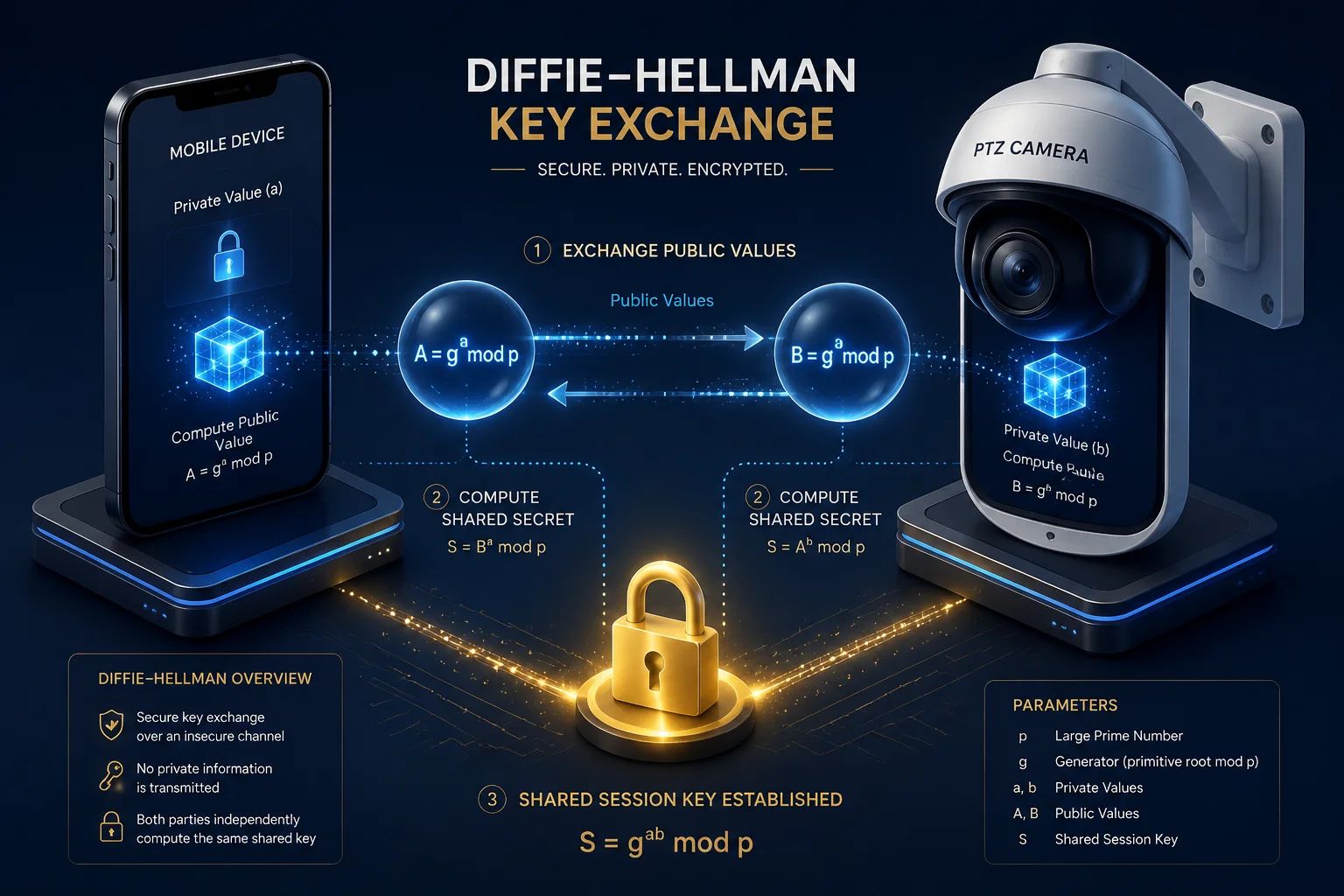
Yes. Every time your mobile app connects to a camera, the P2P protocol runs a Diffie-Hellman (DH) key exchange to create a brand-new session key. This key is unique to that single session. Even if someone captures it, they cannot use it to decrypt any past or future connection.
How the Diffie-Hellman Key Exchange Actually Works
Let me simplify this. When your app opens and connects to a camera, neither side sends a password over the network. Instead, they do math.
The app picks a secret random number. The camera picks its own secret random number. Both sides exchange a calculated public value. Then, using their own secret number and the other side’s public value, they both arrive at the same shared secret — without ever transmitting it.
This shared secret becomes the session key3. It encrypts everything in that session: video streams, PTZ commands, audio, and status updates.
Why This Matters for Security Integrators
Here’s the critical point. The session key only lives for the duration of one connection. The moment you close the app, that key is destroyed. When you open the app again five minutes later, a completely new key is negotiated.
This gives you something called forward secrecy2. Even if an attacker somehow cracks today’s session key (which would take enormous computing power against AES-256), they get nothing from yesterday’s recordings. And they get nothing from tomorrow’s sessions either.
| Scenario | Static Password System | Dynamic Session Key System |
|---|---|---|
| Hacker captures today’s data | Can decrypt all past and future data | Can only attempt to decrypt today’s session |
| Master password is leaked | Full access to all devices | Still cannot decrypt without per-session DH exchange |
| Device is physically stolen | Stored credentials expose the network | Session keys are not stored on the device |
What Happens on the Camera Side
Inside the camera’s SoC (System on Chip), the DH calculation happens in a secure memory space. On our Loyalty-Secu PTZ cameras, the chipset handles this negotiation at the hardware level. This means the session key never touches the main application memory where firmware exploits could potentially read it.
For integrators like David who deploy hundreds of cameras across a city or a construction site, this is not just a nice feature. It’s a requirement. If one camera is compromised, the attacker cannot use that breach to decrypt traffic from any other camera in the network. Each device, each session, each key — completely isolated.
A Practical Warning About Cheap Cameras
I need to be direct here. Not all “P2P cameras” implement real DH key exchange. Some budget manufacturers skip this step entirely. They use a fixed encryption key that’s hardcoded into the firmware. I’ve personally tested competitor units where the same AES key was used across every single device from the same production batch. That’s not security. That’s a liability.
Before you commit to a supplier, ask them one question: “Is your session key derived from a per-connection DH exchange, or is it static?” If they can’t answer clearly, walk away.
Does the P2P Protocol Include a Timestamp Verification to Invalidate Old Packets?
Imagine a hacker captures a legitimate “pan left” command you sent to your PTZ camera last Tuesday. Without timestamp verification, they could send that exact same packet today, and your camera would obey it.
Yes. The P2P protocol attaches a millisecond-precision timestamp to every command packet. The camera compares this timestamp against its own hardware RTC clock. If the difference exceeds a preset threshold — typically 5 seconds — the camera rejects the packet immediately, even if the encryption signature is perfectly valid.

The Logic Behind Timestamp Validation
The concept is simple. Every command your app sends carries a label that says: “I was created at this exact moment.” When the camera receives it, the camera checks its own clock. If the command is too old, it’s thrown away.
This is the most fundamental layer of anti-replay defense. It works because time only moves forward. A hacker cannot change the timestamp inside the encrypted packet without breaking the encryption. And they cannot send the original packet later because the timestamp will be stale.
The 5-Second Window
Why 5 seconds? It’s a balance between security and usability.
Network latency exists in every real-world deployment. A command sent over 4G from a phone in New York to a solar-powered camera on a Texas ranch might take 200-800 milliseconds to arrive. You need enough tolerance to handle normal delays. But you also need the window to be tight enough that a hacker cannot intercept, decode, and replay a packet in time.
| Network Type | Typical Latency | Fits Within 5s Window? |
|---|---|---|
| 4G LTE | 50–300 ms | Yes |
| 3G Fallback | 200–800 ms | Yes |
| Satellite Backhaul | 600–2500 ms | Yes, but tight |
| Stored replay (minutes/hours later) | N/A | No — always rejected |
For most 4G deployments, the 5-second window is more than generous. The real target is the attacker who captures a packet and tries to replay it minutes, hours, or days later. That packet is dead on arrival.
The RTC Problem: When Your Camera Thinks It’s 1970
Here’s where theory meets reality. Timestamp verification only works if the camera knows what time it is.
Most professional PTZ cameras include a hardware RTC4 (Real-Time Clock) chip with a small backup battery. This chip keeps accurate time even when the main power is off. But some low-cost cameras skip the RTC to save $0.30 on the BOM. When these cameras lose power and reboot, their internal clock resets to January 1, 1970 (the Unix epoch).
What happens then? Every incoming timestamp looks like it’s from 50+ years in the future. Depending on the firmware implementation, the camera might:
- Reject all commands (safe but unusable)
- Accept all commands regardless of timestamp (dangerous)
- Wait for an NTP sync before accepting commands (smart, but requires internet)
On our Loyalty-Secu 4G solar PTZ systems, we include a hardware RTC with a CR2032 backup battery8 rated for 5+ years. For off-grid sites where NTP servers are unreachable, this is not optional. It’s the foundation of your entire anti-replay defense.
My Advice for Off-Grid Deployments
If you’re deploying cameras on construction sites, farms, or oil fields with no reliable internet, check two things before you buy:
- Does the camera have a dedicated RTC chip (not just a software clock)?
- Does the RTC have a backup battery that survives power cycles?
If the answer to either question is no, your timestamp-based replay protection is essentially decorative.
How Does the Camera Handle Key Synchronization if the 4G Signal Is Interrupted Mid-Session?
This is the question that keeps field engineers up at night. You’re streaming live video from a remote solar camera over 4G. The signal drops for 30 seconds. When it comes back, does the camera just resume? Or does everything break?
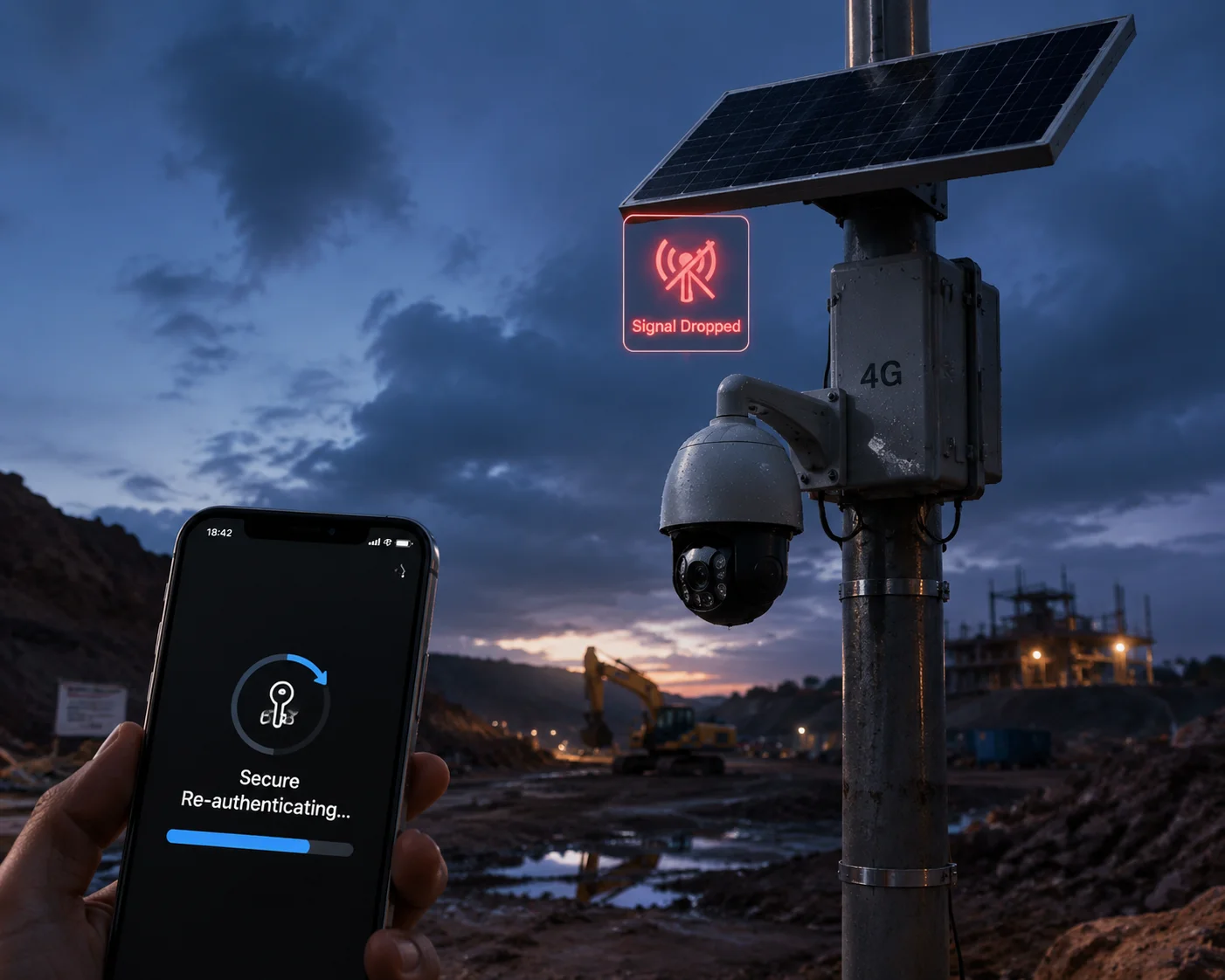
When a 4G signal drops mid-session, the camera and app must re-negotiate a new session key through a fresh DH handshake. The old session key is discarded. This prevents an attacker from hijacking a stale session. Most professional P2P implementations handle this automatically with a reconnection timeout and a seamless re-authentication process.
What Happens During a Signal Drop
Let me walk you through the sequence step by step.
- Signal lost: The 4G modem loses its connection to the cell tower. Packets stop flowing in both directions.
- Timeout triggered: After a configurable period (usually 10–30 seconds), both the app and the camera independently mark the session as “dead.”
- Old key destroyed: The session key from the interrupted session is erased from memory on both sides.
- Signal restored: The 4G modem reconnects to the network.
- Fresh handshake: The app initiates a brand-new P2P connection. A new DH key exchange occurs. A new session key is generated.
- Video resumes: The live stream restarts under the protection of the new key.
Why Not Just Resume the Old Session?
This is a fair question. Resuming would be faster. But it would also be dangerous.
During the 30 seconds your connection was down, an attacker could have been doing several things:
- Capturing the last few packets from the dying session to analyze the encryption pattern
- Attempting a man-in-the-middle position by spoofing the cell tower (IMSI catchers are real and available)
- Preparing a session hijack by trying to inject themselves into the resumed connection
By forcing a complete re-authentication, the P2P protocol eliminates all of these attack vectors. The old session is gone. The new session starts clean.
The Cost of Re-Authentication
There is a trade-off. A full DH handshake takes time. On a 4G connection, the re-authentication process typically adds 1–3 seconds of delay before the video stream resumes. For most surveillance applications, this is acceptable. You see a brief “Reconnecting…” message on your app, and then the feed is back.
However, for mission-critical applications — like real-time perimeter intrusion detection — even 3 seconds of blindness can matter. In these cases, I recommend a dual-SIM 4G configuration. If one carrier drops, the camera switches to the backup SIM without losing the session entirely. Our Loyalty-Secu 4G PTZ cameras support dual-SIM failover5 for exactly this reason.
Edge Case: Repeated Signal Flapping
In areas with poor 4G coverage, the signal might drop and reconnect every few minutes. This creates a problem: constant re-authentication burns CPU cycles and drains the battery on solar-powered systems.
Good firmware handles this with an adaptive timeout strategy7:
- First dropout: reconnect immediately
- Second dropout within 5 minutes: wait 10 seconds before reconnecting
- Third dropout within 5 minutes: wait 30 seconds and switch to low-power standby
This prevents the camera from wasting its solar-charged battery on endless handshake loops during a period of unstable connectivity.
| Signal Event | Camera Response | Security Impact |
|---|---|---|
| Brief dropout (<5 seconds) | Hold session, verify with heartbeat packet | Minimal risk, key remains valid |
| Extended dropout (>10 seconds) | Terminate session, destroy key | Full re-authentication required |
| Repeated flapping (>3 drops in 5 min) | Adaptive backoff, low-power mode | Preserves battery, maintains security on reconnect |
Will the Dynamic Key System Prevent Hackers from Intercepting and Re-Streaming My Video?
This is the question I hear most often from integrators who serve government or industrial clients. They’re not just worried about someone sending fake commands. They’re worried about someone watching the feed — or worse, recording it and streaming it somewhere else.
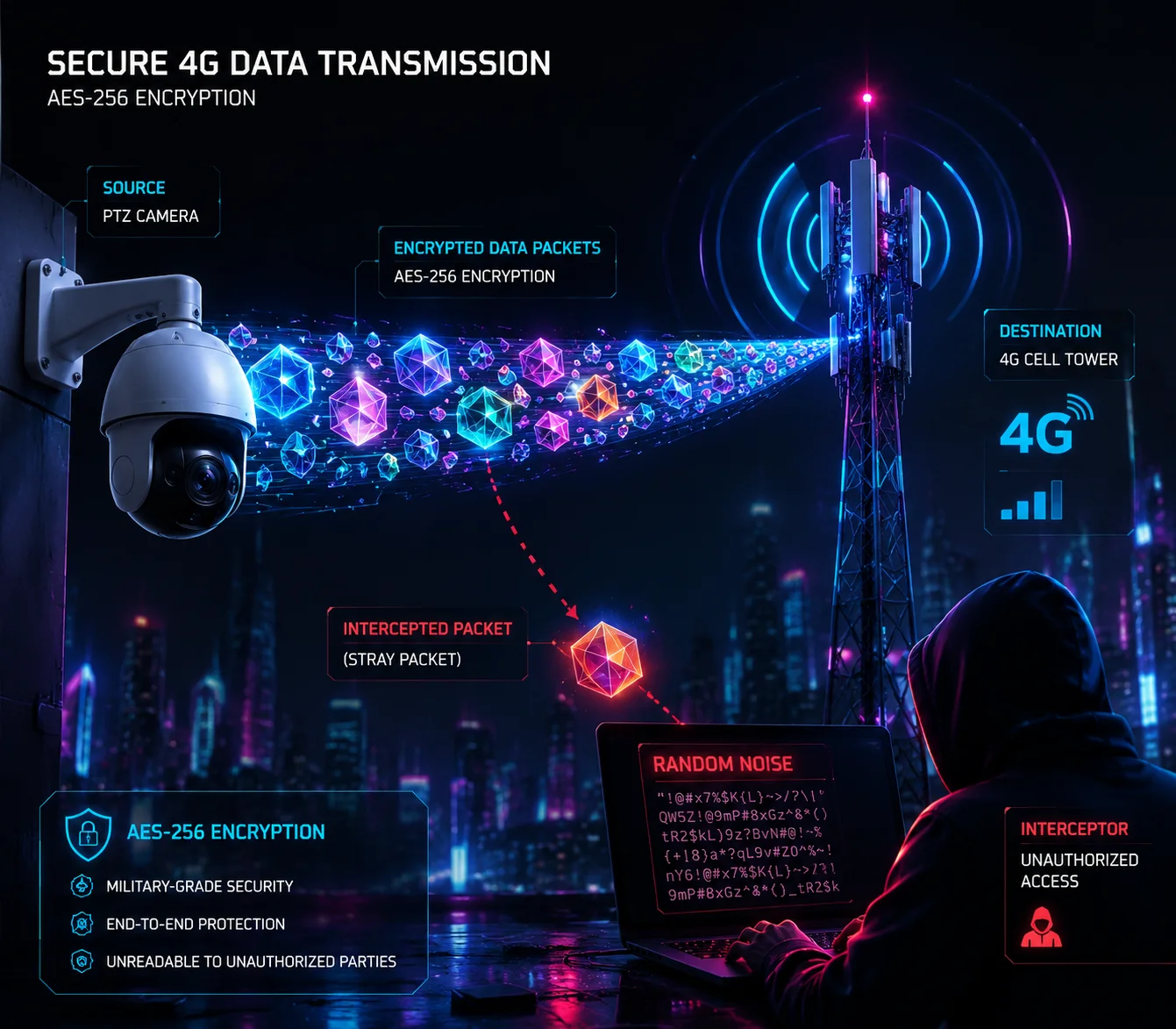
Dynamic keys make intercepted video data unreadable. Since the session key changes with every connection and is never transmitted over the network, a hacker who captures encrypted video packets gets nothing but random noise. They cannot decode the stream without the session key, and they cannot obtain the session key without being part of the original DH handshake.
Understanding the Difference Between Interception and Decryption
Let me be clear about something. Anyone can intercept your data. If your camera sends packets over a 4G network, those packets travel through cell towers, ISP routers, and internet backbone infrastructure. At any of these points, someone with the right equipment can capture the raw packets.
But capturing packets is not the same as reading them.
With AES-256 encryption and a dynamic session key, the captured packets are meaningless. They look like random data. Without the session key — which was calculated independently by the app and the camera using DH math and never sent over the wire — there is no practical way to decrypt them.
The Nonce Layer: Stopping Packet-Level Replay
Even with encryption, a sophisticated attacker might try something clever. They might not try to decrypt the video. Instead, they might try to replay the encrypted packets to a different device or back to the same camera to cause confusion.
This is where the Nonce (Number Used Once) comes in.
During the P2P handshake, the camera and app exchange a random nonce1. This nonce is mixed into the encryption process for every single packet. Each packet also gets a sequence number. The camera tracks which sequence numbers it has already processed.
If an attacker replays a packet:
- The nonce won’t match the current session (if it’s a different session)
- The sequence number will be flagged as “already received” (if it’s the same session)
Either way, the replayed packet is dropped.
What About Man-in-the-Middle Attacks?
A man-in-the-middle (MITM) attack is more advanced than a simple replay. Here, the attacker positions themselves between the app and the camera. They intercept the DH handshake and try to negotiate separate keys with each side.
To prevent this, professional P2P implementations add an authentication layer on top of the DH exchange. The camera’s unique UID and a pre-shared secret (set during initial device pairing) are used to verify that both sides are talking to who they think they’re talking to.
On our Loyalty-Secu cameras, the initial pairing process binds the camera’s UID to the user’s account on our cloud server. Even if an attacker intercepts the DH exchange, they cannot forge the UID authentication without access to the cloud-side verification database.
My Recommendations for High-Security Deployments
For integrators like David who work on sensitive projects — government buildings, critical infrastructure, industrial facilities — I always recommend these additional steps:
-
Enable AES-256 encryption. Some cameras default to AES-128 or even weaker ciphers to save processing power. Check your settings. On our cameras, AES-256 is the default and cannot be downgraded without a firmware-level change.
-
Use device-level 2FA6. Even if someone clones your P2P UID, they should still need a dynamic verification code from your phone to establish a session. This adds a layer that exists completely outside the P2P protocol itself.
-
Audit your firmware update process. If your camera accepts unsigned firmware updates, an attacker could push a modified firmware that disables all encryption. Make sure your supplier signs their firmware with a private key that the camera verifies before installation.
-
Segment your network. Don’t put your cameras on the same network as your office computers. Use VLANs or dedicated 4G SIMs so that a breach in one system doesn’t expose the other.
Conclusion
Dynamic keys, timestamps, nonces, and per-session DH exchanges work together to make replay attacks useless. But these defenses only work when your hardware — especially the RTC clock and encryption chipset — is built to support them properly.
1. Understand how a nonce (number used once) ensures packet uniqueness and prevents replay. ↩︎ 2. Learn why forward secrecy protects past and future sessions even if a key is compromised. ↩︎ 3. Definition and importance of ephemeral session keys in cryptography. ↩︎ 4. Understand how a hardware real-time clock maintains accurate time for security functions. ↩︎ 5. Manufacturer page explaining dual-SIM redundancy for uninterrupted 4G connectivity. ↩︎ 6. OWASP guidance on implementing two-factor authentication for device access. ↩︎ 7. Exponential backoff algorithms prevent resource exhaustion in unreliable networks. ↩︎ 8. Standard coin cell battery specifications used for RTC backup in embedded systems. ↩︎