
I have shipped PTZ cameras9 to over 30 countries. The number one complaint from my clients? Replacing SIM cards at remote sites costs more than the card itself.
eSIM technology solves this by embedding a tiny chip directly onto the camera’s circuit board. This chip downloads carrier profiles over the air. You never need to open the device or visit the site to swap a physical SIM card. For global PTZ deployments, this means zero truck rolls, lower failure rates, and one single hardware SKU for every country.
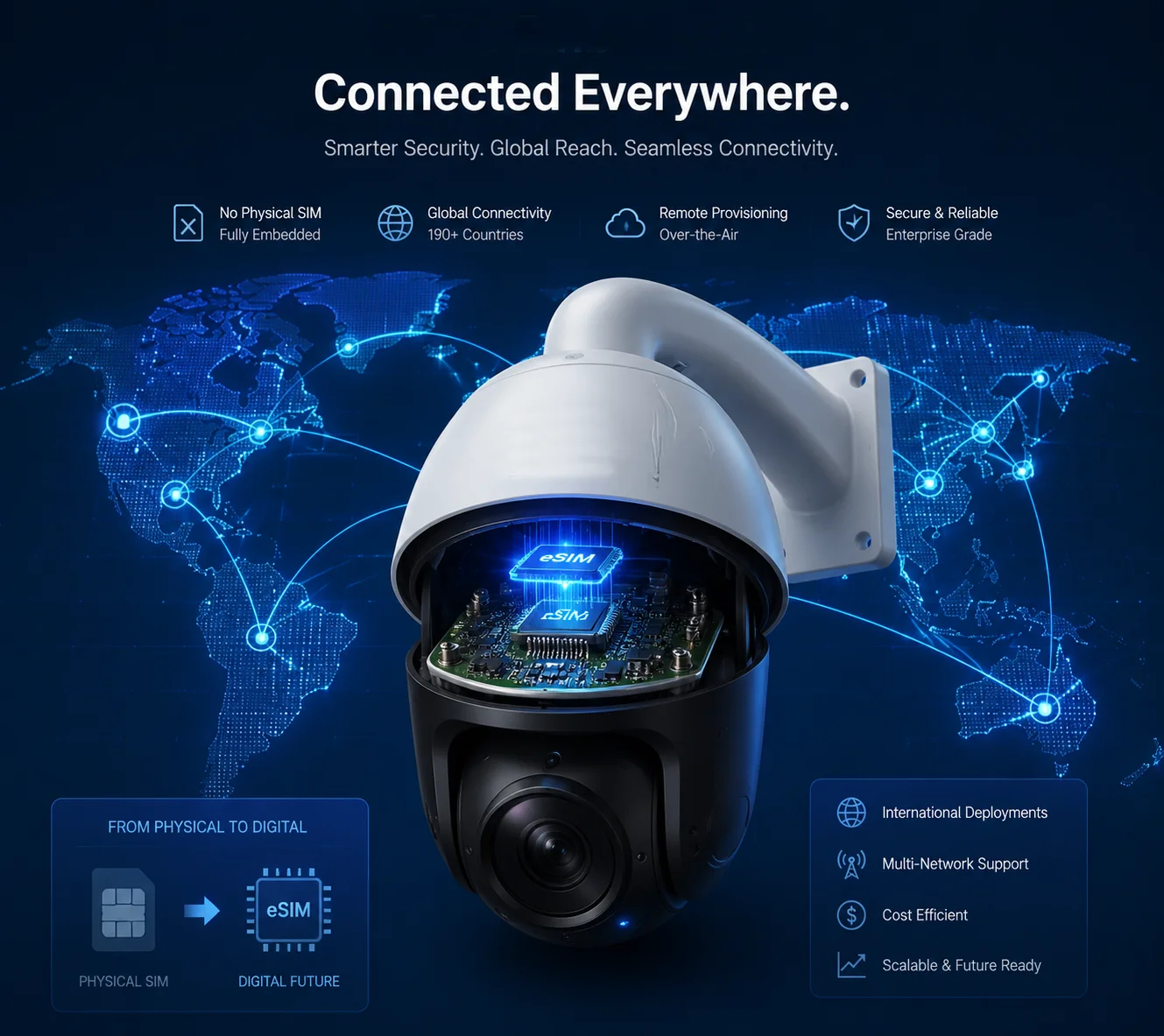
Below, I break down the four key questions my clients ask most about eSIM in surveillance projects. Each answer comes from real deployment experience across Europe, the Middle East, and North America. Let’s walk through them one by one.
Table of Contents
Can I Remotely Provision a New Carrier Profile to My Cameras Without Visiting the Remote Site?
Every integrator I work with has the same nightmare. A camera goes offline at a mountain-top tower. The local SIM card expired. Now someone has to drive four hours just to swap a $5 card.
Yes, you can. eSIM supports OTA (Over-the-Air) remote provisioning. From a web-based management platform, you push a new carrier profile directly to the camera’s embedded chip. The device downloads it, registers on the new network, and comes back online. No one touches the hardware.
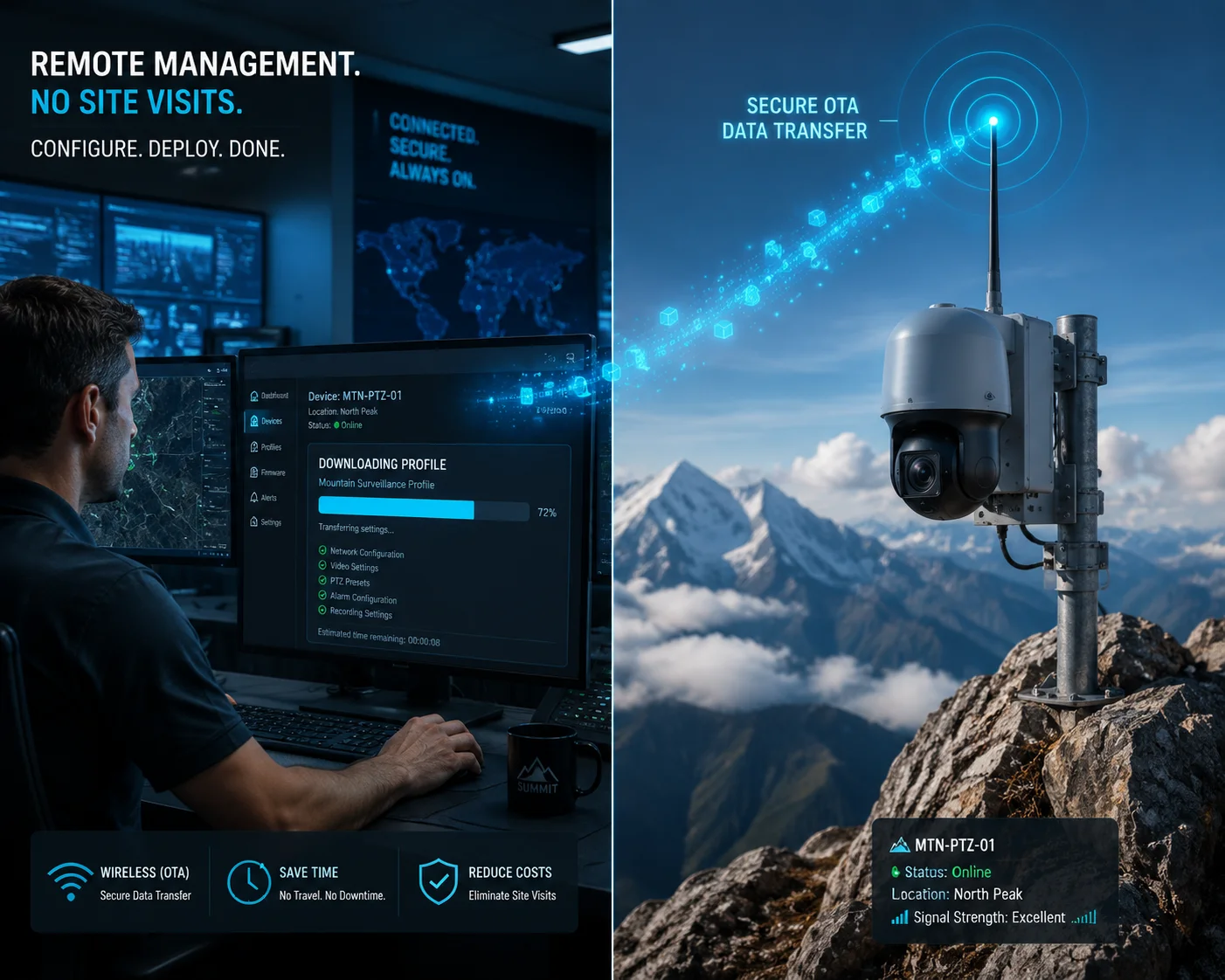
How OTA Remote Provisioning Actually Works
The process follows the GSMA SGP.22 standard1. Here is the simplified flow:
- Your PTZ camera ships from our factory in Shenzhen with an eUICC chip2 soldered on the main board.
- The chip comes pre-loaded with a “bootstrap profile.” This is a temporary connection that lets the device talk to the eSIM management platform for the first time.
- Once the camera is powered on at the job site — say, a construction yard in Germany — it connects using the bootstrap profile or a local Wi-Fi network.
- You log into the management platform. You select the camera by its ICCID3 or serial number. You choose a local carrier — Vodafone, Orange, Telefónica, whatever fits your budget.
- The platform sends a download command. The camera receives the new carrier profile over the air. It installs the profile, restarts the modem, and registers on the local network.
- Done. The camera is now online with a local number and local data rates.
What Happens When You Need to Switch Carriers Later?
This is where the real value shows up. Imagine you deployed 50 PTZ cameras across Spain using Telefónica. Six months later, Telefónica raises their IoT data rates by 40%. With physical SIM cards, you would need to:
- Buy 50 new SIM cards from another carrier.
- Ship them to Spain.
- Send a technician to each site.
- Open each camera housing.
- Swap the card.
- Re-seal the housing and test.
With eSIM, you open the management platform. You select all 50 devices. You push a new Orange profile to each one. The whole process takes minutes, not weeks.
Real Cost Comparison
| Cost Item | Physical SIM Approach | eSIM Approach |
|---|---|---|
| SIM card purchase | $5 × 50 = $250 | $0 (profile download) |
| International shipping | $80–$150 (customs risk) | $0 |
| Technician site visit | $150–$300 per site × 50 | $0 |
| Downtime per camera | 2–7 days | 5–15 minutes |
| Total estimated cost | $8,000–$15,000+ | Near zero |
For my clients running 100+ cameras across multiple countries, this difference is not a nice-to-have. It is the difference between a profitable project and a money-losing one.
Does the eSIM Support “Multi-IMSI” for Automatic Switching Between the Best Local Carriers?
I had a client in the Middle East. His cameras kept dropping offline every afternoon. The reason? The single carrier he used had network congestion during peak hours. He asked me: can the camera automatically jump to a better network?
Yes. A standard eUICC chip can store 5 to 8 carrier profiles at the same time. The device firmware monitors signal quality metrics like RSRP and RSRQ. When the primary carrier drops below a set threshold, the system automatically switches to a backup carrier profile. This gives you carrier-level redundancy without any human intervention.

How Multi-Profile Switching Works in Practice
Think of the eSIM chip as a small hard drive that holds multiple “identities.” Each identity is a carrier profile — it contains the IMSI4, authentication keys, APN settings, and network credentials for one specific carrier.
The 4G modem inside the PTZ camera constantly measures signal strength. The device firmware monitors signal quality metrics like RSRP and RSRQ5. When the RSRP value of the active carrier falls below a threshold you define (for example, -110 dBm), the firmware triggers a profile switch. The modem deactivates the current profile, activates the backup profile, and re-registers on the new network. This entire process typically takes 30 to 90 seconds.
Why This Matters for Video Surveillance
PTZ cameras are not like IoT sensors that send a few kilobytes per hour. A single 4G PTZ camera streaming 1080p video uses 2–4 Mbps continuously. A 4K stream can demand 8–15 Mbps. If the network drops or slows down, you lose video evidence. For critical applications — border monitoring, port security, highway surveillance — a 5-minute gap in footage can be a serious liability.
Switching Strategy Options
Most eSIM platforms let you configure the switching logic. Here are the common options:
| Switching Strategy | How It Works | Best For |
|---|---|---|
| Signal-based | Switch when RSRP drops below threshold | Remote sites with variable coverage |
| Time-based | Use Carrier A during day, Carrier B at night | Areas with known peak congestion |
| Cost-based | Prefer the cheapest carrier; switch only if unavailable | Budget-sensitive large deployments |
| Manual override | Admin triggers switch from platform | Troubleshooting or planned maintenance |
Local Rates vs. Roaming Rates
There is another big advantage here. When your camera uses a local carrier profile, it pays local data rates. This is critical. International roaming data can cost 10× to 50× more than local data. For a camera that consumes 100 GB per month of video upload, the difference between a $10 local plan and a $200 roaming charge is enormous. Multiply that by 100 cameras, and you are looking at $19,000 per month in savings.
By storing multiple local profiles on one chip, the eSIM lets each camera behave as if it has a local SIM card in every country — without ever swapping anything.
How Do You Manage the Subscription Costs for 100+ Cameras Deployed Across Different Countries?
This question comes up in almost every meeting with large integrators. They understand the hardware. They understand the installation. But the ongoing cellular cost across 10 countries with 10 different carriers? That scares them.
You manage it through a centralized Connectivity Management Platform (CMP)6. This cloud-based dashboard shows every camera’s data usage, carrier, signal strength, and cost in real time. You can set data caps, receive alerts, pool data across devices, and switch carriers remotely — all from one screen. It turns a chaotic multi-country billing problem into a single, controllable line item.
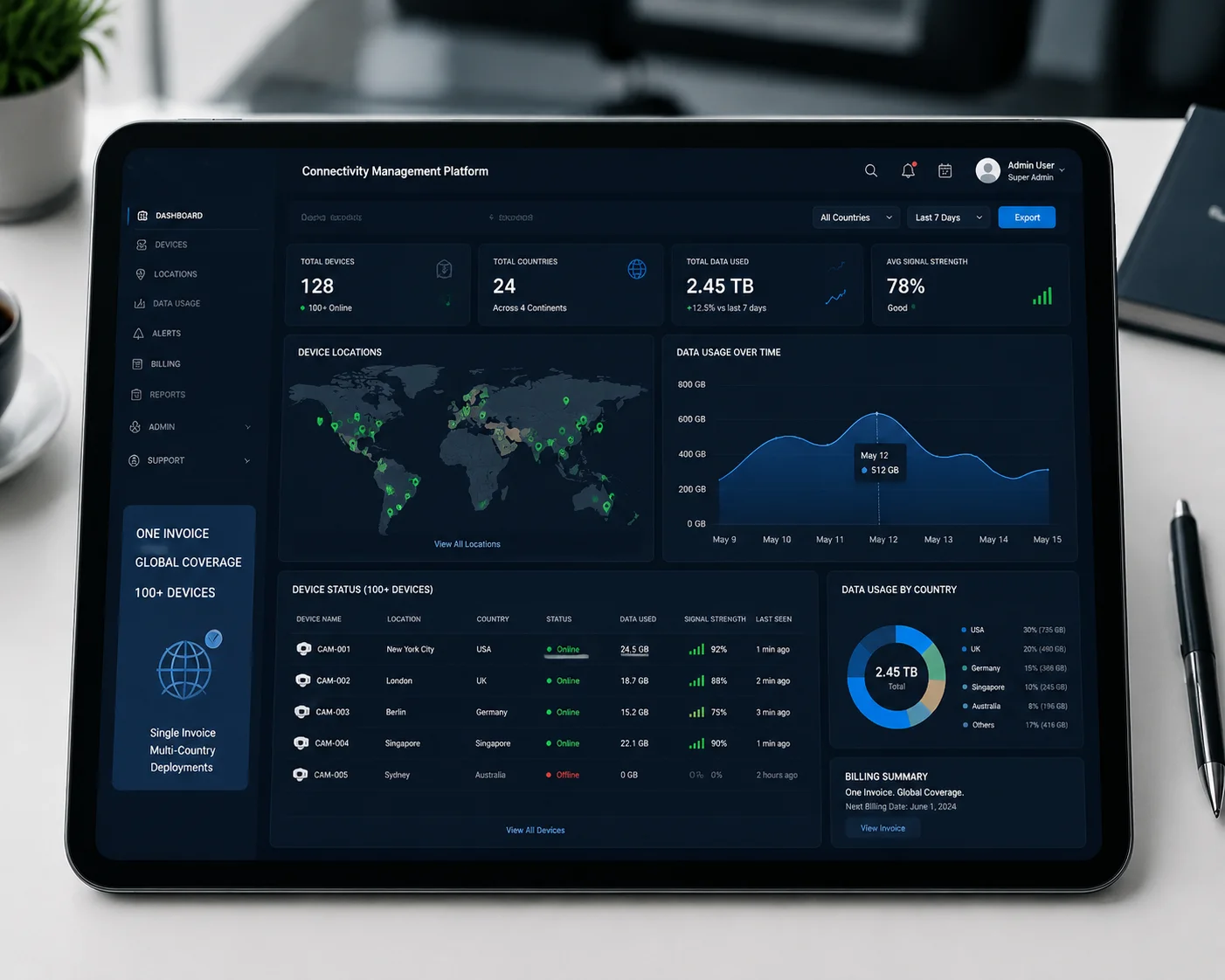
What a Good Management Platform Should Offer
Not all eSIM platforms are equal. When I evaluate a connectivity partner for my clients, I look for these specific features:
Device Visibility
The platform must show each camera’s status in real time. This includes:
- Online or offline status
- Current carrier name and network type (3G/4G)
- Signal strength (RSRP/RSRQ values)
- Data consumed this billing cycle
- Device location (based on cell tower triangulation)
Bulk Operations
When you have 100+ devices, you cannot manage them one by one. The platform must support batch actions: activate 50 devices at once, push a new profile to all cameras in France, or set a 30 GB monthly cap across an entire project group.
Alerts and Automation
You need automatic alerts for:
- A camera going offline for more than 10 minutes
- Data usage exceeding 80% of the monthly cap
- Signal strength dropping below usable levels
- A carrier profile failing to activate
Shared Data Pools
Some eSIM providers offer pooled data plans. Instead of buying 5 GB per camera per month (and wasting unused data on quiet cameras), you buy a 500 GB pool for 100 cameras. Cameras that stream more use more from the pool. Cameras in standby use less. This model can cut your total data cost by 20–35%.
Comparing Billing Models
| Billing Model | How It Works | Pros | Cons |
|---|---|---|---|
| Per-device plan | Each camera has its own fixed data plan | Simple, predictable | Waste on low-usage devices |
| Shared pool | All cameras draw from one data bucket | Cost-efficient, flexible | Needs monitoring to avoid overuse |
| Pay-as-you-go | Charged per MB or GB used | No waste at all | Unpredictable monthly bills |
| Annual prepaid | Buy a year of data upfront at a discount | Lowest per-GB cost | Requires upfront capital |
For most of my clients deploying 50–200 PTZ cameras, I recommend the shared pool model with annual prepaid pricing. It gives the best balance of cost control and flexibility.
One Invoice, Not Twenty
Here is a practical benefit that procurement teams love. Without eSIM, a 10-country deployment means 10 different carrier contracts, 10 different invoices in 10 different currencies, and 10 different support contacts. With a global eSIM provider, you get one contract, one invoice, and one support team. Your finance department will thank you.
Is the eSIM Hardware Integrated Directly Into the 4G Module for Higher Reliability Than a Physical Slot?
I have seen SIM card failures that would surprise you. Corroded pins in a coastal camera. A SIM card that warped from heat inside a sealed housing in Saudi Arabia. A card slot that vibrated loose on a PTZ mount spinning 24/7. Each failure meant a truck roll and a lost client.
Yes. The eSIM chip (typically in MFF2 package, about 2mm × 2mm) is soldered directly onto the PCB next to the 4G modem. There is no card slot, no removable tray, no metal contact pins that can corrode. This soldered design survives extreme heat, humidity, vibration, and salt spray — exactly the conditions where PTZ cameras operate.

Why Physical SIM Slots Fail in the Field
A traditional SIM card slot has six to eight spring-loaded metal contacts. These contacts press against the gold pads on the SIM card to maintain an electrical connection. This design works fine in a smartphone that lives in your pocket. It does not work well in an outdoor PTZ camera that:
- Rotates 360° continuously, creating constant micro-vibrations
- Sits in direct sunlight at 60–70°C internal temperature
- Faces salt-laden coastal air that corrodes metal within months
- Gets hit by rain, dust, and insects trying to enter through the slot opening
Over a 5-year deployment, I have seen physical SIM failure rates of 8–15% in harsh environments. That means for every 100 cameras, you can expect 8 to 15 SIM-related service calls. At $200–$300 per truck roll, that is $1,600 to $4,500 in unplanned maintenance — just for SIM issues.
The Sealed Housing Advantage
When you remove the SIM card slot from the camera design, you remove a hole in the housing. This sounds simple, but it has a big impact on weatherproofing.
IP Rating Improvement
A camera with a SIM slot needs a rubber gasket or flap to cover the opening. These gaskets degrade over time from UV exposure and temperature cycling. Once the gasket fails, water and dust enter the housing. With no slot at all, the housing can be fully sealed at the factory. This makes it much easier to achieve and maintain IP67 or even IP68 ratings7 over the product’s entire lifespan.
Anti-Theft Benefit
Physical SIM cards can be stolen. In some regions, technicians or vandals remove the SIM card from outdoor cameras and use it in personal phones, running up large data bills. Since the eSIM is soldered to the board, it cannot be removed without destroying the device. The profile is also locked to the device’s hardware identity (IMEI), so even if someone desoldered the chip, it would be useless in another device.
What to Verify in Your Purchase Agreement
If a supplier tells you their camera “supports eSIM,” ask these specific questions:
- Is the eUICC chip compliant with GSMA SGP.22 or SGP.32?
- Is the chip soldered (MFF2) or socketed?
- Does the camera housing have a physical SIM slot as well, or is it pure eSIM?
- Has the device passed GSMA eSA (eUICC Security Assurance) certification8?
- Can you provide the ICCID list mapped to device serial numbers at delivery?
If the supplier cannot answer these clearly, they may be using a standard SIM chip with a fixed profile — not a true eSIM with remote provisioning capability. That is a critical difference.
Conclusion
eSIM technology removes the biggest hidden cost in global PTZ deployments: the physical SIM card and everything that comes with it — shipping, truck rolls, corrosion failures, and carrier lock-in. For any integrator running cameras across multiple countries, it is no longer optional. It is the baseline.
1. Understand the GSMA specification that governs eSIM remote provisioning. ↩︎ 2. Learn about the embedded UICC chip that securely stores multiple carrier profiles. ↩︎ 3. Find out what an ICCID is and how it identifies SIM cards. ↩︎ 4. Learn how the International Mobile Subscriber Identity uniquely identifies subscribers on mobile networks. ↩︎ 5. Understand the Reference Signal Received Power and Quality metrics used for network switching decisions. ↩︎ 6. Explore how a CMP provides centralized control over IoT device connectivity and billing. ↩︎ 7. Find out what IP67 and IP68 ratings mean for dust and water resistance. ↩︎ 8. Learn about the security certification for eUICC chips to ensure secure provisioning. ↩︎ 9. Understand what PTZ cameras are and their typical surveillance applications. ↩︎