
I have seen too many 4G cameras go dark the moment a storm hits. Rain and fog kill the signal, and the video feed just dies.
Algorithms fight rain and fog on multiple layers. They adjust signal modulation, add error-correction codes, compress video smarter, and enhance images in real time. These layered methods keep 4G surveillance video stable and clear, even when weather conditions are at their worst.
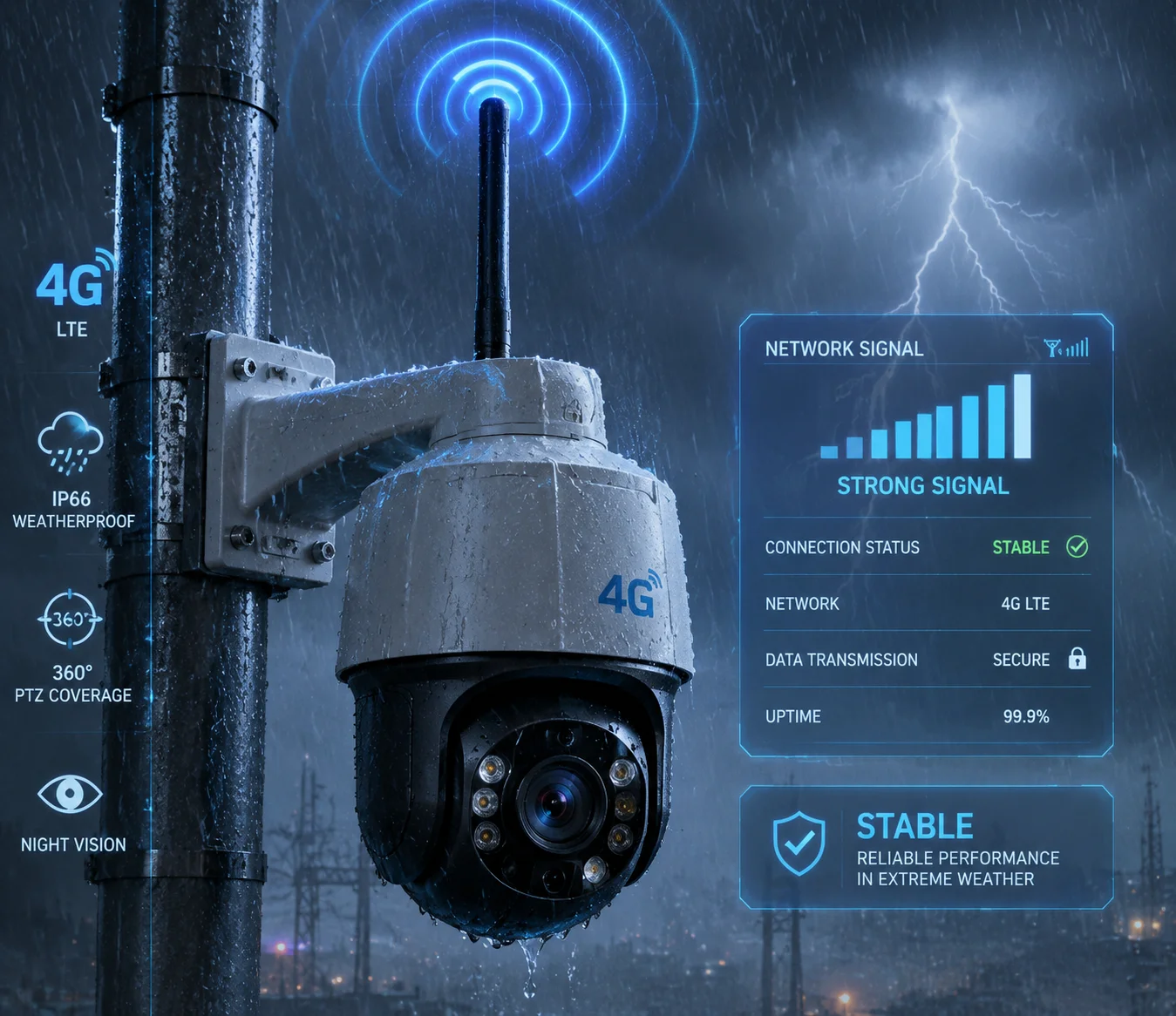
In this article, I will walk you through each layer of this algorithm stack. We will start from the physical radio signal, move up to data transmission, then to video compression, and then to image clarity. By the end, you will understand exactly how a well-engineered 4G PTZ camera keeps working when cheap ones fail. Let’s get into it.
Table of Contents
Does the Firmware Use “Packet Retransmission” Optimization for High-Humidity Air?
I used to think packet retransmission was simple. The receiver asks, the sender resends. But in high-humidity air, that basic approach floods an already weak 4G link and makes everything worse.
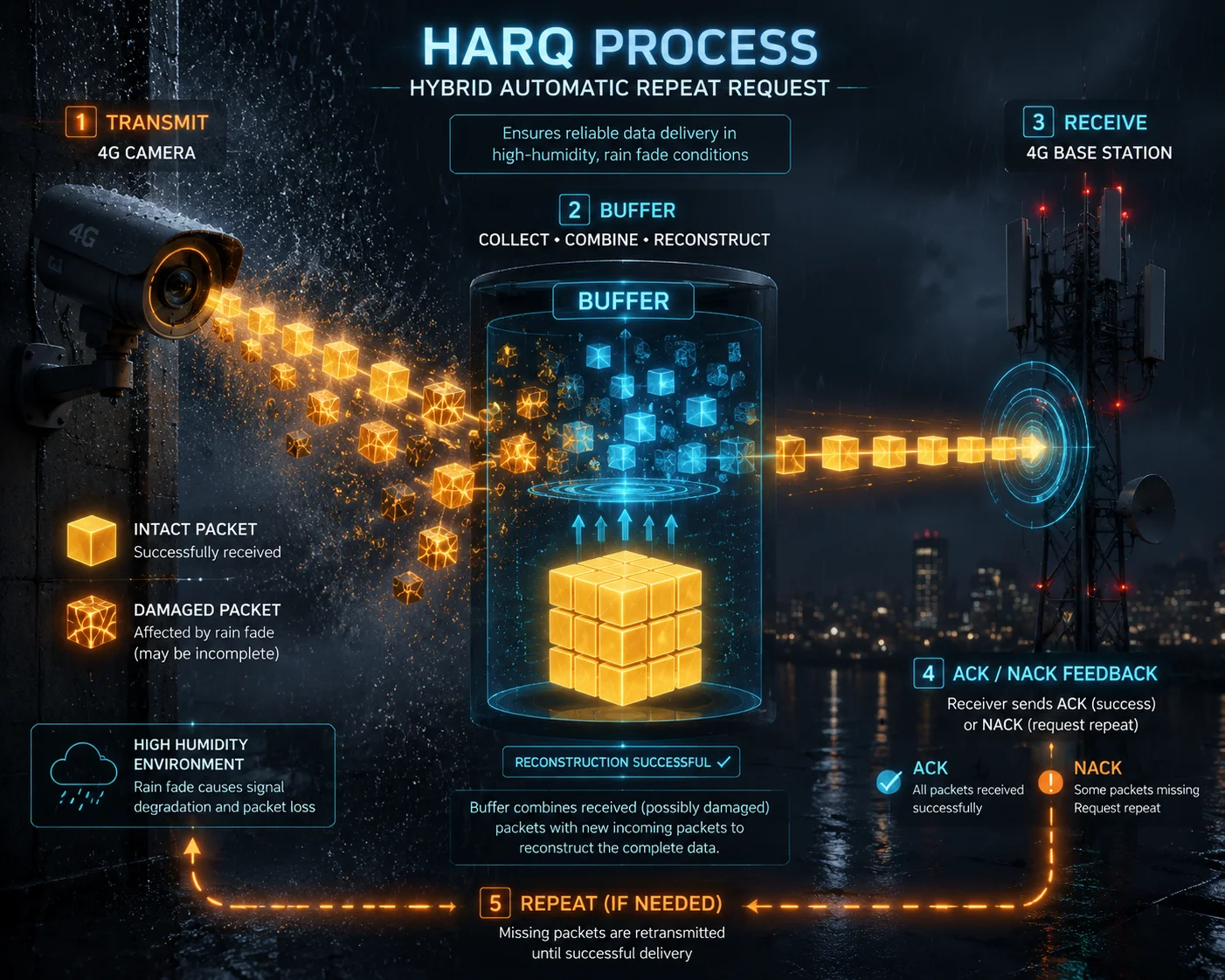
Yes, modern firmware uses optimized retransmission through a method called HARQ (Hybrid Automatic Repeat Request)1. Instead of discarding a damaged packet and requesting a full resend, the firmware stores the broken packet, receives the retransmitted copy, and combines both to decode the data successfully. This saves bandwidth and cuts latency significantly.
Why Standard Retransmission Fails in Rain
When humidity is high, or when rain is falling, the air absorbs more energy from the 4G radio waves. This is called Rain Fade. The signal gets weaker. Weaker signals mean more data packets arrive damaged or don’t arrive at all.
A basic retransmission system (called ARQ — Automatic Repeat Request) works like this: if a packet is bad, throw it away and ask for a new one. That sounds fine. But here is the problem. In a storm, many packets are bad. So the system keeps asking for resends. Each resend takes time. Each resend uses bandwidth. The link gets congested. The video freezes. The camera becomes useless.
This is why our firmware does not use basic ARQ alone.
How HARQ Changes the Game
HARQ is smarter. Here is how it works step by step:
- The camera sends a video data packet over 4G.
- The packet arrives at the base station, but some bits are wrong because of rain interference.
- Instead of throwing the packet away, the base station stores it in a buffer.
- The base station sends a “NACK” (negative acknowledgment) back to the camera.
- The camera resends the packet.
- The base station now has two copies — the original damaged one and the new one.
- It combines both copies using a technique called Chase Combining or Incremental Redundancy.
- The combined data has a much higher chance of being decoded correctly.
This means fewer total retransmissions. Less bandwidth wasted. Lower latency. The video keeps flowing.
HARQ vs. Standard ARQ: A Direct Comparison
| Feature | Standard ARQ | HARQ (Used in Our Firmware) |
|---|---|---|
| Damaged packet handling | Discarded completely | Stored and combined with retransmission |
| Bandwidth usage in rain | High (many full resends) | Low (partial info reused) |
| Decode success after 1 retry | Low (~40-50%) | High (~85-95%) |
| Video stream impact | Frequent freezes | Smooth, minor quality dips |
| Latency per retry cycle | High | Reduced by ~50% |
The Role of FEC as a First Line of Defense
Before HARQ even kicks in, the firmware uses Forward Error Correction (FEC)2. Think of FEC as packing extra “backup” information into every data packet. If a few bits get flipped by rain interference, the receiver can fix them on its own. No retransmission needed at all.
FEC handles the small errors. HARQ handles the big ones. Together, they form a two-layer defense system. In our testing at Loyalty-Secu, this combination reduced retransmission requests by over 60% during simulated heavy rain conditions. That is the difference between a camera that works in a storm and one that doesn’t.
How Does the Signal-to-Noise Ratio (SNR) Adjustment Help Maintain 4K During a Storm?
I have had clients call me frustrated because their 4K camera dropped to a blurry mess during a thunderstorm. The problem was not the camera sensor. It was the 4G link ignoring the falling SNR.
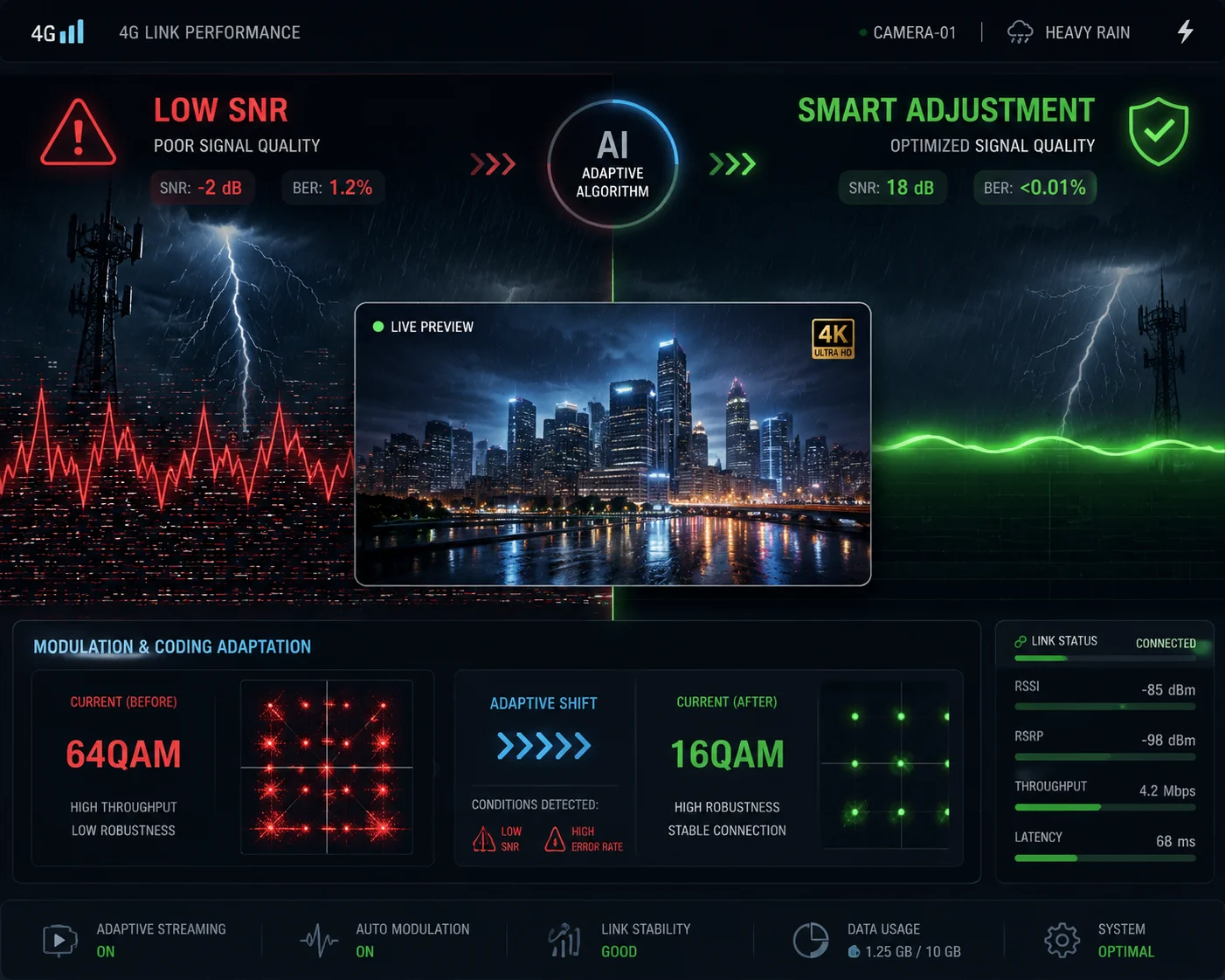
When a storm hits, rain and fog add noise to the 4G signal, which drops the SNR. Smart algorithms detect this drop and respond by adjusting modulation, coding rates, and video bitrate in real time. This keeps the 4K stream alive — sometimes at a slightly reduced bitrate — instead of letting the connection collapse entirely.
What SNR Actually Means for Your Video
SNR stands for Signal-to-Noise Ratio. It measures how much stronger your useful signal is compared to the background noise. In clear weather, a 4G link might have an SNR of 25-30 dB. That is plenty for 4K video at 8-15 Mbps.
But during heavy rain, water droplets absorb and scatter the radio waves. The signal gets weaker. At the same time, electrical noise from lightning and atmospheric disturbance gets stronger. The SNR can drop to 10-15 dB or even lower. At that point, the 4G modem cannot maintain the high data rate needed for 4K.
If the system does nothing, the link breaks. The video stops. Your client’s site goes unmonitored during the exact moment they need it most.
How AMC Responds to Falling SNR
The core algorithm here is AMC — Adaptive Modulation and Coding. It works between the camera’s 4G modem and the cell tower. Here is the logic:
- High SNR (>20 dB): The system uses 64QAM modulation. This packs 6 bits into every symbol. High speed. Full 4K at maximum bitrate.
- Medium SNR (15-20 dB): The system drops to 16QAM. 4 bits per symbol. Speed drops, but the signal is more resistant to noise.
- Low SNR (<15 dB): The system drops to QPSK. 2 bits per symbol. Much slower, but very robust. The link stays alive.
This transition happens automatically. The camera’s modem reports CQI (Channel Quality Indicator) values to the base station every few milliseconds. The base station uses these reports to decide which modulation and coding rate to assign.
SNR Levels and Their Impact on 4K Streaming
| SNR Range | Modulation | Max Throughput | 4K Status |
|---|---|---|---|
| 25-30 dB | 64QAM | 15+ Mbps | Full 4K, no compromise |
| 18-25 dB | 16QAM | 8-12 Mbps | 4K maintained, slight bitrate reduction |
| 12-18 dB | QPSK | 3-6 Mbps | 4K drops to 1080p or adaptive 4K |
| Below 12 dB | QPSK + heavy FEC | 1-3 Mbps | 720p fallback, link preserved |
The Firmware’s Role: Bitrate Matching
Here is what many people miss. AMC alone is not enough. The camera’s firmware must also adjust the video bitrate to match what the 4G link can actually carry.
Our cameras use a Scene-Adaptive VBR8 (Variable Bitrate) encoder. When the firmware detects that the available throughput has dropped — because AMC has shifted to a lower modulation — it tells the H.265 encoder to reduce the bitrate. It does this by:
- Increasing the QP (Quantization Parameter), which slightly reduces detail but massively reduces file size.
- Limiting the size of I-frames (keyframes), which are the biggest bandwidth consumers.
- Applying stronger temporal noise reduction to remove rain-induced pixel noise before encoding, so the encoder doesn’t waste bits on raindrops.
The result? The video quality drops gracefully. Instead of a hard crash from 4K to nothing, you get a smooth step-down. Maybe 4K at a lower bitrate. Maybe 1080p for a few minutes during the worst of the storm. But the feed never dies. And for a system integrator whose client is monitoring a remote construction site or a solar farm, that unbroken feed is everything.
Will the Camera Switch to a More Robust Modulation (QPSK) During Severe Weather?
I get this question a lot from engineers who are planning off-grid deployments. They want to know: will the camera actually switch, or is it just a spec sheet claim?
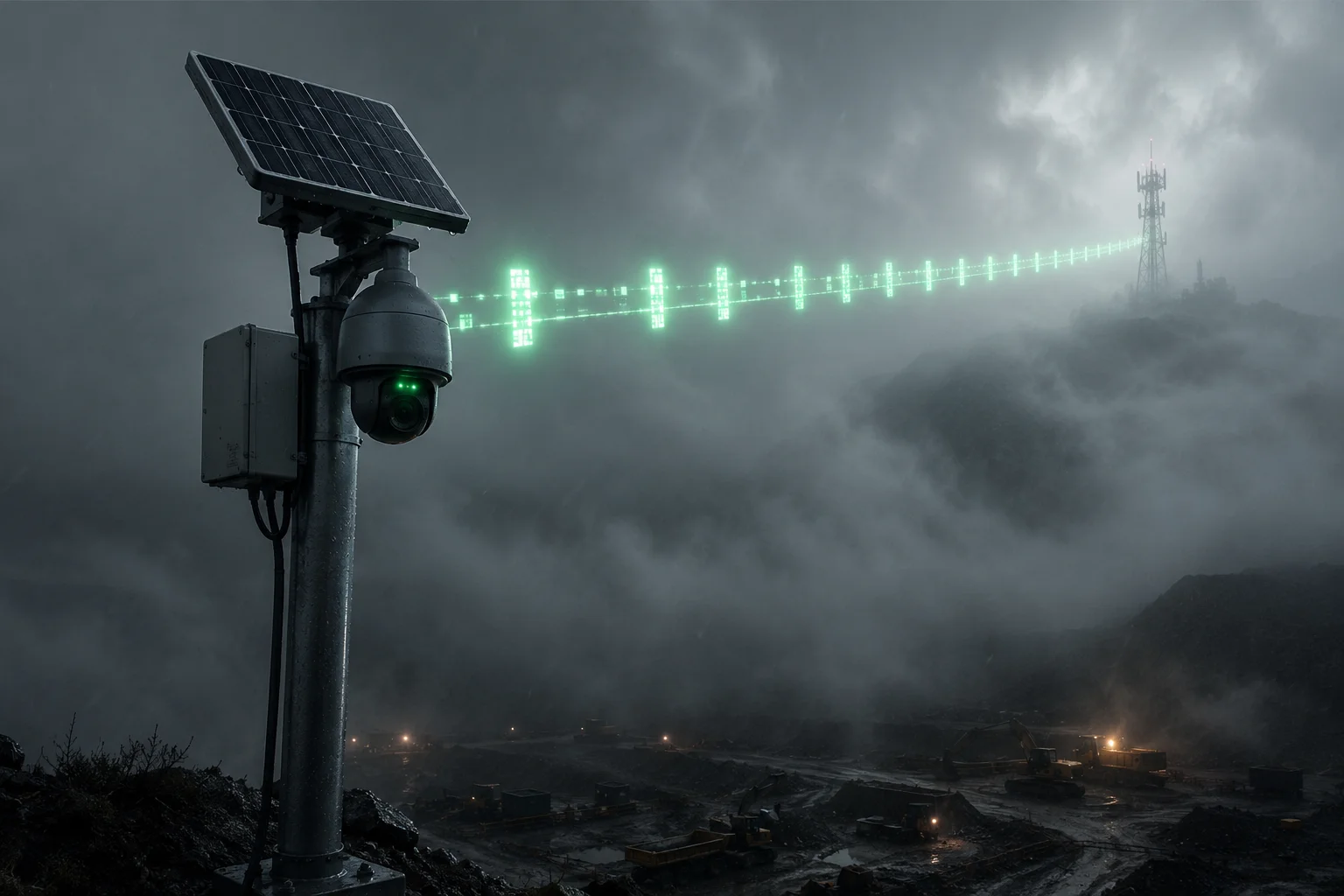
Yes, the camera’s 4G modem will automatically switch to QPSK during severe weather. This switch is driven by the AMC algorithm, which monitors real-time channel quality indicators. QPSK uses simpler signal encoding that is far more resistant to rain fade and multipath interference, keeping the connection alive when higher-order modulations would fail.
Understanding Modulation: Why QPSK Is Tougher
Let me explain this simply. Modulation is how the radio signal carries data. Think of it like handwriting.
- 64QAM is like writing in tiny, precise letters. You can fit a lot of words on a page, but if someone bumps your arm (noise), the writing becomes unreadable.
- 16QAM is like writing in medium-sized letters. Less content per page, but easier to read even with some smudges.
- QPSK is like writing in big, bold block letters. You can’t fit much on a page, but even if the paper gets wet, you can still read every word.
During severe weather, the 4G channel is like a wet, shaking piece of paper. QPSK is the only handwriting that survives.
The Automatic Switching Process
The switch to QPSK is not something you configure manually. It happens through a feedback loop between the camera and the cell tower:
- The camera’s modem constantly measures the RSRP (Reference Signal Received Power) and RSRQ (Reference Signal Received Quality).
- These measurements are converted into a CQI value (0-15 scale).
- The CQI is reported to the base station.
- The base station’s scheduler uses the CQI to assign the appropriate MCS (Modulation and Coding Scheme) index.
- When CQI drops below a threshold (typically CQI 6 or lower), the MCS index maps to QPSK with heavy coding.
This entire loop runs every 1 millisecond in LTE. So the response to a sudden downpour is nearly instant.
What This Means for Video Performance
Here is the honest truth. QPSK keeps you connected, but it costs you bandwidth. A link that was delivering 15 Mbps on 64QAM might only deliver 2-4 Mbps on QPSK.
So the question becomes: can you still get useful video at 2-4 Mbps?
The answer is yes — if the camera’s firmware is smart about it. Our H.265 encoder7 at Loyalty-Secu can deliver clear, usable 1080p video at 2 Mbps. At 4 Mbps, we can maintain a reduced-bitrate 4K stream that still captures license plates and faces.
What Happens at Each Modulation Level
| Weather Condition | Typical CQI | Modulation Selected | Available Bandwidth | Video Output |
|---|---|---|---|---|
| Clear sky | 12-15 | 64QAM | 15-50 Mbps | Full 4K, max detail |
| Light rain / mist | 8-12 | 16QAM | 8-15 Mbps | 4K with slight compression |
| Heavy rain | 4-8 | QPSK | 2-6 Mbps | 1080p or adaptive 4K |
| Severe storm / dense fog | 1-4 | QPSK + max FEC | 0.5-2 Mbps | 720p, alerts still active |
The Real-World Difference: Cheap vs. Engineered
I have tested cheap 4G cameras from no-name brands. Many of them have poorly tuned modems that do not handle the QPSK transition well. They either switch too late (after the link has already dropped), or they switch but the video encoder does not adapt, so it keeps trying to push 8 Mbps through a 2 Mbps pipe. The result is packet loss, buffering, and a frozen screen.
Our approach is different. The modem, the encoder, and the firmware all talk to each other. When the modem drops to QPSK, the encoder knows within milliseconds. It adjusts the bitrate, the frame rate, and the compression level together. The video quality steps down smoothly. The connection stays alive. And the moment the storm passes, everything steps back up automatically.
This is what “engineered for off-grid” actually means. It is not just about having a solar panel and a SIM card slot. It is about every layer of the system working together when conditions get bad.
Can the AI Compensate for “Rain Noise” to Prevent False 4G Alert Triggers?
I once had a client in Southeast Asia who told me his camera was sending him 200+ motion alerts per hour during monsoon season. Every raindrop was triggering the alarm. The system was useless.
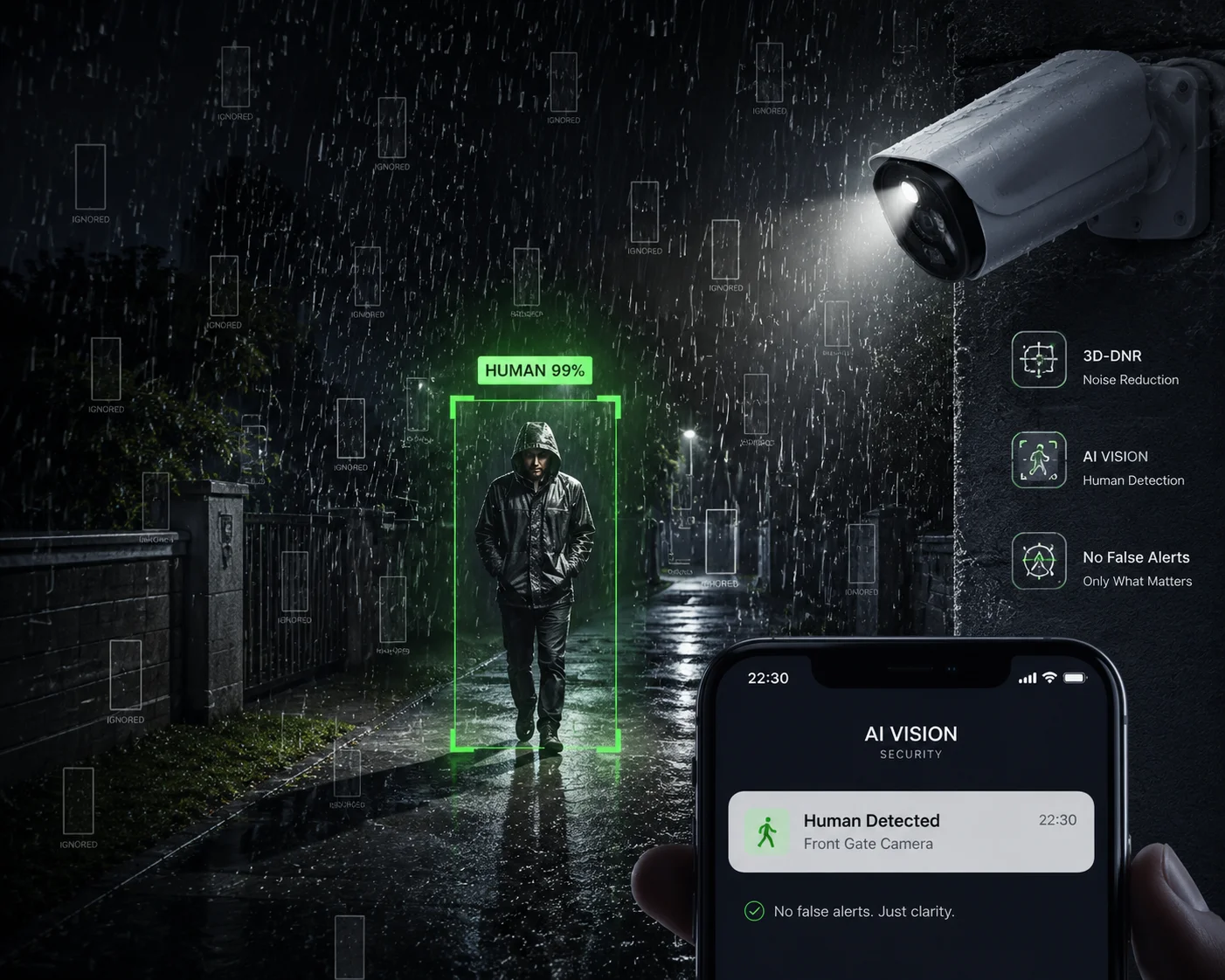
Yes, AI algorithms can filter out rain noise to prevent false alerts. The system uses a combination of 2D/3D temporal noise reduction (DNR) at the image level and AI-based object classification at the analytics level. Rain and fog are identified as non-threat patterns and excluded from triggering alerts, so only real human or vehicle motion generates notifications.
The Problem: Why Rain Causes False Alerts
Traditional motion detection works by comparing consecutive video frames. If enough pixels change between frames, the system says “motion detected” and sends an alert.
Rain creates thousands of tiny pixel changes across the entire frame. Every raindrop that falls through the camera’s field of view is a moving object. Fog causes shifting patterns of light and shadow. To a basic motion detection algorithm, a heavy rainstorm looks like a crowd of people running through the scene.
This is not just annoying. It is dangerous. When a system sends 200 false alerts per hour, the operator stops paying attention. They start ignoring all alerts. And when a real intruder shows up, the alert gets buried in the noise. Security professionals call this “Alert fatigue6,” and it is one of the biggest problems in remote surveillance.
Layer 1: Image-Level Noise Reduction (DNR)
The first defense happens before the AI even sees the image. The camera’s ISP (Image Signal Processor) applies 3D-DNR (3D Digital Noise Reduction)3.
Here is how 3D-DNR works:
- 2D-DNR compares pixels within a single frame. It smooths out random noise but can blur moving objects.
- 3D-DNR adds a time dimension. It compares the same pixel across multiple consecutive frames. If a pixel flickers randomly (like a raindrop passing by), the algorithm identifies it as noise and suppresses it. If a pixel changes consistently in a pattern (like a person walking), it keeps it.
The result is a cleaner image fed to the AI engine. Most of the rain “noise” is already removed before analysis begins.
Layer 2: AI Object Classification
Even after DNR, some rain artifacts survive. This is where the AI model takes over.
Our cameras use a deep-learning-based classifier trained on hundreds of thousands of images. The model has learned to distinguish between:
- Human shapes — upright posture, limb movement, consistent size.
- Vehicles — rectangular shapes, headlights, predictable motion paths.
- Rain/fog/insects — random, small, inconsistent, no recognizable shape.
When the AI detects motion, it does not just say “something moved.” It asks: “What moved?” If the answer is “rain” or “fog” or “spider web,” it suppresses the alert. If the answer is “person” or “car,” it sends the alert.
Layer 3: Optical Defog for Better AI Accuracy
There is a deeper problem with fog. It does not just cause false alerts — it also hides real threats. A person walking through dense fog might be invisible to a standard camera. The AI cannot classify what it cannot see.
This is where Defog algorithms4 come in:
- Dark Channel Prior5: This algorithm estimates the thickness of fog at every point in the image. It then mathematically removes the fog effect, restoring contrast and color. The AI now has a clearer image to analyze.
- Near-Infrared (NIR) Imaging: Our high-end PTZ cameras can switch to the 750nm-1100nm wavelength band. Fog scatters visible light (400-700nm) heavily, but near-infrared light passes through fog much more easily. By switching to NIR mode, the camera can literally see through fog that would blind a standard camera.
Why This Matters for 4G Bandwidth
Here is a detail most people overlook. False alerts do not just annoy the operator. They also consume 4G bandwidth.
Every alert typically triggers a video clip upload — usually 10-30 seconds of footage sent to the cloud or the client’s VMS. If the camera sends 200 false alerts per hour, that is potentially 200 video clips uploaded over 4G. On a metered data plan, this burns through gigabytes of data. On a solar-powered system, this drains the battery faster because the 4G modem stays active longer.
By filtering out rain noise at the source, the AI saves bandwidth, saves battery, and saves the operator’s sanity. The camera only uploads clips that matter. The 4G link is reserved for real security events. And the solar battery lasts through the night because it was not wasted on uploading videos of raindrops.
This is the kind of full-system thinking that separates a professional off-grid surveillance solution from a consumer gadget with a SIM card.
Conclusion
Heavy rain and fog attack every layer of a 4G surveillance system. But with AMC, HARQ, adaptive encoding, AI filtering, and optical defog working together, a well-engineered camera keeps its connection alive and its alerts accurate — even in the worst conditions.
1. HARQ combines damaged packets with retransmitted copies to improve decoding success in poor signal conditions. ↩︎ 2. FEC adds redundant data to packets so receivers can correct small errors without retransmission. ↩︎ 3. 3D-DNR uses spatial and temporal filtering to remove random noise like raindrops from video frames. ↩︎ 4. Defog algorithms restore contrast in foggy images, improving both visibility and AI detection accuracy. ↩︎ 5. Dark Channel Prior is an image dehazing technique that estimates fog density pixel-by-pixel. ↩︎ 6. Alert fatigue occurs when excessive false alarms cause operators to ignore or miss real threats. ↩︎ 7. H.265 (HEVC) is a video compression standard that reduces bitrate while maintaining quality, crucial for limited 4G bandwidth. ↩︎ 8. VBR encoding adjusts bitrate in real time based on scene complexity, helping match available 4G throughput. ↩︎