
I have seen too many installers buy a PTZ camera with a “built-in speaker,” only to find out it sounds like a broken walkie-talkie at 30 meters. That frustration is real.
A high-power horn speaker rated at 20–30W with sensitivity above 100 dB (1W/1m) can deliver clear, intelligible voice intercom at 100 feet (30 meters) in most outdoor environments. The sound pressure level at that distance stays around 75–80 dB, which is loud enough for commands and warnings. However, a small built-in speaker (1–3W) on a typical PTZ camera will not achieve this. You will hear “something,” but you will not understand the words.

If you are sourcing PTZ cameras from China and your end users need real two-way audio at 100 feet, this article breaks down the physics, the specs that matter, and the installation tricks that make or break voice clarity. Keep reading — I will cover every detail you need to write into your next spec sheet.
Table of Contents
What Is the Maximum Decibel (dB) Output of the Speaker for Public Address Warnings?
I get this question from almost every system integrator I work with. They want a number. And that number needs to be honest — not inflated.
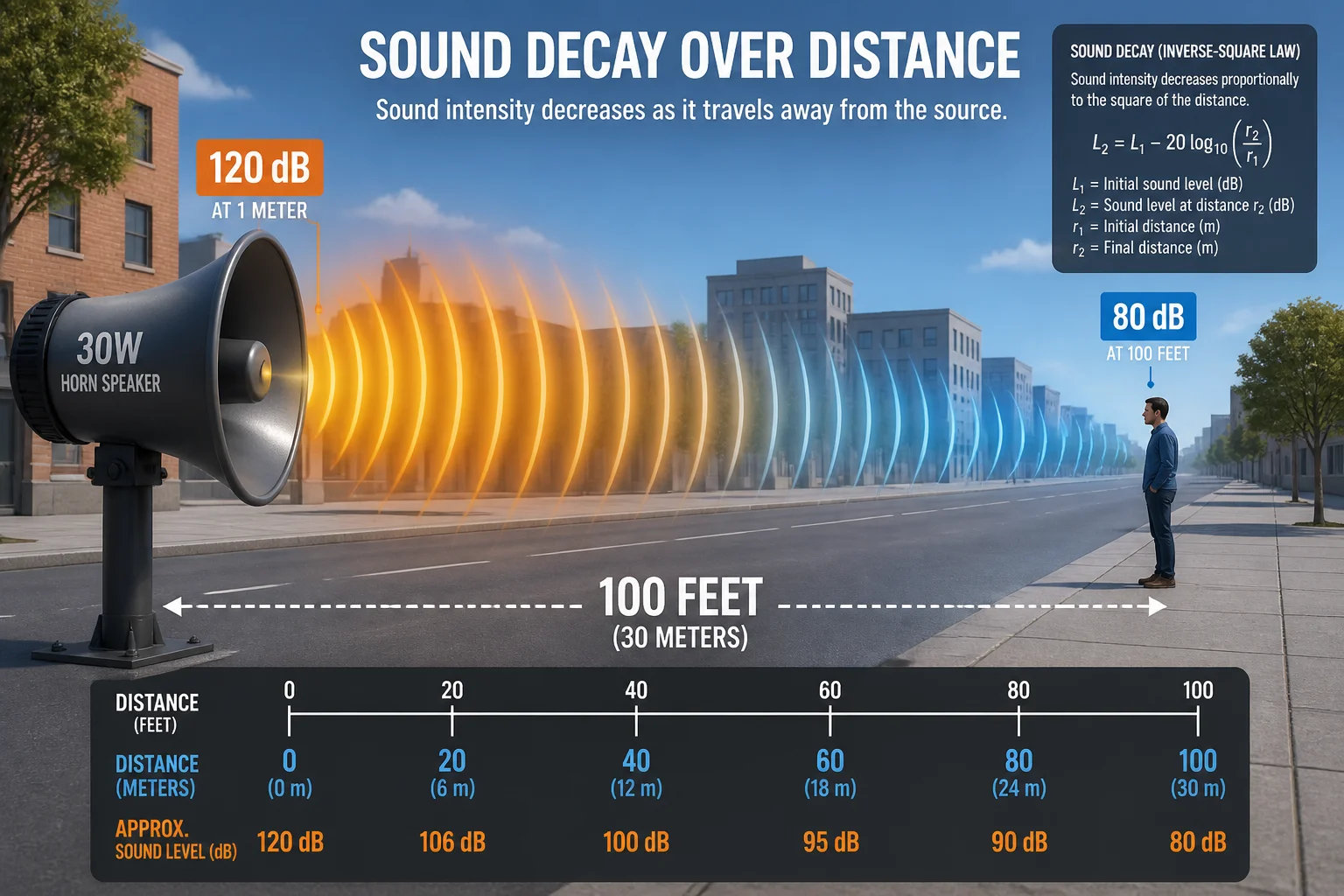
A professional outdoor horn speaker at 30W rated power can produce approximately 115–120 dB at 1 meter. After natural sound decay over 100 feet, the listener still receives about 75–80 dB. That level is comparable to a busy street, which is more than enough for clear public address warnings in standard outdoor environments.
How Sound Decays Over Distance
Sound follows the inverse square law. Every time you double the distance from the speaker, the sound pressure level drops by about 6 dB. This is basic physics. You cannot avoid it. You can only plan for it.
Let me show you the math with a real example. Say your horn speaker produces 120 dB at 1 meter.
| Distance from Speaker | Estimated SPL (dB) | What It Sounds Like |
|---|---|---|
| 1 meter | 120 dB | Extremely loud — like a rock concert |
| 2 meters | 114 dB | Still painfully loud |
| 4 meters | 108 dB | Very loud alarm |
| 8 meters | 102 dB | Loud factory floor |
| 15 meters (~50 ft) | 96 dB | Noisy traffic |
| 30 meters (~100 ft) | ~80 dB | Busy urban street |
At 80 dB, a person standing 100 feet away can clearly hear words and follow instructions. That is the goal.
Why “Sensitivity” Matters More Than “Wattage”
Many buyers only look at wattage. That is a mistake. A 30W speaker with 90 dB sensitivity at 1W/1m will be much quieter than a 30W speaker with 105 dB sensitivity at 1W/1m. Sensitivity tells you how well the speaker converts electrical power into sound. Higher sensitivity means more sound from the same power.
For outdoor PA and voice intercom at 100 feet, I always tell my clients: look for sensitivity of 100 dB or higher at 1W/1m. This is the baseline. Below that, you are fighting physics. Learn more about speaker sensitivity and efficiency ratings 1.
The Difference Between Peak dB and Continuous dB
Some suppliers list “peak” dB numbers. Peak numbers are misleading. They represent a brief burst — not sustained voice output. For public address warnings, you need the continuous (RMS) output to stay above 75 dB at 100 feet. Always ask your supplier for continuous rated power and SPL, not peak.
At Loyalty-Secu, when we spec a high-power speaker system for our PTZ cameras, we provide the continuous SPL at 1 meter. No tricks. No inflated numbers. Because if your speaker cannot hold that output for a 30-second warning message, the peak number means nothing.
Will the Audio Remain Intelligible at 30 Meters (100 Feet) in an Open Construction Site?
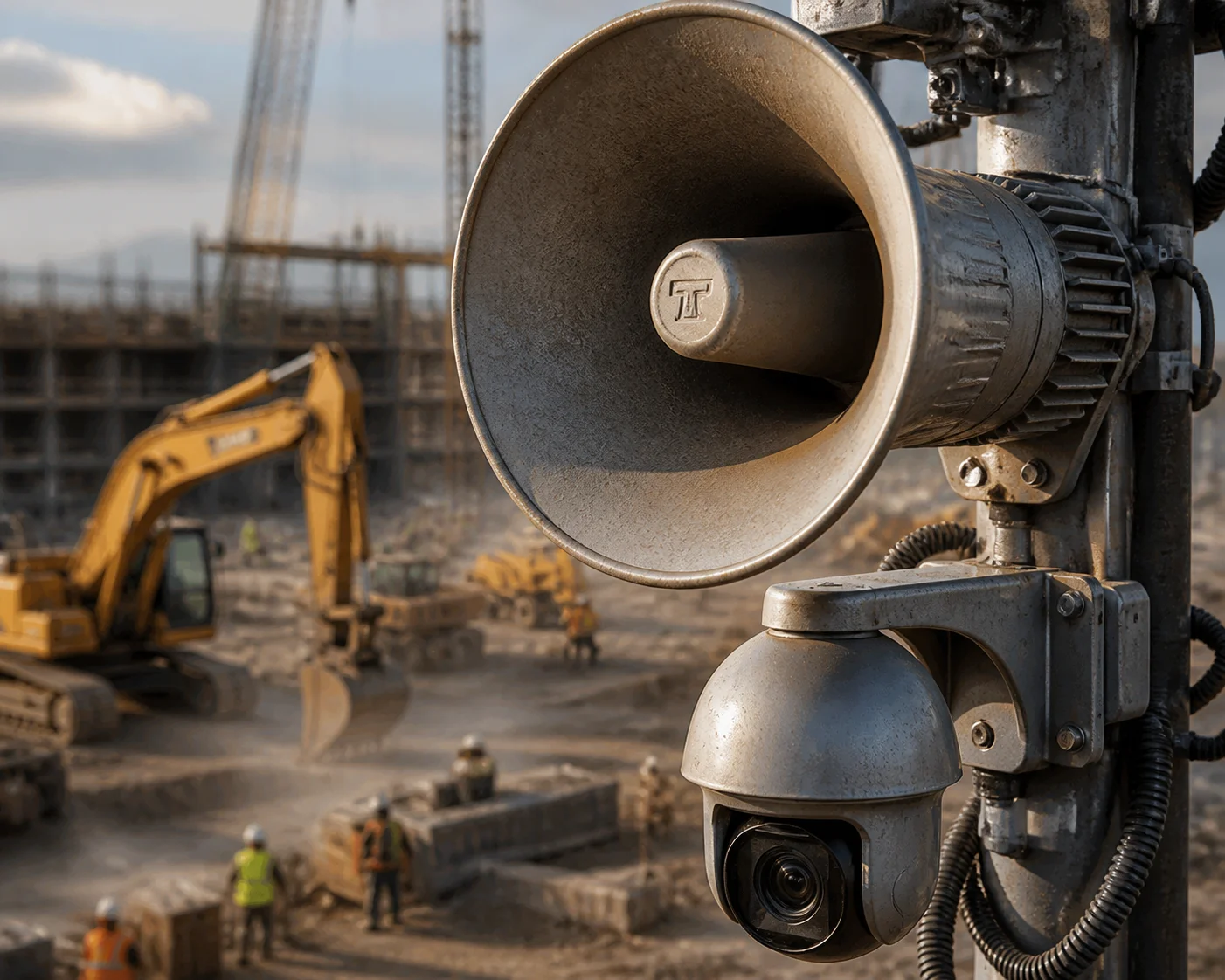
I have tested this myself at job sites. A construction site is one of the harshest audio environments you can find. Diesel engines, metal grinding, wind — everything works against you.
Yes, audio can remain intelligible at 30 meters on an open construction site, but only if you use a horn speaker rated at 20–30W or more, with frequency response optimized for the 300 Hz–3400 Hz human voice range. A small built-in PTZ speaker will fail in this environment. The background noise will swallow it.
Understanding Speech Intelligibility (STI)
Speech Transmission Index (STI) measurement 2 is the standard way to measure how well speech can be understood in a given environment. An STI score above 0.5 is considered “fair.” Above 0.6 is “good.” Above 0.75 is “excellent.”
Research shows that for good speech intelligibility, the signal-to-noise ratio (SNR) at the listener’s position should be at least +10 dB. This means the speaker output must be at least 10 dB louder than the background noise.
A typical open construction site has ambient noise levels around 70–85 dB. So your speaker needs to deliver at least 80–95 dB at 100 feet to maintain a positive SNR. A 30W horn speaker producing 80 dB at 30 meters sits right at the edge. In lower-noise periods, it works well. During heavy machinery operation, you may need to go higher — or wait for a break.
Frequency Response: The Hidden Factor
Here is something most spec sheets do not explain well. Human speech clarity depends heavily on the mid-range frequencies — roughly 300 Hz to 3400 Hz. This is the range where consonants live. Consonants are what make words different from each other. “Stop” and “Shop” sound almost the same if you lose the high-mid frequencies.
Industrial horn speakers are designed to boost this exact range. They sacrifice bass and treble quality on purpose. The result sounds “harsh” or “tinny” up close. But at 100 feet, this design choice makes words much easier to understand.
| Speaker Type | Frequency Focus | Sound Quality at 3 ft | Intelligibility at 100 ft |
|---|---|---|---|
| Small built-in PTZ speaker (1–3W) | Wide, flat (not optimized) | Acceptable | Very poor |
| General-purpose PA speaker (10W) | Moderate mid-range boost | Good | Fair |
| Industrial horn speaker (20–30W) | Strong 300–3400 Hz emphasis | Harsh / tinny | Good to excellent |
Total Harmonic Distortion (THD) at High Volume
When you push a speaker to maximum power, the sound wave can start to distort. This distortion creates extra noise that masks the original speech signal. For voice intercom, THD should stay below 5% at rated power. If it goes above that, words start to blur — especially at distance.
I always ask our audio engineers to test THD at full output before we ship. Because a speaker that sounds fine at 50% volume might turn into a mess at 100%. And in a real emergency on a construction site, you are running it at 100%. For more on understanding total harmonic distortion in speakers 3, see this technical guide.
Echo Cancellation and Noise Reduction
Two-way audio adds another challenge. The speaker output can loop back into the camera’s microphone. Without Acoustic Echo Cancellation (AEC) 4, the operator on the phone or VMS hears a terrible echo. Without noise reduction algorithms, wind and machine noise drown out the site worker’s voice.
High-end IP horn speakers and our PTZ systems include both AEC and noise reduction in the firmware. This is not optional for construction site use. It is a requirement.
Is the Speaker Housing Integrated Into the PTZ Body to Maintain an IP66 Waterproof Rating?
I have seen projects fail because the speaker was an afterthought. Someone zip-tied a cheap horn to the camera pole, and after the first rainstorm, it was dead.
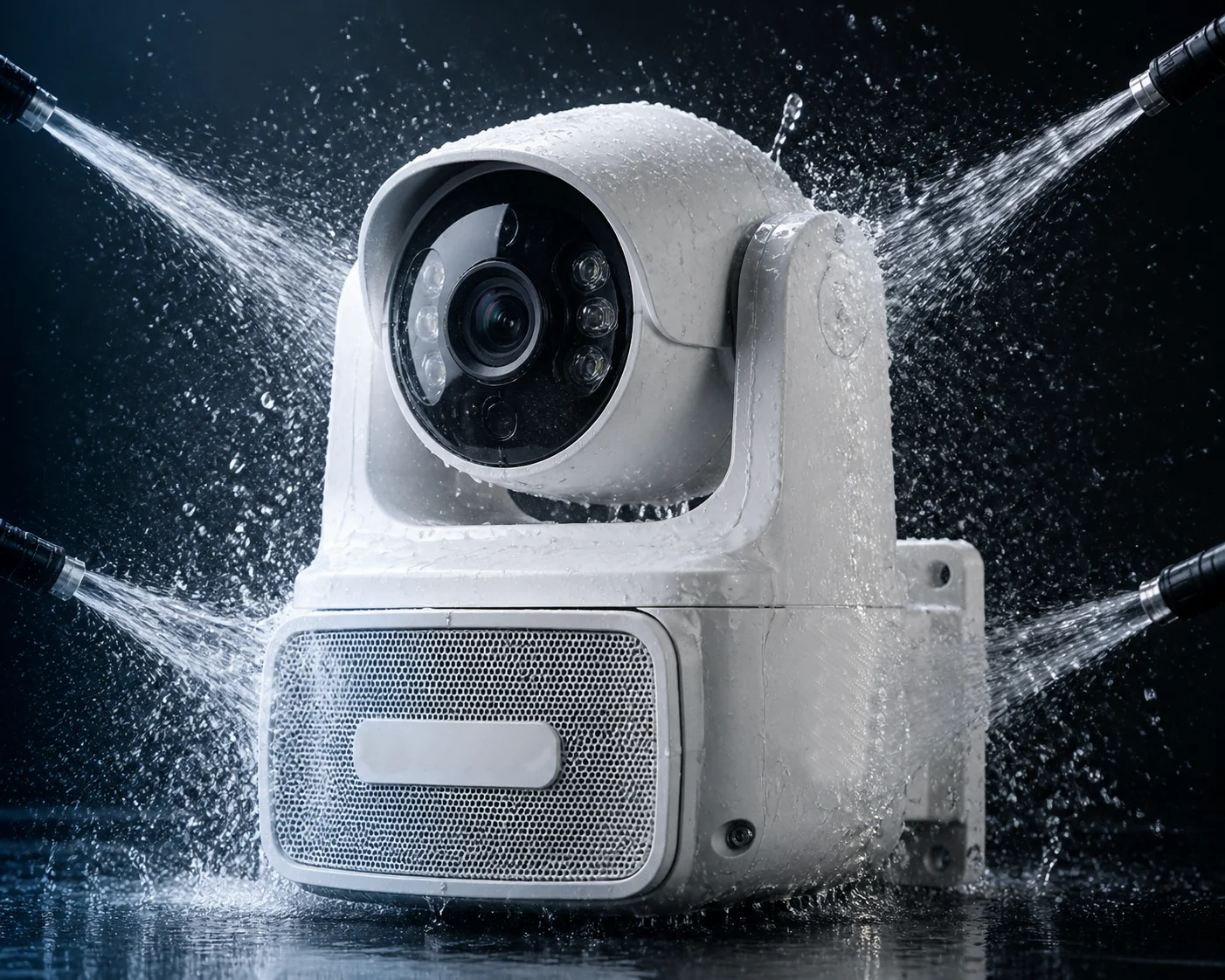
In most professional PTZ camera systems, the high-power speaker is either integrated into the PTZ housing with a shared IP66-rated enclosure, or it is a separate IP66-rated horn unit mounted alongside the camera. Both approaches can maintain waterproof protection, but an integrated design reduces installation time, cable runs, and potential failure points.
Integrated vs. External Speaker: Pros and Cons
There are two common approaches in the industry. Each has trade-offs.
An integrated speaker is built directly into the PTZ camera body. The manufacturer designs one sealed enclosure that covers both the camera and the speaker. This is cleaner. Fewer cables. Fewer mounting brackets. But the trade-off is that the speaker size is limited by the camera body. You cannot fit a 30W horn driver inside a compact dome.
An external horn speaker is a separate unit. It mounts on the same pole or bracket as the PTZ camera but has its own housing, its own IP rating, and its own power connection. This allows for much larger, more powerful speakers. But it adds complexity to installation.
What IP66 Actually Means for a Speaker
IP66 ingress protection rating explained 5 means the device is fully protected against dust (the first “6”) and protected against powerful water jets (the second “6”). For outdoor security deployments — construction sites, parking lots, border posts, farms — IP66 is the minimum standard.
For a speaker, IP66 protection must cover:
- The driver cone and diaphragm
- All cable entry points
- The mounting hardware and gaskets
- Any ventilation or pressure equalization ports
If even one gasket fails, moisture gets inside the horn. Moisture on a speaker cone causes corrosion. Corrosion causes distortion. Distortion kills intelligibility. Within a few months, your 30-meter intercom range drops to 10 meters — or zero.
What I Recommend to Integrators
At Loyalty-Secu, we offer both options. For projects where the primary goal is visual deterrence with basic audio warnings, our integrated PTZ models with built-in speakers work well. For projects that demand 100-foot clear voice intercom as a core function, I recommend our PTZ camera paired with a dedicated external 20–30W IP66 horn speaker. We provide matched brackets and pre-wired audio cables to simplify installation.
The key is: do not compromise on the IP rating of the speaker. A cheap, unrated speaker will cost you more in truck rolls and replacements than the price difference you saved upfront.
Can I Upload Custom Pre-Recorded Voice Alerts to the Camera’s Internal Storage?
I get asked this all the time. “Can I record a warning in Spanish and have the camera play it automatically when it detects a person?” Yes. But the details matter.
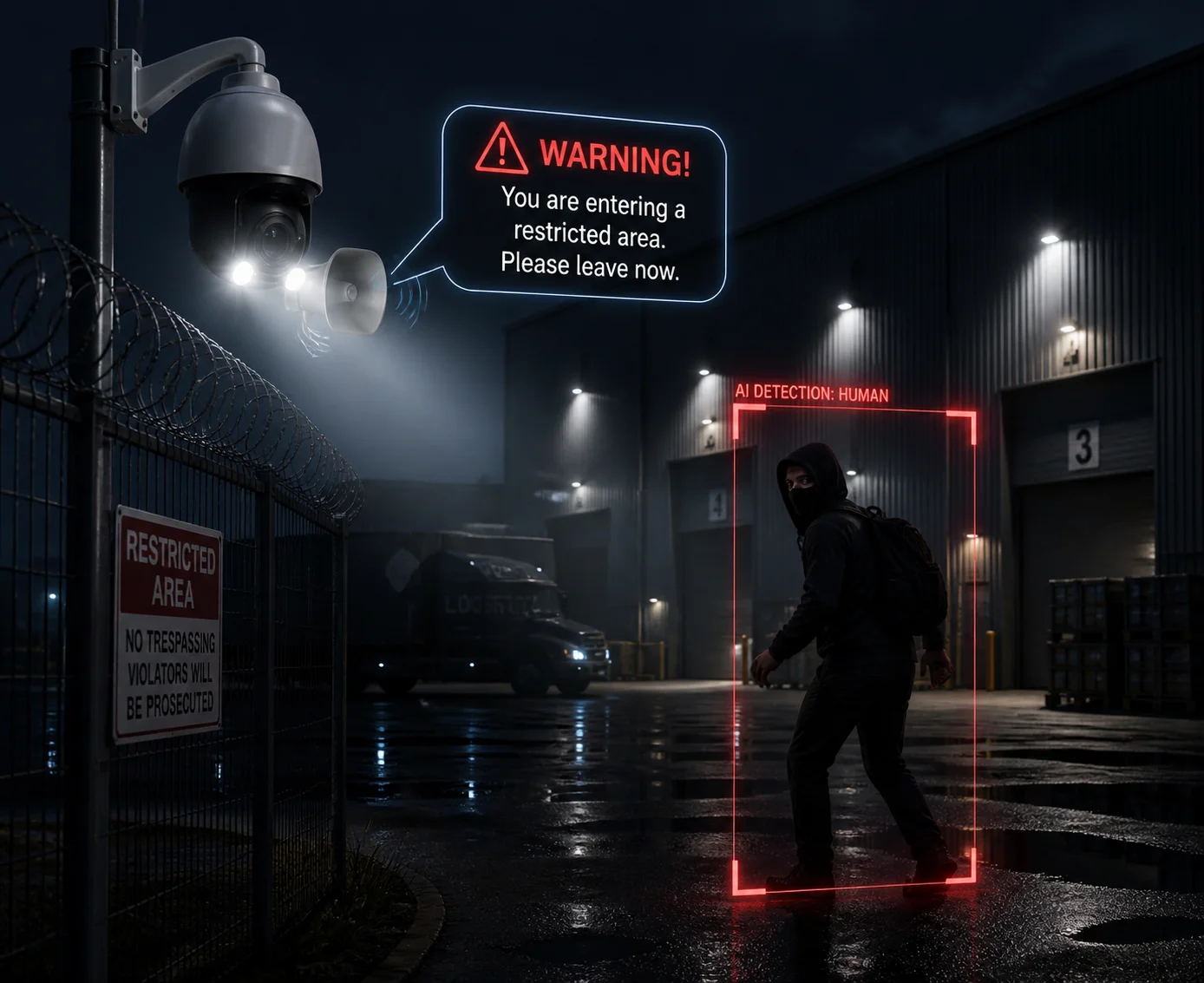
Most professional PTZ cameras with built-in or paired speakers support custom pre-recorded voice alerts. You can upload MP3 or WAV files to the camera’s onboard storage (typically 64–256 MB for audio files) and trigger them manually, on a schedule, or automatically via AI events like human or vehicle detection.
How Custom Audio Alerts Work in Practice
The workflow is straightforward. You record your message on a computer or phone. You export it as an MP3 or WAV file. You log into the camera’s web interface or use the manufacturer’s configuration tool. You upload the file to the camera’s local storage. Then you assign that audio file to a trigger — for example, “play message #3 when a person enters Zone B after 10 PM.”
This is how active deterrence works on modern PTZ systems. Instead of just flashing a light, the camera speaks. And a loud, clear voice saying “You are trespassing. Leave now. Police have been notified” is far more effective than a siren.
File Format, Length, and Storage Limits
Not all cameras handle audio files the same way. Here is what you need to check with your supplier before you commit.
| Parameter | Typical Low-End Camera | Typical Professional PTZ |
|---|---|---|
| Supported formats | MP3 only | MP3, WAV, PCM |
| Max file size per alert | 512 KB | 2–5 MB |
| Max number of stored alerts | 1–3 | 10–20+ |
| Trigger options | Manual only | Manual, schedule, AI event |
| Audio bitrate support | 64 kbps | Up to 256 kbps |
Higher bitrate means better audio quality. A 256 kbps WAV file will sound much clearer through a horn speaker than a 64 kbps compressed MP3. If your speaker is capable of producing clear sound at 100 feet, do not bottleneck it with a low-quality audio file. Learn about MP3 vs WAV audio quality differences 6.
Language and Multi-Site Considerations
For integrators serving diverse markets — like David Miller deploying systems across the U.S. Southwest — multilingual alerts are a big deal. You might need English, Spanish, and French versions of the same warning. A camera that only stores three files is not enough.
Our Loyalty-Secu PTZ systems support up to 20 custom audio files. You can assign different messages to different AI triggers. Human detected at night? Play the English warning. Vehicle detected in a restricted zone during the day? Play a different message. This flexibility turns a camera into a fully automated guard post.
Integration With VMS and Remote Platforms
The real power of custom alerts comes when you connect the camera to a Video Management System like Milestone, Blue Iris, or a cloud-based platform. Through ONVIF audio trigger specifications 7 or the camera’s API, the VMS can trigger specific audio files based on complex rules — combining time, zone, object type, and even alarm priority.
I always tell buyers: ask your supplier if the audio trigger function is accessible via ONVIF or HTTP API. If it is locked behind a proprietary app with no integration path, it will not work in a professional SI workflow.
Conclusion
At 100 feet, voice intercom clarity depends on the right speaker, not the right camera. Use a 20–30W horn speaker, install it correctly, and the words will carry. For more guidance, read this outdoor voice intercom system design guide 8 and this guide to selecting outdoor horn speakers for security 9. If you need help choosing the right model or want sample recordings from our factory tests, reach out to me at han.nie@loyalty-secu.com. Also review active deterrence best practices with voice alerts 10 before your next deployment.
1. Audioholics guide to speaker sensitivity and efficiency ratings. ↩︎ 2. Rion STI measurement standard for speech intelligibility. ↩︎ 3. Technical guide to understanding total harmonic distortion (THD) in speakers. ↩︎ 4. How Acoustic Echo Cancellation (AEC) works in two-way audio systems. ↩︎ 5. IP rating chart explaining ingress protection levels. ↩︎ 6. Technical comparison of MP3 vs WAV audio quality. ↩︎ 7. ONVIF audio profile for IP camera audio integration. ↩︎ 8. SecurityInfoWatch guide to outdoor voice intercom design. ↩︎ 9. Guide to selecting outdoor horn speakers for security systems. ↩︎ 10. Active deterrence best practices with voice alerts in surveillance. ↩︎