
I’ve seen what happens when a firmware update goes wrong on a remote solar camera. The device bricks. The client sends a truck. The cost kills the profit margin.
AI firmware updates on 4G solar cameras are protected through a multi-layer “Chain of Trust” system. This includes hardware-level Secure Boot, digital code signing with SHA-256 hash checks, encrypted TLS 1.3 transport, and A/B partition rollback. Each layer stops a different type of attack, from physical tampering to man-in-the-middle interception.
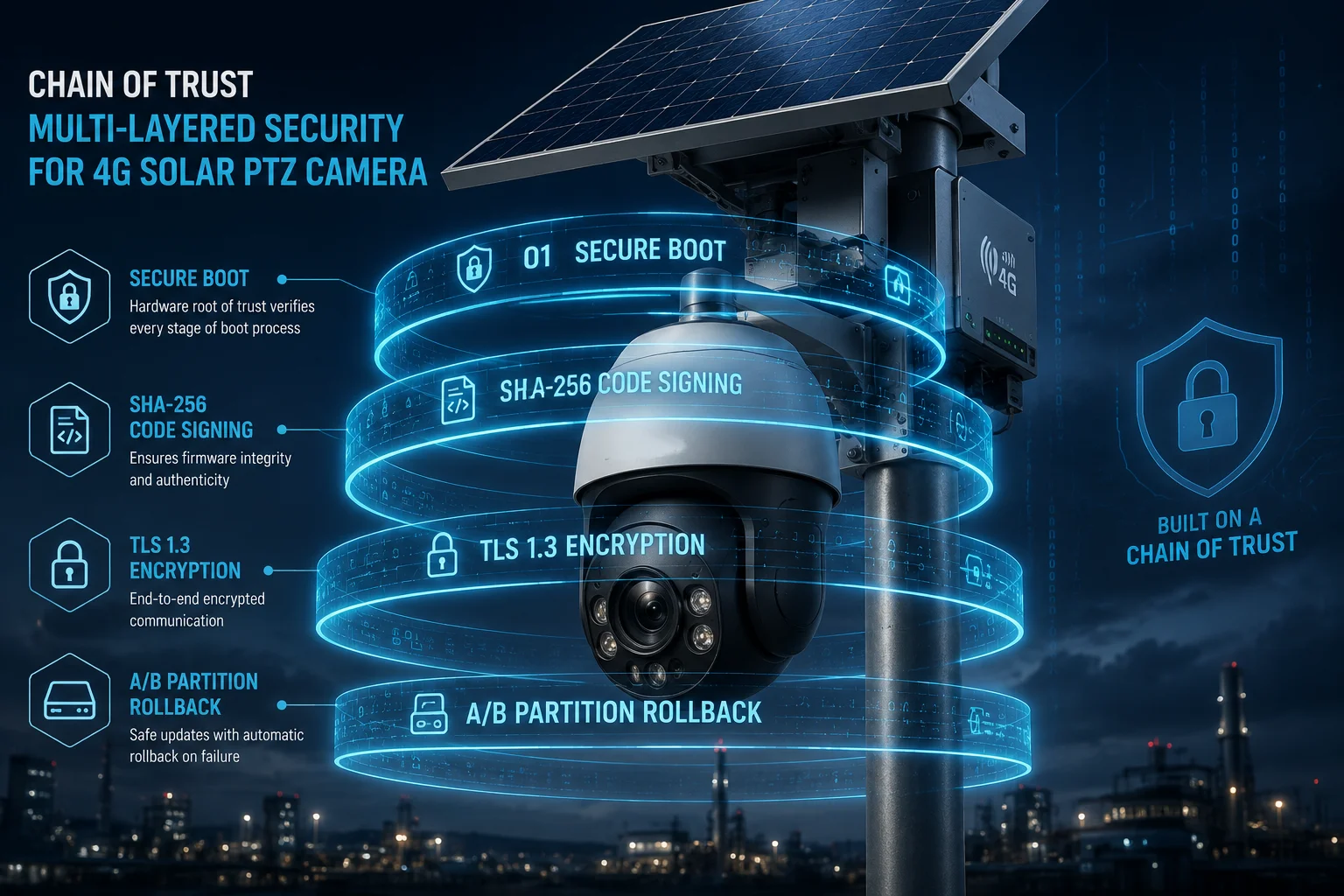
If you manage remote surveillance deployments and worry about malicious code reaching your cameras over 4G, this breakdown covers exactly how each protection layer works and what you should demand from your supplier.
Table of Contents
Does the Camera Use “Secure Boot” to Verify the Digital Signature of Each AI Update?
I once had a client ask me: “What stops someone from flashing a rogue firmware onto my cameras at the job site?” The answer starts at the chip level, before any software even runs.
Yes. Secure Boot1 uses a public key burned into the chip’s read-only memory (ROM) at the factory. Every time the camera powers on or receives an AI update, the hardware checks the firmware’s digital signature against this key. If the signature does not match, the chip refuses to run the code.
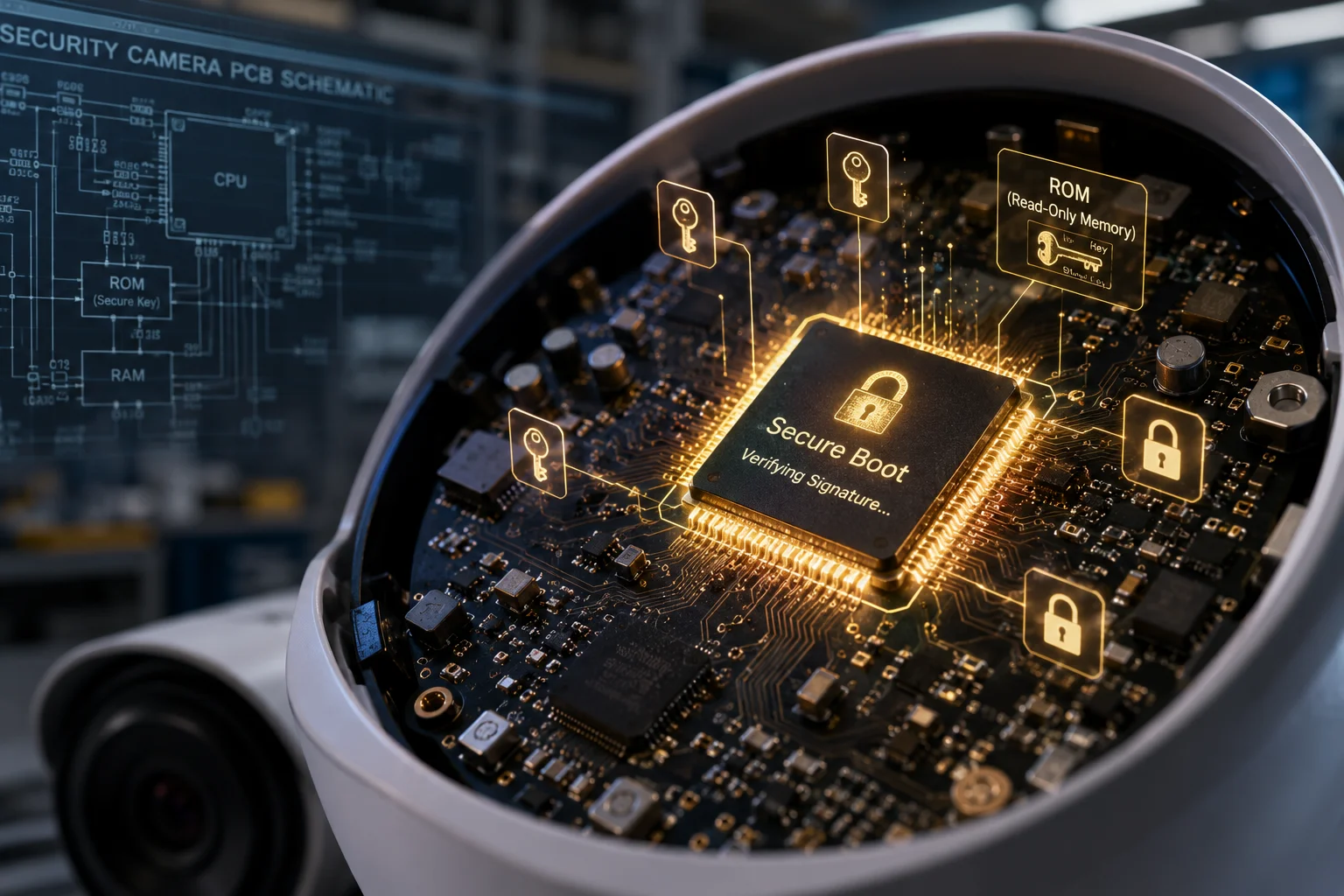
How Secure Boot Works Step by Step
The process is simple in concept but very hard to break. Here is what happens inside the chip every time your camera starts up or loads a new AI model:
- The processor reads the public key from its one-time-programmable (OTP) memory2. This key was written during manufacturing. Nobody can change it after that.
- The bootloader checks the first-stage firmware signature using this key.
- If the signature is valid, the bootloader hands control to the firmware.
- The firmware then checks the AI model file’s signature before loading it into memory.
- If any check fails at any stage, the boot process stops completely.
Why This Matters for Remote 4G Deployments
When your cameras sit on a construction site or a farm 50 miles from the nearest technician, physical access is a real risk. Someone could open the housing and try to flash modified firmware through a JTAG3 debug port or a serial connection.
Secure Boot blocks this attack because the chip itself acts as the gatekeeper. Even if an attacker writes new code to the flash memory directly, the chip will refuse to execute it. The signature will not match.
Hardware Trust Root vs. Software-Only Protection
Many cheap cameras rely only on software checks. The problem is clear: if an attacker controls the software, they can disable the check. Hardware-based trust is different because the verification logic lives in silicon, not in code that can be overwritten.
| Protection Type | Where It Lives | Can It Be Modified? | Attack Resistance |
|---|---|---|---|
| Hardware Secure Boot | Chip ROM (OTP) | No | Very high |
| Software-only check | Flash memory | Yes, if exploited | Low to medium |
| No verification | N/A | N/A | None |
The Role of TEE (Trusted Execution Environment)
Beyond Secure Boot, our cameras use a Trusted Execution Environment4. This is a walled-off area inside the processor where sensitive operations happen. The decryption keys for firmware packages live here. Even if someone runs a memory dump on the main processor, they cannot reach into the TEE to extract these keys. This is the same technology used in smartphone payment chips and banking hardware.
Will the Firmware Update Fail if It Detects a Mismatch in the Factory’s Encryption Key?
I get this question a lot from system integrators who run large fleets. They want to know: if something goes wrong during download, or if someone tampers with the file on the server, will the camera catch it?
Absolutely. The camera computes a SHA-2565 hash of the downloaded firmware and compares it to the signed hash from the factory. If even one bit is different, the update is rejected immediately. The camera will not install the file, and it stays on its current working firmware.
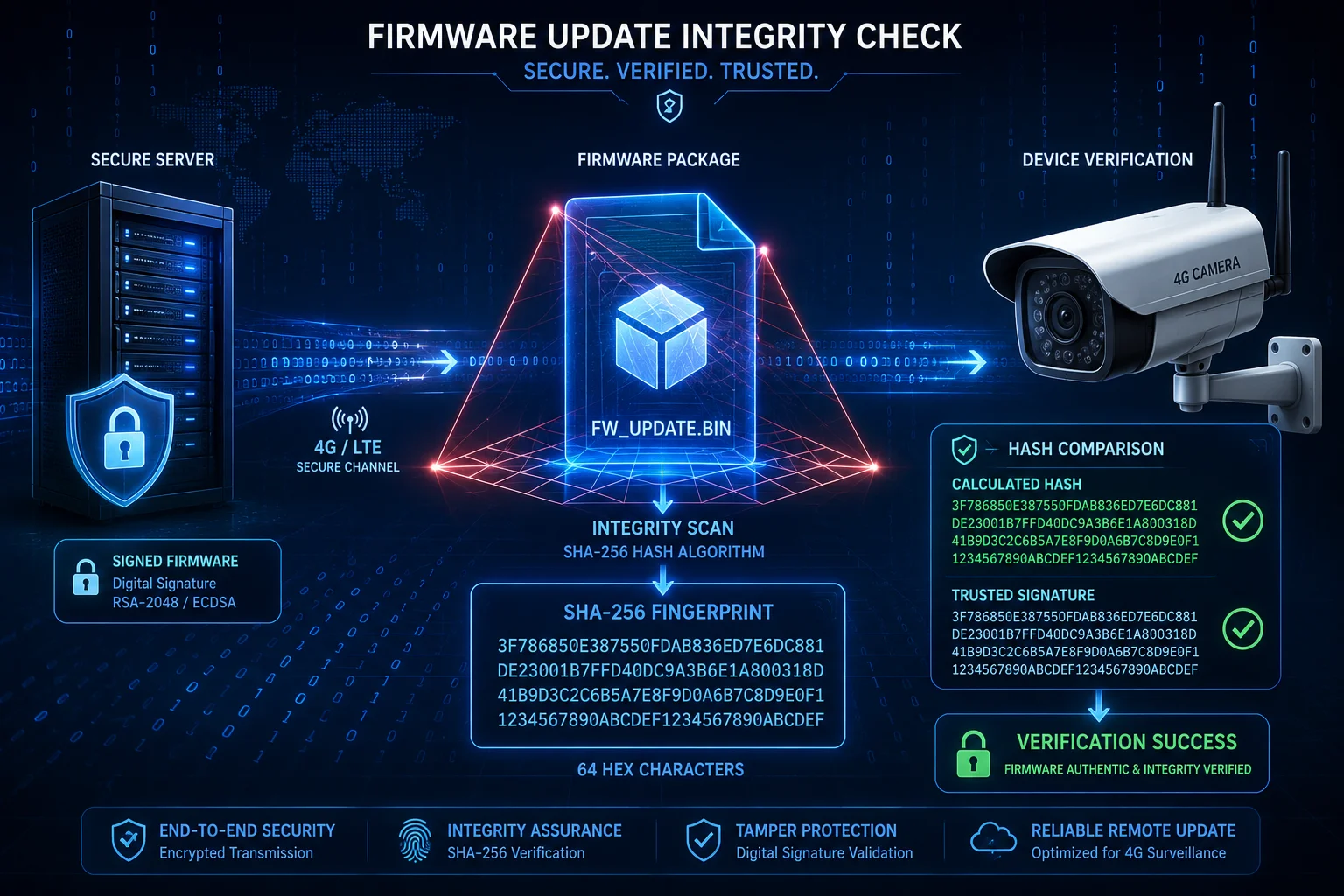
What Is a SHA-256 Hash Check?
Think of it as a fingerprint for the firmware file. SHA-256 takes the entire firmware package, no matter how large, and produces a fixed 64-character string. Change one byte in the file, and the output string changes completely. There is no way to predict what the new string will look like. This makes it impossible for an attacker to modify the firmware and then fake the hash to match.
The Full Verification Flow
Here is what happens when your camera receives an OTA update over 4G:
- The cloud server sends the firmware package plus its digital signature.
- The camera downloads the package to a temporary partition (not the active system).
- The camera calculates the SHA-256 hash of the downloaded file.
- It then uses the factory public key to decrypt the signature and extract the original hash.
- It compares the two hashes. If they match, installation proceeds. If not, the file is deleted.
What Triggers a Mismatch?
Several things can cause a hash mismatch:
- Corrupted download: 4G connections in remote areas can drop packets. If the file arrives incomplete, the hash will not match.
- Man-in-the-middle attack: If someone intercepts the 4G signal and injects modified data, the hash changes.
- Tampered server file: If a hacker compromises the update server and replaces the firmware file, the signature check fails because they do not have the factory’s private signing key.
A/B Partition: The Safety Net
Even after the hash check passes, the camera does not overwrite its running system. It writes the new firmware to a backup partition (B). After writing, it verifies the hash one more time. Only then does it switch the boot pointer to partition B. If anything goes wrong after the switch, the camera automatically rolls back to partition A on the next reboot.
| Scenario | Camera Behavior | Result |
|---|---|---|
| Hash matches, boot succeeds | Switch to new firmware | Update complete |
| Hash matches, boot fails | Auto-rollback to old partition | Camera stays online |
| Hash mismatch detected | Reject file, keep current firmware | No change, alert sent |
| Download interrupted | Discard partial file, retry later | No risk to system |
This dual-partition design means your camera never becomes a brick, even if the 4G connection drops mid-update or someone tries to push a bad file.
How Do You Prevent “Backdoor” AI Models From Being Injected Into My 4G Cameras?
This is the question that keeps CTOs up at night. A backdoor AI model could disable alerts, ignore certain objects, or even stream video to an unauthorized server. I take this threat seriously because our cameras run deep neural networks for person and vehicle detection.
We prevent backdoor AI models through three controls: every AI model file is code-signed with the same RSA/ECC key pair as the firmware, the model loader inside the TEE validates the signature before execution, and our build pipeline uses air-gapped signing servers that are never connected to the internet.
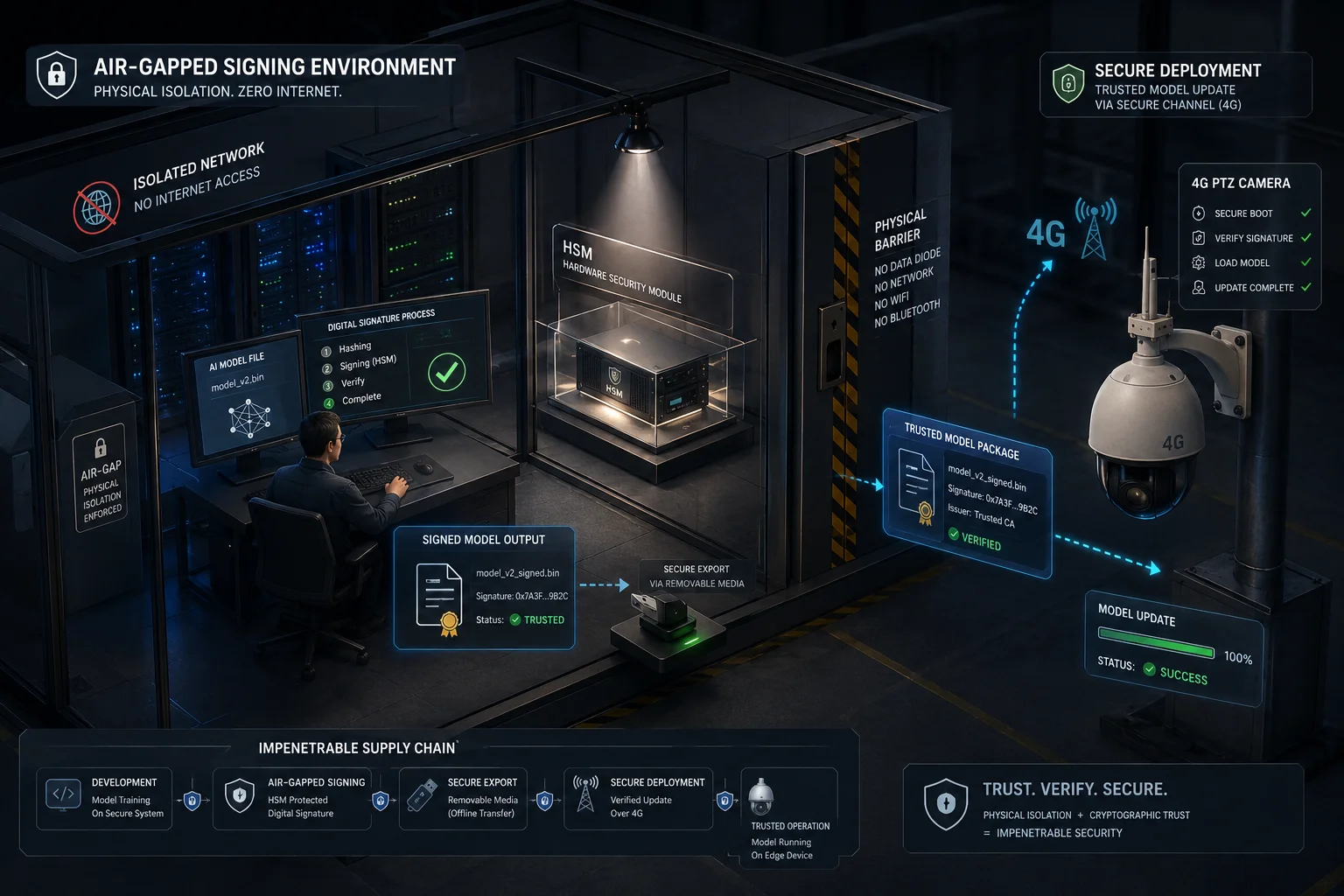
Why AI Models Are a Unique Attack Surface
Traditional firmware attacks replace the entire operating system. But modern AI cameras load neural network model files separately from the base firmware. This creates a second attack path. An attacker does not need to replace the whole system. They just need to swap the AI model file.
A poisoned AI model could:
- Ignore specific people or vehicles (letting intruders pass undetected).
- Generate false alarms to desensitize operators.
- Contain hidden code that opens a network backdoor.
- Exfiltrate video frames to an external server.
How We Lock Down the AI Model Pipeline
Air-Gapped Signing
Our signing keys live on hardware security modules (HSMs)6 in a physically isolated room. The signing server has no network connection. Engineers bring the compiled model on a verified USB device, sign it, and then transfer the signed package to the distribution server. This eliminates remote attacks on the signing infrastructure.
Our build pipeline uses air-gapped signing7 servers that are never connected to the internet.
Model File Structure
Each AI model package contains:
- The neural network weights (the actual AI brain).
- A manifest listing expected input/output dimensions and version info.
- A SHA-256 hash of the weights file.
- An RSA-2048 or ECC-P256 digital signature covering the entire package.
On-Device Verification
When the camera receives a new AI model (either bundled with a firmware update or pushed separately), the model loader inside the TEE performs the same signature check as Secure Boot. The model cannot execute outside the TEE’s control. If the signature fails, the camera keeps running the previous model and reports the failure to the cloud dashboard.
What About Supply Chain Attacks?
David, I know you worry about what happens between our factory and your warehouse. Here is what we do:
- Every device ships with a unique device certificate8 provisioned during manufacturing.
- The cloud server checks this certificate before pushing any update.
- Firmware and model packages are encrypted with a key derived from the device’s unique identity.
- Even if someone intercepts the package in transit, they cannot decrypt it for use on a different device.
Anti-Debug and Region Lock
For your LinkSecure brand specifically, we add two more layers:
- Anti-Debug: If the chip detects an unauthorized debug connection (JTAG or SWD), it wipes all stored keys instantly. The device becomes useless to the attacker.
- Region Lock: Firmware contains a region identifier. A package built for North America will not install on a device registered in another region. This stops cross-border firmware poisoning attacks.
Can I Perform a “Local Hash Check” to Verify the Integrity of a Downloaded Update?
I always tell my clients: trust, but verify. Even with all the automated protections, some engineers want to manually confirm that the firmware file they downloaded is genuine before they push it to a fleet of 200 cameras.
Yes. We publish the SHA-256 hash of every firmware release on our secure portal. You can download the firmware file, run a local SHA-256 calculation on your computer, and compare the result to the published hash. If they match, the file is untouched.
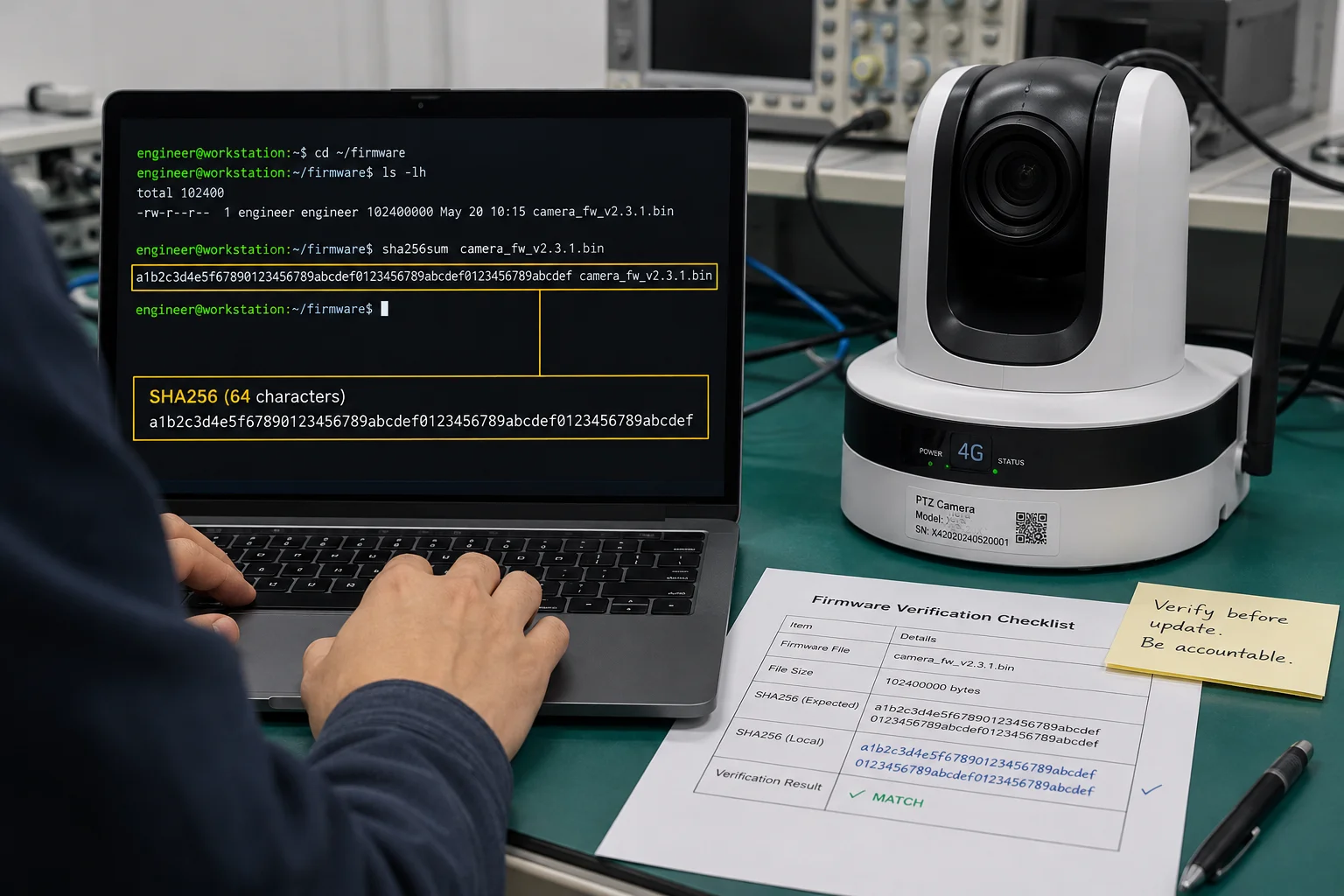
How to Perform a Local Hash Check
The process takes less than a minute on any operating system:
On Windows (PowerShell):
Get-FileHash -Algorithm SHA256 .\firmware_v3.2.1.binOn macOS/Linux (Terminal):
sha256sum firmware_v3.2.1.binThe output is a 64-character string. Compare it character by character with the hash listed on our download portal. If every character matches, the file is identical to what left our signing server.
When Should You Do a Local Hash Check?
Not every situation requires a manual check. Here is when it matters most:
- First deployment of a new firmware version across your fleet.
- After downloading from a third-party mirror or receiving the file via email.
- When your network security team flags unusual traffic during the download.
- Before manually flashing a device via USB or SD card (offline update).
What a Local Check Cannot Do
A local hash check confirms the file was not modified after signing. But it does not tell you whether the signing key itself was compromised. That level of assurance comes from the hardware Secure Boot on the device side. The two protections work together:
| Verification Layer | What It Confirms | Who Performs It |
|---|---|---|
| Local hash check | File integrity (no corruption or tampering) | You (the engineer) |
| Device signature check | File authenticity (signed by real factory key) | Camera hardware |
| Secure Boot chain | Entire boot sequence is trusted | Chip ROM |
Combining Local and Remote Verification
For large deployments, I recommend this workflow:
- Download the firmware from our portal.
- Run a local hash check on your staging computer.
- Upload the verified file to your private deployment server.
- Push the update to one test camera first.
- Confirm the camera accepts it and boots normally.
- Roll out to the full fleet in batches of 20-50 units.
This gives you both manual confidence and automated hardware verification. If anything is wrong with the file, you catch it before it touches your production cameras.
Offline Update Scenarios
For sites with no internet access, you may need to update cameras via SD card. In this case, the local hash check is your primary defense before insertion. The camera will still run its own Secure Boot verification when it reads the SD card, but checking the hash beforehand saves you a trip back to the site if the file turns out to be corrupted.
Conclusion
AI firmware security on 4G solar cameras depends on layered hardware and software protections working together. From Secure Boot at the chip level to local hash checks in your hands, each layer stops a different threat. Demand all of them from your supplier.
1. Secure Boot is a hardware-level security standard that ensures only signed firmware runs on a device, preventing unauthorized code execution. ↩︎ 2. OTP memory can be written only once during manufacturing, making it an immutable storage for root-of-trust keys. ↩︎ 3. JTAG is a hardware debugging interface; Secure Boot prevents attackers from using JTAG to flash malicious firmware. ↩︎ 4. A TEE is a secure area of the main processor that runs sensitive operations in isolation from the main OS. ↩︎ 5. SHA-256 is a cryptographic hash function that produces a unique fingerprint for data; it is used to verify firmware integrity. ↩︎ 6. An HSM is a dedicated hardware device that securely stores cryptographic keys and performs signing operations within a tamper-resistant boundary. ↩︎ 7. Air-gapped signing servers are physically disconnected from the internet to prevent remote compromise of signing keys. ↩︎ 8. A device certificate uniquely identifies each camera and is used to authenticate and encrypt firmware updates for that specific unit. ↩︎