
I have seen remote cameras go completely dark after a single cell tower hiccup. One lost signal means one lost site — and that keeps me up at night.
Yes, multi-mode cellular modules do support hardware-level fallback from 4G LTE to 3G or 2G networks. But whether this actually works at your site depends on two things: the modem’s firmware settings, and whether your local carrier still operates a 3G or 2G network. In regions where older networks have been shut down, fallback is physically impossible — no matter what the hardware supports.
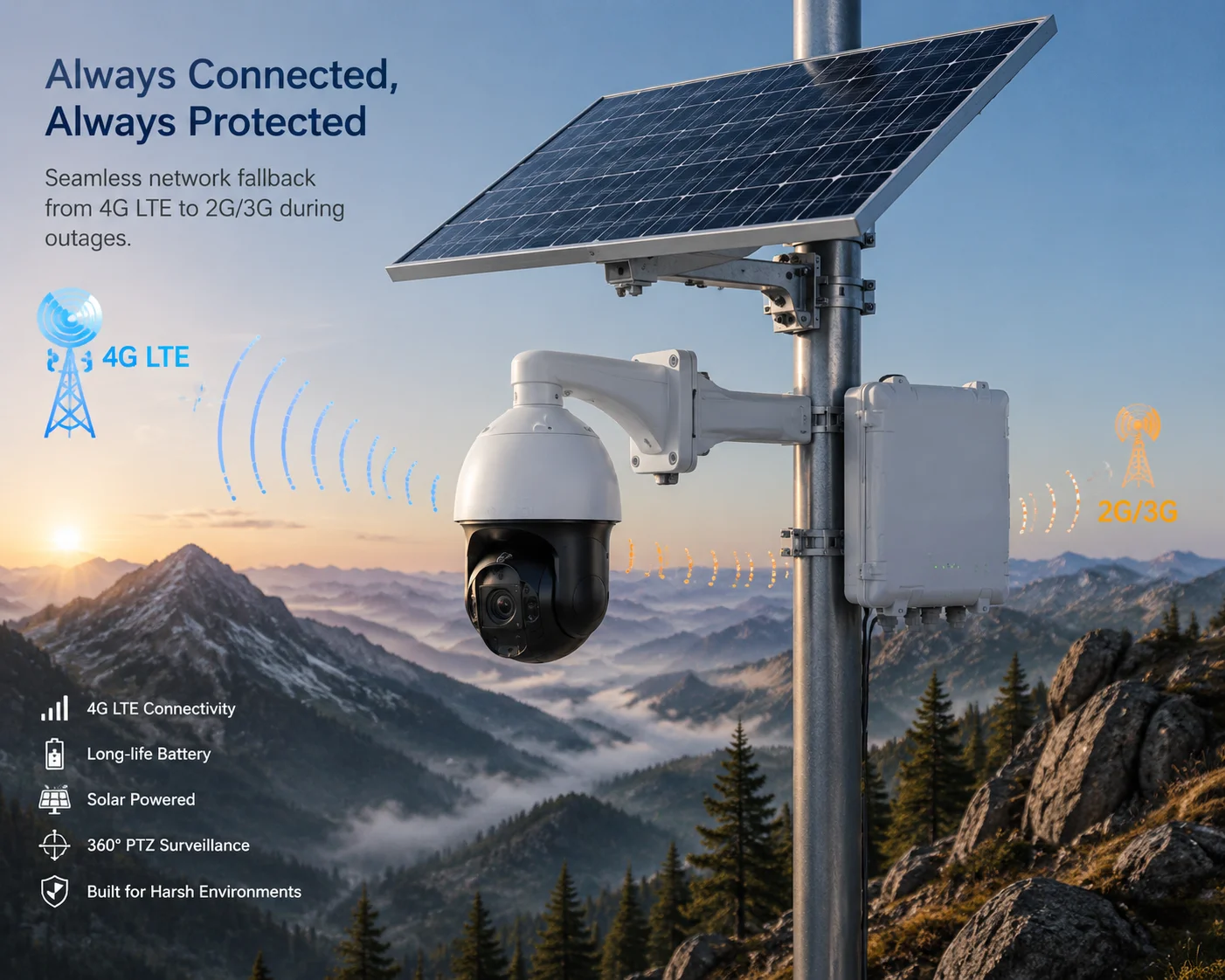
Below, I walk through the four questions I hear most often from system integrators and project managers. Each answer comes from real deployment experience, not a datasheet. If you are planning a solar PTZ project in a remote area, this matters more than you might think.
Table of Contents
Will the Camera Stay Reachable via SMS if the 4G LTE Network in My Area Fails?
I once had a client lose contact with 14 cameras across a pipeline corridor after a regional LTE outage. His first question: “Can I at least send an SMS to reboot them?”
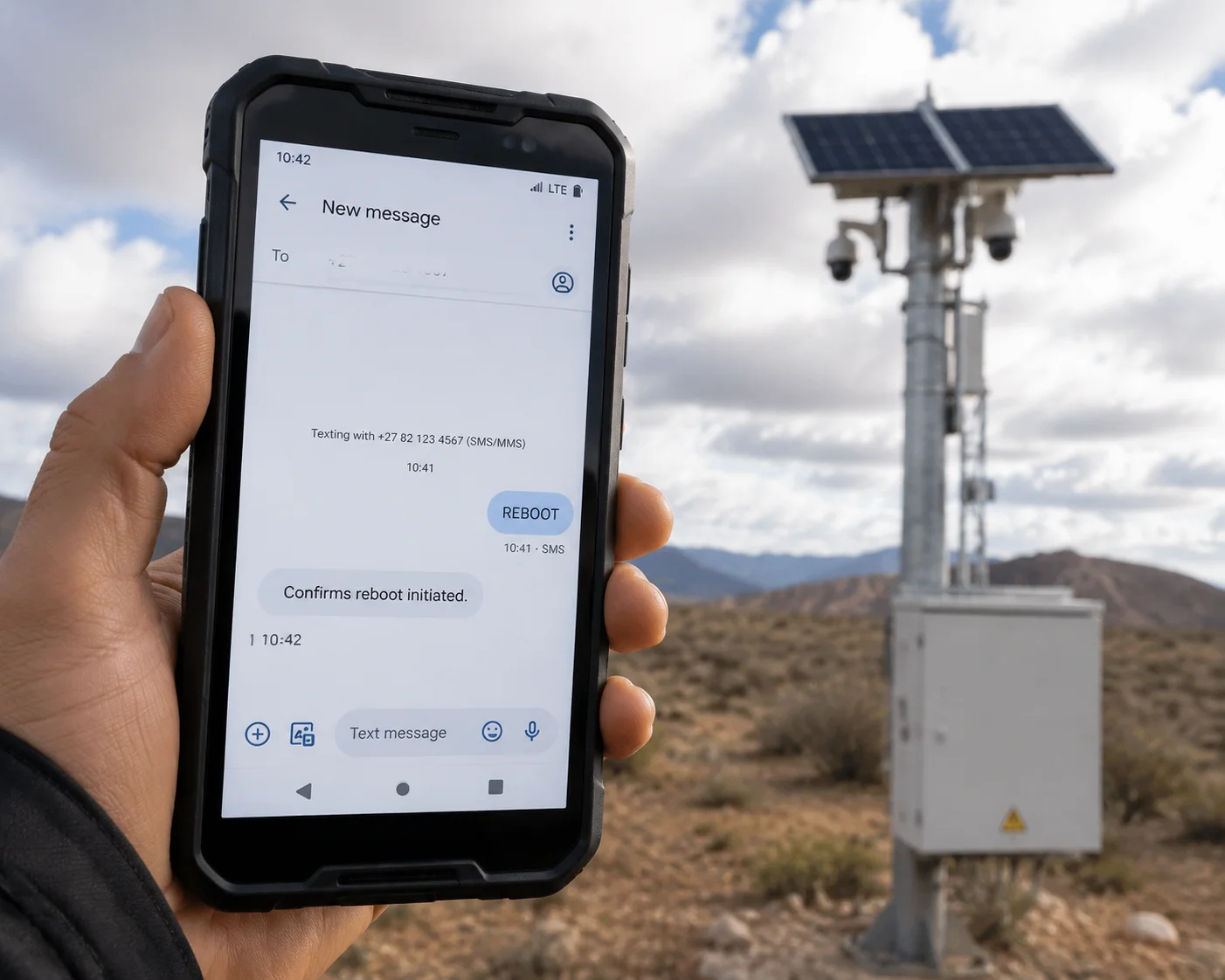
If your cellular module supports 2G GSM fallback13 and the local carrier still runs a 2G network, then yes — the camera system can receive SMS commands even when 4G LTE is completely down. The module registers on the GSM network and listens for incoming SMS messages, which can trigger reboots, status reports, or configuration changes.
How SMS Fallback Actually Works at the Modem Level
Most industrial cellular modules used in solar surveillance systems — such as those from Quectel1 or Sierra Wireless2 — are multi-mode devices. They support LTE, WCDMA (3G), and GSM (2G) on a single chipset. When the primary LTE connection drops, the module follows a search hierarchy that is set in firmware. It scans other LTE bands first. If none are available, it steps down to 3G. If 3G is also gone, it tries 2G GSM.
SMS operates on the GSM signaling layer. This is separate from the data channel. So even on a very weak 2G signal — one that cannot carry video or even a stable TCP connection — the module can still receive and send short text messages. This is the most resilient form of remote communication available.
What You Can Do with SMS in an Outage
Here is what a typical SMS command set looks like for a solar PTZ system:
| SMS Command | Function | Response |
|---|---|---|
STATUS | Request battery voltage, signal strength, uptime | Returns a text summary |
REBOOT | Force a full system restart | Confirms reboot initiated |
SETAPN=xxx | Change the APN for the data connection | Confirms new APN saved |
These commands do not require a data connection. They work as long as the module is registered on any GSM network. I always tell clients: even if you never plan to use SMS in daily operations, make sure it is enabled in your firmware. It is your last line of defense.
The Catch: Carrier Sunset Schedules
This is where reality gets uncomfortable. In the United States, AT&T shut down its 3G network in February 2022. T-Mobile followed later that year. Verizon completed its 3G shutdown in December 2022. 2G GSM is also nearly gone in North America.
So if your project is in Texas or Alberta, SMS fallback over 2G is not a real option anymore. The base stations are turned off. The module will search for a 2G signal, find nothing, and drain battery in the process. For North American deployments, I recommend locking the module to LTE-only mode using AT commands. This saves power and avoids a pointless search.
But if your project is in Sub-Saharan Africa, Southeast Asia, or the Middle East, 2G is alive and well. In these regions, SMS fallback is a genuine lifeline for remote sites.
Can I Receive Low-Resolution “Snapshot” Alerts over a 3G/2G Fallback Connection?
I have had clients ask me this exact question during pre-sales calls. They want to know: if 4G drops, can they still get a picture when the PIR sensor5 triggers?
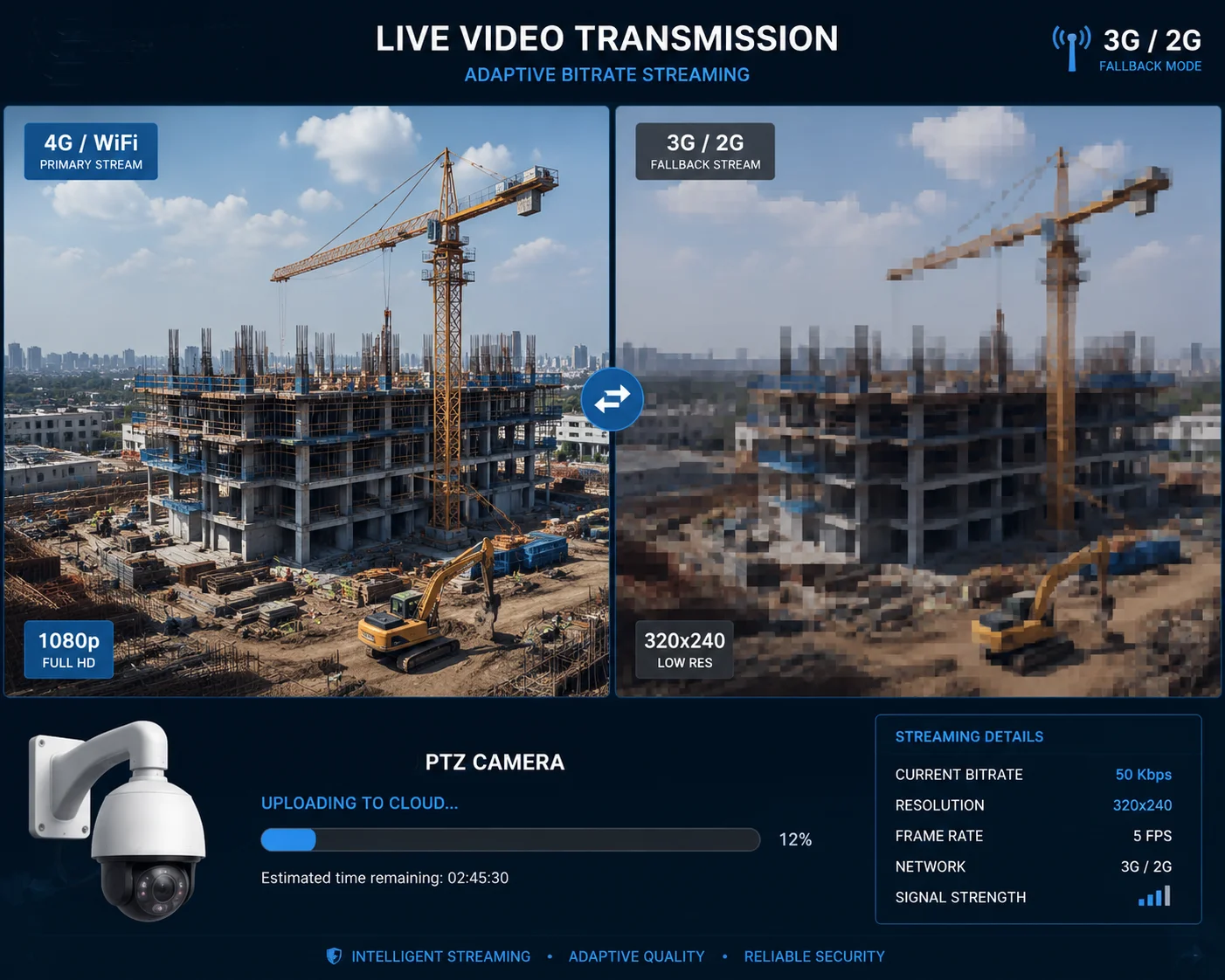
On a 3G connection, yes — the system can send a low-resolution JPEG snapshot (typically CIF or QCIF, around 320×240 pixels) along with an alarm event notification. On 2G GPRS6 or EDGE7, it is technically possible but very slow. A single snapshot may take 10 to 30 seconds to upload, and the connection may time out before it completes.
Understanding Bandwidth Limits on Older Networks
The gap between 4G LTE and legacy networks is enormous. When your module falls back to 3G or 2G, the available bandwidth drops by one or two orders of magnitude. Here is what that looks like in practice:
| Network Type | Typical Download Speed | Typical Upload Speed | Can Stream Live Video? |
|---|---|---|---|
| 4G LTE | 10–50 Mbps | 5–20 Mbps | Yes (1080p or higher) |
| 3G HSPA | 1–5 Mbps | 0.5–2 Mbps | Marginal (sub-stream only) |
| 2G EDGE | 100–200 Kbps | 50–100 Kbps | No |
| 2G GPRS | 30–80 Kbps | 20–40 Kbps | No |
On 3G HSPA8, you can push a sub-stream — maybe 640×480 at 5 frames per second. That is enough to see a person walking, but not enough to read a license plate at 200 meters. On 2G, forget video entirely. You are limited to MQTT heartbeat packets, JSON status messages, and maybe — if you are patient — a single low-resolution JPEG.
How the Firmware Should Handle This
A well-designed solar PTZ system does not try to push the same video stream regardless of the connection speed. It adapts. When the module drops to 3G, the firmware should automatically switch to the sub-stream profile. When it drops to 2G, it should stop video entirely and switch to a “heartbeat + event text” mode.
What I Recommend for Snapshot Alerts
If snapshot alerts on fallback are important to your project, I suggest configuring the system like this:
- Set PIR trigger to capture a single JPEG at CIF resolution (352×288).
- Compress the image to under 50 KB.
- Use MQTT4 to push the image as a base64-encoded payload.
- Set a 30-second upload timeout. If it fails, store the image on the SD card for later upload.
This approach works well on 3G and has a reasonable chance of success on 2G EDGE. It will not work reliably on 2G GPRS in weak signal conditions.
How Does the Modem Decide When to Switch Back from 3G to a Restored 4G LTE Signal?
I have watched modules get stuck on 3G for hours after 4G came back. That is wasted bandwidth and wasted opportunity. The switch-back logic matters just as much as the fallback logic.
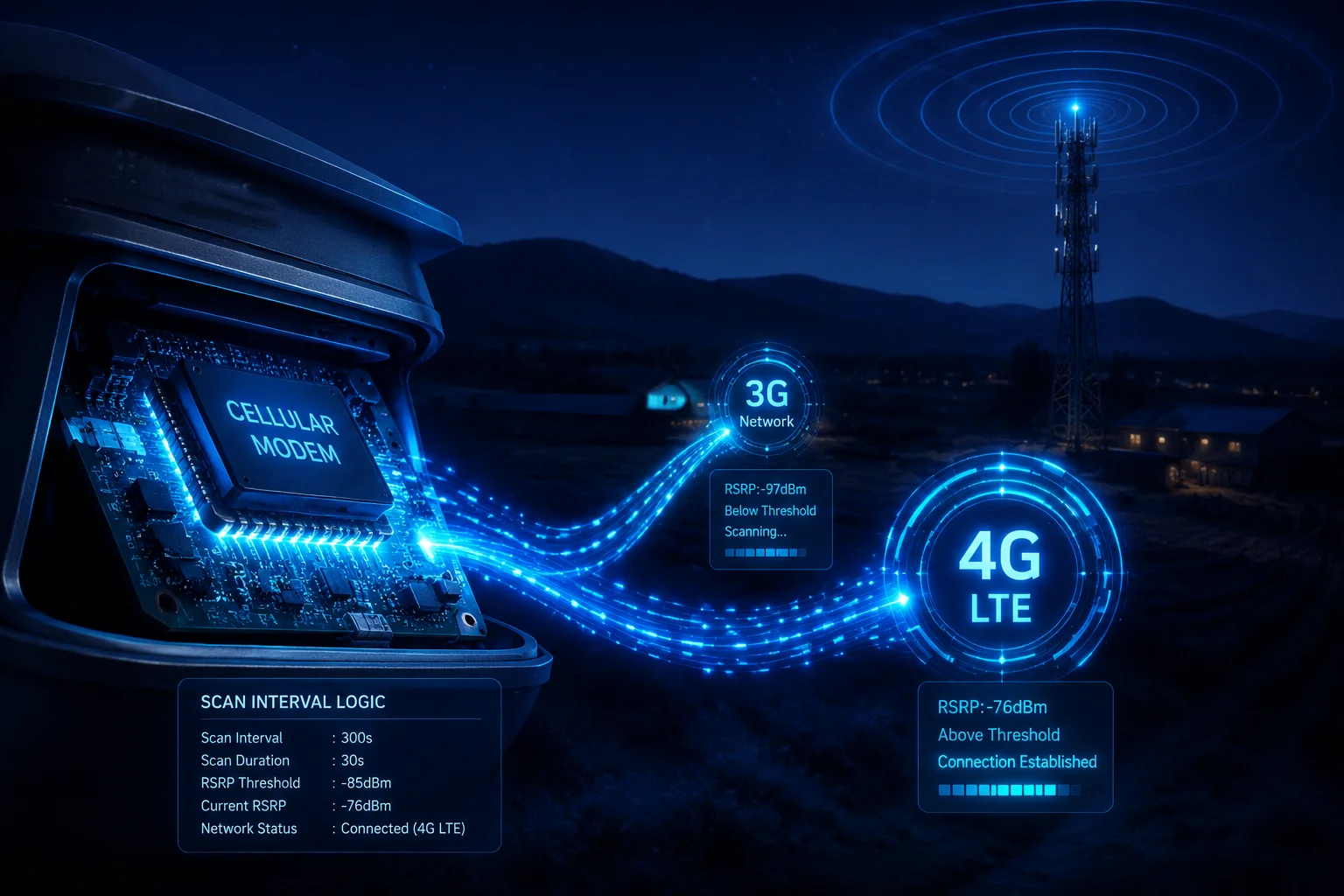
The modem performs periodic signal scans — typically every 30 to 120 seconds — while registered on a lower-priority network. When it detects that a 4G LTE signal has returned with sufficient strength (usually above -110 dBm RSRP3), it initiates a re-registration on the LTE network. This process takes 5 to 15 seconds and briefly interrupts the data connection.
The Ping-Pong Problem
This is where things get tricky for solar-powered systems. If the 4G signal is unstable — flickering between -105 dBm and -115 dBm — the module may jump back and forth between 4G and 3G repeatedly. Each switch triggers a full re-registration sequence. Each re-registration consumes extra power because the modem transmits at maximum power during the handshake.
I call this the “ping-pong effect,” and it is one of the biggest silent killers of battery life in off-grid deployments. I have seen systems where the module was spending 30% more power than expected, not because of video streaming, but because of constant network switching.
How to Control the Switch-Back Behavior
Most industrial modems allow you to tune the fallback and recovery behavior using AT commands. The two key parameters are:
- RSRP Threshold: The minimum signal strength the module requires before it will attempt to move back to LTE. Setting this higher (e.g., -100 dBm instead of -110 dBm) makes the module more conservative. It waits for a stronger signal before switching.
- Scan Interval: How often the module checks for a better network. Increasing this from 30 seconds to 120 seconds reduces power consumption during outages but delays the recovery.
My Advice for Solar Sites
For solar-powered installations, I suggest a conservative configuration:
- Set the RSRP re-registration threshold to -100 dBm.
- Set the scan interval to 120 seconds.
- Enable hysteresis — the module should stay on LTE for at least 60 seconds before it is allowed to drop back to 3G. This prevents rapid flipping.
If your site is in a region where 3G has been shut down (like the US), skip all of this. Lock the module to LTE-only mode. There is no point letting it search for networks that do not exist. Every scan cycle costs battery, and in a solar system running on a 60Ah battery, every milliamp-hour counts during a cloudy week.
Is the Fallback Feature Disabled by Default to Prevent High Roaming Costs on Older Networks?
A distributor in Europe once told me he got hit with a €400 roaming bill because a test unit kept connecting to a 2G network across the border. He asked me: why was fallback even turned on?
In most factory-default configurations, the cellular module is set to “Auto” mode, which means it will connect to any available network — 4G, 3G, or 2G — without restriction. Fallback is enabled by default. If your SIM card allows roaming on older networks, the module will use them, and the charges can add up fast. Disabling fallback or restricting network modes requires a manual firmware or AT command change.
Why Auto Mode Is the Default
Module manufacturers like Quectel ship their products with the broadest compatibility setting. This makes sense from their perspective — they do not know what network you will use, what country you are in, or what your SIM plan covers. So they enable everything and let the integrator decide.
The problem is that many integrators do not change this setting. They insert a SIM card, confirm that the camera connects, and ship it to the field. Weeks later, the client gets a bill for 3G data roaming in a neighboring country, or the module is stuck on a 2G network burning through a pay-per-MB plan.
What You Should Configure Before Deployment
Here is a checklist I give to every client before they deploy a solar PTZ system with a cellular module:
| Configuration Item | Default Setting | Recommended Action |
|---|---|---|
| Network Mode | Auto (LTE/3G/2G) | Set to LTE-only if 3G/2G is unavailable in your region |
| Roaming | Enabled | Disable unless your SIM plan explicitly includes roaming |
| Preferred Network | None | Lock to your carrier’s PLMN9 ID to prevent cross-border registration |
| Data Limit Alert | None | Set a monthly data cap alarm via AT command or SIM management portal |
The Real Risk: Uncontrolled Data Usage on Legacy Networks
On a 4G LTE connection, your camera might use 2 GB per month for heartbeat, event uploads, and occasional live views. On a 3G connection with the same settings, it might use the same amount of data — but take much longer to transmit it. That means the modem is active for longer periods, which means higher power consumption.
On 2G, the situation is worse. A single failed video upload attempt can keep the modem active for minutes, retrying over and over. If you are on a metered plan, those retries cost money. If you are on solar power, those retries cost battery.
I always recommend setting a hard data cap at the SIM level. Most IoT SIM providers (like Eseye10, 1NCE11, or Hologram12) let you set a monthly limit. Once the limit is reached, the SIM stops data but still allows SMS. This protects you from surprise bills and runaway battery drain.
A Note on Cross-Border Deployments
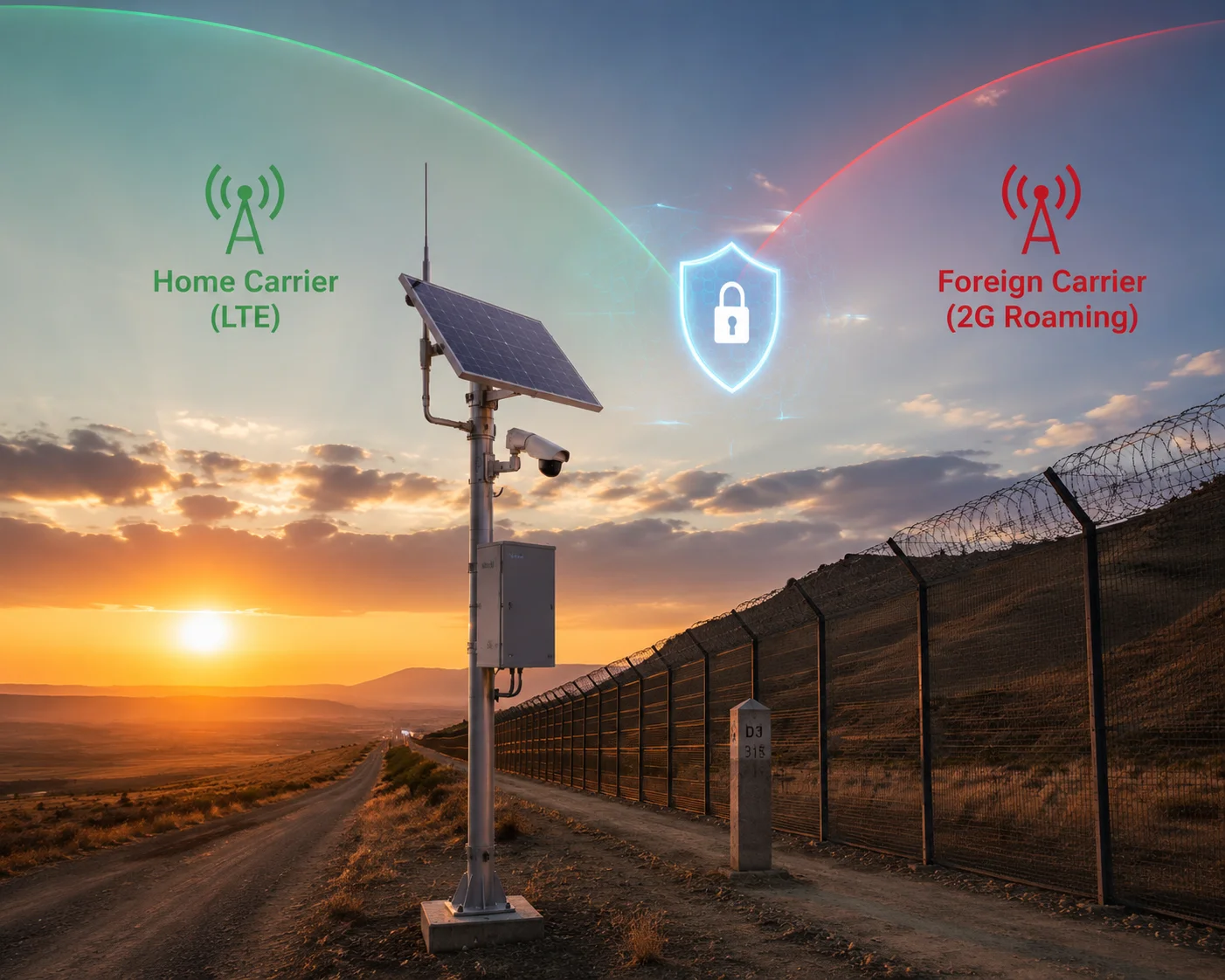
If your cameras are near a national border — for example, monitoring a pipeline that crosses from the US into Mexico — the module may pick up a foreign carrier’s 2G or 3G tower. Auto mode does not care about borders. It connects to the strongest signal.
To prevent this, lock the module to your home carrier’s PLMN (Public Land Mobile Network) ID using the AT+COPS command. This forces the module to only register on your carrier’s network, even if a foreign tower is closer or stronger.
Conclusion
Fallback to 3G/2G is a hardware capability, not a guarantee. Your real-world result depends on carrier networks, firmware settings, and power budget — configure before you deploy, not after you lose contact.
1. Learn more about Quectel’s industrial cellular modules used in solar surveillance systems. ↩︎ 2. Explore Sierra Wireless modules and their multi-mode cellular capabilities. ↩︎ 3. Understand RSRP as a key metric for LTE signal strength and modem switching thresholds. ↩︎ 4. Learn about MQTT as a lightweight protocol for IoT data transmission. ↩︎ 5. Find out how passive infrared sensors trigger motion events in surveillance systems. ↩︎ 6. GPRS is a 2G technology with limited bandwidth suitable only for basic data. ↩︎ 7. EDGE offers faster data rates than GPRS but still far below 3G or LTE. ↩︎ 8. HSPA is a 3G evolution that provides improved upload speeds for snapshot alerts. ↩︎ 9. PLMN IDs identify mobile networks and are used to lock modules to a specific carrier. ↩︎ 10. Eseye provides IoT SIM management with data caps and roaming control. ↩︎ 11. 1NCE offers low-cost IoT SIMs with fixed data allowances suitable for solar cameras. ↩︎ 12. Hologram provides global IoT connectivity with flexible data plans. ↩︎ 13. Understanding 2G GSM fallback is critical for SMS-based remote control in areas with active 2G networks. ↩︎