
I’ve watched too many integrators lose contracts because their remote preview lagged by 3-5 seconds. That delay kills PTZ control1 and kills deals.
Yes, our cameras fully support WebRTC for ultra-low latency remote previews. WebRTC cuts end-to-end delay from the typical 2-5 seconds down to under 500 milliseconds. This means you can control a PTZ camera over a 4G network and see the movement almost instantly in any modern browser.
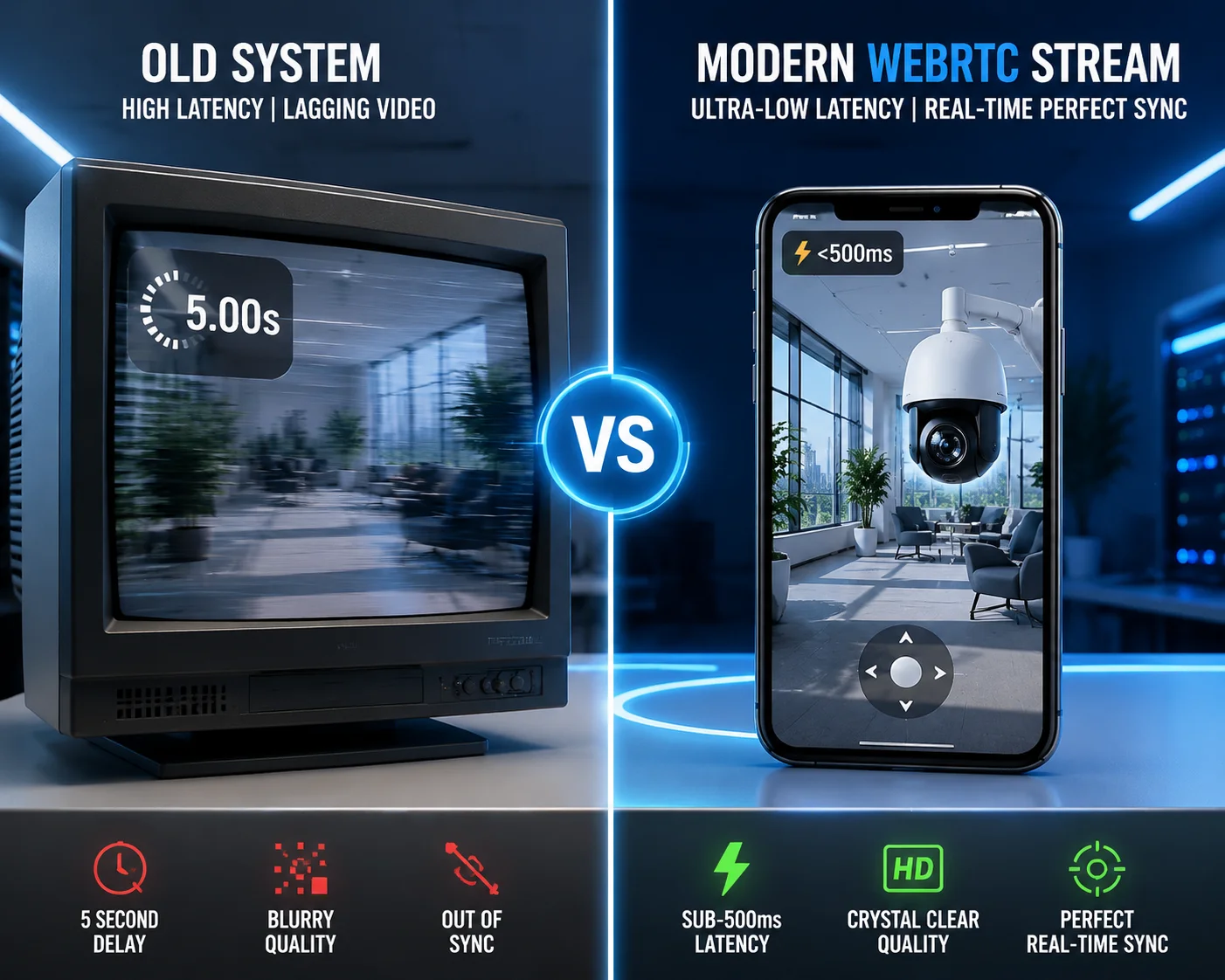
Below, I’ll break down the four most common WebRTC questions I get from integrators like you. Each answer comes from real deployment experience, not a spec sheet. Let’s dig in.
Table of Contents
Can WebRTC Achieve Sub-500ms Latency for Real-Time PTZ Control Over a 4G network2?
Every time I demo a PTZ camera over 4G, the first thing a buyer does is grab the joystick and pan left. If the video takes two seconds to catch up, I can see the doubt on their face. That lag is a deal-breaker.
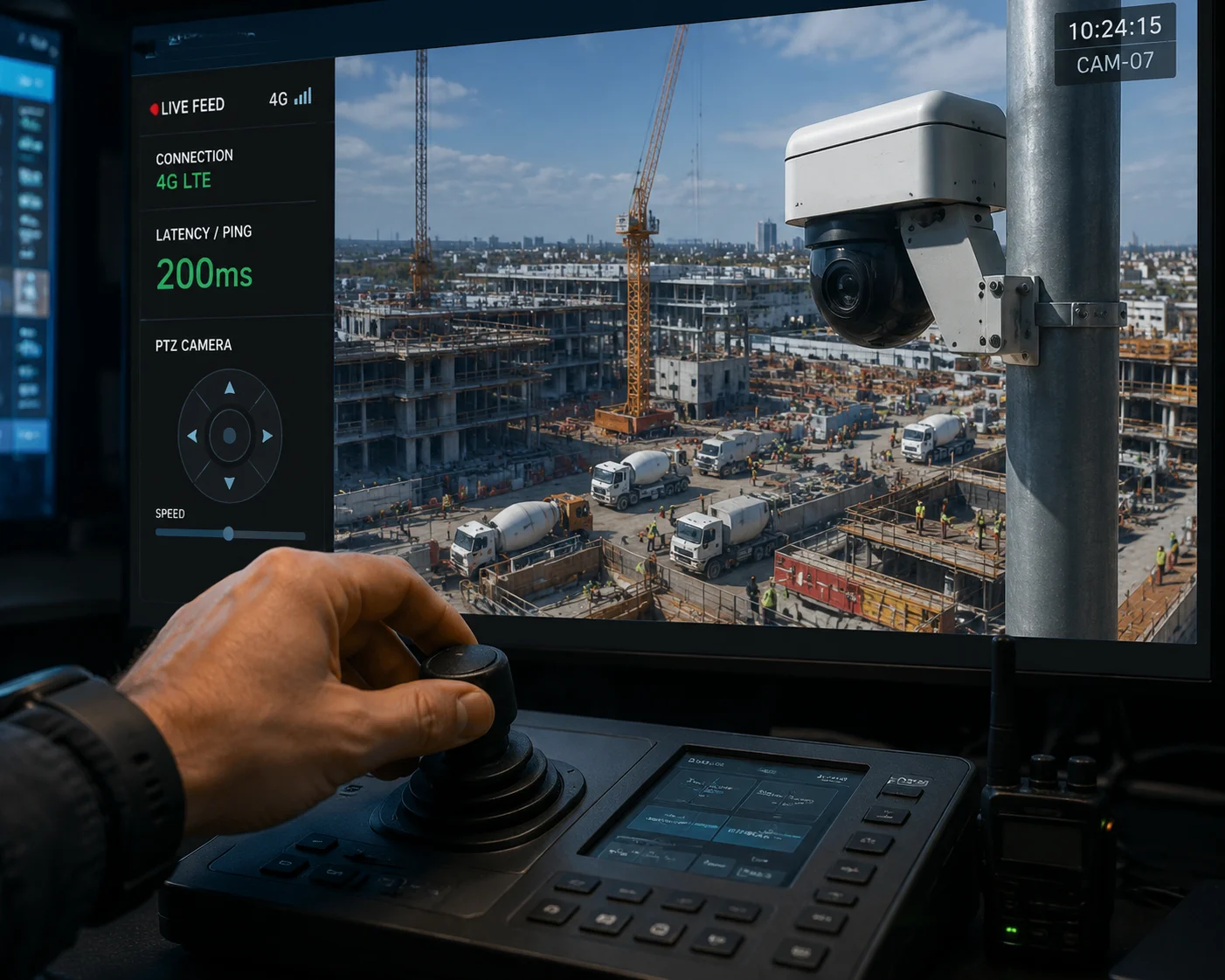
Yes, WebRTC can achieve sub-500ms latency for real-time PTZ control over 4G. It uses UDP transport instead of TCP, which skips the heavy handshake process. Our firmware also removes B-frames from the encoding pipeline, so the camera sends each frame with minimal delay.
Why Traditional Protocols Fail at Real-Time PTZ
To understand why WebRTC matters, you need to see where older protocols break down. RTSP over TCP, HLS, and even many P2P solutions all share one problem: they add buffers. These buffers exist for a good reason — they smooth out video playback. But smooth playback and real-time control are opposite goals.
When you pan a PTZ camera, you need to see the result now. Not in one second. Not in three seconds. Now. A buffer that holds even one second of video means your operator is always looking at the past. They overshoot the target. They correct. They overshoot again. This is what I call “operation drift,” and it makes remote PTZ almost useless for serious security work.
How Our WebRTC Implementation Solves This
WebRTC is built on UDP. UDP does not wait for lost packets. If a frame gets dropped during a 4G signal dip, WebRTC moves on to the next frame. You might see a brief glitch, but the video stays current. This is the right trade-off for PTZ control.
On our hardware side, we made three specific firmware choices:
- No B-frames in the WebRTC stream. B-frames require the decoder to wait for future frames before displaying the current one. We use H.264 Baseline Profile3 for the WebRTC channel, which only uses I-frames and P-frames. This alone cuts 100-200ms of decode delay.
- Dedicated encoding channel. Our cameras can run two encoding pipelines at the same time. One handles your NVR recording at full quality. The other is a lean, low-latency stream just for WebRTC. They don’t compete for resources.
- GCC bandwidth adaptation. WebRTC includes Google Congestion Control. When 4G bandwidth drops — say, during a rainstorm in rural Texas — the camera automatically lowers the resolution to keep the stream alive and current.
Real-World Numbers
| Metric | RTSP over TCP | HLS | Our WebRTC |
|---|---|---|---|
| Typical Latency | 1500ms – 3000ms | 4000ms – 10000ms | 200ms – 500ms |
| Buffer Required | Yes (1-3 sec) | Yes (3-10 sec) | No buffer needed |
| PTZ Usability | Poor | Not usable | Real-time feel |
| 4G Bandwidth Adaptation | Manual | Segment-based | Automatic (GCC) |
For David and other integrators deploying on remote farms or construction sites, this difference is not academic. It’s the difference between a system your client actually uses and one they complain about every week.
Is WebRTC Compatible With All Modern Browsers (Chrome/Firefox/Safari) Without an App?
I still get calls from integrators who are stuck with old camera systems that require Internet Explorer and ActiveX plugins. Their end users hate it. Their IT departments block it. It’s a dead end.
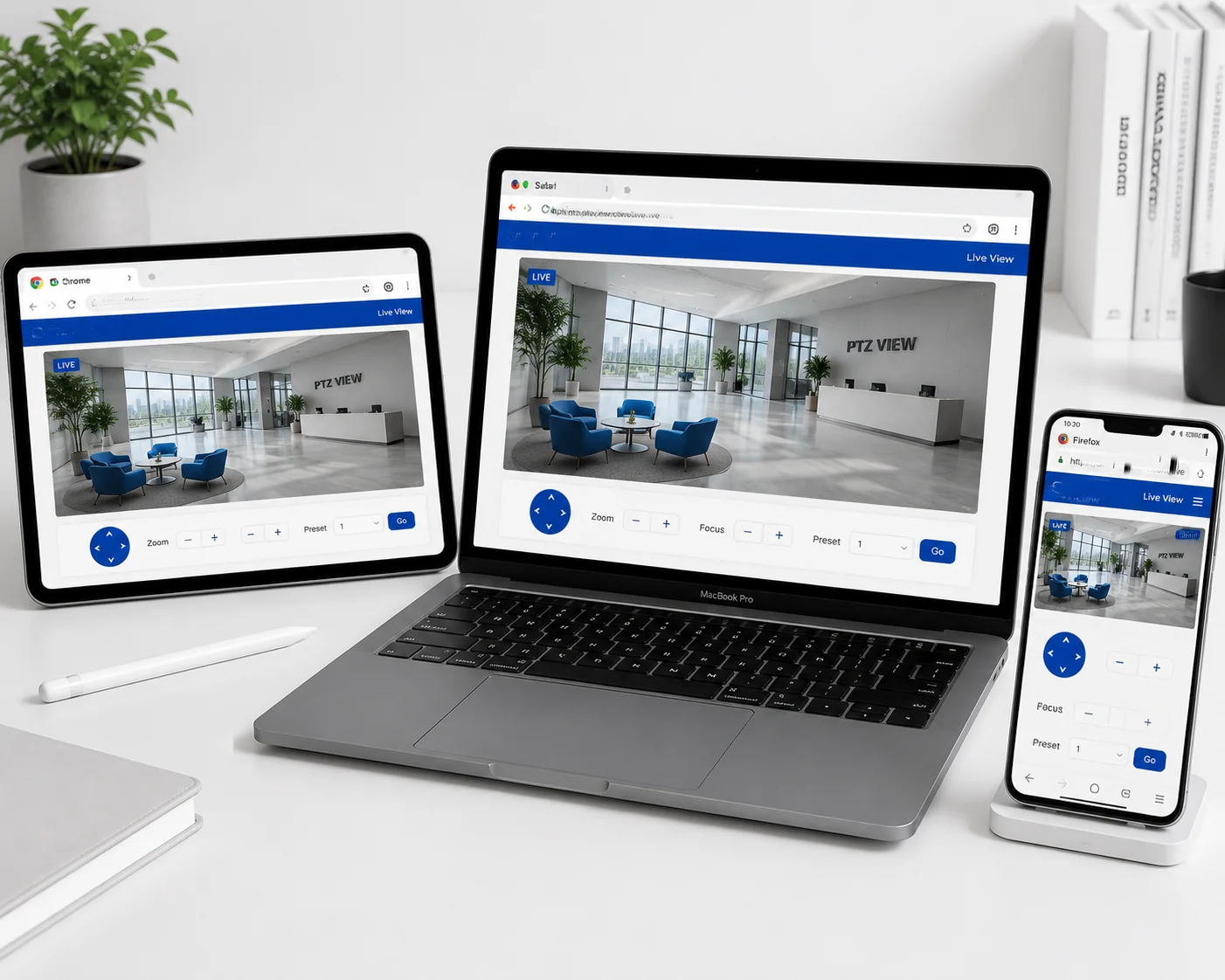
Yes, WebRTC works natively in Chrome, Firefox, Safari, and Edge on both desktop and mobile. No plugins, no apps, no downloads. Your end user opens a browser, enters a URL, and sees the live stream. This is a huge advantage for B2B projects where you can’t control what device your client uses.
The Plugin Problem Is Real
Let me be direct. If your camera still requires a plugin or a dedicated app for live viewing, you are losing projects. IT managers at enterprise clients will not approve ActiveX installations. Mobile users will not download yet another app. And every extra step between your client and the live feed is a chance for them to give up and call you with a complaint.
WebRTC was designed by Google specifically to run inside the browser. It became a W3C standard. Every major browser vendor has implemented it. This is not experimental technology. It is the same technology that powers Google Meet, Facebook Messenger video calls, and Discord.
Browser-Specific Details You Should Know
Not all browsers handle WebRTC the same way. Here are the practical differences:
- Chrome (Desktop & Android): Full WebRTC support. H.264 hardware decoding works well. This is the most tested and reliable browser for WebRTC streams. Most of your end users will use Chrome.
- Safari (macOS & iOS): Apple added WebRTC support in Safari 11. It works, but Safari sometimes has quirks with specific STUN/TURN configurations. Our firmware has been tested against Safari’s WebRTC stack, and we handle the SDP negotiation differences automatically.
- Firefox: Full support. Firefox uses its own WebRTC implementation, which is slightly different from Chrome’s. Our signaling server handles both without any configuration on your side.
- Edge: Since Edge switched to the Chromium engine, it behaves exactly like Chrome for WebRTC purposes.
What About Mobile?
This is where WebRTC really shines for your business. A farm owner in Texas doesn’t want to install an app. He wants to open his phone’s browser, tap a bookmark, and see his cameras. With our WebRTC implementation, that’s exactly what happens.
The stream adapts to the phone’s screen size and available bandwidth. On a strong Wi-Fi connection, the user gets full resolution. On a weak cellular signal, the stream drops to a lower resolution but stays live and responsive.
No App Means Faster Deployment
For integrators, the “no app” advantage goes beyond convenience. It means:
- No app store approval process.
- No app updates to manage.
- No compatibility issues with different Android versions.
- No support calls about “the app crashed.”
You give your client a URL and a password. That’s the entire deployment for the viewing side.
How Does WebRTC Handle “UDP Hole Punching” for Cameras Behind a Carrier’s NAT?
This is the question that separates people who have actually deployed 4G cameras from people who have only read about them. NAT traversal is the single biggest technical challenge in remote 4G camera access. I’ve seen it break entire projects.
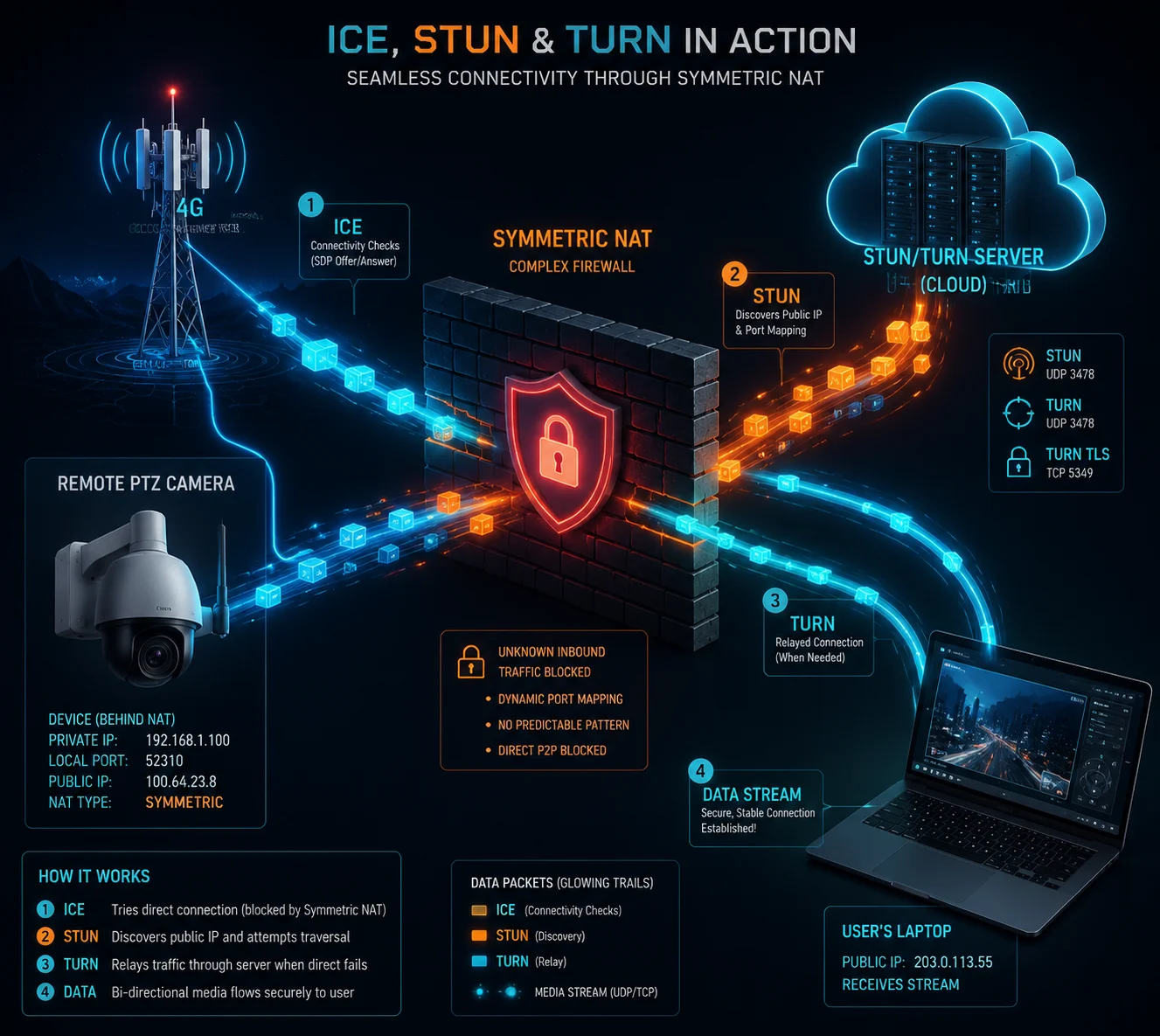
WebRTC uses a three-layer approach called ICE (Interactive Connectivity Establishment)4 to punch through NAT. It tries direct connection first via STUN5, then falls back to a TURN relay server6 if the carrier uses symmetric NAT. Our cameras have the full ICE/STUN/TURN stack built into the firmware, so they handle this automatically.
Why 4G NAT Is Harder Than Home NAT
When you deploy a camera on a home network, the router usually uses “full cone” or “restricted cone” NAT. These types of NAT are relatively easy to punch through. A simple STUN server can discover the public IP and port, and the connection works.
4G carriers are different. Most carriers — T-Mobile, Verizon, AT&T, and their equivalents in Europe and the Middle East — use symmetric NAT7. In symmetric NAT, the carrier assigns a different external port for every new connection. This means the STUN trick doesn’t work. The port that STUN discovers is not the same port that will be used for the actual video stream.
This is why many cheap 4G cameras fail in the field. They work fine on the bench (connected to office Wi-Fi) but fail when you put a real SIM card in them and deploy them on a cell tower.
Our Three-Layer NAT Traversal
Our firmware implements the full ICE framework. Here’s how it works in practice:
| Layer | Method | When It’s Used | Success Rate on 4G |
|---|---|---|---|
| Layer 1 | Direct P2P (Host Candidate) | Both sides on same network | Rare in 4G deployments |
| Layer 2 | STUN (Server Reflexive) | Non-symmetric NAT | ~30% of 4G carriers |
| Layer 3 | TURN (Relay) | Symmetric NAT | 100% — always works |
The camera tries Layer 1 first. If that fails (it usually does), it tries Layer 2. If that also fails (common on 4G), it falls back to Layer 3. The TURN server acts as a relay — the camera sends video to the TURN server, and the viewer pulls video from the TURN server. It adds a small amount of latency (typically 50-100ms), but it guarantees the connection works.
TURN Server Options
You have two choices for the TURN server:
- Use our cloud TURN server. We operate TURN servers that are available for our customers. This is the fastest way to get started. No setup required on your side.
- Deploy your own TURN server. If you have your own VMS platform or cloud infrastructure, you can run your own TURN server using open-source software like coturn. Our cameras support standard TURN configuration, so you just enter your server’s address and credentials in the camera’s web interface.
For David’s use case — deploying solar-powered PTZ cameras on remote Texas ranches — the TURN relay is not optional. It’s essential. The carriers serving rural areas almost always use symmetric NAT. Without TURN, the camera simply won’t connect.
Security During Relay
One concern I hear from CTOs is: “If the video goes through a relay server, is it still secure?” The answer is yes. WebRTC encrypts all media using SRTP (Secure Real-time Transport Protocol)8 and all signaling using DTLS (Datagram Transport Layer Security). The TURN server relays encrypted packets. It cannot see or record the video content. This encryption is mandatory in the WebRTC standard — it cannot be turned off.
Will the WebRTC Stream Adjust Its Quality Automatically Based on My Local Internet Speed?
I’ve been on calls where an integrator shows a live demo to their client, and the stream freezes mid-presentation. The client’s office Wi-Fi was congested. The camera kept pushing a 4Mbps stream into a connection that could only handle 1Mbps. The result was a frozen screen and an embarrassed integrator.
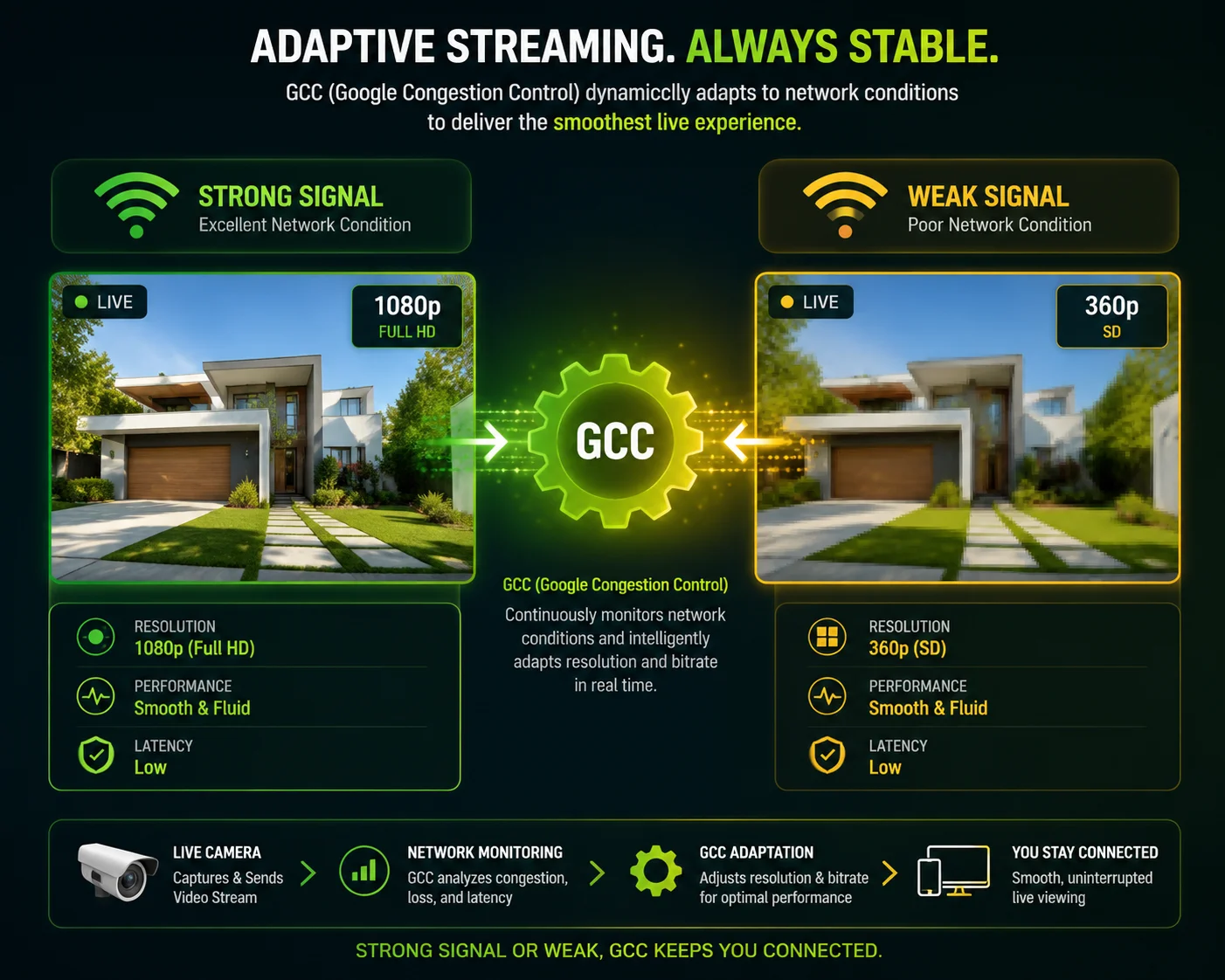
Yes, our WebRTC stream adjusts quality automatically in real time. WebRTC uses Google Congestion Control (GCC) to measure available bandwidth every few hundred milliseconds. When bandwidth drops, the camera instantly lowers the bitrate and resolution. When bandwidth recovers, quality goes back up. This happens without any user action.
How GCC Works in Plain English
GCC stands for Google Congestion Control. It’s built into the WebRTC protocol. Here’s what it does in simple terms:
The camera sends video packets to the viewer. The viewer measures how long each packet takes to arrive. If packets start arriving later and later (increasing delay), GCC knows the network is getting congested. It tells the camera to reduce the bitrate.
The camera responds by doing one or more of the following:
- Lowering the resolution (e.g., from 1080p to 720p or even 480p).
- Reducing the frame rate (e.g., from 25fps to 15fps).
- Increasing the compression (lower quality per frame).
This all happens in under one second. The viewer sees a brief dip in quality, but the stream never freezes. For PTZ control, this is critical. A frozen stream means you lose control of the camera. A lower-quality stream means you can still see and still steer.
Both Sides Matter
Adaptive bitrate in WebRTC works on both ends of the connection:
- Camera side (upload): The 4G connection from the camera to the internet. This is often the bottleneck. 4G upload speeds can vary from 1Mbps to 20Mbps depending on signal strength, time of day, and carrier congestion.
- Viewer side (download): The internet connection of the person watching. This could be office Wi-Fi, home broadband, or even another 4G phone.
GCC monitors the entire path. If either side is slow, the quality adapts. This is something that RTSP cannot do. With RTSP, you set a fixed bitrate. If the network can’t handle it, the stream breaks.
Practical Bandwidth Guidelines
Based on our testing across dozens of 4G deployments, here are the bandwidth ranges you can expect:
| Network Condition | Available Upload | WebRTC Resolution | Frame Rate | Viewer Experience |
|---|---|---|---|---|
| Strong 4G (LTE) | 10-20 Mbps | 1080p | 25 fps | Excellent — full detail |
| Normal 4G | 3-8 Mbps | 720p | 20 fps | Good — clear and smooth |
| Weak 4G | 1-2 Mbps | 480p | 15 fps | Usable — PTZ still works |
| Very Weak Signal | < 1 Mbps | 360p | 10 fps | Basic — low detail but live |
The key point is: the stream never stops. It degrades gracefully. Your client always has a live view, even in bad conditions.
Concurrent Viewer Limits
There’s one important limit to keep in mind. WebRTC requires the camera to encrypt and send a separate stream to each viewer. This uses CPU and memory on the camera. On a 4G connection, it also multiplies the upload bandwidth requirement.
Our recommendation for 4G deployments: limit WebRTC viewers to 3-5 simultaneous connections. Beyond that, the camera’s processor may struggle, and the 4G upload bandwidth may not be enough. If you need more viewers, the better approach is to route the WebRTC stream through a media server that can redistribute it to many viewers. We can help you set this up.
For solar-powered sites, concurrent viewers also affect power consumption. More viewers mean more CPU work, which means more power draw. On a cloudy winter day with limited solar input, keeping viewer count low helps protect battery life.
Conclusion
WebRTC is the best protocol for real-time PTZ control over 4G. Our cameras support it at the firmware level with full NAT traversal, adaptive bitrate, browser compatibility, and end-to-end encryption — ready for your next deployment.
1. Overview of pan-tilt-zoom camera technology and its control requirements. ↩︎ 2. Background on 4G mobile networks and their characteristics relevant to streaming. ↩︎ 3. Technical overview of H.264 profiles, highlighting Baseline Profile for low latency. ↩︎ 4. Overview of the ICE framework for NAT traversal. ↩︎ 5. Explanation of STUN protocol for NAT traversal. ↩︎ 6. Explanation of TURN relay as a fallback for symmetric NAT. ↩︎ 7. Description of symmetric NAT and why it complicates P2P connections on 4G networks. ↩︎ 8. Standard encryption protocol for WebRTC media streams. ↩︎