
I have seen many teams trust a PTZ camera1 alone, and then miss a target while the lens is busy turning. That gap can hurt security fast.
Yes, a panoramic lens2 helps stop the system from “going blind” in logic, but it does not cover 100% of the PTZ’s physical blind spots. It keeps watch on the main area, while the PTZ handles detail and tracking.
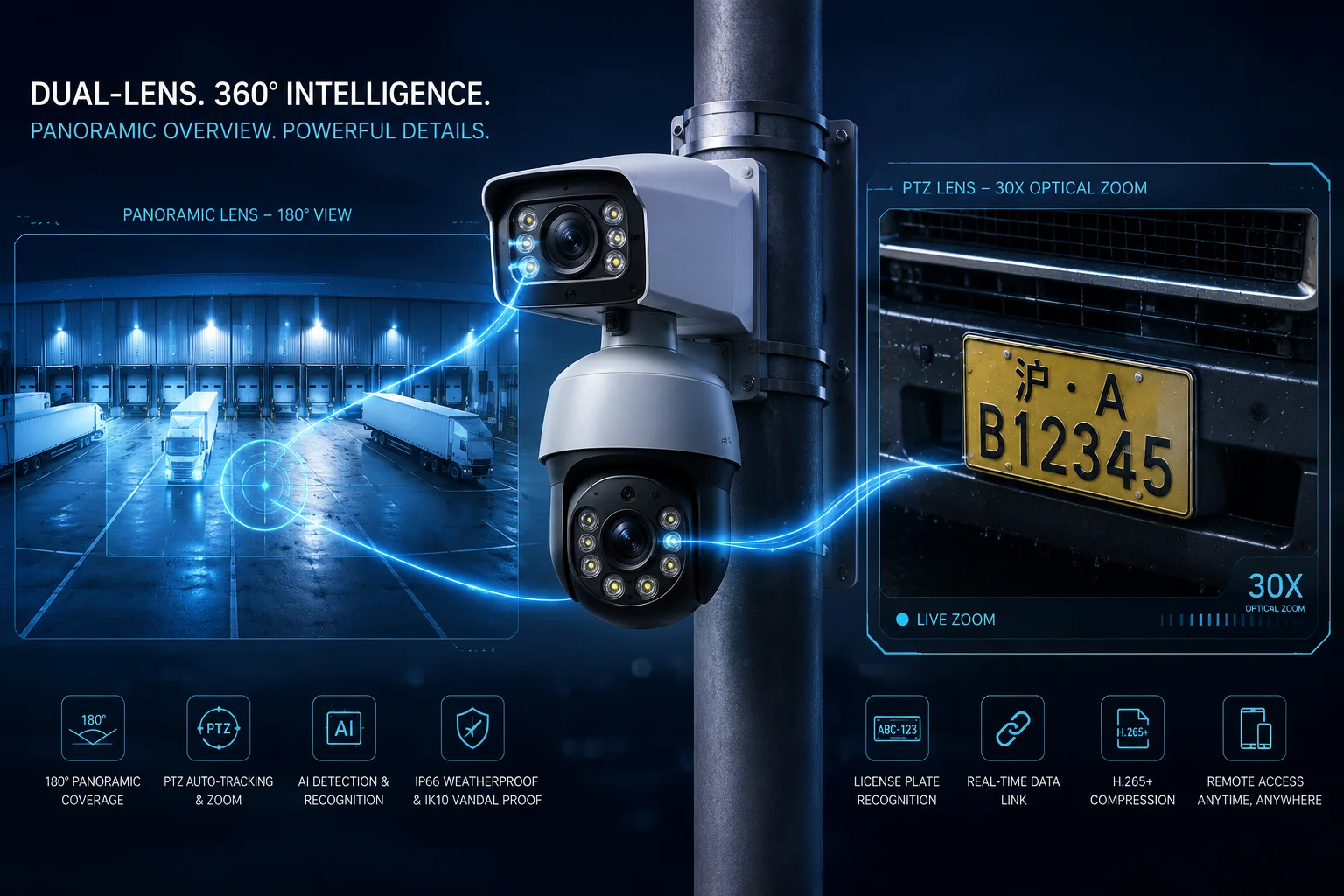
I use this design when I need both wide awareness and close zoom. It works best when I plan the camera roles with care, not when I expect one lens to do everything.
Table of Contents
How do you ensure the PTZ is never “blind” to a new target while it is busy tracking another?
I know the real fear here. A PTZ can lock onto one person, one vehicle, or one animal, and then the next target appears somewhere else. If the system reacts too slowly, I lose the moment.
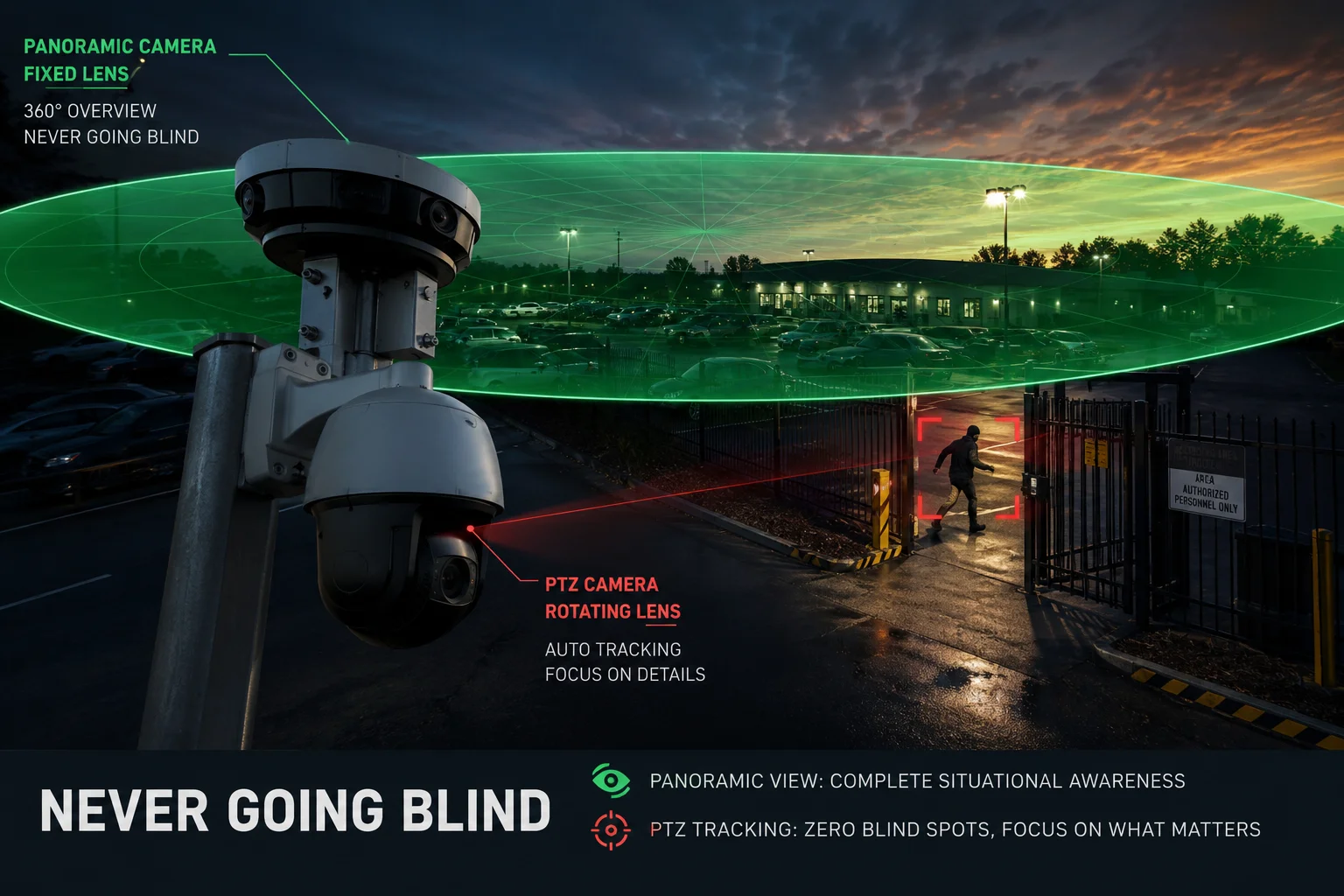
The answer is simple: I let the panoramic lens stay on guard all the time, and I use it to wake up the PTZ when a new target appears. The PTZ may be busy, but the panoramic channel keeps scanning the key zone and gives the system a second set of eyes.
Why I do not rely on PTZ alone
I have learned that a PTZ camera is strong, but it is also human-like in one bad way. It can only look one place at a time. If I ask it to zoom in on a gate, it cannot watch the side road at the same moment. That is where the panoramic lens helps me. It stays fixed. It keeps the wide view open. It gives me event detection7 even while the PTZ is tracking another target.
How I think about the tracking flow
I treat the panoramic lens as the guard at the front door, and the PTZ as the patrol officer. The guard sees the whole entrance area. The patrol officer moves fast and zooms in when needed. If the patrol officer turns away, the guard still sees new motion. This is why I can reduce the chance of a blind moment in the system.
The basic logic in simple terms
| Part | Job | Risk if used alone |
|---|---|---|
| Panoramic lens | Watches the wide area all the time | No close detail |
| PTZ lens | Tracks and zooms in on the target | Can miss other events while moving |
| AI link | Sends the target from panoramic view to PTZ | Can fail if setup is weak |
What I check in real projects
I always check three things before I call the system safe. First, I check if the panoramic lens truly covers the area that matters. Second, I check if the AI can detect people and vehicles fast enough. Third, I check if the PTZ can return to the right view after tracking. If one of these steps fails, the system may still leave a small gap. So I do not call the design “blind-spot free” unless the logic, the placement, and the calibration all work together.
Can the dual-lens system provide a full 180-degree or 360-degree panoramic detection zone?
I get this question a lot from system integrators5. They want one camera that can watch everything. I understand that goal, because it saves time, wiring, and cost. But I also know the limits of physics.
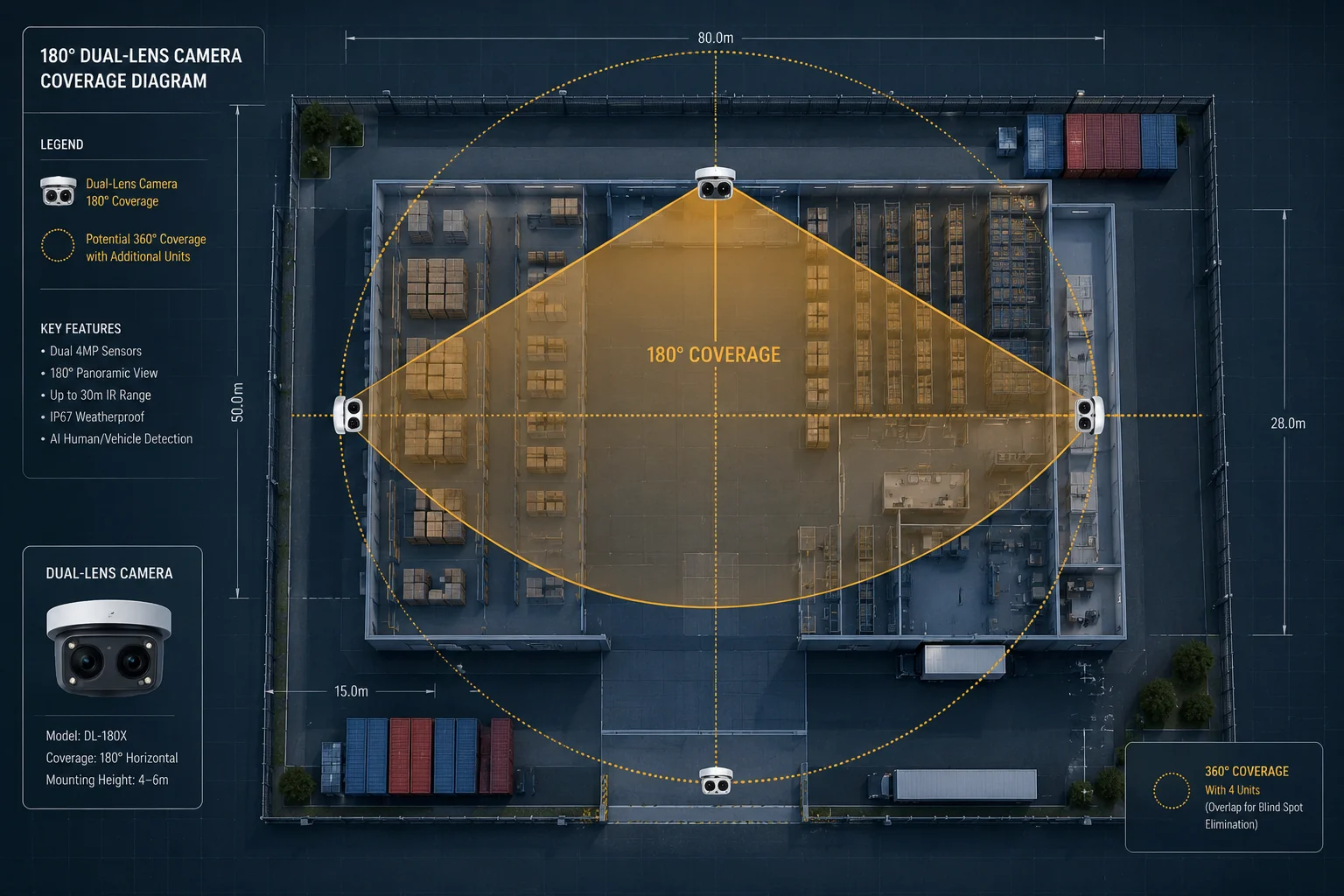
A dual-lens system3 can give me a very wide detection zone, and in some layouts it can feel close to full coverage. But it does not always mean true 180-degree or 360-degree protection from one unit. The final result depends on lens angle, mounting height, tilt, scene shape, and what is blocked in the real world.
What full coverage really means to me
When I say “full coverage,” I do not just mean a number on a spec sheet. I mean real detection with useful alarm quality. A lens may see far left and far right, but if trees, walls, poles, or roof edges block the scene, then the system still has holes. So I always test the view on site, not only in a lab.
Why 180 degrees is easier than 360 degrees
I find that a single dual-lens setup can often cover a very wide forward zone. That is good for fences, yards, gates, parking lots, and work sites. But 360-degree coverage is different. To get that, I usually need more than one unit, or I need a back-to-back layout, or I need other cameras to fill the space. One camera can be very smart, but it still has a front side and a back side.
A practical view of coverage options
| Deployment style | Typical use | Strength | Limit |
|---|---|---|---|
| Single dual-lens unit | Front yard, gate, loading area | Wide detection in one direction | No true rear coverage |
| Back-to-back units | Pole, fence line, open yard | Strong wraparound protection | Higher cost and more planning |
| Multi-camera overlap | Campus, farm, industrial site | Fewer blind gaps | More cabling and setup work |
How I choose the right plan
I choose the plan based on the site, not on the marketing headline. If I watch one gate and one driveway, a wide panoramic zone may be enough. If I protect a farm, a depot, or a large perimeter, I plan overlap. I also use the PTZ as the detail layer, not as the main detection layer. That keeps the system stable. It also keeps the detection logic clear. In my view, that is better than chasing a big number and then discovering a hidden gap later.
Is there a mechanical “Dead Zone” where the fixed lens cannot assist the PTZ’s movement?
This is one of the most important questions in a dual-lens system. I have seen people assume the fixed lens can always guide the PTZ, no matter where the PTZ turns. That is not true.
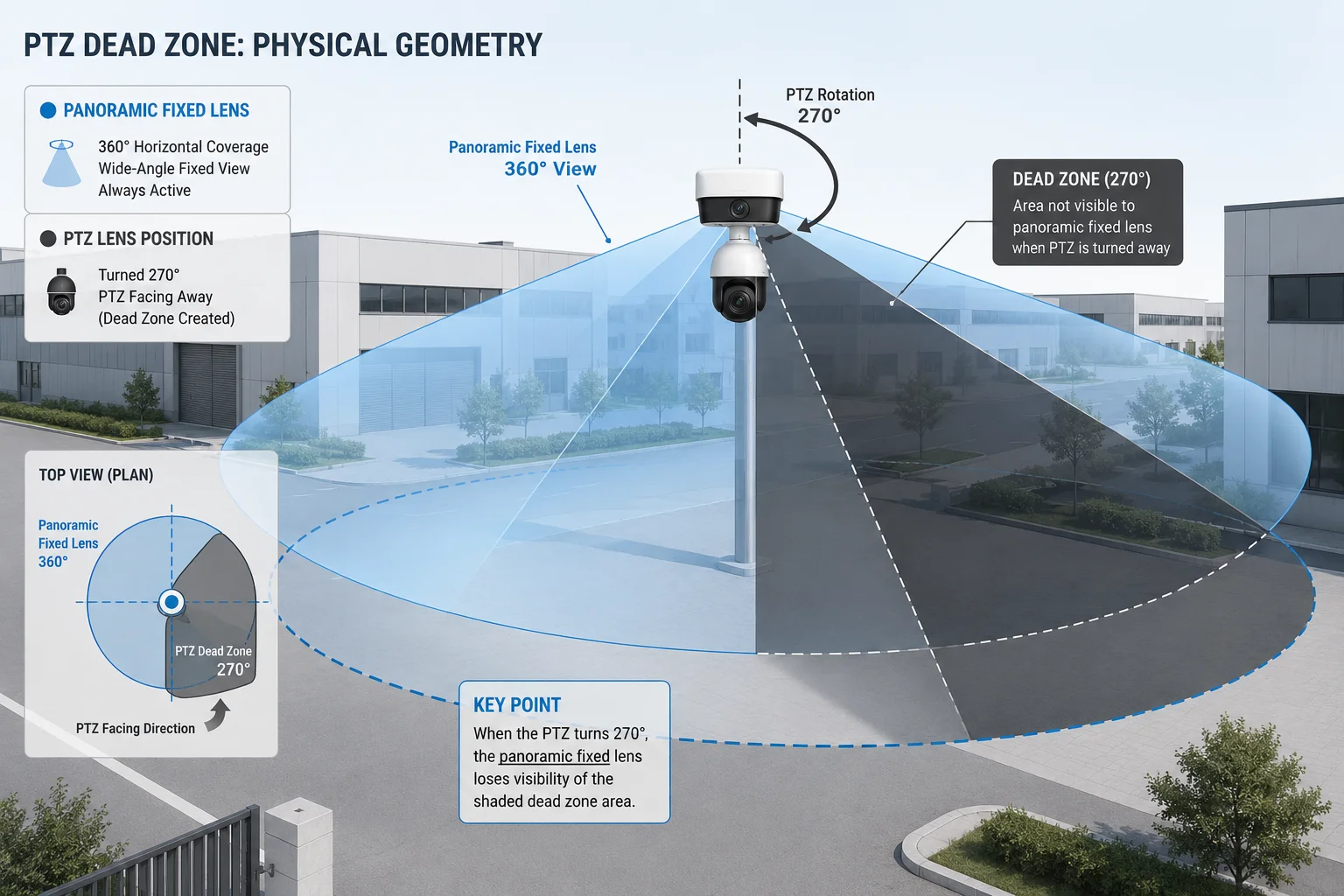
Yes, there is a mechanical and optical dead zone in many setups. The fixed lens has a fixed view angle, so it cannot see behind itself. If the PTZ moves into the area outside that view, the fixed lens cannot help guide it there. This is not a software problem only. It is also a physical placement problem.
Why the dead zone exists
I see the dead zone as a basic geometry issue. The fixed lens points in one direction. The PTZ can rotate far beyond that direction. So at some point, the PTZ enters a part of the scene that the fixed lens cannot watch. When that happens, the fixed lens cannot confirm what is happening in the PTZ’s back side. That is why I never promise zero blind spots unless I have multiple units and overlap.
The difference between physical and system blind spots
I like to split this into two layers:
| Blind spot type | What it means | Can software fix it? |
|---|---|---|
| Physical blind spot | The lens cannot see that area | No |
| System blind spot | The AI or logic misses a target that is visible | Sometimes yes |
| Placement blind spot | The camera is mounted in a bad spot | Only partly |
This table matters because many people mix these ideas together. If I confuse them, I may blame the AI when the real issue is bad mounting. Or I may blame the PTZ when the fixed lens simply has no view of the back side.
How I reduce the dead zone in real projects
I reduce the dead zone in three ways. First, I place the camera higher so the lens can see more of the ground. Second, I aim the camera so the most important zone stays inside the panoramic view. Third, I use more than one camera when the site shape demands it. I also keep the PTZ home position in a safe direction. That way, the PTZ returns to a place where the panoramic lens can still support it.
What I tell clients like David Miller
When I speak with a technical buyer, I do not hide this limit. I say the fixed lens is a wide watch layer, not a magic 360-degree shell. If the project needs true wraparound coverage, I design for overlap. If the project only needs strong front-zone coverage with smart tracking6, then a dual-lens unit is a great fit. Clear planning is better than false promises. That is how I keep the system reliable and how I protect my customer from future service calls.
Does the panoramic lens use a “Distortion Correction” algorithm to improve AI detection at the edges?
I pay close attention to this point because edge detection is where many wide lenses struggle. A panoramic lens often sees a lot, but the edges can bend, stretch, or warp. That can confuse AI if the image is not corrected well.
Yes, distortion correction8 is important, and in many systems it helps the AI work better at the edges. When the image is corrected, a person near the side of the frame looks more normal. The AI can then detect shape, motion, and direction more accurately. Without correction, a person at the edge may look too thin or too wide, and the system may miss it or trigger false alarms4.
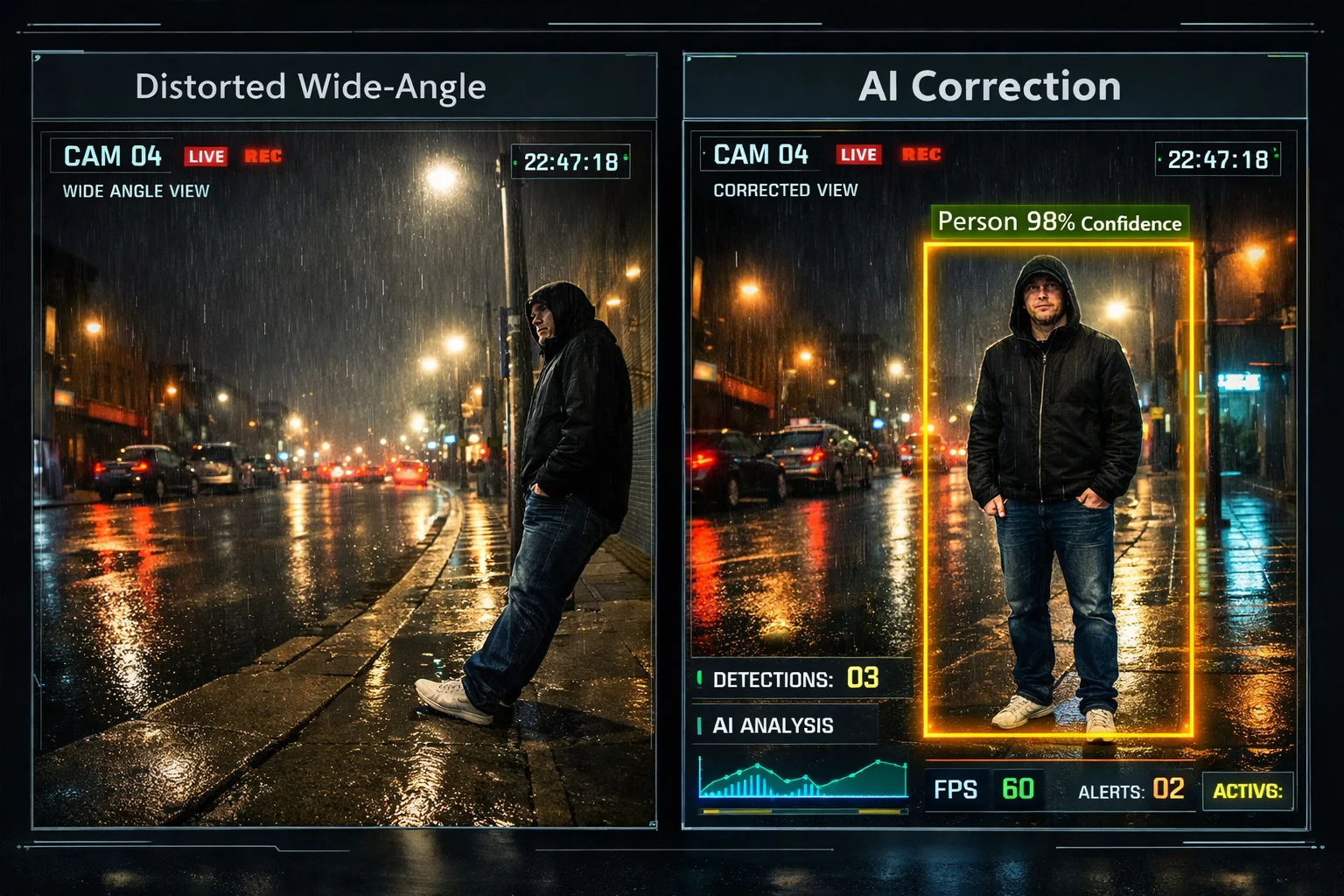
Why edge quality matters so much
I do not judge a panoramic lens only by the center of the picture. The center is easy. The edge is hard. In real sites, the edge is where many events happen. A person may enter from a driveway corner. A vehicle may appear near a fence line. A worker may walk in from the side. If the AI struggles there, the whole design loses value.
How distortion correction helps me
Distortion correction helps in three clear ways:
- It makes objects look more natural.
- It improves the AI’s chance to spot a person or vehicle.
- It gives me better event alarms near the frame edge.
I like this because it supports the panoramic lens as a real detection tool, not just a wide image tool. That difference matters in a professional project.
A simple comparison
| Image state | AI behavior | Result |
|---|---|---|
| No correction | Edge objects look warped | Missed alarms or false alarms |
| Basic correction | Some edge warping reduced | Better detection |
| Strong correction + good tuning | Cleaner object shape | More stable AI events |
What I still watch for
I never assume distortion correction solves everything. It helps, but it does not replace good mounting and good tuning. If I place the camera too high, too low, or too close to a wall, edge quality can still suffer. If the site has bad lighting, heavy rain, fog, or moving shadows, the AI may still need careful tuning. So I always test the lens under real field conditions. I check the left edge, the right edge, and the far corner of the view. I also check how the PTZ reacts after the panoramic lens raises an alarm. That full loop matters more than one feature alone. It is the whole system that decides if the site is safe.
Conclusion
I do not treat the panoramic lens as a perfect 360-degree shield, but I do treat it as the key layer that removes most monitoring blind spots.
1. Comprehensive guide to PTZ cameras covering features, use cases, and limitations. ↩︎ 2. Overview of panoramic camera technology and its role in wide-area surveillance. ↩︎ 3. Explanation of dual-lens camera design and its benefits for panoramic + PTZ coverage. ↩︎ 4. Guide to reducing false alarms in surveillance systems through proper configuration. ↩︎ 5. Role of system integrators in designing and deploying security camera networks. ↩︎ 6. Explanation of how PTZ cameras use smart tracking to follow moving objects automatically. ↩︎ 7. Introduction to event detection algorithms used in video analytics for security. ↩︎ 8. Technical resource on lens distortion correction methods and their impact on image quality. ↩︎