
I have seen cold mornings freeze cameras and hot afternoons slow them down. I want my systems to react on their own, because manual fixes always come too late.
Yes, the firmware can auto-trigger heaters and fans1 from temp sensors. I set low and high thresholds, and the system turns heating or cooling on and off by itself to protect key parts.
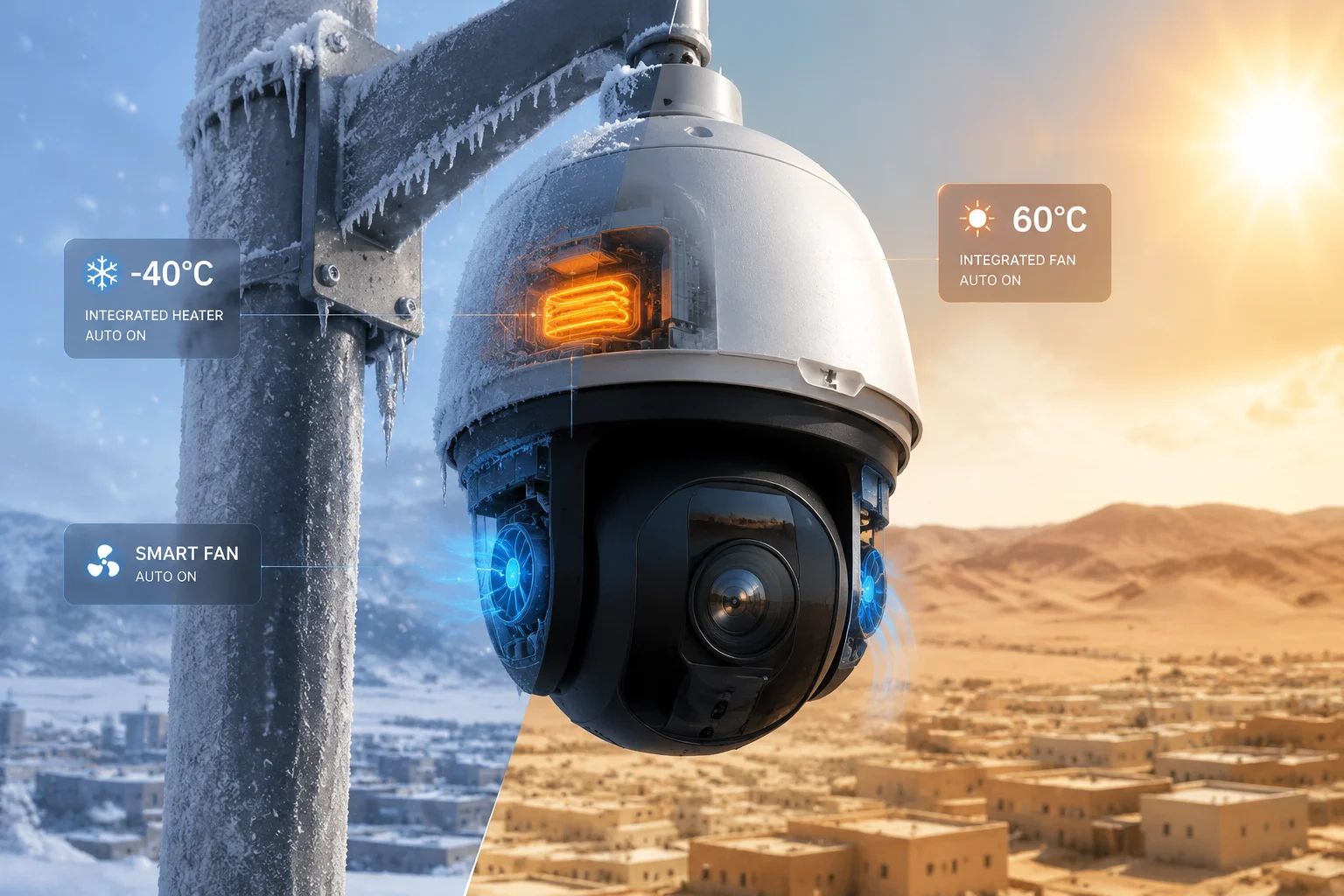
I know this kind of control matters when I deploy cameras in remote places. I do not want a site visit just to stop fog, heat, or a sudden shutdown. I want the device to keep working with little help from me.
Table of Contents
Can I set custom temperature thresholds to activate the internal defogging fan3?
I have worked on sites where a few degrees made a big difference. If I cannot tune the fan point, I lose control over noise, power use, and system life.
Yes, I can set custom temperature thresholds2 for the internal fan. I use the web interface or firmware settings to choose when the fan starts and stops, so I can match the site’s real climate and power limits.
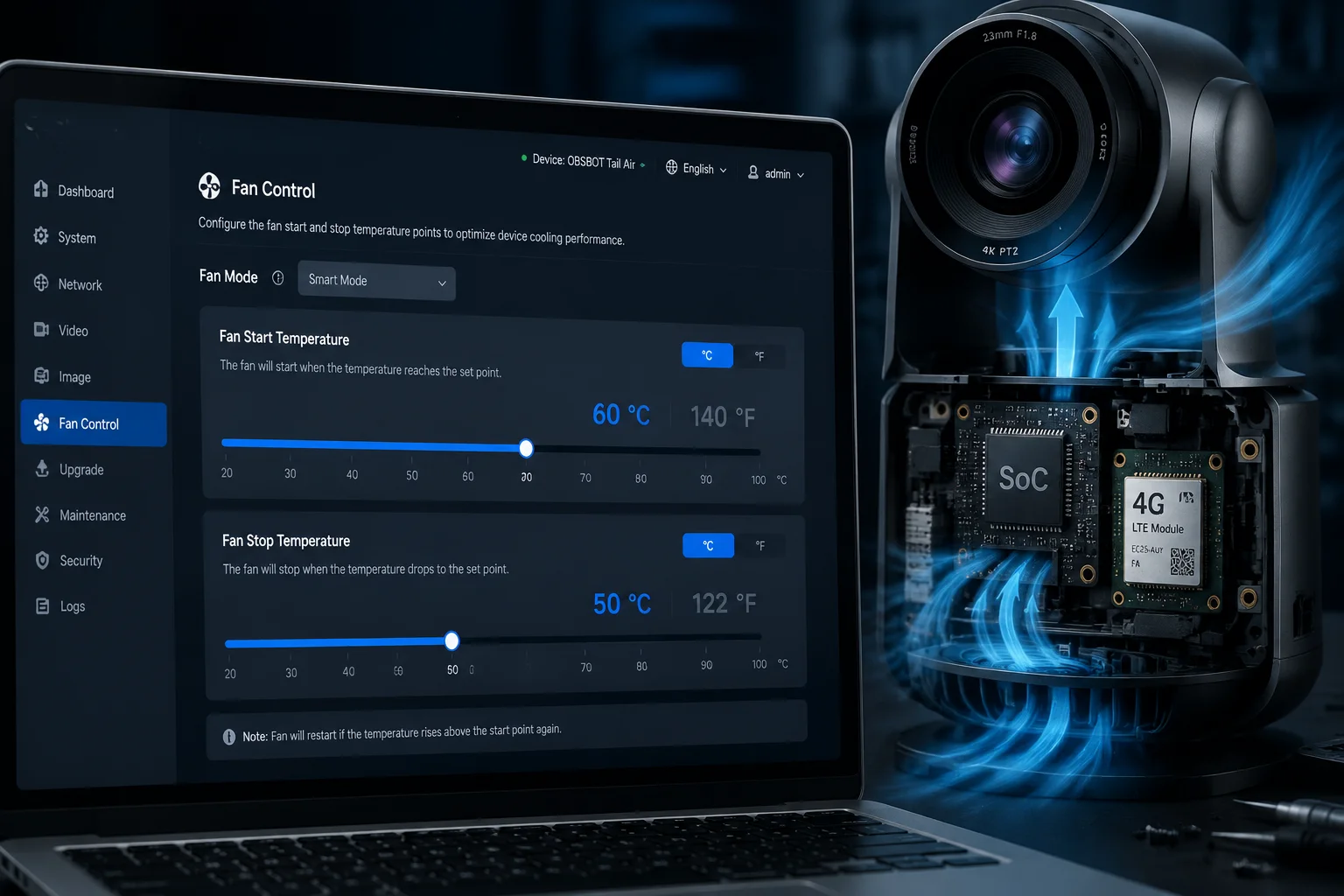
I tune fan behavior based on real site needs
When I design a setup, I do not treat all sites the same. A farm in Texas, a cold job site in Canada, and a dusty yard in the Middle East all need different fan logic. I look at heat, airflow, enclosure size, and power budget first. Then I set the fan threshold. This is better than using one fixed value for every project.
I also think about how the fan affects the rest of the system. A fan can reduce heat stress on the SoC6, 4G module, and storage parts. But it also uses power and can pull dust into the housing. So I do not set it too low. If I do that, the fan may run too often and waste energy. If I set it too high, the inside may stay hot for too long. I want a middle point that protects the hardware and keeps the site stable.
| Setting area | What I change | Why it matters |
|---|---|---|
| Fan start temp | I raise or lower the start point | I match the local heat level |
| Fan stop temp | I set a clear stop point | I prevent short on/off cycles |
| Power mode | I check solar or AC limits | I avoid draining the system |
| Noise level | I review site needs | I keep the setup practical |
I also test the setting after deployment. I watch the internal temp, the fan run time, and the power draw. If I see the fan cycling5 too much, I adjust the threshold. If the inside still gets too warm, I move the start point down. This simple loop gives me better control than a fixed factory value alone. It also helps me explain the setup to my customer in a clear way.
Will the heater automatically shut off once the internal humidity reaches a safe level?
I have seen lens fog create bad video at the worst time. If the heater stays on too long, I waste power. If it shuts off too early, I still get fog.
Yes, the heater can shut off automatically when the internal condition returns to a safe range. In practice, the firmware uses temperature and related control logic, and I can pair it with humidity rules or defog settings4 so the heater stops when the risk is gone.
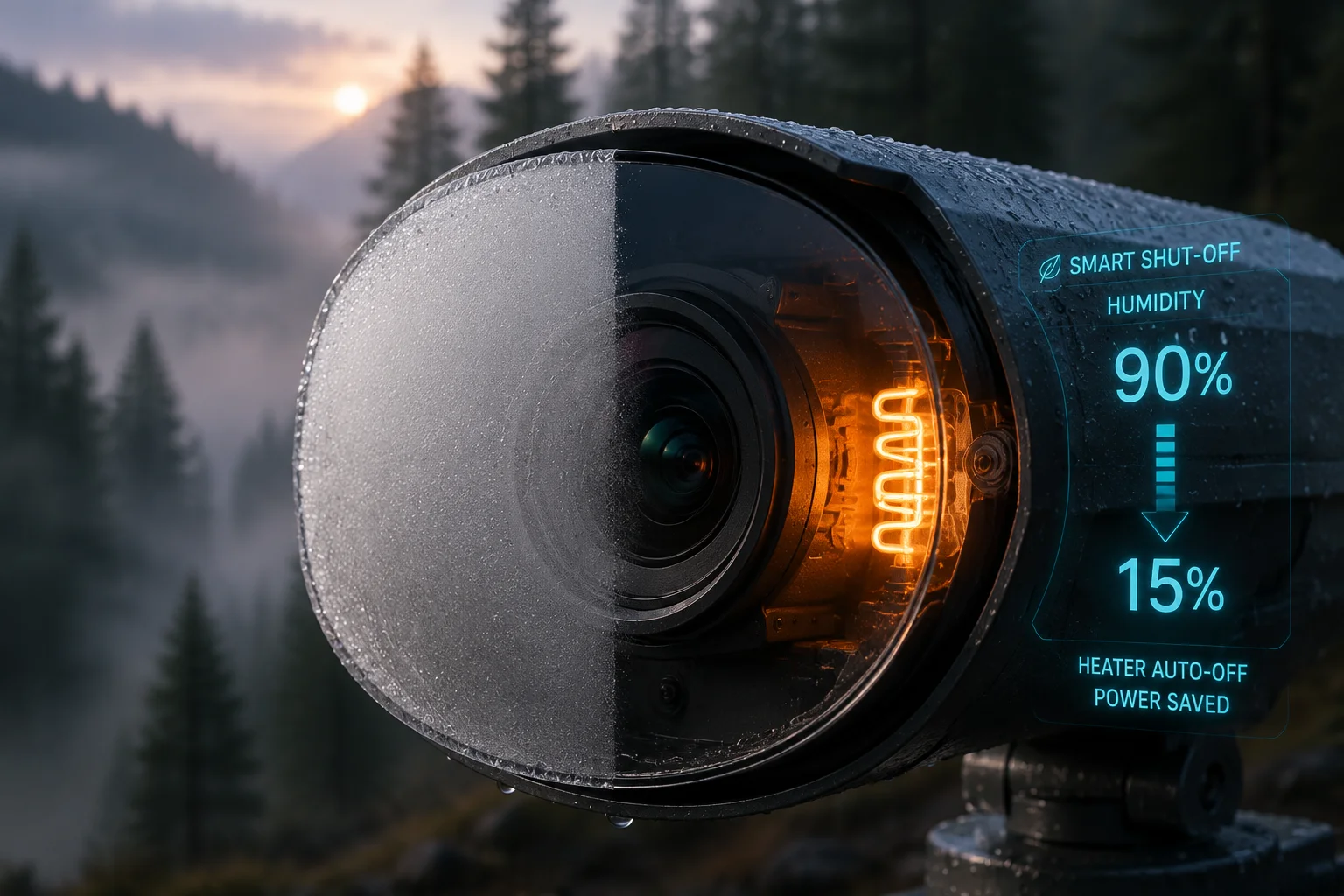
I treat heat and humidity as one system
I do not look at humidity alone, because humidity and temperature work together. Warm air can hold more water. Cold air can make condensation form fast. So I think in terms of risk, not just numbers. If the inside of the camera gets cold and damp, the lens can fog, and the image can fail. If the heater runs too long, I waste battery power and may create extra wear.
I like systems that use a safe range and then switch off on their own. That helps me on solar projects, where every watt matters. It also helps on remote jobs, where I cannot tell a field worker to check the unit every morning. A smart heater can warm the housing, clear moisture, and then stop when the inside is stable again.
| Condition | Heater action | My goal |
|---|---|---|
| Low temp, high fog risk | Heater turns on | Clear condensation fast |
| Safe temp reached | Heater turns off | Save power |
| Power is limited | Heater runtime shortens | Protect battery life |
| Long cold spell | Heater cycles as needed | Keep image usable |
I also want the heater logic to be easy to explain to the end user. They do not need a deep lesson in thermodynamics. They need a camera that starts in the cold, keeps a clean image, and does not drain the solar setup. That is why I like automatic shutoff tied to safe conditions. It gives me better uptime and less service work.
Does the system log every “Thermal Event” to help diagnose cold-weather failures?
I have dealt with jobs where a camera failed, but nobody knew why. That is a problem for me, because I cannot fix what I cannot trace.
Yes, the system can log thermal events. I can review temperature changes, heater use, fan use, and abnormal thermal behavior, which helps me find the cause of cold-weather failures much faster.
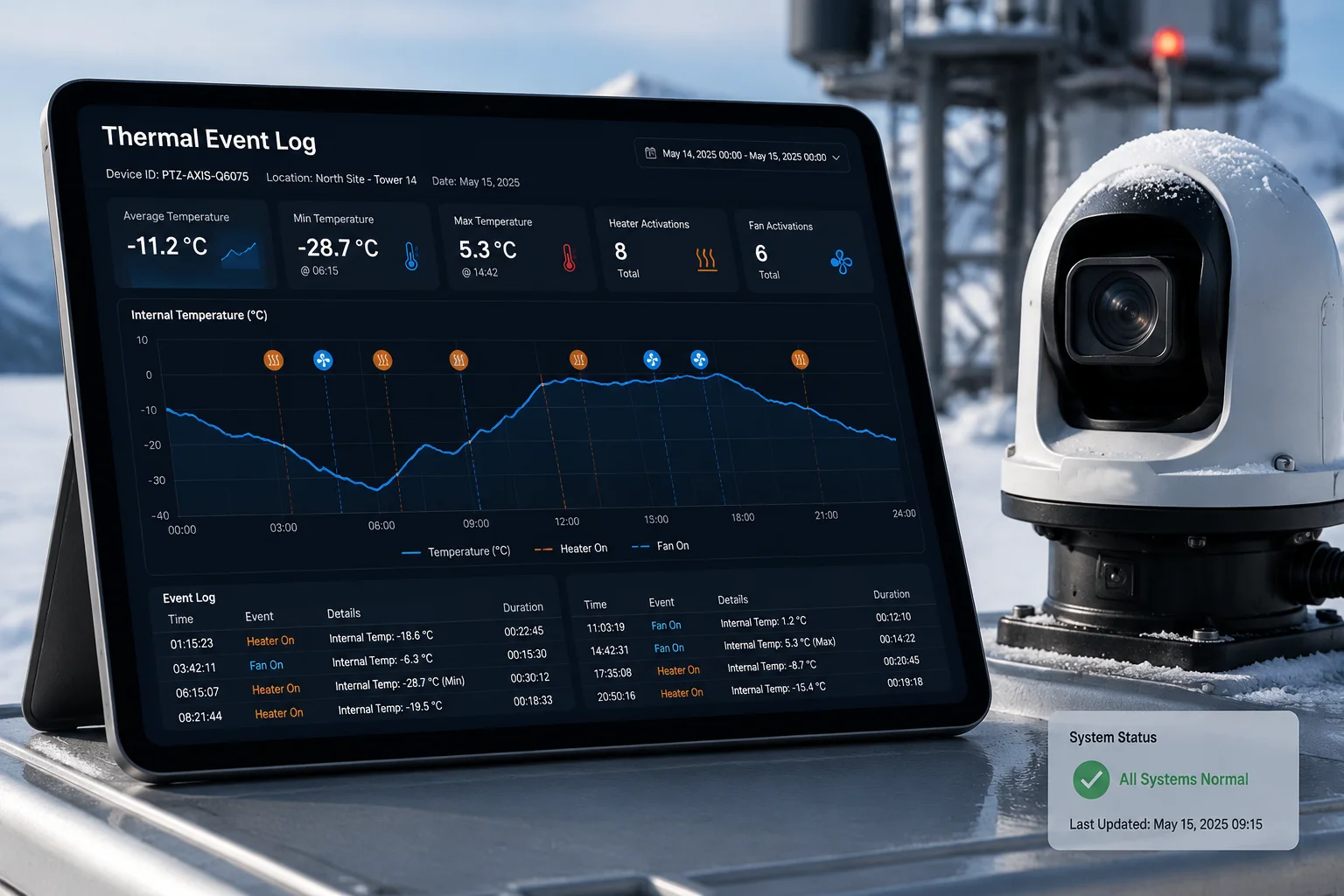
I use logs to turn guesswork into facts
When a site goes down in winter, people often blame the network, the battery, or the camera itself. I do not want to guess. I want logs. A thermal event log tells me if the system hit a protection limit8. That kind of record helps me see the real chain of events.
I also use logs to compare good sites and bad sites. If one location has repeated thermal spikes, I know the enclosure may need better insulation or a stronger power source. If another site shows heater use every night, I know the threshold may be too high or the enclosure may lose heat too fast. This is the kind of data that saves me time and protects my customer’s budget.
| Logged item | What I learn | How I use it |
|---|---|---|
| Internal temp change | I see heat trends | I adjust thresholds |
| Heater on/off time | I see cold exposure | I check insulation |
| Fan run time | I see heat stress | I review airflow |
| Thermal fault flag | I spot failure events | I plan service work |
I like thermal logs because they help me talk to technical buyers in a direct way. A CTO or project manager does not want a story with no proof. They want evidence. If I can show a thermal history, I can prove that the camera protected itself, or I can show where the site design needs work. That makes support faster and trust stronger.
How much extra power does the auto-heating logic consume in a solar-powered setup?
I have to be careful with power on solar projects. If I ignore heating load, the camera may work fine on one day and fail the next cloudy morning.
The auto-heating logic adds extra power use, but the exact amount depends on heater size, run time, insulation, and local weather. I manage it with thresholds, battery checks, and short heating cycles so the system stays stable on solar power.
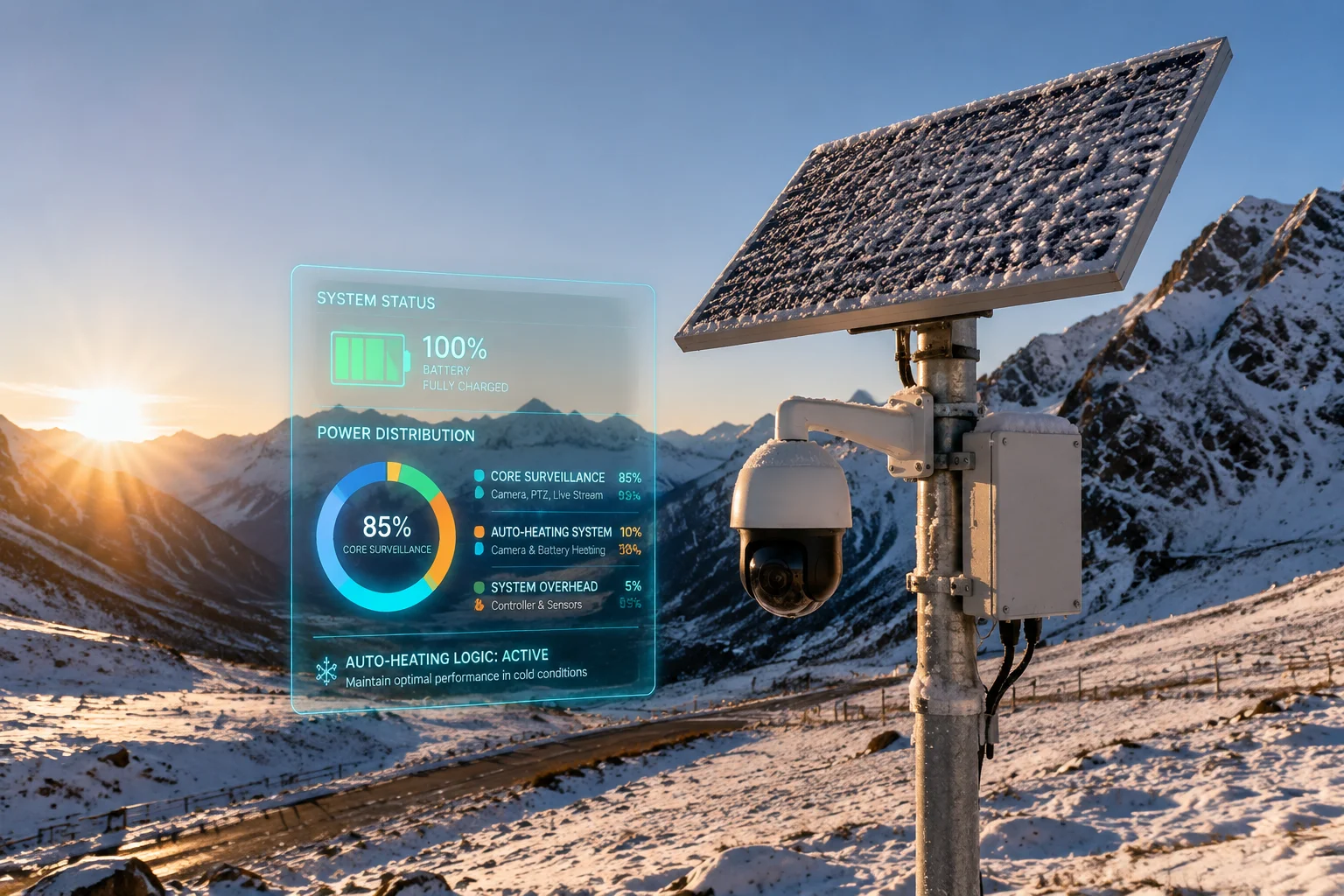
I balance protection with power budget
On a solar-powered setup, I never look at heater power in isolation. I look at the whole energy chain. The solar panel charges the battery, the battery runs the camera, and the heater can pull a large share of the available power. If I let the heater run without control, I may protect the lens but lose the whole system. So I use a simple rule: I protect the camera, but I do not sacrifice uptime.
I also think about climate patterns. A short cold snap may need only a small amount of heat. A long winter night may need more. In some cases, I reduce the heater run time by improving the enclosure seal, using better cable routing, or placing the unit to avoid direct wind. Small changes can lower heating demand a lot.
| Power factor | Effect on heating load | My action |
|---|---|---|
| Battery voltage7 | Low voltage limits heater use | I protect core functions first |
| Ambient cold | Heater runs longer | I improve insulation |
| Enclosure quality | Better sealing lowers loss | I reduce wasted energy |
| Solar input | More sun supports longer use | I allow wider heater windows |
I also tell clients that solar cameras are not only about panel size. They are about firmware logic too. Smart heating can make a modest system work better than a bigger but poorly controlled one. That is why I value auto-heating logic. It gives me a way to keep the camera alive, keep the image clean, and keep the battery from collapsing under a long cold night.
Conclusion
I want firmware that reacts fast, saves power, and keeps cameras alive in hard weather. Smart heater and fan control gives me that balance.
1. Understand how firmware-based thermal automation works in IP cameras. ↩︎ 2. Learn how to set custom start and stop temperatures for fans. ↩︎ 3. Details on defogging fans that prevent lens condensation. ↩︎ 4. How defog settings interact with heater and humidity control. ↩︎ 5. How to set fan stop temperature to avoid short on/off cycles. ↩︎ 6. Why fan control is important for SoC reliability in PTZ cameras. ↩︎ 7. Understanding battery voltage limits for heater operation. ↩︎ 8. What happens when a camera hits its thermal protection threshold. ↩︎