
I’ve watched off-grid PTZ cameras die in the middle of the night. No warning. No graceful shutdown. Just a black screen and an angry client calling at 6 AM.
Yes. Modern solar PTZ firmware uses a strategy called VPM (Voltage Power Management) to dynamically throttle AI processing power and disable laser IR illumination in stages as battery percentage drops. This staged approach prevents sudden system death and keeps critical functions alive longer.
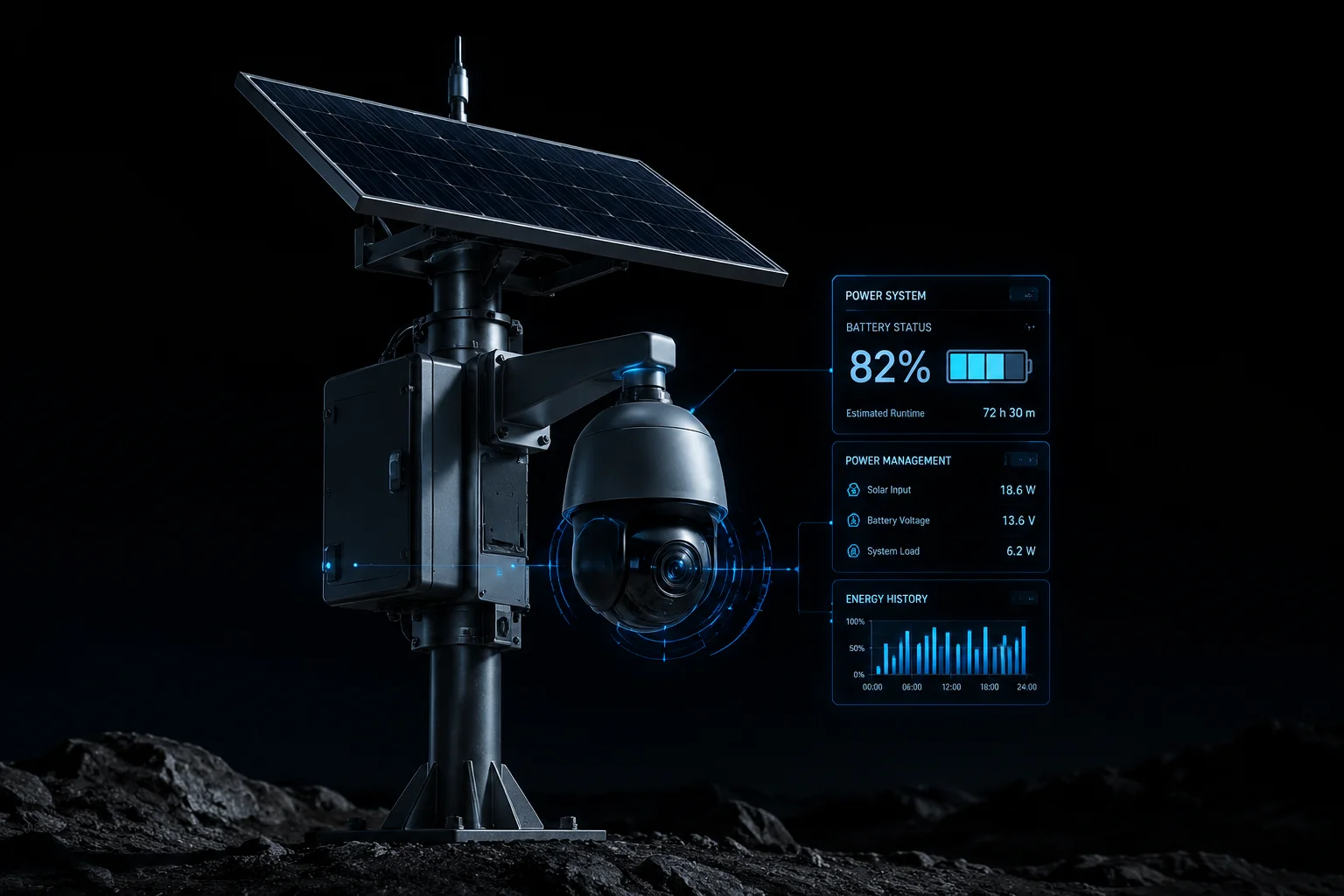
Below, I break down exactly how this works — from automatic snapshot mode switching to CMS notifications and real-world autonomy gains during winter. If you deploy off-grid systems, this is the logic that separates a reliable installation from a liability.
Table of Contents
Will the System Automatically Switch to “Snapshot Mode” if the Battery Drops Below 15%?
I’ve had field units hit 15% at 3 AM during a Texas ice storm. Without snapshot mode, those cameras would have gone completely dark.
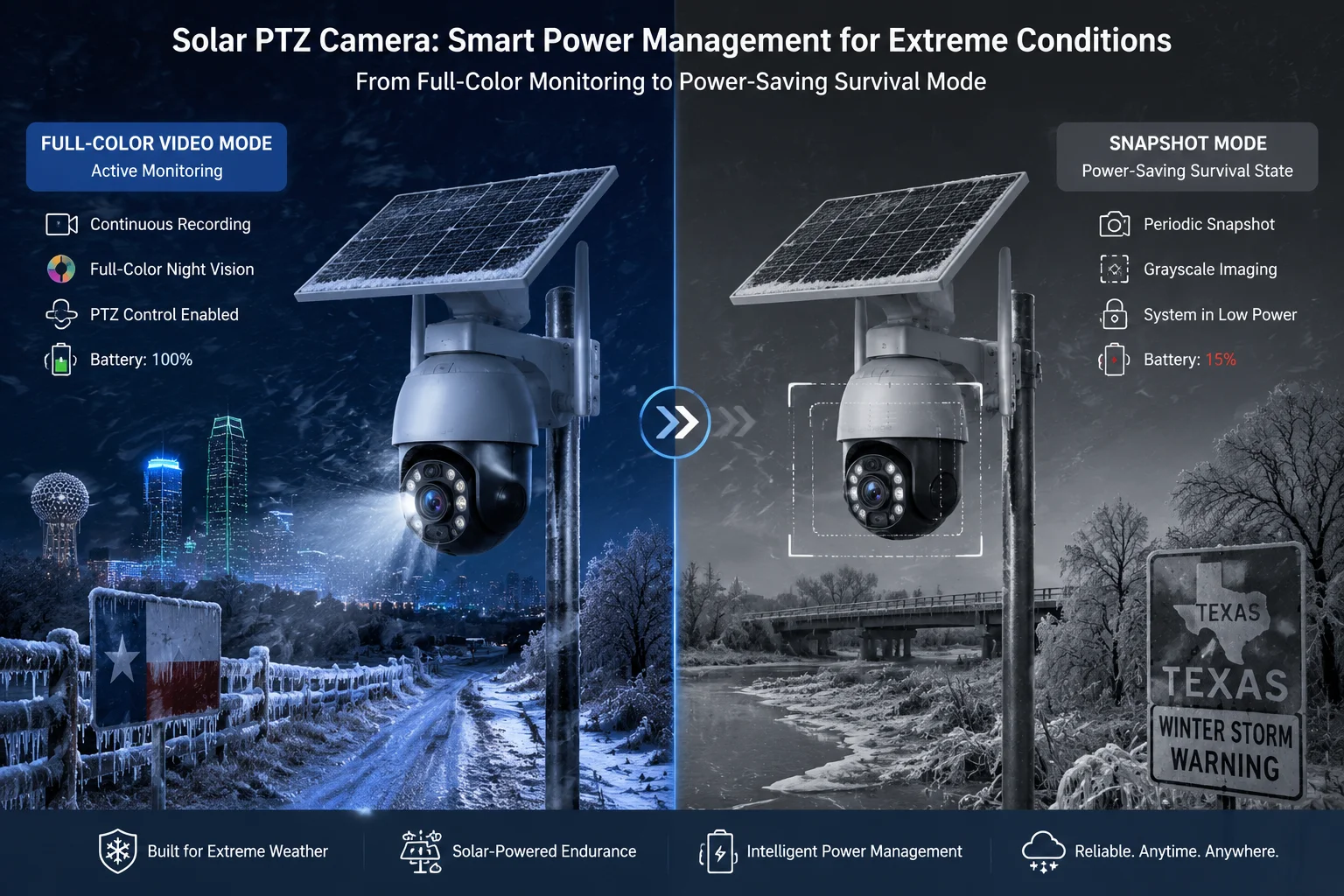
Yes. When battery drops below 15%, the firmware forces the system into Snapshot Mode. This means it stops continuous video recording and only captures still images at set intervals — typically one frame every 10 to 30 seconds — to stretch remaining power for hours instead of minutes.
What Happens at 15% — The Technical Breakdown
At 15% battery, the firmware triggers what we call a “survival state.” The system shuts down all non-essential processes. Continuous H.265 video encoding2 stops. The main SoC (System on Chip)1 drops its clock speed. The camera enters a cycle: sleep, wake, capture, sleep again.
Here is what the firmware disables and keeps at this threshold:
| Component | Status at 15% | Power Savings |
|---|---|---|
| Laser IR | Fully off | ~12W saved |
| AI NPU | Off (PIR fallback) | ~3W saved |
| Video stream | Stopped | ~4W saved |
| SD card recording | Snapshot only | ~1W saved |
| 4G module | Heartbeat mode (5 min/hour) | ~2W saved |
Why Snapshot Mode Matters for Evidence Collection
The logic here is simple. A dead camera records nothing. A camera in snapshot mode still captures evidence. If someone walks onto your site at 4 AM, the PIR sensor3 detects body heat. It wakes the camera. The camera grabs 3-5 high-resolution stills. It writes them to the SD card. Then it goes back to sleep.
This is not ideal. You lose motion context. You lose video continuity. But you still have timestamped proof that someone was there. For insurance claims and police reports, that is often enough.
How Long Does Snapshot Mode Actually Last?
From our testing with a 60Ah lithium battery pack, snapshot mode at one frame per 30 seconds extends runtime by roughly 8-12 hours beyond what continuous recording would allow. That can be the difference between surviving until sunrise — when the solar panel kicks back in — and going completely offline at midnight.
The Manual Override Option
Some integrators prefer to set their own snapshot threshold. In our firmware, you can adjust this under System > Power Management > Critical Mode Trigger. You can set it anywhere from 10% to 25%. I recommend 18% for most deployments. That gives the BMS4 enough headroom to protect the cells from deep discharge damage while still keeping the camera functional as long as possible.
Can I Prioritize AI Human Detection Over Laser Night Vision to Save the Last 10% of Energy?
Every watt matters when you are running on stored sunlight. I’ve had clients ask me: “If I can only keep one thing running, should it be the AI or the IR light?”
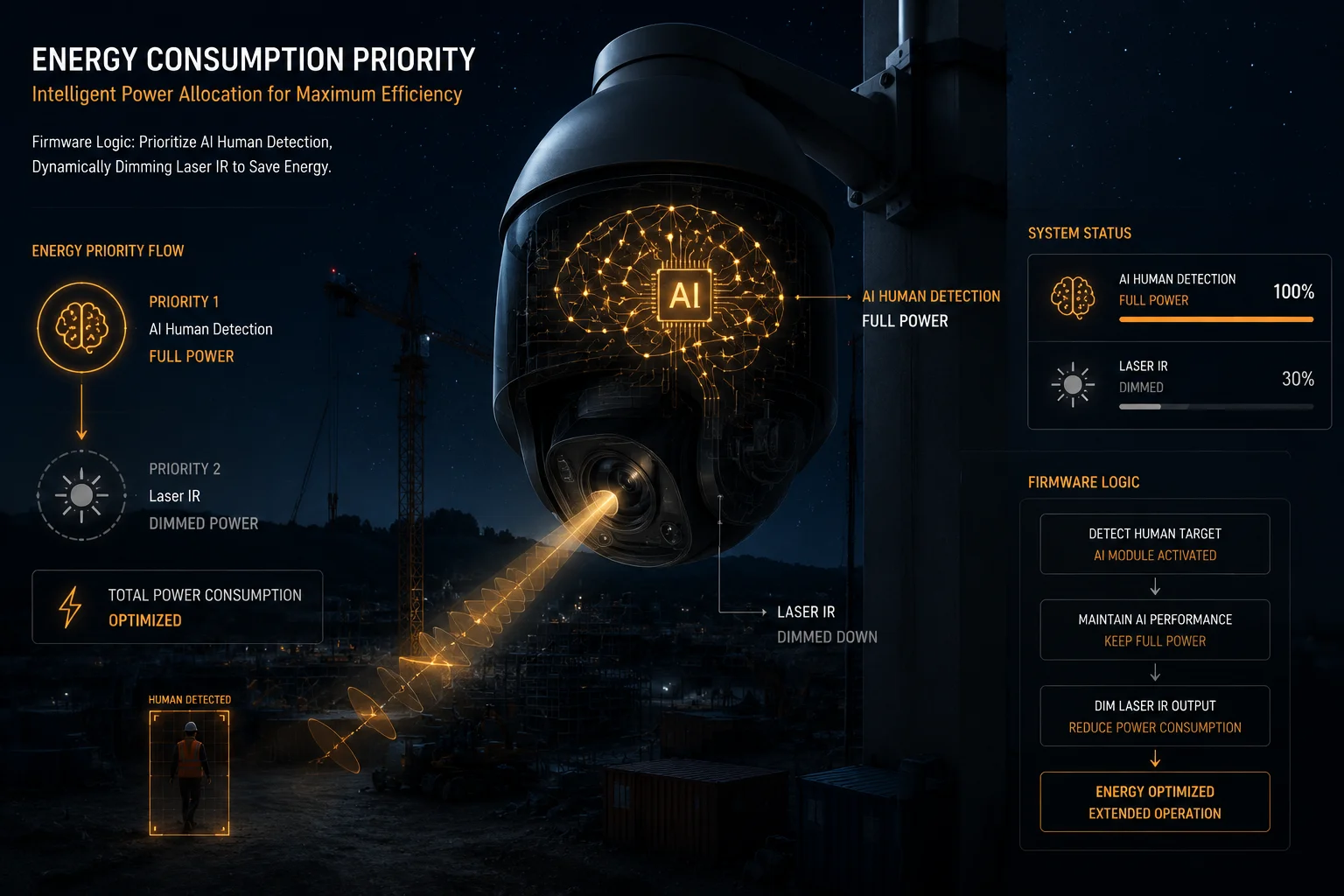
Yes. The firmware allows you to set priority rules that keep AI human detection active while disabling laser IR first. This makes sense because the AI NPU draws about 2-3W while the laser IR draws 10-15W. You get smart detection at a fraction of the power cost.
The Power Math Behind This Decision
Let me put real numbers on this. A typical laser IR illuminator at full power draws 12W. The AI NPU running human/vehicle classification at 15fps draws about 2.5W. If your battery has 10% left on a 60Ah/12V system, that is roughly 72Wh of usable energy.
| Priority Setting | Runtime on Last 10% | Detection Capability |
|---|---|---|
| AI + Laser IR both on | ~5 hours | Full night vision + smart alerts |
| AI only (laser off) | ~18 hours | Smart alerts, low-light sensor only |
| Laser IR only (AI off) | ~6 hours | Clear night image, no filtering |
| Both off (PIR only) | ~36 hours | Basic motion trigger only |
Why AI Without IR Still Works
Modern starlight sensors (like the Sony IMX4156) can capture usable images in conditions as low as 0.001 lux. That is moonlight. Without the laser, your image will be grainy. Colors will be muted. But the AI algorithm does not need a pretty picture. It needs shapes and movement patterns. A human silhouette at 30 meters is still recognizable to the NPU5 even in very low light.
The firmware handles this by switching the ISP (Image Signal Processor)7 into a high-gain, low-noise mode. Frame rate drops to 15fps or lower. But the AI still processes each frame and can distinguish a person from a tree branch blowing in the wind.
How to Configure Priority Rules
In our firmware interface, navigate to AI > Power Priority. You will see a drag-and-drop list:
- SD Card Local Recording (highest priority)
- AI Human/Vehicle Detection
- 4G Alarm Push
- Live Video Preview
- Laser IR Illumination (lowest priority)
You can reorder these based on your project needs. The firmware will shed load from the bottom of the list first. So if you put laser IR at the bottom, it gets cut first when voltage drops. AI stays running until the system hits its absolute minimum threshold.
When You Should Prioritize IR Over AI
There is one exception. If your deployment relies on license plate recognition (LPR) at night, you need the IR. The AI cannot read plate characters without adequate illumination. In that case, move laser IR above AI detection in the priority list. The system will keep the light on and sacrifice smart filtering instead.
Does the Firmware Notify the CMS Before It Starts Disabling High-Power Functions?
I learned this lesson the hard way. A client’s NOC team saw cameras going “offline” and dispatched a technician 200 miles into the desert. The cameras were fine — they were just in power-saving mode. Nobody told the CMS.
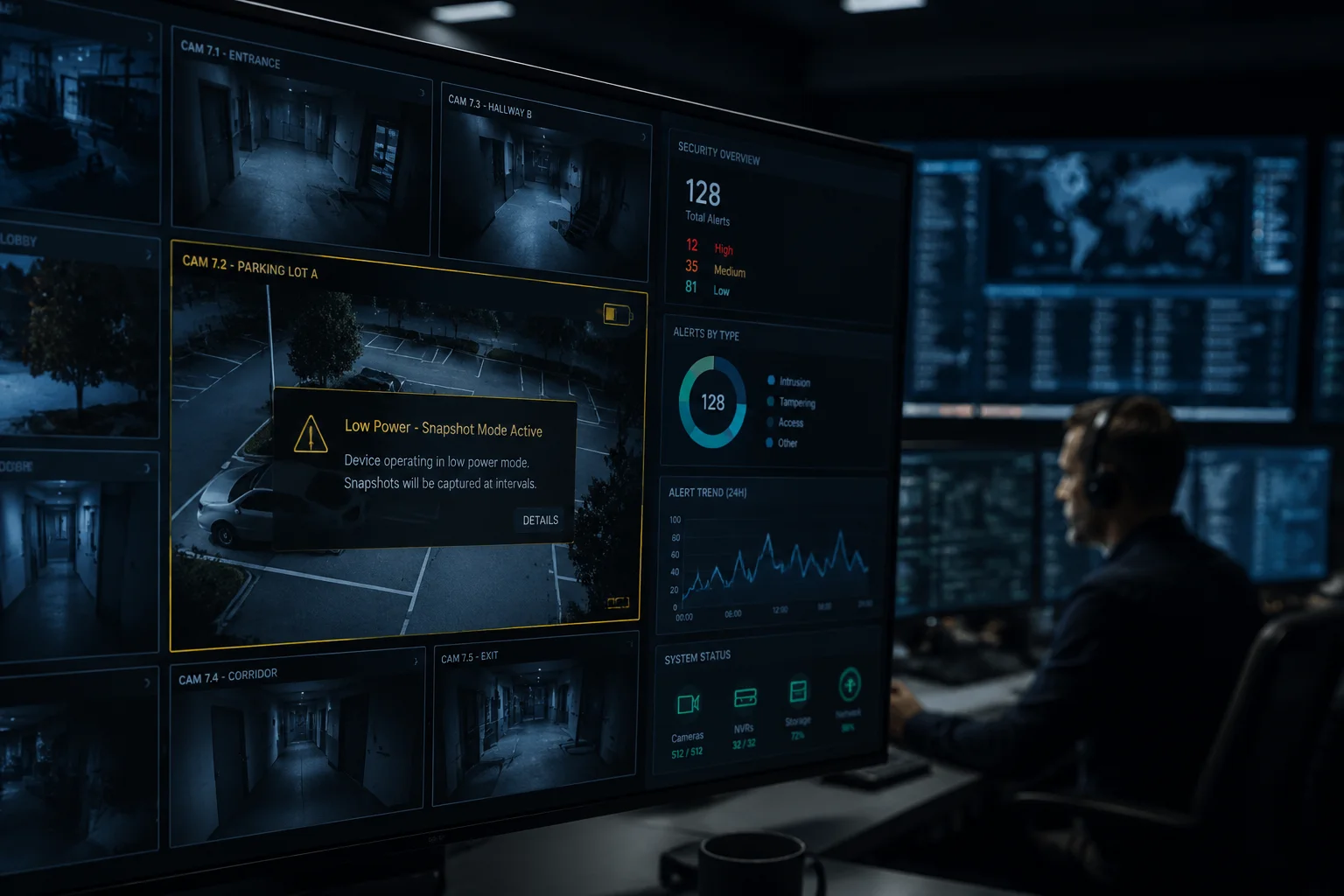
Yes. The firmware sends structured SNMP traps and custom event codes to the CMS before each power stage transition. This gives your monitoring team advance warning that the system is about to reduce capabilities — not that it has failed.
The Notification Sequence
When the battery crosses a threshold, the firmware does not just silently cut power. It follows a notification protocol:
- Pre-alert (threshold minus 5%): The system sends a “low power warning” event to the CMS. This gives the NOC team time to acknowledge the situation.
- Transition alert (at threshold): The system sends a specific event code indicating which function is being disabled. For example, Event Code 0x4A01 means “Laser IR disabled due to low voltage.”
- Post-transition confirmation: After the change takes effect, the system sends a status update confirming current operating mode.
What the CMS Actually Receives
The notification payload includes:
- Device ID and location
- Current battery voltage and percentage
- Estimated time to next threshold
- List of functions currently active
- List of functions just disabled
- Estimated time until full shutdown
Integration with Major VMS Platforms
For clients running Milestone XProtect8 or Genetec9, these events map to standard alarm inputs. You can configure your VMS to:
- Display a yellow icon when a camera enters “reduced mode”
- Display a red icon when a camera enters “critical mode”
- Auto-generate a maintenance ticket when battery drops below 25%
- Send an SMS to the site manager when any camera hits 15%
The key point is this: your NOC team should never confuse “power saving mode” with “equipment failure.” That confusion costs money. It sends trucks to sites that do not need them. Our firmware makes the distinction clear through proper event reporting.
ONVIF Event Compatibility
All power management notifications follow the ONVIF Profile S10 event framework. This means any ONVIF-compliant VMS will receive and display these alerts without custom integration work. You do not need a proprietary plugin. The events show up in the standard event log alongside motion alerts and tampering alarms.
How Do These Dynamic Power Profiles Extend the System’s “Autonomy Days” During Winter?
Winter is where off-grid systems fail. Shorter days. Lower sun angle. Snow on panels. I’ve seen systems in Canada that get only 2 hours of usable solar input per day in December.
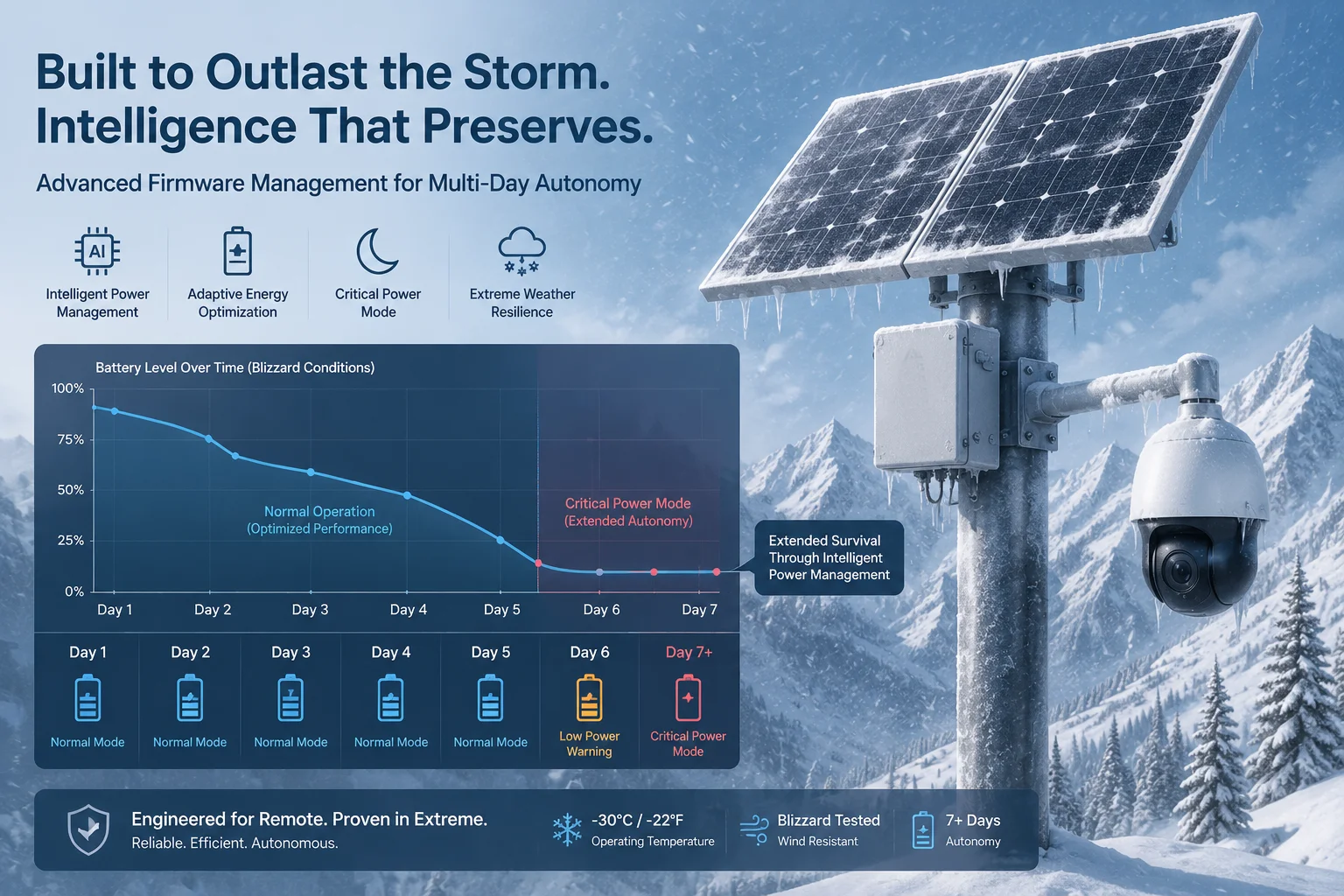
Dynamic power profiles can extend autonomy from 3 days to 7+ days during winter by reducing average system consumption from 15W to under 4W during low-battery states. This staged reduction means the system survives extended cloudy periods that would kill a fixed-power-draw camera.
The Winter Power Problem
In summer, a 100W solar panel in Texas generates roughly 500Wh per day. In winter, that same panel might produce 150-200Wh. If your camera system draws a constant 15W (360Wh/day), you are running a daily deficit of 160-210Wh. Your battery drains a little more each day. After 3-4 cloudy days in a row, the system dies.
Dynamic power profiles fix this by matching consumption to available energy.
Staged Consumption Reduction
Here is how the math works across a 5-day winter storm with no solar input, starting from a fully charged 100Ah/12V battery (1200Wh usable):
| Day | Battery Start | Power Profile | Avg Draw | Energy Used | Battery End |
|---|---|---|---|---|---|
| Day 1 | 100% (1200Wh) | Full operation | 15W | 360Wh | 70% (840Wh) |
| Day 2 | 70% (840Wh) | Reduced (AI throttled, IR limited) | 9W | 216Wh | 52% (624Wh) |
| Day 3 | 52% (624Wh) | Low power (AI at 5fps, no laser) | 6W | 144Wh | 40% (480Wh) |
| Day 4 | 40% (480Wh) | Critical (snapshot + PIR only) | 3.5W | 84Wh | 33% (396Wh) |
| Day 5 | 33% (396Wh) | Critical (snapshot + PIR only) | 3.5W | 84Wh | 26% (312Wh) |
Without dynamic profiles, the system would die midway through Day 4. With them, it survives all 5 days and still has 26% remaining when the sun returns.
The “Dead Zone” Protection Layer
I always recommend setting a hard floor — what we call the “Dead Zone” — at 11.1V (about 10% for a 12V lithium pack). Below this voltage, the firmware cuts all loads completely. This protects the battery cells from irreversible damage caused by deep discharge.
Why does this matter? A lithium battery that gets discharged below its safe minimum may never charge again. Or worse, it charges unevenly and becomes a fire risk. The Dead Zone setting ensures your $300 battery pack does not become a paperweight because the camera drained it to zero.
Practical Winter Deployment Tips
For sites above 45° latitude (northern US, Canada, northern Europe), I recommend:
- Oversizing the solar panel by 2x compared to summer calculations
- Using a battery bank of at least 200Ah for any camera drawing more than 10W at full load
- Setting the first power reduction threshold at 60% instead of the default 40%
- Enabling “Winter Mode” in firmware, which pre-emptively reduces night-time draw starting at sunset rather than waiting for voltage to drop
These settings combined with dynamic power profiles give most systems 7-10 days of autonomy even in the worst winter conditions. That covers virtually any weather event short of a volcanic winter.
Conclusion
Smart firmware power management is what separates a reliable off-grid PTZ deployment from one that dies every cloudy week. Staged VPM logic — throttling AI, cutting laser IR, and compressing 4G usage based on real-time battery voltage — is not optional for serious solar surveillance projects. It is the foundation.
1. Definition and components of an SoC, which integrates processor, memory, and I/O on a single chip. ↩︎ 2. Details on HEVC (H.265) compression standard used for efficient video storage and streaming. ↩︎ 3. How passive infrared sensors detect body heat for motion triggering. ↩︎ 4. Role of BMS in protecting battery cells from deep discharge and ensuring safe operation. ↩︎ 5. Explanation of neural processing units (NPUs) used for AI inference at low power. ↩︎ 6. Specifications of Sony’s starlight image sensor used in low-light cameras. ↩︎ 7. Function of ISP in camera systems for processing raw sensor data. ↩︎ 8. Official page for Milestone XProtect VMS platform and its integration capabilities. ↩︎ 9. Overview of Genetec Security Center VMS and its event handling features. ↩︎ 10. ONVIF Profile S specifications for IP camera streaming and event management. ↩︎