
I’ve lost count of how many times a frozen 4G module1 has killed a live feed at the worst possible moment — and nobody was on-site to pull the plug.
Yes, our Loyalty-Secu PTZ cameras include a built-in Dual Hardware Reset Logic that automatically power-cycles the 4G module after a 5-minute network outage. An independent MCU watchdog chip2 cuts and restores physical power to the M.2 slot3, performing a true cold boot without any human intervention on site.

This is not a simple software reconnect. It is a real, physical power cut — the same as if someone walked up to the camera and unplugged the 4G module by hand. Below, I break down exactly how each layer of this system works, why the 5-minute threshold matters, and how it saves serious money for integrators deploying in remote locations.
Table of Contents
Will the System Cycle the Physical Power to the M.2 Slot to Clear a Persistent Network Lock?
A locked-up 4G module does not care about your AT commands. When the chip firmware freezes, software tricks stop working — and your camera goes dark until someone drives out to reset it.
Our system uses a dedicated hardware watchdog chip that physically cuts the VCC power rail to the M.2 slot. After a 10-second delay, it restores power. This cold boot clears internal register deadlocks that no software reset can fix.

Why Software Resets Are Not Enough
Most cameras on the market only try a software-level reset when the network drops. They send an AT command like AT+CFUN=1,1 to the 4G modem and hope it responds. This works fine for minor glitches — a dropped PPP session, a temporary signal fade. But it fails completely when the modem chip itself is hung.
A “hung” modem means the internal processor inside the 4G module has stopped responding. The serial port is dead. AT commands go nowhere. The only fix is to remove power and apply it again. That is exactly what our hardware watchdog does.
How the Hardware Watchdog Works
Here is the step-by-step process:
- Heartbeat monitoring. The main SoC sends a pulse (called “feeding the dog”) to the watchdog chip at regular intervals.
- Network check. The system pings a reliable server (like 8.8.8.8) through the 4G connection every 30 seconds.
- Failure detection. If the ping fails continuously for 5 minutes, or if the main SoC crashes and stops feeding the watchdog, the watchdog chip takes action.
- Power cut. The watchdog triggers a MOSFET switch that cuts the VCC line to the M.2 slot. The 4G module loses all power.
- Cold boot. After a 10-second pause, power is restored. The module boots from scratch — fresh firmware load, fresh network registration, fresh data session.
The Difference Between Soft Reset and Hard Reset
| Reset Type | What Happens | Fixes Firmware Hang? | Requires Extra Hardware? |
|---|---|---|---|
| AT Command Restart | Sends a reboot command to the modem via serial port | No — if the serial port is dead, the command never arrives | No |
| GPIO Reset Pin | Pulls the modem’s RESET pin low for a few hundred milliseconds | Sometimes — depends on how badly the chip is stuck | No (uses existing pin) |
| Power Cycle (Our Method) | Cuts VCC power completely, waits 10 seconds, restores power | Yes — guaranteed. No power means no stuck state. | Yes — needs a MOSFET switch and watchdog chip |
The key point is this: a power cycle is the only method that works 100% of the time. Everything else is a “best effort” approach. For a camera sitting on a pole in the middle of a Texas ranch, “best effort” is not good enough.
Can I Customize the Outage Duration Before the Hardware Triggers a Full Cellular Reset?
Every deployment site is different. A camera on a busy highway overpass has stable 4G. A camera on a remote farm might lose signal every time the wind shifts. A fixed 5-minute timer does not fit every situation.
Yes, the outage detection threshold is fully configurable through the camera’s web interface4. You can set it anywhere from 3 to 15 minutes. You can also enable or disable the hard reset feature entirely, and set a maximum number of resets per hour to prevent reboot loops.

Why 5 Minutes Is the Default — and When to Change It
We chose 5 minutes as the default because it balances two risks:
- Too short (under 2 minutes): The camera reboots the modem during normal network fluctuations. A cell tower handoff, a brief congestion spike, or a passing storm could trigger unnecessary resets. Frequent resets actually reduce uptime instead of improving it.
- Too long (over 15 minutes): The camera stays offline for an extended period. For security applications, 15 minutes of downtime could mean a missed intrusion event.
Five minutes gives the network enough time to recover on its own. If it does not recover in 5 minutes, something is genuinely wrong, and a hard reset is the right call.
Tiered Recovery: What Happens Before the Hard Reset
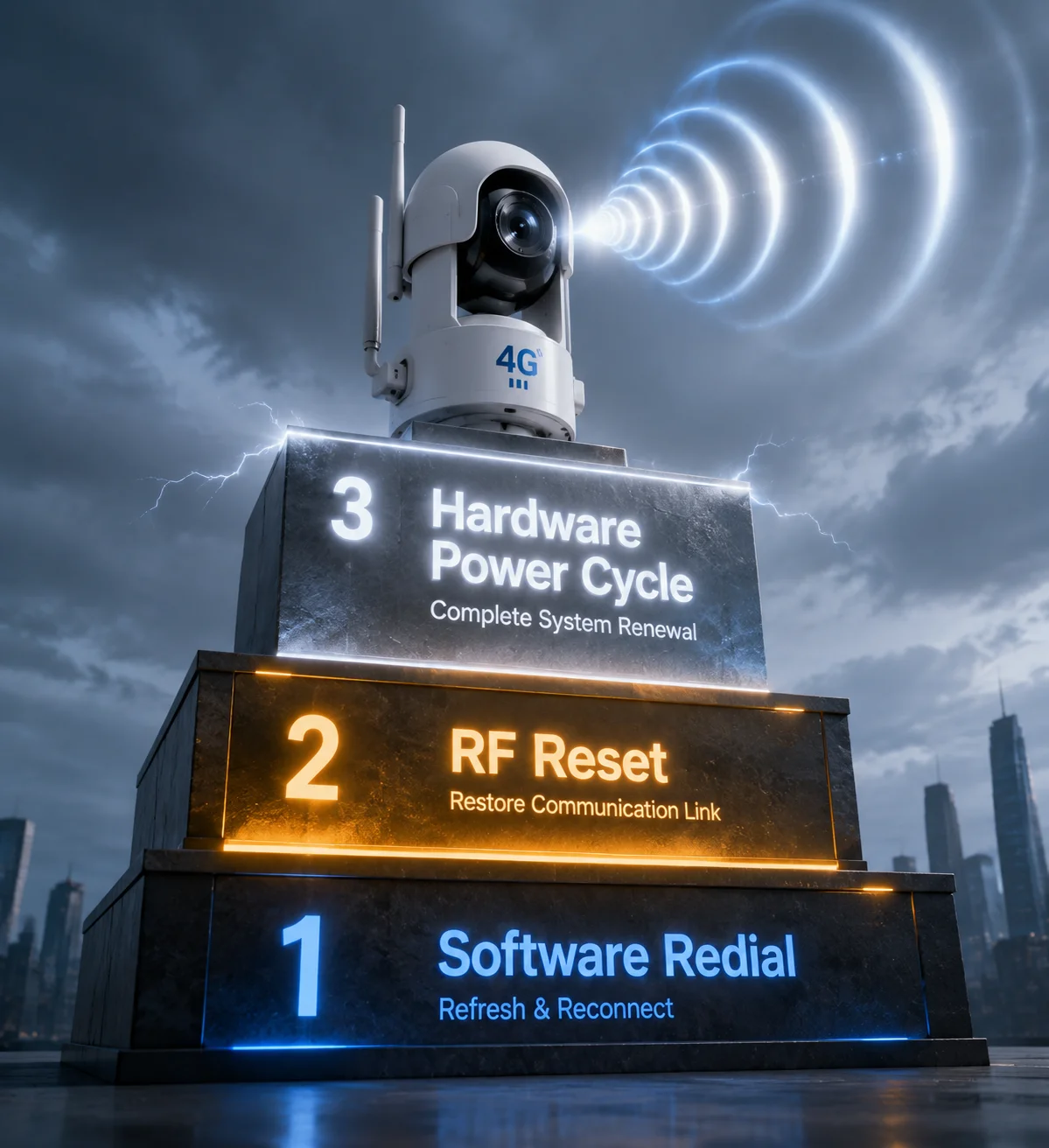
Our firmware does not jump straight to a power cycle. It follows a tiered recovery protocol. Each step is more aggressive than the last:
| Outage Duration | Auto Action | Purpose |
|---|---|---|
| 1 minute | Software Redial (Modem Restart) | Re-establish the PPP/QMI data connection without touching the modem hardware. |
| 3 minutes | RF Reset | Force the 4G module to re-scan for base stations. This solves frequency interference and cell tower handoff5 failures. |
| 5 minutes | Hardware Power Cycle | Last resort: The MCU watchdog cuts power to the module, clearing any firmware-level deadlock inside the 4G chip. |
This tiered approach means the camera tries the gentlest fix first. Only when the gentle fixes fail does it escalate to a full power cycle. This design reduces wear on the module and avoids unnecessary downtime during the reboot process.
Configuration Options Available to You
Through the web interface or SDK, you can adjust:
- Detection interval: How often the camera checks connectivity (default: every 30 seconds).
- Outage threshold: How long the outage must last before triggering a hard reset (default: 5 minutes, range: 3–15 minutes).
- Max resets per hour: Prevents infinite reboot loops if the SIM card has no credit or the tower is permanently down (default: 3 per hour).
- Minimum gap between resets: Ensures the modem has enough time to fully boot and register on the network before the next reset attempt (default: 60 seconds).
- Enable/disable toggle: You can turn off the hard reset feature entirely if your deployment does not need it.
These settings can also be pushed remotely through our cloud management platform, so you do not need to visit each camera to make changes.
How Does This “Hard Reset” Feature Save Me Thousands in Manual “Truck Roll” Maintenance Costs?
I have talked to integrators who spend more on truck rolls than they spend on the cameras themselves. One frozen modem on a remote site can cost $300–$500 just to send a technician out to unplug it and plug it back in.
Every automated hard reset replaces a manual truck roll7. For a fleet of 50 cameras across rural sites, this feature can save $15,000–$25,000 per year in avoided service calls — while keeping your uptime above 99.9%.

The Real Cost of a Single Truck Roll
Let me break down what a typical truck roll costs for a remote site in the United States:
- Technician labor: 2–4 hours at $50–$75/hour = $100–$300
- Fuel and vehicle: $50–$150 depending on distance
- Lost productivity: The technician is not working on new installs
- Customer dissatisfaction: The end client sees downtime on their dashboard and questions your reliability
For a single camera, one truck roll per quarter adds up to $600–$1,800 per year. Multiply that across a fleet of 50 cameras, and you are looking at $30,000–$90,000 per year in maintenance costs — just for modem freezes that could have been fixed automatically.
How the Numbers Change With Auto-Reset
Our field data from existing deployments shows that the Dual Hardware Reset Logic eliminates approximately 85–95% of truck rolls caused by 4G module failures. Here is a realistic comparison:
| Metric | Without Auto-Reset | With Auto-Reset |
|---|---|---|
| Average modem freezes per camera per year | 6–12 | 6–12 (same — the freezes still happen) |
| Truck rolls needed per camera per year | 6–12 | 0–1 (only for true hardware failures) |
| Average truck roll cost | $300 | $300 |
| Annual maintenance cost (50 cameras) | $90,000–$180,000 | $0–$15,000 |
| Camera uptime | 92–96% | 99.5–99.9% |
The freezes still happen. That is normal — 4G modules are complex devices operating in harsh RF environments. The difference is that the camera fixes itself in 5 minutes instead of waiting 24–72 hours for a technician.
The Uptime Guarantee Your Clients Expect
If you are bidding on a government contract, a smart city project, or a critical infrastructure job, the RFP almost always includes an uptime requirement — typically 99% or higher. Without auto-reset, hitting 99% uptime across a large fleet is nearly impossible. With it, 99.9% becomes achievable. This is not just about saving money. It is about winning contracts. When you can show a prospective client that your cameras have a built-in self-healing mechanism, you stand out from competitors who rely on manual intervention.
Does the Camera Attempt a “Soft Reset” of the Software Stack Before Performing a Hard Power Cycle?
Jumping straight to a hard power cycle every time the network hiccups would be overkill. It would wear out the modem, waste power on solar systems, and cause unnecessary video gaps.
Yes, the camera always attempts a soft reset first. It follows a three-stage recovery process — software redial, RF reset, then hardware power cycle — escalating only when the previous stage fails to restore connectivity within the configured time window.
Stage 1: Software Redial (Minute 0–1)
The moment the camera detects a failed ping, it starts the clock. During the first minute, it tries the simplest fix: tearing down the current data session and rebuilding it. This means:
- Dropping the existing PPP or QMI connection
- Re-sending the APN credentials to the modem
- Requesting a new IP address from the carrier
This fixes about 40–50% of all connectivity drops. Most drops are caused by the carrier’s network briefly reassigning resources, and a simple redial is enough to get back online.
Stage 2: RF Reset (Minute 1–3)
If the redial does not work, the problem might be at the radio level. Maybe the camera was connected to a distant tower, and a closer tower is now available. Maybe there is temporary interference on the current frequency band. The RF reset6 forces the modem to:
- Detach from the current cell tower
- Clear its internal list of preferred cells
- Perform a full network scan across all supported bands
- Re-register on the strongest available tower
This fixes another 30–40% of connectivity issues, especially in areas with multiple overlapping cell towers or in environments with heavy RF interference (like construction sites with welding equipment).
Stage 3: Hardware Power Cycle (Minute 3–5)
If both soft reset and RF reset fail, the modem is likely in a state that no software command can fix. This is where the hardware watchdog takes over. As described earlier, it cuts VCC power to the M.2 slot for 10 seconds, then restores it.
Anti-Infinite Loop Protection
There is one more critical piece of logic that many cheap devices miss: what happens if the hard reset does not fix the problem?
If the SIM card8 has no credit, or the nearest cell tower is permanently down, no amount of rebooting will help. Without protection, the camera would enter an infinite reboot loop — resetting every 5 minutes forever, draining the solar battery and never actually recovering.
Our firmware includes anti-loop logic:
- After 3 consecutive hard resets with no recovery, the camera enters a low-power standby mode.
- It reduces the check interval to once every 30 minutes instead of every 30 seconds.
- It logs the failure and waits for conditions to change (tower comes back online, SIM gets recharged).
- Once connectivity is detected again, it returns to normal operation automatically.
This protects your solar power budget and prevents unnecessary wear on the 4G module.
What This Means for Your Project
For integrators like David, this tiered approach is the difference between a product that “sort of works” and a product you can trust to run unattended for months. You deploy it, you configure it, and you move on to the next job. The camera takes care of itself.
Conclusion
Our Dual Hardware Reset Logic gives your remote 4G cameras a true self-healing capability — cutting truck rolls, protecting uptime, and letting you scale your deployments with confidence.
1. Learn about 4G/LTE modules used in IoT and surveillance devices. ↩︎ 2. Discover how watchdog timers automatically reset systems during failures. ↩︎ 3. Explore the M.2 form factor commonly used for 4G modules and SSDs. ↩︎ 4. Learn about web-based configuration interfaces for network devices. ↩︎ 5. Learn about handover (handoff) in cellular networks when moving between towers. ↩︎ 6. Understand how forcing a modem to rescan frequencies can resolve connectivity issues. ↩︎ 7. Learn about the term ‘truck roll’ and its cost impact in telecommunications and field service. ↩︎ 8. Understand the role of SIM cards in cellular network authentication and data connectivity. ↩︎