
I’ve had clients lose entire government contracts because their cameras captured bystanders’ faces without consent. Privacy compliance isn’t optional anymore — it’s a deal-breaker.
Yes, modern AI-powered PTZ cameras support real-time mosaicking of faces and license plates directly in the live preview. The privacy mask is applied by the onboard AI chip before the video stream leaves the device, so sensitive data never travels unprotected over your network or 4G connection.
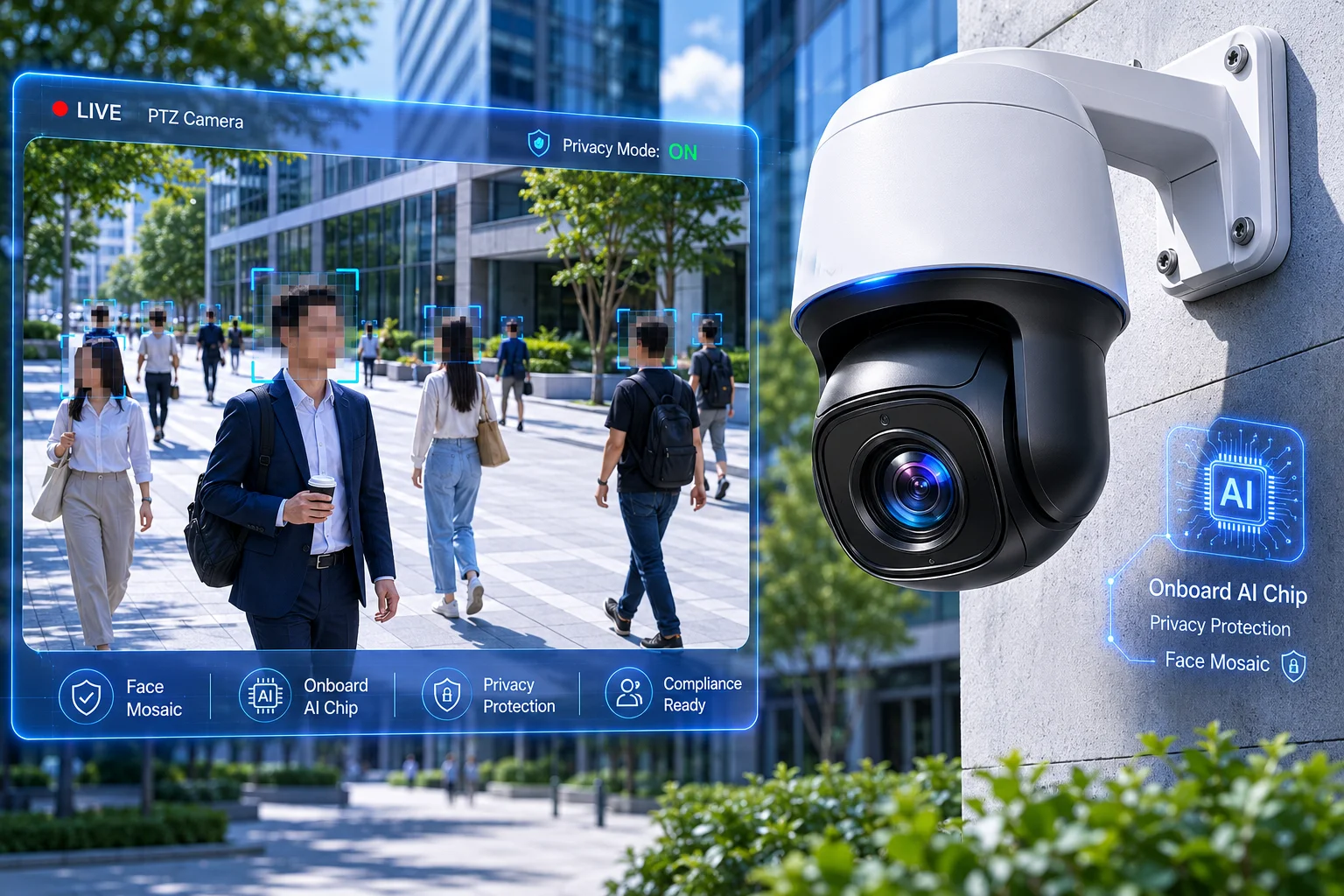
Below, I’ll walk you through exactly how this works at the hardware level, how to keep your AI detection running while masking private data, and how to set up administrator-only unmasking for recorded footage.
Table of Contents
Can I Protect the Privacy of Passersby by Automatically Blurring Their Faces in Live View?
Yes, you absolutely can. I’ve deployed this feature on dozens of job sites where public foot traffic passes through the camera’s field of view every single day.
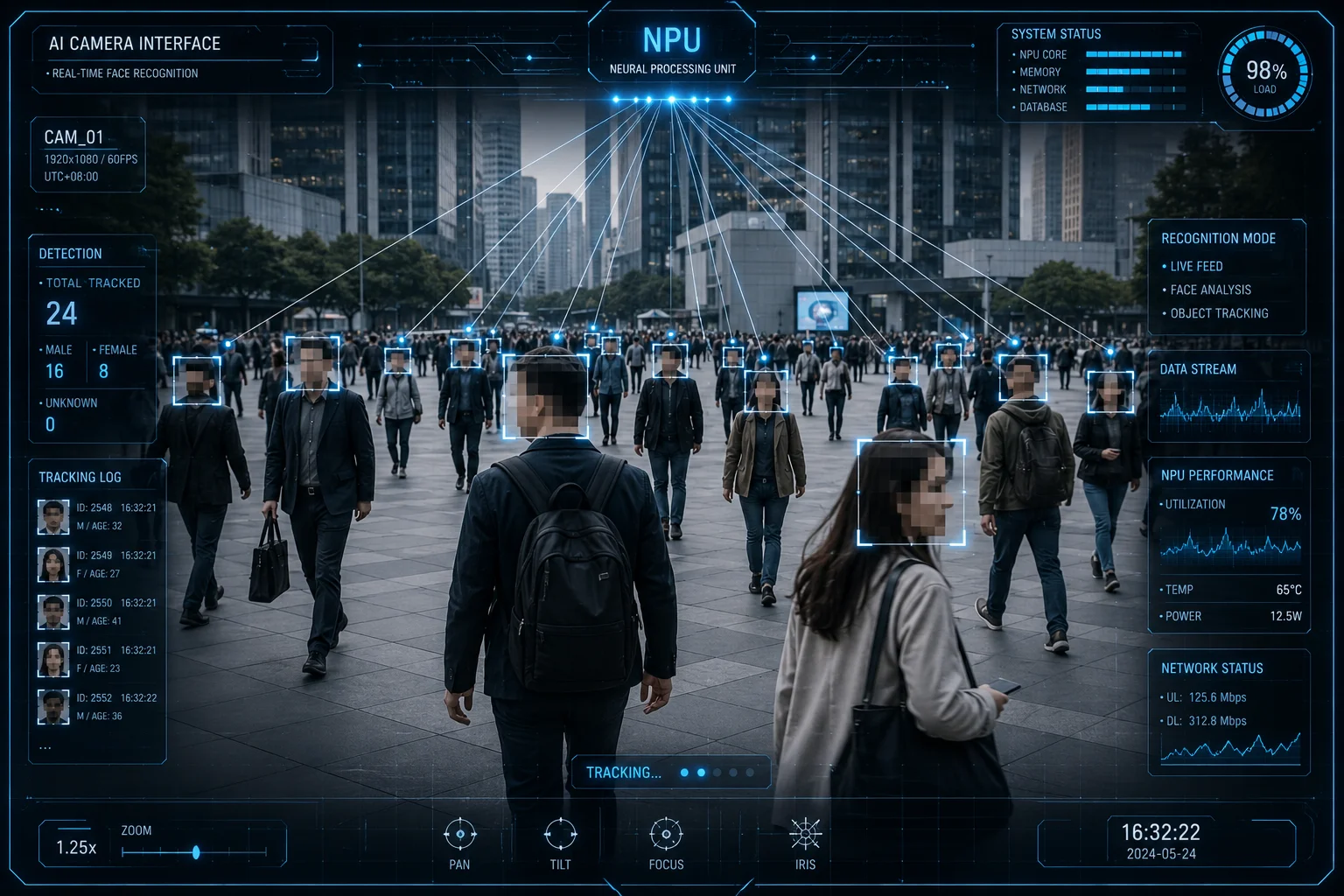
AI-based face blurring works in real time on the live view. The camera’s neural processing unit (NPU) detects all human faces in the frame and applies a dynamic mosaic overlay before the video is encoded. This means operators see blurred faces instantly — no post-processing needed.
How the On-Camera Face Detection Works
The camera runs a lightweight deep-learning model8 directly on its embedded AI chip. This model scans every frame — typically at 25 or 30 fps — and identifies face regions using bounding-box coordinates. Once a face is detected, the encoder overlays a pixelated mosaic on that exact region before compressing the video into H.2654.
This is not a simple static privacy zone10. Static zones block out a fixed area of the image regardless of what’s there. AI face blurring is dynamic. It follows moving people. If a person walks left to right across the frame, the mosaic moves with their face in real time.
What Happens When Multiple Faces Appear
The NPU can handle multiple simultaneous detections. Most industrial-grade chips support 20 to 30 face targets per frame without dropping performance. Each face gets its own independent mosaic box. The system assigns a temporary tracking ID to each face so the blur stays locked even if people cross paths or briefly overlap.
Key Differences: Static Privacy Zone vs. AI Dynamic Mosaic
| Feature | Static Privacy Zone | AI Dynamic Face Mosaic |
|---|---|---|
| Covers fixed area only | Yes | No — follows the target |
| Requires manual setup | Yes, draw zones by hand | No — fully automatic |
| Works on moving subjects | No | Yes |
| CPU/NPU load | Very low | Moderate (needs AI chip) |
| GDPR/privacy compliance | Partial | Full face-level compliance |
| Adjustable blur intensity | Limited | Yes — pixel size configurable |
Practical Tip for Integrators
When you configure this feature, make sure you set the minimum face pixel size. If a face is smaller than, say, 32×32 pixels in the frame, the AI may not detect it reliably. For a 38X zoom PTZ11, this means the auto-blur works best within a certain range. At extreme zoom distances, faces become too small for reliable detection. I always tell my clients: test at your actual deployment distance, not on a bench in the office.
How Do I Enable “Privacy Masking” for License Plates While Maintaining the AI Detection?
This is the question I get most from integrators working on smart city and parking projects. They need the plate data for access control, but they can’t show it on the live monitor.
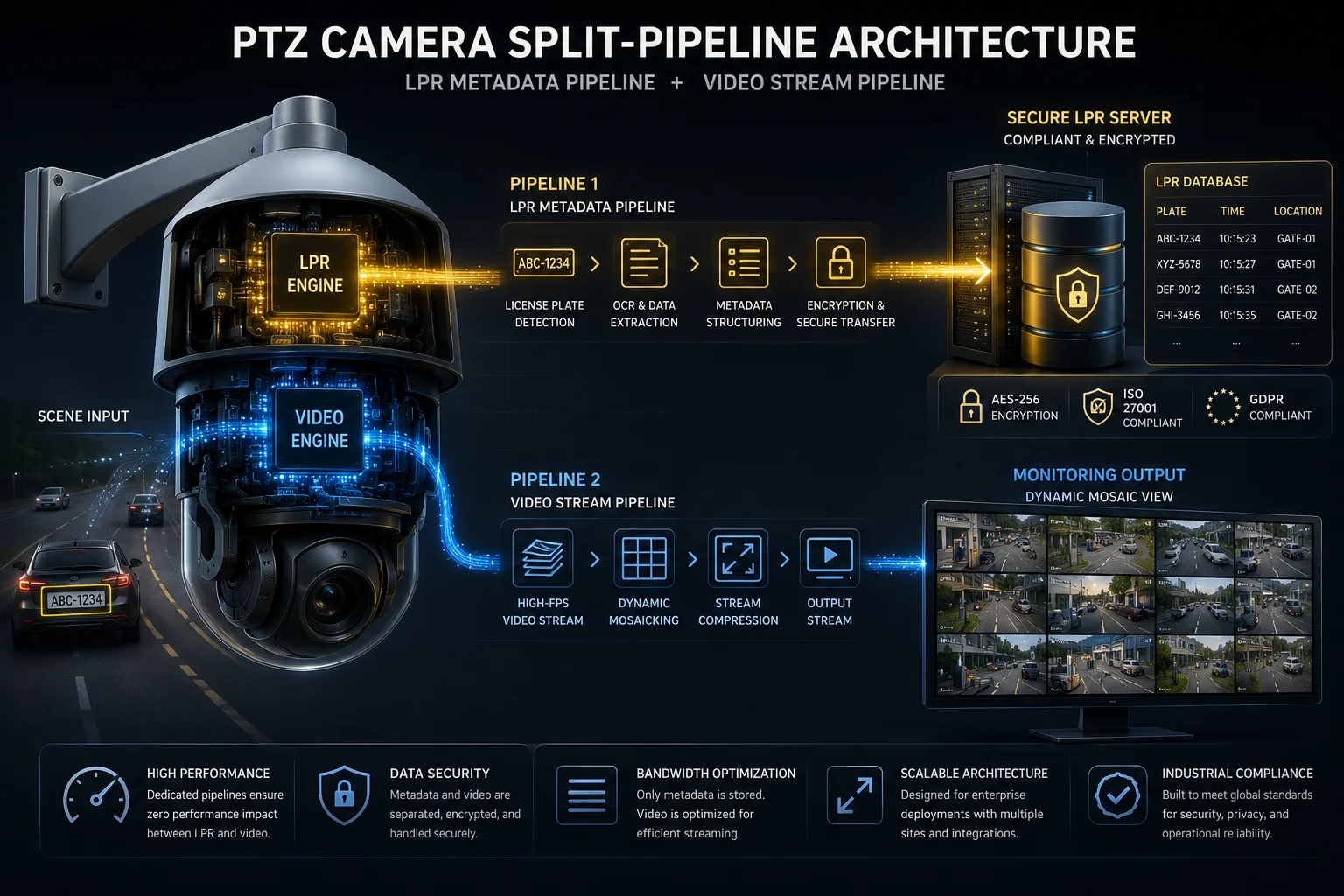
You enable license plate masking through a split-pipeline approach. The AI detection engine reads the plate number internally for alerts and access logs, but the video encoder masks the plate region before outputting the stream. Detection continues — only the visual display is blurred.
Understanding the Split-Pipeline Architecture
Think of it as two separate paths inside the camera. Path one is the AI analytics path. It receives the raw, unmasked frame and runs license plate recognition (LPR). It extracts the plate number, stores it in metadata, and triggers any rules you’ve set — like opening a gate or sending an alert.
Path two is the video output path. This path takes the same frame but applies a mosaic over the detected plate region before encoding. The result: your VMS records a video where plates are blurred, but your access control database still has every plate number logged with a timestamp.
Configuration Steps
Most cameras with this capability have a simple toggle in the web interface:
- Go to AI Settings > Smart Event > License Plate Recognition.
- Enable LPR detection — this keeps the analytics running.
- Go to Privacy Settings > Dynamic Masking.
- Select “License Plate” as the target object type.
- Choose the output streams where masking applies (main stream, sub stream, or both).
- Set the mosaic pixel density (smaller pixels = heavier blur).
When Would You Use This?
Here are the most common scenarios I see in B2B projects:
- Public road monitoring: Local laws require you to blur plates of uninvolved vehicles.
- Parking facilities: The operator needs plate logs for billing but cannot display plates on lobby screens.
- Construction sites: Visitor vehicles must be logged but their plate data cannot be visible to general staff.
Performance Impact
Running LPR and masking at the same time does add processing load. On a camera with a dedicated AI chip (like our dual-sensor models), the impact is minimal — maybe 2-3% extra CPU usage. On cameras that rely on the main processor for AI tasks, you might see a slight frame rate drop on the sub stream. Always confirm with your supplier whether the masking runs on the NPU or the main CPU.
| Scenario | LPR Active | Plate Masked on Stream | Plate Data in Logs |
|---|---|---|---|
| Standard surveillance | Yes | No | Yes |
| GDPR-compliant public area | Yes | Yes (all streams) | Yes (encrypted) |
| Internal parking management | Yes | Sub stream only | Yes |
| Law enforcement override | Yes | No (admin bypass) | Yes |
Is the Mosaic Applied at the Hardware Level Before the Video Is Streamed Over 4G?
This was a major concern for one of my clients in rural Canada. He asked: “If the blur happens after the stream leaves the camera, then the raw faces are already traveling over 4G. That’s a privacy breach.” He was right to worry.
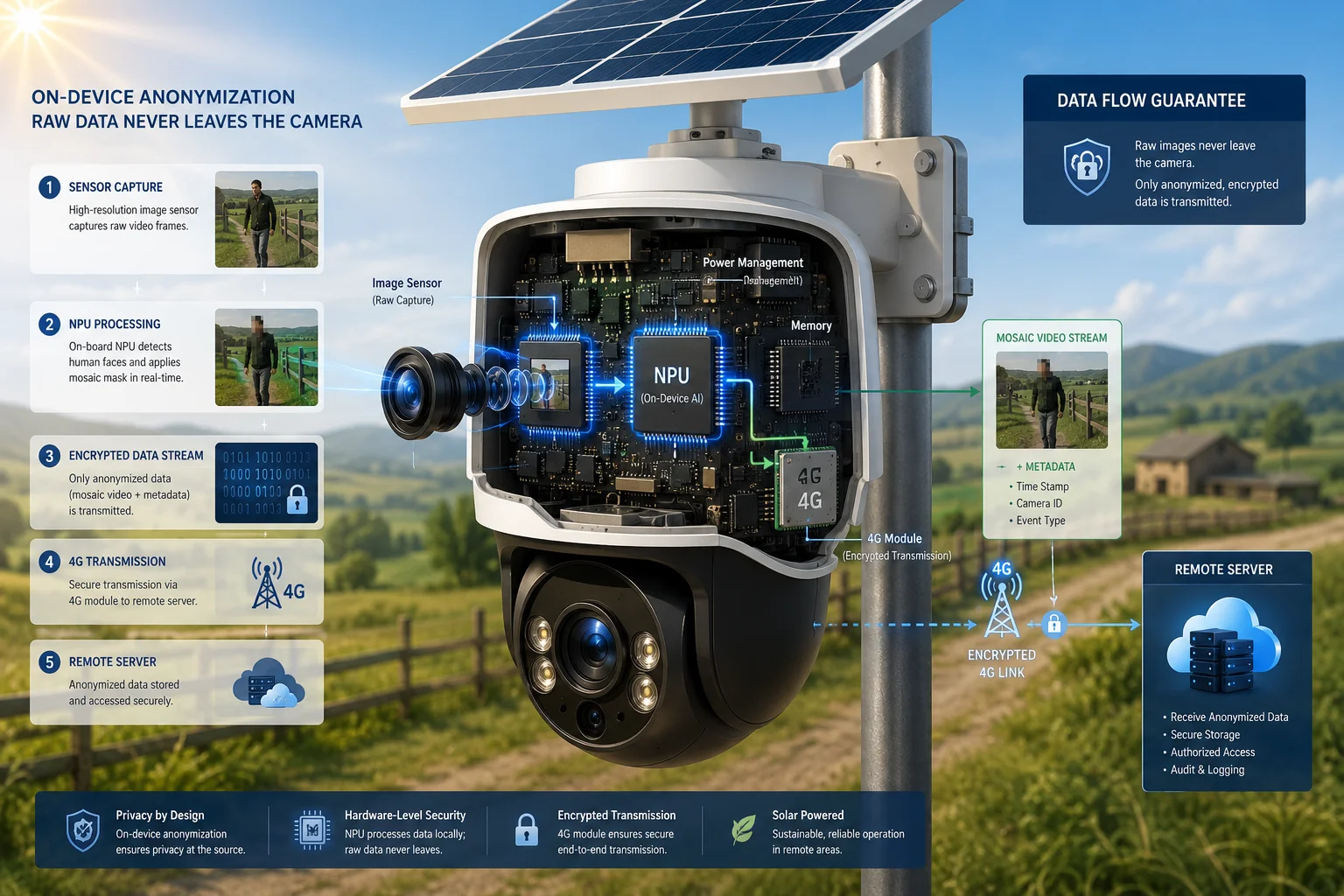
Yes, on properly designed cameras, the mosaic is applied at the hardware level by the onboard AI chip before the video is encoded and transmitted. The 4G module only ever sends the already-blurred stream. Raw, unmasked video never leaves the device.
Why Hardware-Level Processing Matters
If the mosaic is applied by your VMS server after receiving the stream, then unmasked video travels across your network — whether that’s 4G, Wi-Fi, or Ethernet. For GDPR1, CCPA2, or PIPEDA3 compliance, this is a problem. The regulation says personal data must be protected at the point of collection. The camera is the point of collection.
Hardware-level masking means the ISP (image signal processor) and NPU work together inside the camera. The NPU detects the face or plate. It passes the bounding-box coordinates9 to the encoder. The encoder burns the mosaic into the compressed video. By the time the H.265 bitstream reaches the 4G modem, the privacy-sensitive regions are already gone.
The Processing Chain Inside the Camera
Here’s the order of operations:
- Sensor captures raw image → sent to ISP for color correction and noise reduction.
- ISP output goes to NPU → AI model detects faces/plates and outputs coordinates.
- Coordinates sent to video encoder → encoder overlays mosaic on those regions.
- Encoded stream sent to 4G modem → only masked video is transmitted.
- Stream arrives at VMS/cloud → what you see is what was sent: already blurred.
What About Edge Cases?
Sometimes the AI misses a frame — maybe a face appears for just one or two frames before the NPU catches it. Good cameras handle this with a “buffer delay” of 1-2 frames. The encoder holds the frame briefly until the NPU confirms detection. This adds about 40-80ms of latency. For live monitoring, that’s invisible. For twitch-speed applications, it’s worth knowing.
Bandwidth Consideration for 4G Solar Systems
The mosaic itself doesn’t add bandwidth. In fact, blurred regions compress better than detailed faces because there’s less texture data. So privacy masking can actually reduce your 4G data usage slightly. On a solar-powered system where every megabyte counts, that’s a small but welcome bonus.
Can I Unmask the Faces in the Recorded Footage Only With an Administrator Password?
A client in Germany asked me this exact question during a GDPR audit. His legal team needed proof that only authorized personnel could access the original unmasked footage.
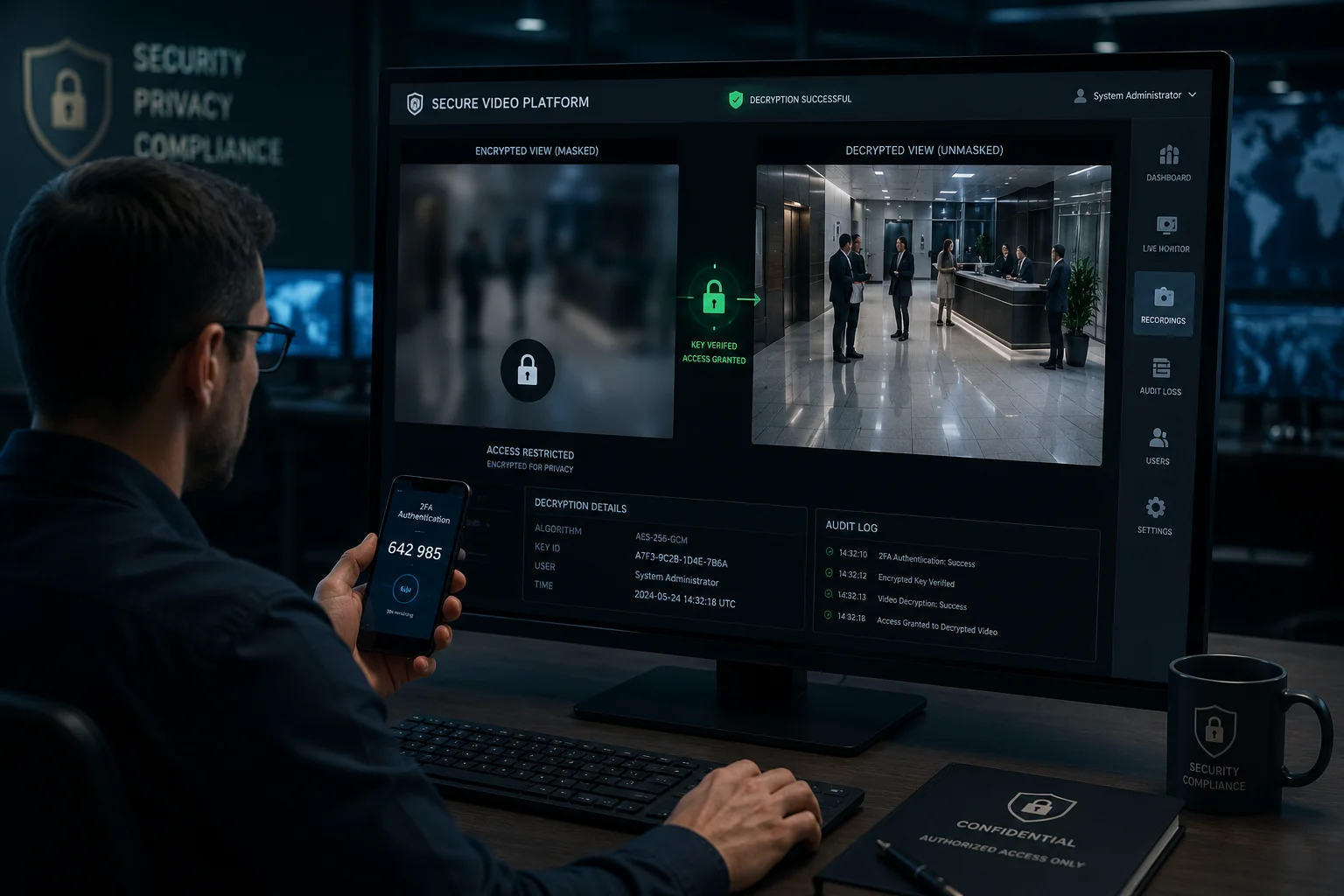
Yes, advanced cameras and VMS platforms support a dual-recording mode where the masked stream is stored for general access, and the original unmasked stream is encrypted and stored separately. Only an administrator with the correct credentials — password, two-factor authentication, or hardware key — can decrypt and view the raw footage.
How Dual-Stream Recording Works
The camera outputs two streams simultaneously. Stream A is the masked version — faces blurred, plates pixelated. This goes to the general recording storage that any authorized operator can review. Stream B is the raw, unmasked version. This stream is encrypted with AES-2565 before it’s written to disk. The decryption key is tied to an administrator account.
When a security incident occurs and law enforcement requests the unmasked footage, the administrator logs in, enters their credentials, and the VMS decrypts only the requested time segment. An audit log records who accessed it, when, and for how long.
Access Control Layers
For B2B deployments, I recommend at least three layers:
- Role-based access: Only users with the “Privacy Administrator” role can see the unmask option.
- Two-factor authentication: Password plus a one-time code from an authenticator app.
- Audit trail: Every unmask event is logged with the user ID, timestamp, and IP address.
Why This Matters for Your Business
If you’re an integrator selling to European or Canadian clients, this feature is not a luxury. It’s a legal requirement under GDPR Article 3212 and PIPEDA Principle 713. Without it, your client faces fines. And if your client faces fines, they come back to you.
| Access Level | Can View Masked Video | Can Unmask Footage | Audit Logged |
|---|---|---|---|
| General Operator | Yes | No | Yes |
| Shift Supervisor | Yes | No | Yes |
| Privacy Administrator | Yes | Yes (with 2FA) | Yes |
| System Root / IT Admin | Yes | Yes (with hardware key) | Yes |
| External Auditor | Read-only masked | No | Yes |
Implementation Advice
Not every camera supports dual-stream encrypted recording natively. Some require a compatible VMS like Milestone XProtect6 or Genetec Security Center7 to handle the encryption layer. If you’re using our cameras with a third-party VMS, confirm that the VMS supports encrypted secondary stream storage. If you’re using our built-in NVR recording, the feature is available in firmware version 7.x and above.
One more thing: storage doubles when you record two streams. Plan your SD card or NVR capacity accordingly. For 4G solar systems with limited local storage, I usually recommend recording only the masked stream locally and sending the encrypted raw stream to a secure cloud endpoint over a scheduled upload window during peak solar hours.
Conclusion
AI-powered real-time mosaicking protects privacy at the hardware level, keeps your detection features running, and gives administrators controlled access to raw footage when legally required. If you need a camera that handles all of this on-device before anything hits 4G, reach out — I’ll match you with the right model for your project.
1. Overview of the General Data Protection Regulation and its requirements for privacy compliance. ↩︎ 2. California Consumer Privacy Act, a key US state privacy law. ↩︎ 3. Canada’s Personal Information Protection and Electronic Documents Act. ↩︎ 4. High Efficiency Video Coding (HEVC) standard for efficient compression. ↩︎ 5. Advanced Encryption Standard with 256-bit key, a strong encryption method. ↩︎ 6. A leading video management software platform used in professional surveillance. ↩︎ 7. A unified security platform offering video management, access control, and more. ↩︎ 8. A neural network with multiple layers used for complex pattern recognition. ↩︎ 9. Coordinates that define a rectangle around a detected object for masking or tracking. ↩︎ 10. A fixed region in the camera view that is permanently masked, unlike dynamic AI-based masking. ↩︎ 11. A PTZ camera with 38x optical zoom, allowing close-up views at long distances. ↩︎ 12. The article specifying the security of processing personal data, including encryption and access controls. ↩︎ 13. The principle under PIPEDA requiring organizations to protect personal information with appropriate safeguards. ↩︎