
I have spent years helping integrators push RTSP camera streams into cloud platforms. The truth is, most connection failures come from format mismatches nobody warns you about.
To meet U.S. standard streaming server requirements (AWS, Wowza, Azure), your RTSP stream must use RTSP-interleaved over TCP on Port 554, encode video in H.264 High Profile or H.265, use AAC-LC audio at 44.1 or 48kHz, and support Digest Access Authentication for secure cloud handshakes.
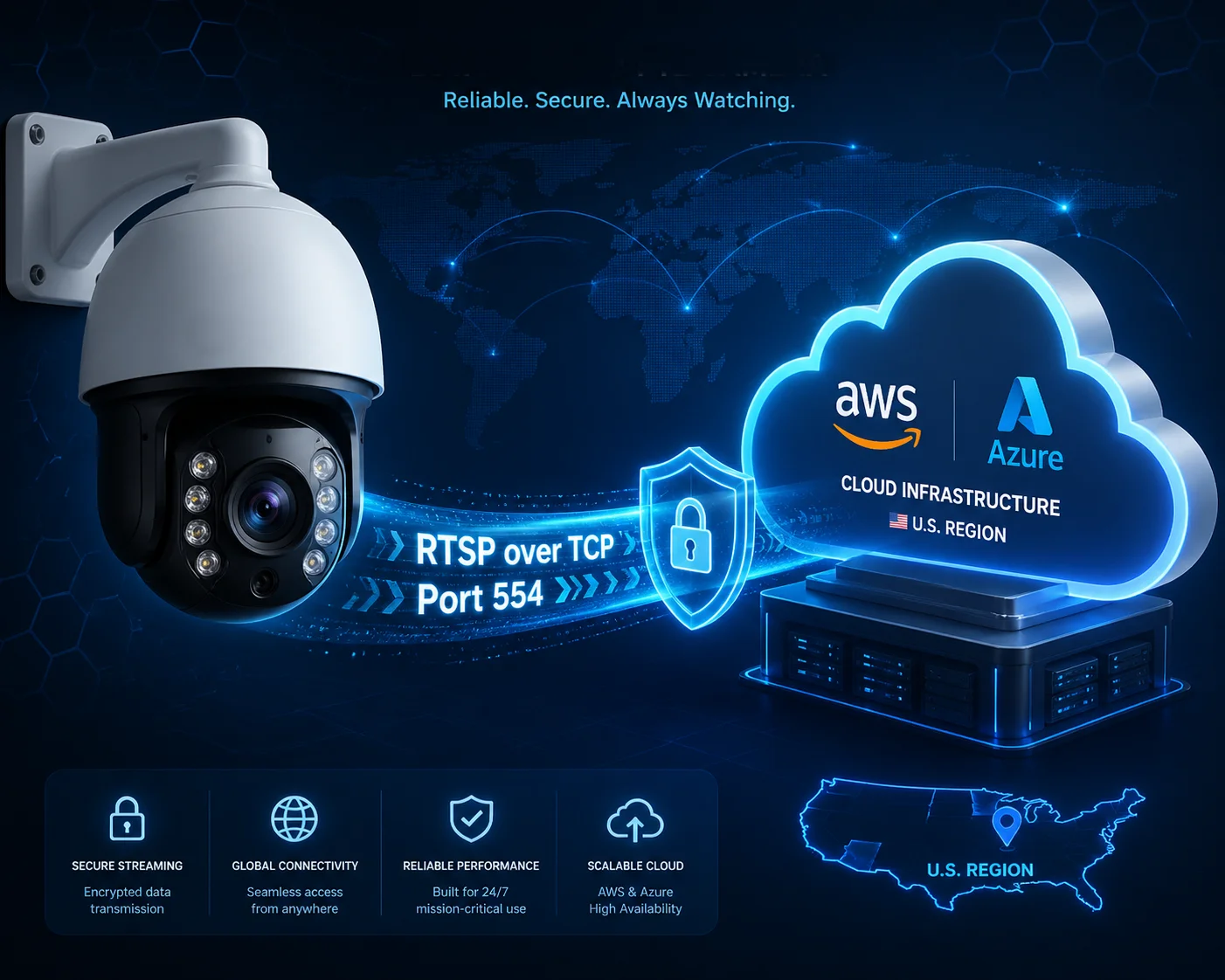 RTSP camera stream compatibility with U.S. streaming servers
Below, I break down the four most common RTSP questions I get from integrators like David Miller. Each one covers a real problem that can block your project. If you are sourcing PTZ cameras from China 1 for U.S. deployments, this guide will save you weeks of troubleshooting.
Table of Contents
How Do I Pull a Stable RTSP Stream from My Camera for a YouTube Live Broadcast?
I have seen too many integrators lose a live broadcast because they treated RTSP as a plug-and-play protocol. It is not. There are hidden steps between your camera and YouTube.
YouTube does not accept RTSP directly. You must first pull the RTSP stream into a media server like Wowza 2 or OBS, then convert it to RTMP or SRT before pushing it to YouTube Live. Without this middle step, your broadcast will never start.
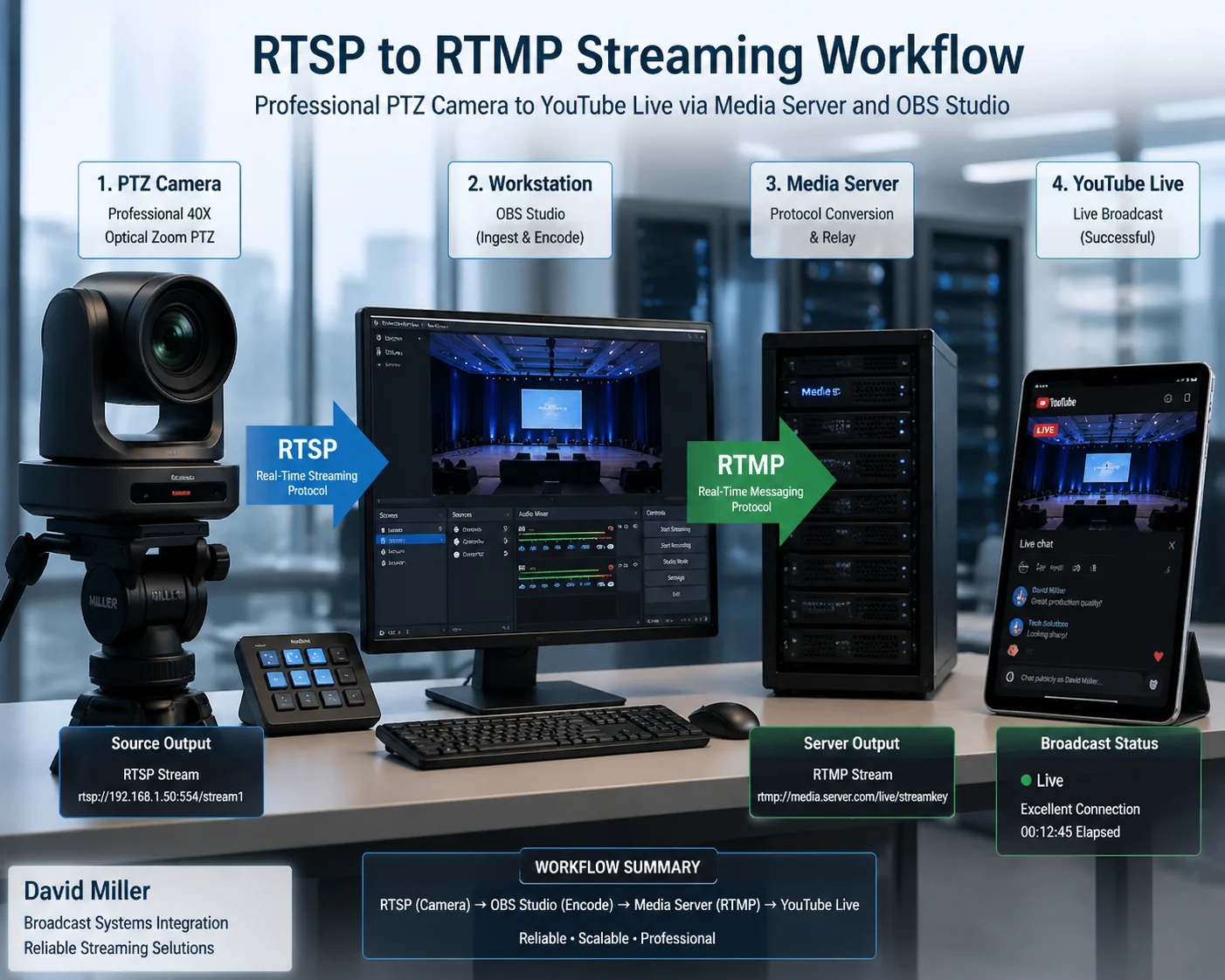 Pulling RTSP stream from PTZ camera for YouTube Live
Why YouTube Rejects Raw RTSP
YouTube Live, Twitch, and Facebook Live all require RTMP or SRT for ingest. They do not speak RTSP. This is a design choice by these platforms. RTSP was built as a control protocol for point-to-point streaming, not for massive public distribution. So you always need a “translator” in the middle.
Here is the typical workflow:
| Step | Action | Tool/Protocol |
|---|---|---|
| 1 | Camera outputs RTSP stream | rtsp://user:pass@IP:554/live/stream1 |
| 2 | Media server ingests RTSP | Wowza, OBS Studio, or MediaMTX |
| 3 | Server converts to RTMP | RTMP push to YouTube ingest URL |
| 4 | YouTube distributes via HLS | Viewers watch on browser/app |
Choosing the Right Codec Before You Start
This is where many projects fail. Your camera might default to H.265 because it saves bandwidth. But YouTube’s ingest pipeline handles H.264 encoding 3 much more smoothly. If you push H.265 through OBS to YouTube, you may force a real-time transcode that adds delay, drops frames, or crashes the stream.
My advice is simple. Set your camera’s main stream to H.264 High Profile at 1080p, 30fps, with a constant bitrate between 4 and 6 Mbps. This is the sweet spot for YouTube Live quality without overloading your upload bandwidth.
Audio Matters More Than You Think
Many security cameras output G.711 audio by default. G.711 is fine for intercom and two-way talk. But modern CDNs and platforms like YouTube reject G.711. They want AAC-LC audio 4 at 44.1kHz or 48kHz. If your camera does not support AAC natively, your media server will need to transcode the audio. This adds CPU load and can introduce audio drift over long broadcasts.
At Loyalty-Secu, our PTZ cameras support both AAC and G.711 output. You can switch the audio codec in the camera’s web interface before you start streaming. This removes the need for audio transcoding and keeps your stream stable for hours.
The TCP vs. UDP Decision
If your camera sits behind a corporate firewall or a 4G LTE modem, UDP packets will likely get dropped or blocked. I always tell my clients to force TCP interleaving for RTSP 5 on the RTSP connection. This wraps all video data inside the TCP control channel. It is slightly higher latency, but it passes through firewalls and NAT routers without issues. In my experience, switching from UDP to TCP reduces connection failures by about 90%.
Will My RTSP Authentication (Digest/Basic) Be Compatible with My Cloud Server?
I once helped a client debug a 401 Unauthorized error for three days. The cause was embarrassingly simple. His camera used Basic Authentication, but Wowza required Digest.
U.S. cloud servers like Wowza, AWS Elemental MediaLive 6, and Azure Media Services require Digest Access Authentication for RTSP connections. If your camera only supports Basic Authentication, the server will reject every connection attempt with a 401 error.
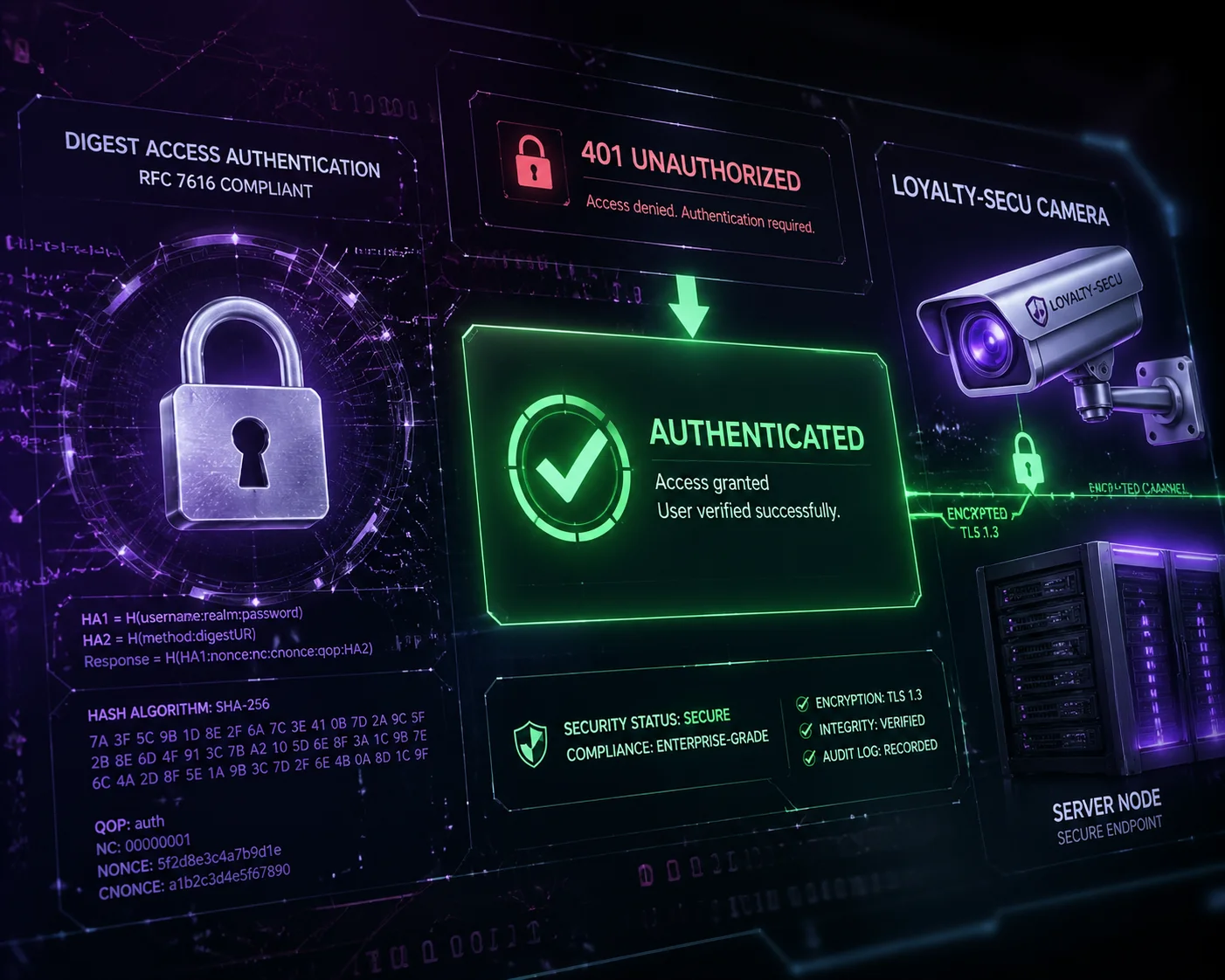 RTSP Digest Authentication compatibility with cloud servers
What Is the Difference Between Basic and Digest?
Basic Authentication sends your username and password in plain text (Base64 encoded, but not encrypted). Digest Authentication uses a challenge-response mechanism. The server sends a random value (called a nonce), and the camera hashes the password with that nonce before sending it back. The actual password never travels over the network.
| Feature | Basic Auth | Digest Auth |
|---|---|---|
| Password exposure | Sent in near-plain text | Never sent directly |
| Security level | Low | Medium-High |
| U.S. server support | Rarely accepted | Required by most |
| Firewall compatibility | Works but risky | Works and secure |
| Loyalty-Secu support | Yes | Yes (default) |
Why U.S. Servers Are Strict About This
In the U.S. market, cybersecurity compliance is not optional. Enterprise clients, government agencies, and critical infrastructure projects all mandate encrypted or hashed credentials. Wowza Streaming Engine, for example, will not even attempt to pull a stream if the camera responds with Basic Auth when Digest is required. Azure Media Services 7 has similar restrictions.
Many low-cost cameras from unknown factories still ship with Basic Authentication as the only option. This is a dealbreaker for any serious U.S. deployment. At Loyalty-Secu, every camera we ship supports Digest Authentication by default. We also support RTSPS (RTSP over TLS) for clients who need full encryption on the control channel.
How to Test Before You Deploy
Before you send cameras to a job site, test the authentication handshake. Use a tool like VLC or FFprobe to connect to the camera’s RTSP URL. If VLC connects without issues but your cloud server rejects the stream, the problem is almost always authentication mismatch. Check your camera’s security settings and make sure Digest is enabled. Then test again against your target server.
I also recommend setting a strong, unique password on every camera. Default passwords like “admin/admin” are another reason U.S. servers and IT departments will block your devices at the network level.
Can I Customize the RTSP URL to Include Specific Substreams for Lower Bandwidth?
I have worked with integrators who burned through their entire monthly data budget in two days because they pulled the main stream instead of a substream over 4G. This mistake is expensive and avoidable.
Yes, most professional IP cameras let you customize the RTSP URL to select a specific substream. A typical substream URL looks like rtsp://user:pass@IP:554/live/stream2. Substreams use lower resolution and bitrate, which is ideal for remote monitoring over 4G 8 or limited bandwidth connections.
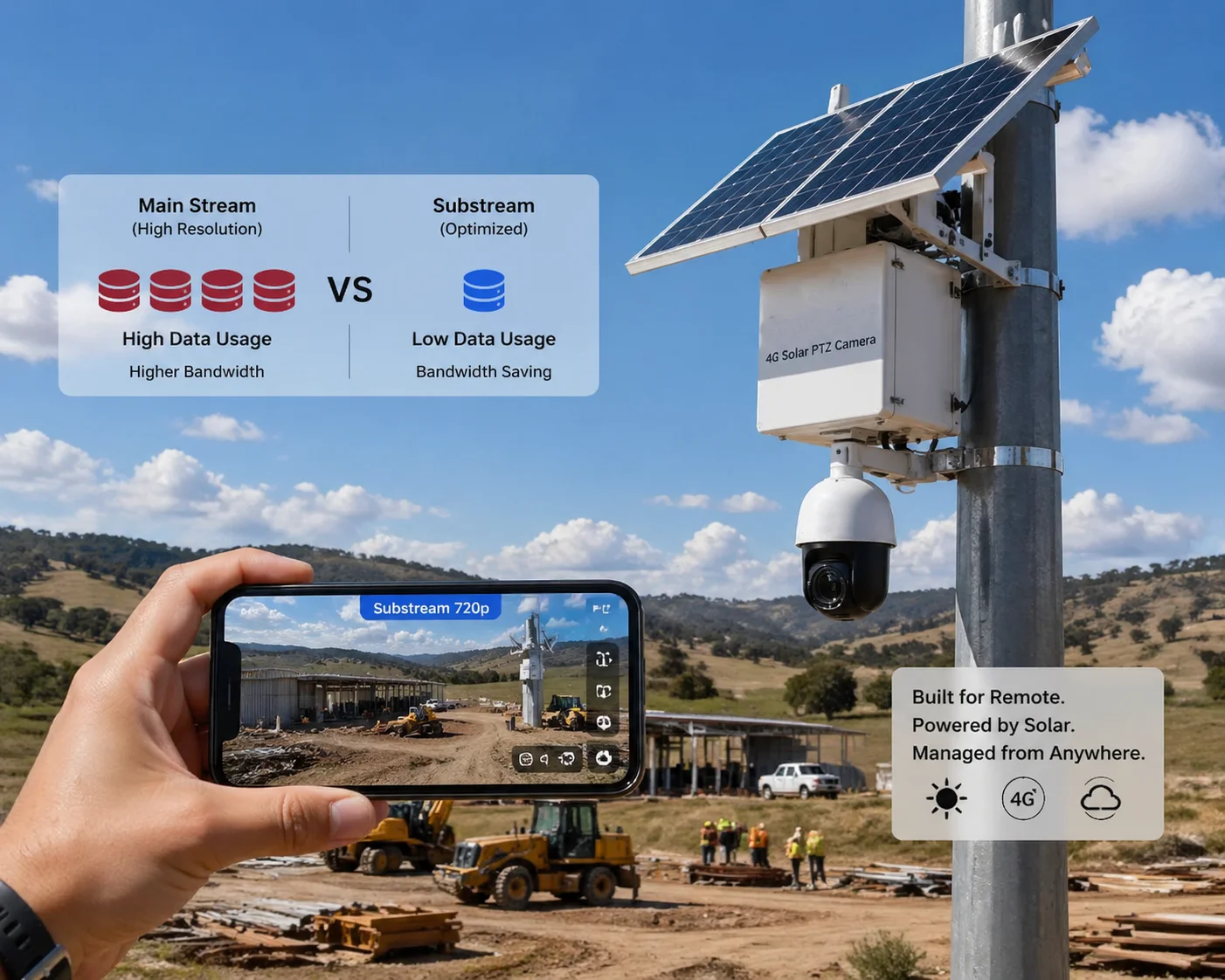 Customizing RTSP URL for substream lower bandwidth
Understanding Main Stream vs. Substream
Every professional PTZ camera offers at least two streams. The main stream is high resolution (1080p or 4K) with high bitrate for recording and evidence. The substream is low resolution (D1, CIF, or 720p) with low bitrate for live preview and remote access.
Here is a typical comparison:
| Parameter | Main Stream | Substream |
|---|---|---|
| Resolution | 1920×1080 or 3840×2160 | 704×576 or 1280×720 |
| Bitrate | 4–8 Mbps | 512 Kbps–1.5 Mbps |
| Frame rate | 25–30 fps | 10–15 fps |
| Use case | Recording, evidence, AI analysis | Live preview, mobile view, 4G |
| RTSP path example | /live/stream1 | /live/stream2 |
Why the RTSP URL Format Matters
U.S. standard streaming servers parse the RTSP URL very strictly. If your URL contains special characters, spaces, or non-standard path structures, the server will fail to connect. The correct format should always follow this pattern:
rtsp://username:password@192.168.1.100:554/live/stream2Some camera brands use odd URL paths like /h264/ch1/sub/av_stream or /cam/realmonitor?channel=1&subtype=1. These work, but they can confuse some servers if the query string is not handled properly. At Loyalty-Secu, we use clean, standardized RTSP paths that follow the most common URI conventions. This makes integration faster and reduces support tickets.
Saving Bandwidth on 4G Solar Deployments
For our 4G LTE solar PTZ systems, bandwidth is money. Every megabyte counts. I always advise clients to pull the substream for remote live viewing and only access the main stream when they need to review recorded footage or run AI analytics. This simple change can cut your monthly 4G data cost by 70% or more.
You can also adjust the substream’s bitrate and frame rate in the camera settings. For basic perimeter monitoring, 720p at 10fps with 512 Kbps is more than enough to see what is happening. Save the full 1080p 30fps stream for the onboard SD card or NVR recording.
Why Does My RTSP Stream Drop Connection Every Few Minutes on My Local Server?
I know the frustration. You set up everything, the stream plays for two minutes, then it dies. You reconnect. It dies again. This loop can drive you crazy. But the root cause is usually one of three things.
RTSP stream drops are most often caused by incorrect GOP settings, UDP packet loss behind firewalls, or the server’s RTSP timeout being shorter than the camera’s keepalive interval. Fixing these three settings will solve most disconnection problems.
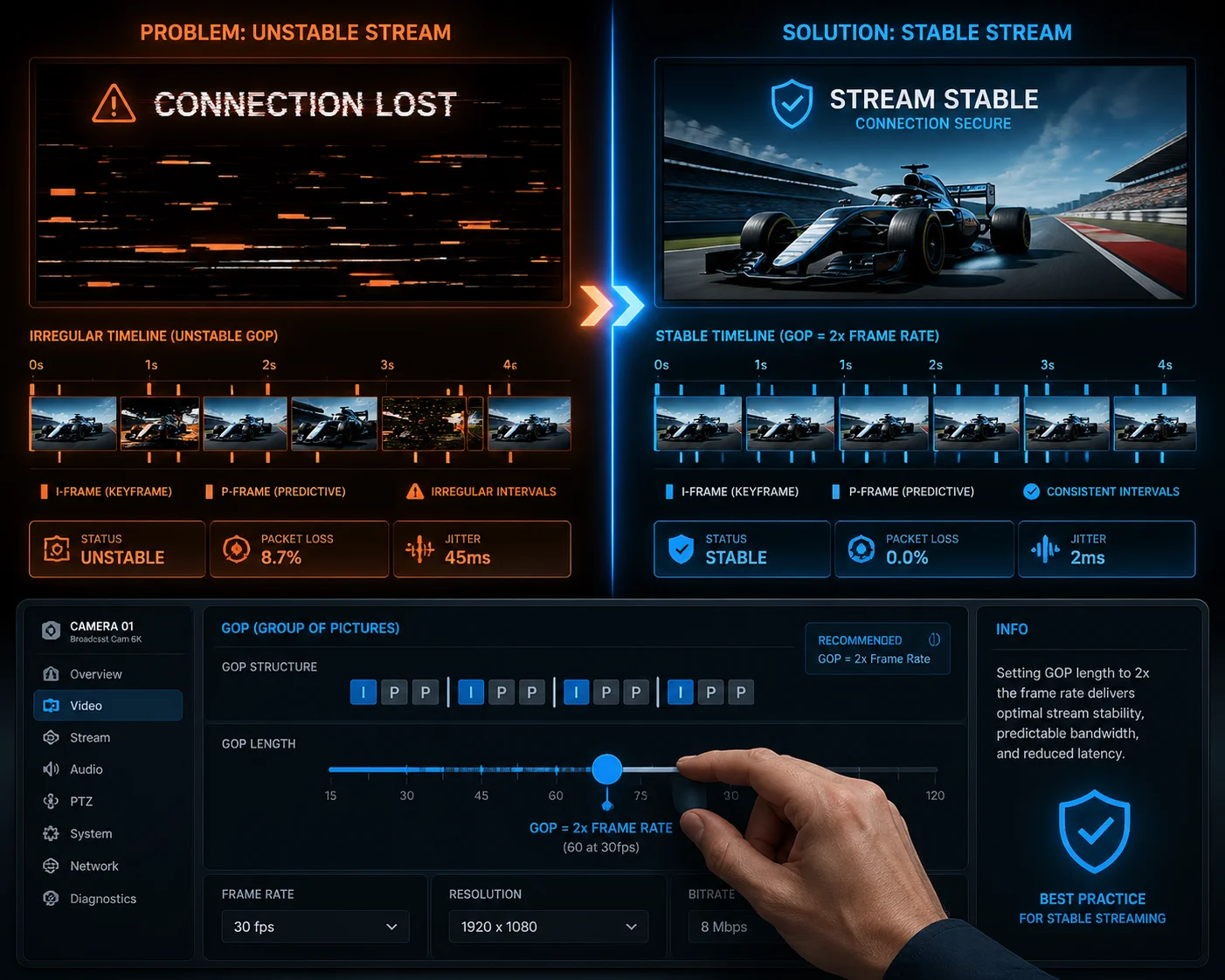 RTSP stream dropping connection troubleshooting
The GOP Problem Nobody Talks About
GOP stands for Group of Pictures. It is the interval between keyframes (I-frames) in your video stream. Streaming servers, especially those doing HLS segmentation, need a consistent GOP. If your camera’s GOP jumps around (which happens when you set it to “auto”), the server cannot create clean HLS segments. This causes buffer underruns, and the server drops the connection.
My rule of thumb is to set the GOP structure 9 to 2× your frame rate. If you stream at 30fps, set the GOP to 60 frames. If you stream at 25fps, set it to 50. This gives the server a keyframe every 2 seconds, which aligns perfectly with standard 2-second HLS segments.
Firewall and NAT Issues with UDP
If your RTSP stream uses UDP transport, every RTP packet is a separate UDP datagram. Firewalls and NAT routers track UDP “connections” with short timeouts, often 30 to 60 seconds. If there is a brief pause in the stream (for example, during a low-motion scene where the encoder sends very few packets), the firewall may close the NAT mapping. When the next packet arrives, it gets dropped. The stream breaks.
The fix is to switch to RTSP-interleaved over TCP. In this mode, all RTP data travels inside the same TCP connection as the RTSP control commands. TCP connections stay open as long as both sides keep the session alive. Firewalls do not close TCP connections as aggressively as UDP mappings.
Server Timeout vs. Camera Keepalive
Most RTSP servers have a session timeout, usually 60 seconds. The camera is supposed to send RTSP keepalive messages (like OPTIONS or GET_PARAMETER requests) before that timeout expires. If the camera’s keepalive interval is longer than the server’s timeout, the server assumes the camera is gone and closes the session.
Check both sides. On your camera, make sure the RTSP keepalive interval 10 is set to 30 seconds or less. On your server, you can often increase the session timeout to 120 seconds as a safety margin. At Loyalty-Secu, our cameras send keepalive messages every 25 seconds by default. This is well within the timeout window of every major streaming server I have tested.
Network Bandwidth Saturation
One more thing I see often. If your camera’s bitrate exceeds your network capacity, packets get dropped and the stream stutters or dies. This is common on shared office networks where multiple cameras compete for bandwidth. Monitor your network utilization. If it is above 70%, either reduce camera bitrates or upgrade your switch and uplink.
A stable RTSP stream is not magic. It is the result of correct settings on both the camera and the server. Get the GOP, transport, keepalive, and bandwidth right, and your stream will run for days without a single drop.
Conclusion
Your RTSP stream will work with U.S. servers if you use H.264, Digest Auth, TCP transport, and consistent GOP settings. Get these right, and integration becomes simple.
1. Explore professional PTZ cameras optimized for U.S. streaming servers. ↩︎ 2. Learn how Wowza Streaming Engine ingests RTSP for live broadcast. ↩︎ 3. FFmpeg guide to H.264 encoding parameters for streaming. ↩︎ 4. Technical overview of AAC-LC audio codec specifications. ↩︎ 5. RFC 2326 section on RTSP interleaved TCP transport mode. ↩︎ 6. AWS Elemental MediaLive RTSP input requirements and limits. ↩︎ 7. Azure Media Services supported streaming protocols and auth. ↩︎ 8. See 4G LTE solar PTZ cameras designed for low-bandwidth sites. ↩︎ 9. Explanation of GOP structure and keyframe intervals. ↩︎ 10. Loyalty-Secu RTSP keepalive configuration best practices. ↩︎