
I know how frustrating it is when basic motion alerts miss the real threat or flood me with false alarms. I need smarter detection, not noise.
Yes, it does. My AI camera system can detect climbing, loitering, and falling by using behavior analysis1, also called VCA. It gives me deeper alerts than simple person detection.
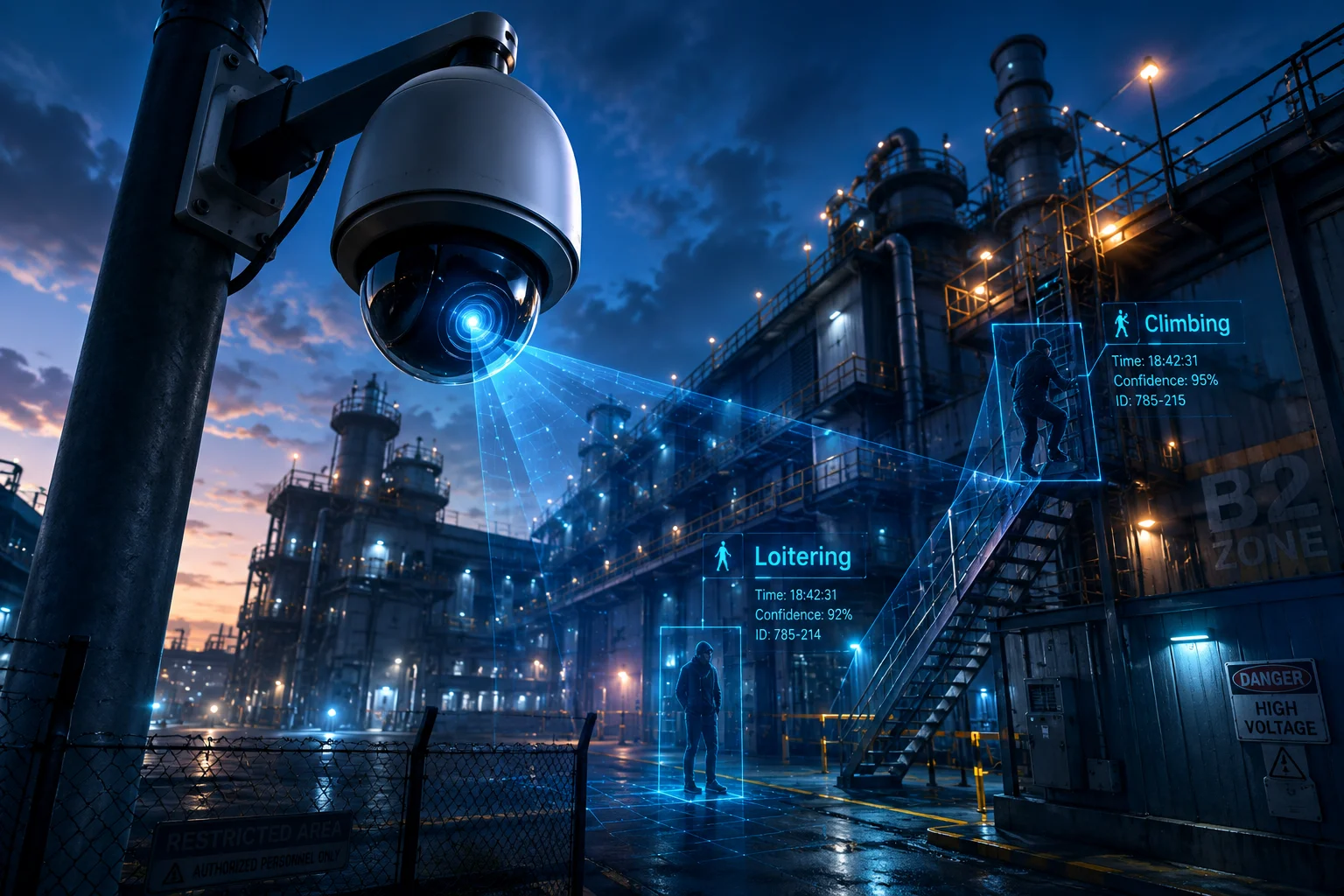
I do not want to wait until a problem gets worse. I want a system that can spot risky behavior early, mark it clearly, and help me respond fast.
Table of Contents
Can I trigger an alarm specifically when a person lingers in a “No-Stay” zone for 60 seconds?
I have seen many sites where people walk in and out of sensitive areas, and a normal motion alarm does not help me at all. I need time-based detection that matches real risk.
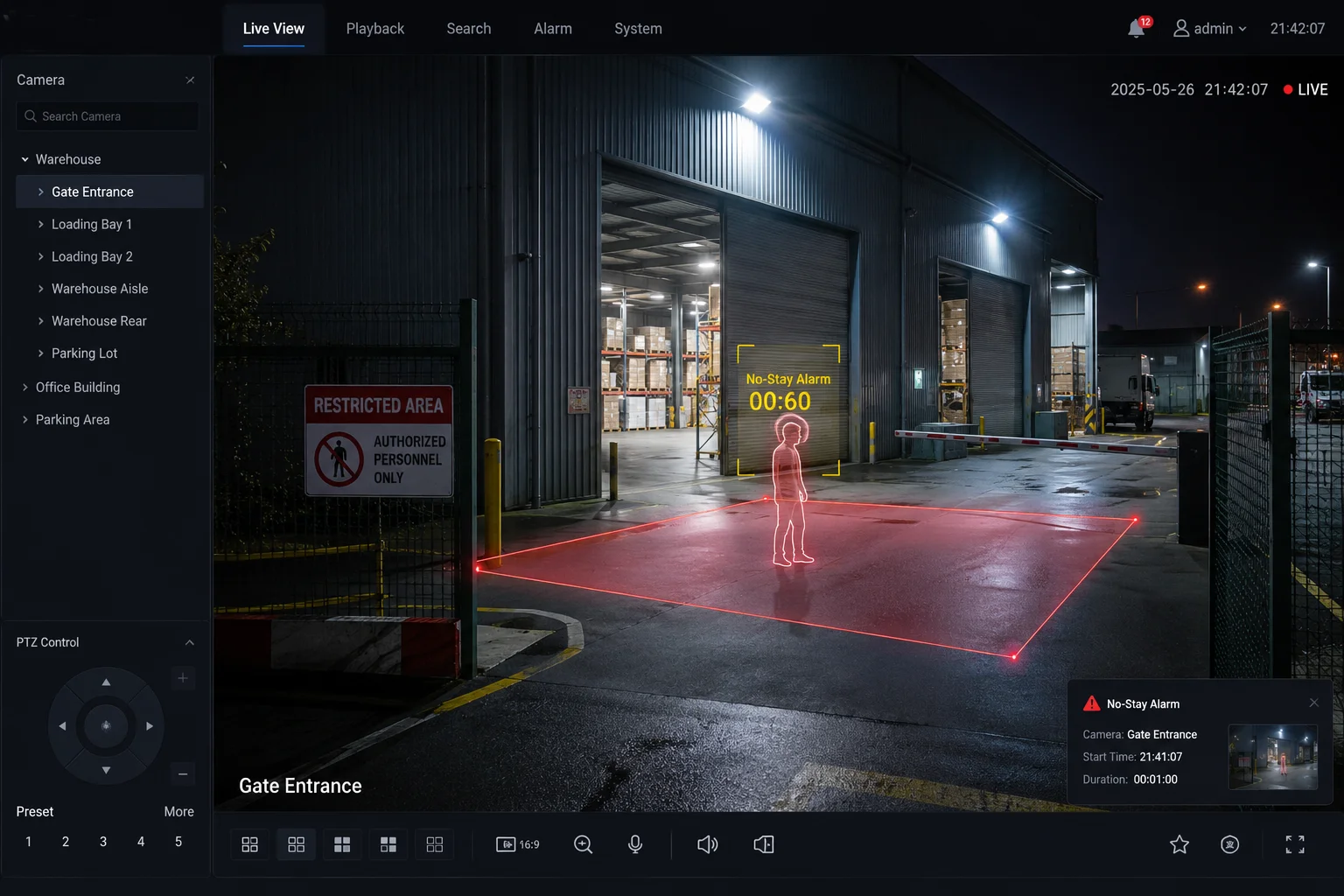
Yes, I can set a loitering alarm for a No-Stay zone2 and make it trigger only after a person stays there for 60 seconds. This helps me catch suspicious behavior while reducing alerts from normal pass-by traffic.
Why loitering detection matters to me
I use loitering detection3 when I need to protect places like warehouse doors, power rooms, farm gates, or tool areas. A person who stays too long in one place can mean scouting, stealing, or waiting for a chance to enter. A simple motion alarm cannot tell the difference between a person walking by and a person hanging around. My system can use time, position, and movement path together. That gives me better control.
I can set a region on the screen and choose the stay time. If a person enters the area and remains there for 60 seconds, the system can send an alarm. If the person walks through in 10 seconds, the system does not need to alert me. That is important because false alarms5 waste time and make people ignore real warnings. I also like that I can tune the sensitivity4. In a busy front area, I may use a longer time. In a quiet back area, I may use a shorter time. This gives me flexibility for different sites.
| Setting | Example Value | What It Means |
|---|---|---|
| Stay time | 60 seconds | Alarm triggers only after long presence |
| Zone type | No-Stay area | Restricted area where people should not remain |
| Sensitivity | Medium | Balances detection and false alarms |
Is the “Climbing Detection” optimized for standard U.S. chain-link or security fences?
I have worked with fence lines before, and I know that not every camera behaves well when a person moves near a barrier. If the system is weak, I get false alarms from walking, shadows, or animals.
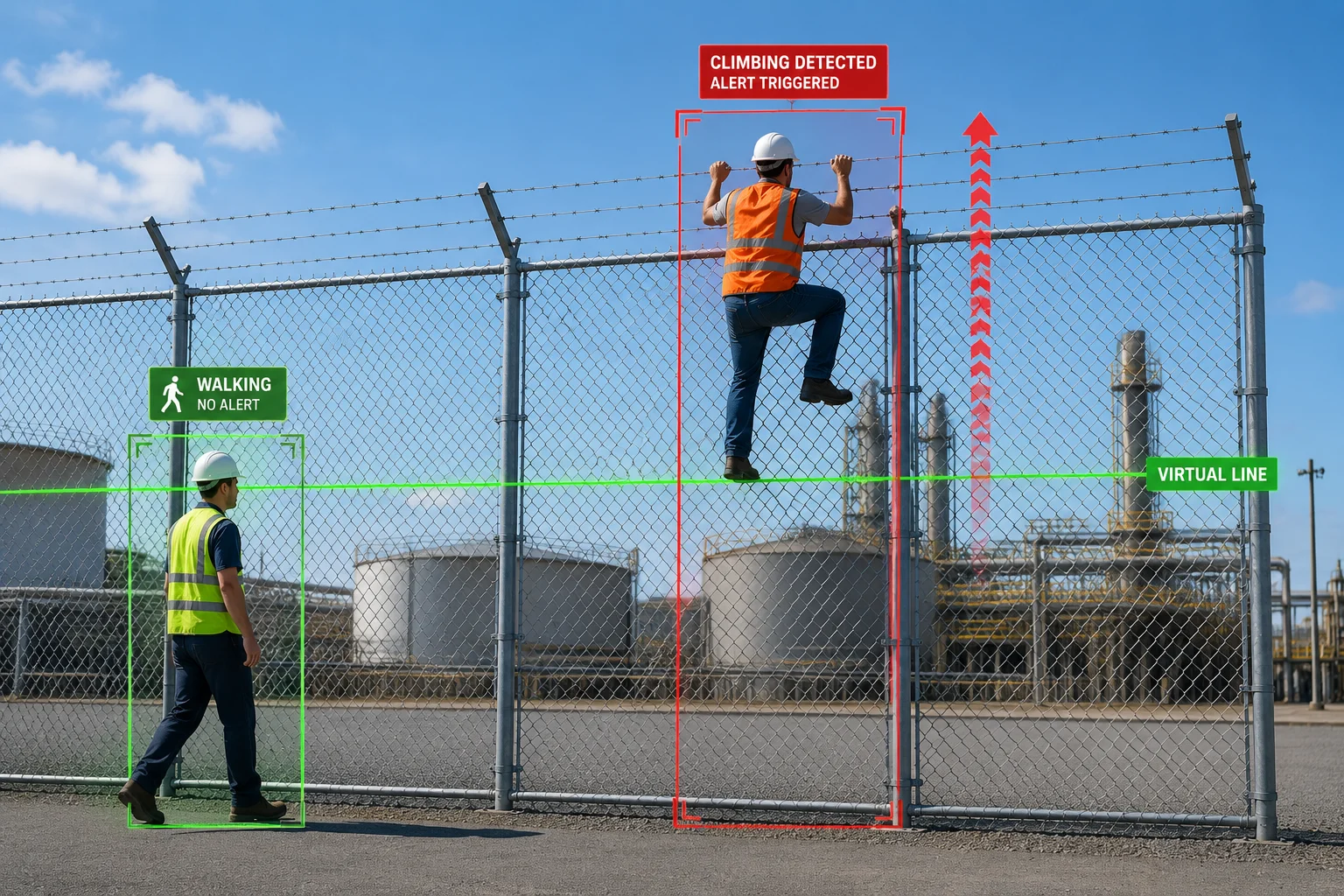
Yes, the climbing detection6 is designed for common fence types, including U.S. chain-link and security fences. It watches for upward motion and line crossing, so it can tell the difference between normal movement and real climbing behavior.
How I think about climbing detection
I do not treat climbing detection as a single trick. I treat it as a mix of line crossing, body movement, and direction. A person who climbs usually shows a clear rise in position. The system can watch that vertical change and compare it with the fence line I set in the scene. If the target moves up and crosses the virtual barrier, the system can mark it as climbing. This is useful on farms, storage yards, solar plants, and other open sites.
I also care about the fence itself. A chain-link fence7 can be easy to detect because the shape is clear and stable. A security fence with a taller frame can also work well if I place the camera at the right angle. I try to avoid very steep views because they can hide the body motion. I also want person filtering turned on, because deer, dogs, or birds can move in ways that look strange to a simple system. In my case, the best setup is usually a clear view across the fence line, not too close, and not too far. This gives the algorithm a better chance to track the human shape and reduce false alarms. When I choose the right layout, climbing detection becomes a real defense tool instead of a noisy feature.
| Fence Type | Detection Fit | Best Camera Setup |
|---|---|---|
| Chain-link fence | Very good | Side view with clear line of sight |
| Security fence | Very good | Stable angle with strong edge detail |
| Wooden barrier | Good | Needs clean view and correct line placement |
Can the camera send a “Medical Alert” if the AI detects a person falling and remaining still?
I know that falls can become serious very fast. In a remote site, every minute matters. If the camera only records video and does not react, the delay can hurt the response.
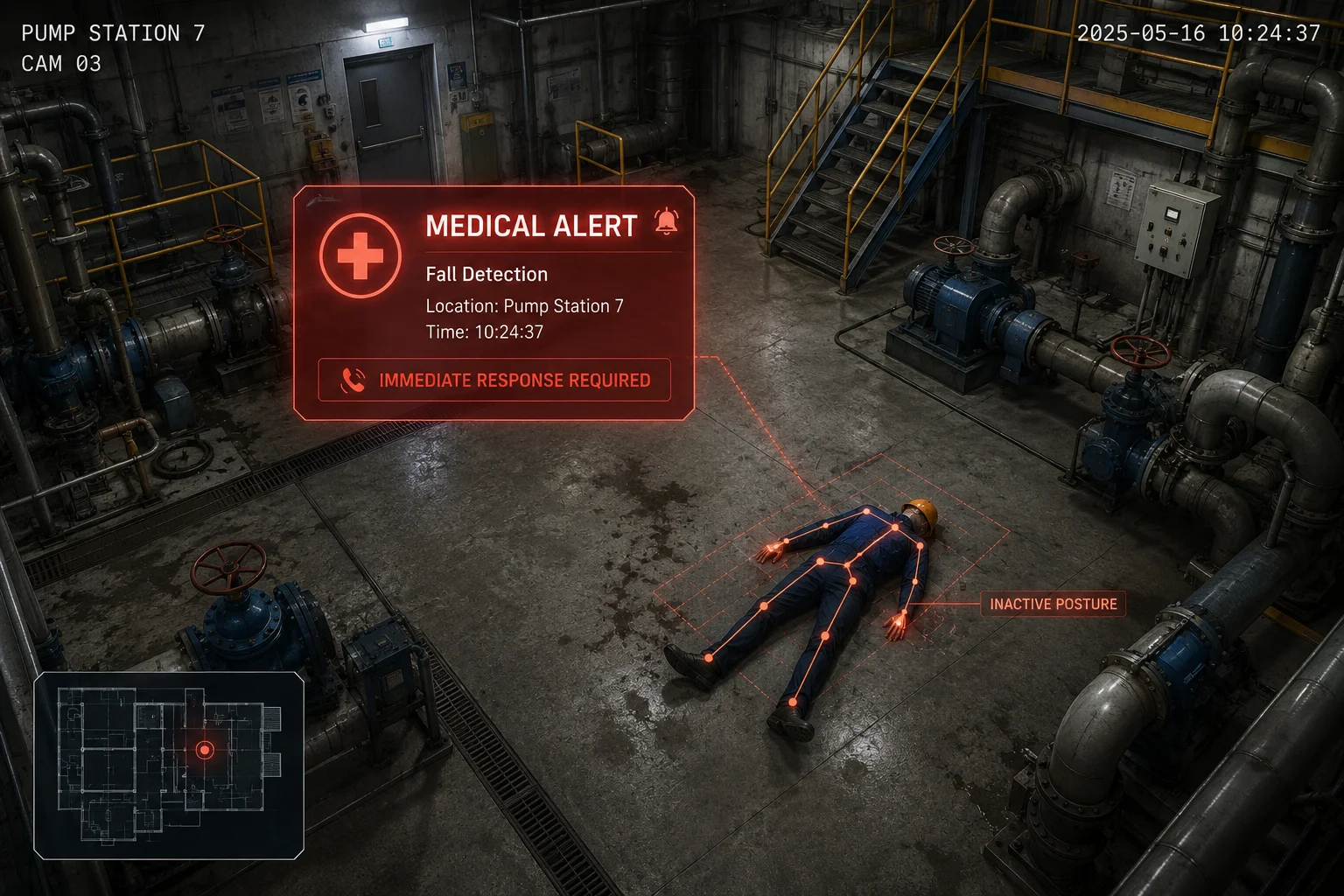
Yes, the camera can send a Medical Alert when it detects a fall and sees that the person stays still after the fall. It looks at body shape change, ground position, and follow-up movement to decide if the event is likely real.
Why fall detection is more than a simple shape check
I do not rely on one frame to decide a fall. A real fall usually has more than one sign. The body changes from upright to flat. The person’s height drops fast. Then the system checks what happens next. If the person stands up, the event may not be an emergency. If the person stays down and does not move, the alert becomes much more serious. That is why posture tracking8 matters. It helps me avoid false alarms from someone bending, sitting, or kneeling.
I find this useful in places where workers may be alone, like a pump station, a large yard, or a quiet construction site. I can also use it in care settings where quick help is important. The Medical Alert can go to the app, and I can link it to an emergency response workflow. In a real system, this kind of alert should be part of a broader plan. The camera should not replace medical judgment. It should help me notice danger faster. I also want the alert to include a short clip and a clear label, so I can review what happened right away. That is the practical value here. It turns a camera into a support tool for safety, not just a recording device.
Does the behavior analysis require a higher CPU load than simple person detection?
I care about this because extra AI features can slow down a device if the hardware is not strong enough. I do not want smart detection that breaks performance or makes the stream unstable.
Yes, behavior analysis usually needs more CPU and AI resources than simple person detection. It tracks motion over time, checks posture, and uses more logic, so the load is higher, but good hardware can handle it well.

What I need to balance before I enable advanced AI
I look at behavior analysis as a trade-off. Simple person detection9 only has to decide if a person is present. Behavior analysis has to do more. It has to watch where the person is, how long the person stays, how the body changes, and whether the path or pose matches a risk event. That extra work uses more computing power. On a weak device, that can mean lower frame rate, slower response, or higher heat. On a well-built camera, the load stays under control.
That is why I care so much about hardware design. A strong main board, good thermal control, and smart AI flow all matter. For my projects, I want the camera to keep stable video first, then run AI without killing performance. If I use 4G and solar, I also need to think about power use. I may not want every feature on all the time. In some jobs, I only need behavior analysis in certain zones or during certain hours. That helps me save power and reduce traffic. I also check integration with my VMS. If the camera can send clean metadata10, I can use the AI event without forcing heavy local viewing. In real use, the best system is not the one with the most features. It is the one that keeps working every day with low trouble.
Simple load comparison
| Function | CPU Load | Main Task |
|---|---|---|
| Person detection | Low | Finds a person in the frame |
| Loitering detection | Medium | Tracks time in a zone |
| Climbing detection | Medium to High | Checks upward motion and barrier crossing |
| Fall detection | High | Checks pose change and post-fall stillness |
Conclusion
I can detect climbing, loitering, and falling, and I can tune the system for real sites where stability, speed, and clear alerts matter most.
1. Understand how AI analyzes video for specific behaviors like climbing, loitering, and falling. ↩︎ 2. Define restricted areas where extended presence triggers an alarm. ↩︎ 3. Explore how time-based zone monitoring can identify suspicious lingering behavior. ↩︎ 4. Adjust detection thresholds to balance alert accuracy and false alarm reduction. ↩︎ 5. Understand the impact of false alarms on security response and how smart detection minimizes them. ↩︎ 6. See how cameras detect scaling of fences by monitoring upward motion and line crossing. ↩︎ 7. Learn about the construction and suitability of chain-link fences for security detection. ↩︎ 8. Find out how body posture analysis helps reduce false alarms by distinguishing falls from sitting or kneeling. ↩︎ 9. Baseline AI function that identifies human presence without advanced behavior analysis. ↩︎ 10. Explore how camera-generated metadata enables efficient search and response without full video review. ↩︎