
I’ve seen too many installers lose thousands of dollars because their PTZ cameras died in their first Alaskan winter. The cold up there doesn’t just slow things down — it destroys gear.
If you choose an industrial-grade PTZ camera with a built-in active heater and fan system rated to −40 °C, you typically do not need extra heating components. However, if your camera is only rated to −20 °C or −30 °C, you must either upgrade the unit or add a third-party heated enclosure.
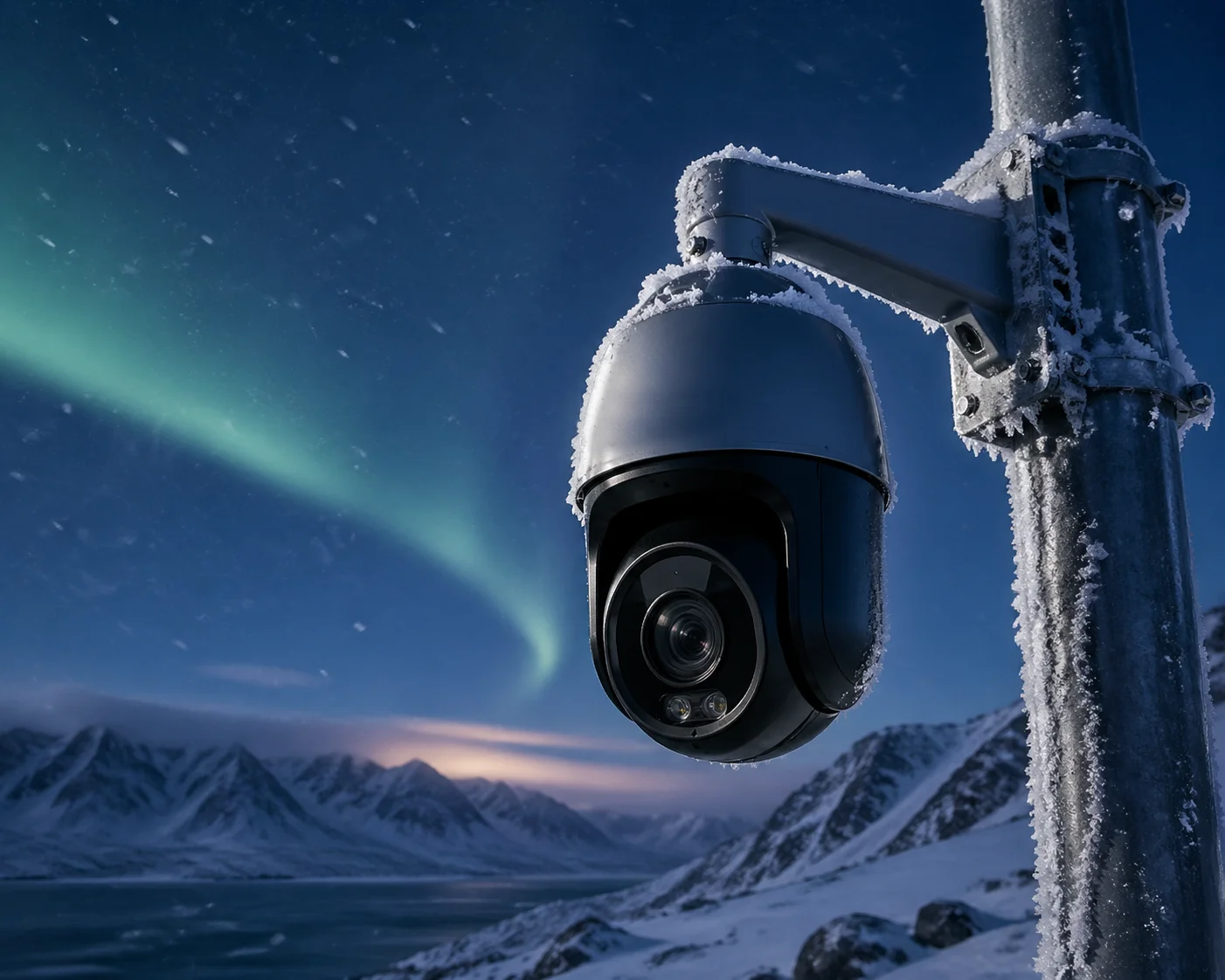
Before you place your next order, I want to walk you through the exact questions I get from integrators planning Alaska deployments. These are the details that separate a successful cold-weather project from an expensive disaster. Let me break it down piece by piece.
Table of Contents
Does my camera have a built-in automatic heater for sub-zero startups?
I get this question at least once a week from integrators who are quoting jobs in northern states. It’s the single most important spec to check before you ship anything to Alaska.
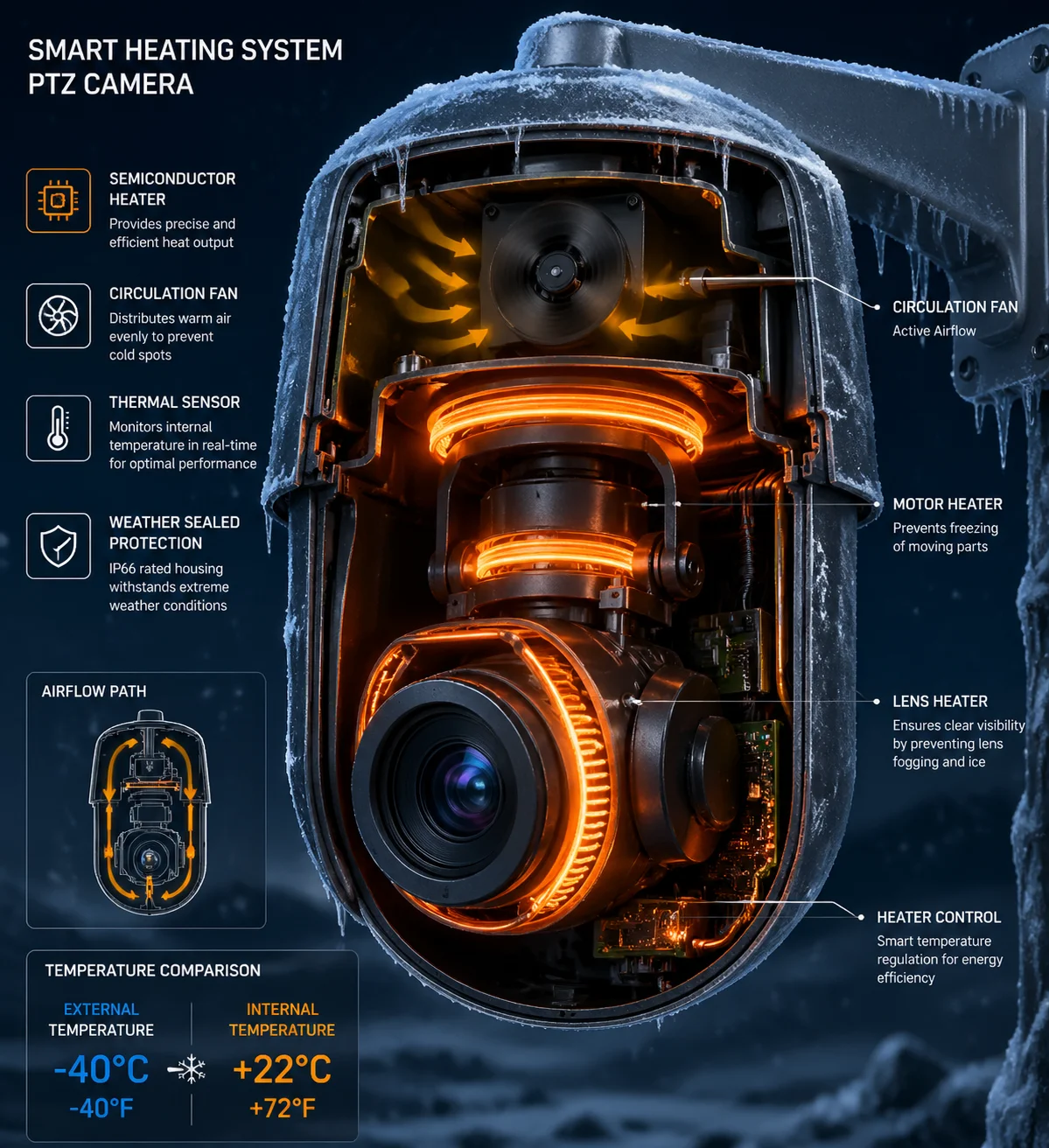
Industrial-grade PTZ cameras from manufacturers like Loyalty-Secu include a built-in smart temperature control system with a semiconductor heater and internal circulation fan. This heater triggers automatically when sensors detect the ambient temperature dropping below approximately 5 °C, keeping all internal components within safe operating range.
The real difference between “operating temperature” and “startup temperature”
Here’s something most spec sheets won’t tell you. A camera might say it works at −30 °C. That’s the operating temperature — the range where the camera can keep running if it’s already on. But startup temperature is a completely different story.
If your camera loses power at 2 AM when it’s −40 °C outside, the lubricant inside the PTZ motor turns thick like glue. When power comes back, the motor tries to spin during its self-check routine. The resistance is so high that the motor burns out. I’ve personally helped customers troubleshoot this exact failure more times than I can count.
How our smart heater system works
Our industrial-grade PTZ units use what I call a “warm first, move second” approach. The firmware has a delayed startup function. In extreme cold, the camera powers the heater for 15 to 30 minutes before it tries to move any motor. The heater melts any internal frost. The lubricant softens. Only then does the PTZ motor begin its self-check.
Here is a quick comparison of the two approaches:
| Feature | Standard Outdoor PTZ | Industrial Extreme-Cold PTZ |
|---|---|---|
| Rated operating temperature | −20 °C to +55 °C | −40 °C to +65 °C |
| Built-in heater | No | Yes (auto-trigger at ≤ 5 °C) |
| Cold start logic | None | 15–30 min pre-heat before motor activation |
| Internal fan circulation | No | Yes |
| Lens window defrost | No | Heated glass with anti-fog coating |
Why this matters for your bottom line
If you are an integrator like David working in Alaska, a single truck roll to replace a dead camera in winter can cost more than the camera itself. The roads are dangerous. The poles are icy. Your crew needs special equipment. By choosing a PTZ with a built-in heater and cold start logic, you avoid that nightmare. I always tell my customers: spend a little more on the right unit now, or spend a lot more on the repair trip later.
So to answer the question directly — if you pick the correct industrial-grade model, you do not need to buy a separate heater from a third party. The heater is already inside the camera, and it knows when to turn on by itself.
What is the minimum operating temperature of my camera before the lens freezes?
I once had a customer in Fairbanks send me a photo of his camera. The entire dome was covered in a thick layer of frost on the inside. The image was completely white. That’s what happens when the lens freezes.
For most standard outdoor PTZ cameras, the lens begins to fog or freeze between −20 °C and −25 °C. Industrial-grade models with heated front glass and internal air circulation can operate clearly down to −40 °C or even −50 °C with a proper heated enclosure.
It’s not just about the cold — it’s about moisture
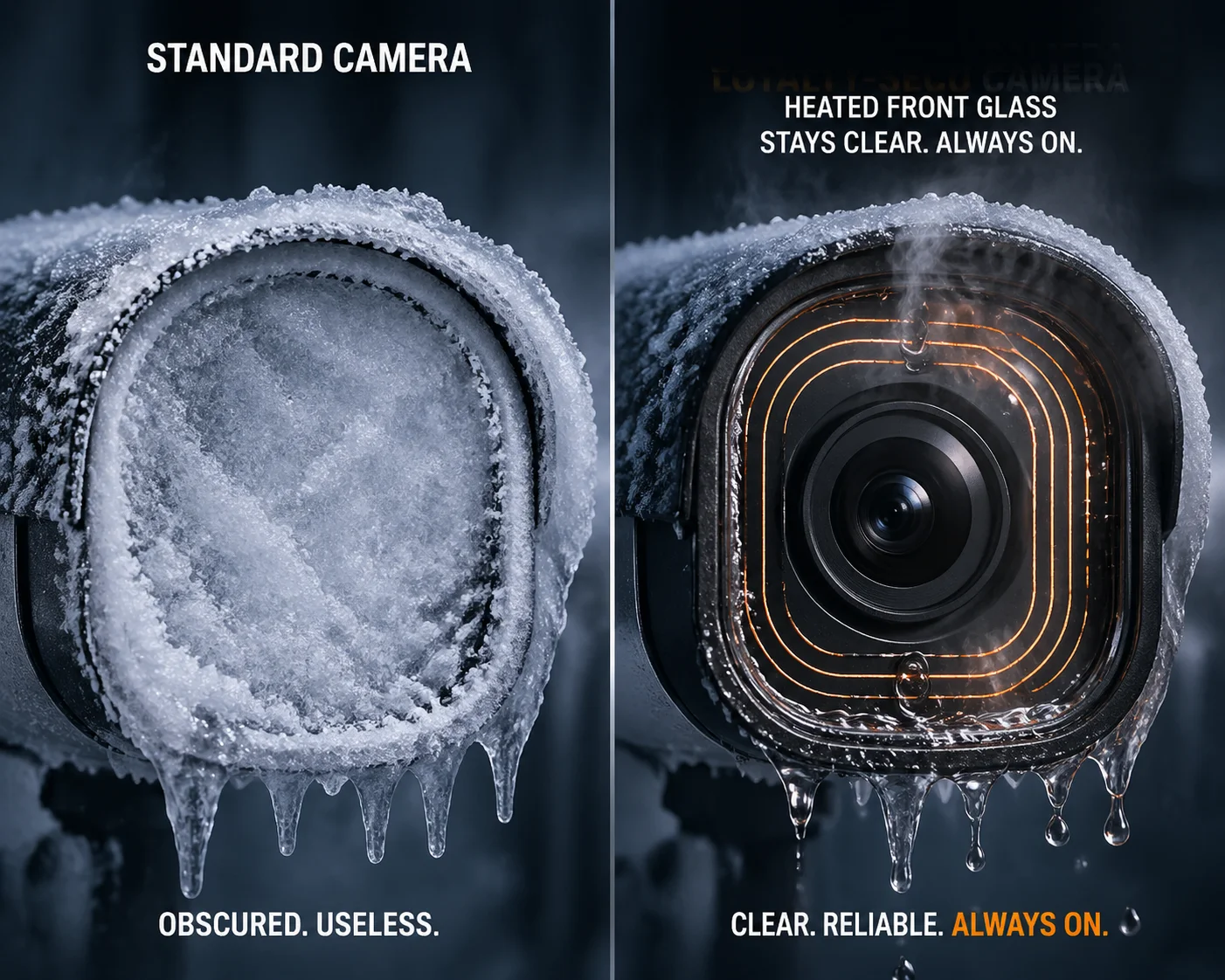
People think the enemy is the cold alone. It’s not. The real killer is the combination of cold and moisture. When warm air from the camera’s electronics meets the cold dome surface, condensation forms. Then that moisture freezes. Within hours, your camera is blind.
This is exactly why our cameras use a vacuum-style double-layer dome design with heated glass on the front. Think of it like the rear windshield of your car. Tiny heating wires run through the glass. They keep the surface just warm enough so that frost cannot stick.
Understanding the temperature zones
I break cold-weather performance into three zones. This helps my customers pick the right product for their project.
| Temperature Zone | Range | What Happens | Recommended Solution |
|---|---|---|---|
| Mild cold | 0 °C to −20 °C | Standard outdoor cameras work fine | Basic outdoor PTZ with IP66 housing |
| Severe cold | −20 °C to −40 °C | Lubricant thickens, lens fogs, electronics slow down | Industrial PTZ with built-in heater and defrost glass |
| Extreme cold | −40 °C to −55 °C | Standard cameras fail completely | Industrial PTZ + external heated enclosure (e.g., Dotworkz HD12) |
In Fairbanks, Alaska, winter temperatures regularly hit −40 °C. In Deadhorse or Barrow, it goes even lower. So for most of Alaska north of Anchorage, I recommend at minimum a camera rated to −40 °C with built-in defrost.
Don’t forget the cables
Here’s another thing people overlook. Your camera might survive −40 °C, but what about your Ethernet cable? Standard PVC jacket cables 1 become brittle like a dry cracker at −30 °C. A small vibration from wind can crack the jacket. Water gets in. The cable fails.
I always tell my customers to use silicone-jacketed or LSZH (low smoke zero halogen) 2 cables rated for extreme cold. It costs a few cents more per meter, but it saves you from a complete rewiring job in the middle of January. For Alaska projects, I include cold-rated cable recommendations in every quote I send out.
How much extra power will my solar system consume when the heater is active?
This is the question that keeps solar-powered project managers up at night. I understand the worry. Solar panels produce less energy in Alaska’s short winter days, and now you’re asking the system to power a heater too.
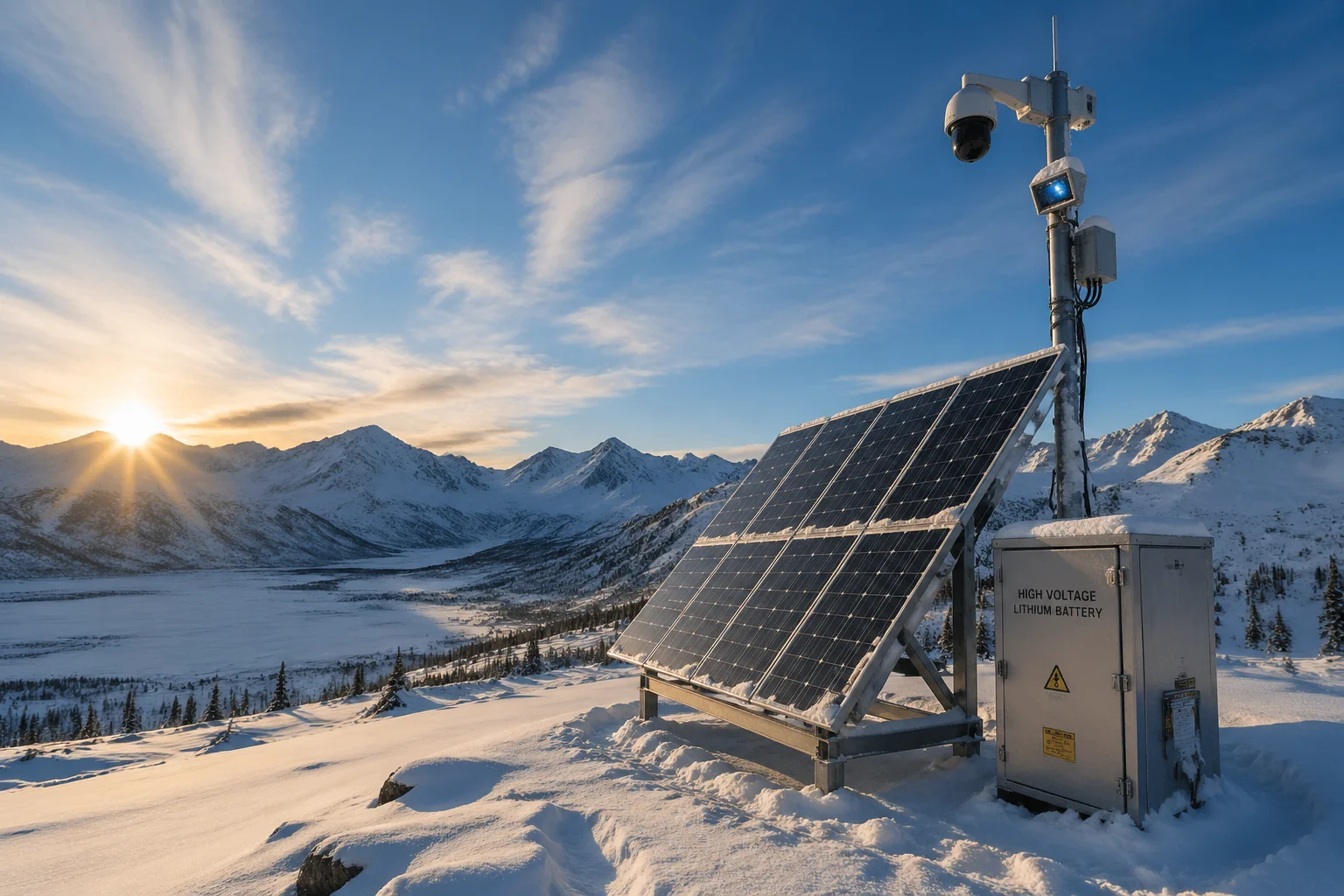
When the internal heater is active, a PTZ camera can draw an additional 30W to 60W on top of its normal 25W–35W operating power. For solar-powered deployments, this means your battery bank and panel array must be sized to handle a total peak consumption of roughly 60W to 95W during cold periods.
The power math you need to do
Let me walk you through the numbers I use when I help customers design their solar kits for Alaska.
A typical PTZ camera draws about 30W during normal operation. When the heater kicks in, that jumps to 60W or more. In the worst case — deep winter, long nights, heater running almost non-stop — you need to plan for 20 hours of heater operation per day.
Here’s a rough calculation:
- Camera base power: 30W × 24 hours = 720 Wh/day
- Heater power: 30W × 20 hours = 600 Wh/day
- Total daily consumption: approximately 1,320 Wh/day
That means your solar panel array and battery bank need to provide at least 1,320 Wh per day. In Alaska’s winter, you might only get 3 to 4 hours of usable sunlight. So you need panels that can produce 330W to 440W in those few hours, plus a battery bank large enough to carry the system through the dark hours.
PoE power is often not enough
If you’re using wired PoE instead of solar, you face a different problem. Standard PoE (802.3af) 3 gives you 15.4W. PoE+ (802.3at) gives you 30W. Neither is enough when the heater turns on.
You need PoE++ (802.3bt) 4, which can deliver 60W to 90W per port. Without this, here’s what happens: the heater activates, the total draw exceeds what the PoE switch can provide, the voltage drops, and the camera reboots. It comes back on, the heater activates again, and the camera reboots again. This loop continues until someone drives out in a blizzard to figure out what’s wrong.
| Power Standard | Max Output per Port | Enough for PTZ + Heater? |
|---|---|---|
| PoE (802.3af) | 15.4W | No |
| PoE+ (802.3at) | 30W | No — barely covers the camera alone in cold mode |
| PoE++ (802.3bt) | 60W–90W | Yes — supports full heater and camera operation |
My recommendation for solar deployments
For Alaska solar projects, I always suggest oversizing the battery bank by at least 50% beyond what the math says. Weather is unpredictable. You might get three cloudy days in a row. If your battery dies, the camera dies, and the heater can’t protect anything.
I also recommend our smart power management firmware. It can reduce PTZ patrol frequency during low-battery conditions to save power, while keeping the heater as the top priority. Because a frozen camera is useless, but a camera that patrols a little less often still does its job.
Can I remotely monitor the internal temperature of my camera via the web interface?
I learned this lesson the hard way on an early project. We had cameras deployed at a remote pipeline site. Everything looked fine on the video feed. But inside the housing, condensation was slowly building up. By the time the image started to blur, the damage was already done.
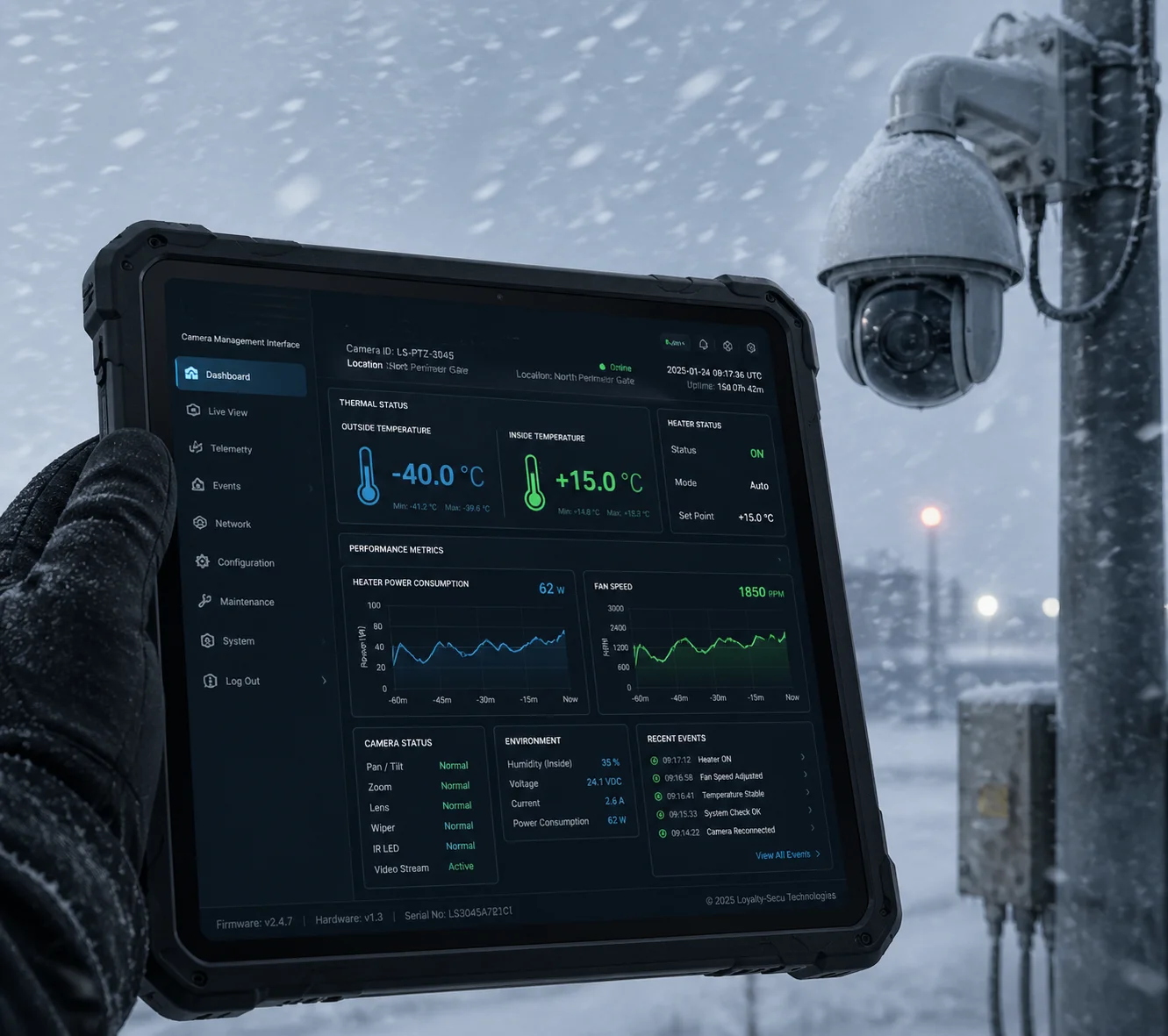
Yes. Industrial-grade PTZ cameras from Loyalty-Secu include built-in temperature sensors that report real-time internal temperature data through the camera’s web interface, ONVIF protocol 5, or SNMP 6. Operators can set custom temperature alerts to receive warnings before conditions reach critical levels.
Why remote monitoring is not optional in Alaska
In the lower 48 states, you can usually drive out to check on a camera within a few hours. In Alaska, your cameras might be 200 miles from the nearest technician. Some are accessible only by helicopter or snowmobile. If you can’t see what’s happening inside the camera remotely, you are flying blind.
Our cameras report the following data through the web interface:
- Internal housing temperature (real-time, updated every 30 seconds)
- Heater status (on/off, power draw)
- Fan status (on/off, RPM)
- Lens window temperature
- Ambient external temperature (if external sensor is connected)
Setting up smart alerts
I always help my customers configure temperature threshold alerts. For example, you can set the system to send an email or push notification if the internal temperature drops below −10 °C even with the heater running. That’s an early warning sign that something is wrong — maybe the heater element is failing, maybe the housing seal is cracked and cold air is rushing in.
You can also integrate these alerts into most major VMS platforms 7 like Milestone or Blue Iris through ONVIF or SNMP traps. This means your NOC (Network Operations Center) team can see camera health data right alongside the video feeds. They don’t need to open a separate tool.
Predictive maintenance saves money
Here’s how I think about it. If you have 50 cameras deployed across a pipeline in northern Alaska, and one camera’s internal temperature starts trending upward even though the outside temperature is dropping, that tells you the heater is working harder than normal. Maybe dust has built up on the fan. Maybe the seal is degrading.
You can schedule a maintenance visit during the next planned trip instead of making an emergency call. In Alaska, an emergency helicopter trip to swap a camera can cost $5,000 or more. A scheduled maintenance stop during a routine visit costs almost nothing extra.
Remote temperature monitoring turns your camera system from a “fix it when it breaks” model into a “fix it before it breaks” model. For integrators like David who are managing large remote deployments, this is not a luxury feature. It is a requirement.
Conclusion
For Alaska, choose an industrial PTZ with a built-in heater rated to −40 °C, use PoE++ power, cold-rated cables, and always monitor internal temperature remotely.
1. Why standard PVC cable jackets fail in extreme cold environments. ↩︎ 2. Benefits of low smoke zero halogen cables for cold-weather use. ↩︎ 3. IEEE 802.3af PoE standard power delivery specifications. ↩︎ 4. IEEE 802.3bt PoE++ standard for high-power devices. ↩︎ 5. ONVIP open standard for IP camera interoperability. ↩︎ 6. SNMP for remote network device monitoring and alerts. ↩︎ 7. Video management system integration for camera health data. ↩︎ 8. Heated enclosures for extreme-cold camera deployments. ↩︎ 9. Dotworkz cold-weather housing for PTZ cameras. ↩︎ 10. Milestone VMS temperature alert configuration guide. ↩︎