
I have seen too many integration projects fail at the last mile. The camera works. The cloud works. But the JSON format does not match, and everything breaks.
Yes, as an R&D-led PTZ camera2 manufacturer, we fully support customizing the JSON packet format1 for alarm pushes. We can remap field names, adjust data structures, add or remove metadata, and adapt timestamps to match your backend API. This service is available for B2B clients with stable order volumes or active development projects.
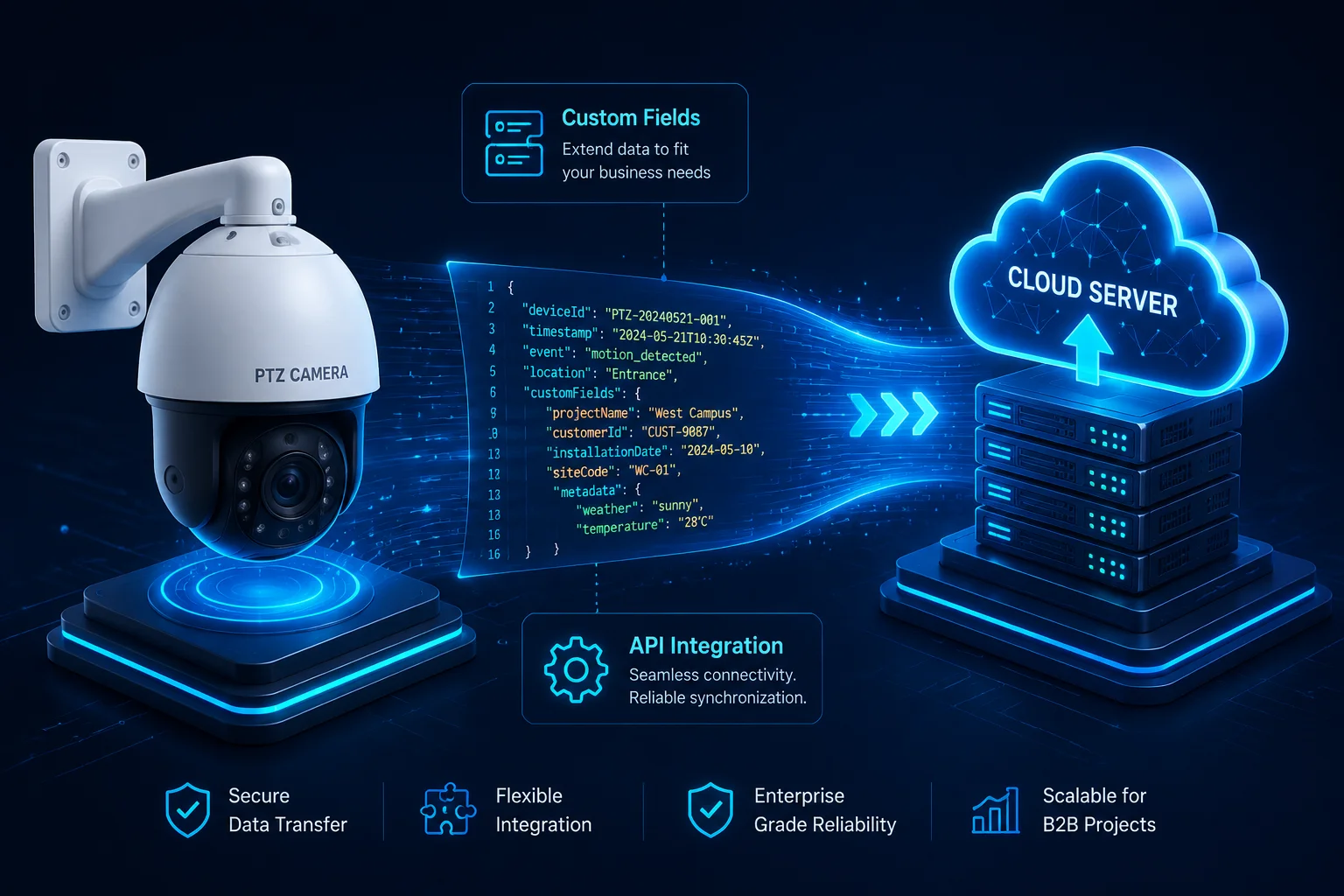 PTZ camera JSON alarm push customization
The details matter here. A wrong key name or a missing nested object can cause your entire automation pipeline to throw parsing errors3. Below, I break down the most common questions our clients ask about JSON customization, and I give you honest, technical answers based on what our engineering team actually delivers.
Table of Contents
Can You Tailor the Alarm Payload to Match My Proprietary Platform’s API Requirements?
Every system integrator I work with has a different backend. Some use AWS Lambda. Some use n8n. Some built their own platform from scratch. The one thing they all share is this: they need the JSON to arrive in a very specific shape.
We can tailor the alarm payload to match your proprietary platform’s API requirements. Our embedded engineers remap JSON structures at the firmware level4. We rename keys, restructure nesting, and reorder fields based on the API documentation you provide us.
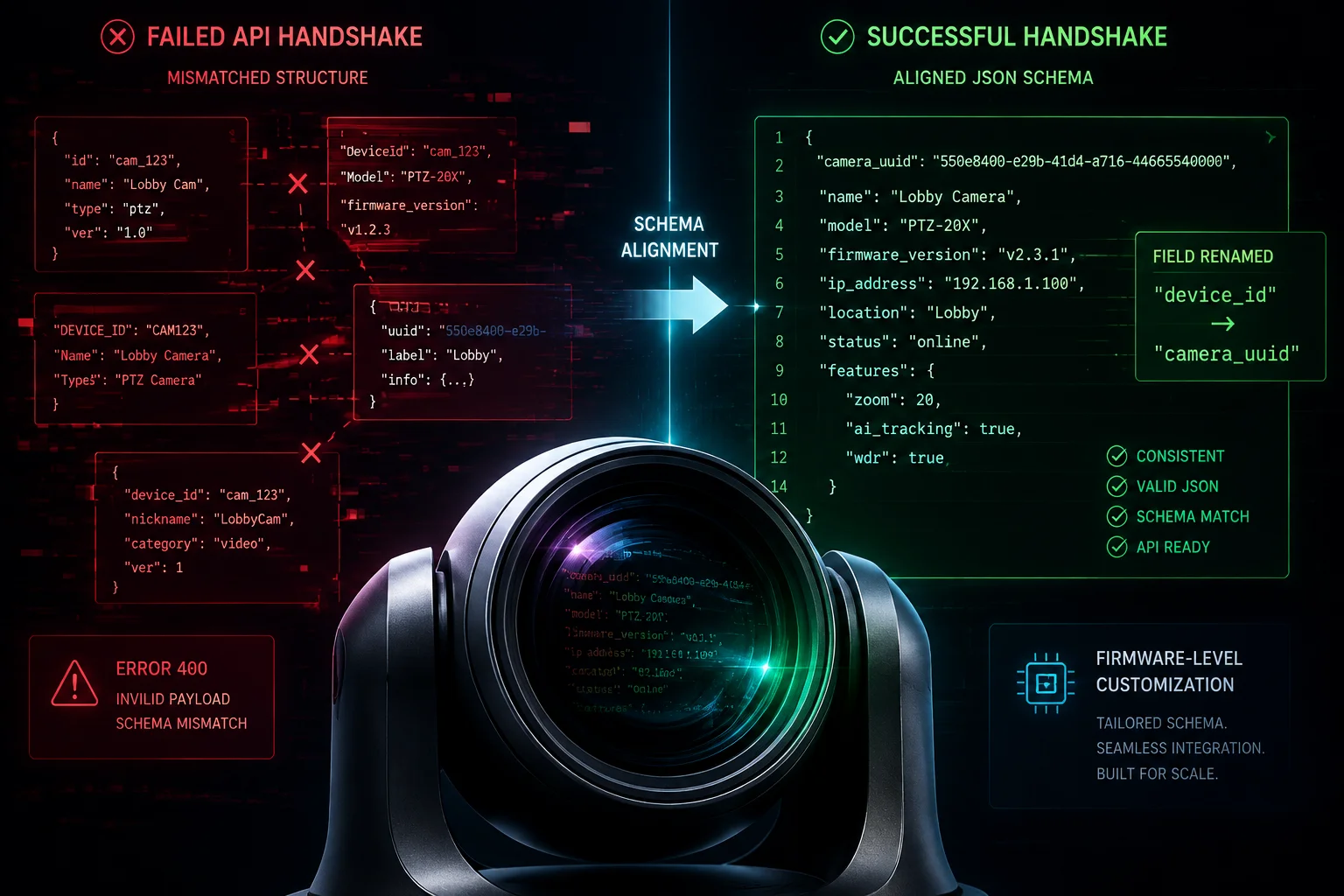 Custom JSON alarm payload for PTZ camera integration
Why Does JSON Structure Mismatch Cause So Many Problems?
When a PTZ camera sends an alarm event to your server, the data travels as an HTTP POST request5. The body of that request is a JSON string. Your server reads that string and tries to extract values from specific keys. If the key is named device_id in our default firmware but your system expects camera_uuid, the parsing fails. Your server returns a 400 error. The alarm is lost.
This is not a rare edge case. I see it in almost every new integration project. The client has a working platform. Our camera has a working push function. But the two cannot talk to each other because the data format does not match.
What Exactly Can We Change?
Here is a clear breakdown of the structural changes we support:
| Customization Type | Default Example | Custom Example |
|---|---|---|
| Key renaming | device_id | camera_uuid |
| Nesting depth | Flat key-value pairs | Wrapped inside a payload parent node |
| Array formatting | Single alarm object | Array of alarm objects with batch support |
| Root-level metadata | Not included | Add api_version, schema_id at root |
| Field ordering | Alphabetical | Ordered by your API spec priority |
How Does the Process Work?
The process is simple. You send us your target JSON sample. Our embedded engineer reads your API documentation6. Then they modify the firmware’s HTTP module to output the exact structure you need. We build a beta firmware, flash it onto a test unit, and ship it to you for validation.
Most of the time, the first beta firmware works. Sometimes your backend has additional requirements we did not catch in the document review. In that case, we do a second round. The whole cycle from document submission to working firmware usually takes 3 to 5 business days.
Firmware-Level vs. Template-Based Approach
We offer two paths for customization:
- Firmware Hardcoding: Best for clients whose backend API is already locked down. We bake the JSON format directly into the camera firmware. This gives the fastest runtime performance and the smallest packet size.
- Template-Based Push: Best for clients still in the development phase. We provide a special firmware that lets you paste a JSON template into the camera’s web interface. You use variables like
$EVENT_TYPE$,$DEVICE_ID$, and$TIME$to define the output. When an alarm triggers, the camera fills in the variables and sends the result.
If you are a system integrator working on a new project, I usually recommend starting with the template approach. Once your API is stable, we can switch to hardcoded firmware for production units.
Will the Custom JSON Include GPS Coordinates if My PTZ Camera Has a Built-in Module?
Location data is critical for fleet deployments. If you manage 200 solar PTZ cameras across a large farm or construction zone, you need to know exactly which camera triggered the alarm. A device ID alone is not enough. You need latitude and longitude.
If your PTZ camera has a built-in GPS module, we can include real-time GPS coordinates7 in the custom JSON alarm payload. The fields for latitude, longitude, altitude, and fix accuracy are all available and can be mapped to any key names your platform requires.
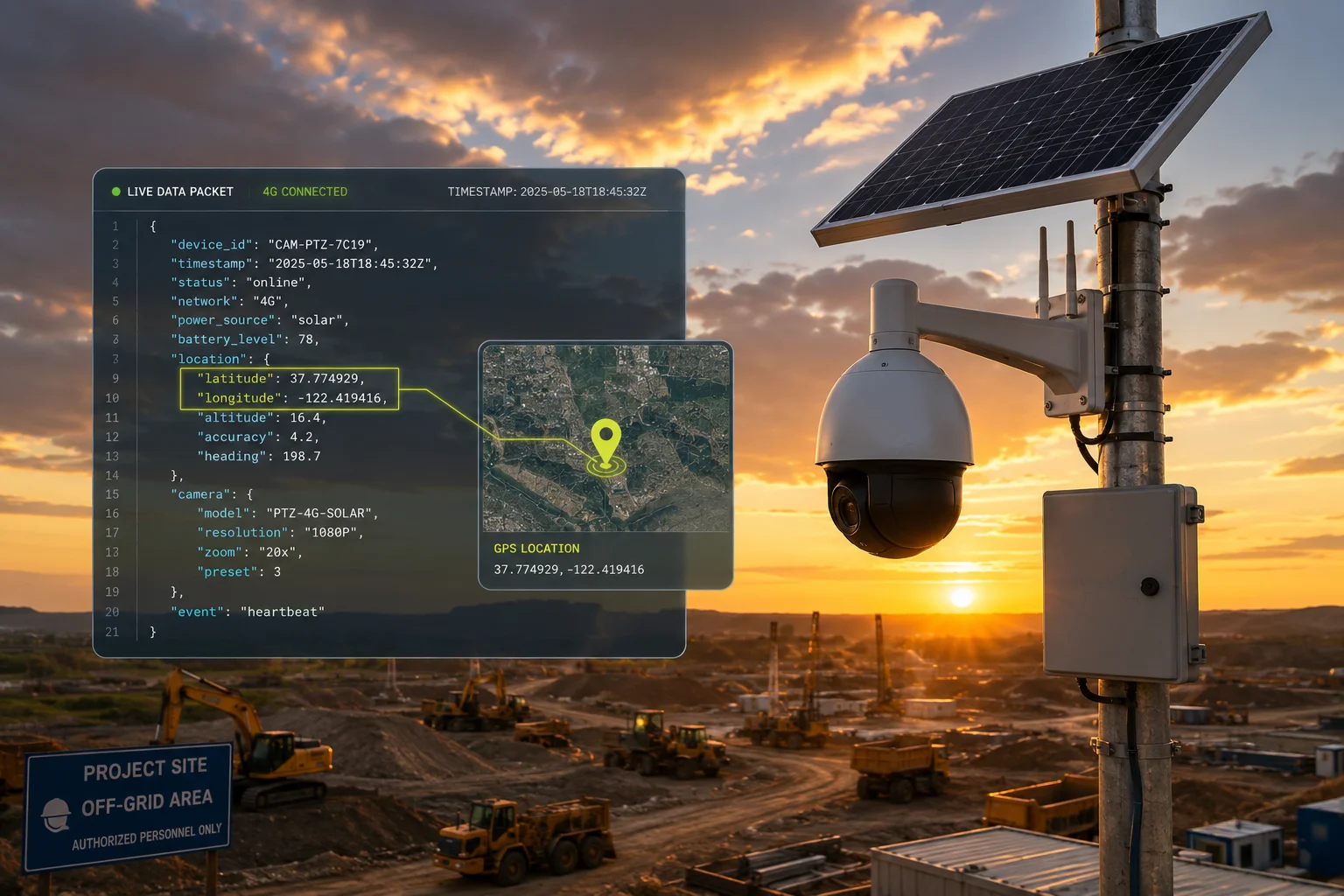 GPS coordinates in PTZ camera JSON alarm data
How GPS Data Flows into the JSON Packet
Our 4G solar PTZ cameras8 with built-in GPS modules continuously update their position fix. When an alarm event occurs — say, a human intrusion detected by the AI engine9 — the firmware pulls the latest GPS reading from the module’s buffer. It then injects the coordinates into the JSON packet before sending the HTTP POST to your server.
Here is what a GPS-enriched JSON alarm might look like:
{
"camera_uuid": "CAM-4G-0892",
"event_type": "human_intrusion",
"timestamp": "2026-04-29T12:00:00Z",
"gps": {
"latitude": 34.052235,
"longitude": -118.243683,
"altitude": 71.2,
"fix_quality": "3D",
"satellites": 9
}
}
What if the GPS Fix Is Weak?
In some deployment environments — dense urban areas, deep valleys, or indoor parking structures — the GPS signal can be weak or unavailable. Our firmware handles this gracefully. If the fix quality drops below a threshold, the JSON will still include the GPS object, but the values will reflect the last known good position. We also add a fix_age field (in seconds) so your backend knows how stale the data is.
| GPS Scenario | Behavior in JSON |
|---|---|
| Strong fix (open sky) | Real-time lat/long with fix_quality: "3D" |
| Weak fix (partial obstruction) | Last known position with fix_quality: "2D" |
| No fix (indoor / tunnel) | Last known position with fix_age in seconds |
| GPS module not installed | GPS object omitted entirely from JSON |
Can I Add Other Sensor Data Too?
Yes. If your camera model includes additional sensors — such as a temperature probe, battery voltage monitor, or solar panel wattage meter — we can inject those readings into the same JSON packet. This is especially useful for solar-powered deployments where you want your backend to monitor both security events and system health in a single data stream.
For example, a client in the Middle East asked us to include battery percentage and solar charging status in every alarm push. Their backend used this data to flag cameras that might go offline due to low power. We added three fields: battery_pct, solar_watts, and charging_state. The total packet size increased by only 80 bytes.
How Quickly Can Your Software Team Implement a New JSON Field for My Specific Project?
Time kills deals. I know that. When you are in the middle of a project deployment and your client is waiting, you cannot afford to wait weeks for a firmware update from your supplier.
Our embedded engineering team can implement a new JSON field and deliver a beta firmware within 3 to 5 business days. For simple additions like a single new key-value pair, we often turn it around in 1 to 2 days. Complex structural changes with nested objects and conditional logic may take up to 7 days.
 Fast JSON firmware customization turnaround time
What Determines the Turnaround Time?
The speed depends on three factors: complexity, memory constraints, and testing scope.
Complexity is the biggest variable. Adding a single flat field like project_name: "Highway-12" is trivial. Our engineer opens the alarm push module in the firmware source code, adds one line, recompiles, and tests. This takes less than a day.
But if you need conditional logic — for example, “only include the vehicle_color field when the event type is vehicle_detected, and nest it inside a metadata object” — that requires more careful coding and testing. The engineer must handle edge cases. What happens if the AI engine detects a vehicle but cannot determine the color? Should the field be null, an empty string, or omitted entirely? These decisions take time to discuss and implement correctly.
Memory Buffer Limitations
Our PTZ cameras run on embedded processors with limited RAM. The JSON packet is assembled in a memory buffer before transmission. If your custom JSON structure is very large — say, you want to include a Base64-encoded thumbnail10 image inside the JSON — we need to verify that the buffer can hold the entire packet.
For most alarm-only JSON packets (no image data), the buffer is more than sufficient. A typical alarm JSON is 200 bytes to 1 KB. Our buffer supports up to 8 KB per packet. But if you want to embed image data, we may need to split the transmission into two separate pushes: one for the JSON metadata and one for the image binary.
Our Internal Development Workflow
Here is how a typical customization request moves through our team:
| Step | Action | Time |
|---|---|---|
| 1 | You submit your target JSON sample and API docs | Day 0 |
| 2 | Our engineer reviews and asks clarifying questions | Day 1 |
| 3 | Firmware modification and internal bench testing | Day 2–4 |
| 4 | Beta firmware delivered to you via secure link | Day 4–5 |
| 5 | You test on your end and send feedback | Day 5–7 |
| 6 | Final adjustments (if needed) and production firmware release | Day 7–10 |
What About Ongoing Changes After Production?
Some clients need to update the JSON format after the initial production run. Maybe their backend API evolves, or they add a new feature to their platform. We handle this through firmware OTA (Over-The-Air) updates. Once the new firmware is ready, you can push it to all deployed cameras remotely through our cloud management tool. No truck rolls. No manual flashing.
This is a big deal for clients who deploy cameras in remote locations — solar farms, oil fields, highway corridors. The cost of sending a technician to manually update 100 cameras is enormous. OTA eliminates that cost entirely.
Is There a “Test Button” to Verify the JSON Data Reaches My Server During Setup?
Setup is where most integration headaches happen. The camera is on the pole. The SIM card is active. The server is listening. But you have no idea if the JSON is actually arriving until a real alarm triggers. And if it does not arrive, you do not know whether the problem is the camera, the network, or the server.
Yes, our firmware includes a dedicated “Test Push” button in the camera’s web interface. When you click it, the camera immediately sends a sample JSON alarm packet to your configured server URL. You can see the HTTP response code11 on screen, so you know instantly whether the data reached your server and was accepted.
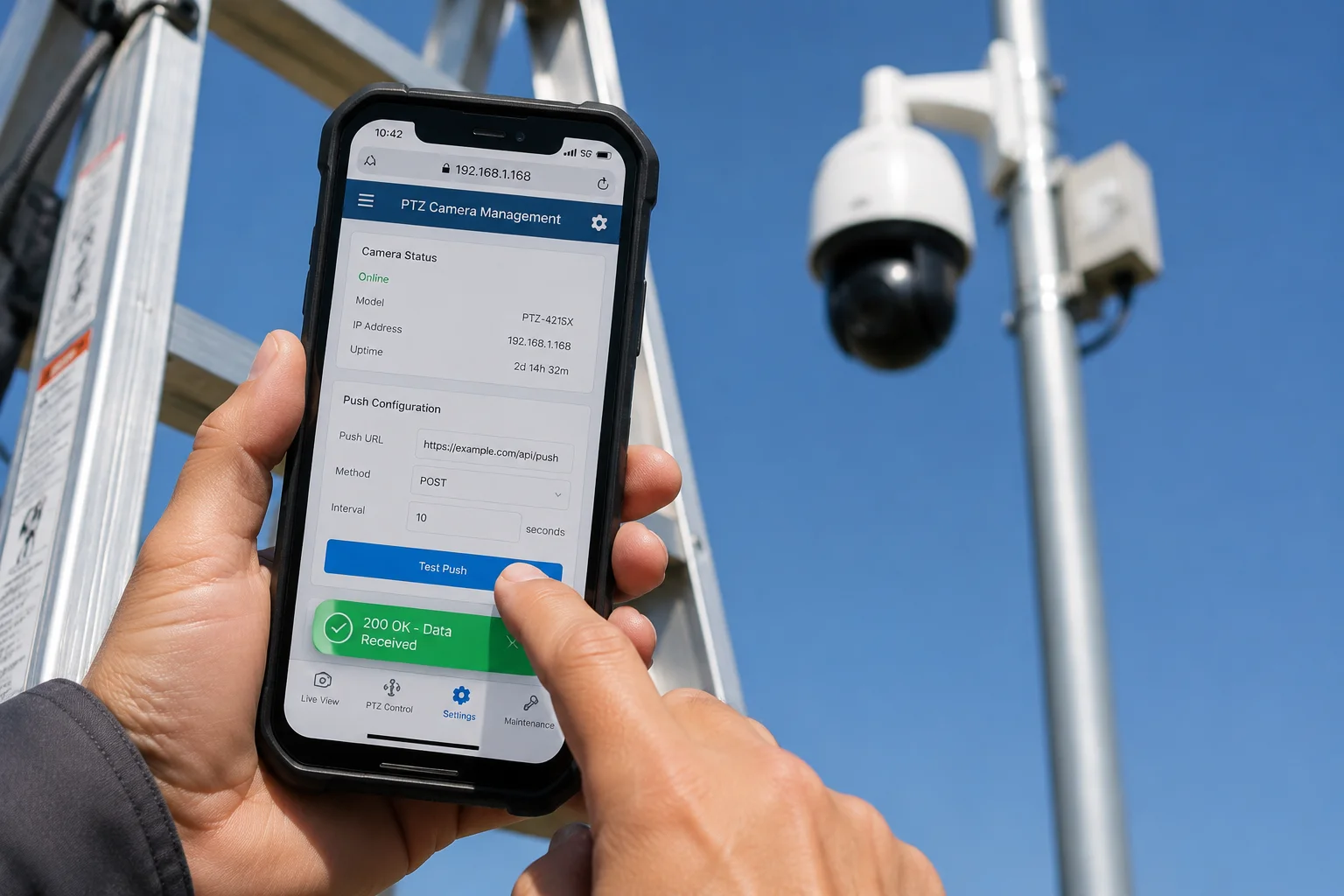 Test button for JSON alarm push verification in PTZ camera
Why a Test Button Matters for Field Technicians
Think about the typical installation scenario. A technician is on a ladder, 30 feet up, mounting a PTZ camera on a pole in the middle of a construction site. They connect to the camera’s web interface on their phone. They enter the server URL, the authentication token, and the push interval. Now they need to confirm it works before they climb down.
Without a test button, the technician has two bad options. Option one: wait for a real alarm event. This could take minutes or hours. Option two: walk in front of the camera to trigger a motion detection event. This is unreliable because the AI sensitivity might not be tuned yet.
With our test button, the technician clicks once. The camera sends a test JSON packet immediately. The technician checks the HTTP response code on screen. If it shows 200 OK, the connection is confirmed. If it shows 401 Unauthorized, they know the token is wrong. If it shows Connection Timeout, they know the 4G signal is too weak at that location.
What Does the Test Packet Look Like?
The test packet is identical in structure to a real alarm packet. The only difference is that the event_type field is set to test_push instead of a real alarm type. This lets your backend distinguish test events from real events.
Here is an example:
{
"camera_uuid": "CAM-4G-0892",
"event_type": "test_push",
"timestamp": "2026-04-29T12:05:00Z",
"message": "This is a test alarm push from the device setup page."
}
Your backend can filter out test_push events so they do not trigger real workflows. Or you can route them to a separate logging channel for installation verification.
Can I Test from the Cloud Management Platform Too?
Yes. If you use our cloud-based device management portal, you can send a test push command to any camera remotely. This is useful for ongoing maintenance. If a client reports that they stopped receiving alarms from a specific camera, your support team can log into the portal, click “Test Push” on that camera, and check the result without dispatching a technician.
What Happens if the Test Fails?
Our web interface shows the full HTTP response code and a brief error description. Common failure scenarios include:
- Connection Refused: Your server is not listening on the specified port.
- SSL Handshake Failed: The camera’s firmware does not trust your server’s SSL certificate. We can add your CA to the firmware’s trust store.
- Payload Too Large (413): Your server has a request body size limit that is smaller than the JSON packet. We can help you trim the packet.
- Timeout: The 4G connection is too slow or unstable. Consider repositioning the antenna or switching to a different carrier APN.
Each of these error messages gives the technician a clear next step. No guessing. No wasted time.
Conclusion
Customizing the JSON alarm payload is not a luxury — it is a basic requirement for serious system integration. We support full structural remapping, GPS enrichment, fast turnaround, and on-site test verification to make your deployment smooth and reliable.
1. RFC 7159 defines the standard for JavaScript Object Notation (JSON) data interchange. ↩︎ 2. Wikipedia explains Pan-Tilt-Zoom (PTZ) cameras, their functions, and common use cases. ↩︎ 3. Wikipedia defines parsing and common errors when data does not match expected structure. ↩︎ 4. Wikipedia defines firmware as low-level software embedded in hardware devices. ↩︎ 5. MDN describes the HTTP POST method used to send data to a server. ↩︎ 6. Wikipedia explains APIs and the role of documentation in integration. ↩︎ 7. Wikipedia explains GPS, its coordinate system, and how latitude/longitude are determined. ↩︎ 8. Wikipedia describes 4G LTE cellular technology used for remote connectivity. ↩︎ 9. Wikipedia provides an overview of artificial intelligence, including machine vision engines. ↩︎ 10. RFC 4648 defines Base64 encoding, commonly used to embed binary data in JSON. ↩︎ 11. MDN lists all standard HTTP response status codes and their meanings. ↩︎