
I’ve seen too many cameras that promise “smart alerts” but choke when three things fire at once. If you deploy in remote sites, a frozen system means a missed intruder — and a very angry client.
Yes, our industrial-grade 4G PTZ cameras support full multi-dimensional linkage. The moment AI detects a person or vehicle, the system triggers strobe lights, PTZ tracking, and app push notifications at the same time — within milliseconds — using a parallel multi-thread SoC architecture and event-priority scheduling.
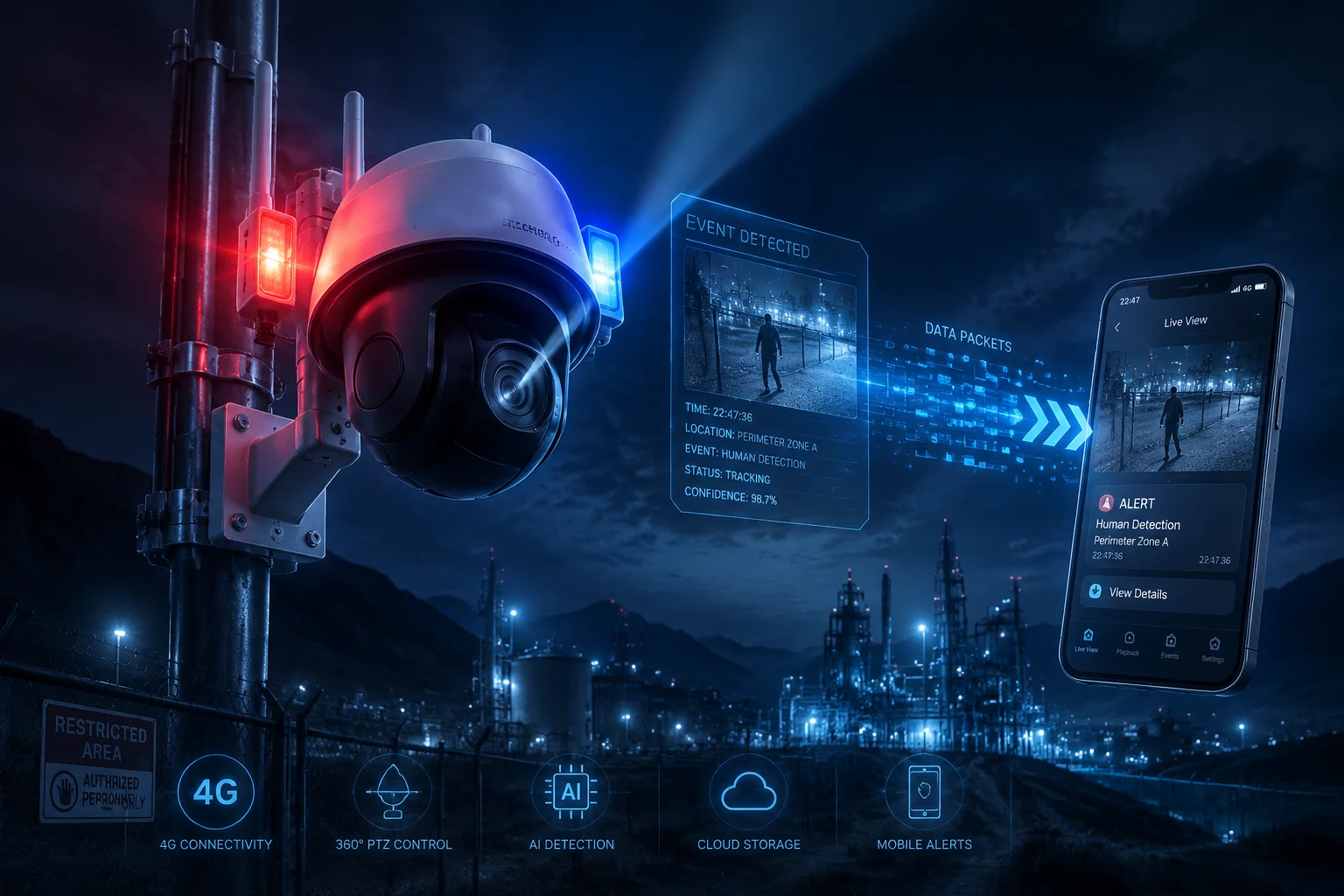
Below, I break down exactly how each piece of this simultaneous linkage works, what happens under the hood, and how you can fine-tune it for real job sites. If you integrate PTZ cameras into remote solar-powered projects, every detail here matters.
Table of Contents
Does the AI-Triggered “Linkage” Work Fast Enough to Catch a Trespasser in the Act?
Speed is everything. I’ve heard from integrators who lost contracts because their camera took four seconds to react. By then, the intruder was already past the fence line and out of frame.
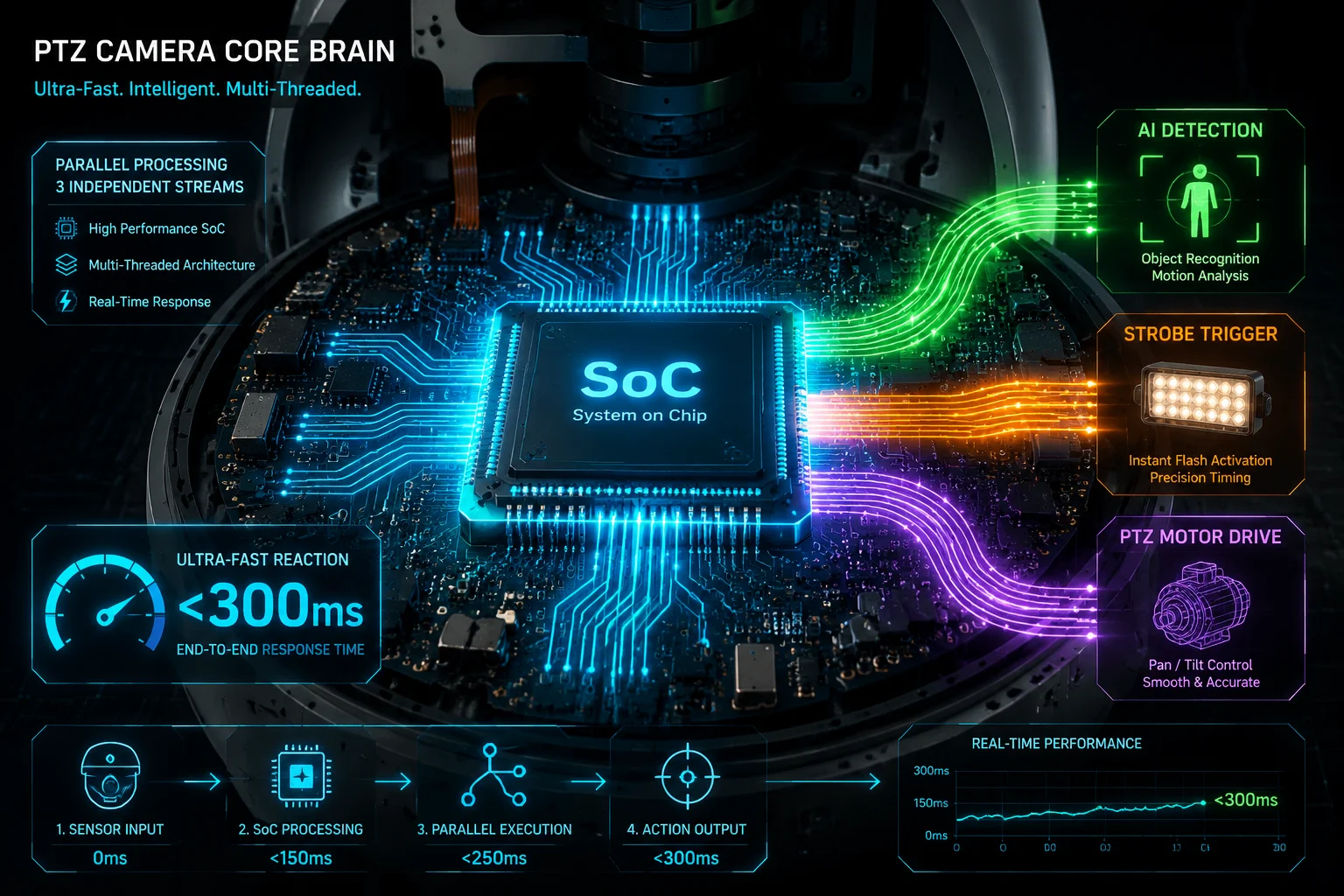
The AI linkage engine reacts in under 300 milliseconds from detection to full action. It sends the push command, fires the strobe, and starts PTZ tracking in parallel — not in sequence. This is fast enough to catch a trespasser before they take three steps.
How the Parallel Execution Actually Works
Most cheap cameras use a single-thread processor. That means they do one thing at a time: first detect, then alert, then move. By the time the PTZ starts turning, the target may already be gone.
Our cameras use a different approach. The SoC (System on Chip) runs multiple threads at the same time. When the AI model confirms a target, the “Linkage Engine” sends commands to three separate hardware modules in parallel:
- Signal layer (App Push): The 4G module sends an encrypted packet to the cloud through MQTT1 or a private push protocol. This fires first because it needs very little bandwidth.
- Physical layer (Strobe & Siren): The MCU toggles GPIO pins2 directly. The red-blue warning lights and the loud siren activate almost instantly.
- Mechanical layer (PTZ Tracking): The vision processing unit (VPU) calculates where the target sits in the frame and drives the stepper motors3 to follow it.
Why Milliseconds Matter in the Field
Think about a construction site at 2 AM. A person climbs over the fence. If the camera takes two seconds to react, that person has moved 3-4 meters. On a wide-angle lens, they might already be out of the detection zone. But at 300 ms, the PTZ locks on while they’re still on the fence.
Here’s a comparison of reaction times across different camera architectures:
| Architecture | Detection-to-Action Time | Can Run in Parallel? | Risk of Missing Target |
|---|---|---|---|
| Single-thread (Budget) | 2,000–4,000 ms | No | High |
| Dual-core (Mid-range) | 800–1,500 ms | Partial | Medium |
| Multi-thread SoC (Ours) | < 300 ms | Yes, fully | Very Low |
What About False Triggers?
Speed means nothing if the camera fires on every passing bird. Our AI model is trained on human and vehicle shapes specifically. It filters out animals, swaying branches, and rain. This keeps the false alarm rate low, so when the linkage fires, it fires for a real reason. For integrators like David Miller who serve remote oil fields or solar farms, fewer false alarms mean fewer angry phone calls from end clients at 3 AM.
The Role of Edge AI vs. Cloud AI
All detection happens on the edge — inside the camera itself. We do not send video to a cloud server for analysis and wait for a response. That round trip could add 1-5 seconds of delay depending on your 4G signal. Edge processing removes that bottleneck entirely. The cloud only receives the result: “Human detected, Zone 3, 02:14 AM.”
Can I Prioritize the PTZ Move-to-Preset Before the Strobe Light Turns On?
Sometimes you don’t want to scare the intruder away immediately. You want the camera to quietly move to a preset position first, get a clear face shot, and then blast the strobe. I’ve had clients ask for this exact workflow.
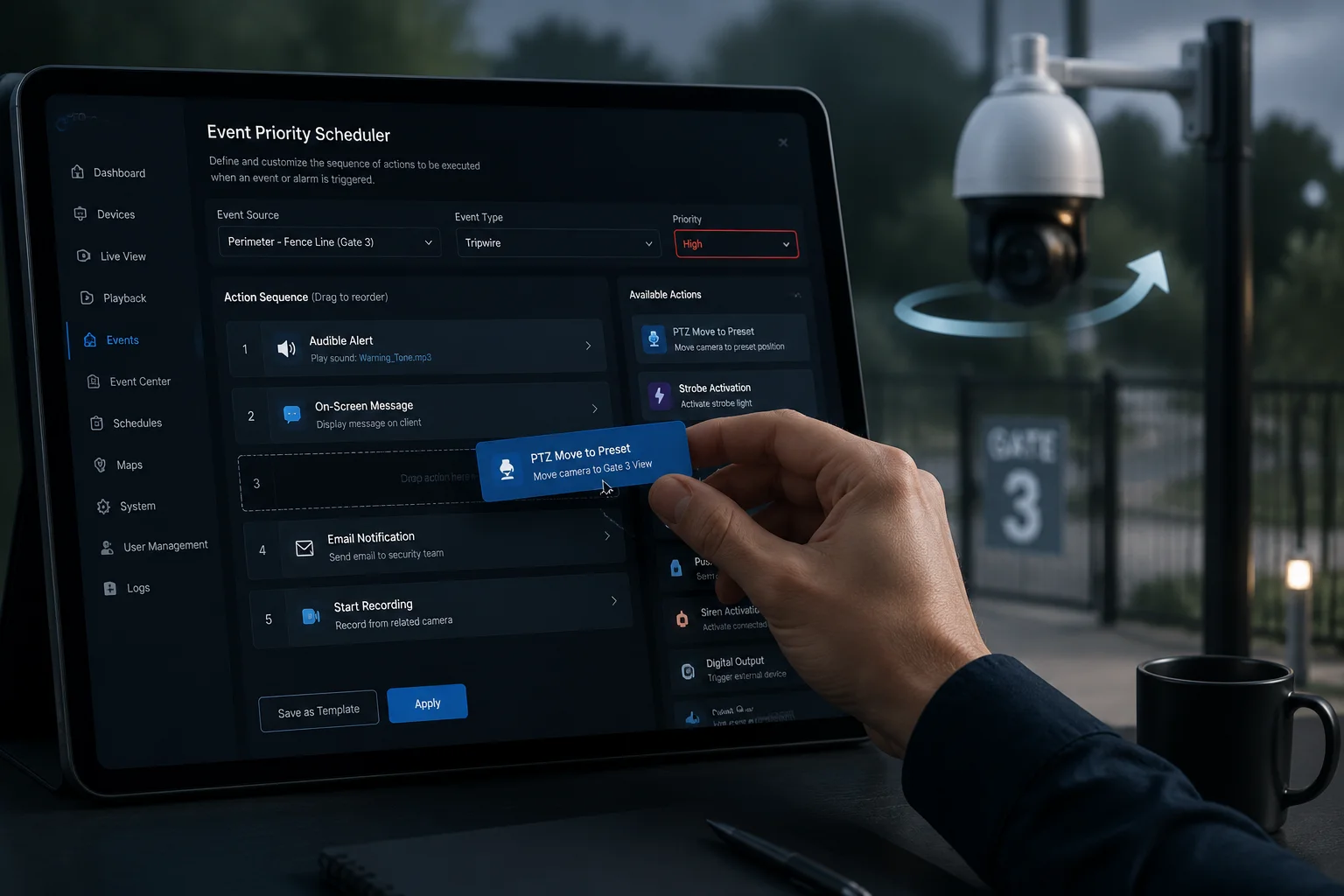
Yes, you can set custom priority sequences in the linkage settings. For example, you can configure the PTZ to move to a preset position first, hold for 2 seconds to capture a clear snapshot, and then activate the strobe and siren. The priority order is fully adjustable.
Understanding the Priority Queue System
The linkage engine uses what we call an Event Priority Scheduler. Think of it like a to-do list where you decide what happens first, second, and third. Each action gets a priority number. Lower number means it runs first.
By default, the priority order is:
- App Push (priority 1)
- Strobe Light (priority 2)
- PTZ Movement (priority 3)
- Local Siren (priority 4)
But you can rearrange this. In the camera’s web interface or through our CMS software, you drag and drop the actions into your preferred order. You can also add delay timers between actions.
A Practical “Silent Capture First” Workflow
Here’s a workflow I often recommend to integrators who work with law enforcement or loss prevention teams:
- Step 1 — PTZ moves to preset (0 ms delay): The camera quietly rotates to a pre-defined angle that covers the entry point.
- Step 2 — Snapshot captured (500 ms delay): The camera grabs a high-resolution still image under infrared light. No visible flash. No warning.
- Step 3 — App push with image (1,000 ms delay): The snapshot is sent to the operator’s phone.
- Step 4 — Strobe + Siren activate (2,000 ms delay): Now the deterrent kicks in. The intruder is blinded by the strobe and startled by the siren.
This gives you evidence first, deterrence second. Many law enforcement projects require this exact sequence.
How to Configure This in the Interface
In the camera’s “Alarm Linkage” settings page, each action has three fields:
| Field | What It Controls | Example Value |
|---|---|---|
| Action Type | Which hardware module to trigger | PTZ Preset / Strobe / Push / Siren |
| Priority Level | Execution order (1 = first) | 1, 2, 3, 4 |
| Delay (ms) | Wait time before this action starts | 0, 500, 1000, 2000 |
You save the profile, and the linkage engine follows your custom sequence every time an alarm triggers. You can also create multiple profiles — one for daytime, one for nighttime — and schedule them automatically.
Why This Matters for System Integrators
If you’re building a proposal for a client, being able to show this level of control sets you apart from competitors who sell generic “plug and play” cameras. David Miller’s clients — the ones running construction sites or agricultural operations — want to know that the system works their way, not the factory’s default way.
Will the App Push Notification Include a Direct Link to the Recorded Event Clip?
Getting a push notification that just says “Motion Detected” is useless. I need to see what happened, right now, without digging through hours of footage.
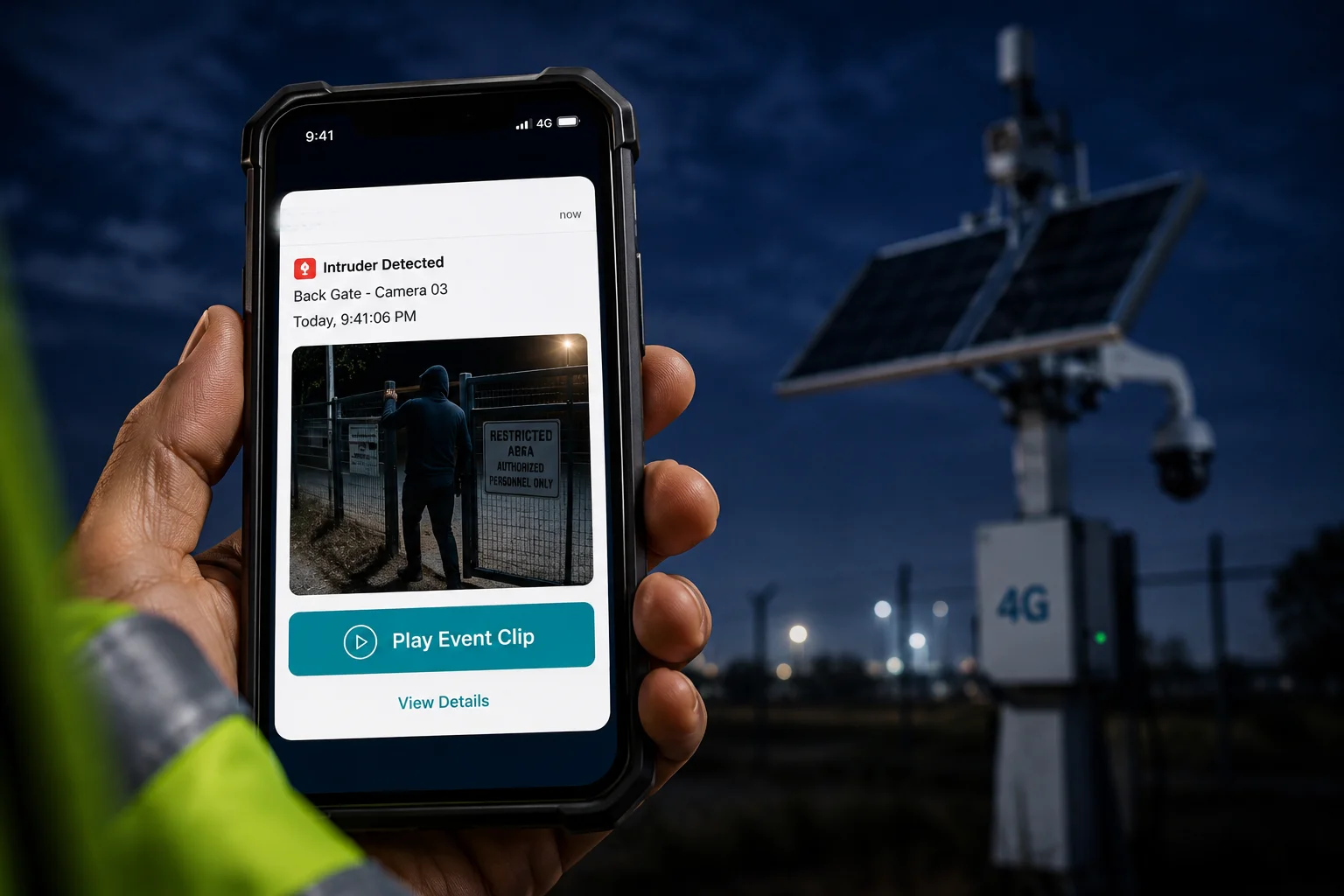
Yes, the app push notification includes a thumbnail snapshot and a direct link to the recorded event clip. You tap the notification, and it opens the exact moment of the alarm — no scrolling, no searching. The clip is stored both on the local SD card and in the cloud.
What the Push Notification Actually Contains
When the alarm triggers, the 4G module sends a data packet to our cloud platform. That packet includes:
- Alarm type (Human detected / Vehicle detected / Line crossing / Zone intrusion)
- Timestamp (Accurate to the second, synced via NTP5)
- GPS coordinates (If the GPS module is enabled)
- Snapshot image (A compressed JPEG, typically 50-100 KB)
- Event clip link (A URL pointing to the 10-second pre-alarm + 20-second post-alarm recording)
When this packet reaches the cloud, the cloud server formats it into a push notification and sends it to your phone through Firebase6 (Android) or APNs7 (iOS).
The “Tap-to-Play” Experience
Here’s what happens on your phone:
- Your phone buzzes.
- You see a notification with a small preview image — a person near your fence, for example.
- You tap it.
- The app opens directly to the event clip. It starts playing from 10 seconds before the alarm, so you see the full context.
You don’t need to open the app, find the camera, scroll through the timeline, and hunt for the right moment. That workflow is broken. Ours skips all of it.
What Happens When 4G Signal Is Weak?
This is where real-world deployment gets tricky. On a remote farm using Band 138 or Band 71, your upload speed might drop to 0.5 Mbps during peak hours. If the camera tries to push a 5 MB video clip over that connection, it will fail or take forever.
Our system handles this with a tiered delivery strategy:
- Tier 1 (Instant): Text alarm + compressed snapshot (under 100 KB). This gets through even on 0.3 Mbps.
- Tier 2 (5-10 seconds later): Short event clip (480p, 500 KB). Good enough to see what happened.
- Tier 3 (Background sync): Full HD clip uploads to the cloud when bandwidth recovers.
This means you always get the alert fast. The full video follows when the network allows it. The local SD card keeps the original full-resolution recording regardless of network conditions, so nothing is ever lost.
For VMS Integration Users
If David Miller’s team uses Milestone9 or Blue Iris10, the camera also sends alarm events through ONVIF Event Service4. The VMS can receive the alarm, pull the snapshot via HTTP, and display it in the control room dashboard. The push notification and the VMS alert work independently — so even if the operator’s phone is off, the control room still sees everything.
Can I Customize the Duration of the Audio Alarm Versus the Strobe Light Flash?
Not every site needs a 60-second siren. In residential areas, a long siren creates noise complaints. But on a remote oil field, you might want the strobe to flash for five minutes to keep the intruder disoriented.
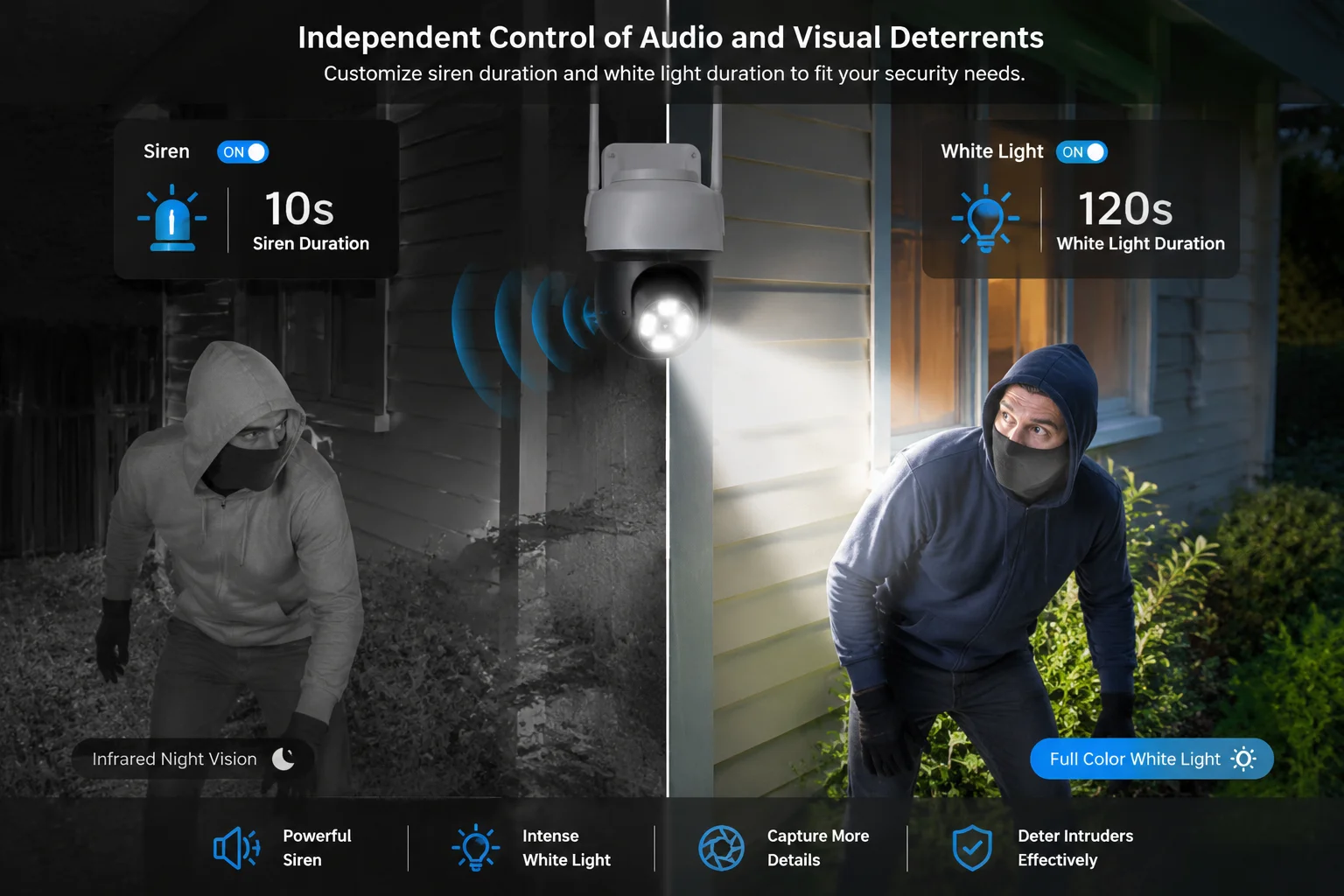
Yes, the audio alarm and strobe light durations are independently configurable. You can set the siren to blast for 10 seconds while the strobe flashes for 120 seconds, or any combination you need. Each output channel has its own timer, and you can adjust them in 1-second increments.
Independent Timer Controls
The siren and the strobe are driven by separate GPIO channels on the MCU. This means they are electrically and logically independent. Turning off one does not affect the other. In the alarm settings, you’ll find two separate duration sliders:
- Siren Duration: 1 second to 300 seconds (5 minutes)
- Strobe Duration: 1 second to 600 seconds (10 minutes)
You can also set repeat patterns. For example, the siren can do three 5-second bursts with 2-second pauses between them. The strobe can flash continuously or in a slow pulse pattern.
Choosing the Right Duration for Your Site
Different environments need different settings. Here’s a guide I share with integrators:
| Site Type | Recommended Siren Duration | Recommended Strobe Duration | Reason |
|---|---|---|---|
| Urban Construction Site | 10–15 seconds | 30–60 seconds | Avoid noise complaints from neighbors |
| Remote Farm / Ranch | 30–60 seconds | 120–300 seconds | No neighbors; maximize deterrence |
| Oil & Gas Facility | 15–20 seconds | 60–120 seconds | Balance deterrence with safety protocols |
| Warehouse / Parking Lot | 10 seconds | 30 seconds | Security guard is usually nearby |
The White Light / Infrared Switch Logic
This is a detail that many people overlook. During normal nighttime operation, the camera uses infrared LEDs11 for invisible surveillance. The intruder doesn’t know they’re being watched. But when the alarm triggers, the camera can instantly switch to white light mode.
Why does this matter?
- Infrared footage is black and white. You can see shapes, but colors are gone. License plates and clothing details are harder to identify.
- White light footage is full color. You get the color of the car, the color of the jacket, the text on a hat. This is the evidence that holds up in court.
I recommend setting the camera to “Smart Mode.” In this mode, it uses infrared by default and only switches to white light during an alarm event. After the alarm ends, it switches back to infrared. This saves power (critical for solar setups) and keeps the camera covert until the moment it needs to act.
Auto-Return to Home Position
After the alarm sequence finishes — siren stops, strobe turns off, tracking times out — the PTZ needs to go back to its default watching angle. We call this the Home Position or Guard Position12.
You set a tracking timeout (I recommend 30 seconds). If the target disappears from the frame for 30 seconds, the PTZ automatically returns to its preset guard position. This is critical. Without it, the camera might end up pointing at a random wall after chasing a target, leaving the main entry point completely unmonitored.
This auto-return feature works even if the 4G connection drops. The logic runs locally on the camera’s processor, so it doesn’t depend on any cloud command.
Conclusion
Our 4G PTZ cameras execute strobe alerts, PTZ tracking, and app pushes simultaneously through parallel multi-thread processing. Every action is independently configurable, priority-adjustable, and field-proven for remote, off-grid deployments.
1. Official MQTT protocol site; explains the lightweight messaging protocol. ↩︎ 2. Defines GPIO and its role in controlling hardware peripherals. ↩︎ 3. Explains how stepper motors enable precise PTZ movement. ↩︎ 4. ONVIF standard for event handling in IP cameras, enabling VMS integration. ↩︎ 5. Explains NTP for accurate time synchronization across devices. ↩︎ 6. Google Firebase Cloud Messaging for Android push notifications. ↩︎ 7. Apple Push Notification service documentation. ↩︎ 8. Details on LTE frequency bands, including Band 13 (700 MHz) used for rural coverage. ↩︎ 9. Milestone Systems VMS platform for video management. ↩︎ 10. Popular VMS software for IP cameras. ↩︎ 11. Describes IR illuminators used in security cameras for night vision. ↩︎ 12. Explains PTZ guard (home) position and auto-return functionality. ↩︎