
I know how fast a field camera can fail when someone forces it by hand. That kind of damage can break a site plan, cost time, and put the whole project at risk.
Yes, an industrial AI PTZ camera can detect forced rotation1, tampering, and impact events, then report them to the center in real time. It can use video tamper analytics2, motion sensors, and heartbeat loss alerts3 to send a fast warning, store evidence, and keep the VMS informed.
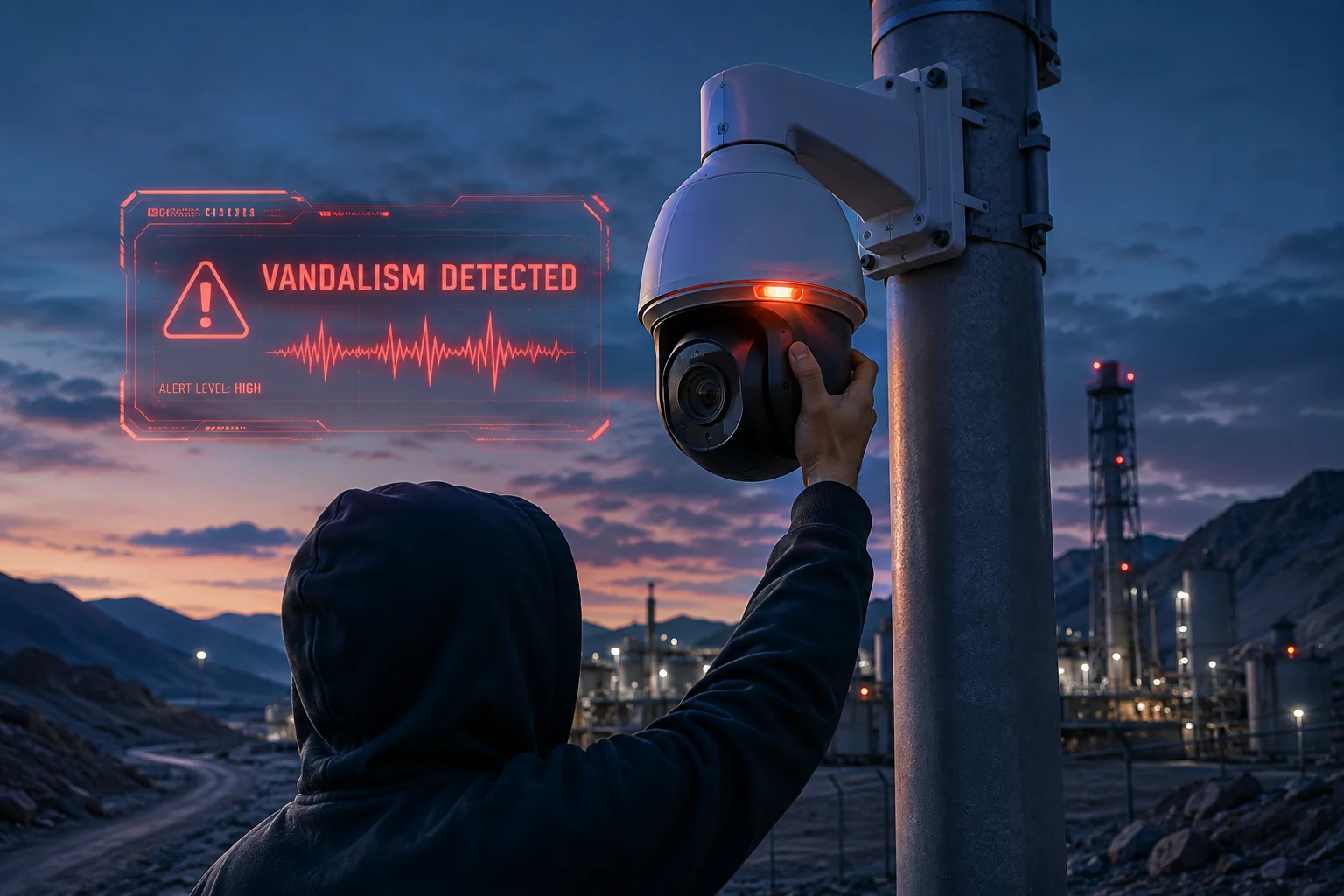
I want to break this down in a simple way, because this is not just a camera feature. It is a real protection layer for outdoor, off-grid, and hard-to-reach sites.
Table of Contents
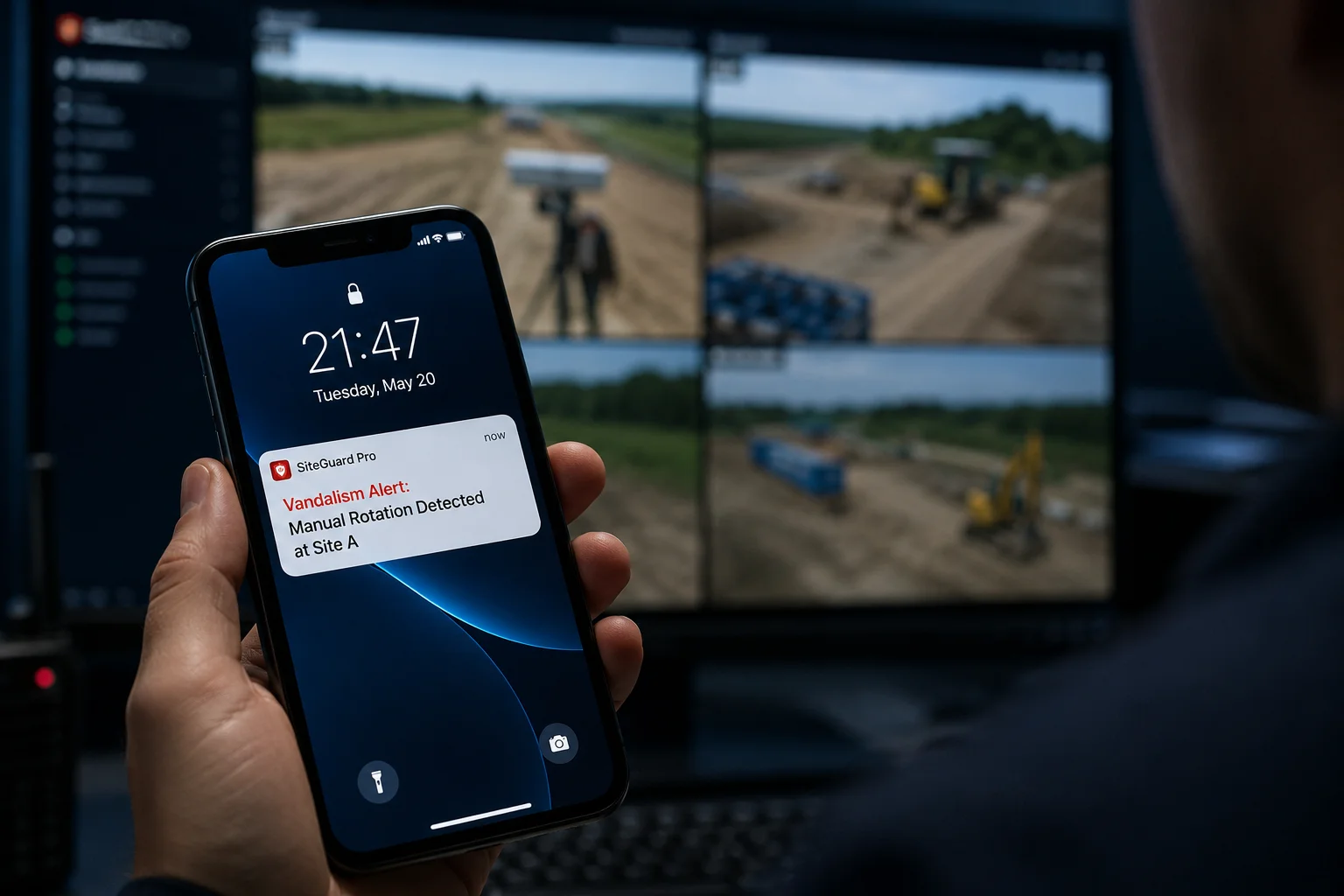
Will the app send a “Vandalism Alert” if someone manually twists the PTZ head?
I have seen this problem many times in outdoor projects. A camera may still be powered on, but the image becomes useless the moment someone grabs the PTZ and twists it by hand. That is a real risk for farms, roads, yards, and remote sites.
Yes, the app can send a Vandalism Alert4 if the PTZ head is manually twisted, as long as tamper detection5 is enabled. The camera compares normal motor movement with abnormal physical force, so a sudden hand twist can trigger an alarm and push the event to the app and the center.
How I separate normal PTZ movement from forced rotation
I do not treat all camera movement the same. A motor-driven PTZ move follows a known pattern. It starts, moves, slows, and stops in a controlled way. Manual twisting looks different. It often causes a fast jump, a shake, or a position change that does not match the motor logic.
I also look at the video scene itself. If the view changes too fast, or if the image shakes in a way that the motor did not command, the system can mark it as tamper behavior. That is useful because a thief or vandal usually does not care about smooth movement. They care about breaking the angle or blocking the view.
Here is a simple comparison:
| Event type | What I see | Likely result |
|---|---|---|
| Normal PTZ patrol | Smooth, planned motion | No alarm |
| Manual twist | Sudden angle jump | Vandalism alert |
| Heavy shake | Fast jitter and blur | Tamper alert |
| Camera pushed against wall | Image blocked or lost | Video tamper alarm |
Why app alerts matter in the real world
I think the app alert is only useful if it is fast and clear. In a remote site, the local guard may not be near the camera. The app becomes the first line of notice. If the system sends a message like “Vandalism detected” or “Tamper alarm,” the operator can check the live stream, save the clip, and call the site team.
I also care about alarm quality. Too many false alarms make people ignore the app. So I prefer a setup that uses more than one trigger. The system should combine video analysis, PTZ status, and sensor signals. That makes the alert more reliable.
For B2B users like me, this is not a small detail. A good vandalism alert helps reduce loss, protect evidence, and keep the project team calm when the site is under attack.
How does the AI distinguish between high-wind movement and an actual physical attack?
I work with outdoor camera projects, so I know wind is a real problem. A pole can shake. A bracket can move a little. A cheap system can mistake that for vandalism and send bad alerts all day.
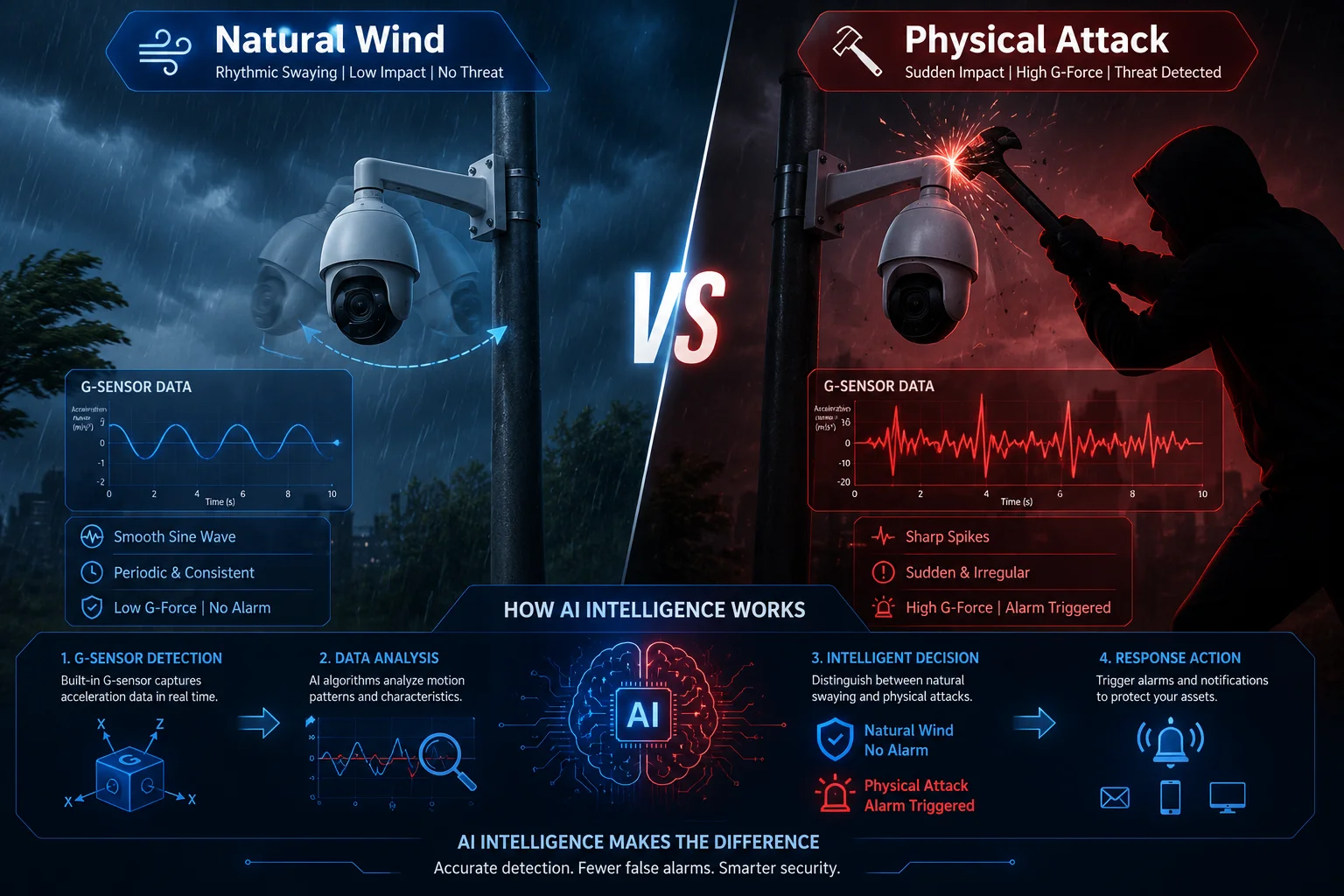
The AI can tell the difference by checking the pattern, speed, and source of motion. Wind usually causes light, repeatable sway. A real physical attack often causes a hard jerk, a sudden block, or a clear impact signal from the body sensor or tamper switch.
What I look at before calling it an attack
I do not rely on one sign only. I look at several signs at the same time. If the camera view shakes a little but the scene is still normal, the system may wait. If the camera is hit, pushed, or spun fast, the chance of a real attack is much higher.
I also trust sensor fusion6. This means the camera can mix video analysis with a G-sensor7, vibration data, and lens obstruction checks. Wind can shake the pole, but it usually does not cover the lens, break the scene, or create a strong impact pattern. A hand, stick, or tool often does.
Here is a simple breakdown:
| Signal | High wind | Physical attack |
|---|---|---|
| Motion style | Slow sway | Sharp jerk |
| Image effect | Mild shake | Heavy blur or scene jump |
| Lens view | Usually clear | May be blocked or turned away |
| Sensor input | Low vibration | Strong impact or tamper trigger |
| Alarm confidence | Lower | Higher |
Why false alarms are a big issue for me
If I ship a system to a farm, a tower, or a highway site, the customer does not want noise. They want real alerts. A false vandalism alarm can waste time and make people stop trusting the system. That is why I care about tuning.
I usually want the alarm logic to consider the site type. A tower in strong wind may need a different threshold from a camera on a solid wall. I also want the system to support sensitivity levels. That way, I can raise or lower the detection point based on the real site condition.
This matters because a good AI system should protect the camera without crying wolf. If it can tell wind from force, it becomes much more useful for long-term outdoor work.
Can the camera automatically record and upload a snapshot of the vandal’s face?
I know this question matters because evidence is everything. If someone damages the camera and leaves no trace, the site owner loses more than equipment. They also lose proof.
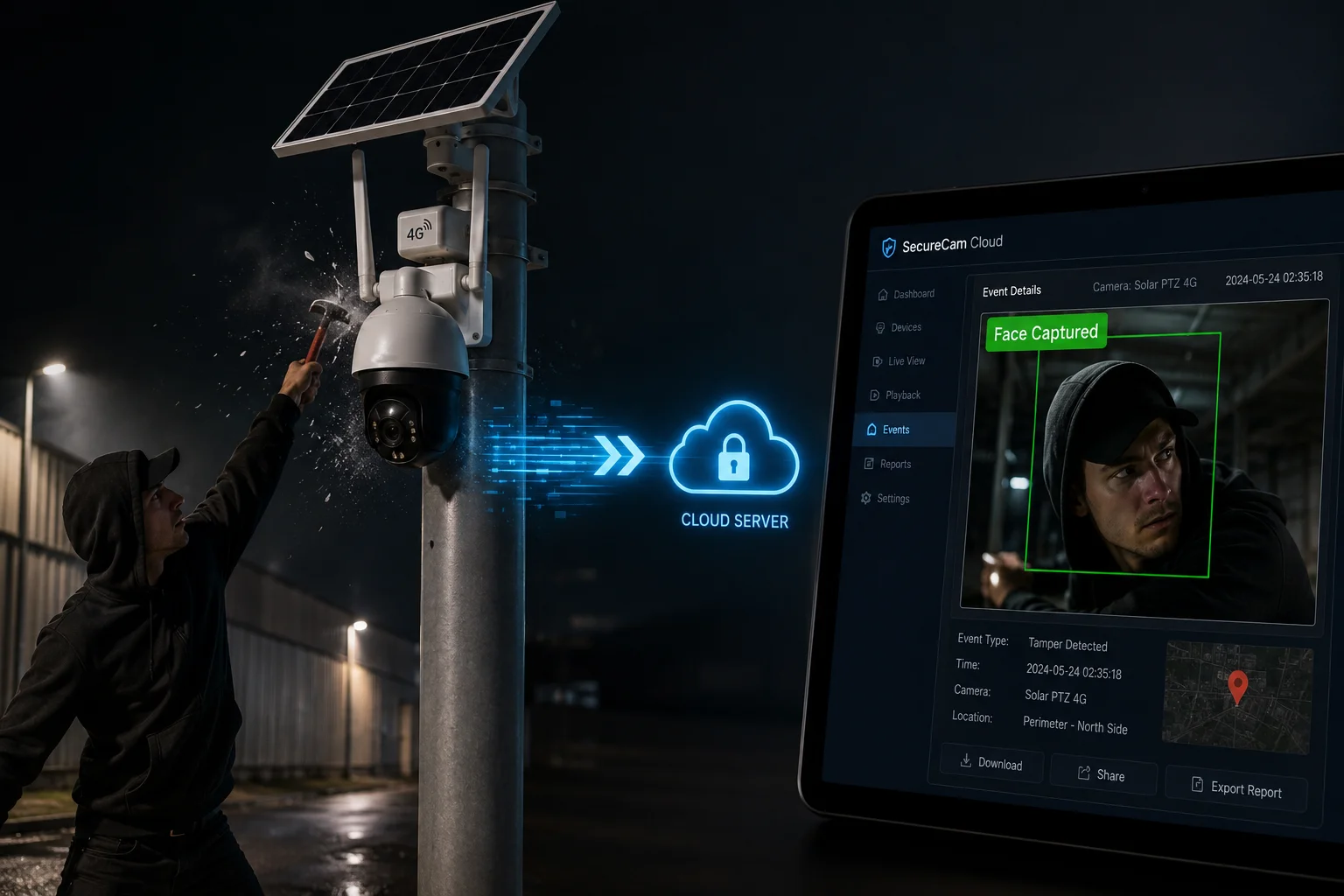
Yes, the camera can automatically capture a snapshot and upload it if the vandal’s face is visible. The best systems save the last frames before failure, store them locally, and try to push them to the center through 4G before the connection is lost.
How last-frame capture works in my view
I like systems that do not wait too long. When tamper is detected, the camera should freeze the key frame, save the clip, and send the image right away. If the person is close enough, the face may appear in the last snapshot. If not, the system may still save clothing, direction, or body shape.
The important part is speed. A vandal may cut power a second later. They may also smash the camera or move away fast. So the camera needs local cache, quick upload, and backup storage. That is what makes the evidence useful.
What I want in an evidence chain
I always prefer a system that keeps the full chain of proof. One snapshot is good, but a short video clip is better. A timestamp is also important. The center should know when the attack began, when the image changed, and when the device went offline.
| Evidence item | Why it helps | Where it is used |
|---|---|---|
| Face snapshot | Helps identify the person | App, VMS, report |
| Short video clip | Shows the full action | Investigation |
| Timestamp | Proves when it happened | Incident log |
| Device ID | Shows which camera was hit | Fleet management |
Why this helps my customers
For a distributor or system integrator, proof means lower dispute risk. The client can see what happened. The project team can show the event to security staff, insurers, or police if needed. This is also helpful in places like farms, yards, and road sites where the attacker may return later.
I also think the snapshot feature adds trust. If a camera claims to detect vandalism but cannot save a clear image, the feature is weak. If it can save and send key frames, then the alarm is not just noise. It becomes real evidence.
Does the “Impact Detection” log include the exact time and force of the physical blow?
I care a lot about logs because a good log tells the story. If a camera was hit, I want to know when it happened, how strong it was, and what the system saw next.
Yes, the Impact Detection log8 can include the exact time, the impact level, and the response event, if the model supports a G-sensor or similar hardware. The log may show the second of impact, the vibration level, and the following alarm or offline state.
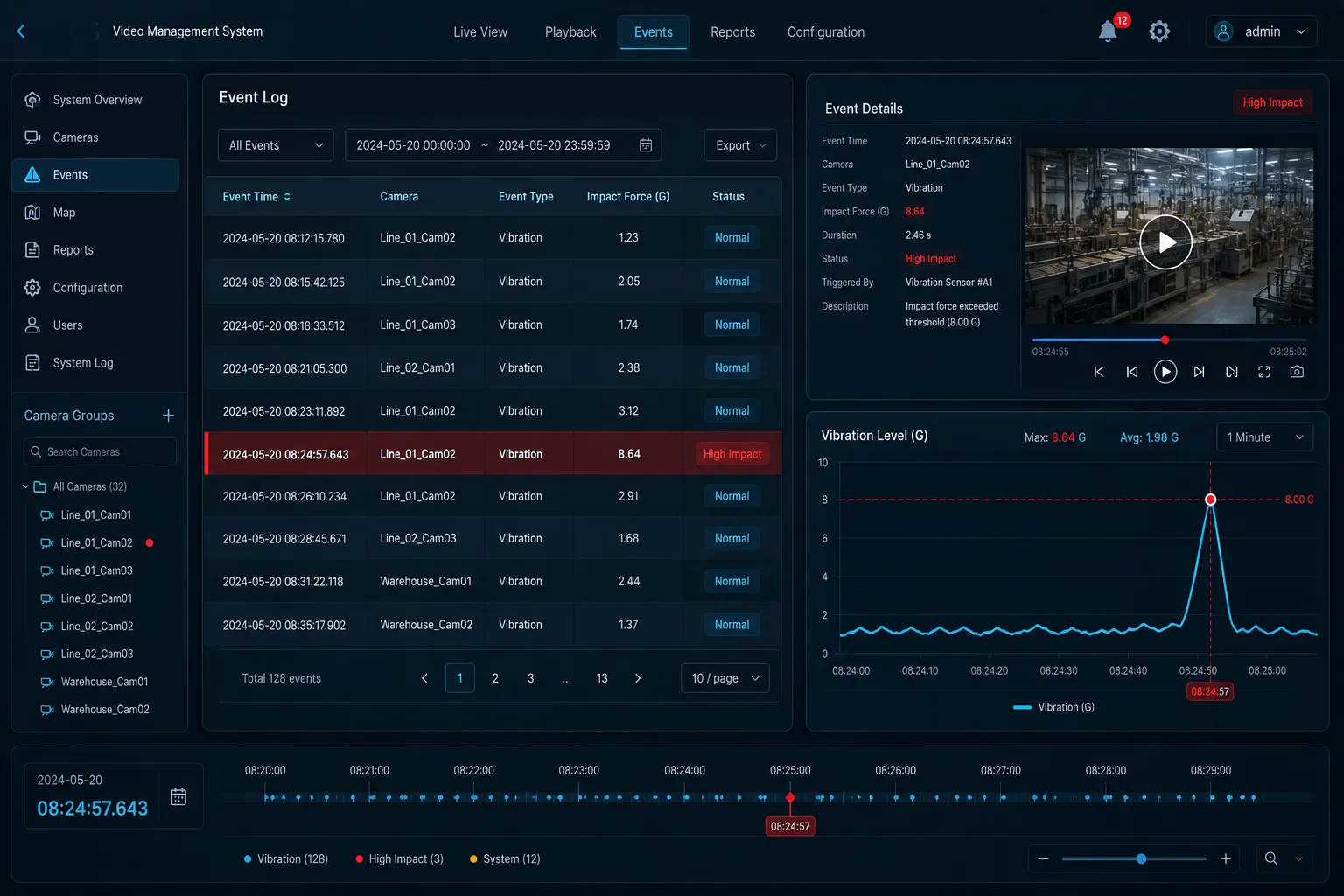
What I expect to see in the log
I do not want a vague line that says “alarm triggered.” I want data that helps me act. A useful log should include the event time, the camera ID, the alarm type, the sensor value, and the next status change. If the device later goes offline, that should also appear.
A strong log helps me answer simple questions:
- Was it a light shake or a hard hit?
- Did the camera keep recording after the hit?
- Did the alarm reach the center?
- Did the system lose power, signal, or both?
Here is a sample format I prefer:
| Log field | Example | Why I need it |
|---|---|---|
| Event time | 2025-05-12 14:23:08 | Confirms the exact moment |
| Alarm type | Impact detection | Shows what happened |
| Sensor value | High vibration | Shows force level |
| Device status | Online then offline | Shows the result |
| Upload status | Snapshot sent | Confirms evidence delivery |
Why exact timing matters in B2B projects
In my work, timing often decides who is responsible. If the camera failed before the attack, that is one case. If the camera was hit first and then lost connection, that is another. Exact time helps separate those events.
It also helps with VMS records. If a site has multiple cameras, I can match one log with other angles. That makes the investigation much stronger. For larger projects, this is also useful for service teams, because it shows whether the problem came from impact, wire damage, or mounting failure.
I also want the force value to be meaningful. If the log can show a vibration level or impact grade, I can tell if the event was a small touch, a strong hit, or a serious attack. That helps me choose the right mounting height, bracket, and protection level for the next job.
How I use this feature set in real outdoor projects
I do not see vandalism detection as a single feature. I see it as a chain. Video tamper detection, impact sensing, offline alerts, and snapshot upload all work together. If one layer fails, the next one still helps.
For my off-grid 4G solar projects, that chain is even more important. A remote site may have no staff nearby. So the camera must defend itself. It must detect forced rotation, save proof, and tell the center before the vandal finishes the job.
If you are a system integrator, I would suggest you test three things before deployment: the alarm sensitivity, the snapshot speed, and the offline report time. I would also test wind conditions, because false alarms can destroy trust very fast. A stable system should stay quiet in normal weather, but wake up fast when a real attack happens.
For me, that is the real value of industrial AI PTZ design. It does not just watch. It reacts, records, and reports.
Conclusion
I use AI tamper detection, impact logs, and fast snapshot upload to turn a camera from a target into a self-reporting witness.
1. Learn about PTZ camera mechanics and how forced rotation is detected. ↩︎ 2. Understand how video analytics algorithms detect tampering like blocking or redirecting the camera. ↩︎ 3. Heartbeat loss alerts notify operators when a camera stops communicating, often indicating tampering or power loss. ↩︎ 4. How vandalism alerts are triggered by forced rotation, impact, or obstruction of the camera. ↩︎ 5. Overview of tamper detection features in IP cameras, including scene change and obstruction alerts. ↩︎ 6. Combining video analysis with G-sensor, vibration, and other inputs to reduce false alarms. ↩︎ 7. A G-sensor (accelerometer) measures impact and vibration to detect physical attacks. ↩︎ 8. Understanding impact detection logs that record exact time, force level, and camera status after a hit. ↩︎