
I have seen too many integrators get burned by fake “Sony STARVIS” labels on cheap PTZ cameras from China. The frustration is real.
Original Sony STARVIS sensors are used in many high-end Chinese PTZ cameras from brands like Hikvision and Dahua. But a large number of mid-to-low-tier export products falsely claim Sony STARVIS. You must verify the exact IMX model number — not just the “STARVIS” label — through spec sheets, firmware logs, or physical chip inspection to confirm authenticity.
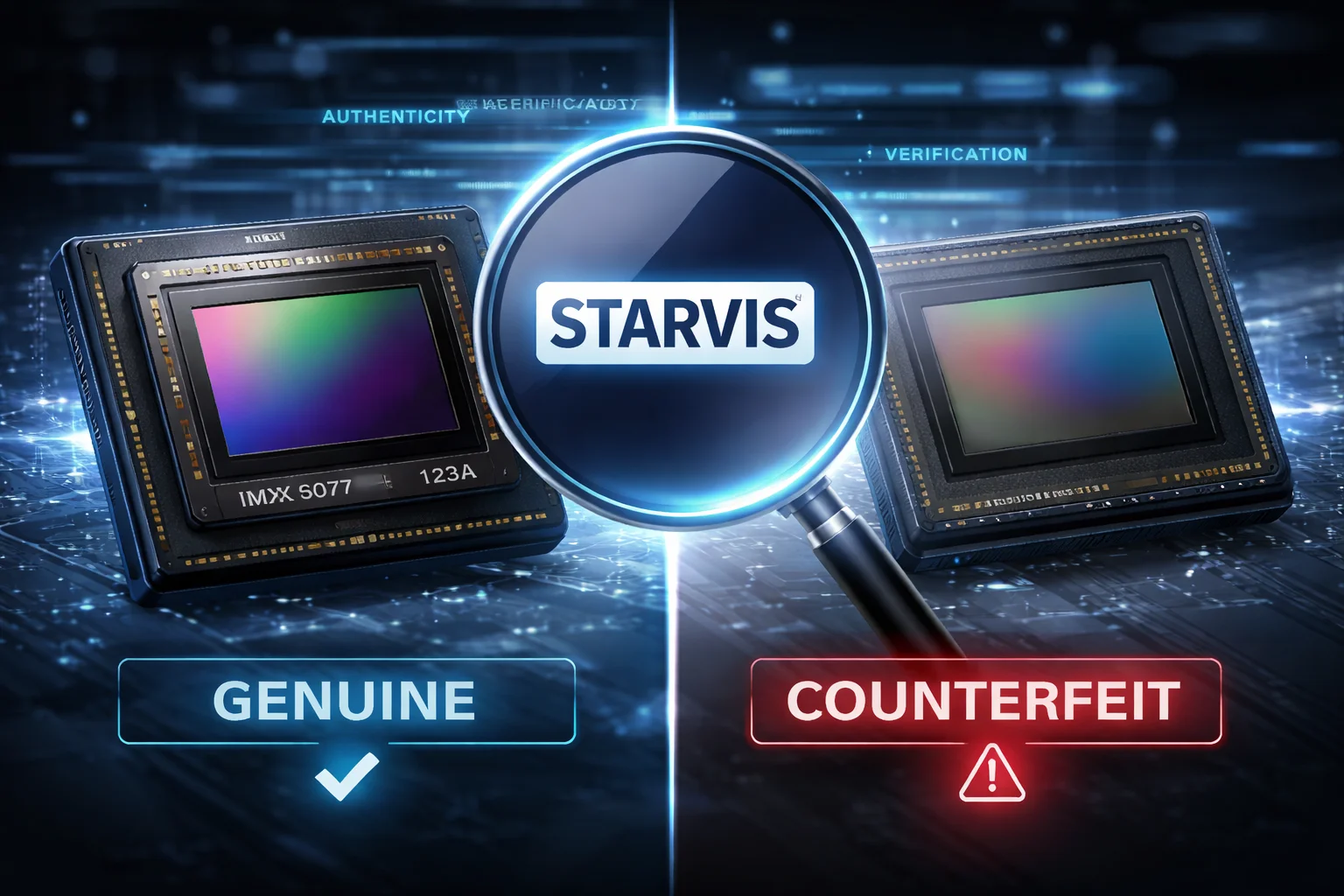 Sony STARVIS sensor identification for PTZ cameras
In this guide, I will walk you through exactly how to verify the sensor model, what to ask your supplier, how to spot fakes, and why cameras with the same “Sony” claim can look completely different at night. Whether you are sourcing PTZ cameras for a city project or a remote solar-powered site, this information will save you from costly mistakes.
Table of Contents
How Can I Verify the Specific Sony Sensor Model Through My Camera’s Web Interface?
You just installed a new PTZ camera. The box says “Sony STARVIS.” But how do you actually confirm that from your desk, without opening the housing?
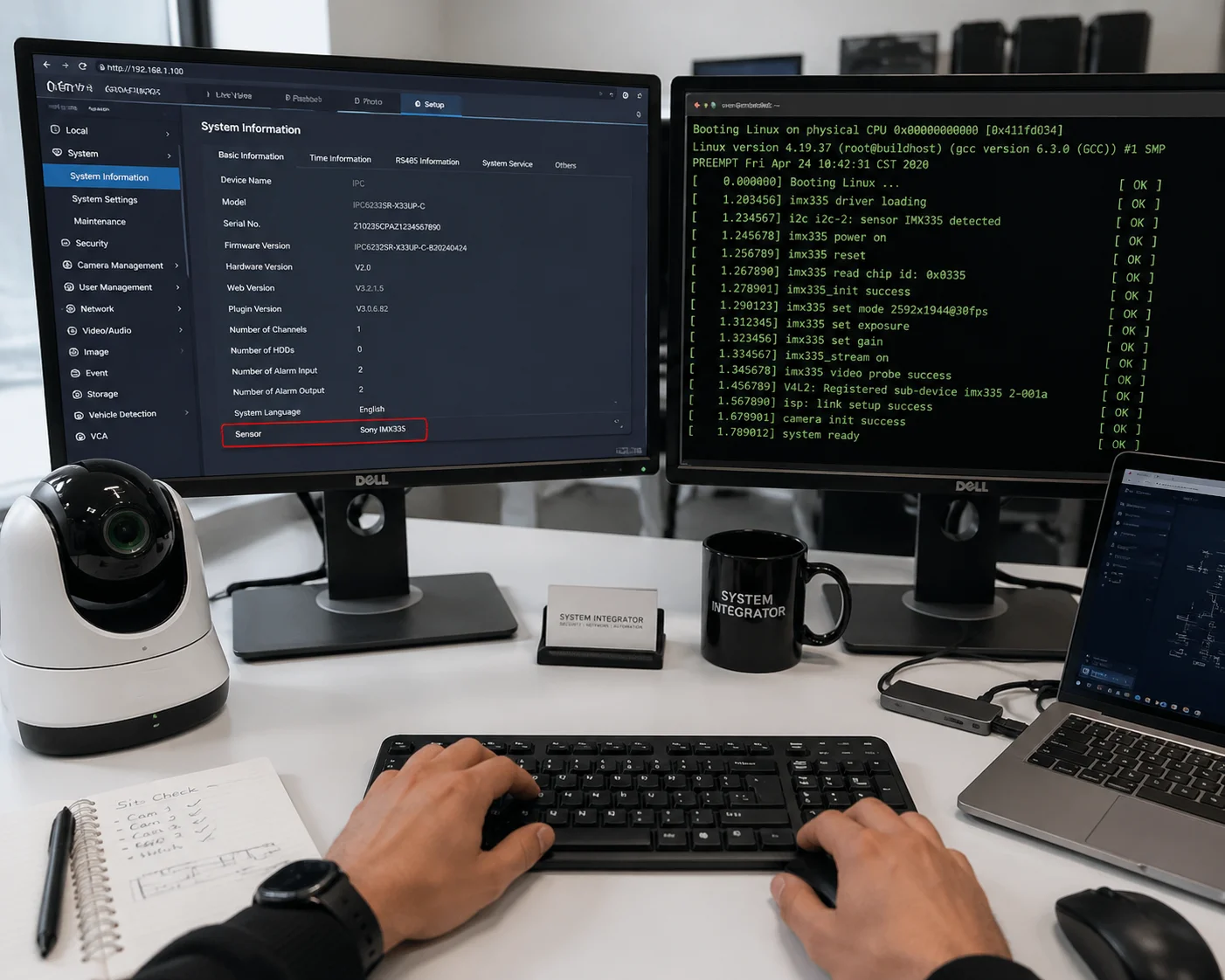
Most professional PTZ cameras expose sensor information through their web management interface, system logs, or ONVIF 1 device queries. Look for the exact IMX model number — such as IMX335 or IMX415 — in the device info page, boot logs via Telnet/SSH, or by scanning with an ONVIF tool like ONVIF Device Manager 2.
 Verifying Sony sensor model through camera web interface
Check the System Information Page First
The fastest way is to log into the camera’s web interface. Go to the “Device Info,” “System Information,” or “About” page. Many professional-grade PTZ cameras list the image sensor model here. You might see something like “Sensor: IMX335” or “Image Core: 1/2.8″ Sony.” If the page only says “CMOS Sensor” with no model number, that is your first red flag.
Use Telnet or SSH to Read Boot Logs
If the web interface does not show the sensor model, you can go deeper. Many cameras allow Telnet or SSH access. Once you connect, check the boot log. During startup, the camera’s ISP (Image Signal Processor) initializes the sensor driver. The boot log usually prints a line like:
sensor driver: imx335_init successor
Loading sensor: IMX415LQRThis is hard evidence. The ISP must load the correct driver for the specific sensor chip. If the log says “imx335” but the box says “IMX678 4K,” you know something is wrong.
Use ONVIF Device Manager
A third option is to use a free tool called ONVIF Device Manager. Connect it to your camera over the network. Under the “Video Source” or “Imaging” section, some cameras report hardware-level details, including the sensor type. This does not work with every camera, but it is worth trying. It takes less than two minutes.
What If None of These Methods Work?
Some low-cost cameras intentionally hide sensor information. They strip it from the web interface. They block Telnet access. They do not support ONVIF properly. If a camera makes it difficult for you to verify what is inside, treat that as a warning sign. A manufacturer who uses a genuine Sony sensor has every reason to show it off — not hide it.
| Verification Method | Difficulty | Reliability | Tools Needed |
|---|---|---|---|
| Web Interface System Info | Easy | Medium | Browser only |
| Telnet/SSH Boot Log | Medium | High | Telnet client, login credentials |
| ONVIF Device Manager | Easy | Medium | Free ONVIF software |
| Firmware Dump (Flash Reader) | Hard | Very High | CH341a programmer, Linux |
At Loyalty-Secu, we make this simple. Our cameras display the exact Sony IMX model in the web interface. We also provide full access to system logs. You should never have to guess what sensor you paid for.
Will My Supplier Provide the Raw Sensor Datasheet to Prove It Is an Original STARVIS?
You asked your supplier for proof. They sent you a generic PDF with “Sony STARVIS” on the cover. But is that enough?
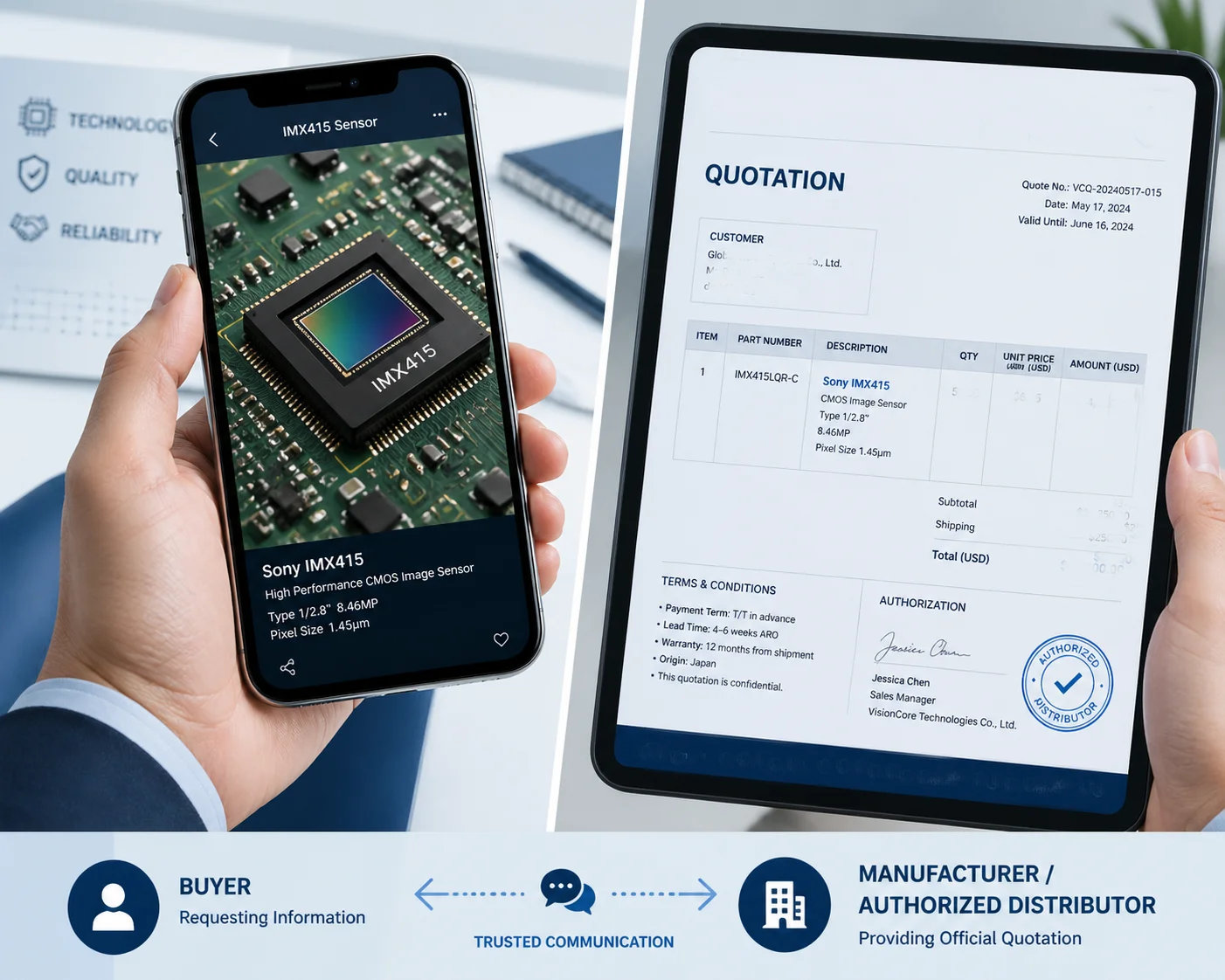
Most suppliers will not provide the official Sony sensor datasheet because Sony restricts distribution of full datasheets to authorized partners. However, a trustworthy supplier should provide the exact IMX model number, a close-up photo of the sensor chip showing the laser-etched markings, and purchasing records from Sony’s authorized distributors 3 in China.
 Requesting Sony STARVIS sensor proof from supplier
Why Full Datasheets Are Hard to Get
Sony Semiconductor does not publish full datasheets for its IMX security sensors on its public website. These documents are shared only with approved customers and design partners under NDA (Non-Disclosure Agreement). So if your supplier sends you a complete Sony datasheet with pinout diagrams and register maps, it is either leaked or they have a legitimate engineering relationship with Sony. Either way, the datasheet alone does not prove the sensor inside your specific camera is genuine.
What You Should Ask for Instead
Instead of a datasheet, ask for these three things:
- The exact IMX model number in writing — on the quotation, the spec sheet, and the product label. Not just “Sony STARVIS.” You need “Sony IMX335LQR” or “Sony IMX415AAQ,” for example.
- A close-up photo of the sensor chip on the PCB — Sony sensors have laser-etched markings on the ceramic package. These markings include a code that corresponds to the IMX model. If the supplier refuses to provide this photo, ask yourself why.
- Proof of purchase from an authorized distributor — Sony’s authorized sensor distributors in mainland China include companies like Daheng, SUNNIC, and PATAI. A legitimate manufacturer can show purchase orders or invoices from these channels.
Cross-Check on Sony’s Official Website
You can verify any IMX model number on Sony Semiconductor’s official product page at sony-semicon.com 4. Search for the model. Check if the resolution, optical size, and pixel pitch match what your supplier claims. If the model does not exist on Sony’s site, it is fake. If the specs do not match, the supplier is mixing up models — intentionally or not.
The Price Test
There is one more simple test. Sony IMX sensors have a real cost. An IMX678 (true 4K, 1/1.8″ STARVIS 2) costs significantly more than an IMX307 (2MP, 1/2.8″ first-gen STARVIS). If a supplier offers you a “4K Sony STARVIS 2” PTZ camera at a price that seems too low, the math does not add up. Genuine Sony sensors have a floor price. If the whole camera costs less than the sensor should, something is wrong.
| What to Request | Why It Matters | Red Flag If Missing |
|---|---|---|
| Exact IMX model on quotation | Locks supplier to a specific commitment | They only write “Sony STARVIS” |
| Close-up photo of sensor chip | Visual proof of laser-etched Sony markings | “We cannot open the camera” |
| Distributor purchase invoice | Proves sensors came from authorized channel | “That is confidential” |
| Price breakdown | Confirms sensor cost is realistic | Total price is suspiciously low |
We at Loyalty-Secu list the specific Sony IMX model on every quotation we send. We also welcome customers to verify through any third-party tool or physical inspection. Transparency is not optional — it is how we do business.
How Do I Tell the Difference Between a Genuine Sony Sensor and a Low-Cost Alternative?
You received two sample cameras from two different factories. Both say “Sony STARVIS 4K.” But one costs 40% less. Something does not add up.
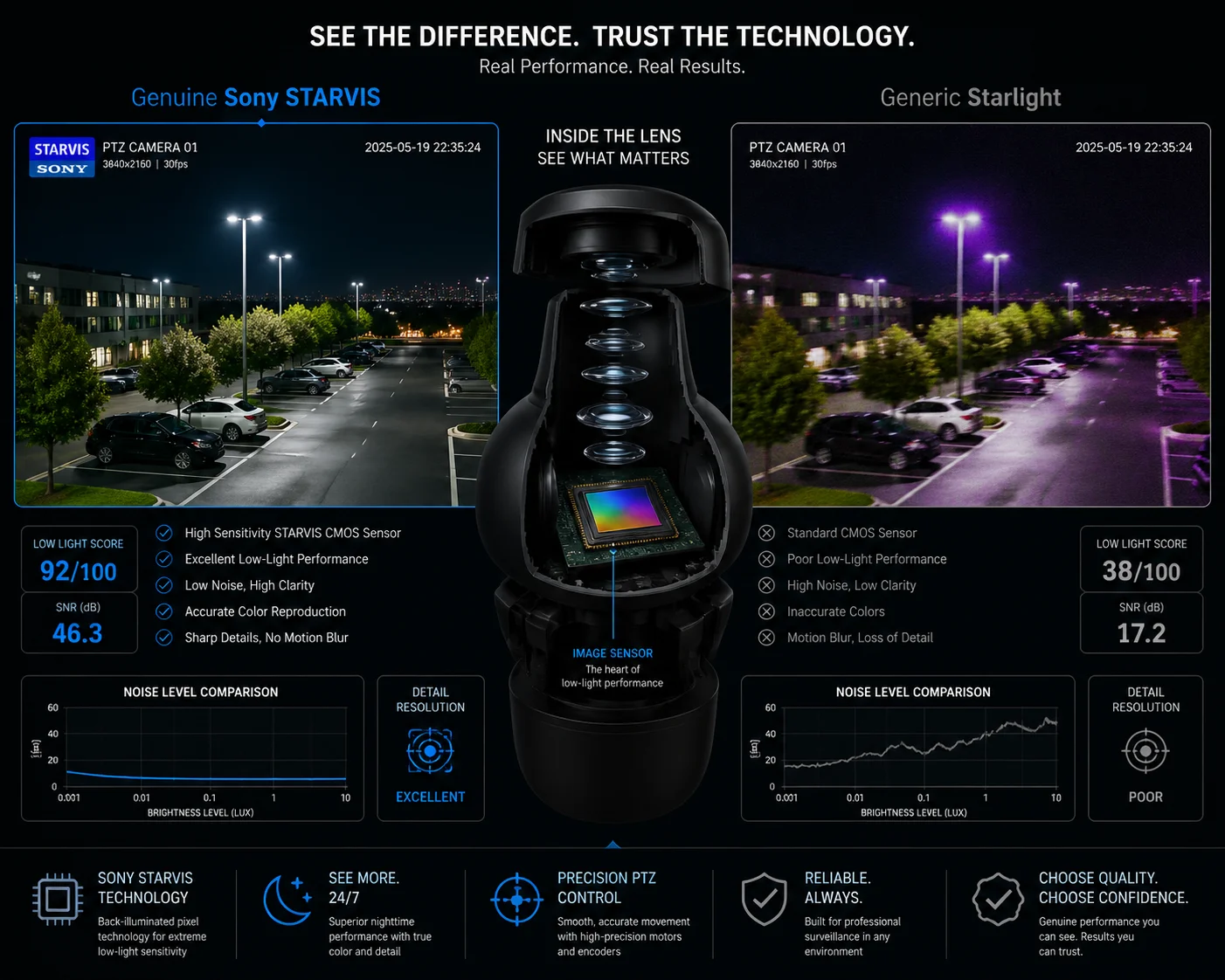
A genuine Sony STARVIS sensor shows distinct physical traits: laser-etched markings on the chip, a specific filter glass color (usually deep green or purple-red), and consistent low-light performance matching Sony’s published specs. Low-cost alternatives often have blurry or missing markings, inferior night performance, and visible artifacts like purple halos around IR LEDs.
 Genuine Sony sensor vs low-cost alternative comparison
Physical Inspection: What to Look For
If you open the camera and look at the sensor chip on the PCB, a genuine Sony IMX sensor has several telltale features:
- Laser-etched text on the ceramic package edge or back. This text is small but clear. It includes a product code that maps to the IMX family.
- Filter glass color. Sony STARVIS sensors typically show a deep green or purple-red reflection when light hits the filter glass at an angle. Cheap sensors often look plain or have a different tint.
- Pin layout and package size. Each Sony IMX model has a specific package footprint. For example, the IMX335 uses a specific LGA package. If the package does not match Sony’s published dimensions, it is not genuine.
The “Starlight” Word Game
Here is a trick many low-cost factories use. They label their cameras “Starlight” or “Star Light Level.” These are not trademarked terms. Any factory can use them. Only “STARVIS 5,” “STARVIS 2,” and “STARVIS 3” are Sony’s registered trademarks. So when you see “Starlight Camera” without a specific IMX model number, it almost certainly does not use a Sony sensor. It might use a sensor from SmartSens, GalaxyCore, or other Chinese semiconductor companies. These sensors are not necessarily bad — but they are not Sony, and they should not be priced as Sony.
Night Performance: The Real Test
The most practical way to compare is a side-by-side night test. Set up both cameras in the same location. Turn off all lights. Enable IR mode. Then compare:
- Noise level. A genuine Sony STARVIS sensor produces a clean image with minimal grain in near-total darkness. A cheap sensor shows heavy noise, especially in shadow areas.
- Color accuracy. STARVIS sensors can maintain color output at very low lux levels before switching to black-and-white. Cheap sensors switch to B&W much earlier.
- Purple halo. Around IR LED illumination zones, cheap sensors often produce a visible purple or pink halo at the image edges. Genuine Sony sensors handle IR bleed much better.
- Motion blur. In low light, cheap sensors increase exposure time to brighten the image. This causes moving objects to blur. Sony STARVIS sensors capture enough light with shorter exposure, so motion stays sharp.
Common Sensors Used as “Sony Alternatives”
| Sensor Brand | Example Model | Resolution | Typical Use | How It Compares to Sony |
|---|---|---|---|---|
| SmartSens 6 | SC5335 | 5MP | Budget PTZ cameras | Decent daytime, weaker low-light |
| GalaxyCore 7 | GC4653 | 4MP | Low-cost bullet cameras | Noticeably more noise at night |
| OmniVision 8 | OS08A10 | 8MP | Mid-range 4K cameras | Good, but not STARVIS-level in dark |
| Sony | IMX335 | 5MP | Professional PTZ | Excellent low-light, low noise |
| Sony | IMX678 | 8.3MP | True 4K STARVIS 2 | Best-in-class night performance |
None of these alternative sensors are “fake” in themselves. They are real products from real companies. The problem is when a factory puts a SmartSens SC5335 inside a camera and labels it “Sony STARVIS 5MP.” That is fraud. And it happens more often than you think.
At Loyalty-Secu, every camera we ship uses the exact sensor we specify. We have our own R&D team and in-house quality control. We do not swap parts to cut corners. If the quotation says IMX335, you will find an IMX335 on the board.
Why Does the Low-Light Performance of My “Sony” Camera Vary Between Different Factories?
You ordered the same “Sony STARVIS IMX335” camera from three factories. All three look different at night. How is that possible?
Even with the same genuine Sony sensor, low-light performance depends heavily on the ISP tuning, lens quality, IR illuminator power, and PCB design. A poorly tuned ISP or a cheap lens can waste 50% or more of the sensor’s capability. The sensor is only one piece of the puzzle — the engineering around it matters just as much.
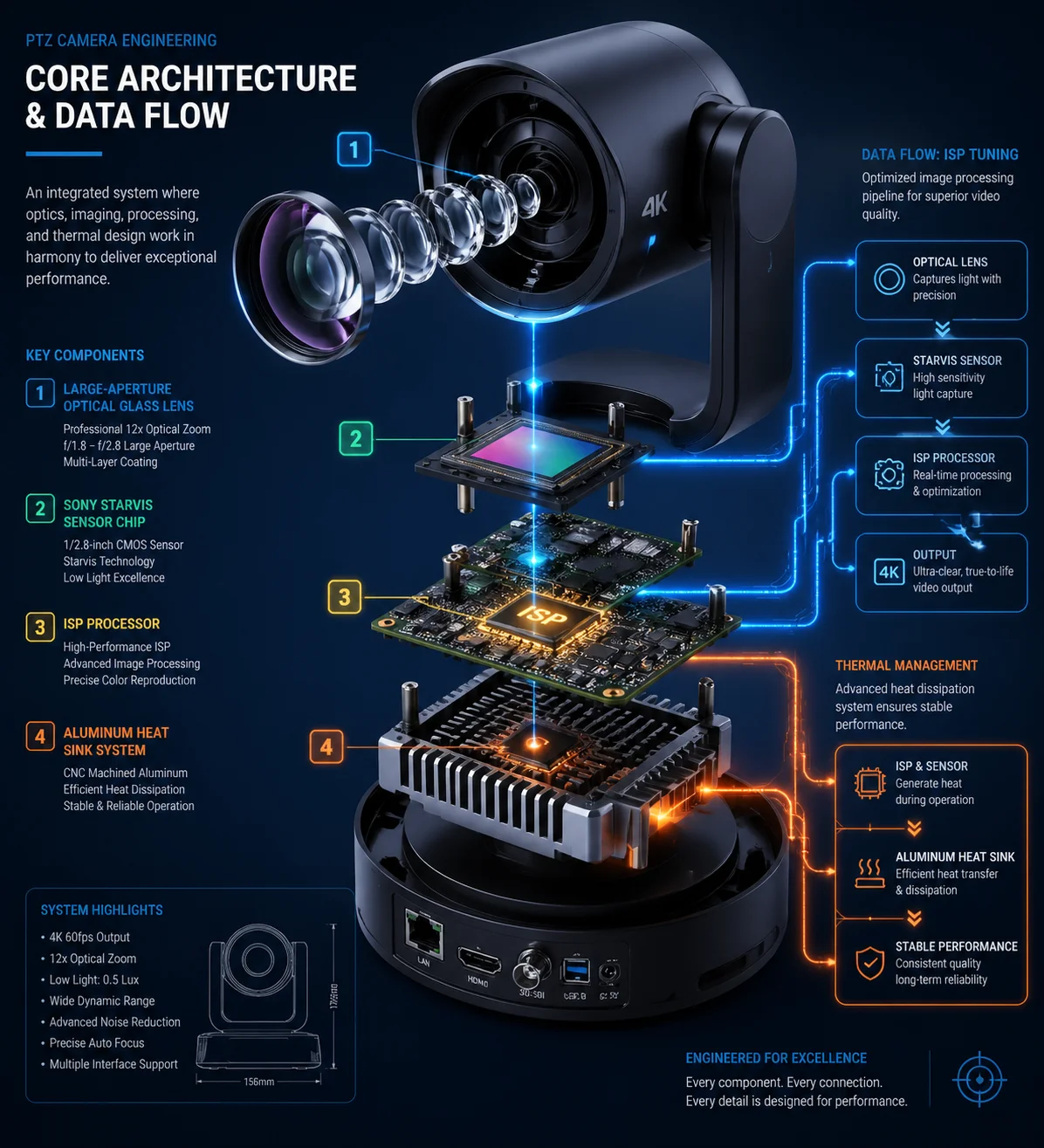 Low-light performance variation between PTZ camera factories
The Sensor Is Not the Whole Story
Think of the sensor like an engine in a car. A Ferrari engine in a poorly built chassis with bad tires will not perform like a Ferrari. The same applies to cameras. A Sony IMX335 sensor paired with a low-quality lens, a basic ISP chip, and poor thermal management will produce images far worse than the same sensor in a well-engineered camera.
ISP Tuning: The Hidden Differentiator
The ISP (Image Signal Processor) takes raw data from the sensor and turns it into the final video you see. ISP tuning includes:
- 3D noise reduction (3D-DNR) settings — Too aggressive, and you lose detail. Too weak, and you see grain.
- White balance algorithms — Poor tuning causes unnatural color casts under mixed lighting.
- Wide Dynamic Range (WDR) processing — Good WDR balances bright and dark areas. Bad WDR creates ghosting or washed-out images.
- Shutter speed and gain control — The ISP decides when to increase gain (amplification) in low light. Cheap ISPs increase gain too early, which adds noise.
A factory with experienced ISP engineers will spend weeks fine-tuning these parameters for each sensor and lens combination. A factory that just copies reference designs will ship with default settings that may not match the specific lens or housing they use.
Lens Quality Matters More Than You Think
The lens sits in front of the sensor. If the lens has poor light transmission, scratches, or low-quality coatings, less light reaches the sensor. A Sony IMX335 behind a $2 lens will perform worse than a SmartSens sensor behind a $15 lens. For PTZ cameras with 30X or 40X optical zoom, lens quality becomes even more critical. At full zoom, any optical flaw is magnified.
IR Illuminator Design
For night vision, the IR (infrared) LEDs or laser illuminator provide the light source. The sensor captures reflected IR light. If the IR array is weak, unevenly distributed, or uses the wrong wavelength, the night image suffers — no matter how good the sensor is. At Loyalty-Secu, our long-range PTZ models use high-power 808nm laser IR illuminators that reach up to 800 meters. This is not just about the sensor. It is about the complete optical system working together.
Thermal Management and PCB Design
Sensors generate heat. Heat creates electronic noise. Noise degrades image quality, especially in low light. A well-designed PCB with proper heat dissipation keeps the sensor cool and clean. A cramped, poorly ventilated PCB lets heat build up, and you see the result as grainy, flickering video after the camera runs for a few hours.
Why This Matters for Your Projects
If you are an integrator deploying cameras on a highway, a construction site, or a remote farm, you cannot afford to discover these differences after installation. The cost of sending a technician back to swap out a bad camera in a remote location is often higher than the camera itself. That is why we test every unit through automated aging tests before shipment. We do not just check if the sensor is real. We check if the entire system performs as promised, hour after hour, in heat and cold.
Conclusion
Verify the exact Sony IMX model number, inspect the chip, test night performance, and choose a manufacturer with real R&D capability — not just a label printer.
1. ONVIF standard for IP camera interoperability and sensor queries. ↩︎ 2. ONVIF Device Manager tool for network camera hardware detection. ↩︎ 3. Sony Semiconductor authorized distributor network for IMX sensors. ↩︎ 4. Sony Semiconductor official product catalog for IMX security sensors. ↩︎ 5. Sony STARVIS technology for security camera low-light performance. ↩︎ 6. SmartSens CMOS sensor alternatives to Sony STARVIS. ↩︎ 7. GalaxyCore image sensors used in budget security cameras. ↩︎ 8. OmniVision sensor specifications for security applications. ↩︎ 9. ISP tuning best practices for low-light sensor performance. ↩︎ 10. Benefits of 808nm laser IR vs. traditional LED in night vision. ↩︎